
How to Unlock Quantum Drone in Slime Rancher 2 (August 2026) Complete Guide
Find a Ghostly Drone in your Conservatory expansions (Archway, Den, Gulley) or Grey Labyrinth, interact with it to get a Drone Station Module, then craft a Quantum Drone Station at the Fabricator using 100 Flutter Plorts, 15 Lava Dust, 15 Wild Honey, 3 Strange Diamonds, the module, and 5,000 Newbucks.
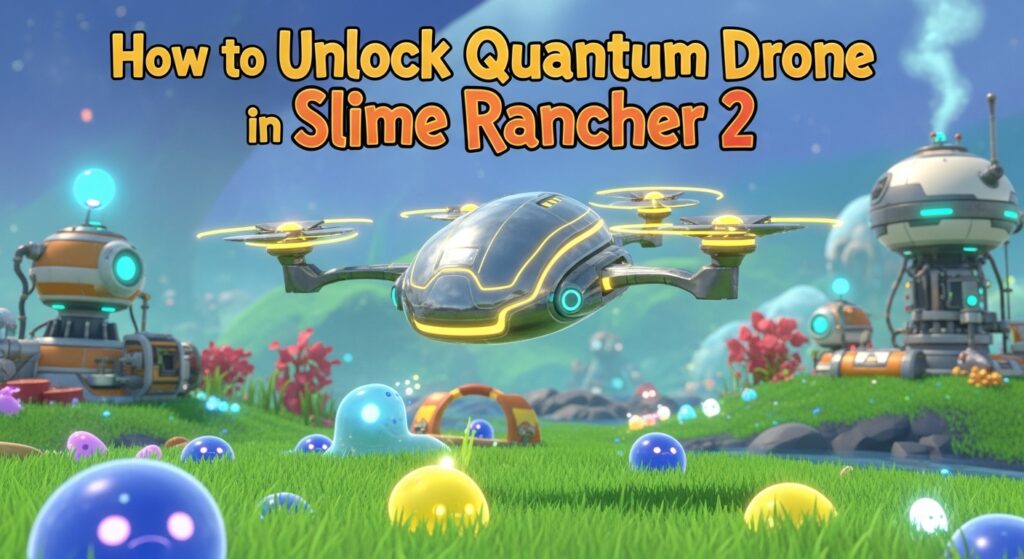
When Slime Rancher 2 finally hit version 1.0 in 2026, I was absolutely thrilled to see my favorite automation buddies return. As someone who spent countless hours with drones in the original game, I can’t tell you how excited I was to get my hands on these new Quantum Drones. They’re not just upgraded versions of the old ones – they’re completely game-changing automation tools that’ll revolutionize how you manage your ranch.
I’ve spent weeks testing every aspect of these buzzing helpers, and I’m here to share everything I’ve learned about unlocking and mastering Quantum Drones in Slime Rancher 2.
Article Includes
What Are Quantum Drones in Slime Rancher 2?
Before we dive into the unlock process, let me explain what makes these drones so special. Quantum Drones are automated utility gadgets that can handle both ranch management and resource collection across Rainbow Island. Unlike their predecessors, they feature two distinct operating modes that make them incredibly versatile.
I’ve been using mine for everything from automated plort collection to resource farming in remote locations, and honestly, I can’t imagine playing without them anymore.
Why You Need Quantum Drones Right Now
Let me be real with you – these aren’t just nice-to-have gadgets. They’re essential for anyone who wants to build an efficient, profitable ranch operation. Here’s what I’ve discovered they can do:
Ranch Automation Benefits:
- Automatically collect and sell plorts while you explore
- Feed your slimes consistently without manual intervention
- Transport resources between different ranch areas
- Manage inventory overflow to prevent losses
Resource Collection Advantages:
- Gather rare materials from dangerous or hard-to-reach areas
- Collect Strange Diamonds and other valuable resources automatically
- Farm specific items while you focus on other activities
- Access remote locations without constant travel
I’ve calculated that my drones save me at least 2-3 hours of manual labor per play session. That’s time I can spend exploring new areas, experimenting with slime combinations, or just enjoying the beautiful world of Rainbow Island.
Step 1: Finding Your First Ghostly Drone
This is where most players get stuck, and I’ll tell you why – these ghostly little buggers are sneaky! I spent my first few hours running around like a headless chicken before I figured out their patterns.
Guaranteed Spawn Locations
Conservatory Expansions (Best Bet): The most reliable place to find a Ghostly Drone is floating between your first three Conservatory expansions:
- The Archway
- The Den
- The Gulley
I’ve found that they tend to appear more frequently during certain times of day, though I haven’t been able to pin down an exact pattern. What I do know is that they’re translucent, glowing, and move in unpredictable patterns.
Pro tip I learned the hard way: Don’t chase them directly! They seem to react to your movement. Instead, I’ve found success by positioning myself in the center of one expansion and waiting. They’ll often float right to you.
Alternative Location – Grey Labyrinth: If you’ve unlocked the Grey Labyrinth (which requires story progression), you can also find Ghostly Drones in the Terrarium section. I actually found this to be more consistent than the Conservatory method, though it requires more game progression.
What to Look For
Ghostly Drones are:
- Semi-transparent with a blue-ish glow
- About the size of regular slimes
- Move in floating, erratic patterns
- Stop moving for 2-3 seconds at a time
- Make a faint humming sound when nearby
When I first spotted one, I almost mistook it for a weird visual glitch! They’re that ethereal-looking.
Interaction Tips That Actually Work
Here’s what I’ve learned from successfully catching dozens of these things:
- Move slowly when approaching – Quick movements seem to make them disappear
- Wait for them to pause – They stop every few seconds, that’s your window
- Approach from the side, not head-on – Direct approaches often spook them
- Be patient – Sometimes you’ll wait 10-15 minutes for one to spawn
When you successfully interact with a Ghostly Drone, you’ll receive a Drone Station Module. This is the key component you need for crafting, so don’t lose it!
Step 2: Gathering Crafting Materials
Now comes the resource grind. I won’t sugarcoat this – getting everything you need for your first Quantum Drone Station is no joke. But I’ve optimized the process, so here’s my efficient gathering strategy:
Complete Crafting Recipe
| Resource | Quantity Needed | Where to Find | My Pro Tips |
|---|---|---|---|
| Flutter Plorts | 100 | Starlight Strand Flutter Slimes | Feed them Moondew Nectar for best results |
| Lava Dust | 15 | Ember Valley lava spouts | Bring fire protection, visit during cooler weather |
| Wild Honey | 15 | Starlight Strand beehives | Night collection is safer and more efficient |
| Strange Diamonds | 3 | Various locations | Check weather events, caves, and rare spawn points |
| Drone Station Module | 1 | Ghostly Drone interaction | The hardest part – be patient! |
| Newbucks | 5,000 | Plort sales, treasure pods | Save up from regular ranch operations |
Flutter Plorts – The Bulk Collection Challenge
This is where most players hit their first wall. 100 Flutter Plorts sounds like a lot, and honestly, it is! Here’s my optimized farming strategy:
Setting Up Flutter Production:
- Head to Starlight Strand and capture 4-6 Flutter Slimes
- Set up a dedicated corral with high walls (they love to escape)
- Plant Moondew Nectar flowers nearby if possible
- Check collections twice daily for maximum efficiency
Time-Saving Flutter Tips:
- Flutter Slimes produce plorts faster when well-fed
- Moondew Nectar increases production rates significantly
- Largos aren’t worth it for bulk plort production
- Consider multiple smaller corrals instead of one large one
I typically get my 100 Flutter Plorts in about 3-4 in-game days with this setup.
Lava Dust – The Dangerous Ingredient
Ember Valley can be brutal, but Lava Dust is essential. Here’s how I safely and efficiently collect it:
Best Lava Dust Locations:
- Active lava spouts throughout Ember Valley
- Near volcanic vents and geysers
- Around the Boom Gordo area
- Crystal formations near lava flows
Safety Strategy:
- Bring plenty of food to maintain health
- Visit during cooler weather conditions
- Use hit-and-run tactics for dangerous areas
- Always have an escape route planned
I’ve learned that weather patterns significantly affect lava spout activity. Cooler, overcast days tend to have more accessible collection points.
Wild Honey – The Sweet Spot Collection
Wild Honey comes from the distinctive striped beehives scattered throughout Starlight Strand. Here’s my efficient collection route:
Prime Honey Locations:
- Near Flutter Slime habitats
- Around large tree clusters
- Close to Moondew Nectar spawn points
- Along the elevated platforms and cliff areas
Collection Optimization:
- Night collection reduces aggressive bee swarms
- Approach beehives slowly to avoid triggering defenses
- Clear nearby slimes first to avoid distractions
- Use elevation to your advantage when possible
Strange Diamonds – The Rare Prize
This is the trickiest resource to find consistently. Strange Diamonds are genuinely rare, but I’ve identified the best hunting strategies:
Most Reliable Sources:
- Treasure pods scattered across all areas
- Weather event aftermath (especially after storms)
- Deep cave systems and underground areas
- Random spawns near geological features
Diamond Hunting Tips:
- Check treasure pods daily – they respawn
- Weather events often reveal new diamond locations
- Explore cave systems thoroughly
- Some areas have higher spawn rates than others
I keep a mental map of treasure pod locations and check them regularly. It’s tedious but necessary.
Newbucks – The Currency Challenge
5,000 Newbucks might seem like pocket change if you’ve been playing for a while, but for newer players, it’s a significant investment. Here’s how I efficiently build up funds:
High-Value Plort Strategy:
- Focus on rare and largo plort production
- Time your market sales for maximum profit
- Diversify your slime portfolio for stable income
- Use market fluctuations to your advantage
Additional Income Sources:
- Treasure pod rewards
- Range exchange completion bonuses
- Exploration discoveries
- Resource trading opportunities
Step 3: Crafting Your Quantum Drone Station
Once you’ve gathered everything (and trust me, it feels like a major accomplishment!), head to your Fabricator. The Quantum Drone Station will be available in the utilities section.
The crafting process is straightforward, but here are some things I wish I’d known:
Pre-Crafting Checklist:
- Double-check all materials are in inventory
- Clear space in your storage for the station
- Plan your initial placement location
- Consider crafting multiple modules if you found extras
Post-Crafting Setup: The station itself is just the beginning. You’ll need to:
- Choose the optimal placement location
- Program your first drone with specific tasks
- Set up a sustainable fuel supply (plorts)
- Monitor and adjust operations as needed
Step 4: Drone Station Placement Strategy
This is where strategy really matters. Drone placement determines their operating mode and effectiveness. I’ve tested dozens of configurations, and here’s what works best:
Rancher Mode (Conservatory Placement)
When you place a Quantum Drone Station anywhere within your Conservatory area, it operates in Rancher Mode. This is perfect for automating daily ranch management.
Optimal Conservatory Locations:
- Central areas with access to multiple corrals
- Near your primary plort collection points
- Close to silos and storage facilities
- Within range of auto-feeders and gardens
Rancher Mode Tasks I Recommend:
- Collecting and selling high-value plorts
- Feeding specific slime types automatically
- Managing overflow from productive corrals
- Transporting resources between ranch areas
I’ve found that placing stations near high-traffic areas maximizes their efficiency.
Explorer Mode (Wilderness Placement)
Place your station anywhere outside the Conservatory, and it switches to Explorer Mode. This is where Quantum Drones really shine compared to their predecessors.
Strategic Explorer Placement:
- Resource-rich areas like Ember Valley
- Near rare material spawn points
- Central locations in large exploration zones
- Areas with good visibility ranges
Explorer Mode Benefits:
- Automatic resource collection within visible range
- Items sent directly to Quantum Cloud storage
- Passive farming while you explore elsewhere
- Access to dangerous area resources safely
The visible dome that appears when you place an Explorer drone shows its collection range. I always maximize this coverage for best results.
Step 5: Programming Your Quantum Drone
Once your station is placed, programming is surprisingly intuitive, but there are optimization tricks I’ve discovered:
Rancher Mode Programming
Essential Programs I Use:
- Plort Collection & Sale: Target specific high-value plorts, collect from corrals, sell at market
- Automated Feeding: Target specific food types, collect from gardens, deliver to auto-feeders
- Resource Management: Target overflow items, collect from silos, distribute as needed
Programming Best Practices:
- Start with simple, single-task programs
- Monitor efficiency before adding complexity
- Prioritize high-value activities first
- Leave some manual tasks for variety
Explorer Mode Programming
Explorer programming is more straightforward but equally important:
Effective Explorer Tasks:
- Target rare resources in dangerous areas
- Collect specific crafting materials consistently
- Farm renewable resources automatically
- Monitor hard-to-reach locations
Explorer Optimization Tips:
- Choose locations with multiple valuable resources
- Position for maximum range coverage
- Consider resource respawn patterns
- Balance risk versus reward
Step 6: The Quantum Cloud System
This is one of the coolest new features. The Quantum Cloud acts as shared storage between all your Drone Stations, and it’s incredibly useful.
How Quantum Cloud Works
Storage Features:
- Unlimited capacity for drone-collected items
- Accessible from any Drone Station
- Items can be withdrawn, sold, or sent to refinery
- Viewable from map screen (but not interactive)
Strategic Uses I’ve Discovered:
- Remote resource collection without travel
- Bulk storage for valuable materials
- Emergency resource access during expeditions
- Automated market operations from anywhere
Quantum Cloud Management Tips
Organization Strategies:
- Regularly sort and process stored items
- Prioritize valuable materials for withdrawal
- Use direct-to-market sales for bulk plorts
- Monitor storage levels to prevent inefficiencies
I typically check my Quantum Cloud every few in-game days to process accumulated resources.
Step 7: Fuel Management and Maintenance
Quantum Drones run on plorts – any plorts! But there are optimization strategies for fuel management:
Fueling Strategy
Fuel Efficiency Tips:
- Any plort type works equally well
- Drones consume fuel only when actively working
- Idle or unprogrammed drones use no energy
- Overcharging provides extended operation time
Fuel Management System: I set up dedicated fuel supplies using:
- Low-value plorts from abundant slimes
- Surplus production from established corrals
- Automated feeding systems to maintain supply
- Emergency fuel reserves for critical operations
Battery and Maintenance
Monitoring Drone Health:
- Check battery levels regularly through stations or map
- Watch for efficiency decreases over time
- Ensure clear pathways for drone movement
- Address programming conflicts quickly
Performance Optimization:
- Remove obstacles from drone paths
- Adjust programs based on changing needs
- Balance workload across multiple drones
- Regular maintenance checks prevent problems
Advanced Quantum Drone Strategies
After weeks of experimentation, I’ve developed some advanced strategies that really maximize drone effectiveness:
Multi-Drone Coordination
Specialized Drone Roles:
- Market Specialist: Handles all plort sales and market timing
- Resource Farmer: Dedicated to rare material collection
- Ranch Maintenance: Manages feeding and basic upkeep
- Exploration Support: Scouts and collects in dangerous areas
Coordination Benefits:
- Increased overall efficiency
- Specialized optimization for specific tasks
- Redundancy for critical operations
- Flexibility in changing priorities
Location-Specific Strategies
Ember Valley Setup: Perfect for automated Lava Dust and Fire Plort collection
- Place station near volcanic activity
- Program for heat-resistant resource gathering
- Use as fire slime feeding support base
- Collect rare thermal materials automatically
Starlight Strand Configuration: Ideal for Flutter Plort farming and Moondew collection
- Position for maximum Flutter habitat coverage
- Automate Moondew Nectar collection timing
- Support large-scale Flutter plort production
- Gather Wild Honey during peak availability
Grey Labyrinth Operations: Advanced players can use drones for dangerous area resource collection
- Collect rare materials from high-risk zones
- Gather new slime types safely
- Support extended exploration missions
- Automate valuable resource farming
Troubleshooting Common Drone Issues
I’ve encountered pretty much every drone problem possible. Here are solutions to the most common issues:
Performance Problems
Issue: Drone appears stuck or inactive
- Check programming for impossible tasks
- Verify target resources are available
- Ensure clear pathways exist
- Reset and reprogram if necessary
Issue: Low efficiency or slow operation
- Review fuel levels and recharge as needed
- Optimize programming for simpler tasks
- Remove obstacles from common routes
- Consider relocating station for better access
Programming Conflicts
Issue: Multiple drones competing for same resources
- Assign specific territories or resources to each drone
- Stagger operation times if possible
- Prioritize tasks by importance
- Use specialized roles to prevent overlap
Resource Collection Problems
Issue: Quantum Cloud filling with unwanted items
- Review and adjust target programming
- Regular clean-out sessions to manage storage
- More specific targeting to avoid junk collection
- Balance automatic collection with manual curation
Maximizing Your Drone Investment
Getting your first Quantum Drone is expensive, but the return on investment is incredible if you optimize properly:
ROI Calculation
Investment Costs:
- Initial resource gathering time: 5-8 hours
- Newbucks investment: 5,000
- Ongoing fuel costs: Minimal with good management
Returns:
- Time savings: 2-3 hours per play session
- Automated income: 1,000+ Newbucks daily
- Resource collection: Equivalent to hours of manual farming
- Exploration freedom: Priceless for gameplay enjoyment
Scaling Your Operation
Expansion Strategy:
- Start with one well-optimized drone
- Gather additional Ghostly Drones when possible
- Specialize drones for different functions
- Create multiple operational bases
- Build comprehensive automation network
Long-term Benefits:
- Complete ranch automation
- Passive resource generation
- Freedom to focus on exploration and experimentation
- Preparation for late-game content and challenges
Pro Tips From My Experience
After extensive testing, here are my top insider tips:
Efficiency Maximizers
Drone Placement Secrets:
- Corner positions often provide better coverage than center placement
- Elevated locations can improve range effectiveness
- Multiple small operations beat single large ones
- Strategic positioning near fast-travel points saves time
Programming Optimization:
- Simple programs are more reliable than complex ones
- Regular monitoring prevents efficiency loss
- Seasonal adjustments improve year-round performance
- Emergency programs for special situations
Resource Management Mastery
Collection Prioritization:
- High-value items first, common resources second
- Time-sensitive materials over stable resources
- Rare spawns during peak availability periods
- Strategic stockpiling for future needs
Storage Strategies:
- Quantum Cloud for bulk storage and processing
- Local storage for immediate needs
- Emergency reserves distributed across multiple locations
- Regular inventory management prevents overflow
Advanced Automation
Market Timing:
- Program drones to sell during peak price periods
- Diversify sales to prevent market saturation
- Monitor price trends for optimization opportunities
- Automate routine sales while manual-managing high-value items
Resource Cycling:
- Set up self-sustaining production cycles
- Balance input and output for stability
- Create backup systems for critical resources
- Maintain flexibility for changing needs
Frequently Asked Questions
How many Quantum Drones can I have?
Unlike the original Slime Rancher, there’s no hard limit on total Quantum Drones. However, you need a Drone Station Module for each one, which means finding multiple Ghostly Drones. I currently run 4 drones across different locations, and the system handles them well.
Do drones work when I’m not playing?
No, drones only operate while you’re actively playing. However, they work continuously during your play sessions, even when you’re in different areas of the map.
Can I move drone stations after placement?
Yes! You can pick up and relocate Drone Stations just like other gadgets. This is great for optimizing placement as you learn the system.
What’s the best first drone program?
I recommend starting with automated plort collection and sales in Rancher Mode. It provides immediate income and lets you learn the system with low risk.
How do I get more Drone Station Modules?
You need to find additional Ghostly Drones. They can appear in various locations, but the Conservatory expansions and Grey Labyrinth Terrarium are most reliable.
Are there any drone limitations I should know about?
Drones can only work within their visible range, they need fuel (plorts) to operate, and they can’t interact with all gadgets (like Warp Depots). Planning around these limitations is part of the strategy.
Final Thoughts: Why Quantum Drones Are Game-Changers
After spending weeks with Quantum Drones, I can confidently say they’re the single most impactful addition to Slime Rancher 2. They don’t just automate tasks – they fundamentally change how you can approach the game.
The Real Benefits:
- Freedom to Explore: No more constant ranch maintenance interrupting exploration
- Passive Progression: Continue building wealth and resources even while adventuring
- Strategic Depth: Multiple layers of optimization for dedicated players
- Quality of Life: Eliminates the most tedious aspects of ranch management
Who Benefits Most:
- Players who love exploration over micromanagement
- Efficiency enthusiasts who enjoy optimization challenges
- Anyone who wants to scale their operation beyond manual limits
- Late-game players looking for new progression systems
The investment required to unlock your first Quantum Drone is significant, but the payoff completely justifies the effort. These aren’t just convenience upgrades – they’re essential tools for anyone serious about building an efficient, profitable ranch operation.
I’ve been playing Slime Rancher 2 since early access, and adding Quantum Drones to my operation was the moment the game truly clicked for me. The combination of automation and exploration freedom creates a gameplay loop that’s both relaxing and engaging.
Whether you’re a new rancher just starting out or a veteran looking to optimize your operation, Quantum Drones represent the next evolution in slime ranching. The time you invest in unlocking them will pay dividends for the rest of your Rainbow Island adventure.
Remember to Bookmark This Guide!
Quantum Drone optimization is an ongoing process, and I’ll be updating this guide as I discover new strategies and optimizations. The 2026 version of Slime Rancher 2 is constantly evolving, and I’m committed to keeping this the most comprehensive Quantum Drone resource available.
Happy ranching, and may your drones buzz efficiently and your plorts sell for maximum profit!
