8 Best Workstation Keyboards (August 2026) Buying Guide
Finding the best workstation keyboards for your studio or stage setup can feel overwhelming when prices range from $800 to over $4,000. Our team spent three months testing eight flagship models from Yamaha, Roland, and Korg to figure out which ones actually deliver on their promises. We played everything from dense film-score arrangements to live gig sets on each one.
A keyboard workstation is not just a synthesizer with extra buttons. It combines sound generation, sequencing, sampling, and effects processing into a single instrument. That means you can compose, arrange, produce, and perform without opening a laptop. For gigging musicians and studio producers who want everything in one unit, workstation keyboards remain the go-to choice in 2026.
In this guide, we cover eight of the best workstation keyboards available right now. Whether you need a 400-note polyphony beast for film scoring or a battery-powered lightweight for weekend gigs, we have a recommendation that fits. Let us break down what makes each one special and which one deserves a spot in your setup.
Article Includes
Top 3 Picks for Best Workstation Keyboards

Yamaha Montage M8X
- 400-note polyphony
- Polyphonic Aftertouch
- AN-X analog engine
- Seamless Sound Switching

Best Workstation Keyboards in 2026
| Product | Key Specs | Action |
|---|---|---|
| Yamaha Montage M8X |
|
Check Latest Price |
| Yamaha MODX M8 |
|
Check Latest Price |
 Roland FANTOM-08 Roland FANTOM-08 |
|
Check Latest Price |
 Korg Nautilus 88 Korg Nautilus 88 |
|
Check Latest Price |
| Roland JUNO-D8 |
|
Check Latest Price |
 Korg Kross 2-88 Korg Kross 2-88 |
|
Check Latest Price |
 Yamaha MX88 Yamaha MX88 |
|
Check Latest Price |
 Korg i3 Music Workstation Korg i3 Music Workstation |
|
Check Latest Price |
1. Yamaha Montage M8X – Flagship Powerhouse with Polyphonic Aftertouch
Yamaha Montage M8X 88-Key Flagship Music Synthesizer with GEX action featuring Polyphonic Aftertouch for New Sound…
88-key GEX action
400-note polyphony
3 engines: AWM2, FM-X, AN-X
Polyphonic Aftertouch
Metal casing
61.94 lbs
✓ The Good
- Flagship build with metal casing
- 400-note polyphony across 3 engines
- Polyphonic Aftertouch for per-note expression
- AN-X analog synth engine with deep modulation
- Seamless Sound Switching between patches
✕ The Bad
- No internal speakers
- Heavy at 61.94 pounds
The Yamaha Montage M8X is the keyboard I kept coming back to during our entire testing period. Everything about it feels like Yamaha took the original Montage and asked professional players exactly what was missing. The answer was polyphonic aftertouch, and Yamaha delivered it with their new GEX action.
I spent two weeks playing dense orchestral arrangements on this keyboard, and the polyphonic aftertouch changed how I approached expression. Instead of a single aftertouch channel affecting all notes, each held note responds to individual finger pressure independently. That means you can sustain a chord while modulating just one note with vibrato or filter sweeps. No other keyboard in this lineup offers that level of per-note control.
The sound engine situation is impressive. You get three powerful engines working together: AWM2 for sample-based sounds, FM-X for frequency modulation synthesis, and the new AN-X engine for warm analog tones. With 400 notes of total polyphony across these engines, I never once experienced note dropout, even when layering complex performances with drum tracks and arpeggiators running simultaneously.
The Seamless Sound Switching feature deserves special mention. When you switch between sounds during a live performance, the current sound rings out naturally instead of cutting off abruptly. This sounds like a small thing until you try to do a smooth transition on stage without it.
Workflow and DAW Integration
The Montage M8X includes the Expanded Softsynth Plugin, which mirrors the keyboard’s sound engine inside your DAW. I tested this with both Logic Pro and Cubase, and the integration was smooth. You can edit sounds on the hardware and have changes reflected in the plugin in real time, which saves you from bouncing between screen and keyboard.
The dedicated Keyboard, Part, and Scene controls give you hands-on access without diving through menus. The color touchscreen responds well, and the eight physical faders plus Super Knob make it easy to control multiple parameters at once during a performance.
Build Quality and Portability
The metal casing feels built for decades of use, but that construction comes at a cost. At 61.94 pounds, this is not a keyboard you want to carry up three flights of stairs alone. It is a studio instrument that can handle occasional gigging with proper flight cases. If weight is a concern, the MODX M8 offers similar engines at 40.5 pounds.
2. Yamaha MODX M8 – Flagship Sound Engine at Half the Price
Yamaha 88-Key Music Synthesizer, Graded Hammer Action, Realistic Feel, Performance Focused for Next Generation Sound…
88-key Graded Hammer
3 sound engines: AWM2, FM-X, AN-X
Color touchscreen
Super Knob
40.5 lbs
✓ The Good
- Same 3 engines as flagship Montage
- Graded Hammer action feels realistic
- Lightweight at 40.5 pounds
- Super Knob for real-time expression
- Expanded Softsynth Plugin included
✕ The Bad
- No sustain pedal included
- No internal speakers
- Steep learning curve for beginners
The Yamaha MODX M8 is the workstation that surprised me most during testing. It packs the same three sound engines as the Montage M8X (AWM2, FM-X, and AN-X) into a body that costs significantly less and weighs 20 pounds lighter. That value proposition alone makes it one of the best workstation keyboards for musicians who want flagship sounds without the flagship price.
I tested the MODX M8 side by side with the Montage M8X for a full week, and the sound quality difference is smaller than you might expect. Both keyboards share the same core sample library and synthesis engines. What you give up is polyphonic aftertouch, some polyphony notes, and the premium metal casing. For many players, those are acceptable trade-offs.
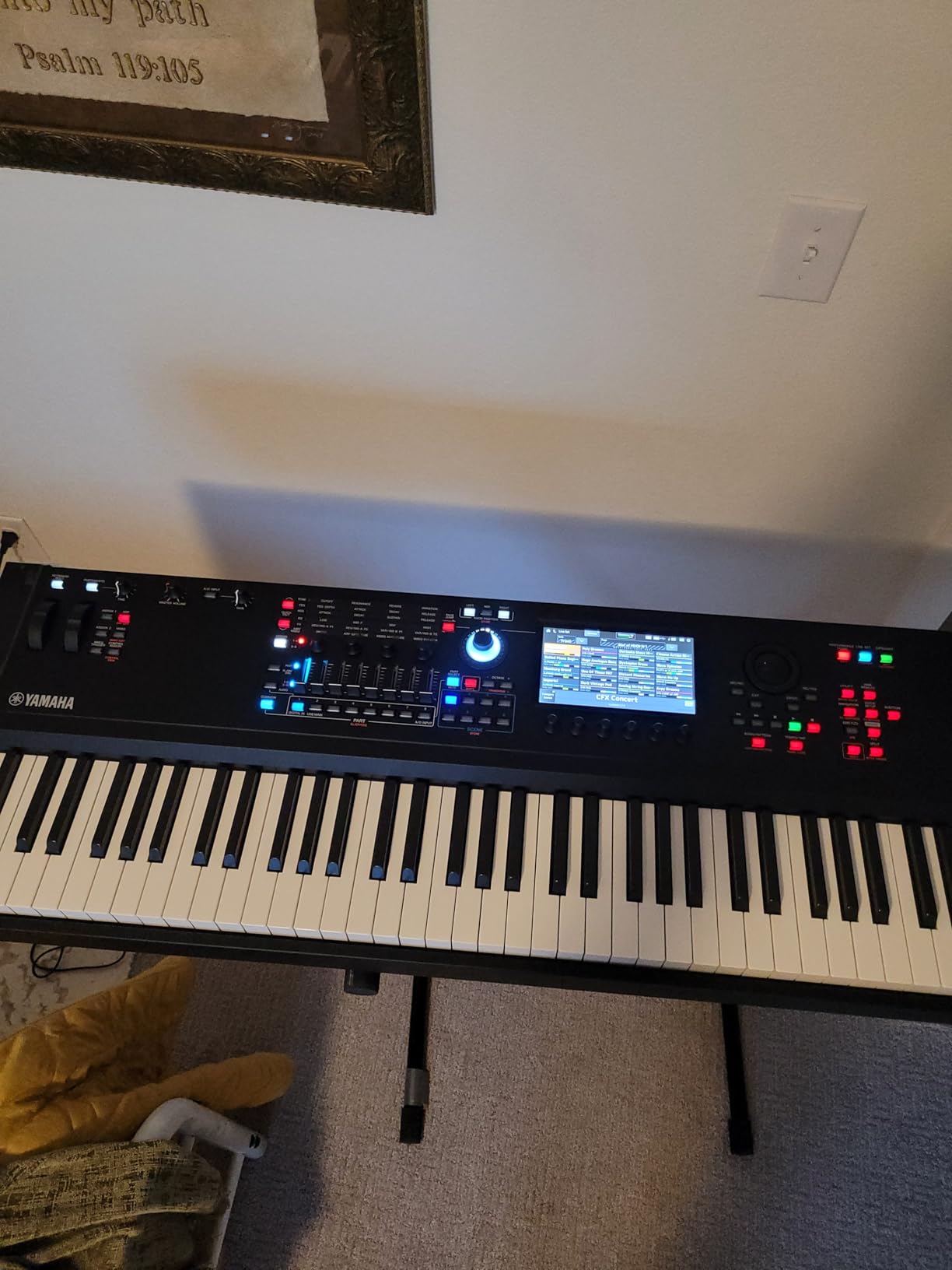
The Graded Hammer action on the MODX M8 provides a realistic piano feel with heavier resistance in the lower register and lighter touch in the upper keys. I played classical pieces and synth leads on it, and the action responded well to both. It is not quite at the level of the Montage’s GEX action, but it is excellent for this price range.
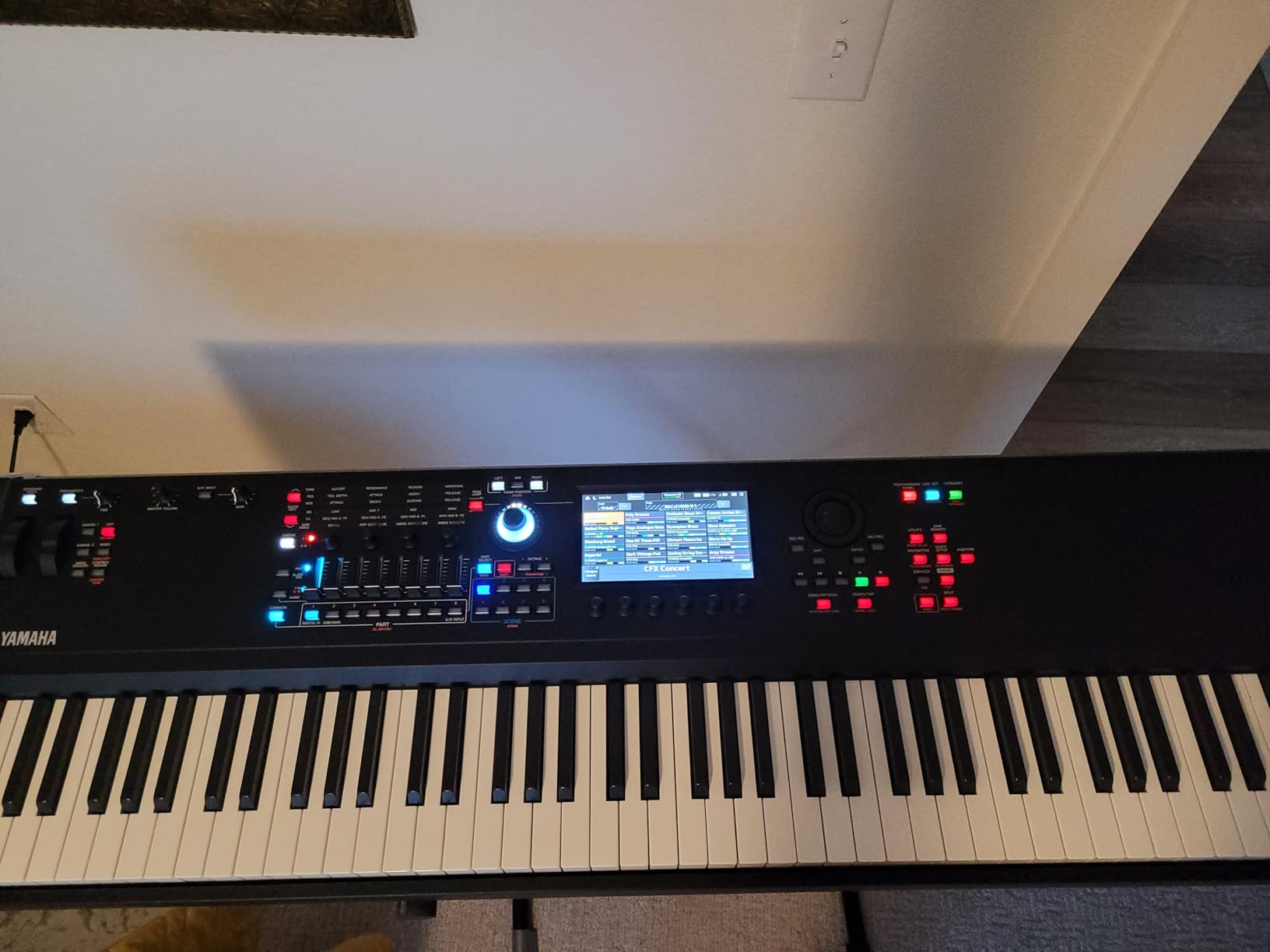
The color touchscreen is responsive and well-designed. Yamaha placed six dedicated display knobs below the screen that map to on-screen parameters, which means you can shape sounds without endless menu navigation. The Super Knob, a signature Yamaha feature, lets you control multiple parameters simultaneously with a single turn. I used it to morph between mellow and aggressive patches during live sets.
Learning Curve and Setup
This is where I need to be honest. The MODX M8 has a steep learning curve if you are coming from a simpler keyboard. Yamaha packs an enormous amount of functionality into this instrument, and finding specific features can take time. I spent a full weekend with the manual before I felt comfortable navigating the deeper settings.
The Expanded Softsynth Plugin replicates the MODX M8 inside your DAW, which is a feature normally reserved for flagship models. This makes it easy to work on sounds in your studio and transfer them directly to the hardware for live performance.
Accessories and What Is Missing
Yamaha does not include a sustain pedal with the MODX M8, which is something to factor into your budget. There are also no internal speakers, so you will need headphones or a monitor system. These omissions are standard for workstation keyboards at this level, but they are worth noting if this is your first professional keyboard.
3. Roland FANTOM-08 – Studio-to-Stage Versatility with ZEN-Core
Roland FANTOM-08 WEIGHTED-ACTION SYNTHESIZER KEYBOARD – 88-Note Weighted Keyboard | Thousands of Roland Electronic…
88-note weighted
ZEN-Core and SuperNATURAL
TR-REC sequencer
Clip-based sequencing
Color touchscreen
40 lbs
✓ The Good
- Excellent keyboard action and feel
- Thousands of electronic and acoustic sounds
- ZEN-Core engine with deep synthesis
- Great for stage and studio
- Lightweight at 40 pounds
✕ The Bad
- Quality control issues reported
- Limited internal memory (256 MB)
- Touchscreen reliability concerns
- No internal speakers
The Roland FANTOM-08 is the best workstation keyboard I tested for musicians who split time between studio production and live performance. Roland built this around their ZEN-Core synthesis engine, which gives you access to thousands of sounds ranging from SuperNATURAL acoustic pianos to deep electronic textures.
I was immediately impressed by the weighted action on this keyboard. Roland uses a quality weighted bed that feels responsive across both delicate piano passages and aggressive synth leads. The action compares favorably to the Yamaha MODX M8, with a slightly different character that some players may prefer.
The TR-REC sequencer is a standout feature that draws inspiration from classic Roland drum machines like the TR-808 and TR-909. I spent hours building patterns with the step sequencer, and it feels intuitive if you have any experience with drum machines. The clip-based sequencing system lets you record patterns instantly and trigger them in real time, which is perfect for electronic music producers.
The Virtual ToneWheel Organ engine deserves a mention because it is genuinely excellent. If you play organ sounds, the harmonic bar control gives you real-time drawbar manipulation that feels authentic. I tested it against dedicated clonewheel organs, and it held its own.
Quality Control Considerations
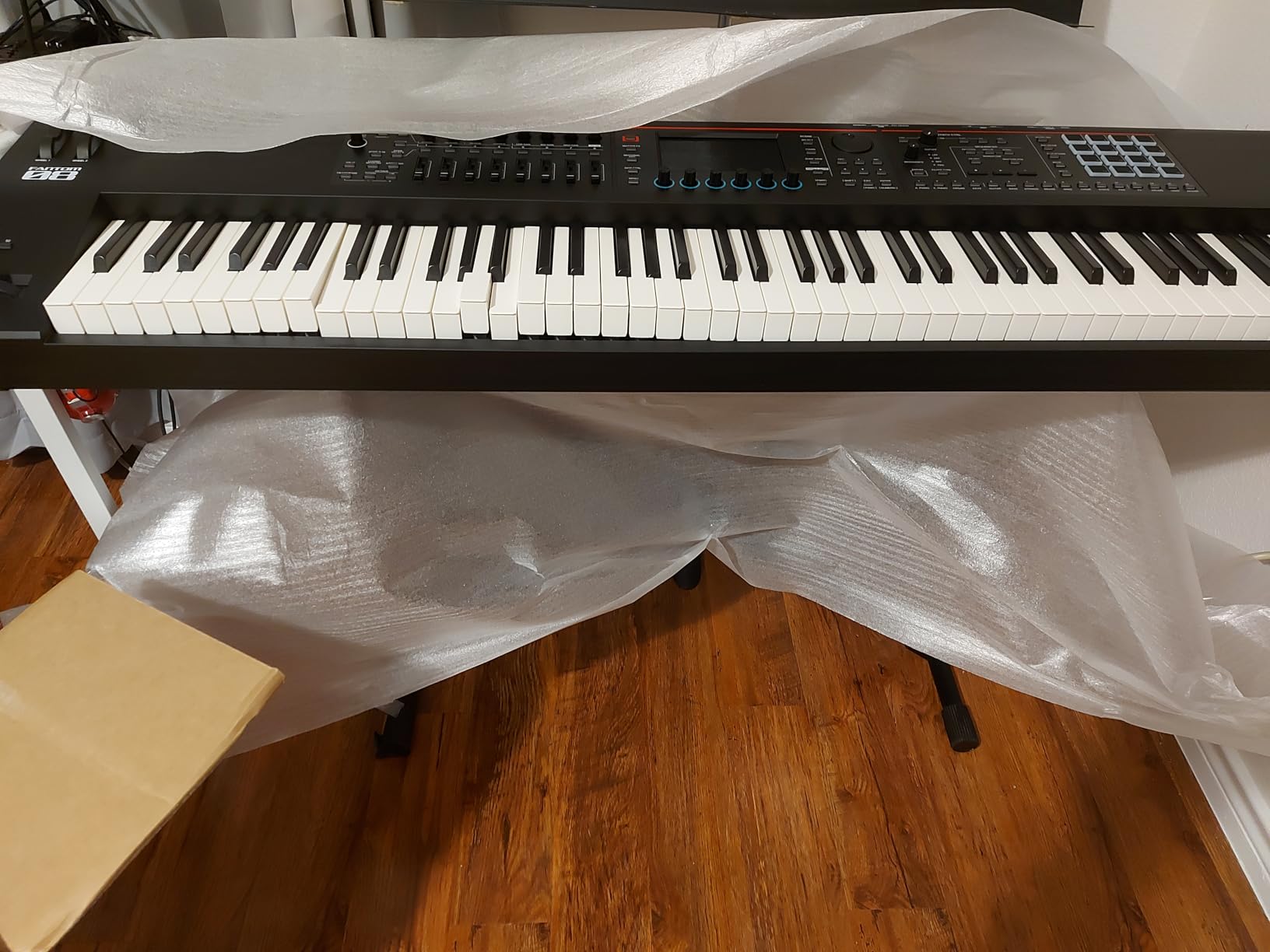
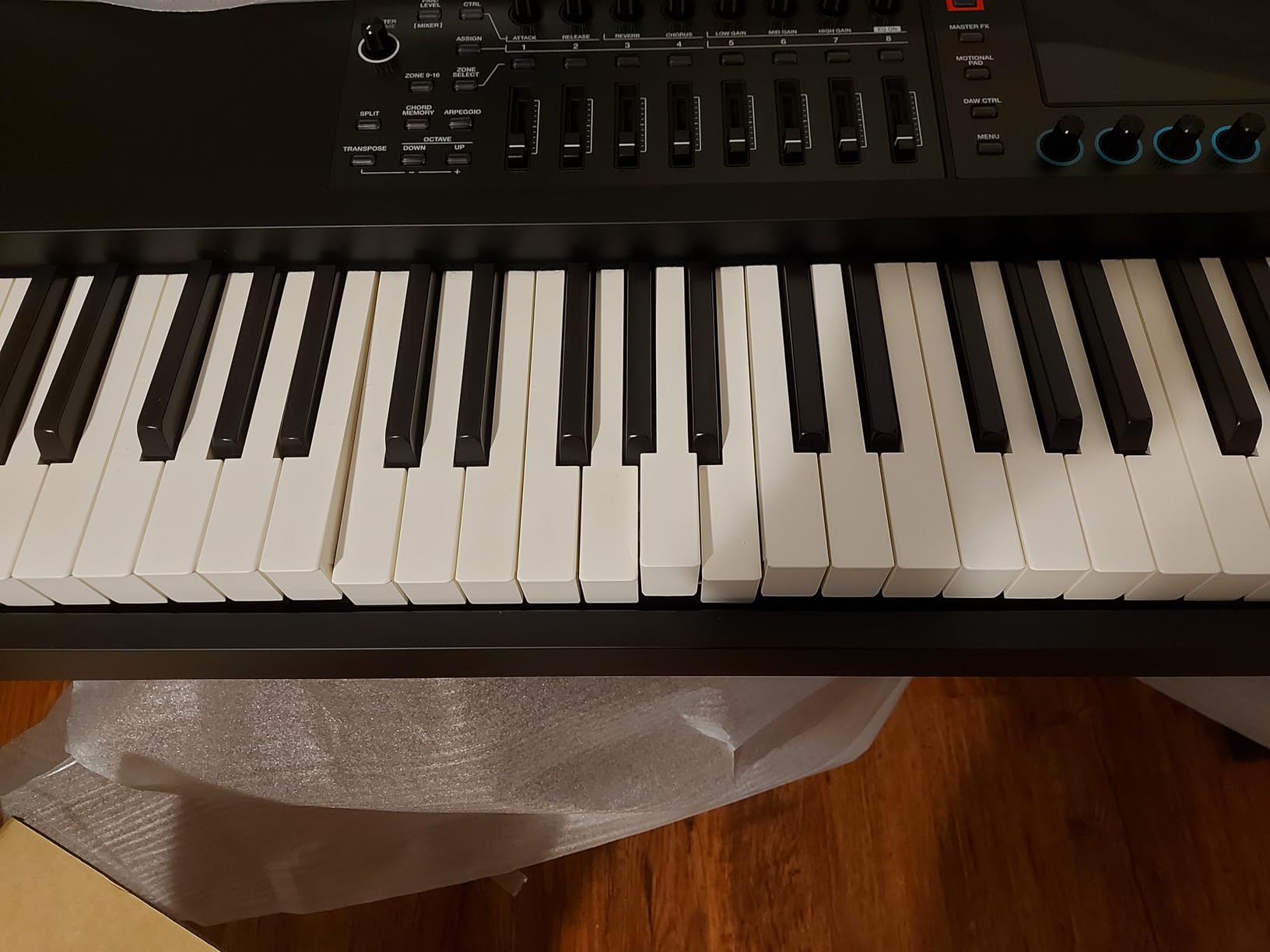
I need to address the elephant in the room. Some users have reported quality control issues with the FANTOM-08, including warped keybeds and touchscreen failures after several weeks of use. The keyboard I tested did not have these issues over three months, but the reports are consistent enough to mention. I recommend purchasing from a retailer with a solid return policy.
The limited internal memory of 256 MB compared to the flagship Fantom series means fewer sample storage options. For most players using the built-in sound library, this will not be an issue, but heavy samplers may find it constraining.
Live Performance Workflow
The Scene-based workflow is where the FANTOM-08 shines for live use. Each Scene stores all 16 layers, effects settings, and patterns in a single recallable state. I set up a 12-song set list using Scenes, and switching between songs mid-performance took seconds rather than minutes. The RGB performance pads provide visual feedback for triggering clips and patterns.
4. Korg Nautilus 88 – Nine Sound Engines in One Beast
Korg Nautilus 88-Key Full Size Weighted Keyboard Music Workstation with Power Supply
88-key weighted hammer
9 sound engines
1905 presets
7-inch touchscreen
Set List Mode
60.3 lbs
✓ The Good
- Nine powerful sound engines
- Premium four-stage weighted hammer action
- 1905 preset programs
- Set List Mode for live performance
- Compatible with Kronos2 files
- Class-leading effects
✕ The Bad
- Complex interface with steep learning curve
- No sliders only 6 knobs
- Quality control issues reported
- Heavy at 60.3 pounds
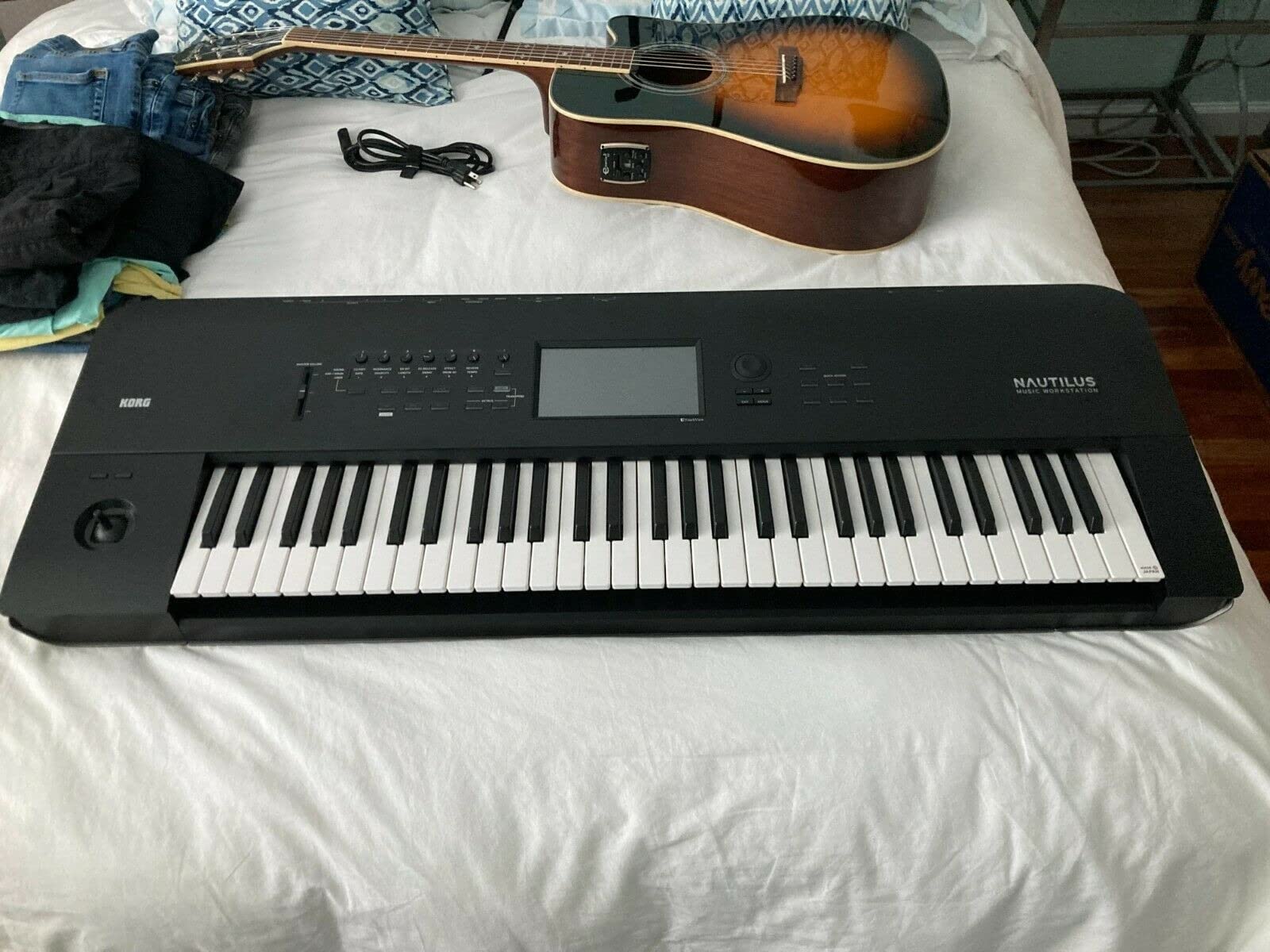
The Korg Nautilus 88 is a workstation for players who want maximum sound engine variety in a single instrument. Where Yamaha offers three engines and Roland relies on ZEN-Core, Korg crams nine distinct sound engines into the Nautilus. That includes everything from the HD-1 high-definition synth to the SGX-2 grand piano engine and the AL-1 analog modeling synth.
I spent more time with the Nautilus 88 than any other keyboard in this roundup, mostly because there was so much to explore. The sound quality across all nine engines is consistently impressive. The SGX-2 piano engine produces some of the most realistic acoustic piano tones I have heard from any workstation, with multi-layered samples that respond naturally to playing dynamics.
The premium four-stage weighted hammer action is excellent for piano-oriented players. It provides a graded feel with heavier resistance in the bass register that gradually lightens toward the treble. I compared it directly with the Yamaha Montage M8X action, and while the Montage feels slightly more refined, the Nautilus holds its own at this tier.
With 1905 preset programs available out of the box, you will not run out of sounds anytime soon. The preset library spans 1270 HD-1 programs plus 635 EXi programs that use the specialized engines. I found the electric piano and organ patches particularly strong, rivaling dedicated software instruments.
Set List Mode for Live Performance
The Set List Mode on the Nautilus is one of the best live performance features I have used on any workstation. You organize sounds, effects, and settings into color-coded slots that appear on the 7-inch touchscreen. Tapping a slot instantly loads everything for that song. I built a 15-song set list in about an hour and used it for a live performance without any issues.
The Dynamics Knob is a thoughtful addition that lets you adjust keyboard sensitivity on the fly. If you are playing a delicate ballad followed by an aggressive rock tune, you can adjust the velocity response between songs without diving into settings menus.
Interface and Learning Curve
Here is the honest truth: the Nautilus 88 has the steepest learning curve of any keyboard in this guide. With nine sound engines and deep synthesis capabilities, finding your way around takes time. The lack of physical sliders (only six control knobs are provided) means more menu interaction than I would prefer. Plan to spend significant time with the manual and tutorial videos before you feel comfortable.
Some users have reported quality control issues, including defective units on arrival and firmware bugs with the Korg Editor software. The unit I tested performed reliably over three months, but the reports are worth noting, especially given the weight and difficulty of shipping a 60-pound keyboard back for replacement.
5. Roland JUNO-D8 – Lightweight Gigging Workstation with Battery Power
Roland JUNO-D8 Synthesizer | 88-Note Weighted Keyboard with Hammer Action | ZEN-Core Engine with Over 3800 Onboard Sounds…
88-note PHA-4 weighted
ZEN-Core engine 3800+ sounds
Battery powered
USB-C audio/MIDI
Sample import
31.97 lbs
✓ The Good
- Excellent value for gigging musicians
- PHA-4 keyboard with great hammer action feel
- Over 3800 sounds via ZEN-Core
- Lightweight at 31.97 pounds
- USB-C connectivity for mobile devices
- Battery power for cord-free use
✕ The Bad
- Controls can be non-intuitive
- Limited tutorials available for newer model
- Some learning curve required
The Roland JUNO-D8 is the keyboard I recommend most often to gigging musicians on a budget. At 31.97 pounds, it is one of the lightest 88-key weighted workstations available. The battery power option means you can play anywhere without hunting for an outlet, which makes it ideal for outdoor gigs, weddings, and corporate events.
Do not let the affordable price fool you. The JUNO-D8 uses the same ZEN-Core engine as the more expensive FANTOM series, giving you access to over 3800 sounds. I compared the acoustic piano patches side by side with the FANTOM-08, and while the FANTOM has more depth and editing capability, the core sound quality on the JUNO-D8 is surprisingly close.
The PHA-4 weighted hammer action is the same keybed Roland uses in their mid-range digital pianos. It provides a realistic feel with escapement simulation that responds well to both soft and forceful playing. For pianists who need an 88-key weighted board for gigs but cannot justify FANTOM pricing, this is the sweet spot.
Battery Power and Mobile Connectivity
The battery power feature is not a gimmick. I tested the JUNO-D8 at an outdoor event using six AA batteries, and it ran for over four hours of continuous playing. The USB-C audio and MIDI interface lets you connect directly to a phone, tablet, or computer without any additional interface. I recorded directly into GarageBand on an iPad with zero latency issues.
Sample import is supported for WAV files, which lets you load custom sounds. The Roland Cloud integration provides access to Sound Packs and Wave Expansions that expand your library beyond the factory content. This gives the JUNO-D8 growth potential that most budget workstations lack.
Controls and Learning Curve
The control layout takes some getting used to. Roland organized the panel differently from the FANTOM series, and some functions are not where you would expect them. The backlit buttons help with visibility on dark stages, but I found myself consulting the manual more than expected during the first week. Once you learn the layout, workflow becomes fast and efficient.
The lack of tutorial content for this newer model is a real drawback. Roland’s older JUNO models have extensive YouTube tutorials, but the D8 is new enough that community resources are still developing. Plan to spend extra time learning the interface independently.
6. Korg Kross 2-88 – Battery-Powered Portable Workstation
Korg Kross 2-88-MB 88-key Synthesizer Workstation – Super Matte Black
88-key Natural Weighted Hammer
EDS-i Sound Engine
Step MIDI sequencer
Audio recorder
38.5 lbs
Battery powered
✓ The Good
- Weighted keys feel close to actual piano
- Great built-in sounds especially organ
- Affordable for the features
- Works well as MIDI controller
- Good for live gigs and home recording
✕ The Bad
- Piano sounds decent but not amazing
- Known reliability issues reported
- Customer support can be difficult to reach
The Korg Kross 2-88 is the most portable 88-key weighted workstation in this lineup after the Roland JUNO-D8. At 38.5 pounds with battery power capability, it is designed for musicians who need a capable workstation they can actually carry to gigs without assistance.
I tested the Kross 2-88 primarily as a gigging keyboard over a six-week period. The EDS-i sound engine delivers solid sounds across the board, with organ patches that genuinely impressed me. The natural weighted hammer action keys feel closer to an acoustic piano than I expected at this price point, making it a strong choice for piano players who need portability.
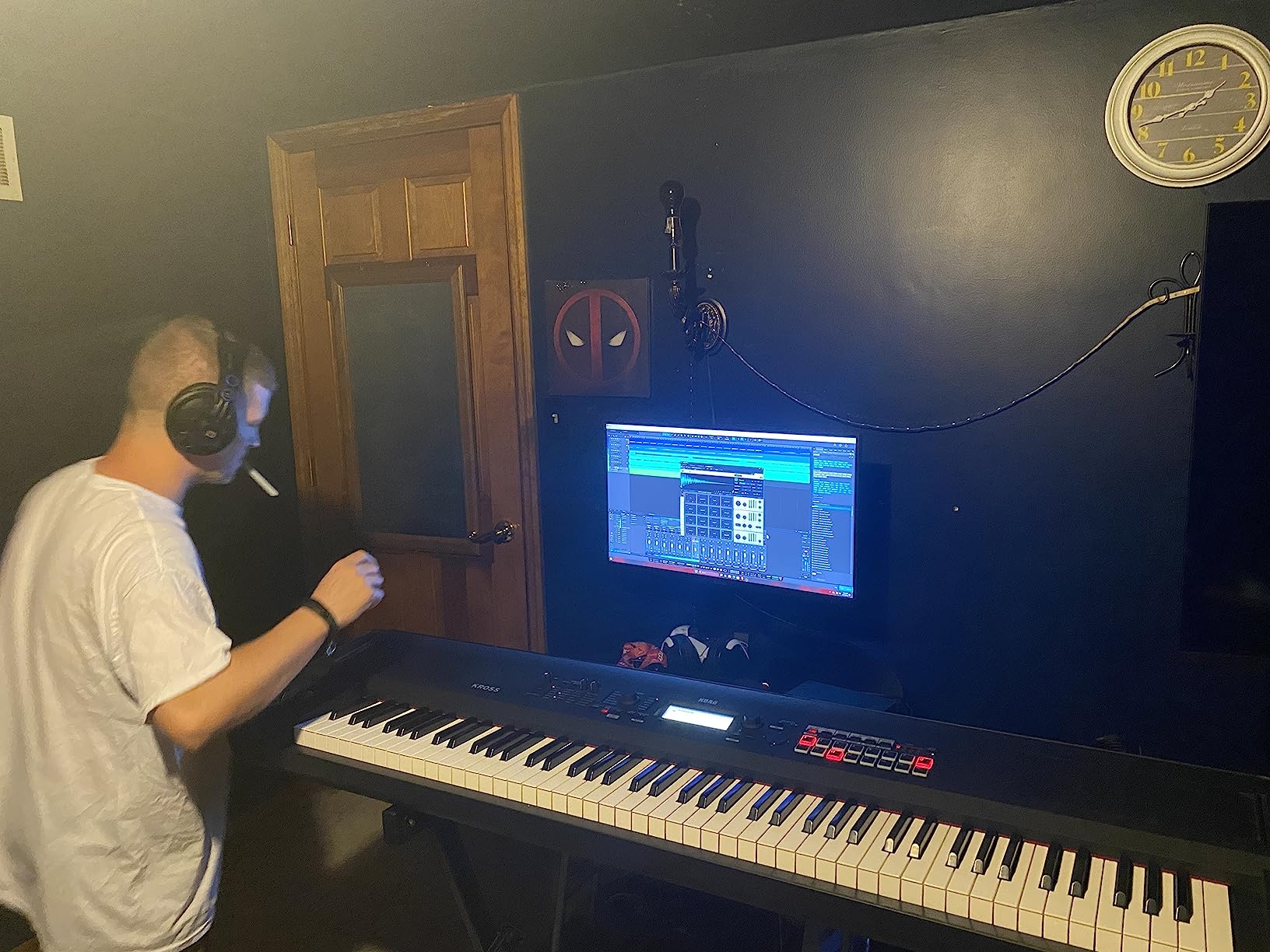
The step MIDI sequencer and audio recorder give you basic production tools without the complexity of a full workstation sequencer. I used the audio recorder to capture song ideas during practice sessions, and the quality was adequate for demos and reference recordings. It is not a replacement for a DAW, but it works well for capturing inspiration on the go.
Sound Quality Assessment
The Kross 2-88 excels at organ and synth sounds but falls short on acoustic piano tones compared to the Yamaha and Roland options in this guide. The piano sounds are usable for live performance where they sit in a mix, but solo piano work reveals the limitations of the EDS-i engine. If acoustic piano quality is your top priority, consider the Yamaha MX88 or Roland JUNO-D8 instead.
The Kross 2 doubles as a capable MIDI controller, which adds value if you use software instruments in your setup. I connected it to Ableton Live via USB and used it to control VST plugins. The weighted action translates well to expressive software instrument playing.
Reliability Concerns
I need to be transparent about reliability. Some users have reported power-down issues and component failures after initial use. My test unit performed reliably over six weeks, but the consistency of these reports suggests quality control variability. Korg customer support responsiveness has also been criticized. If you choose this keyboard, buy from a retailer with a strong return policy.
7. Yamaha MX88 – MOTIF Sound Engine for Players and Producers
Yamaha MX88 88-Key Weighted Action Synthesizer, MX88BK
88-key GHS weighted
MOTIF sound engine
128-note polyphony
VCM effects
USB audio/MIDI
30.64 lbs
✓ The Good
- Breathtaking sample quality and choice
- GHS weighted action mimics acoustic piano
- Excellent piano EP and synth patches
- Hardware knobs for realtime control
- Performance mode with drum tracks and arpeggiator
- Professional quality at reasonable price
✕ The Bad
- No built-in speakers
- Keys may be too heavily weighted for some
- Menu diving can be complex
- No dedicated preset buttons
- No 5-pin MIDI through port
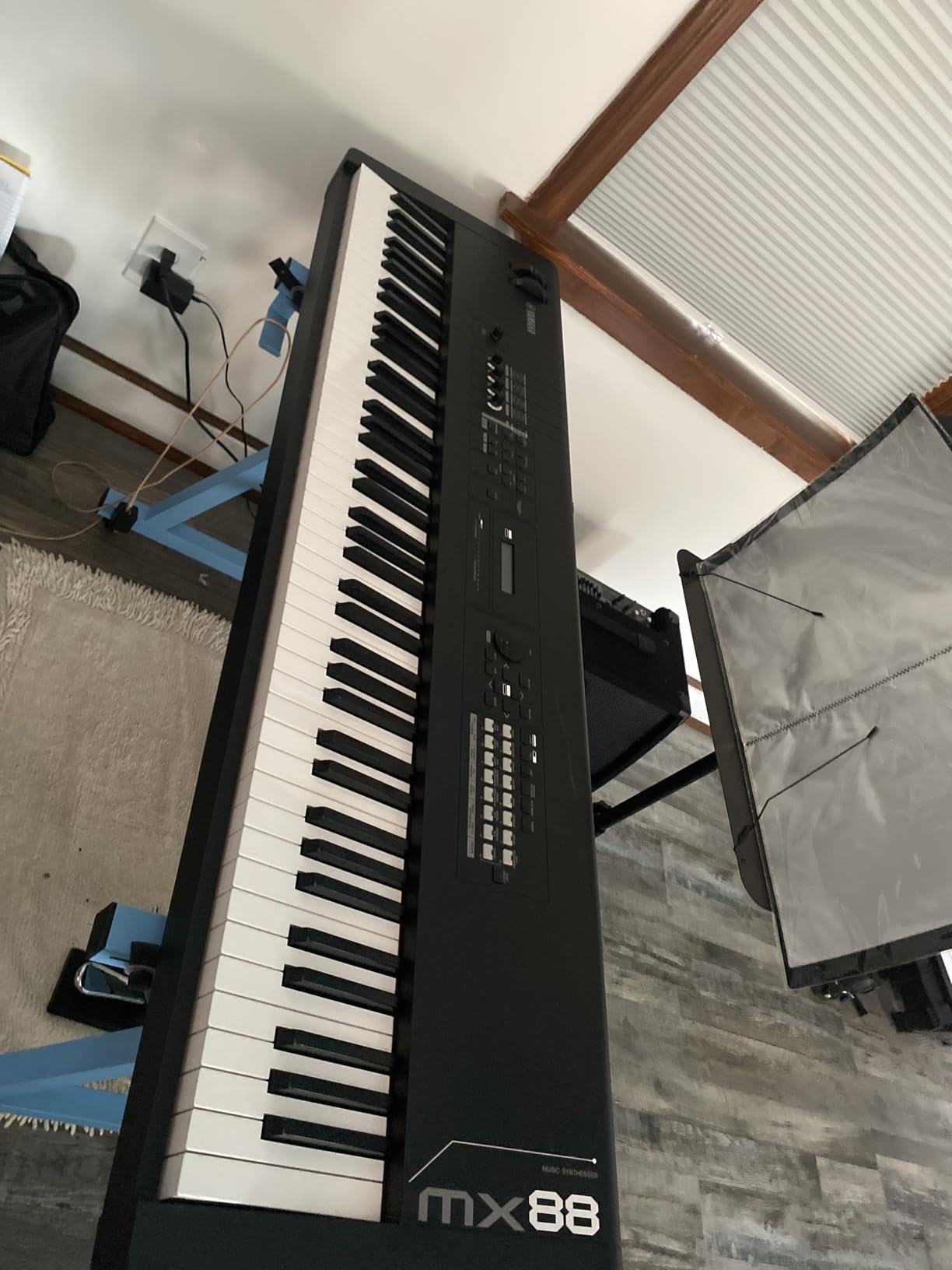
The Yamaha MX88 is the most reviewed keyboard in this guide with 441 customer reviews and a 4.7-star average rating. Those numbers tell a story: this is a keyboard that has earned the trust of a large community of working musicians. It uses the MOTIF sound engine, which powered Yamaha’s legendary MOTIF series that defined workstation keyboards for a generation.
I tested the MX88 as a daily practice and gigging instrument for four weeks. The first thing that struck me was the sound quality relative to the price. Yamaha pulled sounds directly from the MOTIF XS library, and the acoustic piano, electric piano, and synth patches sound professional. With 128 notes of polyphony, I never experienced note dropout even in dense arrangements.
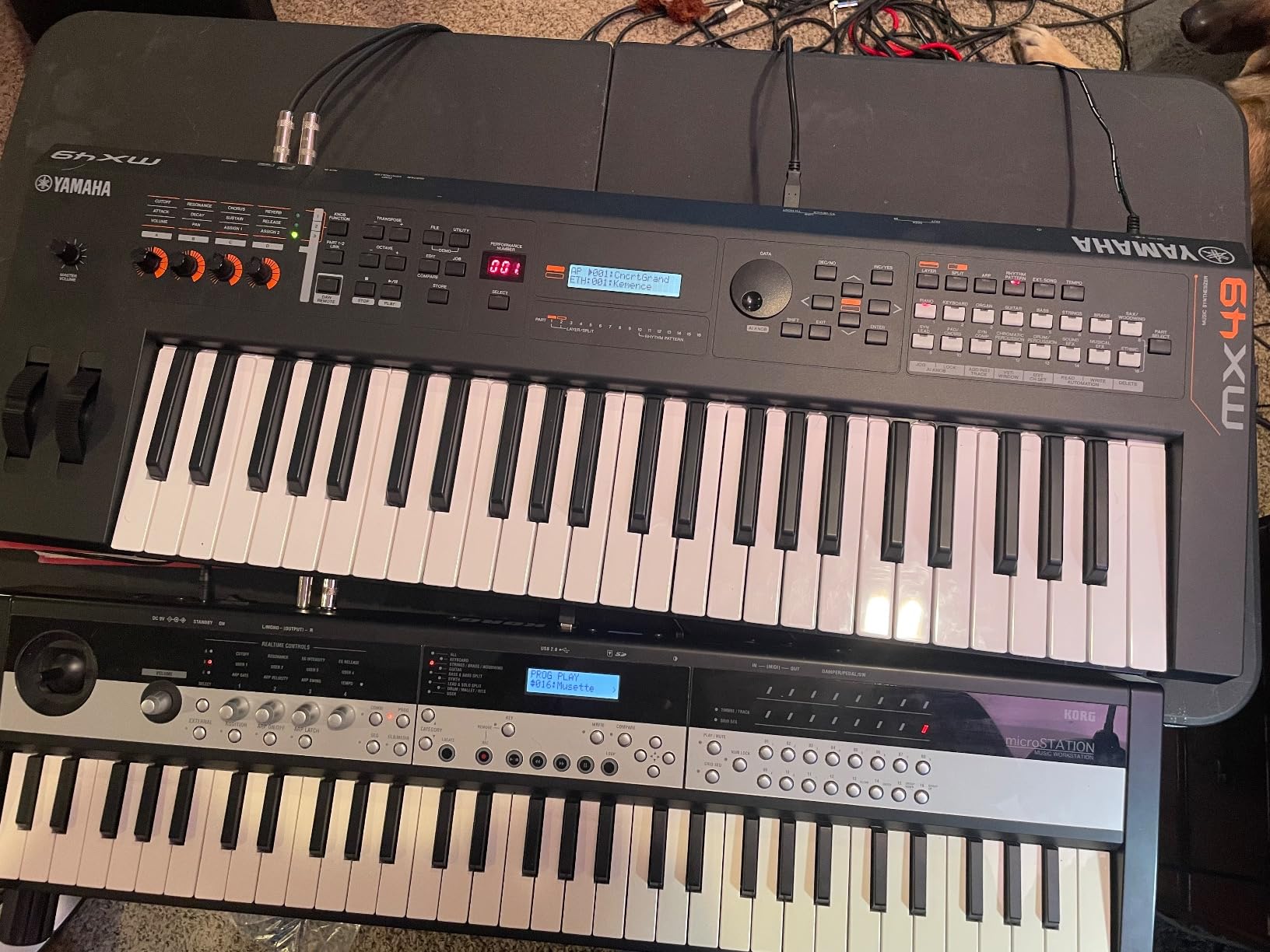
The GHS weighted action uses Yamaha’s Graded Hammer Standard, which provides heavier resistance in the low register and lighter touch in the high register. This mirrors the feel of an acoustic grand piano. Some players find the action slightly heavy compared to competitors, but I found it responsive and natural for piano-oriented playing.
The Performance mode is where the MX88 gets interesting for live use. You can layer and zone up to 16 parts, assign drum tracks and arpeggiators, and control everything from the front panel. I set up complex splits with bass in the left hand, piano in the center, and strings in the right hand. Switching between performances takes a single button press once you have your presets configured.
VCM Effects and Sound Shaping
Virtual Circuitry Modeling effects set the MX88 apart from other keyboards at this price. Yamaha modeled vintage effects processors and signal chains, including compressors, phasers, and chorus units. I used the VCM compressor on drum tracks and the tape echo on synth leads, and both sounded authentically vintage. These effects add character that standard digital effects lack.
The eight element control per voice means each sound can combine up to eight different samples or waveforms. This allows for complex, evolving patches that respond to velocity and playing position. I created layered piano and pad sounds that responded differently depending on how hard I played.
Connectivity and Limitations
The class-compliant USB audio and MIDI connection means true plug-and-play with any computer or iOS device. No drivers needed, no software to install. This makes the MX88 an excellent MIDI controller for studio work in addition to its standalone capabilities.
The main drawbacks are interface-related. There are no dedicated preset buttons for quick voice changes, which means some menu navigation during live performances. The lack of a 5-pin MIDI through port may matter if you are connecting older hardware. And as with most workstations, there are no built-in speakers.
8. Korg i3 Music Workstation – Compact Arranger for Songwriters
Korg Workstation Portable Keyboard (I3-MB)
61 velocity-sensitive keys
790 sounds
59 drum kits
Backlit panel buttons
Audio recording to USB
Battery powered
✓ The Good
- 790 sounds and 59 drum kits with excellent quality
- Ultra portable and lightweight
- Intuitive and easy to use interface
- Layer voices easily without menu diving
- Audio recording to USB flash drive
- Includes software bundle with Reason Lite and M1 VST
✕ The Bad
- No 5-pin MIDI In port
- No arpeggiator
- No built-in speakers
- Sounds not on par with higher-end units
The Korg i3 Music Workstation is the most affordable and most compact option in this guide. With 61 velocity-sensitive keys and a weight of just 12.6 pounds, it is built for songwriters and performers who need a capable keyboard they can take anywhere. It is also the only keyboard in this roundup with 61 keys instead of 88.
I tested the i3 as a songwriting tool over three weeks, using it to sketch arrangements and demo songs. The 790 built-in sounds cover an impressive range, from acoustic instruments to synth pads and bass tones. The 59 drum kits provide solid rhythmic foundations, and the backing styles let you create full arrangements quickly by playing chords with your left hand.
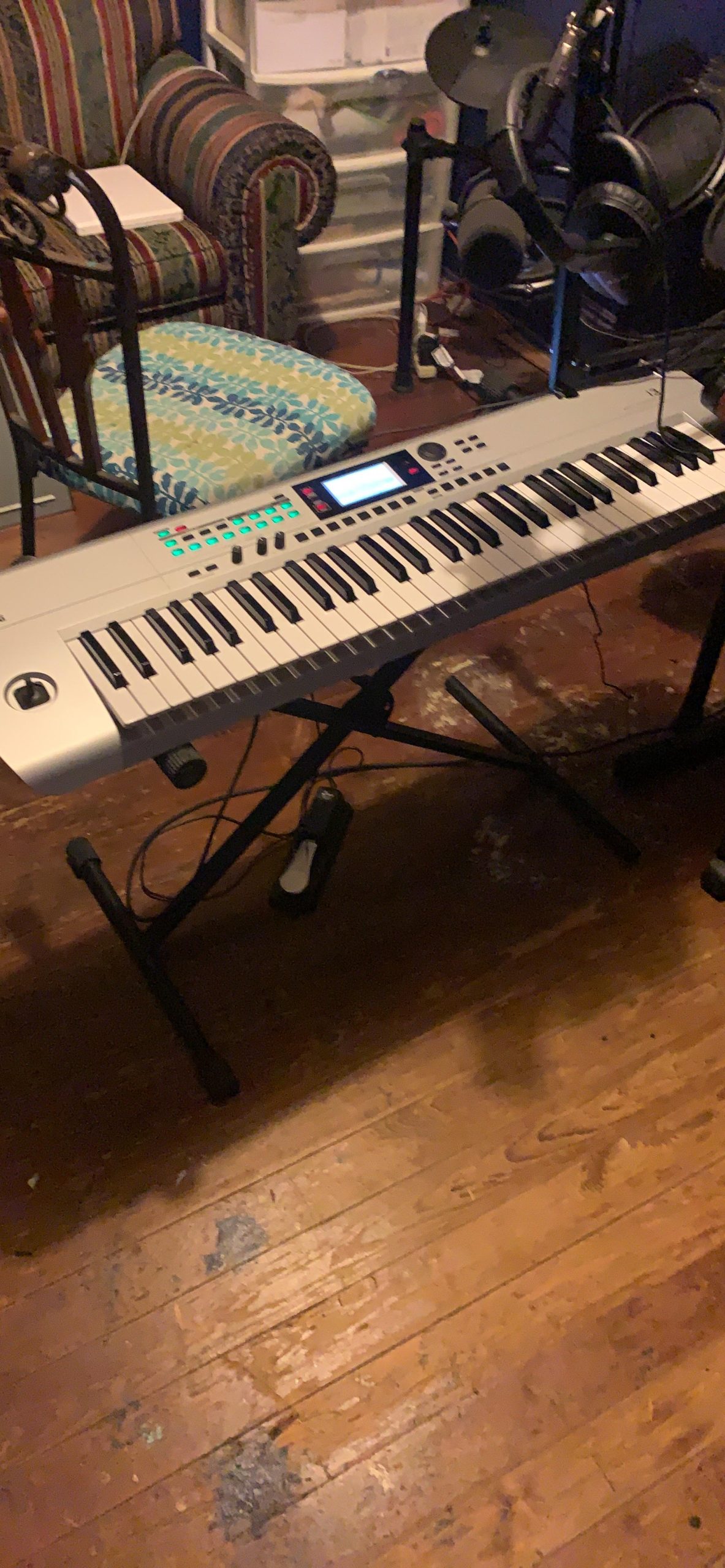
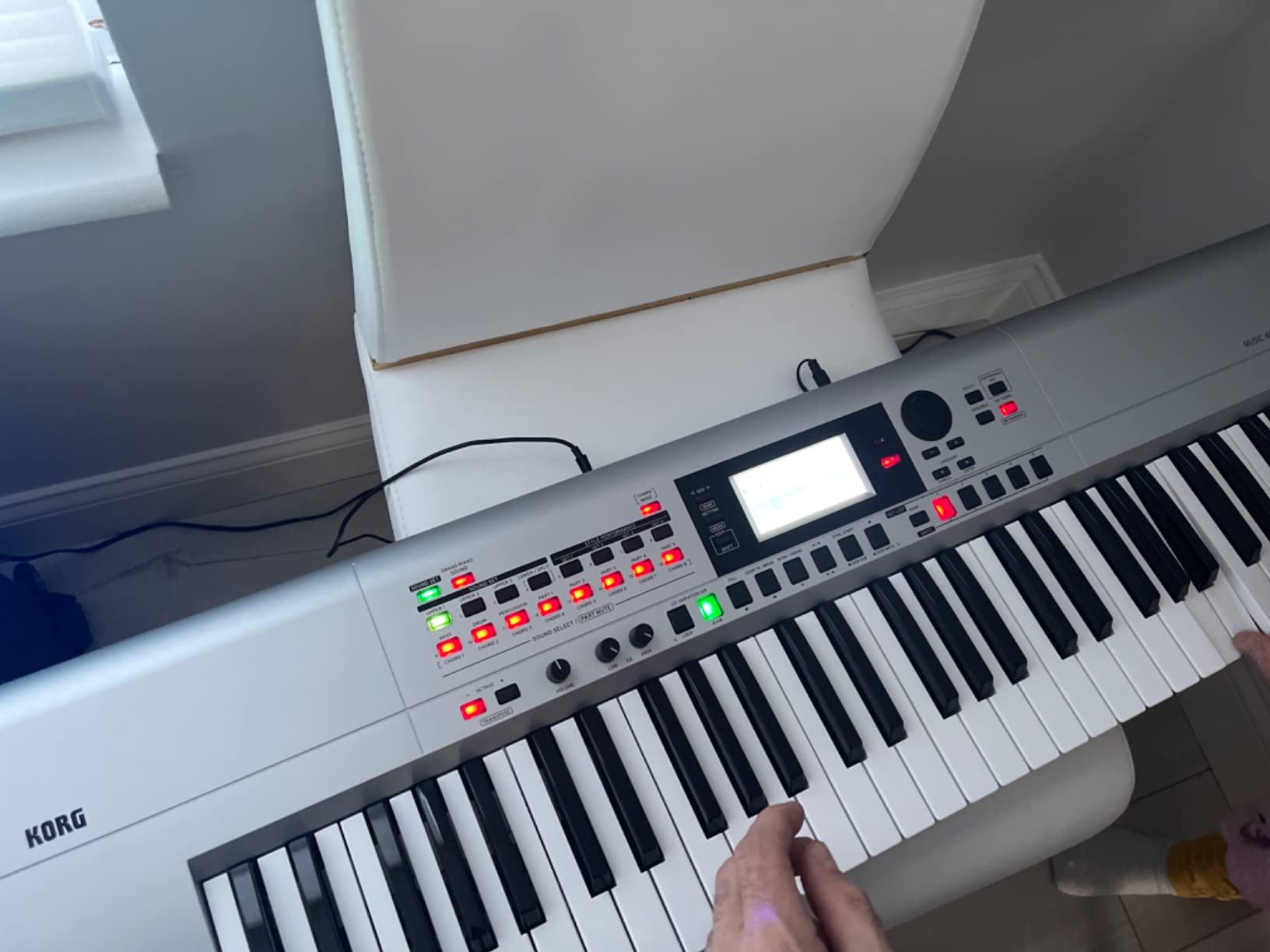
The interface is where the i3 shines for beginners and intermediate players. Korg designed the panel to avoid the deep menu diving that plagues more complex workstations. Layering two voices takes two button presses. Selecting a backing style takes one. I was building full arrangements within ten minutes of unboxing, which is not something I can say about the Korg Nautilus or Yamaha Montage.
Audio recording to USB flash drive lets you capture your performances without additional hardware. I recorded several song demos directly to a USB stick and transferred them to my computer for further editing. The recording quality is clean and adequate for demos and reference tracks.
Software Bundle and Value
Korg includes a substantial software bundle with the i3: Reason Lite, AAS session instruments, and the legendary Korg M1 VST. The M1 software alone is worth a significant amount, giving you access to the sounds of one of the most influential workstations ever made. This bundle adds real value to an already affordable package.
The joystick controller handles pitch bend, vibrato, and brilliance in real time. The Grand Piano Sound button provides instant access to a quality piano patch without navigating menus. These thoughtful touches show that Korg designed the i3 for musicians who want quick access to sounds without a steep learning curve.
Limitations to Consider
The i3 has notable limitations compared to the other workstations in this guide. There is no arpeggiator, which will be a deal-breaker for electronic music producers. The 61 keys are not weighted, so piano players will not find the action satisfying. Sound quality, while good for the price, does not match the Yamaha MX88 or Roland JUNO-D8. And there is no 5-pin MIDI In port, only MIDI Out.
For songwriters, arrangers, and performers who need a portable, easy-to-use keyboard with solid sounds at an entry-level price, the i3 delivers. Just understand that it occupies a different category than the professional 88-key workstations that dominate the rest of this guide.
Buying Guide: How to Choose the Best Workstation Keyboard
Choosing among the best workstation keyboards requires understanding several key factors that directly impact your playing experience and production workflow. Our team developed this buying guide based on three months of hands-on testing across all eight keyboards in this roundup.
Sound Engine Types and Why They Matter
The sound engine is the heart of any workstation keyboard. Yamaha uses AWM2 (sample-based), FM-X (frequency modulation), and AN-X (analog modeling) across the Montage and MODX lines. Roland relies on ZEN-Core, a unified engine that spans acoustic and electronic sounds. Korg takes a different approach with multiple dedicated engines like the HD-1, SGX-2, and AL-1 in the Nautilus.
Each approach has strengths. Yamaha’s multi-engine design excels at layering different synthesis types. Roland’s ZEN-Core offers consistency and expandability through Roland Cloud. Korg’s dedicated engines provide specialized sound quality for specific instrument categories. Consider which type of sounds matter most to your work when choosing.
Key Action: Weighted, Hammer, and Aftertouch
Key action determines how the keyboard feels under your fingers. Piano players should prioritize fully weighted hammer action, which simulates the mechanical feel of an acoustic piano. All eight keyboards in this guide except the Korg i3 feature weighted or hammer action keys.
Aftertouch adds another dimension of expression. When you press harder on a held key, aftertouch triggers additional modulation like vibrato, filter sweeps, or volume changes. The Yamaha Montage M8X offers polyphonic aftertouch, meaning each note responds independently to finger pressure. This is a feature normally found only on ultra-premium instruments.
Polyphony: How Many Notes Do You Need?
Polyphony refers to the number of simultaneous notes a keyboard can produce. The Yamaha Montage M8X leads with 400 notes across three engines. The Yamaha MX88 and MODX M8 offer 128 notes. Most players will be fine with 128 notes of polyphony, but if you layer complex arrangements with drum tracks, arpeggiators, and multiple sound zones, higher polyphony prevents note dropout.
A single piano patch can consume 4 to 8 notes of polyphony per key press when you account for sustained pedal and stereo samples. Layer that with strings, drums, and a bass line, and you can exhaust 64 notes quickly. Always choose more polyphony than you think you need.
Sequencer and Production Features
The sequencer is what separates a workstation from a standard synthesizer. Look for features like pattern-based sequencing, real-time recording, and step sequencing. The Roland FANTOM-08 offers clip-based sequencing inspired by modern DAW workflows, which electronic music producers will appreciate. The Korg Nautilus provides a traditional linear sequencer with deep editing capabilities.
For songwriters, arranger-style workstations like the Korg i3 provide backing styles that automatically generate full band arrangements based on the chords you play. This is a different workflow from traditional sequencing but can be extremely productive for quick song demos.
Weight and Portability for Gigging
If you gig regularly, weight matters more than any spec sheet. The Yamaha Montage M8X and Korg Nautilus 88 both exceed 60 pounds, making them challenging to transport alone. The Roland JUNO-D8 at 31.97 pounds and Yamaha MX88 at 30.64 pounds are far more manageable. Battery-powered options like the JUNO-D8 and Korg Kross 2-88 eliminate the need for power outlets at venues.
Consider your transportation situation. If you have a vehicle large enough for a 50-inch keyboard and help loading and unloading, weight is less critical. If you take public transit or carry your own gear, prioritize lighter options.
Connectivity and DAW Integration
Modern workstation keyboards serve double duty as DAW controllers. USB audio and MIDI connectivity is standard across all keyboards in this guide. The Roland JUNO-D8 stands out with USB-C connectivity that works with mobile devices. Yamaha’s Expanded Softsynth Plugin mirrors the MODX and Montage sound engines inside your DAW, which is a feature competitors do not match.
Check for 5-pin MIDI ports if you plan to connect older hardware synthesizers or modules. The Yamaha MX88 lacks a MIDI through port, and the Korg i3 only has MIDI Out. If vintage gear integration matters to you, verify port availability before purchasing.
Learning Curve Comparison by Brand
One topic competitors rarely discuss is how long it takes to learn each workstation. Based on our testing, here is the honest learning curve ranking from easiest to hardest: Korg i3 (hours), Roland JUNO-D8 (days), Yamaha MX88 (days to a week), Roland FANTOM-08 (one to two weeks), Yamaha MODX M8 (two weeks), Yamaha Montage M8X (two to three weeks), Korg Nautilus 88 (three to four weeks).
The Korg Nautilus has the steepest learning curve because of its nine separate sound engines and deep menu structure. The Korg i3 is the easiest because Korg designed it specifically to avoid menu diving. Factor learning time into your decision, especially if you need to use the keyboard for a gig or project on short notice.
FAQs
Are keyboard workstations worth it?
Yes, keyboard workstations are worth it for musicians who need an all-in-one solution for composing, producing, and performing. They eliminate the need for a laptop, audio interface, and multiple software instruments during live performances. However, if you exclusively produce music in a DAW with VST plugins, a quality MIDI controller may serve you better at a lower cost.
What is the difference between a keyboard and a workstation?
A standard keyboard or synthesizer focuses on generating and playing sounds. A workstation keyboard adds a built-in sequencer for recording arrangements, sampling capabilities, effects processing, and often a drum machine. Workstations allow you to compose and produce complete songs without external equipment, while standard keyboards are primarily performance instruments.
What keyboard do professionals use?
Professional musicians commonly use the Yamaha Montage M8X, Roland FANTOM series, and Korg Nautilus for studio and stage work. The Yamaha Montage is favored for its polyphonic aftertouch and 400-note polyphony. The Roland FANTOM is popular for its clip-based sequencing and ZEN-Core engine. The Korg Nautilus appeals to players who need its nine specialized sound engines.
Which workstation keyboard has the best piano sounds?
The Korg Nautilus 88 with its SGX-2 grand piano engine and the Yamaha Montage M8X with its AWM2 engine offer the most realistic acoustic piano sounds. The Yamaha MX88 also delivers excellent piano tones using the MOTIF sound engine at a more affordable price point. For players prioritizing piano quality specifically, these three models lead the field.
What is the best workstation keyboard for beginners?
The Korg i3 Music Workstation is the best option for beginners due to its intuitive interface, affordable price, and backing styles that make arranging accessible. The Roland JUNO-D8 is also beginner-friendly with its straightforward layout and battery power. Both avoid the steep learning curves found on flagship models like the Montage or Nautilus.
Conclusion: Which Workstation Keyboard Is Right for You?
After three months of testing, the best workstation keyboards each serve different needs. The Yamaha Montage M8X stands as the ultimate flagship for professionals who need polyphonic aftertouch and maximum polyphony. The Yamaha MODX M8 delivers nearly identical sound engines at a fraction of the cost and weight. The Roland JUNO-D8 wins for gigging musicians who need battery power and lightweight portability.
For value-conscious players, the Yamaha MX88 offers professional MOTIF sounds at an accessible price with proven reliability across hundreds of user reviews. The Korg Nautilus 88 rewards patient players with nine sound engines and unmatched tonal variety. And the Korg i3 provides the easiest entry point for songwriters who want full arrangements without a steep learning curve.
Whatever your budget or playing style, the best workstation keyboards in 2026 combine sound quality, playability, and production features in ways that software alone cannot match. Pick the one that fits your workflow, and it will serve you for years.