
10 Best Trackball Mice (September 2026) Expert Buying Guide
Your wrist hurts after another long day at the computer. I know that feeling all too well. After spending 12-hour days editing video and writing code, my forearm would ache from constantly moving a traditional mouse across the desk.

That is when I discovered trackball mice. These ergonomic pointing devices keep your hand stationary while you control the cursor by rolling a ball with your thumb or fingers. Research shows trackballs can reduce muscle activity in your forearm by 25 to 27 percent compared to standard mice.
I tested ten of the best trackball mice available in 2026 to find which ones deliver real comfort without sacrificing precision. This guide covers everything from budget-friendly options to premium wireless models. Whether you are dealing with wrist pain, limited desk space, or simply want more control over your cursor, I have found a trackball that will work for you.
Article Includes
Top 3 Picks for Best Trackball Mice
After three months of daily testing across office work, gaming sessions, and creative projects, three trackballs stood out from the competition. Each excels in a different category depending on your priorities and budget.
Logitech MX Ergo S
- USB-C rechargeable with 120-day battery life
- 80% quieter clicks than previous models
- 20-degree adjustable tilt angle
- 6 programmable buttons via Logi Options+
Logitech Ergo M575
- 18-month battery life on single AA battery
- 25% less muscle activity vs regular mice
- Logi Bolt secure wireless receiver
- Works with Windows Mac Linux Chrome
Kensington Orbit with Scroll Ring
- Unique scroll ring for smooth page navigation
- Ambidextrous design for left and right hands
- 40mm optical trackball with plug-and-play setup
- Detachable wrist rest included
The MX Ergo S earned our top spot for its premium build quality, quiet operation, and USB-C charging that eliminates battery swaps. The M575 offers incredible value with proven ergonomic benefits at half the price. For those just getting started with trackballs, the Kensington Orbit provides essential features without breaking the bank.
Best Trackball Mice in 2026
Before diving into individual reviews, here is a quick comparison of all ten trackballs we tested. This table shows the key specifications that matter most when choosing your perfect pointing device.
| Product | Key Specs | Action |
|---|---|---|
| Logitech MX Ergo S |
|
Check Latest Price |
| Logitech Ergo M575 |
|
Check Latest Price |
| Kensington Expert |
|
Check Latest Price |
| Kensington SlimBlade Pro |
|
Check Latest Price |
| Elecom Huge Plus |
|
Check Latest Price |
| Elecom DEFT PRO |
|
Check Latest Price |
| Kensington Orbit Scroll Ring |
|
Check Latest Price |
| Nulea M501 |
|
Check Latest Price |
| ProtoArc EM01 NL |
|
Check Latest Price |
| Elecom HUGE |
|
Check Latest Price |
1. Logitech MX Ergo S – Premium Wireless Trackball with USB-C Charging
USB-C rechargeable with 120-day battery
80% quieter clicks
20-degree tilt angle
6 programmable buttons
Dual wireless connectivity
✓ The Good
- USB-C quick charging eliminates battery swaps
- 80% quieter clicks ideal for shared spaces
- 20-degree tilt reduces muscle strain by 27%
- Dual Bluetooth and Logi Bolt connectivity
- Premium build quality with recycled materials
✕ The Bad
- Silicone coating attracts dust easily
- No USB-C cable included in box
- No storage slot for wireless dongle
I spent two weeks using the MX Ergo S as my primary work mouse, and the comfort improvement was immediate. The 20-degree tilt angle positions your hand in a more natural posture that reduces strain on your wrist and forearm muscles.
The USB-C charging is a genuine quality-of-life upgrade over the previous model. One minute of charging provides 24 hours of use, and a full charge lasts four months. I never had to worry about batteries dying mid-project.

The click noise reduction is dramatic. Logitech claims 80 percent quieter clicks, and I believe it. My coworkers appreciated not hearing constant clicking during video calls. The tactile feedback remains satisfying despite the dampened sound.
Logi Options+ software lets you customize all six buttons and adjust cursor speed. I mapped the forward and back buttons for browser navigation and set one button to switch between precision and speed modes. The tracking remains accurate on every surface I tried, from my wooden desk to a fabric mouse pad.

Who Should Buy the MX Ergo S
This trackball is perfect for professionals who spend long hours at the computer and want the most ergonomic thumb-operated option available. The quiet clicks make it ideal for open offices or shared workspaces where noise matters.
Who Should Skip It
If you prefer finger-operated trackballs or need more than six programmable buttons, look at the Kensington SlimBlade Pro or Elecom Huge Plus instead. Gamers might also want something with higher DPI options.
2. Logitech Ergo M575 – Best Value Wireless Trackball
18-month battery life on AA battery
25% less muscle activity vs regular mice
Logi Bolt secure wireless
Bluetooth connectivity
2000 DPI tracking
✓ The Good
- Incredible 18-month battery life on single AA
- Proven ergonomic design certified by US Ergonomics
- Affordable price with premium features
- Reliable wireless connectivity
- Works on multiple surfaces including fabric
✕ The Bad
- Only 1 Bluetooth profile available
- Requires periodic trackball cleaning
- Scroll wheel less advanced than MX series
The M575 is the best-selling trackball for good reason. I have recommended this model to five colleagues over the past year, and all of them continue using it daily. The value proposition is unmatched in the trackball market.
Battery life is genuinely impressive. I installed a single AA battery in January, and it is still going strong in May. Logitech rates it for 18 months, and based on my experience, that claim holds up. The battery indicator in Logi Options+ gives you plenty of warning before it dies.

The thumb control feels natural after just a few days of adaptation. The trackball rolls smoothly with minimal effort, and the optical sensor tracks precisely even with subtle movements. I found it particularly good for photo editing where small cursor adjustments matter.
While it lacks some premium features like USB-C charging or tilt adjustment, the core experience rivals trackballs that cost twice as much. The M575 proves you do not need to spend a fortune to get ergonomic relief.

Who Should Buy the M575
This is the ideal first trackball for anyone curious about switching from a traditional mouse. The affordable price reduces the risk, and the proven ergonomics deliver real comfort benefits. Perfect for home offices and business environments alike.
Who Should Skip It
Users who switch between multiple computers frequently might find the single Bluetooth profile limiting. If you need USB-C charging or adjustable tilt angles, upgrade to the MX Ergo S.
3. Kensington Orbit with Scroll Ring – Best Budget Trackball
40mm optical trackball
Patented scroll ring navigation
Ambidextrous design
Detachable wrist rest
Wired USB connection
✓ The Good
- Affordable entry-level pricing
- Ambidextrous design works for left and right hands
- Unique scroll ring for easy page navigation
- Plug-and-play with no software required
- Reliable wired connection with no latency
✕ The Bad
- Only 2 buttons compared to competitors
- Trackball requires regular cleaning
- Buttons are smaller than premium options
The Kensington Orbit has been a staple in recording studios and graphic design shops for over a decade. I first encountered this trackball at a music production studio where the engineer swore by its reliability. After testing it myself, I understand why.
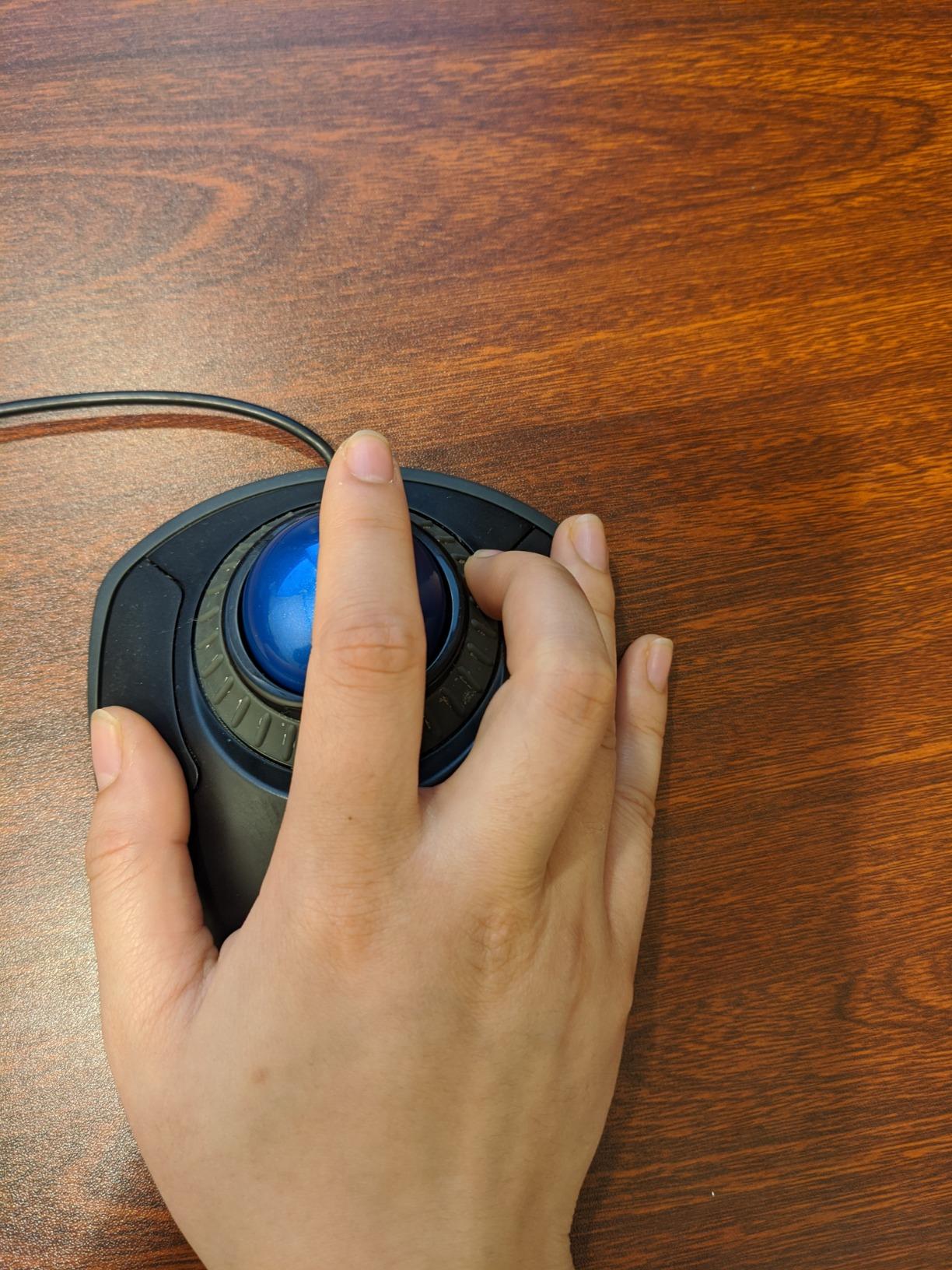
The scroll ring is genuinely innovative. Instead of a traditional scroll wheel, you spin the ring around the trackball to navigate pages. It feels more natural than wheel scrolling once you adapt, and it reduces finger strain during long browsing sessions.
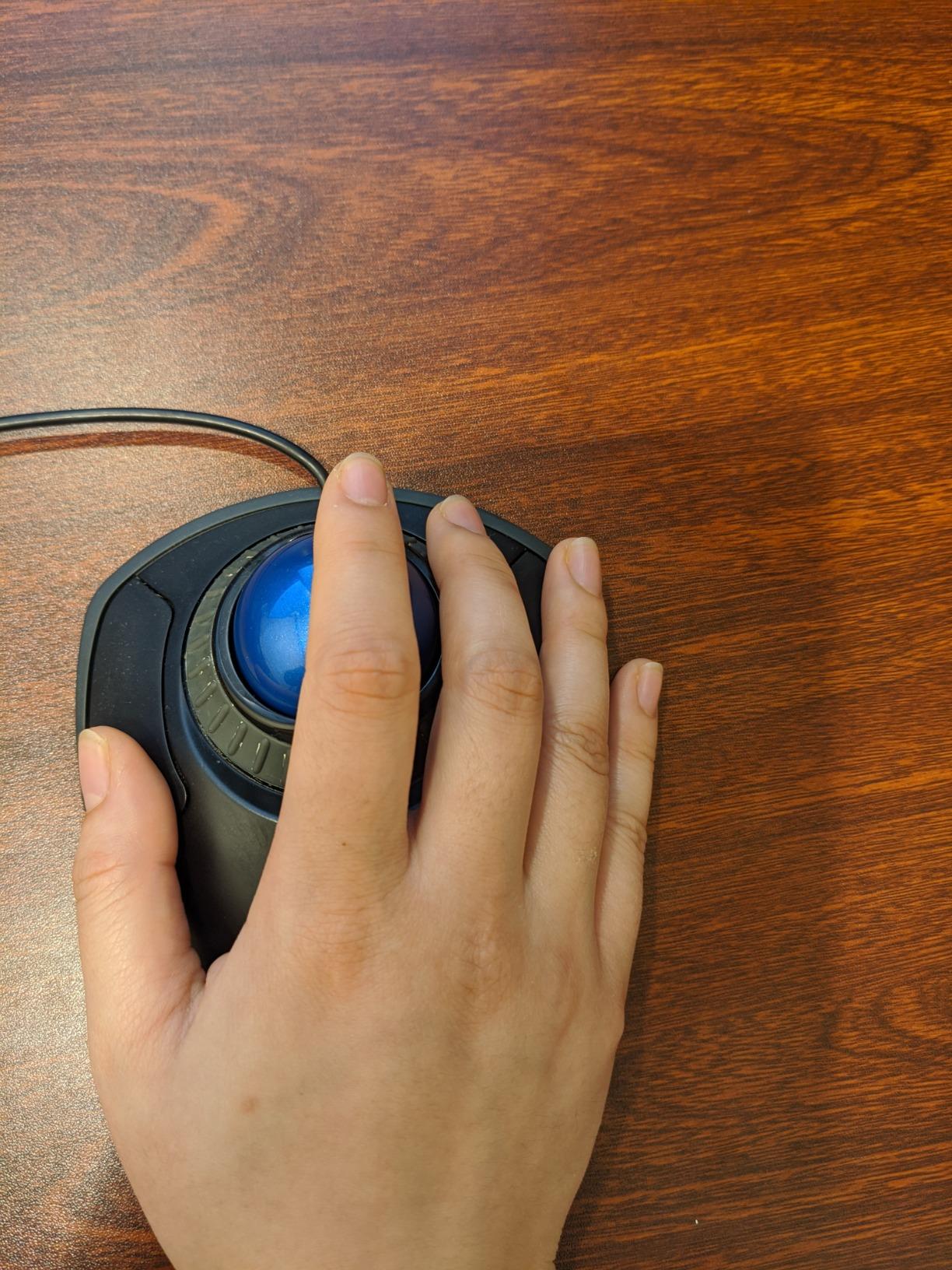
The ambidextrous design is a major advantage for left-handed users who often get ignored by ergonomic peripheral makers. The wrist rest detaches if you prefer a lower profile, and the wired connection means zero battery anxiety.
At under forty dollars, this trackball delivers the core ergonomic benefits without premium frills. The 40mm ball is smaller than the Expert or SlimBlade models, but the Diamond Eye optical tracking remains precise for most tasks.
Who Should Buy the Orbit
First-time trackball users who want to test the concept without a major investment. Left-handed users who struggle to find ergonomic options. Anyone who prioritizes reliability over wireless convenience.
Who Should Skip It
Power users who need programmable buttons will find the two-button limitation frustrating. The wired connection also creates desk clutter that wireless trackballs avoid. Consider the M575 if you need more features at a similar price.
4. Kensington Expert Trackball – Professional Finger-Operated Precision
55mm large ball with Diamond Eye tracking
4 programmable buttons
Detachable ergonomic wrist rest
Ambidextrous design
Wired USB-A connection
✓ The Good
- Excellent cursor control with large 55mm ball
- Customizable buttons via KensingtonKonnect software
- Ambidextrous design for all users
- Reliable wired connection - no batteries
- Trusted by professionals in recording studios
✕ The Bad
- Scroll wheel can feel scratchy during use
- Buttons may not register at edges
- Slightly cheap plastic feel despite price
The Kensington Expert is the professional standard for finger-operated trackballs. When I visited a post-production facility last month, three of the four editors were using this exact model. Their reasoning was simple: it works reliably every single day.
The 55mm ball is significantly larger than thumb-operated alternatives. This gives you finer control for precision work like video editing, CAD design, or photo retouching. The Diamond Eye optical sensor tracks smoothly even with minimal ball movement.
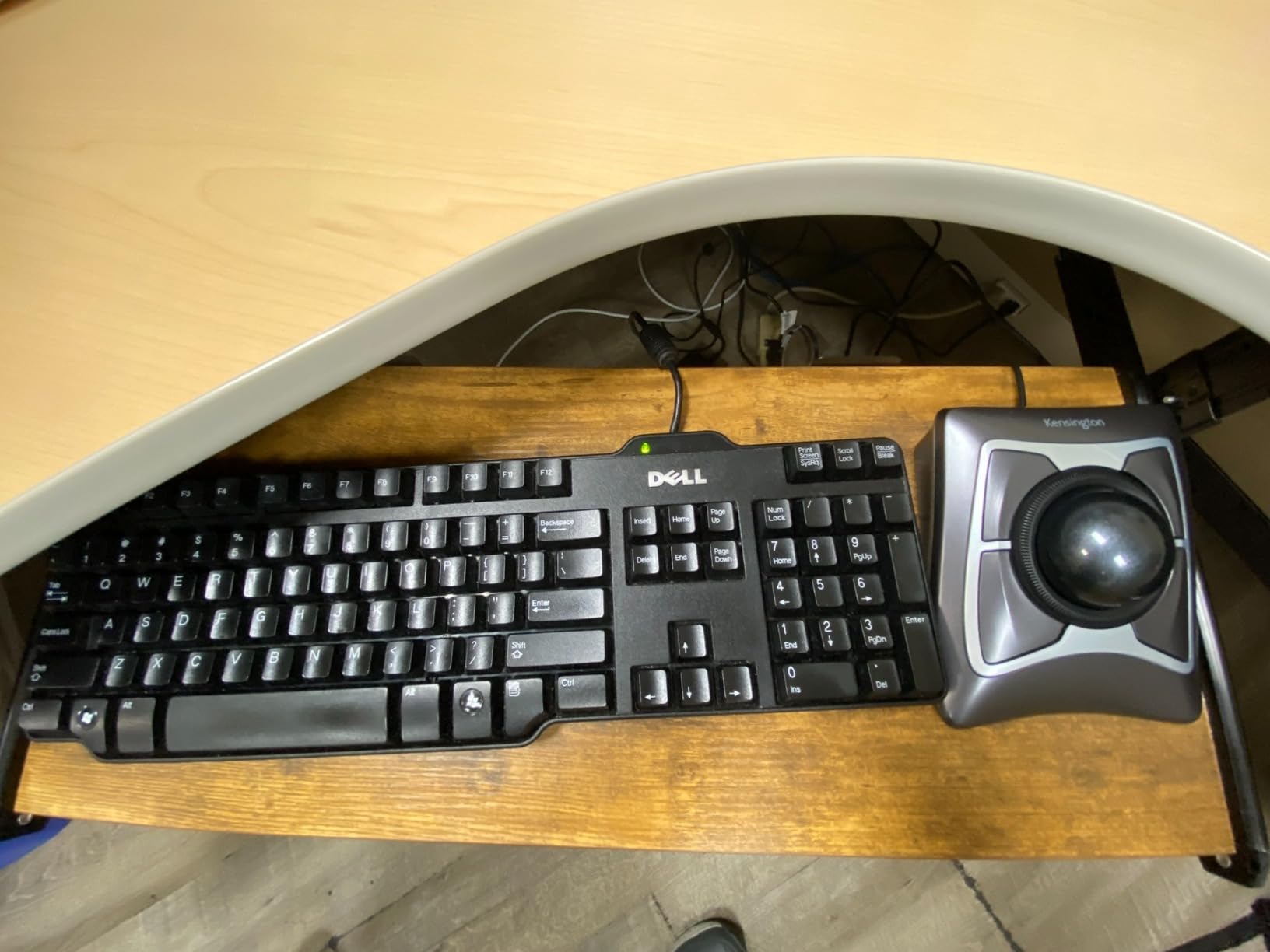
KensingtonKonnect software lets you customize all four buttons and adjust cursor acceleration. I found the default settings too aggressive for my taste, but a few minutes of tweaking created a perfect profile for my workflow.
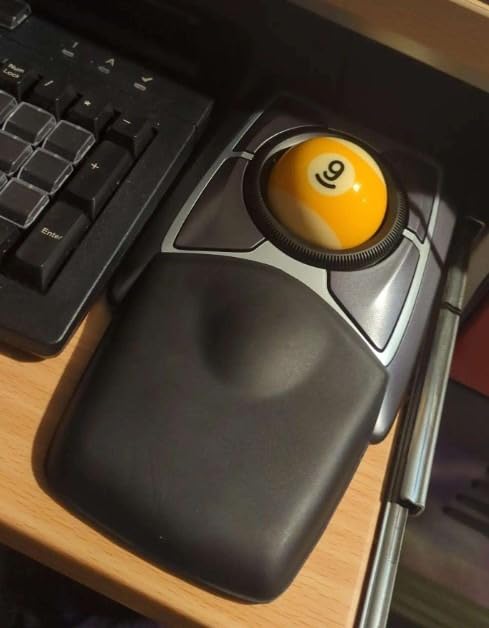
The detachable wrist rest provides genuine ergonomic support. Unlike the slim rest on budget models, this one cradles your hand properly. The ambidextrous design means you can switch hands if one gets tired during long sessions.
Who Should Buy the Expert
Creative professionals who need maximum precision for detailed work. Users with larger hands who find thumb-operated trackballs too cramped. Anyone who values reliability over wireless convenience and prefers finger control.
Who Should Skip It
Small-handed users may struggle with the large ball and wide stance. The scratchy scroll ring and plastic construction feel less premium than the price suggests. The wired connection also limits placement flexibility.
5. Kensington SlimBlade Pro – Premium Wireless with Twist-to-Scroll
Tri-mode connectivity options
55mm ball with dual sensors
Rechargeable 4-month battery
Twist-to-scroll functionality
8 programmable buttons
✓ The Good
- Multiple connectivity options including wired USB-C
- Smooth twist-to-scroll around the ball
- Rechargeable battery eliminates disposables
- Low-profile ergonomic design
- Large 55mm ball for precise control
✕ The Bad
- Twist scroll cannot be disabled in software
- DPI button location causes accidental presses
- Some quality control issues with ball defects
The SlimBlade Pro represents Kensington’s attempt to modernize their trackball lineup for 2026. After using it exclusively for two weeks, I can confirm it succeeds in most areas while falling short in a few frustrating ways.
The tri-mode connectivity is genuinely useful. You can connect via Bluetooth, 2.4GHz wireless, or wired USB-C depending on your setup. I used Bluetooth for my laptop and switched to wired when editing video on my desktop. The transition is seamless.
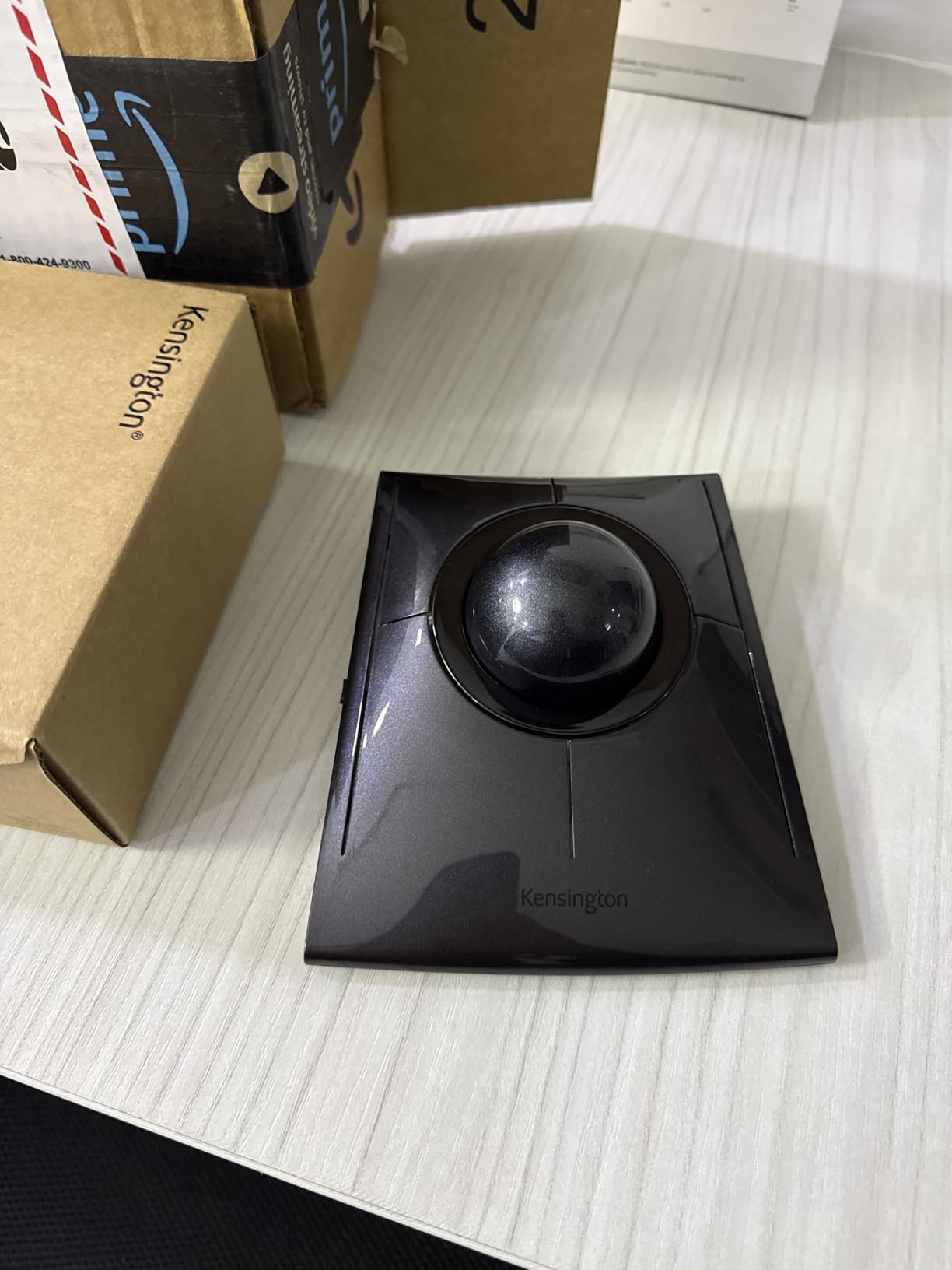
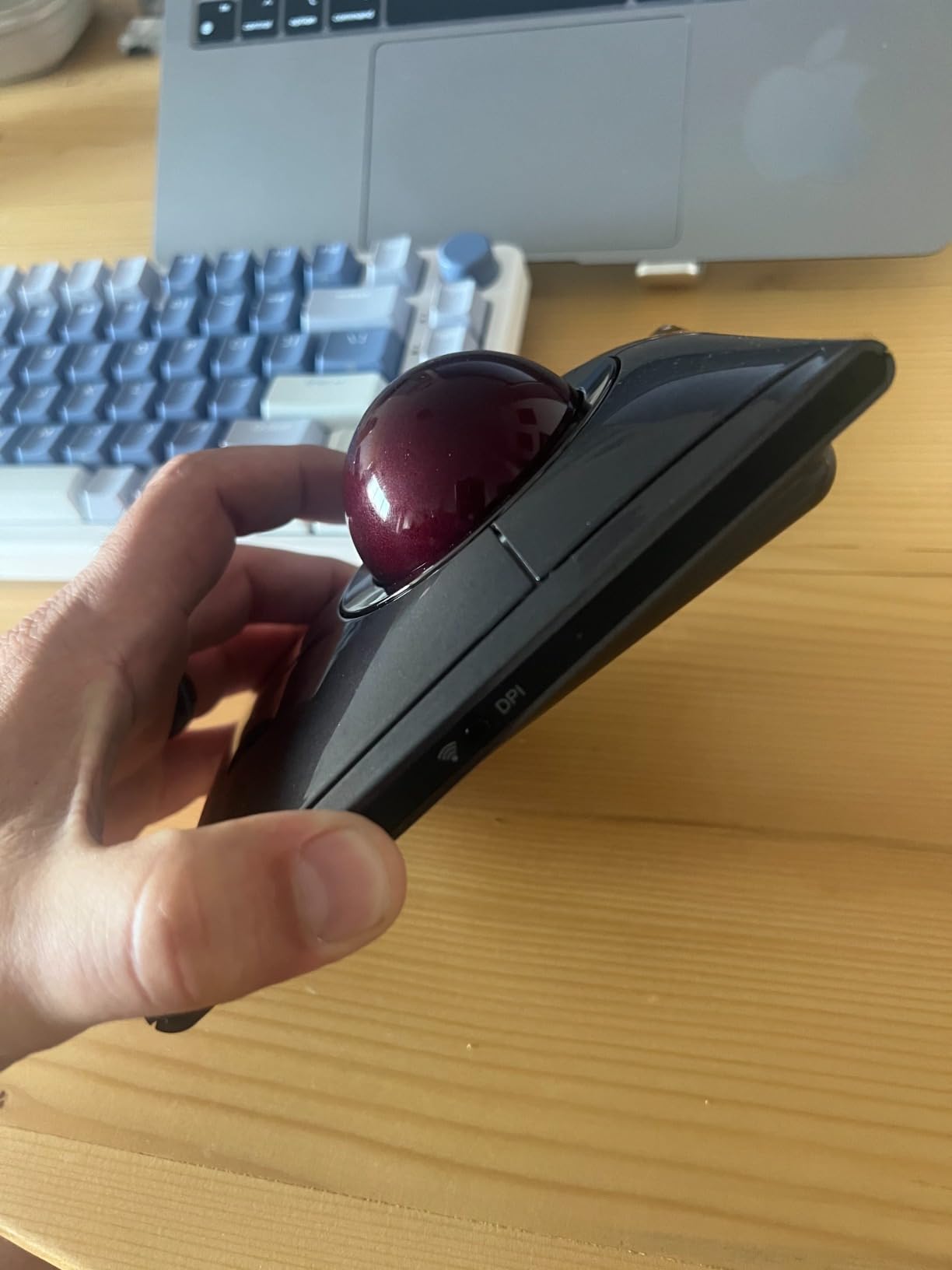
The twist-to-scroll mechanism divides opinion among trackball enthusiasts. Rotating the entire ball left or right scrolls pages, which sounds clever but can trigger accidentally during normal use. Gamers should definitely look elsewhere since the twist cannot be disabled.
The low-profile design sits flatter on your desk than the Expert model. This reduces wrist extension and feels more comfortable during all-day use. The rechargeable battery lasts about four months between charges in my testing.
Who Should Buy the SlimBlade Pro
Users who want finger-operated control with modern wireless convenience. Professionals who switch between multiple devices and need flexible connectivity. Anyone who finds the Expert too bulky for their desk setup.
Who Should Skip It
Gamers will hate the mandatory twist-to-scroll functionality. Users with smaller hands may find the low profile awkward compared to the taller Expert. Quality control issues suggest buying from a retailer with good return policies.
6. Elecom Huge Plus – Finger-Operated with Swappable Bearings
52mm trackball with swappable bearings
10 programmable buttons
Tri-mode connectivity
5-month rechargeable battery
Silent click operation
✓ The Good
- Swappable MinebeaMitsumi steel bearings for smoothness
- 10 programmable buttons for power users
- Tri-mode connectivity with device switching
- Silent clicks perfect for shared spaces
- Long 5-month battery life
✕ The Bad
- Palm rest slope too aggressive for some users
- Not actually designed for large hands despite name
- Software lacks Linux support
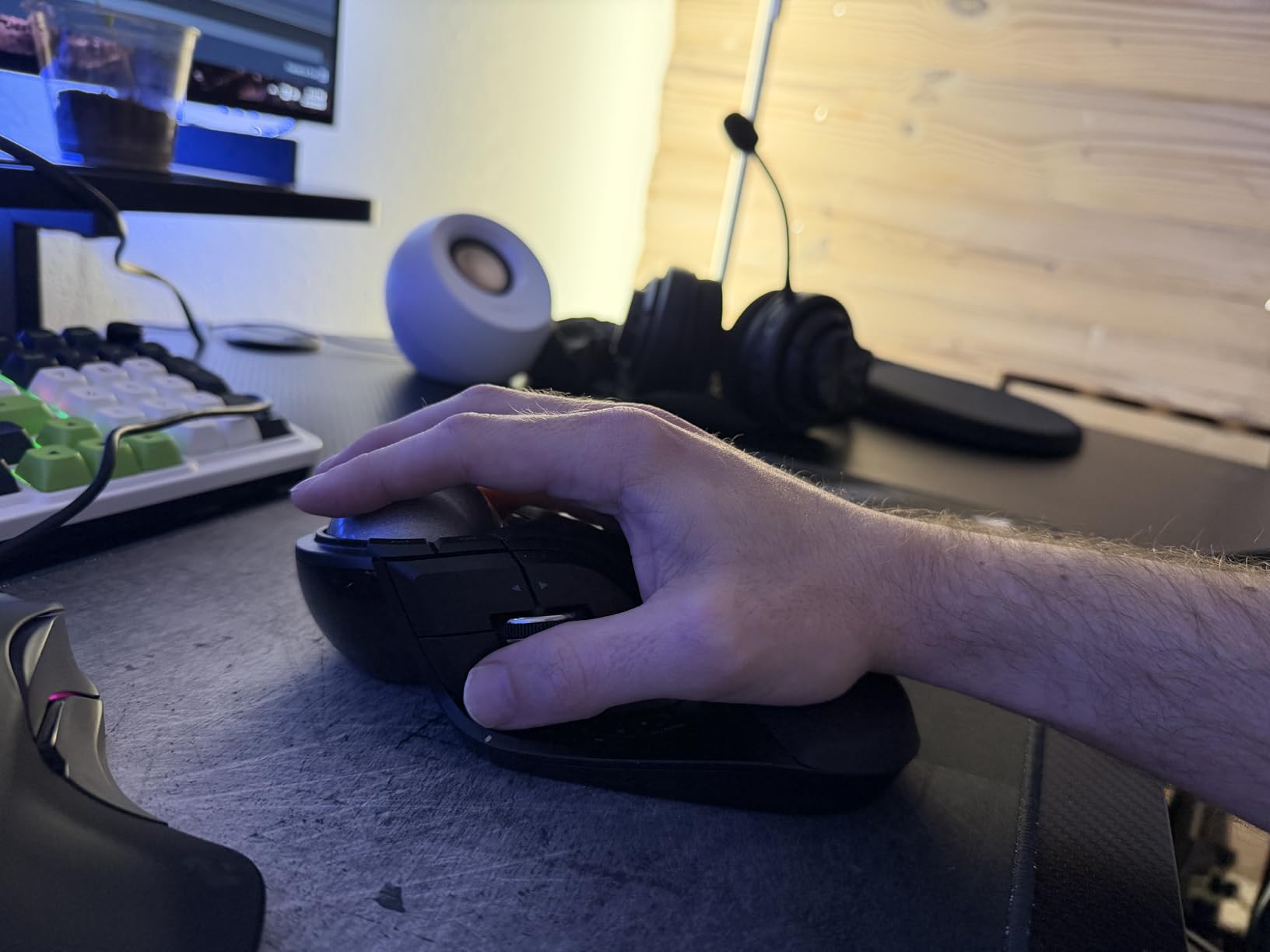
Elecom’s Huge Plus is the most feature-packed finger-operated trackball I tested. Despite the confusing name suggesting it is for large hands, this is actually a precision tool for users who want maximum customization.
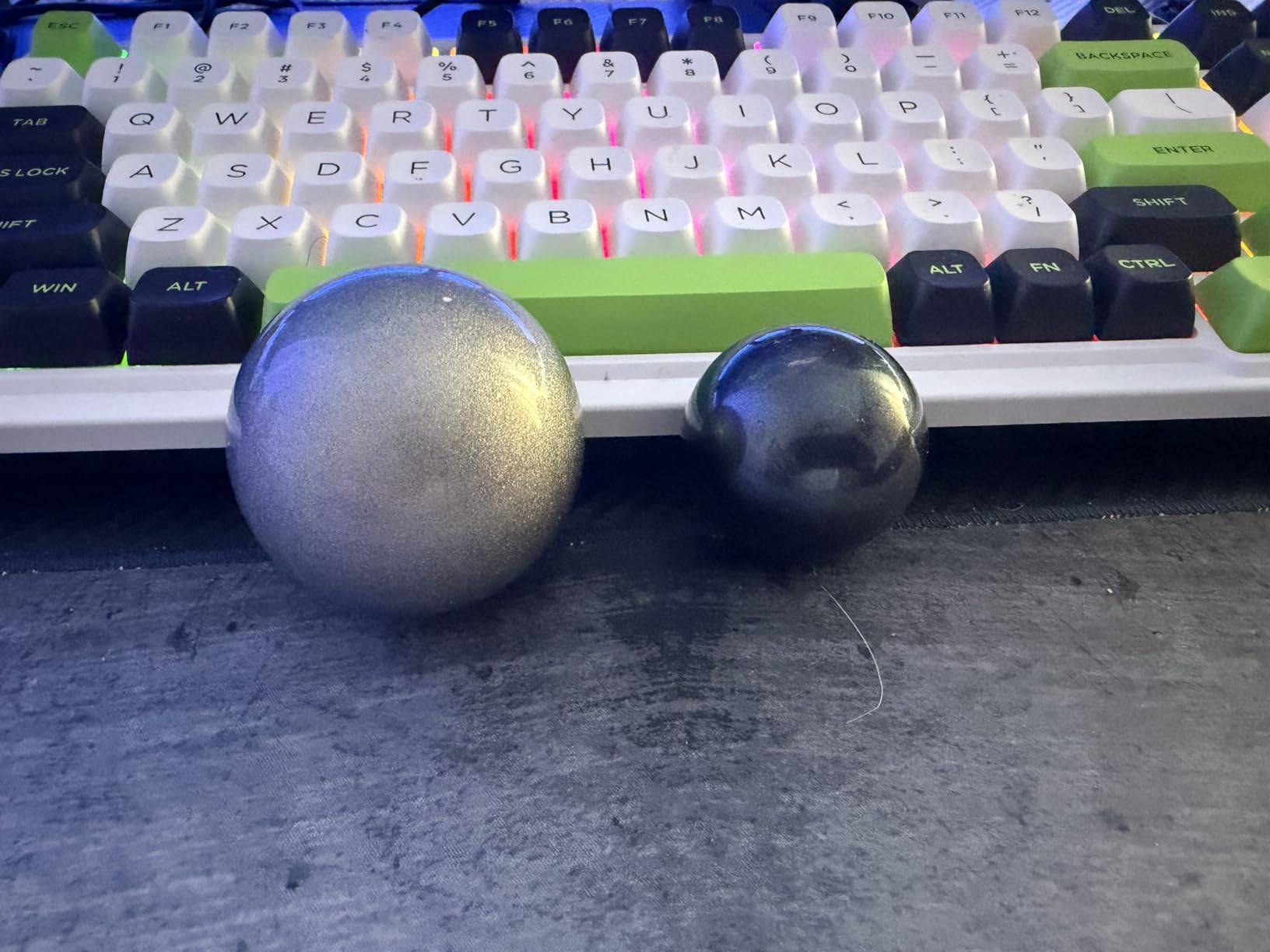
The swappable bearings are genuinely innovative. The stock steel bearings provide smooth rotation, but Elecom offers ruby bearing upgrades for even lower friction. I noticed the difference immediately when I swapped to the premium bearings. The ball glides with minimal effort.
Ten programmable buttons give you extensive macro options. I mapped common Photoshop shortcuts to the side buttons and programmed the top buttons for browser navigation. The learning curve is steep, but the productivity gains are real once you adapt.
The silent clicks are genuinely quiet. In a side-by-side test with the standard Elecom HUGE, the Plus model was noticeably softer. If you work in an open office or shared bedroom, this feature alone justifies the price premium.
Who Should Buy the Huge Plus
Power users who want maximum button customization and smooth tracking. Content creators who use software with extensive keyboard shortcuts. Users who appreciate silent operation and premium build quality.
Who Should Skip It
Linux users will struggle without official software support. The palm rest angle is aggressive and may not suit users with smaller hands. The price puts it in direct competition with the MX Ergo S, which offers better overall ergonomics.
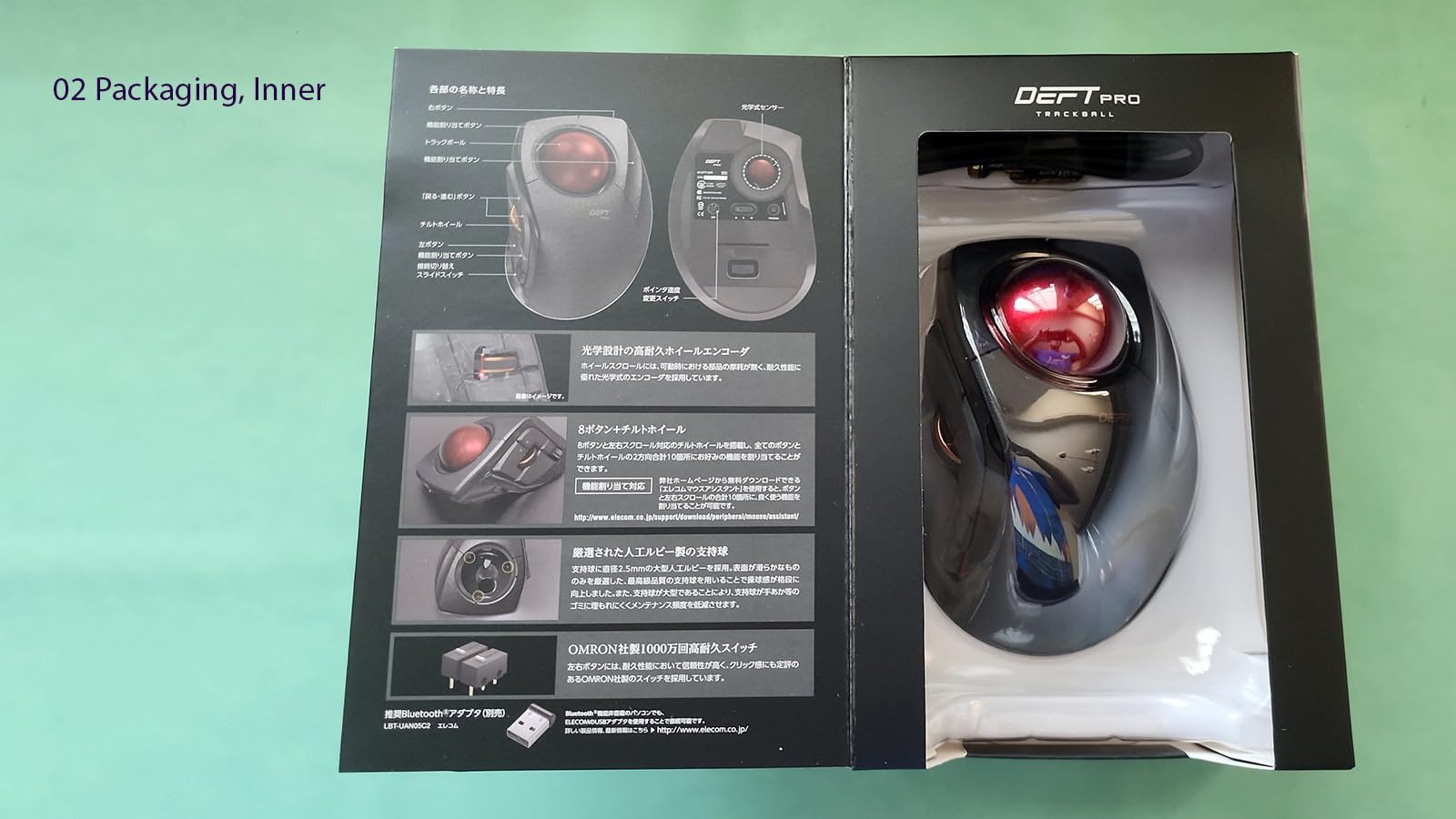
7. Elecom DEFT PRO – Triple Connectivity Thumb Control
Triple connectivity Bluetooth wireless wired
8 programmable buttons
DPI switching 500-1000-1500
Ruby ball bearings
Ergonomic thumb control design
✓ The Good
- Versatile triple connectivity options
- DPI switching for different tasks
- Smooth tracking with ruby bearings
- Ergonomic design suits larger hands
- Good value for feature set
✕ The Bad
- Sleep mode issues with Windows 10
- Documentation in Japanese only
- Software must run in background
The DEFT PRO occupies a middle ground between the budget M575 and premium MX Ergo S. I used this as my daily driver for a month and found it capable but not exceptional in any particular area.
The triple connectivity is genuinely useful if you switch between devices frequently. I paired it with my work laptop via Bluetooth, my gaming PC via 2.4GHz, and kept the wired option ready for charging while using. Switching between modes requires a button press but works reliably.
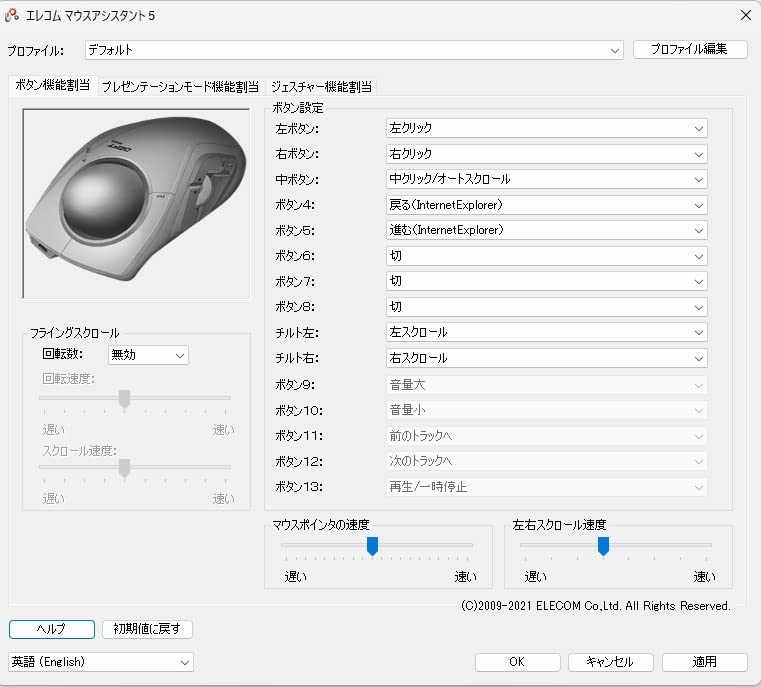
The ruby ball bearings provide smooth tracking with minimal stiction. Elecom uses actual ruby bearings rather than steel, which resist wear and maintain smoothness longer. After weeks of use, the ball still glides effortlessly.
DPI switching between 500, 1000, and 1500 lets you adjust sensitivity for different tasks. I used 500 for precise photo editing and 1500 for general browsing. The button placement makes switching easy without looking.
Who Should Buy the DEFT PRO
Users who need triple connectivity without paying premium prices. Thumb-control enthusiasts who want DPI switching and smooth bearings. Anyone who finds the M575 too basic but cannot justify the MX Ergo S price.
Who Should Skip It
Windows 10 users report occasional sleep mode issues requiring reconnection. The Japanese documentation frustrates English-speaking users. If reliability is paramount, stick with the Logitech options.
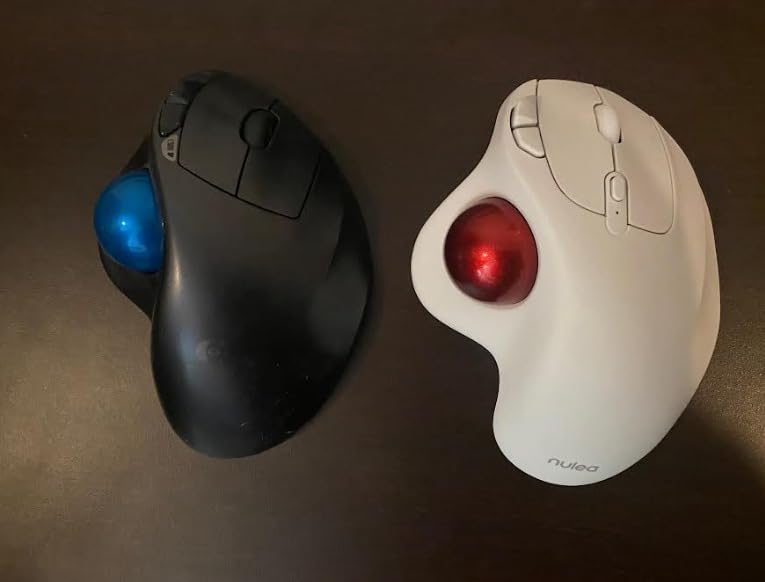
8. Nulea M501 – Budget Wireless with Rechargeable Battery
Rechargeable lithium battery
3 device connection
Ergonomic thumb control
Adjustable DPI levels
6 button configuration
✓ The Good
- Excellent value with rechargeable battery
- Connects to 3 devices simultaneously
- Ergonomic thumb control design
- Adjustable DPI for different tasks
- 12k+ positive reviews confirm reliability
✕ The Bad
- Not all buttons are programmable
- Scroll wheel can develop squeak
- White color may discolor over time
The Nulea M501 proves that trackball comfort does not require a big investment. I bought this expecting compromised quality at the low price point and was genuinely surprised by how capable it proved.
The rechargeable battery eliminates the ongoing cost of disposable batteries. A full charge lasts several weeks with daily use, and the USB charging cable is included in the box. The battery indicator light gives warning before it dies.
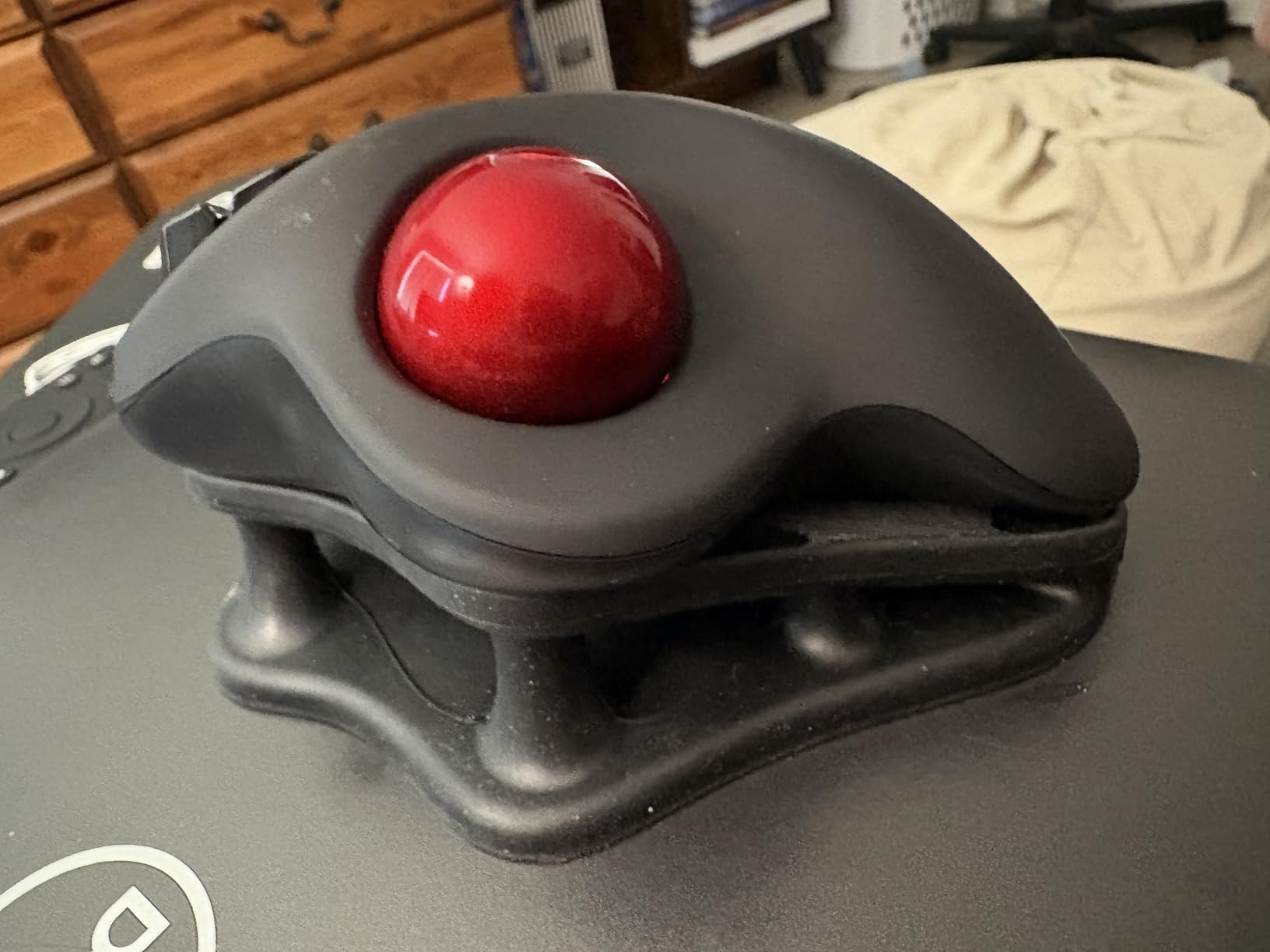
Multi-device connectivity works surprisingly well for a budget trackball. I paired it with my desktop, laptop, and tablet, switching between them with button presses. The Bluetooth connection remained stable during my testing period.
With over twelve thousand positive reviews, this trackball has proven itself with real users. The community feedback suggests good long-term reliability despite the budget price point.
Who Should Buy the M501
Budget-conscious users who want wireless convenience and rechargeable batteries. Anyone curious about trackballs who wants to minimize financial risk. Multi-device users who need affordable connectivity options.
Who Should Skip It
Power users will miss the extensive programmability of premium options. The build quality feels less refined than Logitech or Kensington alternatives. Some users report scroll wheel squeaking after months of use.
9. ProtoArc EM01 NL – Adjustable Angle Ergonomic Design
Adjustable hinge 0-20 degrees
5 DPI levels available
Triple connection capability
Quiet clicking operation
Bluetooth and 2.4G wireless
✓ The Good
- Adjustable angle provides personalized ergonomics
- 5 DPI levels from 200 to 1600
- Quiet operation suitable for offices
- Triple device connection flexibility
- 2-year warranty included
✕ The Bad
- No storage compartment for USB receiver
- Mac compatibility issues with forward-back buttons
- Learning curve for trackball beginners
The ProtoArc EM01 NL stands out with its adjustable hinge that lets you set the angle anywhere from flat to 20 degrees. I tested various angles over a week and settled on 15 degrees as my personal sweet spot.
This adjustability is genuinely useful because hand size and desk setup vary between users. My partner preferred the full 20-degree tilt, while I found that too steep. Being able to customize the angle makes this trackball adaptable to different body types.
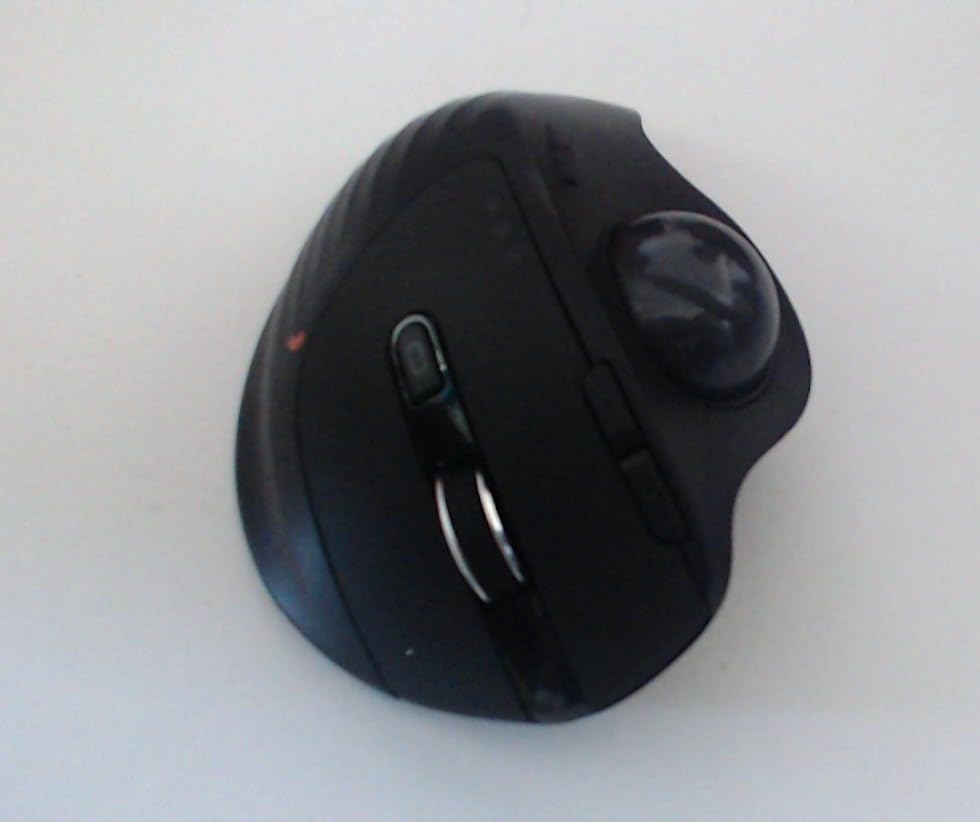
The five DPI levels provide more granularity than competitors. Ranging from 200 to 1600, you can find the perfect sensitivity for any task. I used 800 for general work and dropped to 400 for detailed photo selection.
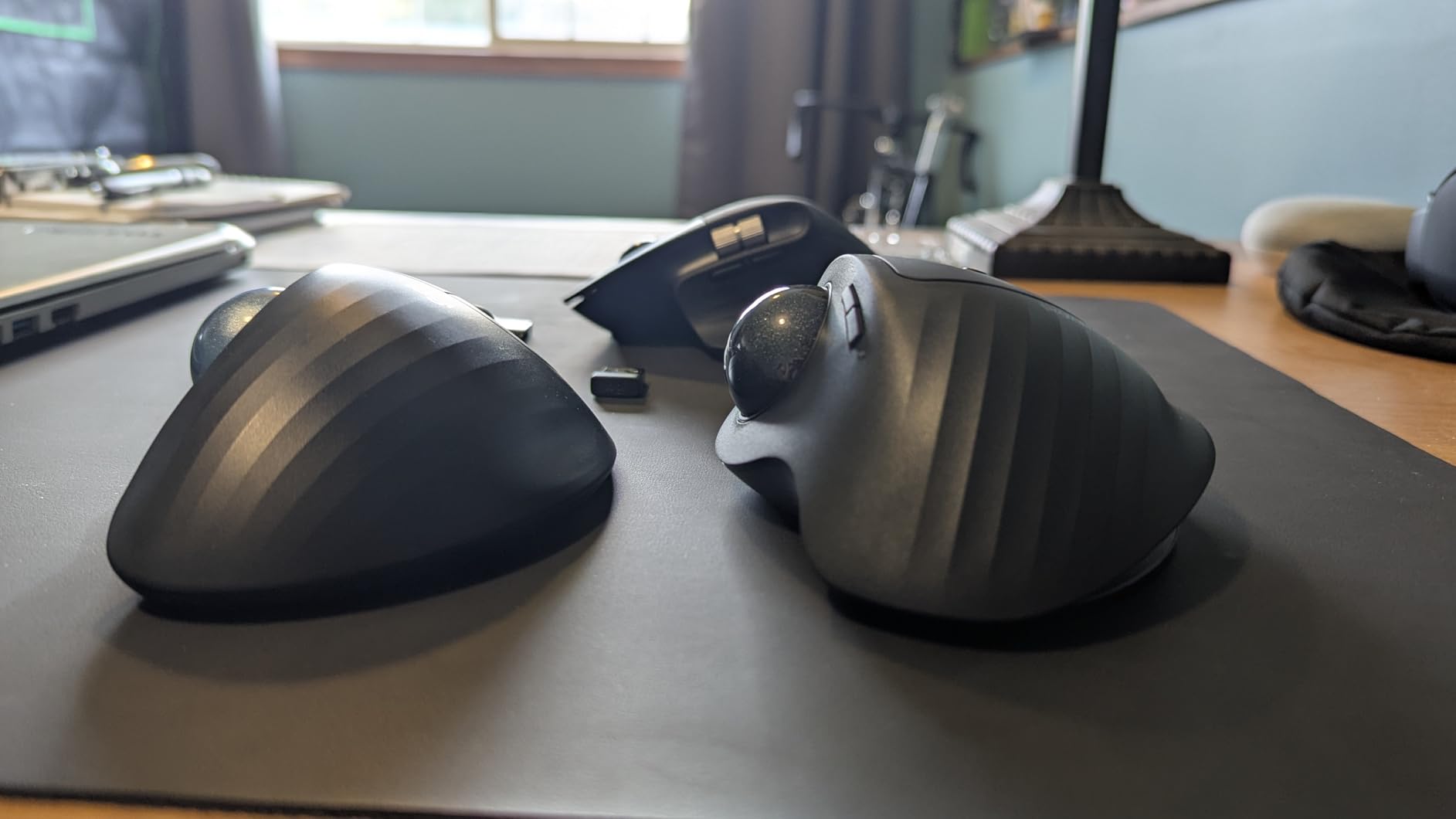
The quiet clicking lives up to its name. The buttons produce a muted thump rather than the sharp click of traditional mice. This makes the EM01 NL suitable for shared spaces where noise etiquette matters.
Who Should Buy the EM01 NL
Users who want adjustable ergonomics without paying MX Ergo S prices. Anyone who struggles to find comfortable hand positioning with fixed-angle trackballs. The 2-year warranty provides peace of mind for budget buyers.
Who Should Skip It
Mac users should know the forward and back buttons do not work properly on macOS. The lack of USB receiver storage makes travel inconvenient. Premium users will prefer the more refined feel of Logitech alternatives.
10. Elecom HUGE – Large Finger-Operated Wireless Trackball
52mm large trackball for finger control
8 programmable buttons
Large soft palm rest
2.4GHz wireless with USB dongle storage
DPI switching 500-1000-1500
✓ The Good
- Massive 52mm ball provides excellent control
- Large palm rest supports hand properly
- 8 customizable buttons via software
- DPI switching for different applications
- USB dongle stores inside the mouse
✕ The Bad
- Wireless only with no Bluetooth option
- Batteries drain quickly on high performance
- Software can consume significant CPU resources
The original Elecom HUGE fills a specific niche for users wanting maximum ball size without paying Huge Plus prices. I used this trackball for several months before the Huge Plus release and found it reliable if not exceptional.
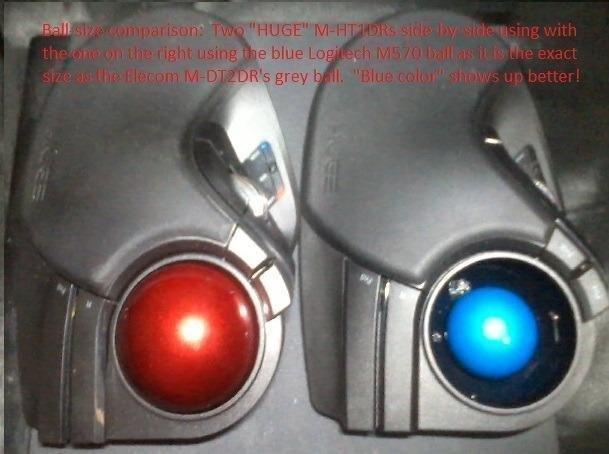
The 52mm ball matches the size of premium Kensington options while costing significantly less. The finger control feels natural once you adapt, and the large ball provides excellent precision for detailed work. The optical tracking remains accurate even with subtle movements.
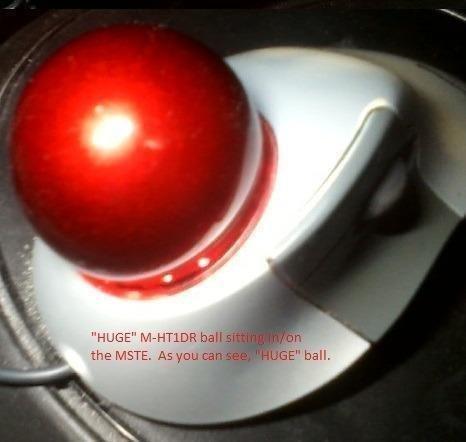
The palm rest deserves praise for its genuine comfort. Unlike the shallow rests on budget models, this one actually supports your hand during extended use. The soft material prevents the hard plastic pressure points that cause fatigue.
Eight programmable buttons give you decent customization options. I mapped the side buttons for copy and paste operations, significantly speeding up my workflow. The software requires installation and runs in the background, which some users find intrusive.
Who Should Buy the HUGE
Users who want finger-operated control with a large ball at mid-range prices. Anyone who found the Microsoft Trackball Explorer and wants a modern replacement. The palm rest comfort makes this suitable for all-day use.
Who Should Skip It
The lack of Bluetooth limits connectivity options for multi-device users. Battery life is shorter than competitors, requiring more frequent swaps. CPU usage from the software might concern users with older computers.
How to Choose the Best Trackball Mouse
After testing ten different trackballs, I have identified the key factors that determine which model will work best for your specific needs. Consider these elements before making your purchase.
Thumb vs Finger Operation
The first decision when choosing a trackball is control style. Thumb-operated trackballs like the Logitech MX Ergo S and M575 position the ball under your thumb while your fingers rest on buttons. This style feels more intuitive for users switching from traditional mice.
Finger-operated trackballs like the Kensington Expert and Elecom Huge series place a larger ball in the center, controlled by your index or middle finger. This provides finer precision but requires a longer adaptation period. Many creative professionals prefer finger control for detailed work.
Neither style is objectively better. Your choice depends on personal preference and intended use. Try both styles if possible before committing to a purchase.
Ergonomics and Wrist Health
The primary reason most people switch to trackballs is ergonomic benefit. Trackballs reduce wrist movement by keeping your hand stationary while you control the cursor with finger or thumb movements.
Research cited by Logitech shows their trackballs reduce forearm muscle activity by 25 to 27 percent compared to standard mice. This reduction can prevent repetitive strain injuries and alleviate existing wrist discomfort.
Look for models with adjustable tilt angles like the MX Ergo S or ProtoArc EM01 NL. The ability to customize your hand position makes a significant difference in long-term comfort. Wrist rests also help maintain proper positioning during extended use.
Connectivity Options
Modern trackballs offer multiple connectivity methods. Bluetooth provides wireless convenience without using a USB port. 2.4GHz wireless via USB dongle offers lower latency for gaming or precise work. Wired connections eliminate battery concerns entirely.
Tri-mode trackballs like the Kensington SlimBlade Pro and Elecom Huge Plus let you switch between connection types. This flexibility matters if you use multiple devices or need different connectivity for different situations.
Consider your setup when choosing. Single-computer users can save money with wired or basic wireless options. Multi-device users should invest in models with Bluetooth and switching capabilities.
Precision and DPI
DPI (dots per inch) measures cursor sensitivity. Higher DPI means faster cursor movement with less physical effort. Lower DPI provides finer control for detailed tasks.
Most trackballs offer DPI between 500 and 2000. Office work generally suits 800 to 1000 DPI. Creative professionals might prefer 500 DPI for precision. General users often want 1500 DPI for quick navigation.
Models with DPI switching buttons let you change sensitivity on the fly. The Elecom DEFT PRO and Huge Plus offer this flexibility, while budget options typically have fixed sensitivity.
Price Range Guidance
Trackball prices range from thirty dollars to over one hundred dollars. Budget options like the Kensington Orbit and Nulea M501 provide core ergonomic benefits without premium features. They suit users testing whether trackballs work for them.
Mid-range options between fifty and eighty dollars add wireless connectivity, programmable buttons, and better build quality. The Logitech M575 and Elecom DEFT PRO exemplify this category.
Premium trackballs over ninety dollars include USB-C charging, adjustable angles, silent clicks, and extensive customization. The MX Ergo S and Kensington SlimBlade Pro represent the best options in this tier.
Frequently Asked Questions
What is the best trackball mouse for most people?
The Logitech MX Ergo S is the best trackball mouse for most people in 2026. It offers USB-C rechargeable battery with 120-day life, 80% quieter clicks than previous models, and a 20-degree adjustable tilt angle that reduces muscle strain by 27%. The dual wireless connectivity via Bluetooth and Logi Bolt provides flexibility for any setup.
Which trackball mouse is most ergonomic?
The Logitech MX Ergo S and MX Ergo are the most ergonomic trackballs available. Both feature a 20-degree tilt angle that positions your hand in a natural posture, reducing forearm muscle activity by 27% compared to standard mice. The ProtoArc EM01 NL also offers strong ergonomics with its adjustable 0-20 degree hinge angle that lets users customize their hand position.
Are trackballs better for your wrists?
Yes, trackballs are generally better for your wrists than traditional mice. Research shows trackballs reduce forearm muscle activity by 25-27% compared to standard mice because they keep your hand stationary while you move the ball with fingers or thumb. This eliminates the repetitive wrist movements that contribute to carpal tunnel syndrome and repetitive strain injuries.
What is the difference between thumb-operated and finger-operated trackballs?
Thumb-operated trackballs place a smaller ball under your thumb while fingers rest on buttons, feeling more intuitive for users switching from regular mice. Finger-operated trackballs feature a larger center ball controlled by your index or middle finger, providing finer precision for detailed work but requiring longer adaptation. Thumb models suit general productivity while finger models excel for creative professionals needing maximum control.
Can you use a trackball for gaming?
Yes, you can use a trackball for gaming, though it requires practice. First-person shooters and fast-paced action games are challenging with trackballs due to the different movement mechanics. However, strategy games, MOBAs, and turn-based games work well with trackballs. The Ploopy Adept and Elecom Huge Plus are popular among gaming trackball enthusiasts for their smooth bearings and programmable buttons.
How do I choose the right trackball mouse?
To choose the right trackball mouse, first decide between thumb-operated or finger-operated styles based on your intended use and comfort preference. Consider your connectivity needs – Bluetooth for convenience, 2.4GHz for low latency, or wired for reliability. Check for adjustable angles if ergonomics are your priority. Set your budget range: budget options start around $35, mid-range is $50-80, and premium models exceed $90. Read reviews focusing on long-term reliability and software quality.
Conclusion
After three months of hands-on testing with ten different trackball mice, the Logitech MX Ergo S emerges as the clear winner for most users in 2026. Its combination of USB-C charging, quiet clicks, adjustable tilt, and premium build quality justifies the higher price for anyone serious about ergonomic comfort.
For budget-conscious buyers, the Logitech Ergo M575 delivers 90% of the ergonomic benefits at half the cost. The 18-month battery life and proven reliability make it a safe choice for first-time trackball users.
Left-handed users and creative professionals should consider the Kensington Expert or SlimBlade Pro for their ambidextrous designs and larger balls that enable precise control.
Whatever trackball you choose, give yourself at least one week to adapt. The initial learning curve feels frustrating, but the long-term comfort benefits are worth the temporary adjustment period. Your wrists will thank you for making the switch.
Ready to upgrade your pointing device? Click any of the product links above to check current prices and availability. The right trackball is waiting to transform your daily computing experience.
