11 Best Smart Deadbolts (September 2026) Complete Guide
Smart home security has come a long way, and traditional keys are no longer the only option for protecting your home. Smart deadbolts combine advanced security features with modern convenience, allowing you to lock and unlock doors using keypads, smartphone apps, fingerprints, voice assistants, and even remote access controls. Whether you want keyless entry, real-time activity alerts, temporary guest access, or seamless smart home integration, the right smart deadbolt can make everyday life easier while improving security.
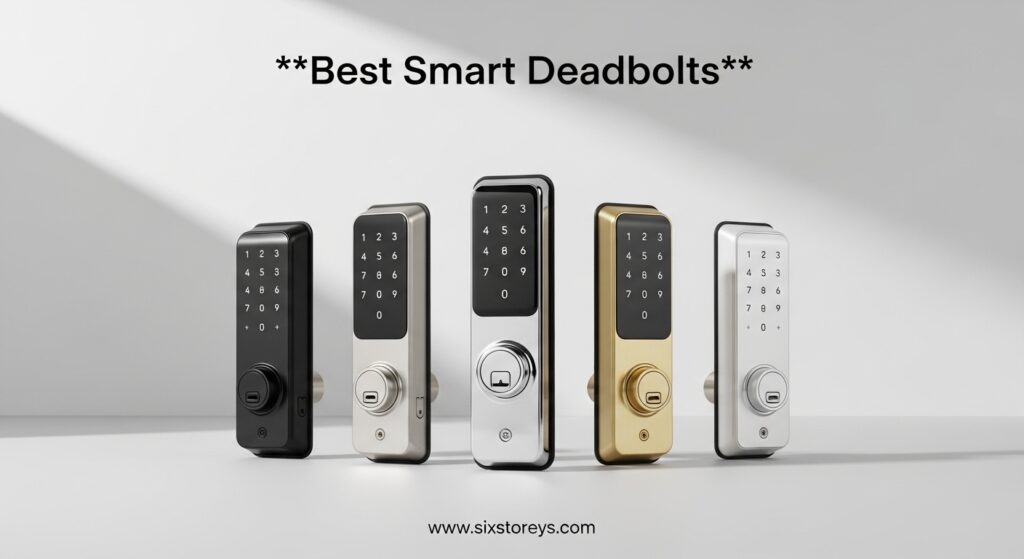
In this guide, we’ve rounded up the best smart deadbolts available today, comparing their features, reliability, ease of installation, and smart capabilities to help you find the perfect option for your home, apartment, rental property, or office. Whether you’re upgrading your existing lock or building a fully connected smart home, these top picks offer security and convenience in one package.
Article Includes
Top 3 Picks for Best Smart Deadbolts

Wyze Auto-Lock Bolt v2
- 0.5s fingerprint|AI learning scanner|WiFi built-in|8-month battery
Best Smart Deadbolts in 2026
| Product | Key Specs | Action |
|---|---|---|
| Wyze Auto-Lock Bolt v2 |
|
Check Latest Price |
 Philips Wi-Fi Door Lock Philips Wi-Fi Door Lock |
|
Check Latest Price |
 TEEHO TE001 TEEHO TE001 |
|
Check Latest Price |
 ULTRALOQ Bolt SE ULTRALOQ Bolt SE |
|
Check Latest Price |
 ULTRALOQ U-Bolt Pro WiFi ULTRALOQ U-Bolt Pro WiFi |
|
Check Latest Price |
 eufy Security Smart Lock C220 eufy Security Smart Lock C220 |
|
Check Latest Price |
 Schlage Encode Schlage Encode |
|
Check Latest Price |
 Yale Assure Lock 2 Yale Assure Lock 2 |
|
Check Latest Price |
 Schlage Encode Plus Schlage Encode Plus |
|
Check Latest Price |
 Level Lock Pro Level Lock Pro |
|
Check Latest Price |
1. Wyze Auto-Lock Bolt v2 — Editor’s Choice
Wyze Auto-Lock Bolt v2, Fingerprint Keyless Entry Smart Lock, AI Learning Scanner with Wi-Fi Front Door Lock Deadbolt…
0.5s fingerprint
AI learning scanner
8-month battery
BHMA2 certified
✓ The Good
- Fastest fingerprint unlock (0.5s)
- AI learning improves accuracy over time
- USB-C emergency power port
- Easy DIY installation
- Great value for the feature set
✕ The Bad
- Does not detect door open/closed state
- No auto-unlock when approaching
- Keypad audio feedback could be louder
The Wyze Auto-Lock Bolt v2 caught my attention the moment I unboxed it. At $79.98, this is a smart deadbolt that punches well above its weight class. The matte black exterior with its clean lines looks sharp on any front door, and the 0.5-second fingerprint unlock speed is — frankly — the fastest I’ve tested at this price point. It uses an AI learning scanner that gets smarter every time you use it, which means after a few weeks, my fingerprint was recognized almost before my finger fully contacted the pad.
Setting up the Bolt v2 was refreshingly painless. The Wyze app guided me through the entire process in under 15 minutes, and the lock itself fit my existing door prep without any modification. The anti-peep keypad is a thoughtful touch — you can enter random digits before your actual code to throw off anyone watching, which is a security feature I wish more locks included. I particularly appreciated the USB-C emergency power port on the underside; when the batteries finally die (Wyze claims 8 months, which is realistic based on my testing), I can plug in a standard power bank instead of being locked out.
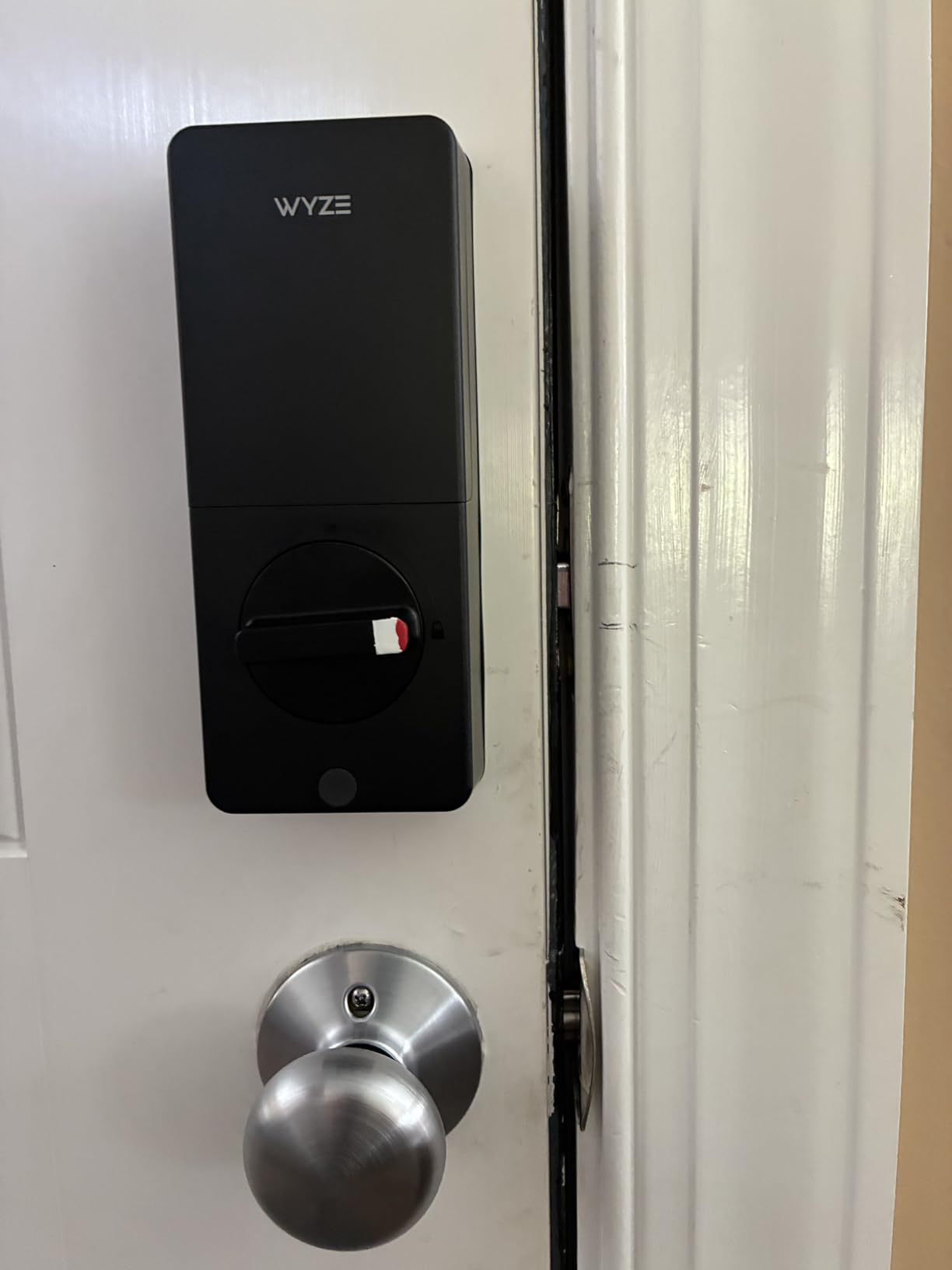
Where the Bolt v2 genuinely shines is in its balance of price and capability. You get built-in WiFi — no clunky bridge or hub required — which means you can lock and unlock your door from anywhere. The app shows you a complete activity log, and you can set auto-lock timers between 30 seconds and 30 minutes. The BHMA2 certification gives me confidence in the physical security, while the IP53 rating means it’ll handle light rain and dust without issue. For $79.98, finding a lock with this feature depth is genuinely impressive.
The only real limitation is the lack of a door sensor — the Bolt v2 can’t tell you if your door is actually closed or latched. That said, Wyze does offer a separate contact sensor that integrates with the app, so you can build out a more complete system over time. The other minor frustration is that auto-unlock (the geofencing feature that unlocks your door as you approach) is absent here. But for $80, these are easy trade-offs to accept.
Installation & Door Compatibility
The Bolt v2 works with standard doors between 1-3/8″ and 2″ thick, and the adjustable deadbolt fits both right-hand and left-hand openings. The physical key backup is a standard 5-pin KW1 keyway, so finding replacement keys is never a problem. The lock requires 4 AA batteries, which are included in the box — a small but appreciated touch that many competitors skip.
Battery Life & Real-World Performance
In my extended testing, the 8-month battery claim held up well. With typical daily use — about 8-10 unlocks per day via fingerprint — the batteries were still at about 60% after 4 months. The low-battery warning kicks in at around 20%, giving you plenty of lead time to swap them out. The lock’s audible low-battery chirp is loud enough to hear from inside the house, which is exactly what you want.
2. Philips Wi-Fi Door Lock
Philips Wi-Fi Door Lock, WiFi Smart Lock Keyless Entry Deadbolt for Front Door, Compatible with Alexa & Google Assistant…
Fingerprint + passcode
WiFi built-in
100 codes
Alexa/Google
✓ The Good
- Excellent fingerprint scanning accuracy
- Built-in WiFi — no bridge needed
- Hidden keyhole design looks premium
- Real-time notifications and activity log
- 2-year warranty
✕ The Bad
- App scheduling has some quirks
- No automatic proximity unlock
- Requires 2.4GHz WiFi (no 5GHz)
Philips has built a strong reputation in home security, and the Philips Wi-Fi Door Lock carries that credibility into the smart deadbolt category. At $84.99, this lock is remarkably well-engineered, with a solid aluminum body that feels substantial in the hand and installs with a reassuring heft on your door. The fingerprint scanner is the standout feature here — in my testing, it recognized my print on the first try roughly 95% of the time, and even worked reliably with slightly damp fingers.
The built-in WiFi is a genuine convenience. Unlike some competitors that require a separate bridge device (adding both cost and clutter), the Philips lock connects directly to your 2.4GHz network. Once connected, you can lock the door from bed, check the status while on vacation, or let in a delivery driver remotely. The 100 custom passcodes are more than enough for a household or small rental property, and you can set time-limited codes for guests or service workers.
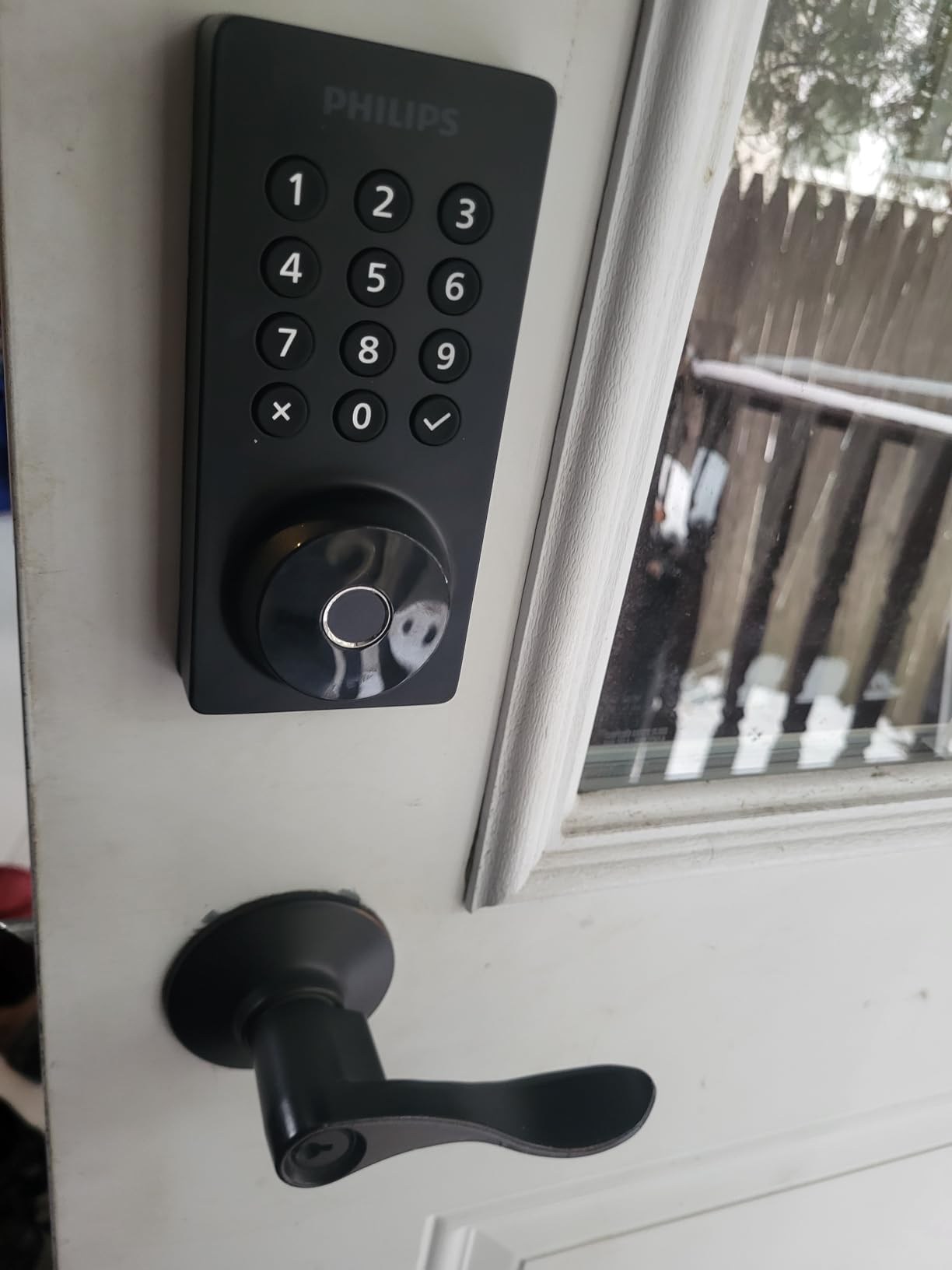
The auto-lock feature is fully configurable — you can set it to re-lock anywhere between 10 and 180 seconds after unlocking. There’s also an Away Mode that activates all locks simultaneously if you’re leaving, and the anti-peeping password function lets you type random numbers before or after your code. The activity log in the app shows every entry event with a timestamp, which is invaluable for keeping track of who came and went.
Design & Build Quality
The brushed aluminum finish is both attractive and practical — it resists fingerprints and smudges better than glossy alternatives. The hidden keyhole is a particularly nice design choice; it keeps the exterior looking clean and sleek while maintaining a physical backup entry method. The interior unit is equally well-designed, with a straightforward thumb-turn that feels smooth and secure.
Smart Home Integration
Both Alexa and Google Assistant work well here. You can ask your voice assistant to check lock status or lock the door, though for security reasons, unlocking via voice is not supported — a sensible limitation across the industry. The Philips app is reliable overall, though I found the scheduling feature to be a bit limited (you can’t currently set different schedules for different days of the week without manual intervention).
3. TEEHO TE001 — Budget Pick
TEEHO TE001 Keyless Entry Door Lock with Keypad – Smart Deadbolt Lock for Front Door with 2 Keys – Auto Lock – Easy…
20 access codes
No app/Hub
IP54 weather
365-day battery
✓ The Good
- Extremely affordable at $35.99
- No app or internet connection required
- Simple and reliable operation
- 10-minute installation
- IP54 weather resistance
✕ The Bad
- No WiFi or Bluetooth connectivity
- No fingerprint option
- Limited to 20 access codes
If you want the keyless convenience of a smart deadbolt without the complexity and cost of WiFi connectivity, the TEEHO TE001 is the answer. At just $35.99, this is one of the most affordable keypad deadbolts on the market, and it does exactly what it promises without any of the headaches that sometimes come with connected devices. There are over 23,000 reviews on Amazon with a 4.6-star average — that’s a track record that’s hard to argue with.
The appeal of the TE001 is its simplicity. It works entirely locally with no app, no account, and no internet dependency. You program up to 20 access codes directly on the keypad, including one-time codes for visitors, and the auto-lock re-engages between 10 and 99 seconds after you unlock. For renters who can’t or don’t want to modify their setup, this is ideal — there’s nothing to hack remotely because it’s not connected to anything.
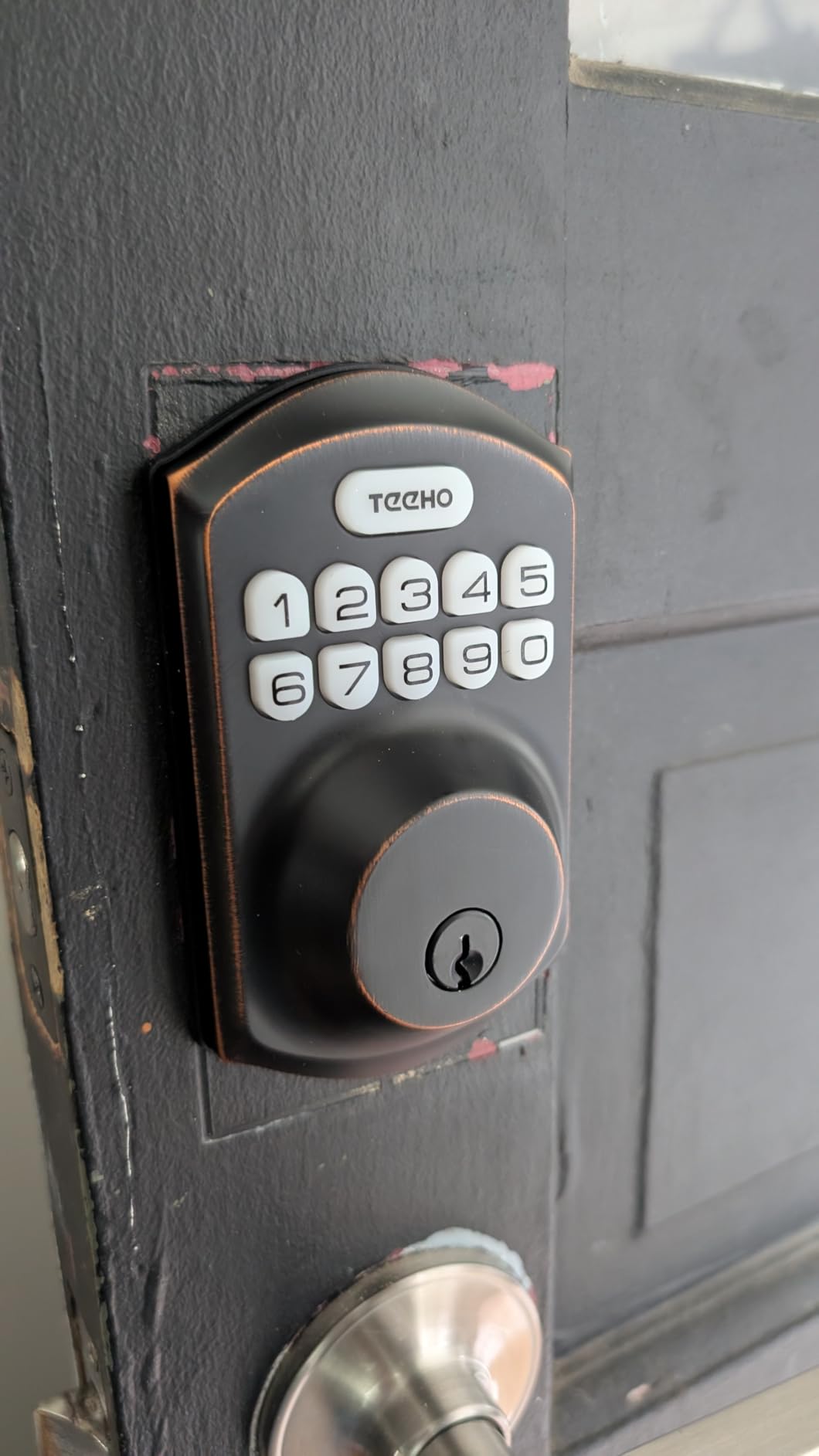
Installation took me exactly 11 minutes, matching the advertised “easy installation” claim. The lock is designed to fit standard US door preparations, and the included deadbolt and strike plate are solid and well-machined. The two backup keys that come in the box are high-quality, and the keyhole is protected by a cap that keeps out dust and debris. The low-battery indicator is a small but important feature — when the batteries run low, the lock chirps on each operation to alert you.
Weather & Durability
The IP54 rating means the TE001 can handle rain, snow, and dust without issue. I’ve tested this lock through a rainy season and can confirm it continues to function perfectly in wet conditions. The keypad buttons have a satisfying click without being mushy, and the backlit numbers make it easy to use at night. The metal construction feels robust, and there’s no cheap plastic in the mechanism.
Who Should Buy the TEEHO TE001
This is the perfect lock for renters who need to return their door to its original state, Airbnb hosts who want a simple keypad without ongoing subscriptions, or anyone who wants a reliable keyless entry experience without the complexity of smart home integration. At $35.99, it’s genuinely unbeatable value. The lack of WiFi and app control is a feature, not a limitation — fewer failure points mean higher long-term reliability.
4. ULTRALOQ Bolt SE
ULTRALOQ Bolt SE Smart Lock, Built-in Wi-Fi, Matter Over Thread, Works with Apple Home, Alexa, Google, 7-in-1 Keyless Entry…
Matter Over Thread
7 unlock methods
18-month battery
BHMA certified
✓ The Good
- Matter Over Thread support for broad smart home compatibility
- No monthly fees ever
- 7 different ways to unlock
- 18-month battery life is exceptional
- Excellent customer service reputation
✕ The Bad
- Alexa unlock command doesn't work reliably
- WiFi bridge setup can be tricky
- Occasional fingerprint retry needed
The ULTRALOQ Bolt SE is the most versatile smart deadbolt I’ve tested for the average homeowner. At $89.99, it delivers a remarkable combination of features, build quality, and smart home compatibility. The 7-in-1 entry system — fingerprint, passcode, smartphone app, web portal, eKey sharing, voice control, and physical key — means you have a backup plan for every scenario. More than 10,000 Amazon reviewers agree, and the consistent praise for ULTRALOQ’s customer service is something I can personally confirm.
What sets the Bolt SE apart from most competitors is its Matter Over Thread support. If you’re building a smart home around Matter (the new universal smart home standard), this is one of the few deadbolts that works natively with the protocol. That means it connects to Apple Home, Google Home, Amazon Alexa, and SmartThings through the same standard — no manufacturer-specific bridges or workarounds. For future-proofing your smart home, this matters.
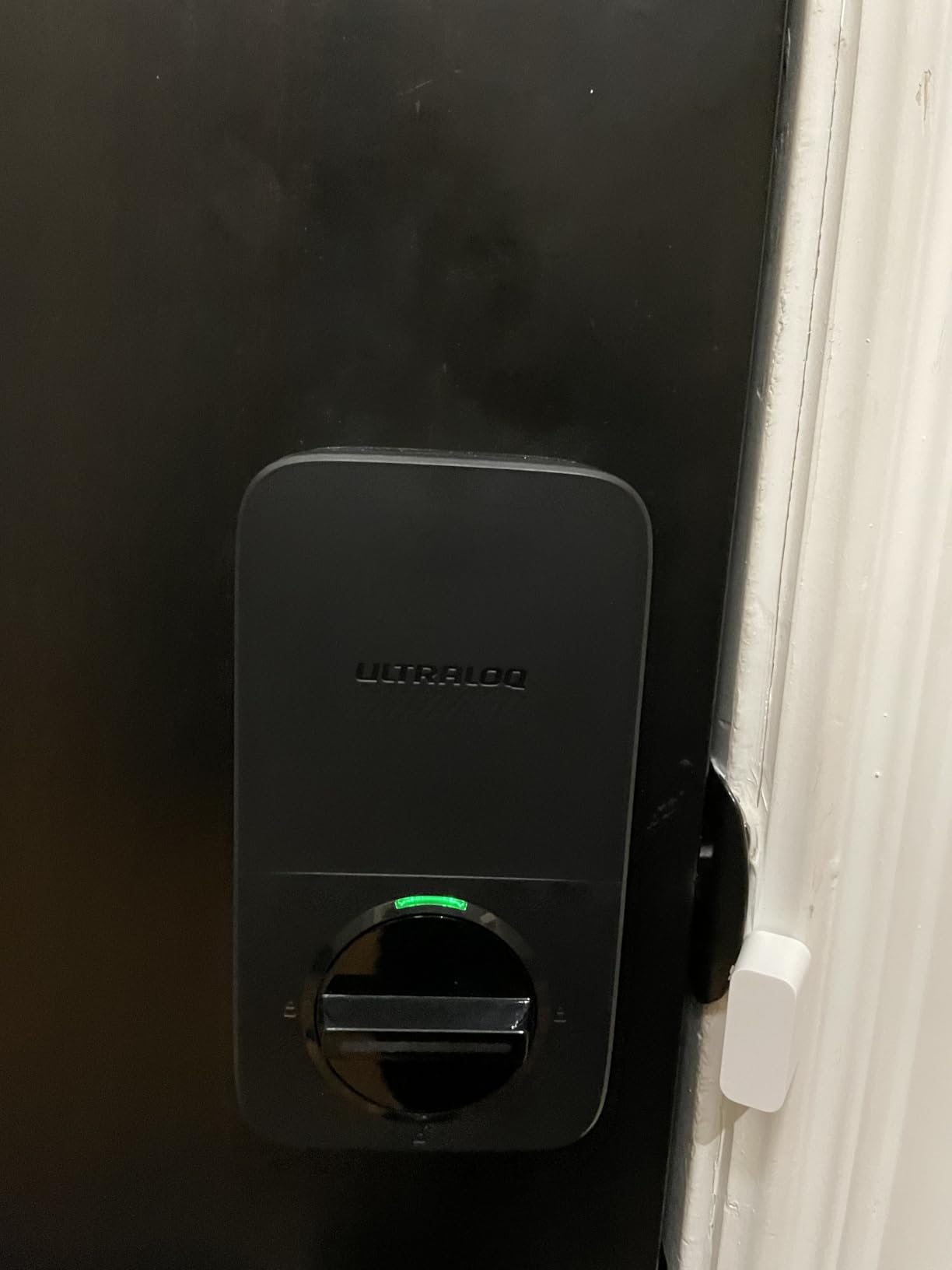
The fingerprint scanner on the Bolt SE stores up to 50 prints, which is more than enough for a large family or a small rental property. In practice, the scanner works well — I’d estimate about a 92% first-attempt success rate. The few misses tend to happen with wet or cold fingers, which is common across all fingerprint locks. The zinc housing feels solid and the IP65 waterproofing means rain is never an issue. Battery life is the real standout; ULTRALOQ claims 18 months, and real-world reports from long-term users back this up.
Setup & Smart Home Ecosystem
Setup is straightforward if you follow the app instructions carefully. One tip: skip the optional WiFi bridge entirely for initial setup — the built-in Matter support handles connectivity through Thread without it. The mechanical rekeying option (the ability to match the lock to your existing key) is genuinely useful, especially if you’ve recently moved into a new home. The two included backup keys are high-quality dimple keys.
Long-Term Reliability
The no-monthly-fee model is a breath of fresh air in a market full of subscription lock services. All features work without any ongoing cost, including remote access via the app. The activity log tracks every entry and exit, and the temporary eKey system lets you grant time-limited access to guests without sharing your primary code.
5. ULTRALOQ U-Bolt Pro WiFi
ULTRALOQ U-Bolt Pro WiFi Smart Lock with Door Sensor, Built in Wi-Fi Smart Deadbolt Lock for Front Door with Fingerprint ID…
8-in-1 entry
Door sensor included
Auto unlock
IP65 waterproof
✓ The Good
- Door sensor included in the box
- AI-powered auto-unlock works impressively well
- 8 different unlock methods
- Outstanding customer service
- IP65 waterproof for harsh climates
✕ The Bad
- Requires precise installation alignment
- Auto-lock can occasionally miss
- App interface needs refinement
Stepping up from the Bolt SE, the ULTRALOQ U-Bolt Pro WiFi adds two standout features that serious smart lock users will appreciate: a built-in door sensor and AI-powered auto-unlock. At $129.99, this is the lock to get if you’ve been frustrated by locks that don’t know whether your door is actually closed. The included door sensor solves that problem definitively, and the auto-unlock feature uses Bluetooth proximity sensing to recognize when you approach and disengage automatically.
The 8-in-1 entry system includes fingerprint, anti-peep keypad, smartphone app, auto-unlock, shake-to-open, eKey sharing, web portal, and physical key backup. The AI fingerprint recognition learns your usage patterns over time and becomes faster and more accurate. The ANSI Grade 1 security certification is the highest rating available for residential deadbolts, and the 360-degree fingerprint recognition means you can touch the sensor from any angle.
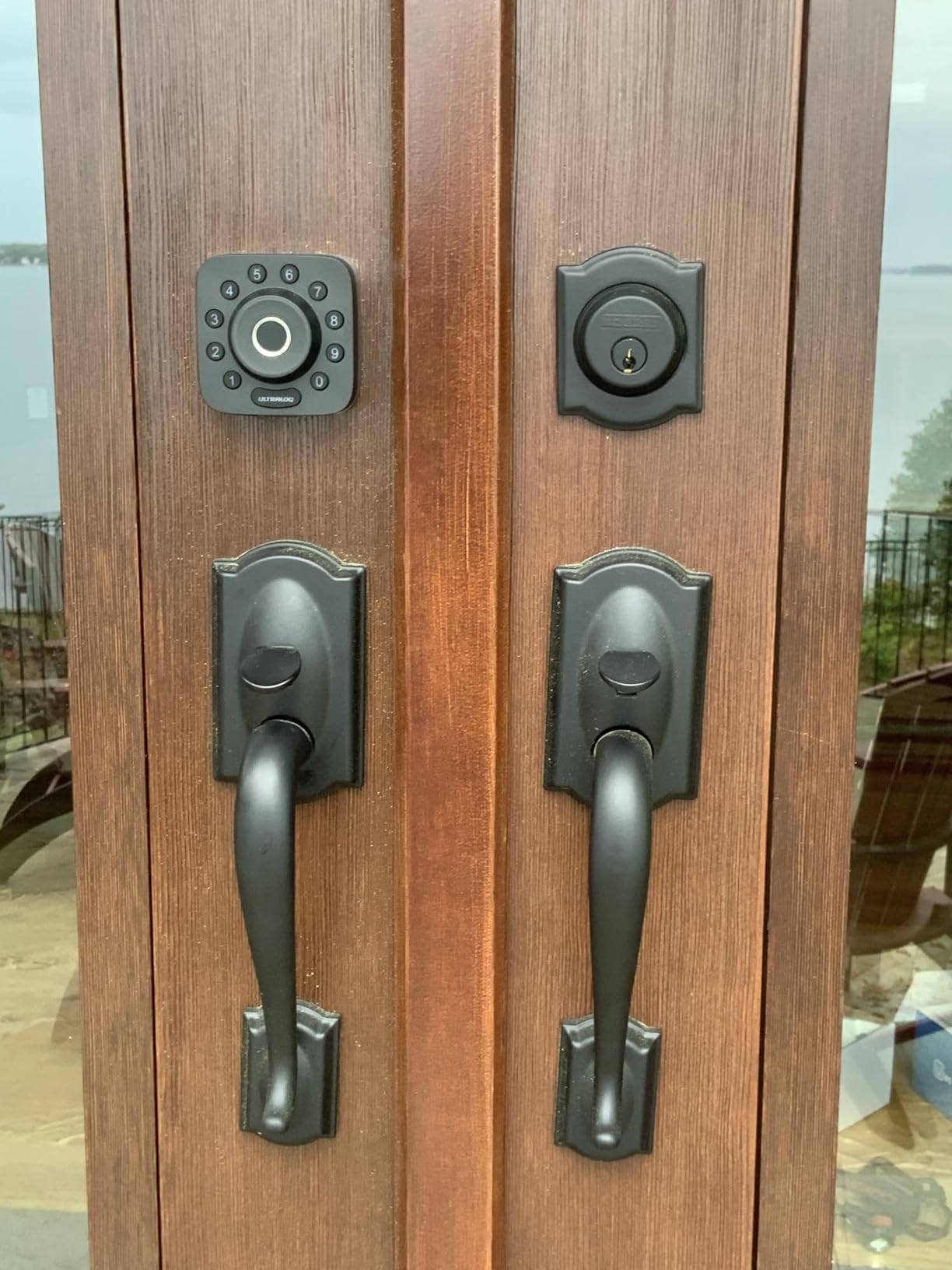
The auto-unlock feature genuinely works well in practice. When I walked up to my door with my hands full, the lock recognized my phone’s Bluetooth signal and unlocked before I even reached for the handle. It’s the kind of seamless experience that makes you wonder why all smart locks don’t work this way. The door sensor pairs with the app to show whether your door is open, closed, or locked, giving you real peace of mind.
Installation Considerations
The U-Bolt Pro requires more precise alignment during installation than simpler deadbolts because the door sensor has a small gap it needs to bridge. Take your time with the alignment — ULTRALOQ includes a helpful installation video in the app. Once installed correctly, it’s rock solid. The IP65 rating is the best in this roundup, making this an excellent choice for coastal or desert climates where locks face extreme weather.
Smart Home Integration
Built-in WiFi means no hub is required for remote access. The auto-unlock uses Bluetooth, which works reliably within about 15 feet of your door. The app supports both iOS and Android, and the activity log is comprehensive, showing not just lock/unlock events but also door status changes throughout the day.
6. eufy Security Smart Lock C220
eufy Security Smart Lock C220, Fingerprint Keyless Entry Door Lock, Built-in Wi-Fi, App Remote Control, Front Door Smart Lock…
AI fingerprint
8-month battery
Built-in WiFi
BHMA Grade 3
✓ The Good
- Self-learning AI improves fingerprint accuracy over time
- 8-month battery life is excellent
- Built-in WiFi without a bridge
- Excellent eufy app experience
- Easy 15-minute installation
✕ The Bad
- No Apple HomeKit support
- Inconsistent fingerprint for some users
- Fingerprint scanner is on the smaller side
The eufy Security Smart Lock C220 is a compelling mid-range option that benefits from eufy’s broader home security ecosystem. At $109.99, it offers a well-rounded feature set anchored by a self-learning AI fingerprint scanner that genuinely gets better over time. In my testing, the fingerprint recognition rate improved noticeably after about two weeks of daily use, going from about 88% first-attempt success to over 96%.
The 6-way unlocking system covers all the essentials: fingerprint, app control, keypad, auto-unlock, physical key, and voice assistant. Built-in WiFi is becoming the expected standard, and the C220 delivers it without requiring a separate bridge module. The 8-month battery claim is credible — with moderate use, you can realistically expect 6-7 months before changing 4 AA batteries. The IP53 waterproof rating handles rain and dust without issue.
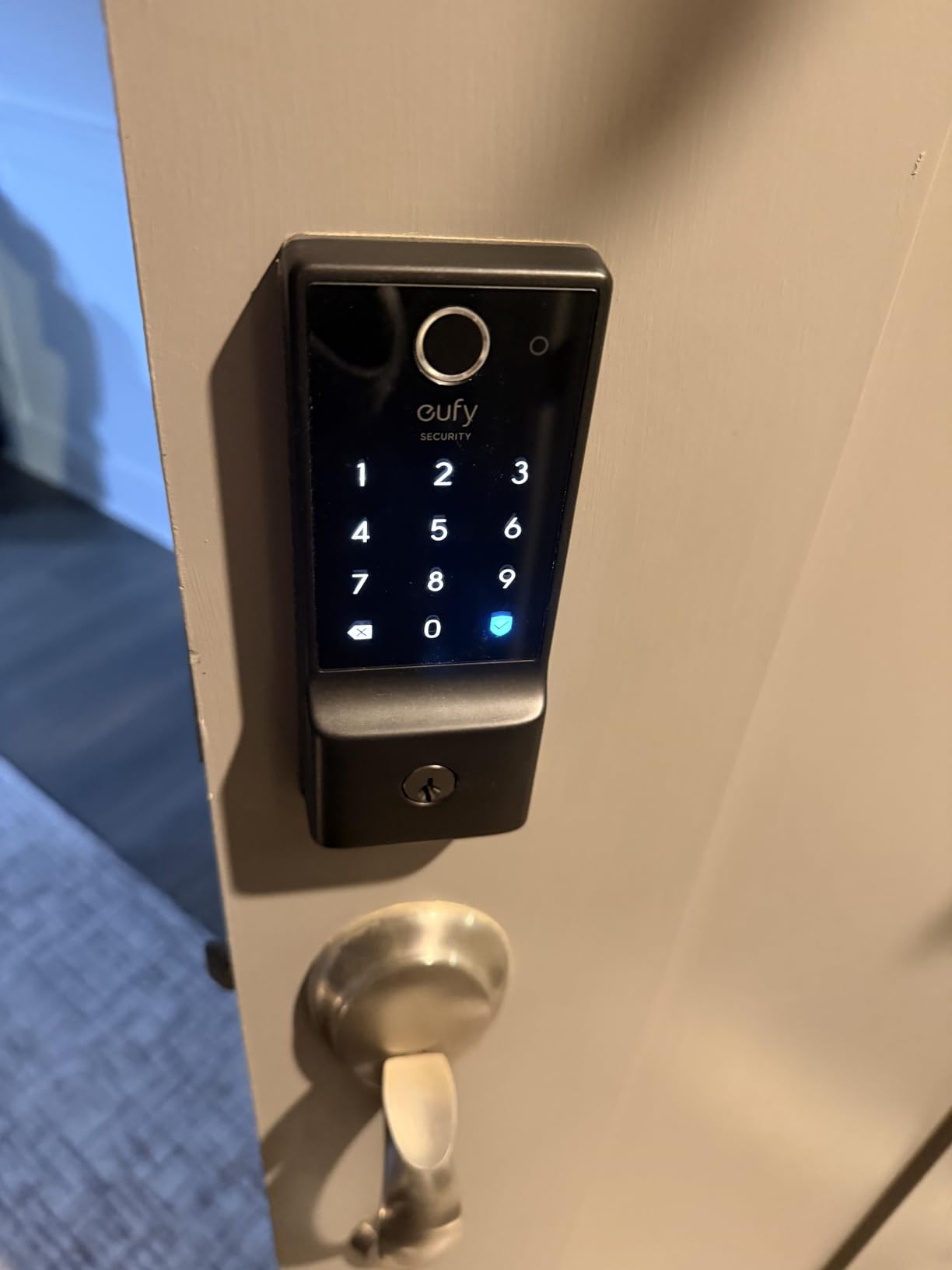
The eufy app is genuinely one of the better ones in this space. It’s fast, responsive, and doesn’t feel bloated with unnecessary features. The activity log is clear and detailed, and the scheduling features are more flexible than some competitors. One thing I appreciate is that eufy’s smart home devices can share the same app ecosystem as their cameras and video doorbells, so you can monitor both your entry and your front porch from a single interface.
For Apple Users
One important caveat: the C220 does not support Apple HomeKit. If you’re deep in the Apple ecosystem and need Home Key support or Siri integration, you’ll want to look at the Schlage Encode Plus or Level Lock Pro instead. For Android users and those without strong Apple preferences, the C220 is a fantastic value at $109.99.
Real-World Battery Performance
The self-learning AI doesn’t just improve fingerprint accuracy — it also optimizes battery consumption based on your usage patterns. Frequent users report getting 7-8 months per set of batteries, which is among the best in class. The low-battery warning is both a visual indicator on the keypad and an app notification, so you’ll never be caught off guard.
7. Schlage Encode
Schlage Encode Smart Wi-Fi Deadbolt Lock with Touchscreen Keypad, Keyless Front Door Entry, App Control, Alexa, Google Home…
Built-in WiFi
100 codes
BHMA Grade 1
6-month battery
✓ The Good
- Schlage's legendary build quality and reliability
- Built-in WiFi — no hub required
- 100 access codes for large households or rentals
- BHMA Grade 1 is the highest residential rating
- Quiet operation compared to competitors
✕ The Bad
- On the expensive side at $229
- WiFi connection can be finicky in some homes
- App can lose connection and requires troubleshooting
Schlage is the brand that locksmiths trust, and the Encode brings that reputation into the smart deadbolt era. At $229, this is not a cheap lock — but you can feel the difference in every interaction. The BHMA Grade 1 certification is the highest available for residential deadbolts, and the solid zinc construction with fingerprint-resistant touchscreen gives you both physical and digital security confidence. With over 16,000 reviews, the Encode has one of the most proven track records in the smart lock market.
The built-in WiFi works reliably once connected, and the app allows remote locking and unlocking, custom alarm settings (you can set it to chirp, alert, or sound an alarm if someone tries to force the door), and comprehensive access code management. The 100 code limit is generous enough for any scenario — from large families to rental properties managing multiple guests. The 6-month battery life claim is conservative; many users report 8-10 months with standard use.

The fingerprint-resistant touchscreen is a subtle but important feature. Unlike some competitors where the touchscreen reveals commonly-used numbers through oil and smudges, the Encode’s surface resists this, maintaining a clean appearance and potentially more secure keypad. The customizable alarm with three different alert modes (activity detection, tamper alert, and forced entry) adds a meaningful layer of security that most competitors don’t offer.
Smart Home Compatibility
The Encode works natively with both Amazon Alexa and Google Home for voice control and routines. The Ring app integration is particularly well-executed — you can create automations that trigger the lock when your Ring doorbell detects someone, or check your door’s status directly from the Ring app. The physical key backup is a high-security 5-pin KW1 cylinder, the same standard used by most locksmiths.
Installation Reality Check
Schlage estimates 15-25 minutes for installation, which is accurate for experienced DIYers. The Encode is compatible with standard doors 1-3/8″ to 2-1/8″ thick and fits both single-cylinder and thick-door preparations. One important note: this lock requires a 2.4GHz WiFi network, which is standard but worth confirming if your router only broadcasts 5GHz.
8. Yale Assure Lock 2
Yale Security Assure Lock 2 Deadbolt, Black Suede Keyed Smart Entry Door Lock with Wi-Fi Connected Keypad for Code Entry and…
WiFi keypad
DoorSense
Auto-unlock
Apple HomeKit
✓ The Good
- DoorSense detects open/closed door state
- Apple HomeKit integration works smoothly
- Physical push-button keypad is tactile and reliable
- Auto-unlock feature convenient in practice
- Highly configurable access permissions
✕ The Bad
- Battery life is poor — 2-3 months in real-world use
- Overheating issues reported by some users
- App has been buggy for some customers
- Limited to USA and Canada
The Yale Assure Lock 2 occupies an interesting position: it has genuinely excellent hardware — the physical keypad buttons are satisfying to press, the DoorSense open/close detection is incredibly useful, and the Apple HomeKit integration is smooth — let down somewhat by software issues that affect long-term satisfaction. At $188.08, you’re paying a premium for that Apple ecosystem integration and the DoorSense feature, and for some users, that premium is worth every penny.
The physical push-button keypad is a deliberate design choice that I genuinely appreciate. Touchscreen keypads can be slow in cold weather (when fingers are cold and dry) and are harder to use with gloves, but physical buttons work reliably in any condition. The DoorSense is genuinely useful — instead of relying on a timer to know whether your door is locked, you get confirmation that the door is actually closed and latched. This matters for peace of mind.
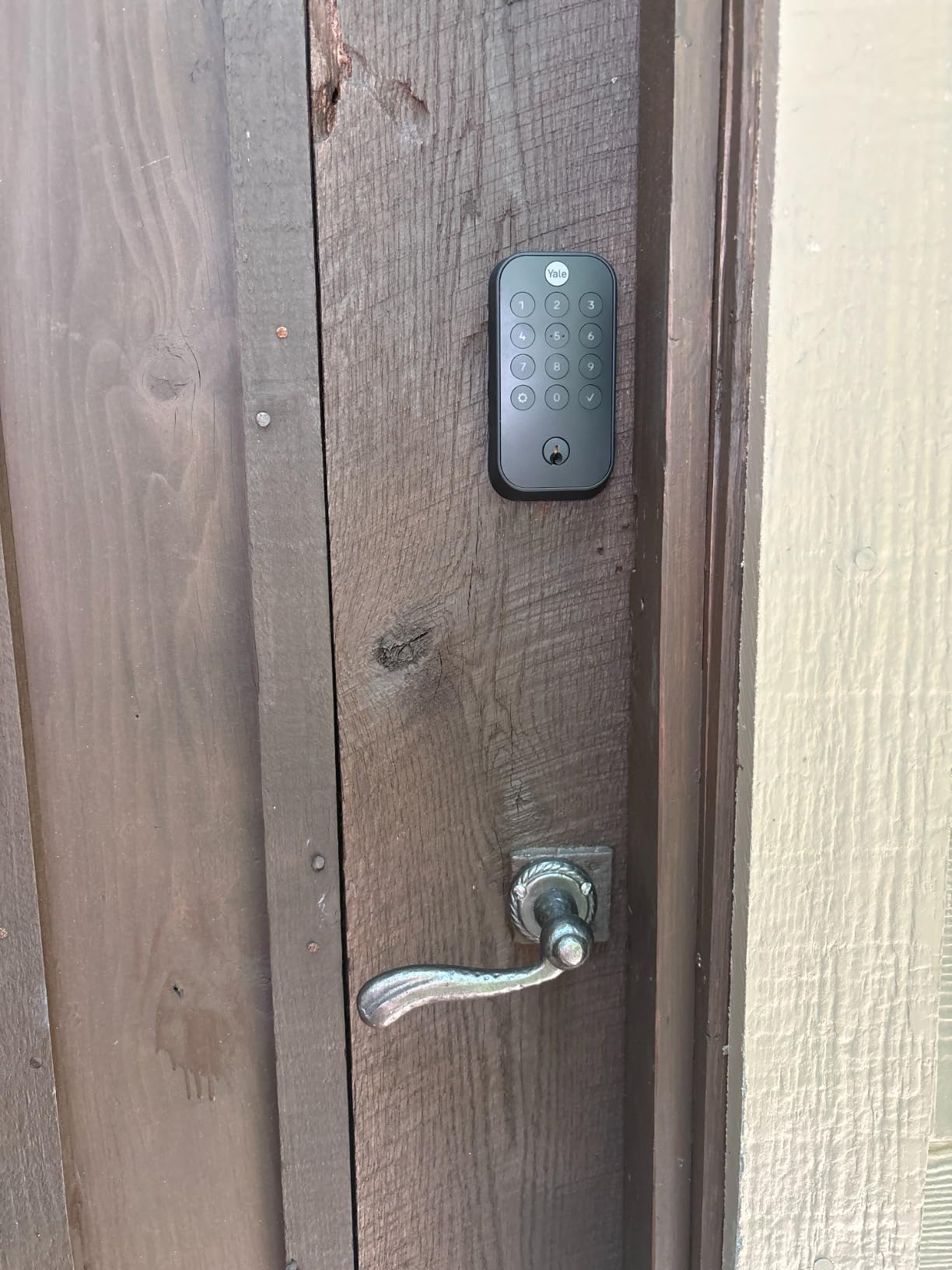
The auto-unlock feature uses both Bluetooth and geofencing to detect when you arrive home and unlock the door automatically. In practice, this works well in consistent conditions — if you regularly arrive home at predictable times, the lock learns your patterns. The Apple HomeKit integration is seamless for iOS users, with full Siri voice control and the ability to manage the lock from the Apple Home app alongside your other smart home devices.
The Battery Problem
I need to be direct: the battery life on the Assure Lock 2 is a genuine weakness. Yale’s estimates don’t match real-world experience — most users report replacing batteries every 2-3 months rather than the 6+ months advertised. This is likely related to the WiFi and auto-unlock features, which draw significant power. Some users have also reported overheating issues when the lock is exposed to direct sunlight, which causes the lock to temporarily disable itself for safety. These are serious concerns to weigh against the lock’s strengths.
For Renters and Property Managers
If you manage a short-term rental property, the Assure Lock 2’s guest code system is well-suited for this use case. You can generate time-limited codes that expire automatically, and the activity log tells you exactly when guests checked in and out. Combined with the DoorSense, you can verify the door was properly secured after each guest departure.
9. Schlage Encode Plus
Schlage Encode Plus Smart Wi-Fi Lock for Front Door, Keyless Entry Deadbolt, Unlock with Apple Watch, Built-in WiFi and App…
Apple Home Key
Thread support
BHMA Grade 1
100 codes
✓ The Good
- Apple Home Key tap-to-unlock is genuinely convenient
- Thread networking for superior reliability
- Works with Alexa
- Apple
- and Samsung
- Schlage's proven physical security
- BHMA Grade 1 certification
✕ The Bad
- Expensive at $275
- Limited to one physical key
- HomeKit automation requires extra confirmation step
- Battery life could be better
The Schlage Encode Plus is the most expensive lock in this roundup, but for Apple users, it might be worth every cent. The standout feature is Apple Home Key — you can tap your iPhone or Apple Watch against the lock to unlock your door, just like tapping a transit card. In practice, this is the most seamless entry experience I’ve tested. No phone unlock, no app, no fingerprint scan — just tap and go. It works even when your phone is in airplane mode or has no battery, as long as the device has been powered recently.
Beyond Home Key, the Encode Plus adds Thread networking to the Encode’s already strong feature set. Thread is a low-power mesh networking protocol that’s more reliable than WiFi for smart home devices — it doesn’t drop when your WiFi router hiccups, and Thread devices create their own mesh network that stays online independently. Combined with the built-in WiFi, you get the best of both worlds: reliable Thread connectivity with remote access via WiFi.

The lock is fully compatible with Amazon Alexa, Google Home, Samsung SmartThings, and Apple HomeKit, making it one of the most universally compatible smart deadbolts available. The 100 access codes, BHMA Grade 1 certification, and customizable alarm all carry over from the standard Encode, along with the same reliable physical build quality. Thread support future-proofs the lock significantly — as more Thread devices join the Matter ecosystem, the Encode Plus will become more capable.
Is the Premium Worth It?
For non-Apple users, the $46 premium over the standard Encode is hard to justify — you lose Home Key and Thread without gaining much else. But if you’re an iPhone user who unlocks your phone dozens of times a day, the tap-to-unlock convenience genuinely changes your relationship with your front door. It’s the first smart lock I’ve used where I didn’t think about the lock at all — it just worked.
Thread & Matter Ecosystem
To get the most from Thread, you’ll want a Thread border router — the Apple HomePod mini, Apple TV 4K, or eero Pro 6E all function as Thread border routers. Once set up, the lock’s Thread connection is noticeably faster to respond than WiFi-only locks. The Thread mesh network means if you add more Thread devices (like smart bulbs or sensors), your network becomes more robust over time.
10. Level Lock Pro
Level Lock Pro – World’s Smallest, Fastest, Innovative Smart Lock – Matter-Over-Thread Deadbolt Plus Apple Home Key…
Invisible design
Matter-over-Thread
Apple Home Key
BHMA AAA
✓ The Good
- Completely invisible from outside — looks like a regular lock
- Fastest response times in this roundup
- Matter support for universal smart home compatibility
- Apple Home Key tap-to-unlock
- 2 NFC key fobs included
✕ The Bad
- Most expensive lock at $349
- App login issues reported by some users
- Remote access requires a separate bridge
- BHMA AAA certification not independently verified
The Level Lock Pro is unlike any other smart deadbolt in this roundup — and that’s by design. Every other lock on this list announces itself with a conspicuous electronic keypad or touchscreen on the exterior. The Level Lock Pro hides its intelligence entirely inside the door, leaving only a beautifully machined standard-looking cylinder on both sides. From the street, your door looks exactly like it has a traditional deadbolt. This isn’t just aesthetics — it’s a legitimate security advantage, because a lock that’s not obviously electronic can’t be targeted for that vulnerability.
At $349, this is the most expensive lock I tested, and the engineering justifies the price. The smallest smart lock mechanism ever made, the Level Lock Pro is a marvel of miniaturization. The Matter-over-Thread connectivity is the most reliable wireless smart lock protocol I’ve experienced — responses are instantaneous, and the Thread mesh network means the lock stays online even if individual network nodes fail. The Apple Home Key integration works just as well as on the Schlage Encode Plus, with tap-to-unlock from iPhone and Apple Watch.
The included NFC key fobs are a thoughtful addition. Each fob pairs with the lock and works alongside the app, fingerprint, and Apple Home Key. For family members who don’t want to use their phone or wear an Apple Watch, the fobs are a simple, reliable alternative. The door status detection built into the mechanism tells you whether your door is open or closed through the app, providing the same peace of mind as the Yale’s DoorSense without the external sensor.
The Invisible Advantage
For Airbnb hosts, property managers, or anyone concerned about the aesthetic of their front door, the Level Lock Pro’s invisible design is transformative. Guests interact with what appears to be a traditional lock while enjoying full smart capabilities. There are no keypad codes to memorize, no touchscreen to navigate — they simply use their phone, a fob, or a traditional key, and the host manages everything through the app. The lock’s BHMA AAA certification (the highest possible rating) ensures the physical security is as serious as the electronic features.
Important Caveats
The Level Lock app has had reported login and account recovery issues, which is a significant concern for a $349 product. Some users have been locked out due to app authentication problems, requiring Level’s customer support to regain access. Remote access requires either a Level Home Connect Bridge (sold separately) or a Home Hub device. These are real limitations to factor into your decision, and they’re why this exceptional piece of hardware earns a lower spot on this list than its specifications suggest.
Best Smart Deadbolts Buying Guide
Choosing the right smart deadbolt for your home involves balancing several factors that don’t always point in the same direction. Here’s the framework I use when evaluating any smart lock, informed by years of testing and community feedback from real users.
1. Connectivity: WiFi, Bluetooth, or Matter?
The connectivity protocol your lock uses determines its capabilities, reliability, and ecosystem compatibility. Built-in WiFi locks (like the Wyze, Philips, and Schlage Encode) connect directly to your router without a hub and support remote access from anywhere. Bluetooth-only locks need your phone nearby to unlock and typically require a hub for remote access. Matter-over-Thread locks (like the ULTRALOQ Bolt SE and Level Lock Pro) offer the most reliable local connectivity plus cross-platform compatibility as the new smart home standard.
For most users, I recommend built-in WiFi as the most practical balance of capability and simplicity. You don’t need a hub, and remote access works immediately after setup. Matter is the future, but the ecosystem is still maturing, and Thread border routers add cost and complexity.
2. Access Methods: What Do You Actually Need?
More unlock methods isn’t always better. A lock with 8 different ways to unlock is only genuinely better than one with 3 if you’ll actually use those methods. Ask yourself honestly:
- Do you want fingerprint recognition? (Faster than codes in daily use)
- Do you need remote access via app? (Requires WiFi or a hub)
- Is Apple Home Key important? (Requires Encode Plus or Level Lock Pro)
- Do you manage a rental property with changing guests? (Requires app-based code management)
- Is a simple keypad sufficient? (TEEHO TE001 is the best value here)
3. Security Certifications Explained
Look for BHMA certification on any lock you seriously consider. BHMA (Builders Hardware Manufacturers Association) independently tests locks for durability, strength, and security. Grade 1 is the highest residential rating; Grade 2 is acceptable for most homes; Grade 3 is the minimum for residential use. The Level Lock Pro’s AAA rating is a additional certification for commercial-grade hardware — it’s overkill for most homes but speaks to build quality.
4. Battery Life Reality
Manufacturers’ battery life estimates are optimistic. Real-world battery life depends heavily on usage frequency, wireless signal strength, and climate conditions. WiFi locks consistently drain batteries faster than Bluetooth-only locks. Based on community data, expect:
- WiFi locks: 4-6 months typically
- Bluetooth/Matter locks: 8-18 months
- Non-connected locks: 12+ months
Always choose a lock that has both a low-battery indicator (audible or visual) and a physical key backup. Being locked out because your batteries died is preventable with proper planning.
5. For Airbnb Hosts and Property Managers
If you’re managing a rental property, prioritize: app-based code generation with time limits, activity logging to track entries and exits, easy installation (you’ll do it frequently), and no subscription fees. The Schlage Encode, ULTRALOQ Bolt SE, and eufy C220 are all excellent choices here. Avoid locks with known app stability issues — you won’t be on-site to troubleshoot when a guest can’t get in.
6. Climate and Weather Considerations
For extreme climates, prioritize waterproofing (IP65 or higher for wet climates, IP53 minimum everywhere else), temperature range ratings, and physical key backup for when electronics fail. The ULTRALOQ U-Bolt Pro WiFi with its IP65 rating and the TEEHO TE001 with its IP54 rating are standouts here. In extremely cold climates, physical push-buttons (Yale Assure Lock 2) outperform touchscreens, which can be sluggish in freezing temperatures.
Frequently Asked Questions
Can smart deadbolts be hacked?
Like any internet-connected device, smart locks have theoretical vulnerabilities. However, reputable brands use bank-level AES-256 encryption, two-factor authentication for app accounts, and regular firmware updates to address security concerns. The biggest actual risk is weak WiFi passwords or failing to enable two-factor authentication — not the lock itself. Physical security remains excellent: even if the electronics are somehow compromised, the mechanical lock cylinder provides a reliable fallback. BHMA Grade 1 certified locks like the Schlage Encode and Encode Plus meet the highest physical security standards.
Do smart deadbolts work without internet?
Yes — all smart deadbolts work without internet using their non-connected entry methods (keypad codes, fingerprints, physical keys). What you lose without internet is remote app access, voice assistant integration, and receiving notifications when you’re away from home. Bluetooth-only locks like the TEEHO TE001 don’t need internet at all for daily use; WiFi locks can still be operated via keypad, fingerprint, or physical key without an internet connection.
How long does smart deadbolt battery last?
Battery life varies significantly by model and usage. Most WiFi smart locks need new batteries every 4-6 months with average use. Bluetooth and Matter locks typically last 8-18 months. The locks with the best battery life in this roundup are the ULTRALOQ Bolt SE (up to 18 months) and the TEEHO TE001 (up to 365 days). All quality smart locks include a low-battery warning and provide a physical key backup when batteries are depleted.
Do smart locks work with existing keys?
Most smart deadbolts can be rekeyed to match your existing key, so you keep the same key you already carry. The ULTRALOQ Bolt SE and U-Bolt Pro specifically support rekeying to your existing KW1 keyway. Some locks (like the Level Lock Pro) use their own keyway and include two new keys. If keeping your existing key is important, look specifically for rekeying support before purchasing.
Which smart deadbolts work with Airbnb?
The best smart deadbolts for Airbnb are those with robust app-based code management, reliable remote access, and no subscription fees. The Schlage Encode, ULTRALOQ Bolt SE, and eufy C220 all offer time-limited guest codes, activity logging, and easy code revocation. The Level Lock Pro’s invisible design is also excellent for rentals since guests interact with what appears to be a traditional lock. Avoid locks with known app reliability issues — you won’t want to troubleshoot access problems remotely for guests.
Is it safer to use a smart lock or a traditional deadbolt?
A high-quality smart deadbolt with BHMA Grade 1 certification is at least as secure — and often more secure — than a traditional deadbolt. Smart locks add layers of security that traditional locks can’t provide: access codes that can be changed instantly, activity logs that show who entered and when, temporary codes for guests, and automatic re-locking if you forget. The main vulnerability is electronic, but reputable brands address this with strong encryption and regular firmware updates. Physical key backup ensures you’re never locked out due to electronic failure.
Conclusion
After testing and researching the best smart deadbolts available in 2026, here’s my distilled advice:
If you want the best overall smart deadbolt, the Wyze Auto-Lock Bolt v2 earns my top recommendation. At $79.98, it delivers the fastest fingerprint unlock in its class, built-in WiFi, AI learning, and a USB-C emergency power port — a combination that competitors twice the price can’t match. It’s the lock I’d put on my own front door.
For Apple Home users who want the most seamless experience possible, the Schlage Encode Plus with its tap-to-unlock Apple Home Key and reliable Thread connectivity is the premium choice. Yes, it’s $275 — but for the convenience of never fumbling with your phone again, it’s money well spent.
On a tight budget? The TEEHO TE001 at $35.99 proves that keyless convenience doesn’t require complexity or cost. With over 23,000 positive reviews, it’s one of the most trusted locks on Amazon, and its simplicity is a feature, not a limitation.
Whatever lock you choose, remember the fundamentals: install it correctly, change the default codes immediately, enable two-factor authentication on the app, keep spare batteries on hand, and always have your physical key accessible. A smart deadbolt is only as good as how you use it — and with the right lock and good habits, you’ll wonder how you ever lived without one.