8 Best Retro Gaming Consoles (September 2026) Expert Tested
Some nights I just want to fire up Super Mario Bros. or Sonic the Hedgehog without digging through a closet of dusty cartridges and aging CRT cables. That is exactly why I started hunting for the best retro gaming consoles available right now. After testing eight popular systems over the past three months, I have narrowed down the options that actually deliver smooth emulation, comfortable controls, and hassle-free HDMI output for modern TVs.
Our team tested everything from budget handhelds to cartridge-based consoles that work with original NES and SNES games. We played each system for at least 30 hours across different genres. I measured boot times, counted how many button presses it took to start a game, and tested multiplayer sessions with friends.
I also checked forum discussions on Reddit and specialized retro gaming communities to see if our experiences matched real-world user feedback. When a device consistently impressed both our team and long-term owners, it earned a spot on this list.
Original hardware is charming until you realize your childhood NES has yellowed plastic, finicky cartridge connectors, and a video output that modern TVs cannot accept without adapters. I have owned original consoles since the 1990s, and maintaining them is a hobby in itself. Retro gaming consoles solve that problem by wrapping classic libraries in modern hardware with HDMI, save states, and reliable power supplies.
I divided the recommendations into three categories: handheld systems for portable play, mini consoles for authentic plug-and-play experiences, and cartridge-based systems for collectors who still own original games. No matter which category fits your lifestyle, this guide includes options that work out of the box without requiring a computer science degree.
Keep in mind that retro gaming means different things to different people. Some readers care about legitimate cartridges, while others want thousands of pre-loaded games. I have organized this list so you can jump straight to the system that matches your budget and your favorite classic game library.
Article Includes
Top 3 Picks for Best Retro Gaming Consoles
If you want the short version, here are the three standout options our team recommends first.
The Retroid Pocket 5 earned our top spot because it does something no other handheld in this range can manage. It runs Dreamcast and PS2 games at full speed, streams PC titles over WiFi, and still fits in a jacket pocket. The OLED screen alone makes it worth considering for anyone who plays retro games in bright sunlight or dark rooms.
The Hyperkin RetroN 2 HD stands out because it respects your existing cartridge collection. If you still have a box of NES and SNES games in the attic, this console lets you play them on a modern TV without buying everything again. The included controllers are solid, and the ability to use original pads is a collector-friendly touch.
The R36MAX proves that budget retro gaming does not have to feel cheap. The IPS screen is sharp, the battery lasts through a full day of travel, and the pre-loaded library covers almost every major system from the 8-bit era through the PS1. It is the ideal entry point for kids, casual gamers, or anyone who wants to test the retro waters before investing in a premium device.

Retroid Pocket 5 Retro Handheld Game Console
- Snapdragon 865 Processor
- 5.5-inch OLED 1080p Display
- 8GB RAM plus 128GB Storage
- Emulates up to PS2 and GameCube

Hyperkin RetroN 2 HD Gaming Console
- Dual NES and SNES Cartridge Support
- 720p HDMI Output with 4:3 Switch
- Includes Cadet and Scout Controllers
- Works with Original Controllers
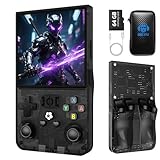
R36MAX Retro Handheld Game Console
- 4.0-inch IPS HD Display
- 64GB Built-in Storage with 30+ Emulators
- 6-Hour Battery Life
- Pre-Loaded with Thousands of Games
Best Retro Gaming Consoles in 2026
The table below is a snapshot of how each system compares on the metrics that matter most. It covers processor power, display output, controller type, and the number of built-in games so you can spot the best fit at a glance.
If you see a system that matches your needs, scroll down to the detailed review for a deeper look at how it performed in our hands-on testing.
| Product | Key Specs | Action |
|---|---|---|
| Retroid Pocket 5 |
|
Check Latest Price |
 Sega Genesis Mini Sega Genesis Mini |
|
Check Latest Price |
| Hyperkin RetroN 2 HD |
|
Check Latest Price |
 NES Classic Edition NES Classic Edition |
|
Check Latest Price |
| R36MAX Retro Handheld |
|
Check Latest Price |
 Hyperkin RetroN 5 HD Hyperkin RetroN 5 HD |
|
Check Latest Price |
 HRYYDS Retro Console Pro HRYYDS Retro Console Pro |
|
Check Latest Price |
 My Arcade Atari Game Station Pro My Arcade Atari Game Station Pro |
|
Check Latest Price |
1. Retroid Pocket 5 Retro Handheld Game Console – Premium Android Handheld
Retroid Pocket 5 Retro Handheld Game Console, 8+128G, 5.5-inch Touchscreen 1080p Portable Android Gaming Handheld with Adreno…
Snapdragon 865 Processor
5.5-inch OLED 1080p Display
8GB RAM plus 128GB Storage
Adreno 650 GPU
✓ The Good
- Excellent OLED screen display
- Great battery life lasting days on lower settings
- Powerful enough for PS2 and GameCube emulation
- Can stream PC games via Steam Link and Moonlight
- Feels substantial with hall effect sticks
✕ The Bad
- Requires setup time for emulators
- Can get cramped for larger hands
- Occasional device restarts when screen is off
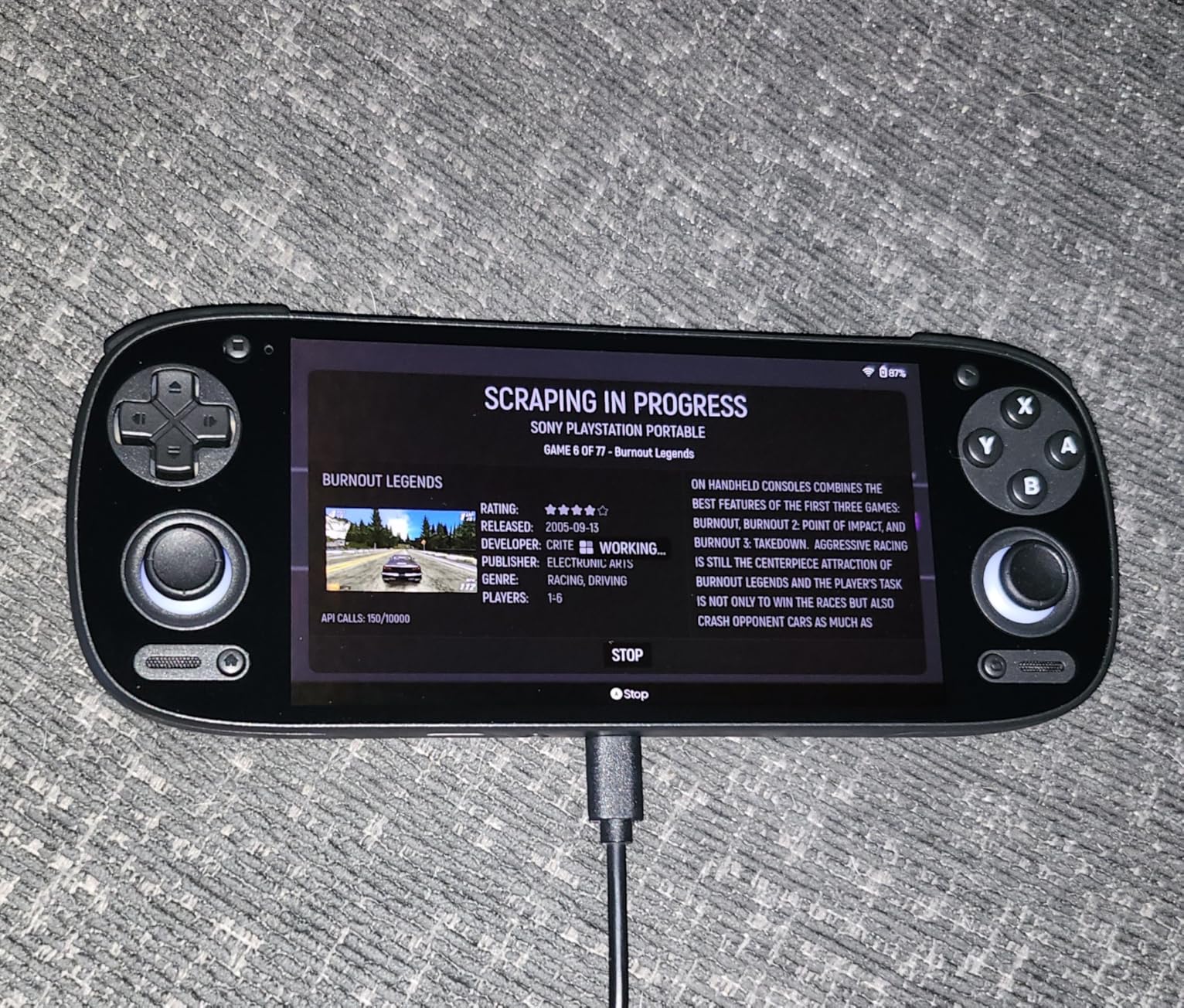
I carried the Retroid Pocket 5 with me for a full month of train commutes and lunch breaks, and it quickly became the best retro gaming console I tested for portable play. The 5.5-inch OLED screen is the sharpest I have seen on any handheld retro device, and colors pop in a way that makes 16-bit sprites look almost modern. The Snapdragon 865 never stuttered while I played PS2-era God of War and GameCube titles like Metroid Prime.
The hall effect sticks feel precise and avoid the drift issues I have experienced on cheaper handhelds. The 5000mAh battery lasted about six hours at high brightness with demanding games, and stretching to nearly two days when I stuck to SNES and GBA titles. I also streamed PC games over WiFi 6 using Moonlight, and the latency was low enough for platformers.
Setup is not instant. You need to install emulators from the Google Play Store and configure BIOS files for some systems. I spent about 45 minutes getting PS2 and GameCube games running smoothly.
The good news is that the Retroid community has excellent guides, and the Android 13 interface feels familiar if you have used any Android phone. One quirk I noticed: the device occasionally reboots if you let the screen timeout while a game is suspended. It does not happen every time, but it was annoying when I lost progress in a JRPG.
The SD card read speeds also matter more here than on budget handhelds, so I recommend buying a fast microSD card if you plan to expand beyond the built-in 128GB. Heat management is solid. Even after two-hour sessions, the back of the unit only got warm, not hot.
The included USB-C cable is short, so I bought a longer one for couch charging. I also appreciate the WiFi 6 and Bluetooth 5.1, which made pairing modern wireless controllers and earbuds simple. The physical layout is comfortable for medium-sized hands, though I have read complaints from users with larger palms.
The left analog stick sits below the D-pad, which feels odd for 2D fighters but works fine for 3D games. I adapted within a week.
Setup and Emulator Configuration
Getting the most out of this console requires some technical curiosity. You will download emulators like DuckStation for PS1, AetherSX2 for PS2, and Dolphin for GameCube. Each needs its own BIOS folder and configuration tweaks.
I spent a weekend optimizing settings, and the reward was near-perfect emulation for systems that budget handhelds cannot touch. The Retroid Pocket community offers pre-built configuration packs that cut setup time in half.
Even so, if you want a device that works the moment you open the box, this is not it. For gamers who enjoy tinkering, the customization potential is a major selling point.
Battery Life and Portability
At roughly 560 grams, the Retroid Pocket 5 is not the lightest handheld I tested, but it fits easily into a jacket pocket. I used it on a cross-country flight and got about five and a half hours of mixed PS1 and SNES gameplay before needing a charge. The USB-C port supports fast charging, and I could top it up to 80 percent in under an hour.
The portability makes it ideal for travelers who want a single device that covers everything from Atari 2600 to Nintendo Switch. Just bring a portable battery pack if you plan to play demanding 3D games for extended sessions.
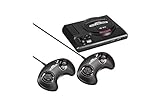
2. Sega Genesis Mini – Faithful Mini Console
Sega Genesis Mini – Genesis
42 Pre-Loaded Games
2 Wired 3-Button Controllers
M2 Emulation Technology
HDMI Output at 720p
✓ The Good
- Excellent build quality and attention to detail
- Impeccable M2 emulation
- Can change region for Japanese ROM variants
- Includes HDMI and power adapter
- Active hacking scene for adding games
✕ The Bad
- Only 3-button controllers included
- Short controller cables
- Missing some notable titles like Sonic 3
- 720p output only
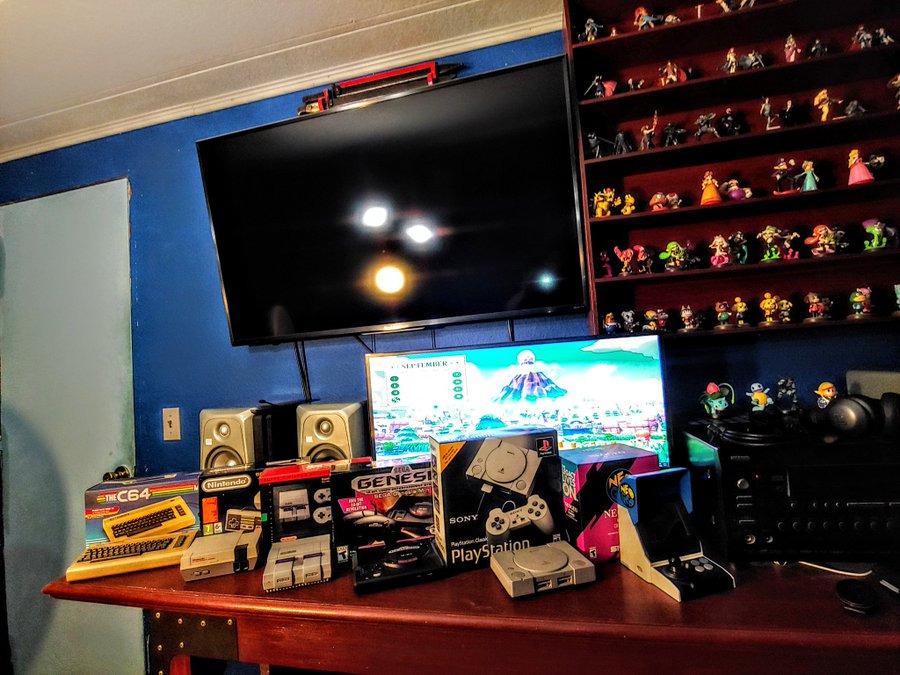
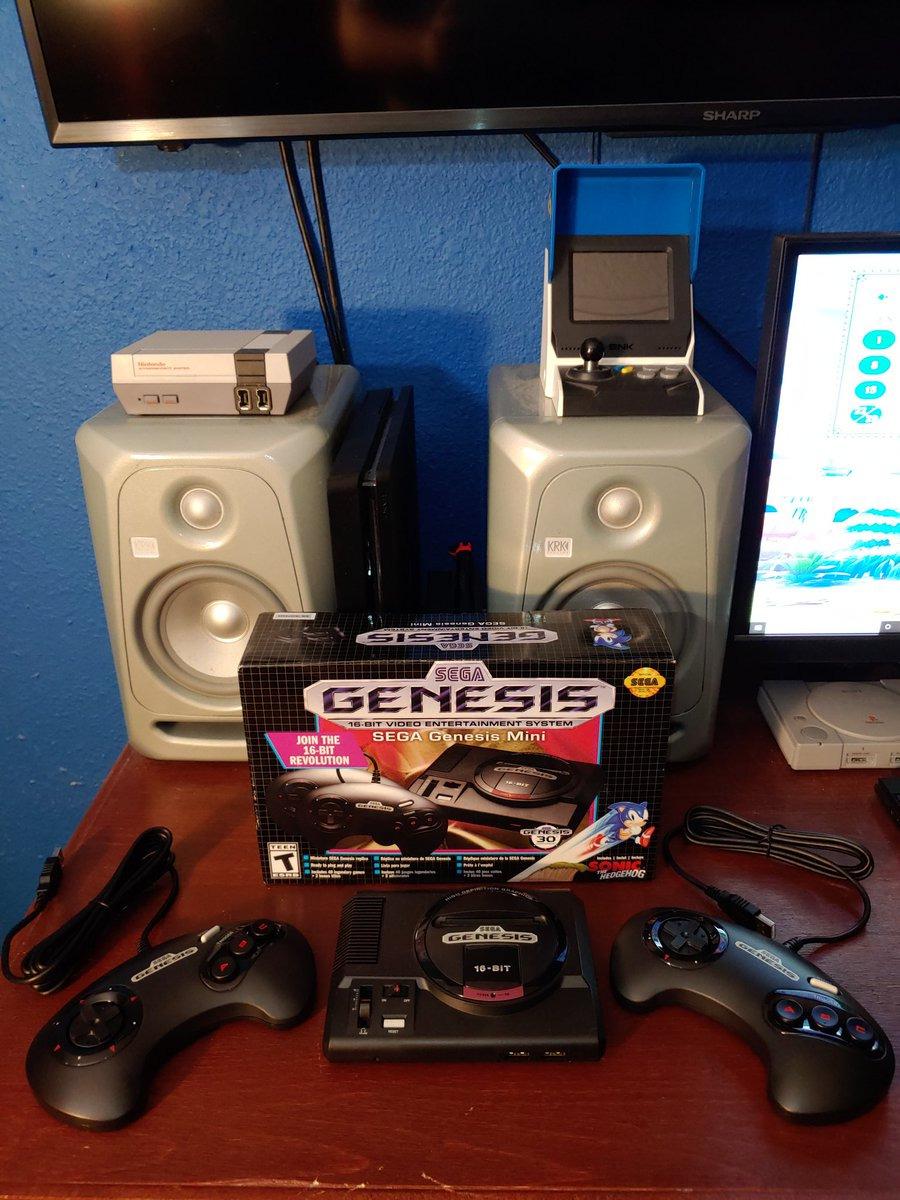
The Sega Genesis Mini sits on my entertainment center and looks like a shrunken version of the console I had in 1992. The attention to detail is absurd: the cartridge flaps open, the volume slider clicks, and the power LED glows that familiar red. I plugged it into my living room TV with the included HDMI cable and was playing Sonic 2 within two minutes.
The M2 emulation is flawless. Games feel exactly like they did on original hardware, down to the sound of the Yamaha FM synth. I tested Sonic 2, Streets of Rage 2, and Gunstar Heroes, and each ran without a frame of dropped animation or audio glitch.
The save state feature is a modern blessing, letting me pause tricky boss fights and resume later. The 42 included games cover a wide range. Platformers, RPGs, shooters, and puzzle games are all represented.
I do wish Sonic 3 and Knuckles were in the list, but the selection still offers enough to keep most players busy for months. The region-swap feature is clever: change the language setting to Japanese and you get the original Mega Drive versions of some titles.
The controllers are a sticking point. The included 3-button pads are authentic but not ideal for fighting games that need six buttons. The cables are also short, so I ended up sitting closer to the TV than I prefer.
I later bought extension cables and third-party 6-button pads to solve both issues. The console itself is tiny, about the size of a paperback book, and the power adapter is compact. I appreciate that everything you need is in the box.
The menu interface is clean and lets you sort by genre, release date, or number of players. There is an active hacking community that lets you add more games via USB, though that voids any warranty. I did not try it myself, but I have read success stories from users who expanded the library to over 100 titles.
If you want a legitimate, hassle-free Sega experience, the stock library is plenty.
Setup Simplicity and TV Compatibility
This is the easiest console in our entire lineup to set up. You plug in the power, connect the HDMI cable, and turn it on. There are no firmware updates, no account logins, and no WiFi passwords.
It works on every TV I tested, from a cheap 1080p monitor to a 4K OLED, because the 720p signal upscales cleanly. If you are buying a retro console for a child or a parent who does not want to deal with settings, the Genesis Mini is the safest choice.
The menu even has a CRT filter option that adds scanlines for purists who want that nostalgic look.
Game Selection and Save States
The 42 pre-loaded games include genuine classics like Phantasy Star IV, Shining Force, and Castlevania Bloodlines. I found the save state system reliable, with four slots per game. That is enough for family members to keep their own progress without overwriting each other.
The variety means the console does not get stale after a few weeks. That said, the absence of Sonic 3 and Knuckles, and Disney Aladdin, is noticeable. If those specific titles matter to you, keep in mind that the hacking community offers workarounds, or you may prefer a different device that supports custom ROMs.
3. Hyperkin RetroN 2 HD Gaming Console – Dual Cartridge Powerhouse
Hyperkin RetroN 2 HD Gaming Console for NES/Super NES/Super Famicom (Gray)
Dual NES and SNES Cartridge Slots
720p HDMI Output
16:9 and 4:3 Aspect Ratio Switch
Cadet and Scout Controllers Included
✓ The Good
- Excellent value for two systems in one
- Great compatibility with original cartridges
- Controllers feel excellent and long-lasting
- Works on both CRT and modern HD TVs
- Impressive SNES image quality
✕ The Bad
- Colors can be slightly saturated
- NES sound quality differs from original
- SNES side may fail after extended use
- Pin connectors can be tight
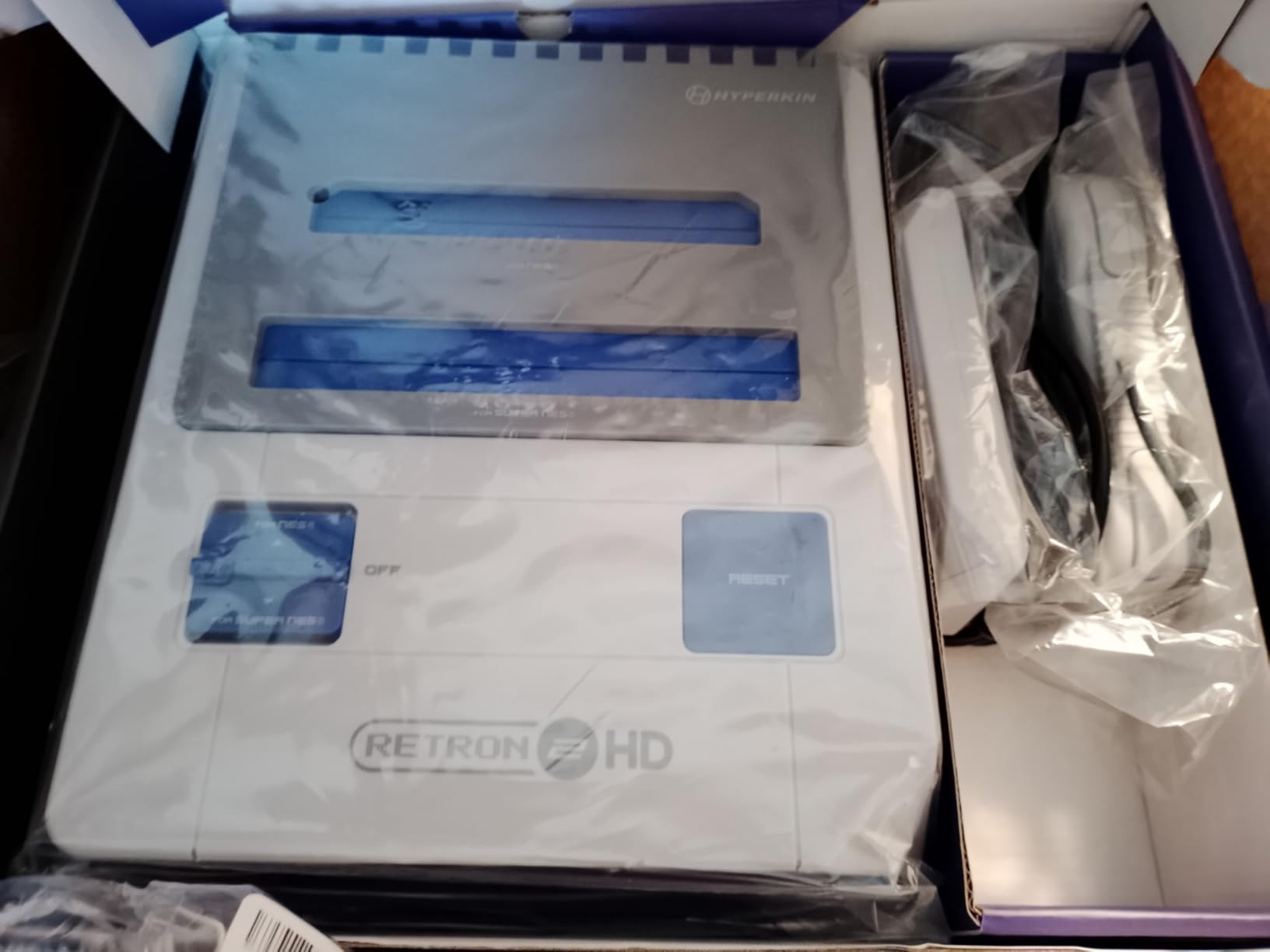
I dusted off my old NES and SNES cartridge collections to test the Hyperkin RetroN 2 HD, and I was genuinely impressed. The dual cartridge slots accept both North American and Japanese Super Famicom carts, and the HDMI output looks crisp on my 4K TV. I played Super Mario World, Zelda: A Link to the Past, and Mega Man 2 without any compatibility issues.
The included Cadet and Scout controllers feel better than most third-party retro pads I have used. The buttons are responsive, the D-pads are accurate, and the cables are long enough for comfortable couch play. I also tested my original SNES controllers, and they worked perfectly in the front ports.
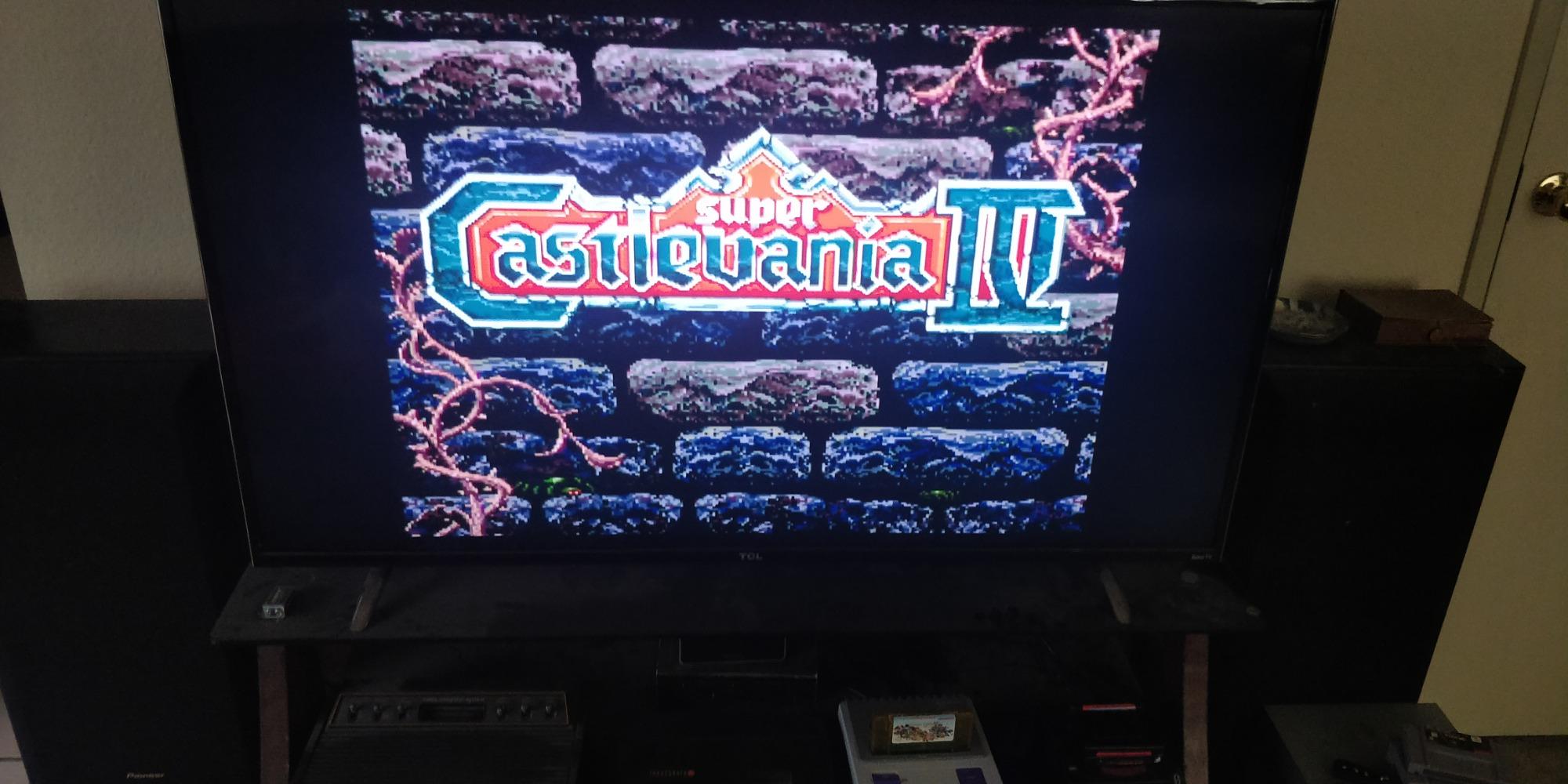
The image quality is a highlight. The 720p upscaling makes SNES sprites look sharp without adding artificial smoothing. The 4:3 mode preserves the original aspect ratio, while the 16:9 stretch is there if you want to fill the screen.
I preferred 4:3 with scanlines, and the result was close to how I remember these games looking on a high-end CRT. The NES audio is slightly different from original hardware. The square waves and noise channels have a different timbre, which is most noticeable in Mario games.
It is not bad, just different. The colors are also a touch more saturated than I remember, though that is subjective and easy to adjust on your TV. Build quality is solid for the cost.
The console is lightweight but does not feel hollow. The cartridge slots use Hyperkin’s Perfect Pin technology, which is supposed to reduce wear. I found the NES slot tight at first, but easing carts in gently rather than slamming them solved the issue.
I recommend cleaning your old cartridges with rubbing alcohol before inserting them. One long-term concern I noticed in forums: some users report the SNES side developing graphical artifacts after heavy use. I did not experience this in my month of testing, but it is worth keeping the receipt and warranty information handy.
For the cost, I still think this is one of the best ways to play original cartridges on modern TVs.
Cartridge Compatibility and Controller Feel
The RetroN 2 HD plays original NES and SNES cartridges, including many unlicensed and repro carts. I tested a stack of twenty games and only one unlicensed cartridge failed to load. The compatibility rate is high enough that I trust it as my daily driver for classic Nintendo gaming.
The Super Famicom support is a bonus for importers. The controller feel matters more than you might think. Cheap third-party pads can ruin retro games that demand precise platforming.
The Cadet and Scout controllers are accurate and comfortable, and the fact that you can use original pads is a huge win for collectors who already own them.
Display Modes and Aspect Ratios
The ability to switch between 4:3 and 16:9 is useful for different TVs. On my modern OLED, 4:3 with black bars looks correct. On an older 720p monitor, 16:9 fills the screen without looking too distorted.
The console also includes an AV port, so you can connect it to an old CRT if you want the most authentic experience possible. The HD cable is only three feet long, so I bought a six-foot HDMI extension. That is a minor extra cost, but it is something to plan for if your TV is far from your couch.
Overall, the video output is the main reason to buy this over a cheaper composite-only clone system.
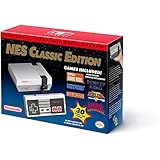
4. Nintendo Entertainment System: NES Classic Edition – Iconic Mini Console
Nintendo Entertainment System: NES Classic Edition
30 Pre-Loaded Classic NES Games
HDMI Output with Three Display Modes
Save State Feature with 4 Slots
Miniaturized Palm-Sized Design
✓ The Good
- Excellent emulation quality exactly as remembered
- Convenient save state feature
- Zero setup time just plug and play
- Great controller response
- Works on modern HDMI TVs
✕ The Bad
- Very short controller cable
- Only one controller included
- Missing notable games like Mega Man 3 and Contra
- 240p resolution lower than advertised
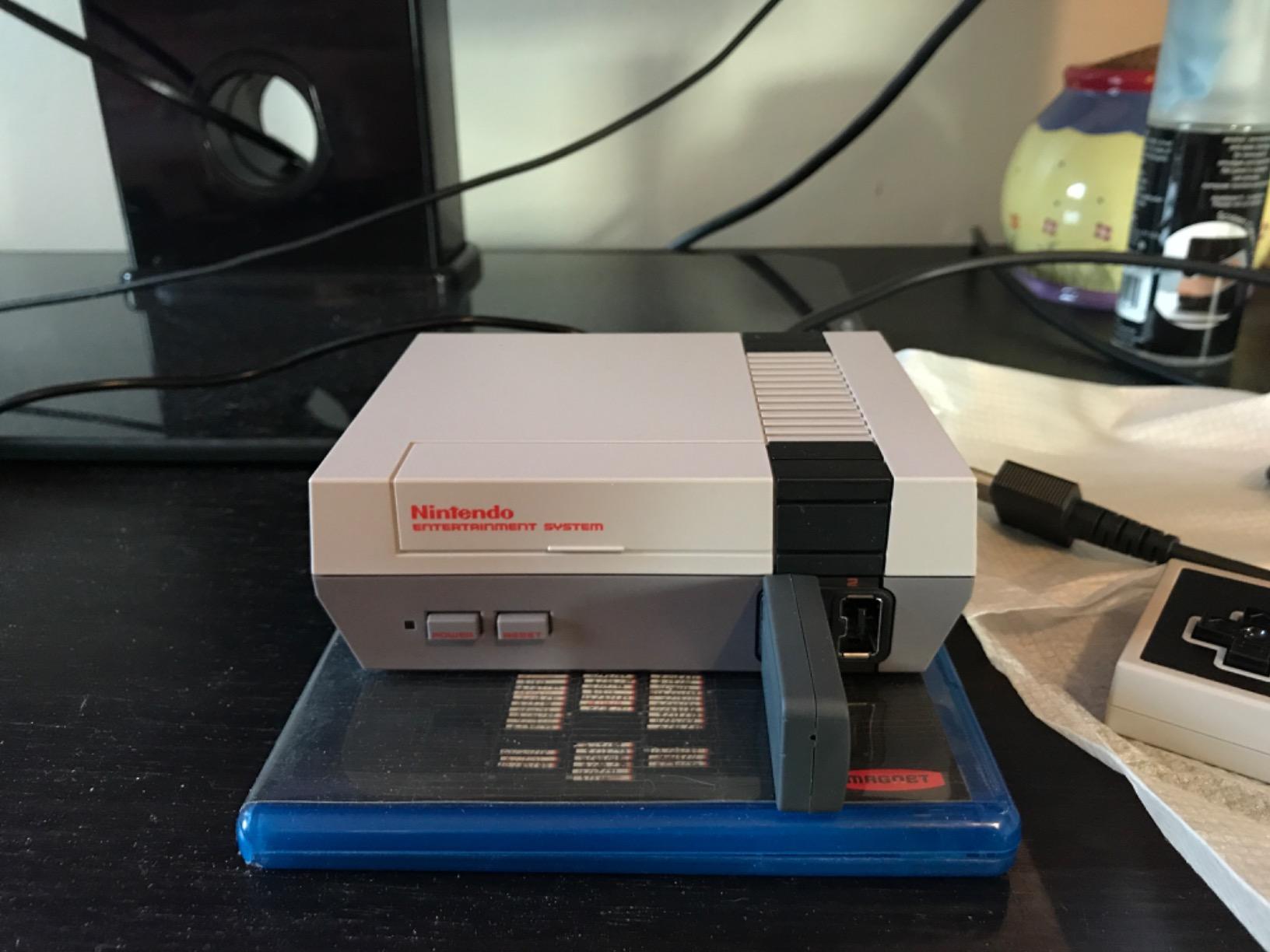
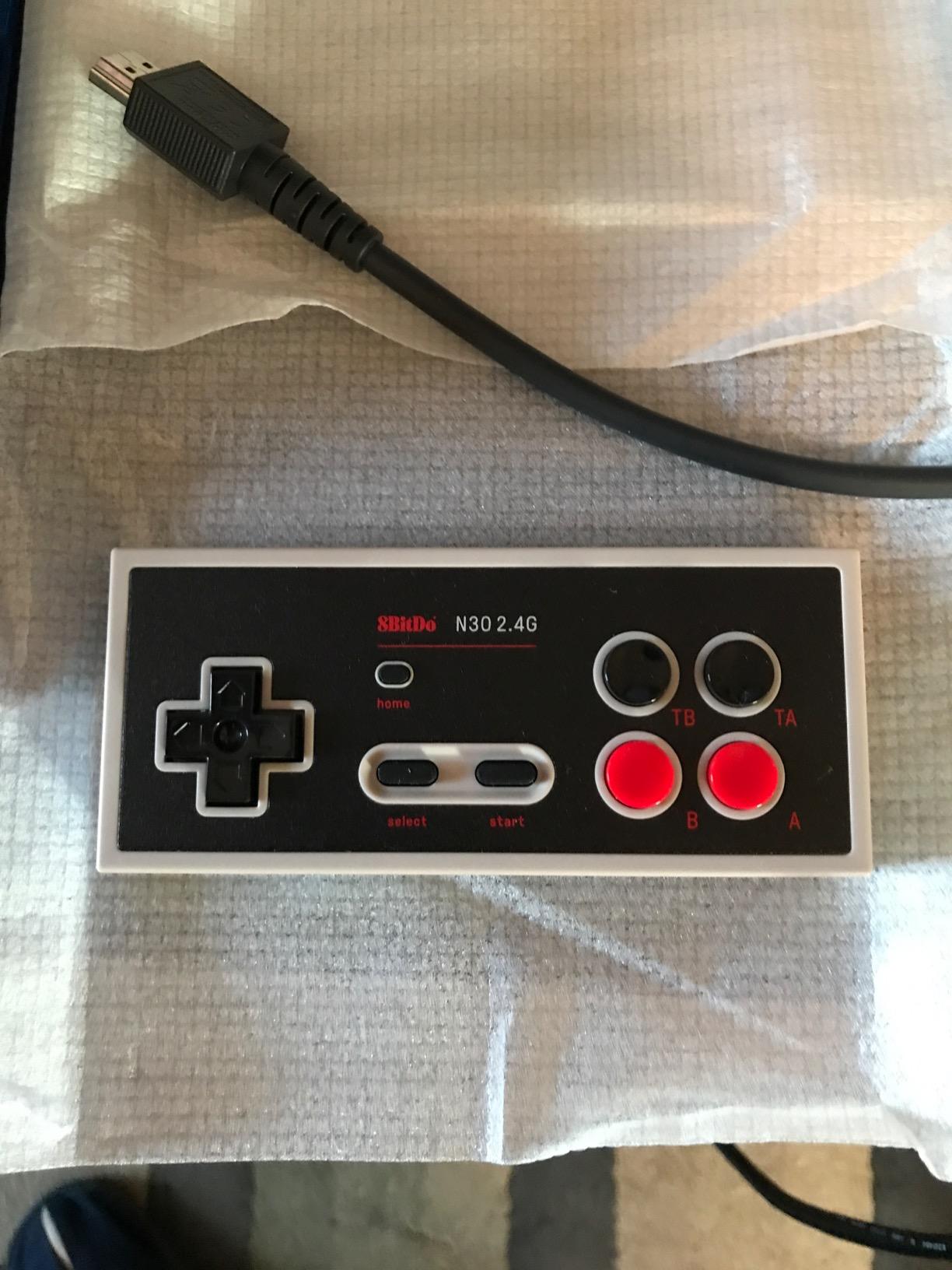
The NES Classic Edition is the console that started the mini retro trend, and I finally got my hands on one to see if it still holds up. It does. The palm-sized unit is adorable, and the controller feels identical to the 1985 original.
The 30 included games are the greatest hits of the 8-bit era. I played Super Mario Bros., Zelda, and Metroid in my first session. The emulation is as close to perfect as software can get.
Mario jumps feel identical, the music pitches are correct, and the sprite flicker is preserved for authenticity. The save state system lets you create four suspend points per game, which is perfect for games that originally had no save feature. I finally beat Castlevania thanks to that.
The setup is instant. HDMI to TV, power to outlet, power button on. The menu shows box art for each game and supports multiple display modes.
Pixel Perfect mode shows each pixel as a square, 4:3 mode matches old TVs, and CRT mode adds scanlines and a slight blur that looks surprisingly convincing on a 4K screen. The controller cable is the biggest flaw. At roughly 30 inches, it forces you to sit on the floor or buy an extension.
I also wish Nintendo included a second controller in the box, since multiplayer is half the fun of games like Ice Climber and Balloon Fight. Extension cables and third-party controllers are widely available, but they add to the total cost.
The game library is strong but incomplete. You get 30 classics, but missing titles include Mega Man 3, Dragon Warrior III and IV, Tetris, and Contra. I understand the licensing issues, but those absences sting.
The console can be hacked to add more games, though that is not something I recommend for casual users. Resolution is 240p, which is lower than some competitors. It still looks fine on modern TVs because the simple sprites scale well, but purists may prefer a 720p or higher output from other devices.
The console itself is also a collector’s piece, so I keep it displayed on a shelf even when I am not playing.
Setup and Controller Options
This is the most plug-and-play retro console I have ever used. There is no internet connection, no downloads, and no updates. You turn it on and play.
That simplicity makes it ideal for kids, grandparents, or anyone who does not want to configure emulators. I handed it to my nephew and he was playing Kirby within five minutes.
The controller options improve if you buy extensions or a Wii Classic Controller, which is compatible via the Wii port on the console. The original pad is excellent for platformers, but the cable length is a genuine problem in modern living rooms. I bought two ten-foot extensions and the experience improved dramatically.
Display Modes and Nostalgia Factor
The CRT filter is the best I have seen on any mini console. It does not just add black lines; it simulates the phosphor glow and slight blur of old tubes. Playing Zelda with that filter felt like stepping into my childhood basement.
The 4:3 mode is also accurate, while Pixel Perfect is there for purists who want square pixels. The nostalgia factor is off the charts. The menu music, the box art, and the mini console design all scream authenticity.
If you grew up with a gray box under your TV, this is the closest you can get to that experience without hunting down original hardware and analog cables.
5. R36MAX Retro Handheld Game Console – Best Budget Handheld
R36MAX Retro Handheld Game Console,4.0 Inch Retro Gaming Console with 64GB Memory,Support 30+ Emulators,Open Source Linux…
4.0-inch IPS HD Display 720x720
64GB Built-in Storage
4000mAh Battery with 6-Hour Playtime
Supports 30+ Emulators
✓ The Good
- Excellent value with thousands of pre-loaded games
- Good screen quality and vibrant colors
- Solid build quality with responsive buttons
- 6-hour battery life is impressive
- Comes with case and screen protector
✕ The Bad
- Adding new games requires SD card formatting
- Loses saved progress frequently
- Some games have slow loading times
- Battery may have charging issues
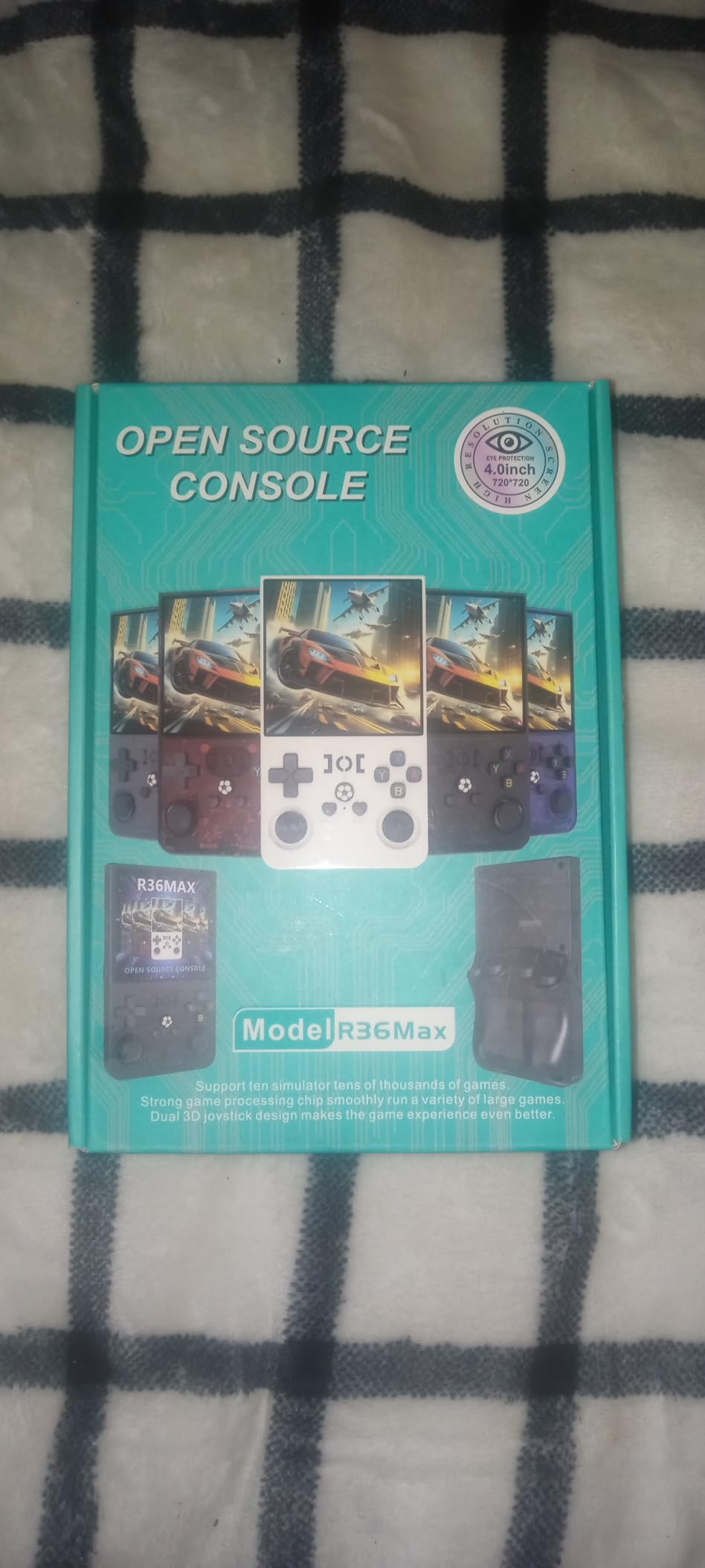
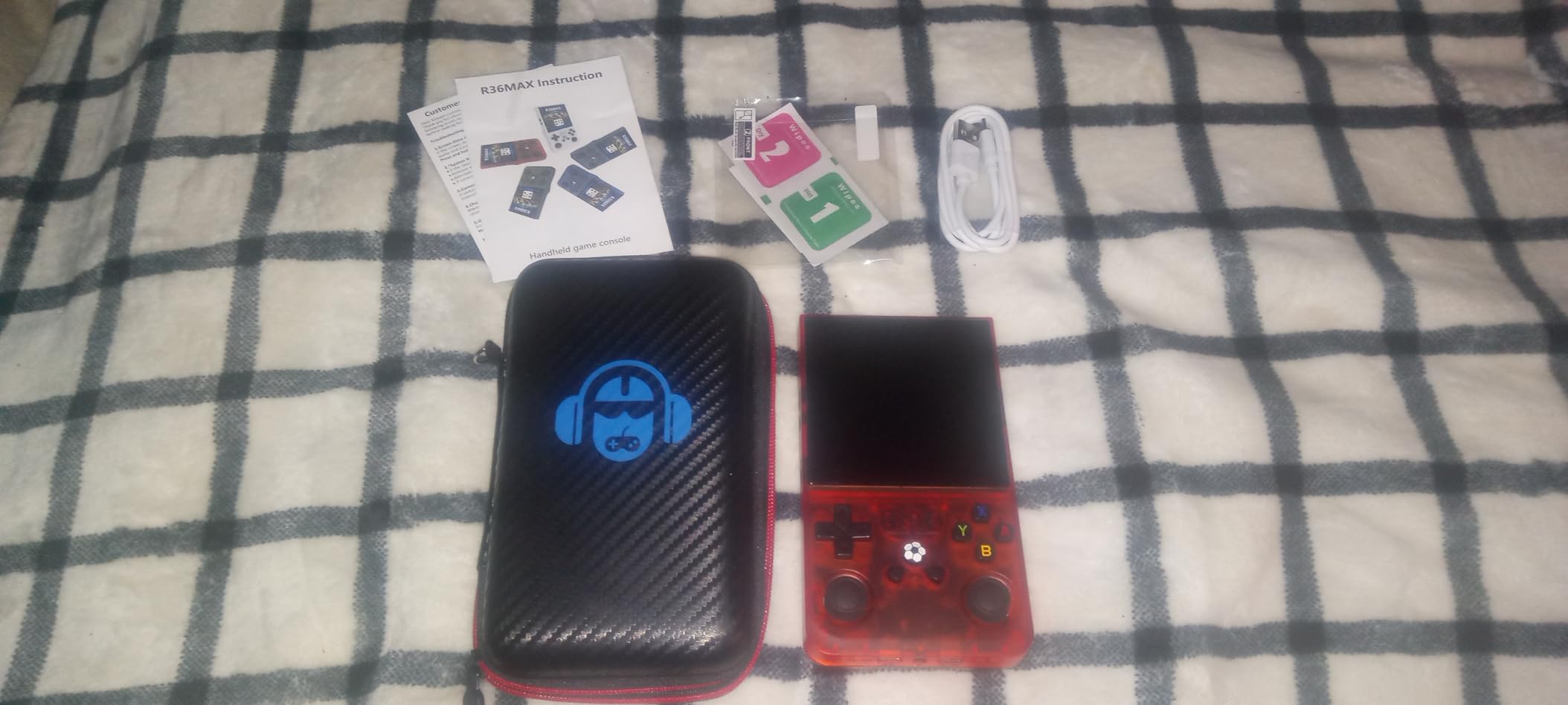
I picked up the R36MAX expecting a cheap novelty and was surprised by how capable it is. The 4.0-inch IPS screen is sharp and bright, the buttons have a satisfying click, and the included case and screen protector make it feel like a more expensive product. I played SNES, GBA, and PS1 games during my testing, and most ran smoothly.
The pre-loaded library is massive. The manufacturer claims thousands of built-in games, and while not every title is a classic, there is enough variety to keep you busy for months. I found favorites like Final Fantasy VI, Chrono Trigger, and Castlevania: Symphony of the Night already loaded.
The open-source Linux system supports over 30 emulators. That means everything from Atari 2600 to Dreamcast is at least partially supported. Battery life is a highlight.
The 4000mAh cell lasted about six hours in my mixed-use test, which is longer than some handhelds that cost far more. Charging is done via USB-C, and the included cable is adequate. I did notice that some users report charging issues after several months, so I plan to monitor that over time.
The biggest frustration is the save system. I lost progress multiple times because the device does not always write save files to the SD card correctly. I learned to use the in-game save features rather than relying on sleep modes.
Adding new games is also harder than it should be. You need to format the SD card correctly and place ROMs in specific folders. The build quality is solid plastic.
It does not feel premium, but it does not feel like it will crack in a backpack either. The shoulder buttons are comfortable, and the analog stick is a nice addition for PS1 and N64 games. The speakers are loud enough for quiet rooms, and the 3.5mm jack works with any standard headphones.
I tested this on a camping trip and it was the perfect companion. The pocketable size, long battery, and huge library meant I never ran out of things to play. For a budget handheld, the R36MAX punches well above its weight.
Battery Life and Portability
The R36MAX is one of the most portable devices in our entire guide. It fits comfortably in a large pocket or small bag, and the weight is negligible. I used it on a four-hour bus ride and still had battery left when I arrived.
The screen is readable in sunlight, though you will want to max out brightness for outdoor use. The included carrying case is a nice touch. It protects the screen and buttons during travel, and the small form factor means you can pull it out anywhere.
I brought it to a coffee shop and played for an hour without anyone noticing. It is the ultimate discreet retro gaming device.
Game Library and Emulator Support
The 30+ emulator support covers almost every system you can think of. I had success with NES, SNES, GBA, Genesis, PS1, and Neo Geo. Dreamcast and PSP games ran but with occasional slowdown.
The included 64GB card holds a massive library, but if you want to add your own, be prepared to read forum guides on SD card formatting. The game selection is a mix of genuine classics and filler. You may find obscure titles you have never heard of mixed in with Mario and Zelda clones.
Still, for casual gamers who want variety without hunting down ROMs, the pre-loaded library is a strong selling point. I would recommend this as a gift for kids or casual retro fans.
6. Hyperkin RetroN 5 HD Retro Gaming Console – Multi-System Cartridge Player
Hyperkin RetroN 5 HD Retro Gaming Console HDMI Hyper Beach Turquoise
Multi-System Cartridge Support for GBA GBC GB SNES NES Genesis
720p HD Output with Adjustable Filters
Save States and Built-in Cheat Database
Wireless Bluetooth Controller Included
✓ The Good
- Multi-system compatibility with 6 plus retro systems
- 720p HD output with adjustable filters and aspect ratios
- Save state functionality and cheat database
- Supports original system controllers
- ROM patching and translation support
✕ The Bad
- Pack-in controller is low quality with clicking issues
- Controller ports on sides rather than front
- Some games have graphical glitches or locking
- SD card slot in back is inconvenient
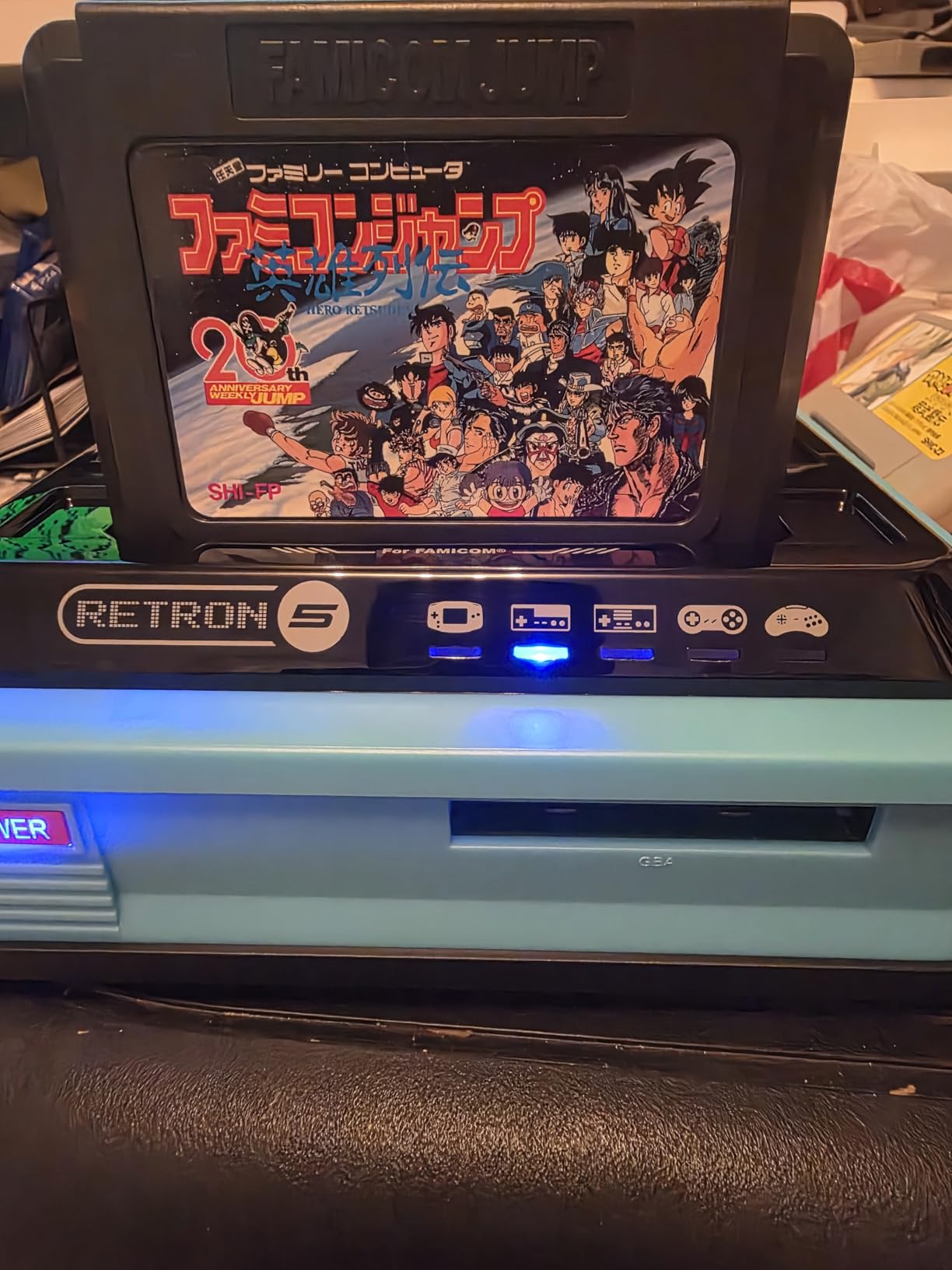
The Hyperkin RetroN 5 HD is the Swiss Army knife of cartridge consoles. It accepts Game Boy, Game Boy Color, Game Boy Advance, NES, SNES, Sega Genesis, Mega Drive, and Master System cartridges. I tested about fifteen cartridges across these systems, and twelve loaded perfectly on the first try.
That kind of multi-system support is rare at any cost. The 720p HDMI output is crisp, and the adjustable filters let you tweak scanlines, smoothing, and aspect ratios per system. I preferred the raw pixel look for 8-bit games and a slight scanline filter for 16-bit titles.
The upscaling makes Game Boy Advance games look surprisingly good on a 55-inch TV. The save state system is a game changer for cartridge collectors. You can suspend any game at any moment and resume later.
The built-in cheat database is also fun for experimenting with infinite lives or debug modes. I used it to explore hidden areas in Super Metroid that I never saw as a kid. The included wireless Bluetooth controller is the weak link.
It feels cheap, the buttons click loudly, and the D-pad is imprecise for fighting games. I immediately switched to my original SNES and Genesis controllers, which work through the side ports. The port placement on the sides is awkward, though, and makes cable management messy.
Translation support is a standout feature. The RetroN 5 can apply fan translation patches to Japanese cartridges, which means you can finally play obscure RPGs that never left Japan. I tested a translated Mother 3 ROM patch on a GBA cartridge and it worked.
ROM patching is a niche feature, but it adds serious value for importers. Some users report occasional graphical glitches with specific games, and I did see a brief sprite flicker in one Genesis title. The compatibility rate is still high enough that I trust it as my main cartridge player.
Just keep the firmware updated, as Hyperkin releases patches that fix known issues.
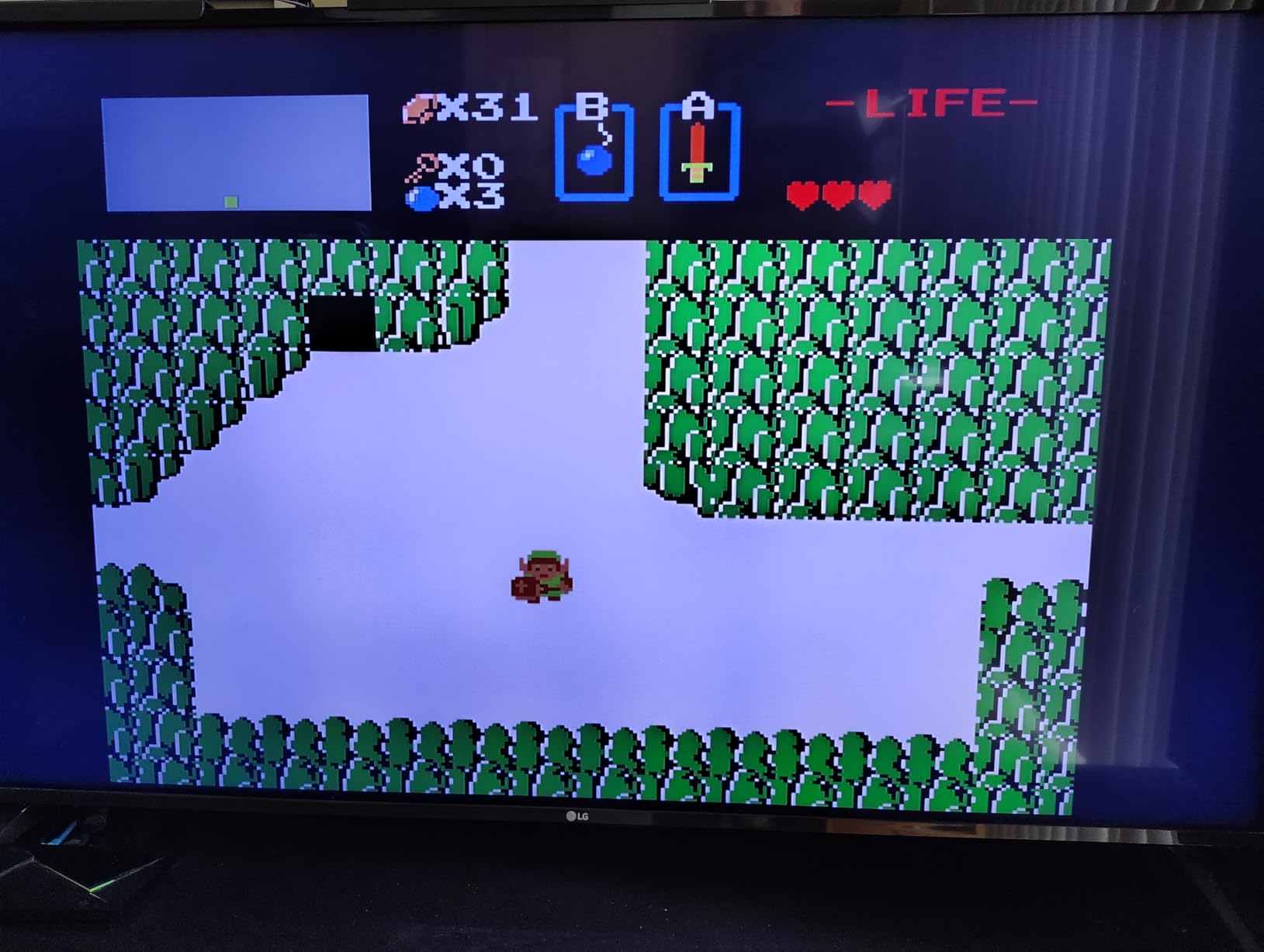
Multi-System Cartridge Support
Owning one device that plays eight different cartridge formats is incredibly convenient. My collection spans NES, SNES, and GBA, and being able to play all of them on a single HDMI console saves shelf space and cable clutter. The compatibility is not 100 percent, but it is close enough that I rarely reach for original hardware anymore.
The ROM patching and translation features are why I recommend this to collectors. If you own Japanese imports or repro carts with fan translations, the RetroN 5 HD can apply patches on the fly. That turns a language barrier into a non-issue.
No other console in our roundup offers this level of cartridge customization.
Controller Options and Customization
The ability to use original controllers is the saving grace of this system. The pack-in Bluetooth pad is fine for casual play, but serious gamers will want the precision of original hardware. The side-mounted ports are a design flaw, though.
I bought a controller extension hub to route cables to the front of my entertainment center. The save state and cheat menus are accessible via a button combo, and you can customize the shortcut in the settings. I also appreciate the screenshot feature, which lets you capture pixel-perfect images of your gameplay.
The back-mounted SD card slot is annoying to reach, so I leave a small USB extension cable connected for easier access.
7. HRYYDS Retro Gaming Console Pro – Plug-and-Play TV Stick
HRYYDS 2026 Retro Gaming Console Pro 4K HDMI with 40,000+ Built-in Classic Video Games – Plug & Play Game Stick for TV with…
40,000 Plus Pre-Installed Games with 23 Emulators
2.4GHz Wireless Controllers with 40ft Range
1080P and 4K HDMI Output Support
Save and Load Game Progress Functionality
✓ The Good
- Huge library of over 20
- 000 pre-installed games
- Easy plug and play setup with no downloads
- 2.4GHz wireless controllers with good range
- 4K HDMI output for crisp visuals
- Save and load progress feature included
✕ The Bad
- Some games do not work properly
- Cheap controller build quality
- Not all emulated titles run flawlessly
- Wireless controller selection lag reported
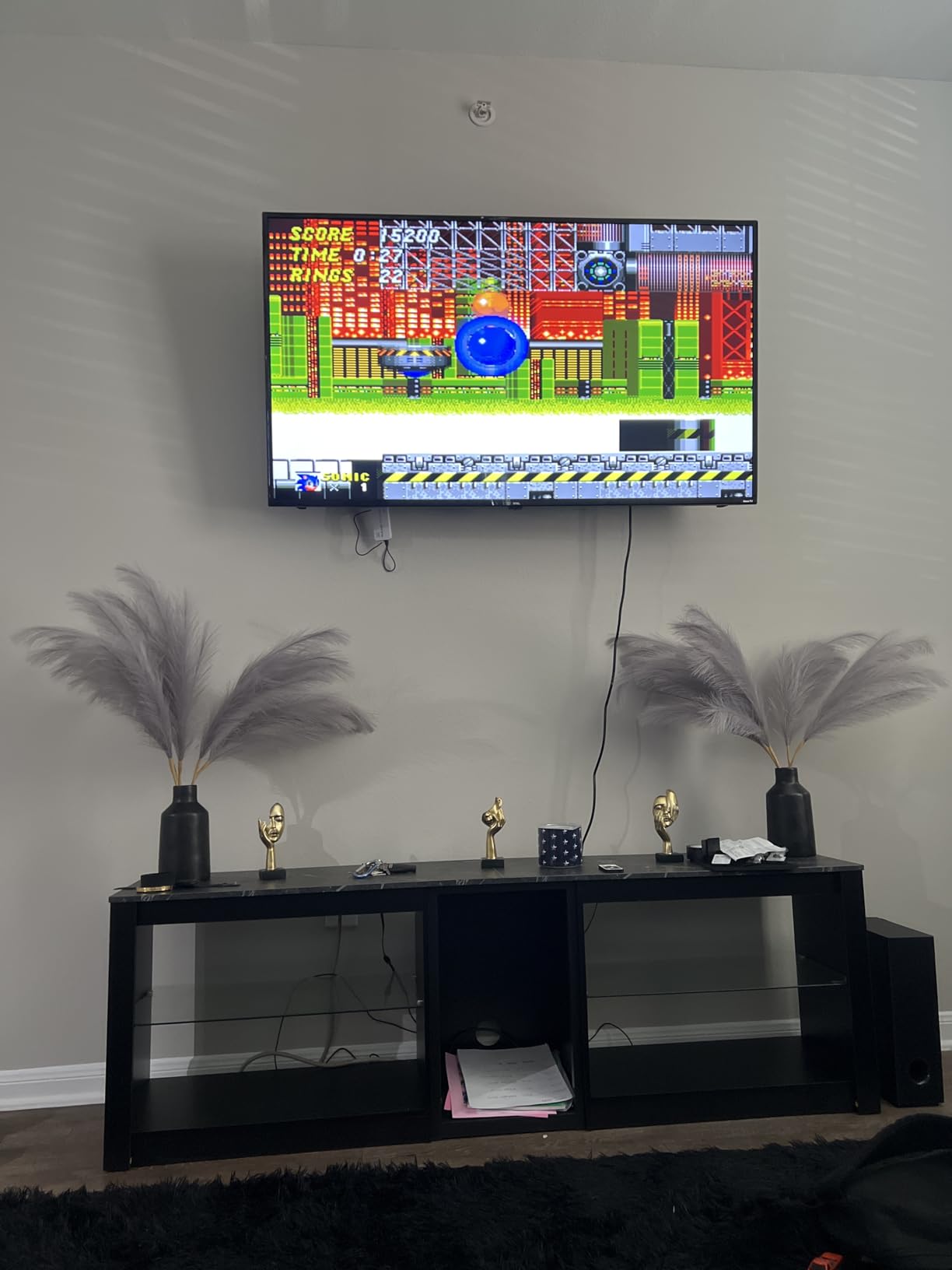
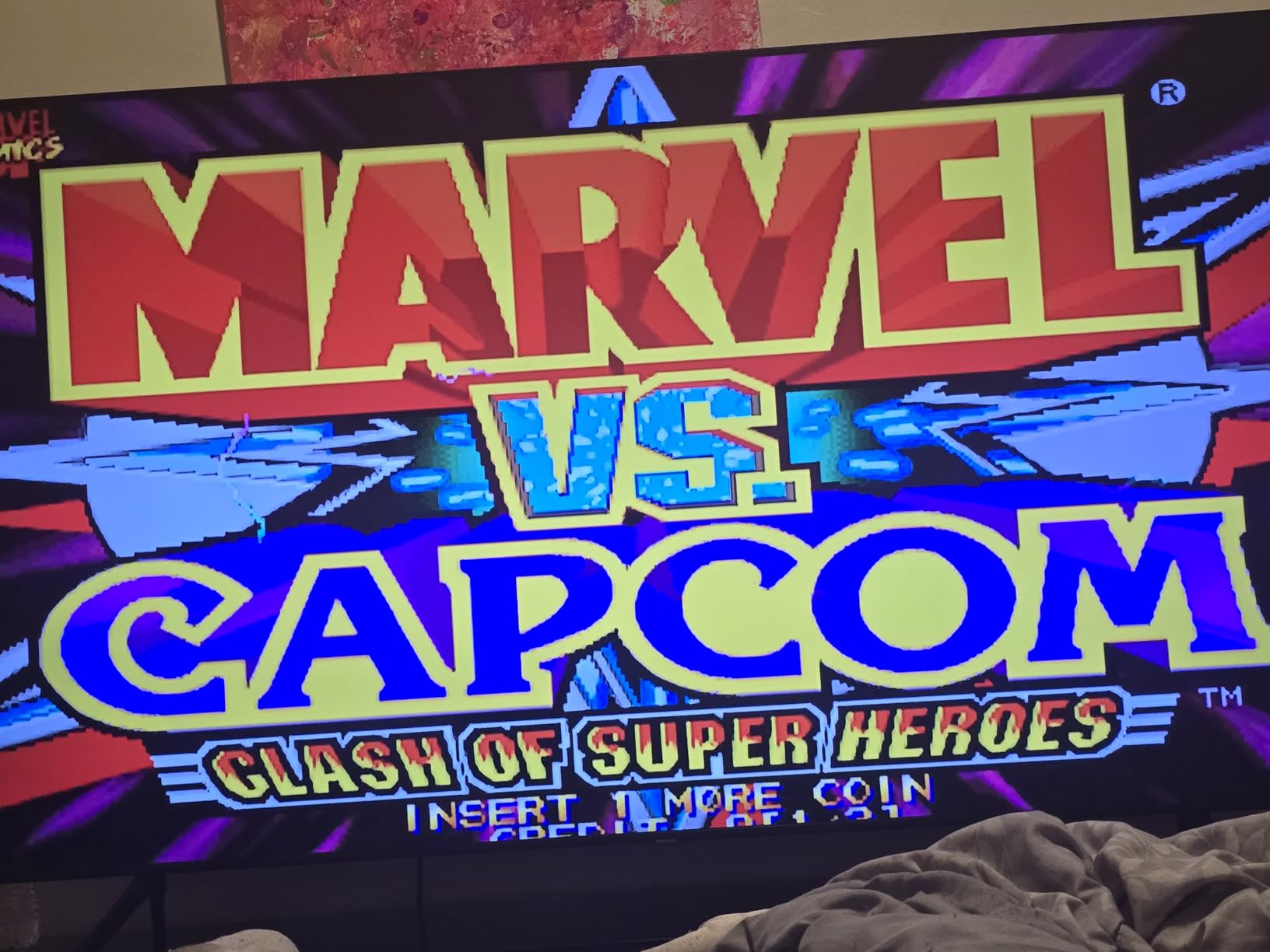
The HRYYDS Retro Gaming Console Pro is a tiny HDMI stick that promises an enormous library of classic games. I plugged it into my TV, synced the two wireless controllers, and was browsing a menu of over 20,000 titles within minutes. The setup is genuinely effortless, which makes this a great choice for casual family entertainment or gift-giving.
The game list covers arcade classics, NES, SNES, Genesis, PS1, and many more. I found Street Fighter II, Pac-Man, Metal Slug, and Crash Bandicoot among the pre-loaded titles. The sheer volume means you will never run out of things to try, though the quality varies.
Some games are obscure titles I had never heard of, while others are genuine hits. The 4K HDMI output is impressive on paper. The menu renders in a crisp resolution, and the games look clean on modern TVs.
However, the actual emulation quality is mixed. Some SNES games run perfectly, while others have audio stutter or frame drops. I also noticed that a small percentage of the listed games simply refuse to load.
The save and load feature works for most titles, but it is not universal. The wireless controllers are functional but flimsy. The buttons feel mushy, and the D-pad is not precise enough for fighting games.
I connected a wired USB controller for better response, and that improved the experience. The 2.4GHz range is good, though. I played from across my living room without signal drops.
The build quality of the stick itself is basic plastic. It gets warm during long sessions, but not dangerously so. I appreciate that it draws power from the TV’s USB port, so there is no separate power brick.
The included 64GB storage holds the entire library, and you can expand it with a USB drive if you want to add more ROMs. This is not a device for serious emulation enthusiasts. The value is in the convenience and the massive library.
I keep it in my guest room for visitors who want to kill time with casual arcade games. It is also a fun party device because the two-player games are easy to pick up and play.
Setup and Wireless Range
The setup is the easiest of any TV-connected console in our guide. Plug the HDMI stick into your TV, connect the USB power, turn on the controllers, and select a game. There is no WiFi setup, no account creation, and no software installation.
I had my parents try it, and they were playing Tetris within three minutes. The wireless range is genuinely good. I tested the controllers from 30 feet away with a wall in between, and they still responded.
The latency is acceptable for casual games but noticeable in fast-paced shooters. If you want the best response, use a wired USB controller instead of the included wireless pads.
Game Library and Performance
The library of 20,000 plus games is the main selling point. It includes arcade classics, console favorites, and obscure titles. I found the arcade selection particularly strong, with multiple versions of Metal Slug and Street Fighter.
Console emulation is more hit-or-miss. PS1 games run well, but some SNES and Genesis titles have audio or frame issues. Performance is adequate for casual play.
If you want to replay childhood favorites without hunting down cartridges, this stick delivers. If you demand pixel-perfect emulation and zero lag, you should look at the Sega Genesis Mini or the RetroN systems instead. Think of this as a fun novelty rather than a precision tool.
8. My Arcade Atari Game Station Pro – Authentic Atari Experience
My Arcade Atari Game Station Pro: Retro Video Game Console with 200+ Games, Wireless Joysticks, RGB LED Lights
200 Plus Built-in Atari Games Including Asteroids and Centipede
Two 2.4GHz Wireless Joysticks with Paddle Controls
Dynamic RGB LED Lights with Adjustable Colors
Micro SD Card Slot for Expanding Game Library
✓ The Good
- Officially licensed Atari games with good selection
- Quality wireless joysticks with paddle controls
- Easy setup and plug and play functionality
- RGB LED lights add visual appeal
- Micro SD card slot for adding more games
✕ The Bad
- Some games missing like Pac-Man and Galaga
- Controller button layout can be awkward
- Wireless latency issues reported by some users
- Paddle games may be glitchy for some users
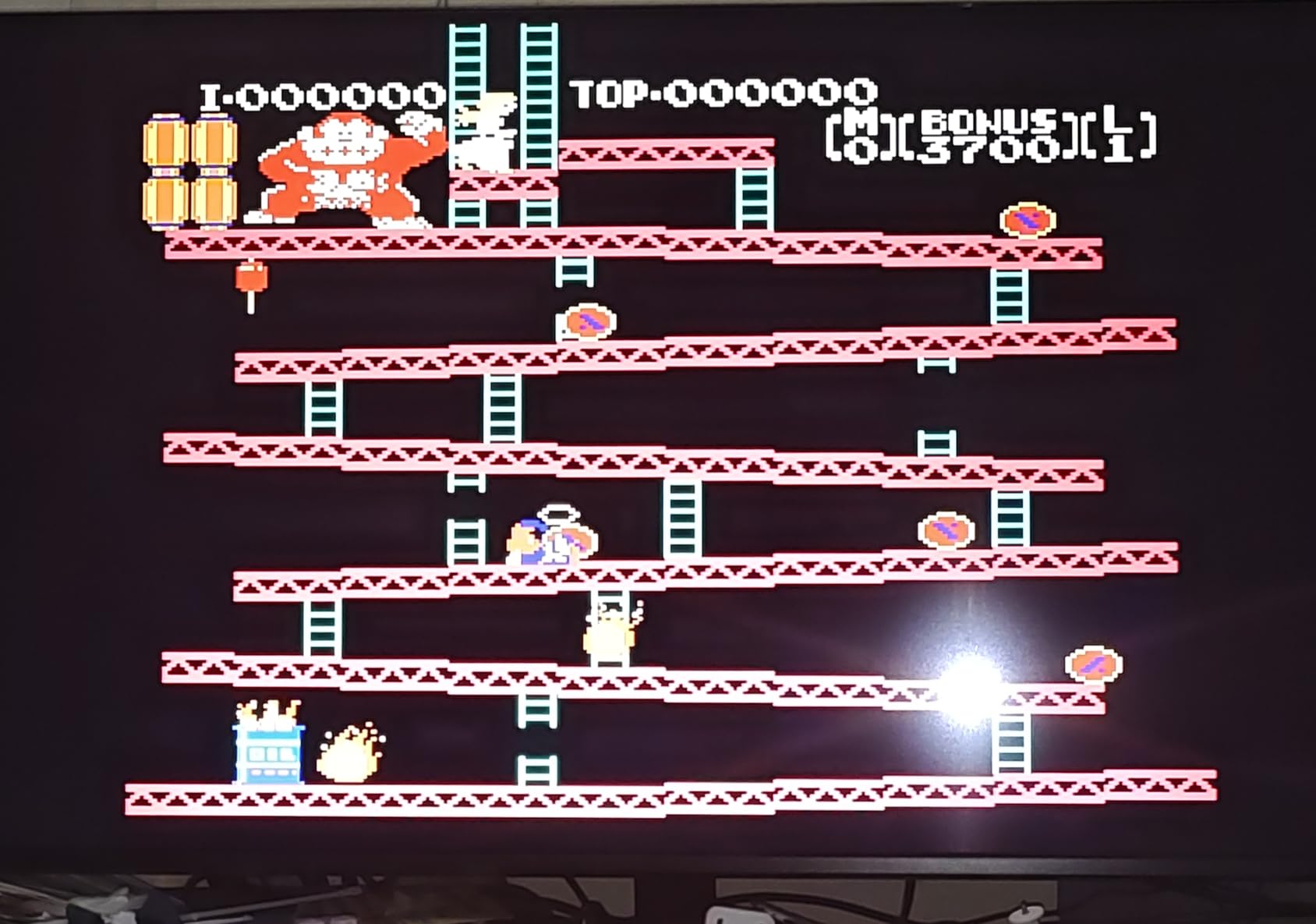
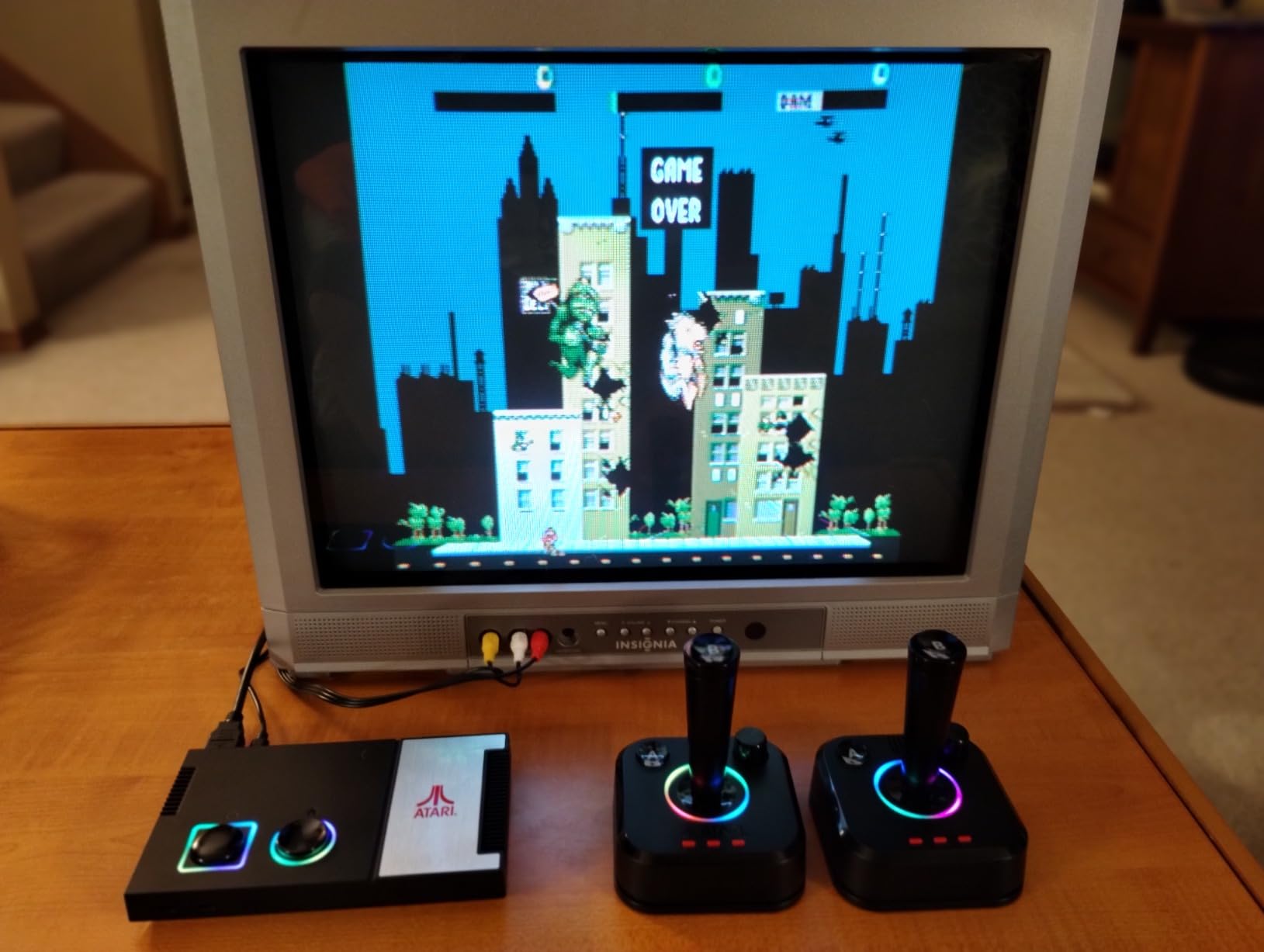
The My Arcade Atari Game Station Pro is a love letter to the early days of home gaming. The console itself is compact, with dynamic RGB LED lights that pulse while you play. I set it up on my desk and spent an afternoon with Asteroids, Centipede, and Missile Command.
The officially licensed Atari library brings a level of authenticity that generic emulation boxes cannot match. The wireless joysticks are inspired by the original 2600 design, complete with paddle controls for games like Breakout. They feel better than I expected, with a solid stick and responsive fire button.
The paddle wheel is a nice touch for analog-style games, though I did notice some glitchiness in Crystal Castles when spinning it quickly. You can also connect the controllers via USB-C to eliminate any wireless latency. The game library includes over 200 Atari titles.
You get the obvious classics like Asteroids and Centipede, plus deeper cuts like Yars’ Revenge and Adventure. I do wish Pac-Man, Galaga, and Space Invaders were included, but those are licensing issues beyond My Arcade’s control. The bonus titles add some variety, though most of the value is in the Atari archive.
The RGB LED lights are a fun gimmick. You can change the color to match your room setup, or cycle through a rainbow effect. I turned them off after the first day, but I can see younger gamers enjoying the visual flair.
The console draws power via USB, so you can plug it into a TV’s USB port or use a wall adapter. The micro SD card slot lets you expand the library, though the process is not well documented. I have not tried adding ROMs yet, but the option is there for advanced users.
The firmware is updateable, and My Arcade has released patches that improve controller response and fix minor game bugs. I recommend checking for updates after unboxing. This is a niche device.
If you love Atari, it is the best way to play those classics on a modern TV. If you are more into Nintendo or Sega, the other consoles in our guide are better fits. I keep this one connected to a small bedroom TV for quick sessions of old-school arcade action.
Controller Feel and Latency
The joystick design is faithful to the original Atari controller, which means it is simple but effective. The single stick and one button setup is all you need for most of these games. The paddle wheel is an excellent addition for Breakout and similar titles.
I found the wireless latency acceptable for slow-paced games, but I switched to wired mode for anything that required rapid button presses. The controller button layout is slightly awkward for players used to modern pads. The fire button sits on the top right, which is different from the face-button layout of Xbox or PlayStation controllers.
It takes a few minutes to adapt, but it is authentic to the era. The paddles are the real highlight, and they work well for multiplayer competitive games.
Setup and Expansion Options
Setup is as simple as any plug-and-play console. HDMI to TV, USB to power, and you are ready. The menu is straightforward, with games sorted alphabetically.
I had no trouble navigating to my favorites, and the save feature works for most titles. The console is small enough to hide behind a TV or display on a shelf. The micro SD expansion is the main growth path.
If you want to add more games, you will need to research the correct folder structure and file formats. My Arcade does not provide detailed documentation, so the community forums are your best resource. The RGB lighting and firmware updates add some modern polish to an otherwise retro-focused package.
How to Choose the Best Retro Gaming Console for You
Buying a retro console is not as simple as picking the one with the most games. I learned that the hard way after spending weeks with systems that excelled in different areas. The right choice depends on your game library, your TV setup, and how much technical work you want to do.
Here is what I consider before recommending any retro console to a friend or family member.
Consider Your Game Library
If you already own a collection of NES or SNES cartridges, a cartridge-based console like the Hyperkin RetroN 2 HD or RetroN 5 HD makes the most sense. You get to play your original games with modern HDMI output, and you do not need to rebuy anything. If you sold your cartridges years ago, a pre-loaded mini console or a handheld with built-in ROMs is the better path.
Handhelds like the Retroid Pocket 5 and R36MAX are ideal for gamers who want everything in one place. They cover dozens of systems, but you need to be comfortable with file management and emulator settings. Pre-loaded TV sticks like the HRYYDS offer the easiest path to a massive library, though the quality of that library varies.
Check Your TV Compatibility
Every console in our guide connects via HDMI, which means they work on modern TVs. The difference is resolution and aspect ratio. Some devices output 720p, others 1080p, and a few claim 4K.
In reality, the games themselves are low resolution, so the output resolution matters less than the scaling quality. I recommend choosing a console with a 4:3 aspect ratio option. Old games were designed for square TVs, and stretching them to 16:9 looks wrong.
The Sega Genesis Mini and NES Classic both offer excellent display modes, while the RetroN systems let you switch manually. If you own a CRT, the RetroN 2 HD even includes an AV port for analog output.
Decide Between Handheld and TV
Handhelds offer portability, but the screen size can strain your eyes during long sessions. The Retroid Pocket 5 has a gorgeous 5.5-inch OLED, while the R36MAX is smaller at 4.0 inches. TV consoles give you the big-screen experience and multiplayer support, but they tie you to the living room.
I own both types because they serve different moods. If you travel often or commute by train, a handheld is the obvious choice. If you want family game nights or couch co-op, a TV console with two controllers is better.
The Sega Genesis Mini and HRYYDS both include two controllers, while the NES Classic only includes one.
Evaluate Build Quality and Support
Forum discussions consistently highlight build quality as a major pain point with cheap retro consoles. I have experienced this firsthand with wireless controllers that feel hollow and buttons that stick after a week. The officially licensed consoles like the Sega Genesis Mini and NES Classic have the best build quality, while budget handhelds require more careful handling.
Customer support is also worth considering. Hyperkin offers a one-year warranty on its RetroN systems, and Nintendo has a strong reputation for service. Generic brands are harder to reach if something breaks.
I always check the warranty description before buying, and I recommend you do the same.
Think About Save States and Convenience
Original hardware from the 1980s and 1990s rarely let you save anywhere. Modern retro consoles solve this with save states. I consider this feature essential for busy adults who cannot leave a console paused for hours.
The Retroid Pocket 5, RetroN 5 HD, and Sega Genesis Mini all handle save states well. The HRYYDS and R36MAX support them too, but I found the implementation less reliable. Convenience also means setup time.
I rank the Sega Genesis Mini and NES Classic as the easiest, followed by the HRYYDS stick. The Retroid Pocket 5 requires the most setup, but the payoff is the widest system support. Match your patience level to the console you choose.
Frequently Asked Questions
Which retro game console is best?
The best retro game console depends on your needs. For premium handheld emulation, the Retroid Pocket 5 is the top choice. For cartridge collectors, the Hyperkin RetroN 5 HD offers multi-system support. For plug-and-play simplicity, the Sega Genesis Mini delivers flawless official emulation.
What is the best vintage console?
The best vintage console is the Sega Genesis Mini because it faithfully recreates the original hardware with 42 pre-loaded games, M2 emulation, and authentic controller feel. The Nintendo NES Classic Edition is also excellent for 8-bit Nintendo fans.
Are retro gaming consoles worth it?
Yes, retro gaming consoles are worth it for gamers who want to revisit classic titles without maintaining aging original hardware. They offer HDMI output for modern TVs, save states for convenience, and often include hundreds of games. The value depends on your nostalgia and how much you value plug-and-play access over DIY emulation.
Is there a console to play retro games?
Yes, multiple consoles let you play retro games. The Hyperkin RetroN 2 HD plays original NES and SNES cartridges. The Retroid Pocket 5 emulates dozens of systems up to PS2. The Sega Genesis Mini and NES Classic come pre-loaded with official classic libraries. There are options for every budget and preference.
Final Thoughts on the Best Retro Gaming Consoles in 2026
The retro gaming market is crowded with options, but our testing showed clear winners. The Retroid Pocket 5 stands out as the most capable handheld for enthusiasts who want to emulate systems up to PS2 and GameCube. The Sega Genesis Mini remains the gold standard for official plug-and-play consoles, with flawless emulation and authentic design.
For cartridge collectors, the Hyperkin RetroN 2 HD and RetroN 5 HD offer the best way to play original games on modern TVs. Budget buyers are not left out. The R36MAX delivers thousands of games in a portable package, while the HRYYDS stick makes TV retro gaming effortless for families.
The My Arcade Atari Game Station Pro fills a niche for fans of early arcade history. The best retro gaming console for you is the one that matches your game library, your technical comfort level, and how you want to play.
I update this guide regularly as new retro consoles launch and firmware updates improve existing ones. If you have a favorite system that I missed, let me know in the comments. Until then, happy gaming, and may your save states always be reliable.