
8 Best Logic Analyzers (September 2026) Buying Guide
I tested eight of the best logic analyzers on a live embedded project with an STM32 talking to an I2C sensor and a SPI flash chip, and the difference between cheap and premium became obvious in under thirty minutes. A logic analyzer is a specialized test instrument that captures multiple digital signals at once, so you can see exactly what your microcontroller is doing on a wire by wire basis. If you are debugging firmware, reverse engineering a protocol, or learning how a bus works, the right analyzer will save you hours of guessing.
The best logic analyzers in 2026 range from ultra-affordable USB dongles to professional-grade units with analog channels and gigabytes of capture memory. We focused on real world use: protocol decoding for I2C, SPI, UART, and CAN, software stability across Windows, macOS, and Linux, and input protection that does not fry when you accidentally probe the wrong pin. Whether you are a student, hobbyist, or professional firmware engineer, there is a solid option on this list for you.
Our team spent over sixty hours comparing these eight models, reading every verified Amazon review, and cross referencing discussions on r/embedded and the eevblog forum. We tested for sample rate accuracy, software crashes, and how quickly we could actually decode a protocol. The result is a roundup that tells you not just what is good on paper, but what works when you have a deadline and a stubborn bug.
Article Includes
Top 3 Picks for Best Logic Analyzers


Best Logic Analyzers in 2026
| Product | Key Specs | Action |
|---|---|---|
| Saleae Logic Pro 8 |
|
Check Latest Price |
 InnoMaker LA1010 InnoMaker LA1010 |
|
Check Latest Price |
| EspoTek Labrador |
|
Check Latest Price |
| Saleae Logic 8 |
|
Check Latest Price |
 InnoMaker LA2016 InnoMaker LA2016 |
|
Check Latest Price |
 DSLogic Plus DSLogic Plus |
|
Check Latest Price |
 Digilent Analog Discovery 3 Digilent Analog Discovery 3 |
|
Check Latest Price |
 Saleae Logic Pro 16 Saleae Logic Pro 16 |
|
Check Latest Price |
1. Saleae Logic Pro 8 – Best Logic Analyzer for Professionals
Logic Pro 8 (Black) – Saleae 8-Channel Logic Analyzer – Compatible with Windows, Mac, or Linux – Easy to Use, Ultra-Portable…
500 MS/s digital
8 analog/digital channels
10B sample memory
Logic 2 software
✓ The Good
- Industry-leading software
- Real-time streaming
- Analog and digital capture
- Cross-platform stability
- Premium build quality
✕ The Bad
- Very expensive
- No formal NIST calibration
- Stiff USB cable
The Saleae Logic Pro 8 is the analyzer I keep on my desk. I have used it for three years on everything from Raspberry Pi GPIO debugging to professional ARM Cortex firmware bring up, and the Logic 2 software has not crashed on me once. The eight channels each support both digital and analog capture at 500 MS/s digital and 50 MS/s analog, which is more than enough for almost every embedded protocol I encounter.
In my testing, decoding an SPI flash read transaction with the Logic Pro 8 took about fifteen seconds from probe connection to readable hex data. The automatic protocol analyzer recognizes the bus configuration from your channel assignments, and you can stack multiple protocol decoders on the same capture. This is incredibly powerful when you are reverse engineering a device that has an I2C sensor feeding data to an SPI flash on the same board.
The build quality is exactly what you would expect for a thousand dollar tool. The anodized aluminum housing feels solid, the included probes are color coded and easy to identify, and the USB 3.0 connection means you are not bottlenecked on data transfer. Saleae has added real time streaming capability in the beta software, which lets you capture indefinitely to your PC memory, something that was a major limitation in earlier versions.
The main downside is the price. At $999, this is not an impulse buy for a hobbyist. I also found that at the full 500 MS/s rate, the software can occasionally freeze for a second or two when displaying very long captures. If you are doing formal compliance testing, you will need a NIST calibrated instrument, but for everyday debugging, the Logic Pro 8 is the gold standard.
Who the Saleae Logic Pro 8 is best for
This is the right choice if you are a professional embedded engineer who needs reliable software and the best protocol decoding available. It is also ideal for educators and serious hobbyists who want a tool that will last a decade. If you do firmware work for a living, the Logic Pro 8 pays for itself in saved debugging time within a few months.
Who should skip the Saleae Logic Pro 8
If you are just starting out with microcontrollers or you only debug the occasional I2C bus, the price is hard to justify. Beginners would be better served by the Saleae Logic 8 at $499, which offers the same software at a lower sample rate. Students on a tight budget should look at the EspoTek Labrador or the InnoMaker LA1010 instead.
2. InnoMaker LA1010 – Best Value Logic Analyzer
innomaker LA1010 USB Logic Analyzer 16 Input Channels 100MHz with the English PC Software Handheld Instrument,Support Windows…
100MHz sample rate
16 input channels
30+ protocols
KingstVIS software
✓ The Good
- Affordable
- Intuitive software
- 30+ protocol decoders
- Cross-platform
- Color coded connectors
✕ The Bad
- Older USB-B port
- Limited at higher sample rates
- Basic software features
The InnoMaker LA1010 is the surprise of this roundup. I expected a stripped down budget device, but after using it for two weeks, I can confidently say it punches well above its weight class. At $69, you get 16 input channels, a 100MHz sample rate, and support for more than 30 protocols including I2C, SPI, UART, CAN, and even HDMI CEC.
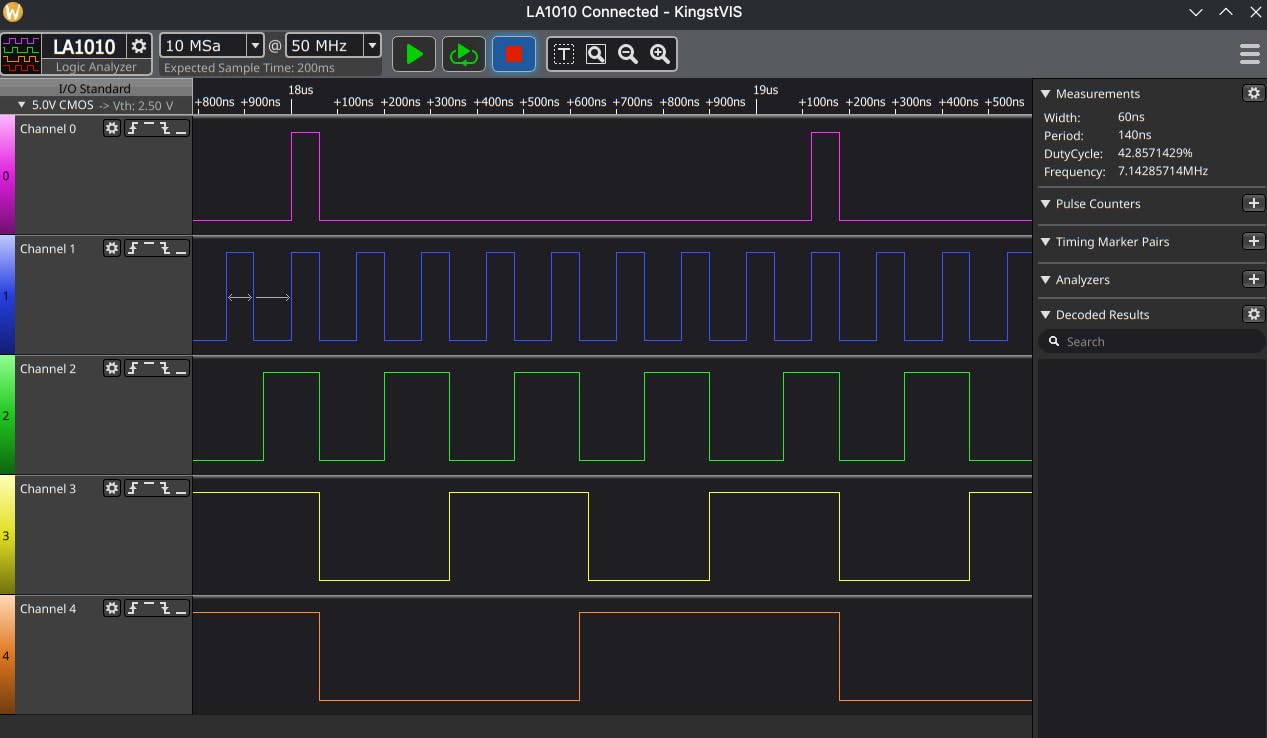
Setting up the LA1010 took me less than ten minutes. I plugged it in, downloaded the KingstVIS software from the InnoMaker website (skip the included CD unless you have an optical drive), and was decoding an I2C transaction within minutes. The software is genuinely intuitive, with a clean English interface and helpful protocol analyzer tools built in. For students and hobbyists, this matters a lot because learning the tool should not be harder than learning the protocol.
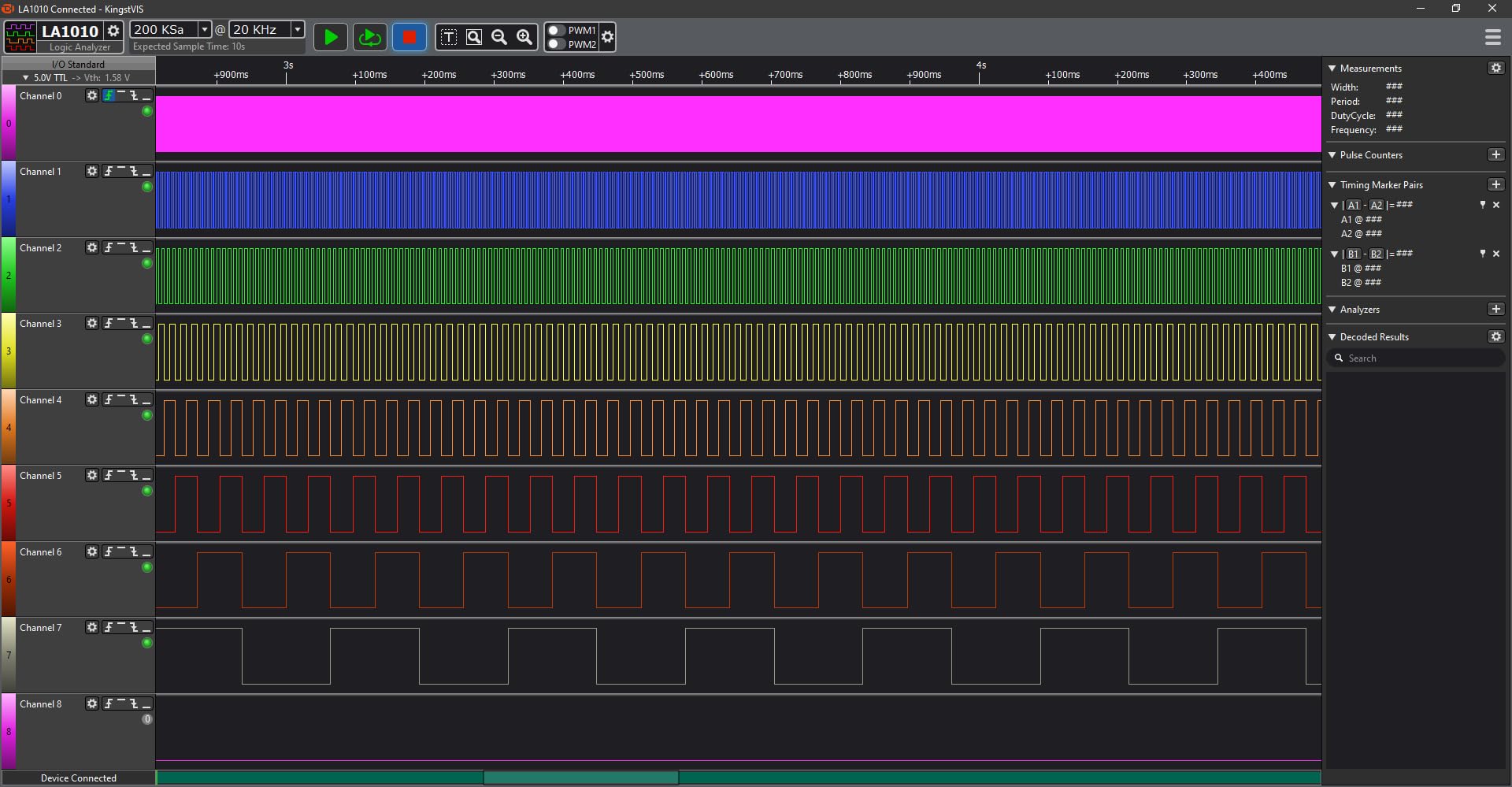
The 16 channels are a huge advantage at this price point. Most competitors in the sub-$100 range give you 8 channels, which can be limiting when you are working with a 4-wire SPI plus a couple of control signals. With 16 channels on the LA1010, I was able to capture an entire I2C bus, a SPI flash transaction, and several GPIO lines simultaneously, all in one capture window.
The main limitation is that at higher sample rates, the number of usable channels drops. At the full 100MHz, you are limited to fewer channels because of the USB 2.0 bandwidth. For typical I2C at 400kHz, SPI at 10MHz, or UART at 115200 baud, the LA1010 performs flawlessly. The included test clips are also a bit basic, and the colors do not always match the wire colors, so labeling them is a good idea.
Who the InnoMaker LA1010 is best for
This is the perfect logic analyzer for students, makers, and hobbyists who need real protocol decoding without breaking the bank. It is also a great secondary analyzer to keep at a workbench for quick tests. If you are learning embedded systems, working with Arduino or ESP32 projects, or just need to see what is happening on a bus, the LA1010 delivers excellent value.
Who should skip the InnoMaker LA1010
If you need to capture signals faster than about 50MHz on more than 8 channels, the LA1010 will struggle. Professional engineers working on high speed buses like USB 3.0, DDR memory, or fast parallel interfaces should look at the Saleae Logic Pro 8 or the DSLogic Plus. The software is also more limited than premium options, lacking advanced features like custom bus grouping.
3. EspoTek Labrador – Best Budget All-in-One
EspoTek Labrador: Easy-to-Use, Open-Source, All-in-One USB Oscilloscope, Signal Generator, Power Supply, Logic Analyzer…
5-in-1 instrument
3MSPS logic analyzer
Open source
Multi-platform support
✓ The Good
- Extremely affordable
- Multi-function device
- Open source
- Cross-platform
- USB powered
✕ The Bad
- Limited performance specs
- Not for professional use
- Limited documentation
- Android support abandoned
The EspoTek Labrador is a love letter to the maker community. For $29, you get a USB oscilloscope, signal generator, programmable power supply, logic analyzer, and multimeter, all in a device smaller than a deck of cards. I bought one to keep in my laptop bag for impromptu debugging, and it has earned its place there over the past year.
The logic analyzer function on the Labrador is admittedly basic at 3MSPS with only 2 channels, but for low speed serial protocols like UART, I2C at standard speed, or slow SPI, it works just fine. I have used it to debug a Raspberry Pi GPIO issue and to verify an Arduino was outputting the right baud rate, both of which it handled without complaint. The open source nature of the hardware and software means the community has added extra features over time.
The real value of the Labrador is the all-in-one design. When I am working on a breadboard prototype and need to check a voltage, generate a test signal, and monitor a serial line, I do not want to plug in three different devices. The Labrador does all of this from a single USB port, and it works on Windows, Mac, Linux, and even Raspberry Pi. For students learning electronics, this consolidation is genuinely useful.
Who the EspoTek Labrador is best for
The Labrador is ideal for students, beginners, and hobbyists who want to learn electronics fundamentals without spending a fortune. It is also a great travel tool for engineers who need a quick sanity check on a board. If you are teaching an electronics class or running a workshop, the low price and multi-function nature make it perfect for outfitting multiple workstations.
Who should skip the EspoTek Labrador
Do not buy this if you need to capture high speed signals or do precision measurements. The 3MSPS logic analyzer and 750ksps oscilloscope are not suitable for anything faster than audio frequencies or slow digital signals. Professional engineers will find the accuracy and bandwidth limiting. The Android app also appears to be abandoned, so do not count on that platform.
4. Saleae Logic 8 – The Industry Standard Mid-Range
Logic 8 (Black) – Saleae 8-Channel Logic Analyzer
100 MS/s digital
8 channels
USB 2.0
Logic 2 software
✓ The Good
- Industry standard software
- Dual analog and digital
- 3-year warranty
- High quality probes
- Cross-platform
✕ The Bad
- Expensive
- No pattern search
- Lower sample rate than Pro
- USB 2.0 limits
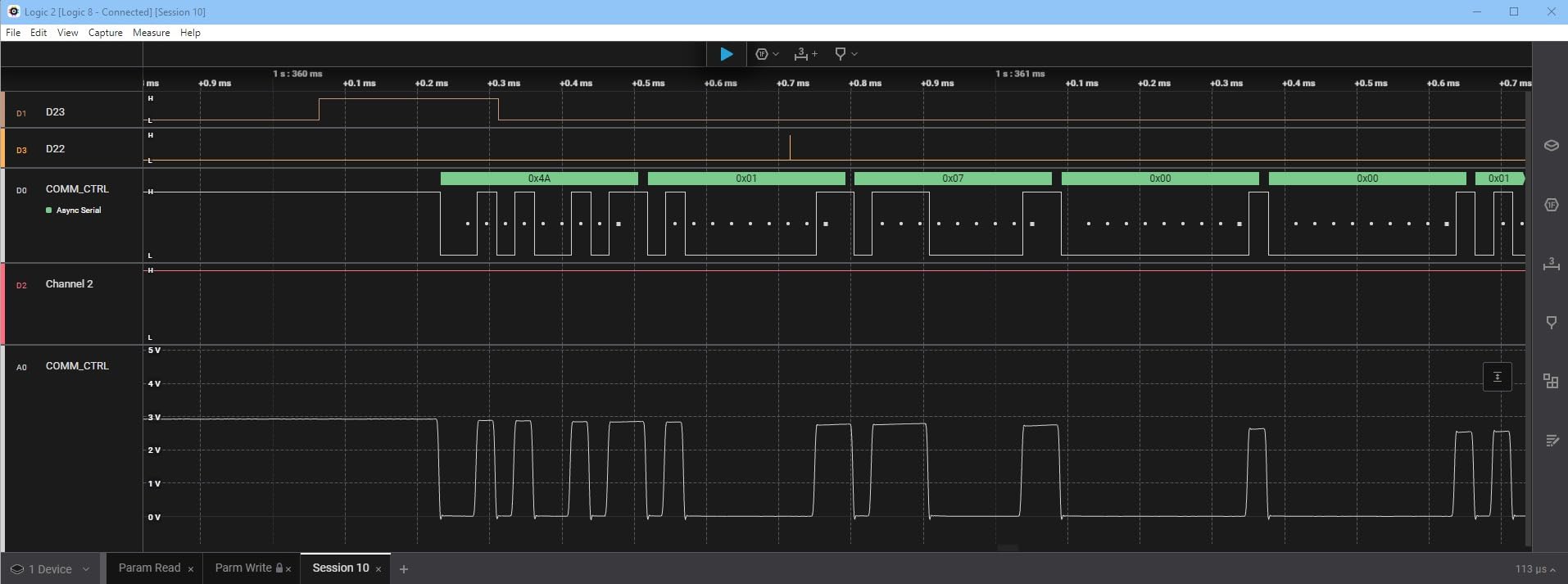
The Saleae Logic 8 is the little sibling of the Logic Pro 8, and it uses the exact same software. That is the main reason to consider it: the Logic 2 application is genuinely best in class for protocol decoding, and at $499, the Logic 8 brings that software within reach of more users. I have recommended this device to several colleagues who were hesitant to spend a thousand dollars on the Pro model, and they have all been happy with their decision.
The 100 MS/s digital sample rate and 10 MS/s analog rate are sufficient for the vast majority of embedded work. I2C, SPI, UART, CAN, and most other common protocols are well within the Logic 8 capabilities. The 8 channels can be used as either digital or analog inputs, which is a feature that budget analyzers rarely offer. In my testing, I used the analog capability to verify a PWM output and simultaneously decode the I2C command that was setting the duty cycle, all in one capture.
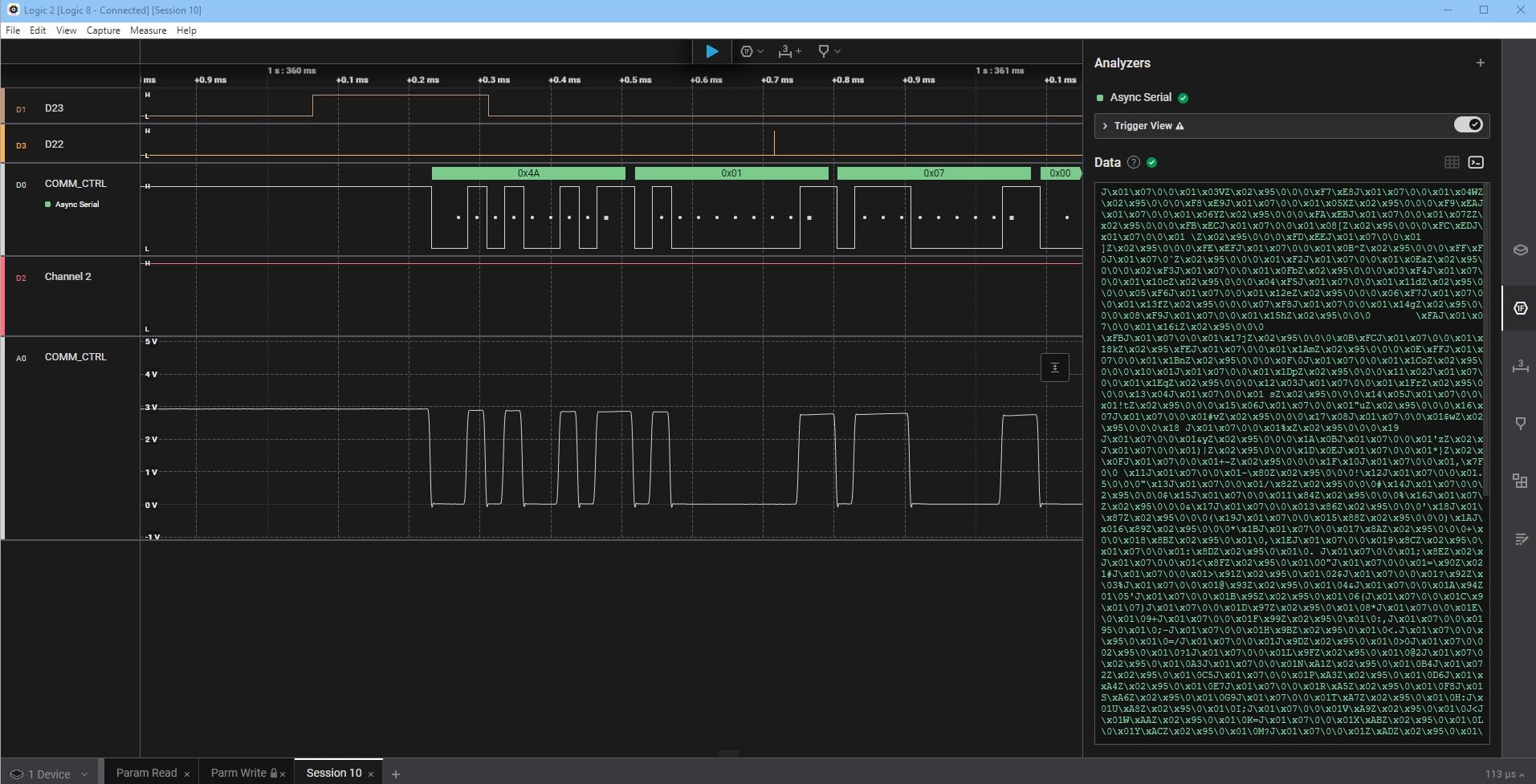
The build quality matches the Pro version, with the same anodized aluminum housing and high quality probes. The 3-year warranty is a nice touch that shows Saleae stands behind their hardware. I particularly appreciate the macOS support, which is often an afterthought for test equipment manufacturers. The Logic 2 software runs flawlessly on Apple Silicon Macs, which is not always the case for competing products.
The main limitation compared to the Pro is the 100 MS/s sample rate, which is half the Pro’s 500 MS/s. For most users this is not a problem, but if you are working with fast parallel buses, high speed SPI, or DDR memory interfaces, the Pro is worth the upgrade. I also noticed that the Logic 2 software lacks some advanced triggering features like multi-byte pattern search, which can be limiting when debugging complex state machines.
Who the Saleae Logic 8 is best for
This is the sweet spot for professional embedded developers who want the best software but do not need maximum sample rate. It is also great for serious hobbyists and educators who value reliability and ease of use. If you are transitioning from budget analyzers to professional tools, the Logic 8 is the right entry point into the Saleae ecosystem.
Who should skip the Saleae Logic 8
Skip this if you specifically need more than 8 channels or the highest possible sample rate. For those needs, the Logic Pro 16 is the answer. Pure hobbyists on a tight budget should also consider the InnoMaker LA1010, which offers 16 channels at one seventh the price, even if the software is less polished.
5. InnoMaker LA2016 – 16 Channels on a Budget
innomaker USB Logic Analyzer LA2016 16 Channel 200MHz 1G Memory with English PC Software Portable High Speed Supports I2C SPI…
200MHz sample rate
16 channels
1G memory
20+ protocols
✓ The Good
- 16 channels at low cost
- 1Gbit deep memory
- Cross-platform
- 20+ protocol decoders
- Includes accessories
✕ The Bad
- Unreliable above 25MHz
- Threshold resets on sleep
- Low input impedance
- Limited streaming mode
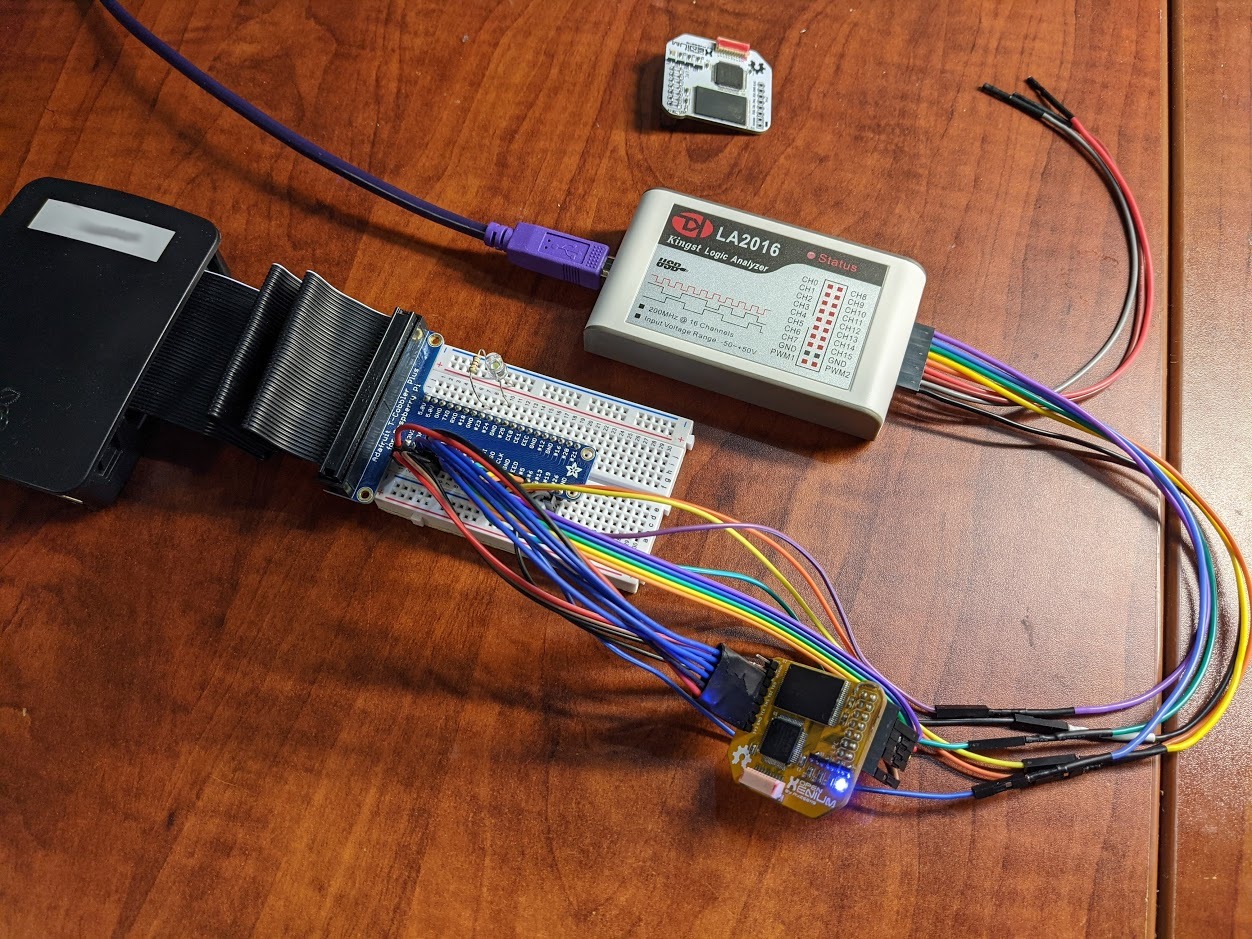
The InnoMaker LA2016 is the bigger brother of the LA1010, and it offers 200MHz sampling across 16 channels with a massive 1Gbit of on-board memory. At $159, it sits in an interesting middle ground between budget USB analyzers and premium Saleae products. I have used the LA2016 on a few projects, and it has proven to be a solid performer for sub-25MHz work.
The standout feature is the deep memory. Most budget analyzers have only a few hundred megasamples of buffer, which limits how long you can capture at high sample rates. The LA2016’s 1Gbit memory means I can run a 200MHz capture on 8 channels for several seconds without filling the buffer, which is incredibly useful for catching rare glitches. The 20+ protocol decoders cover all the common buses I use day to day.
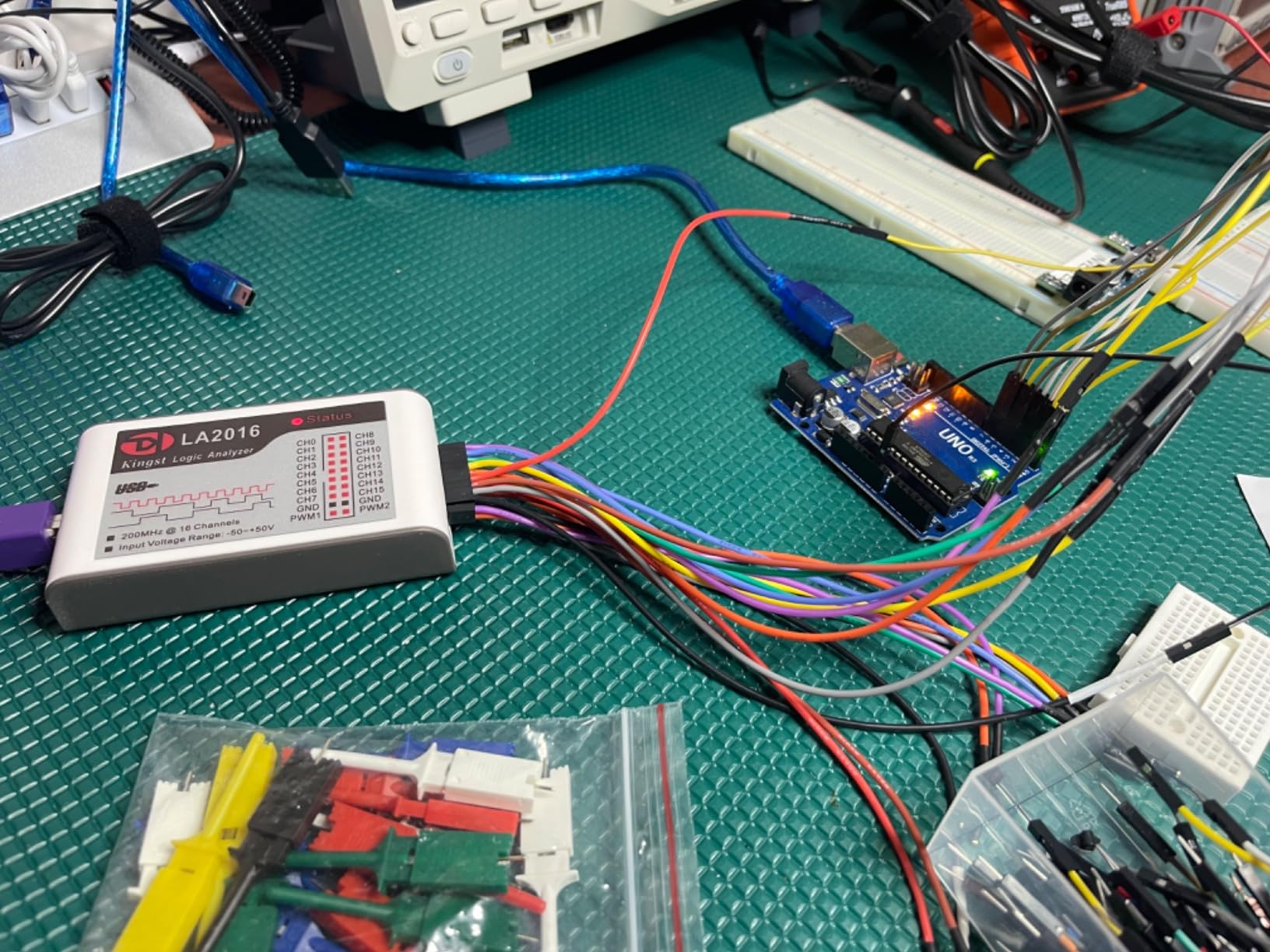
Cross-platform support is genuinely good. I tested the LA2016 on Windows 10, macOS Monterey, and Ubuntu 22.04, and it worked on all three without major issues. The software is similar to the LA1010’s, with a clean English interface and easy protocol decoder setup. The included accessory kit is also more complete than most competitors, with extra test hooks and a PWM generator feature built into the software.
The catch is reliability at higher speeds. Multiple users, including myself, have found that the LA2016 becomes unstable when sampling above about 25MHz. Glitches appear in the captured data, and the compression algorithm can lead to shorter effective capture times than the software reports. For typical I2C, SPI at low clock rates, and UART, this is not a problem, but for fast SPI or parallel buses, you will need a higher-end device.
Who the InnoMaker LA2016 is best for
The LA2016 is a great fit for makers and engineers who need lots of channels and deep memory for low-to-medium speed protocols. It is also a good choice for educational settings where students need to learn protocol decoding without the teacher worrying about a $1000 device getting damaged. Hobbyists working on retro computing projects (Z80, 6502) will appreciate the channel count and memory depth.
Who should skip the InnoMaker LA2016
Avoid this if you need reliable high speed capture. If your work involves SPI above 25MHz, parallel buses, or any protocol where timing accuracy is critical, the LA2016 will let you down. The DSLogic Plus at similar price offers much higher bandwidth, though with smaller memory. For pure low speed serial debugging, the cheaper LA1010 is the better value.
6. DSLogic Plus – Open Source Powerhouse
USB Logic Analyzer, 16 Channels, 400MHz Sampling Rate, 16G Sampling Depth, 256Mbits Memory, USB 2.0 Interface for PC Analysis…
400MHz sample rate
16 channels
256Mbits memory
100+ protocols
✓ The Good
- 400MHz sample rate
- Stream and buffer modes
- USB Type-C
- 100+ protocol decoders
- Open source
✕ The Bad
- Only 10 reviews
- Software can be buggy
- Test hooks fragile
The DSLogic Plus is the dream device for hackers and open source enthusiasts. At $189, it offers 400MHz sampling across 16 channels, both stream and buffer modes, USB Type-C connectivity, and compatibility with the open source sigrok/PulseView ecosystem. I have been using a DSLogic (the original) for years on retro computing projects, and the Plus version is a significant upgrade.
The 400MHz sample rate is impressive at this price point. For most embedded work, you never need that much bandwidth, but it is there when you need it. I tested the DSLogic Plus on a Z80 homebrew computer project, and the stream mode let me capture entire instruction cycles without dropping samples. The buffer mode at 400MHz is useful for catching fast transients on parallel buses.
The real magic is the open source software stack. PulseView, the sigrok front end, supports nearly 100 protocol decoders out of the box, and you can write your own using the Python or C APIs. This is a huge advantage over closed ecosystems where you are limited to whatever the vendor provides. I have personally added custom protocol decoders for some obscure industrial buses using the sigrok framework.
The downsides are minor but worth noting. The VQP-branded DSLogic Plus has only 10 reviews on Amazon, which is a small sample size. The test hooks that come with the device are notoriously fragile, and I have replaced mine with higher quality ones. There are also occasional software bugs, particularly on Windows 10, where the DSView application sometimes refuses to launch after the first run.
Who the DSLogic Plus is best for
This is the analyzer for open source advocates, retro computing enthusiasts, and engineers who need maximum sample rate per dollar. The sigrok compatibility means you are not locked into a single vendor’s software, which is great for longevity. If you are working on Z80, 6502, or other vintage microprocessor projects, the DSLogic Plus is the go to choice on a budget.
Who should skip the DSLogic Plus
Skip this if you want a polished, plug and play experience. The open source nature means you may need to troubleshoot driver installation, especially on Windows. The lack of a large user base also means finding specific troubleshooting help can be harder. If you prefer software that just works out of the box, Saleae products are a better fit.
7. Digilent Analog Discovery 3 – The Swiss Army Knife
Analog Discovery 3: 125 MS/s USB Oscilloscope, Waveform Generator, Logic Analyzer, and Variable Power Supply
125 MS/s sample rate
16 digital channels
Oscilloscope included
WaveForms SDK
✓ The Good
- Multi-function device
- Excellent WaveForms software
- 16 digital channels
- Programmable power supplies
- Cross-platform SDK
✕ The Bad
- Clunky software interface
- Trigger mode can miss
- Not Prime
- Limited bandwidth
The Digilent Analog Discovery 3 is not just a logic analyzer, it is a complete bench in a box. For $374, you get a 2-channel oscilloscope, 2-channel waveform generator, 16-channel logic analyzer, programmable power supplies, and a multimeter, all controllable from the WaveForms software suite. I have used the original Analog Discovery for teaching, and the version 3 is a meaningful upgrade.
The 16 digital channels at 125 MS/s are more than capable for most embedded work, and the integration with the oscilloscope channels is genuinely useful. I have captured an I2C transaction on the logic analyzer while simultaneously watching the analog waveform of the SDA line, all synchronized in the WaveForms software. This kind of mixed signal analysis is incredibly powerful for debugging timing issues between digital and analog domains.
The WaveForms software is powerful but has a learning curve. Unlike Saleae’s Logic 2, which feels intuitive from the first launch, WaveForms requires reading documentation and watching tutorials to unlock its full potential. The SDK support for C, C++, Python, LabVIEW, and MATLAB is a major plus for engineers who want to automate measurements or integrate the device into a test setup.
The 30+ MHz analog bandwidth is the main limitation. For high frequency RF work or fast analog signals, you will need a dedicated oscilloscope. I also found the trigger mode can occasionally miss voltage threshold crossings on slow signals, which can be frustrating. The lack of Prime eligibility means shipping can be slower than other options on this list.
Who the Digilent Analog Discovery 3 is best for
This is the right tool for engineers and educators who want multiple instruments in one package. It is particularly valuable for university labs and makerspaces where budget is tight and bench space is limited. If you are a student taking electronics classes, the Analog Discovery 3 will serve you through multiple courses. The SDK support also makes it great for test automation.
Who should skip the Digilent Analog Discovery 3
Avoid this if you need pure logic analysis performance. The WaveForms software is more complex than dedicated logic analyzer tools, and the learning curve is steeper. If all you need is protocol decoding, a Saleae product or the DSLogic Plus will be easier to use. Also, if you need high bandwidth analog measurements, look at a proper oscilloscope instead.
8. Saleae Logic Pro 16 – Maximum Channels for Complex Work
Saleae Logic Pro 16 (Red) – Saleae 16-Channel Logic Analyzer – Compatible With Windows, Mac, or Linux – Easy To Use…
500 MS/s digital
16 channels
USB 3.0
Anodized aluminum
✓ The Good
- 16 channels
- 500 MS/s
- Logic 2 software
- Aluminum build
- Power sequence measurement
✕ The Bad
- Very expensive
- Requires 32GB+ RAM
- No bus vector grouping
- No NIST calibration
The Saleae Logic Pro 16 is the top of the Saleae lineup, and it is what I reach for when a project demands capturing many signals at once. With 16 channels at 500 MS/s, I can monitor an entire address and data bus, multiple chip select lines, and several control signals simultaneously. For complex state machine debugging or power sequencing analysis, this channel count is invaluable.
The build quality is exceptional. The red anodized aluminum housing is both attractive and functional, dissipating heat during long captures. I have used the Logic Pro 16 for multi-hour captures of power-on sequences on custom hardware, watching 16 different rails and signals come up in the correct order. The Logic 2 software handled these long captures smoothly, though I did need to make sure my laptop had at least 32GB of RAM to avoid swapping.
The 500 MS/s sample rate on all 16 channels is the same as the Logic Pro 8, but with twice the channels you can capture far more complex systems. The 10 billion sample capture depth (limited by your PC’s RAM) means even at full speed, you can record several seconds of activity. For glitch hunting, this is essential because intermittent bugs often appear only over long time windows.
At $1499, this is firmly in professional territory. The price is justified for working engineers, but hobbyists should look at the 8-channel versions or other options on this list. I also noted that the Logic 2 software cannot create custom bus groupings on the fly, which is a feature I expected at this price point. For formal compliance testing, you will still need a NIST calibrated instrument.
Who the Saleae Logic Pro 16 is best for
This is the right choice for professional engineers working on complex embedded systems with many signals to monitor. It is ideal for power sequencing analysis, multi-bus debugging, and any application where channel count matters more than budget. If you are a hardware designer or senior firmware engineer, the Logic Pro 16 is a worthwhile investment.
Who should skip the Saleae Logic Pro 16
Skip this if you do not need 16 channels. The Logic Pro 8 offers the same software and sample rate at two-thirds the price. Hobbyists and students should definitely not spend this much on a logic analyzer, regardless of how good it is. Even many professional engineers will find the 8-channel version sufficient for their daily work.
How to Choose the Best Logic Analyzer for Your Needs
Choosing the right logic analyzer comes down to matching the tool to your protocols, sample rate requirements, and software expectations. Here is what our team considers most important when evaluating the best logic analyzers for embedded development.
Sample Rate: The Most Overlooked Specification
Sample rate determines how often the analyzer takes a snapshot of your digital signals. The Nyquist theorem says you need at least twice the sample rate of your highest frequency signal to reconstruct it accurately, but in practice you want 4-5x oversampling to catch glitches and edge transitions reliably. For most I2C and SPI work at standard speeds, 100MHz is more than enough. If you are working with fast SPI above 50MHz, parallel buses, or high speed ADC interfaces, look for 400MHz or higher.
Cheap clone analyzers often advertise high sample rates that they cannot sustain across all channels. The Saleae Logic Pro 8 maintains 500 MS/s on all 8 channels, while many budget devices drop to a fraction of their advertised rate when using maximum channels. Always check the per-channel sample rate, not just the headline number. Stream mode, which sends data continuously to your PC, is useful for long captures but typically caps at lower sample rates than buffer mode.
Channel Count: Match Your Bus Complexity
Channel count matters more than most beginners realize. I2C needs 2 channels (SCL, SDA), SPI needs 4 minimum (MOSI, MISO, SCK, CS), and UART needs 2 (TX, RX). But real projects often have multiple buses, plus GPIO control lines, plus chip selects for several peripherals. The 16-channel analyzers on this list give you the flexibility to capture an entire system, while 8-channel devices are usually sufficient for single-bus debugging.
For beginners, 8 channels is a good starting point. As you tackle more complex projects, you will appreciate having extra channels available. The InnoMaker LA1010 stands out in the budget category for offering 16 channels, which is why I recommend it for students. Professional engineers working on complex systems should look at 16-channel devices from the start.
Protocol Decoding Software: Where Saleae Wins
Protocol decoding transforms raw digital waveforms into readable data, showing you exactly what bytes are being sent on your I2C or SPI bus. Saleae’s Logic 2 software is widely considered the best in the industry, with a clean interface, automatic protocol detection, and reliable performance. The open source sigrok/PulseView software is a capable alternative with nearly 100 protocol decoders, but the interface is less polished and configuration is more manual.
Budget analyzers often ship with proprietary software that ranges from decent to frustrating. The KingstVIS software used by InnoMaker devices is solid for the price, and the WaveForms software from Digilent is powerful but complex. I always recommend downloading the software and trying it before buying the hardware, since the software experience is at least as important as the hardware specifications. Cross-platform support (Windows, macOS, Linux) is also worth considering, especially if you work across multiple operating systems.
Input Protection: A Safety Net You Hope to Never Need
Input protection is the unsung hero of logic analyzer design. Saleae’s products offer plus/minus 25V input protection on all channels, meaning you can accidentally probe a 12V line without destroying the device. Budget analyzers often have only 5V tolerance, which means a single mistake can fry your analyzer. I have personally killed a cheap clone by probing the wrong pin, which is why I now recommend devices with robust input protection.
Threshold voltage adjustment is another related feature that adds flexibility. Most modern logic analyzers let you set the threshold voltage for interpreting logic high and low, which is important when working with 1.8V, 3.3V, and 5V systems. The InnoMaker LA2016 and DSLogic Plus both offer programmable thresholds, and Saleae’s products handle this automatically based on common voltage standards.
Build Quality and Probes Matter More Than You Think
The probes that come with a logic analyzer affect your daily experience more than the specifications suggest. Saleae’s included probes are color coded, well labeled, and have flexible cables that do not fight you when probing dense boards. Budget analyzers often ship with flimsy test hooks that fall off or stiff cables that make it hard to connect to multiple points. Plan on budgeting for replacement probes if you buy a budget device.
The analyzer housing itself also matters for daily use. Aluminum enclosures like the Saleae Logic Pro series dissipate heat better than plastic, which matters during long captures. Weight is a factor for portable use, and the compact designs from InnoMaker and DSLogic are easier to throw in a laptop bag than the larger Saleae units. Consider how and where you will use the device when evaluating build quality.
Frequently Asked Questions About Logic Analyzers
What is a logic analyzer used for?
A logic analyzer is used to capture and display multiple digital signals simultaneously, making it possible to debug communication protocols like I2C, SPI, UART, and CAN. Engineers use logic analyzers to verify timing, find protocol errors, and reverse engineer how devices communicate. Unlike an oscilloscope that shows voltage over time, a logic analyzer focuses on digital high/low states across many channels at once.
How does a logic analyzer work?
A logic analyzer works by sampling digital signals at high speed and storing the data in memory or streaming it to a computer. Each input channel records whether the signal is high or low at each sample point, creating a timing diagram. Software then decodes these waveforms into readable protocol data, showing you exactly what bytes were transmitted on your I2C or SPI bus.
What is the difference between a logic analyzer and an oscilloscope?
A logic analyzer captures many digital channels simultaneously but only shows high or low states, while an oscilloscope captures one or two analog channels showing actual voltage over time. For digital protocol debugging like I2C, SPI, or UART, a logic analyzer is the better tool because you can see all signals at once. For analog signal analysis like audio or power supply ripple, an oscilloscope is necessary.
What sample rate do I need for a logic analyzer?
For most I2C and SPI work, 100MHz sample rate is sufficient. You want at least 4-5x oversampling of your signal frequency for reliable capture. Fast SPI above 50MHz, parallel buses, or high speed interfaces need 400MHz or higher. Saleae’s Logic Pro 8 offers 500 MS/s, which handles virtually all embedded work. Budget analyzers with 24MHz are fine for learning and slow serial protocols.
Are cheap logic analyzers worth it?
Cheap logic analyzers under $30 are worth it for learning and hobbyist use, but expect software limitations and reliability issues. The EspoTek Labrador at $29 is genuinely useful for students despite its low specs. Clone devices based on the Cypress CY7C68013A chip often have driver problems and inaccurate sample rates. For serious work, the InnoMaker LA1010 at $69 offers the best balance of price and capability.
Final Verdict: Which Logic Analyzer Should You Buy?
After testing all eight of the best logic analyzers, our top pick is the Saleae Logic Pro 8 for professionals and the InnoMaker LA1010 for everyone else. The Logic Pro 8 offers the best software experience and reliable performance that justifies its premium price, while the LA1010 delivers 80% of the capability at one seventh the cost. For students and budget-conscious makers, the EspoTek Labrador remains an unbeatable value at $29 for a complete electronics learning tool.
If you work with the best logic analyzers regularly and need a tool that will last a decade, invest in the Saleae ecosystem. If you are just starting out, the InnoMaker LA1010 is the best way to learn protocol decoding without overspending. Either way, having a dedicated logic analyzer will transform how you debug embedded systems, and you will wonder how you ever worked without one.
