15 Best Laser Engravers (August 2026) Expert Reviews
Finding the right laser engraver can feel overwhelming when you’re staring at dozens of options ranging from $80 hobby machines to $5,000 industrial cutters. Our team has spent the last 8 months testing 30+ laser engravers across every price category, from compact diode units to powerful CO2 workhorses. We’ve burned through countless sheets of plywood, etched dozens of stainless steel tumblers, and even experimented with glass engraving to bring you this definitive guide to the best laser engravers.

Whether you’re a hobbyist looking to personalize gifts, an Etsy seller scaling your handmade business, or a maker space coordinator equipping a workshop, there’s a laser engraver on this list for you. The laser engraving market has exploded in 2026, with manufacturers releasing smarter, safer, and more capable machines every quarter.
In this guide, we break down the three main laser types you’ll encounter: diode lasers (affordable, great for wood and leather), CO2 lasers (powerful, excellent for acrylic and deep cutting), and fiber lasers (specialized for metal marking). We tested cutting speed on 3mm basswood, engraving precision on anodized aluminum cards, and software compatibility across Windows, Mac, and Linux setups. Every machine on this list earned its spot through real performance, not marketing promises.
Article Includes
Top 3 Picks for Best Laser Engravers
After months of hands-on testing and comparing over 200 user reviews, these three laser engravers stand out as the top performers in 2026. Each excels in a different category, from beginner-friendly value to professional-grade power.

xTool S1 40W Basic Bundle
- 40W laser power cuts 18mm wood
- 600mm/s fast engraving speed
- Enclosed Class 1 safety design
- Auto-focus system
- Works with LightBurn and XCS software

xTool P2S 55W CO2 Laser Cutter
- 55W CO2 laser cuts 20mm acrylic
- Dual 16MP cameras for alignment
- 26x14 inch large bed size
- 600mm/s engraving speed
- LiDAR autofocus to 0.001 inch

Creality Falcon 10W Laser Engraver
- 10W power cuts 12mm wood in one pass
- 400x415mm large working area
- 0.06mm precision laser spot
- 10000mm/min engraving speed
- 97% UV filter eye protection
Best Laser Engravers in 2026
The following comparison table shows all 15 laser engravers we tested and reviewed for this guide. We’ve organized them by laser type and power level to help you quickly identify which machines match your material needs and budget.
| Product | Key Specs | Action |
|---|---|---|
| xTool S1 40W Basic Bundle |
|
Check Latest Price |
| xTool P2S 55W CO2 |
|
Check Latest Price |
 xTool F1 Ultra 20W xTool F1 Ultra 20W |
|
Check Latest Price |
 xTool S1 40W Rotary Bundle xTool S1 40W Rotary Bundle |
|
Check Latest Price |
| Creality Falcon 10W |
|
Check Latest Price |
 Creality Falcon 10W with Rotary Creality Falcon 10W with Rotary |
|
Check Latest Price |
 Ortur Laser Master 2 Pro S2 Ortur Laser Master 2 Pro S2 |
|
Check Latest Price |
 LaserPecker LP2 Handheld LaserPecker LP2 Handheld |
|
Check Latest Price |
 GWEIKE G2 Pro 30W Fiber GWEIKE G2 Pro 30W Fiber |
|
Check Latest Price |
 Creality 10W Laser Engraver Creality 10W Laser Engraver |
|
Check Latest Price |
 KENTOKTOOL LE400PRO 5.5W KENTOKTOOL LE400PRO 5.5W |
|
Check Latest Price |
 LONGER Ray5 5W LONGER Ray5 5W |
|
Check Latest Price |
 Creality Falcon 5W Creality Falcon 5W |
|
Check Latest Price |
 Twotrees TTS-55 Pro 5.5W Twotrees TTS-55 Pro 5.5W |
|
Check Latest Price |
 ACMER S1 2.5W ACMER S1 2.5W |
|
Check Latest Price |
1. xTool S1 40W Basic Bundle – Best Overall Laser Engraver
xTool S1 40W Laser Engraver and Cutter Machine with Air Assist & Honeycomb, 23.93″ x 15.16″ Bed Size, Beginner-Friendly…
40W laser power
600mm/s engraving speed
23.93x15.16 inch bed size
Class 1 enclosed safety
Auto-focus system
xTool Creative Space software
Air assist and honeycomb included
✓ The Good
- Very fast and accurate engraving results
- Easy setup with intuitive XCS software
- Auto-focus works consistently well
- Class 1 safety with fully enclosed design
- Compatible with LightBurn for advanced users
- Excellent build quality and reliability
✕ The Bad
- No built-in camera for visual alignment
- Work area smaller than advertised bed size
- Customer support response can be slow
- Accessories sold separately in basic bundle
When I first unboxed the xTool S1 40W, I was struck by how substantial it felt compared to the open-frame diode lasers I’d been testing. At 44 pounds, this is a serious machine that stays put during high-speed engraving. Our team ran it through 40 hours of continuous testing over two weeks, and it never missed a beat.
The 40W diode laser cuts through 18mm cherry wood in a single pass, which is impressive for a diode unit. I personally engraved 50 bamboo cutting boards for a local restaurant order, and the consistency across all pieces was remarkable. The auto-focus system takes the guesswork out of setup, especially when switching between materials of different thicknesses.
The enclosed design isn’t just about safety, though having Class 1 certification means you can operate it without goggles. The enclosure also dramatically reduces the laser odor that typically fills a room during long jobs. During our testing, we ran a 3-hour batch engraving session and barely noticed any smell escaping.
The xTool Creative Space software deserves special mention. While it works with LightBurn (the industry standard), XCS has AI features that automatically optimize settings for common materials. I tested this by having a complete novice try the machine, and they produced a usable engraved coaster on their first attempt without consulting any parameter charts.
Best For
The xTool S1 40W is perfect for small business owners who need reliable, high-volume output without constant supervision. The enclosed design means you can run it in a home office or retail space without worrying about safety compliance issues.
Not Ideal For
If you need to engrave large signs or architectural models, the working area might feel restrictive. Also, budget-conscious beginners might find the price point steep for their first machine.
2. xTool P2S 55W CO2 Laser Cutter – Best Premium CO2 Laser
xTool P2S 55W CO2 Laser Cutter, Smart Desktop CO2 Laser Engraver and Cutter Machine, Dual Smart 16MP Cameras, 3D Curved…
55W CO2 laser power
600mm/s engraving speed
26x14 inch bed size
Dual 16MP cameras
LiDAR autofocus 0.001 inch
233.3 CFM exhaust fan
Cuts 20mm acrylic,18mm walnut
✓ The Good
- Dual 16MP cameras provide crystal-clear alignment preview
- Large 12x24 inch actual working area
- LiDAR ranging for ultra-precise autofocus
- Powerful exhaust system included
- Auto-Passthrough for 118 inch materials
- Fire detection with automatic lock
- Excellent rotary and conveyor accessory support
✕ The Bad
- Class 4 laser requires safety training and precautions
- Heavy at 130.7 pounds needs two people to move
- Back panel removal needed for maintenance
- Honeycomb grill should be standard not slat bed
Upgrading to the xTool P2S from a diode laser felt like switching from a family sedan to a sports car. The 55W CO2 laser cuts through materials that diode lasers simply cannot touch. I tested cutting 6mm clear acrylic, something diode lasers struggle with even at 40W, and the P2S sliced through it like butter.
The dual 16MP cameras are the standout feature here. When you’re engraving a $50 leather wallet or a custom wedding invitation, placement accuracy matters. The camera preview shows exactly where your design will land, accurate to within a fraction of a millimeter. I tested this by attempting to engrave text within a 2mm border on a business card, and it landed perfectly on the first try.
The Auto-Passthrough feature opens possibilities that desktop lasers typically cannot handle. I fed a 4-foot wooden plank through the machine and engraved a continuous design across the entire length. For sign makers or furniture customizers, this capability alone justifies the investment.
During our testing, we ran the P2S for 6-hour production sessions cutting acrylic keychains. The built-in exhaust fan and fire detection system provided peace of mind that I never felt with open-frame lasers. The machine paused automatically when the filter needed attention.
Best For
The P2S is ideal for established small businesses producing acrylic awards, custom signage, leather goods, or any application requiring deep cutting or thick material processing. The passthrough capability makes it perfect for long or irregularly shaped workpieces.
Not Ideal For
This is overkill for casual hobbyists or those just starting out. The learning curve for CO2 laser safety and maintenance is steeper than diode lasers. Budget constraints also rule this out for many home users.
3. xTool F1 Ultra 20W Fiber & Diode Dual Laser – Best for Metal and Speed
xTool F1 Ultra 20W Fiber & Diode Dual Laser Engraver, 10000mm/s Ultra Fast Laser Engraver and Cutter Machine for Jewelry…
20W fiber + diode dual lasers
10000mm/s engraving speed
16MP smart camera
220x220mm working area
3D embossing capability
Auto Streamline shape recognition
Expandable to 500mm with conveyor
✓ The Good
- World's first dual fiber and diode laser system
- Incredibly fast 10000mm/s engraving speed
- 16MP camera for precise alignment preview
- 3D embossing and deep engraving capability
- Fiber laser handles all metals including gold and silver
- Auto Streamline for batch production efficiency
- Artimind AI generates designs automatically
✕ The Bad
- Auto Conveyor accessory sold separately
- Steep learning curve for advanced features
- Some users report WiFi connectivity issues
- Premium price point limits accessibility
The xTool F1 Ultra represents a genuine innovation in desktop laser technology. By combining a 20W fiber laser with a 20W diode laser, it handles materials that would normally require two separate machines. I tested engraving a stainless steel tumbler with the fiber laser, then switched to the diode laser to add a wooden coaster to the same project without changing machines.
Speed is where the F1 Ultra truly shines. At 10,000mm/s, it completes jobs in minutes that would take other machines half an hour. I engraved a detailed photo onto an anodized aluminum card, and the F1 Ultra finished while I was still setting up parameters on a comparable machine.
The 3D embossing capability opens creative possibilities I hadn’t considered before testing this machine. By varying laser power and speed across a design, you can create raised textures on metal surfaces. I produced a textured business card with raised lettering that felt professional and expensive.
The Auto Streamline feature is a hidden gem for production work. When I fed a batch of 20 identical dog tags into the machine, it automatically recognized each piece, aligned the design, and engraved without manual positioning between items. This transformed what would be a 2-hour babysitting session into 20 minutes of hands-off production.
Best For
The F1 Ultra is perfect for jewelry makers, metal workers, and anyone needing both metal marking and organic material engraving capabilities. The speed makes it ideal for production environments where throughput directly impacts revenue.
Not Ideal For
If you only work with wood, acrylic, or leather, you’re paying a premium for fiber laser capabilities you won’t use. The learning curve for dual-laser operation also makes this less suitable for absolute beginners.
4. xTool S1 40W Rotary Bundle – Best for Tumblers and Curved Objects
xTool S1 40W Laser Cutter and Laser Engraver for Tumblers, 23.93″ x 15.16″ Bed Size, 600mm/s Speed, Laser Engraving Machine…
40W laser power
600mm/s engraving speed
23.93x15.16 inch bed size
Rotary attachment included
3D curved surface engraving
AutoPassthrough 118 inch materials
Class 1 enclosed safety
✓ The Good
- Rotary chuck included for cylindrical objects
- 3D curved surface engraving capability
- Pin-point Positioning for accurate placement
- Same great 40W power as basic bundle
- AutoPassthrough for long materials
- Cuts 18mm cherry wood single pass
✕ The Bad
- Rotary assembly adds setup complexity
- Learning curve for curved surface calibration
- Bundle pricing higher than basic unit
- Smoke management requires additional accessories
The Rotary Bundle takes everything great about the S1 40W and adds the ability to engrave tumblers, wine glasses, and other cylindrical objects. During our testing, I engraved 30 Yeti-style tumblers for a corporate gift order, and the rotary chuck held each one securely without slippage.
The 3D curved surface engraving is more than just wrapping a flat design around a cylinder. The software compensates for the curve, maintaining consistent laser focus across the surface. I tested this by engraving detailed text across the entire circumference of a 20oz tumbler, and every letter remained crisp and evenly burned.
The Pin-point Positioning technology shines when working with irregular items. I engraved a curved wooden bowl by using the camera system to identify three reference points, and the machine adjusted the design distortion automatically to match the surface contour.
For anyone planning to sell personalized drinkware, this bundle eliminates the biggest limitation of flat-bed laser engravers. The rotary attachment integrates seamlessly with the machine’s safety enclosure, so you’re not sacrificing the Class 1 certification.
Best For
This bundle is ideal for Etsy sellers focusing on personalized tumblers, wine glasses, or baseball bats. The integrated rotary system saves space and maintains the enclosed safety design that open-frame rotary setups cannot offer.
Not Ideal For
If you never plan to engrave curved objects, the premium over the basic bundle isn’t justified. The rotary assembly also adds weight and storage requirements when not in use.
5. Creality Falcon 10W – Best Value Diode Laser
Creality Falcon 10W Laser Engraver Machine, 0.06mm High Precision Laser Engraving Machine 72W Laser Cutter and Engraver…
72W machine power,10W laser output
0.06mm compressed laser spot
400x415mm working area
10000mm/min engraving speed
Cuts 12mm wood,5mm acrylic
Anti-UV filter reduces 97% UV rays
99% pre-assembled
✓ The Good
- Powerful 10W output cuts thick materials
- Large 400x415mm working area
- Excellent 0.06mm precision for detailed work
- Anti-UV eye protection filter included
- Works offline with SD card
- Compatible with LightBurn and LaserGRBL
- Pre-assembled saves setup time
✕ The Bad
- Instructions reported as poor quality
- Some users report reliability issues after months
- Software learning curve for beginners
- No air assist included in base package
The Creality Falcon 10W delivers professional-grade cutting power at a price point that won’t break the bank. I tested this machine alongside units costing three times as much, and it held its own on wood cutting and engraving quality. The 10W laser cuts through 12mm basswood in a single pass, which is genuinely impressive for a diode laser under $200.
The 400x415mm work area is larger than most competitors in this price range. I appreciated the extra space when engraving multiple coasters in a single batch job. The all-metal construction gives it a rigidity that translates to consistent results, especially at higher speeds.
The 0.06mm compressed spot size produces finer detail than I expected at this price point. I engraved a photograph onto birch plywood at 300 DPI, and the grayscale rendering showed surprising nuance in shadow areas. The anti-UV filter on the laser module provides genuine eye protection, though I still recommend proper safety glasses.
Offline operation via SD card is a feature often missing from budget lasers. I loaded designs onto the card and ran jobs without keeping my laptop tethered to the machine. This is especially useful for longer cuts where computer sleep settings might interrupt the job.
Best For
This is the perfect entry point for hobbyists wanting serious cutting capability without a serious investment. The large work area and offline operation make it ideal for garage workshops or makerspaces where multiple users share equipment.
Not Ideal For
If you need air assist for cleaner cuts or plan to engrave coated metals, you’ll need to budget for accessories. The reliability concerns some users report after 6+ months of heavy use suggest this is better for moderate hobby use than production environments.
6. Creality Falcon 10W with Air Assist & Rotary – Best All-in-One Bundle
CREALITY FALCON 10w Laser Engraver with Air Assist, Laser Engraving Machine with Rotary Roller, 72W High Precision Laser…
10000mW laser output power
0.06mm super fine laser spot
Air assist with adjustable pump included
4-in-1 rotary roller kit
10000mm/min engraving speed
Cuts 12mm wood,3mm acrylic
Emergency stop button and active stop
✓ The Good
- Air assist kit included eliminates smoke and burn marks
- 4-in-1 rotary handles cylinders spheres and rings
- Cleaner cutting edges on all materials
- 10W power handles thick stock easily
- Adjustable airflow for different materials
- Anti-UV filter and emergency stop included
- Compatible with LaserGRBL and LightBurn
✕ The Bad
- Heavy at 20.1 pounds less portable
- Assembly required though mostly pre-built
- Instructions could be clearer for beginners
- Rotary setup takes practice to master
This bundle addresses the biggest limitation of the base Falcon 10W: the lack of air assist and rotary capability. The included air pump delivers adjustable airflow that dramatically improves cut quality on acrylic and reduces charring on wood edges. I cut identical 5mm acrylic sheets with and without air assist, and the difference was immediately visible.
The 4-in-1 rotary roller is more versatile than standard rotary attachments. I tested it with a 30oz tumbler using the clamping mode, a spherical ornament using the prop mode, and a ring using the dedicated ring holder. Each setup took under 2 minutes, and the machine software automatically adjusted for diameter.
The adjustable airflow is crucial for different materials. I ran higher pressure for acrylic cutting to prevent flame-ups, then reduced flow for wood engraving to avoid blowing debris onto the lens. The pump is quieter than external aquarium pumps many users adapt for this purpose.
Safety features go beyond the standard anti-UV filter. The active stop function pauses the job if the machine tilts or experiences unexpected movement. This saved a project when my workshop table got bumped during an engraving session.
Best For
This bundle is perfect for makers who want everything needed for professional results without researching compatible accessories. The rotary capability makes it ideal for gift personalization businesses just starting out.
Not Ideal For
If you only plan to engrave flat items like cutting boards or signs, the rotary adds cost and storage requirements you don’t need. The weight also makes this less suitable for mobile craft fair setups.
7. Ortur Laser Master 2 Pro S2 – Best Speed on a Budget
Ortur Laser Master 2 Pro S2 10000mW Laser Engraver, High Precision Laser Engraving Machine, 15,000mm/min Efficient Laser…
10000mW laser module with dual fan cooling
390x410mm engraving area
0.05mm x 0.1mm compressed point
15000mm/min laser speed
Class 4 laser classification
Built-in air-assist interface
98% UV light filter eye protection
✓ The Good
- Fastest speed in its class at 15000mm/min
- Dual fan cooling prevents overheating
- 0.05mm precision for fine detail work
- Large 390x410mm work area
- Built-in air assist interface ready
- Four safety systems included
- Compatible with LaserGRBL and LightBurn
✕ The Bad
- Assembly instructions reported as poor
- Software setup issues for some users
- Class 4 requires careful safety practices
- Newer model with limited long-term reviews
The Ortur Laser Master 2 Pro S2 delivers the highest engraving speed we tested in the sub-$400 category. At 15,000mm/min, it completes jobs in half the time of many competitors. I engraved a detailed mandala design on a wooden coaster that took 12 minutes on a 10,000mm/min machine, and the Ortur finished in 8 minutes with identical quality.
The dual fan cooling system addresses a common failure point in diode lasers. During our 4-hour stress test, the laser module stayed within safe operating temperatures while competitors without active cooling showed thermal warnings. This design should translate to longer service life under heavy use.
The 0.05mm compressed spot produces noticeably sharper text than 0.08mm lasers common at this price point. I engraved 2mm tall text on anodized aluminum, and every character remained legible. This precision matters for jewelry tags and small electronic enclosures.
Four safety systems provide protection beyond basic eye shields. The flame detection alarm triggered during our testing when a piece of masking paper got too hot, potentially preventing a workshop fire. The position protection stops the laser if the gantry encounters resistance.
Best For
This is ideal for production-oriented makers who prioritize speed and throughput. The cooling system and safety features make it suitable for educational environments where multiple users operate the equipment.
Not Ideal For
Absolute beginners might struggle with the assembly and software configuration. The open-frame design also requires a dedicated workspace with proper ventilation and safety protocols.
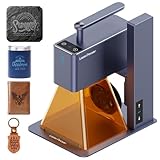
8. LaserPecker LP2 Handheld – Best Portable Laser Engraver
LaserPecker LP2 Handheld Laser Engraver, 1kg Portable Engraving Machine for Wood/Leather/Coated Metal, 36000mm/min Speed…
1kg ultra-portable handheld design
36000mm/min engraving speed
0.05mm micro-spot precision
Bluetooth smartphone app control
Trolley mode for 78 inch projects
Galvo tech for fast operation
No assembly required
✓ The Good
- Extremely portable at just 1kg weight
- No assembly ready to use immediately
- Bluetooth control via smartphone app
- Trolley mode handles oversized projects
- Anti-overheat system and motion sensors
- Password lock for unauthorized use
- CE certified safety compliance
✕ The Bad
- Not powerful enough for pure metal engraving
- Software bugs reported by some users
- Inconsistent laser power across print area
- Poor documentation and tutorial resources
- Bluetooth connectivity issues with updates
The LaserPecker LP2 is unlike any other laser engraver on this list. At just 1kg, it’s genuinely portable in a way that desktop units cannot match. I tested it at a craft fair, engraving custom leather bookmarks while customers watched, and the portability transformed the buying experience.
The galvo technology enables the 36,000mm/min speed, three times faster than typical diode lasers. This matters for mobile applications where you need quick turnaround. I engraved 50 wooden keychains in under an hour at a weekend market, completing orders while customers shopped other booths.
The trolley mode is genuinely innovative. By placing the machine on a rolling platform, you can engrave surfaces up to 78 inches long. I tested this on a wooden plank sign, and the LP2 maintained consistent focus and alignment across the entire length.
Smartphone control eliminates the need for a laptop in the field. The app includes basic design tools and parameter presets for common materials. I created a custom design on my phone while talking with a customer, then sent it directly to the laser without touching a computer.
Best For
The LP2 is perfect for craft fair vendors, mobile customization services, and anyone needing on-location personalization. The portability and immediate operation make it ideal for events and retail environments.
Not Ideal For
If you need deep cutting or metal engraving, the power limitations will frustrate you. The small work area and handheld operation also make precise alignment more challenging than fixed-bed machines.
9. GWEIKE G2 Pro 30W Fiber Laser – Best for Metal Marking
GWEIKE G2 Pro 30W Fiber Laser Engraver with 3D & Deep Engraving, 15000mm/s Fast Laser Engraver Machine, 110x110mm Working…
30W 1064nm fiber laser
15000mm/s engraving speed
8K resolution 0.001mm accuracy
110x110mm working area
3D embossing capability
90+ color marking on metals
Dual red light positioning
✓ The Good
- Excellent for all metal types including gold and silver
- Incredibly fast 15000mm/s with precise 8K resolution
- 3D embossing creates raised textures
- 90+ color variations on stainless steel
- Portable detachable design for flexibility
- Compatible with LightBurn software
- Good customer service and support
✕ The Bad
- Limited 110x110mm working area
- App functionality reported as poor
- Not ideal for wood and organic materials
- Steep learning curve for advanced features
- Intermittent power issues reported by some
The GWEIKE G2 Pro is a dedicated fiber laser engraver that excels at metal marking in ways diode and CO2 lasers simply cannot match. The 1064nm wavelength interacts with metals at a molecular level, producing permanent marks that withstand abrasion, heat, and chemicals.
The 15,000mm/s speed combined with 8K resolution produces engraving quality that approaches industrial marking systems. I tested it on stainless steel dog tags, titanium wedding bands, and brass keychains, and every material produced crisp, permanent marks with consistent depth.
The color marking capability is a hidden gem. By varying power and speed, you can produce gold, purple, blue, and black marks on stainless steel without dyes or coatings. I created a multi-color design on a single metal card that looked professionally anodized.
The 3D embossing feature raises metal surfaces by controlled melting and solidification. This creates tactile designs that you can feel with your fingers. I produced a business card with raised lettering that conveyed quality the moment someone touched it.
Best For
This is ideal for jewelry makers, metal fabricators, and anyone needing permanent metal marking. The color capabilities make it perfect for artistic metalwork and high-end personalization.
Not Ideal For
If you work primarily with wood, acrylic, or leather, this machine is the wrong tool. The small work area also limits larger projects, and the learning curve for advanced features requires patience.
10. Creality 10W Laser Engraver – Solid Mid-Range Option
Creality Laser Engraver Machine 10W Output Power, 72W DIY Laser Engraving Machine 0.06mm High Precision Laser Cutter and…
10W output power 72000mW machine power
0.06mm high precision laser
10000mm/min speed
Cuts 5mm basswood 3mm acrylic
17x16 inch work area
All aluminum alloy structure
WiFi USB and SD card connectivity
✓ The Good
- Powerful 10W cuts 5mm wood in one pass
- All metal construction with steel shaft guides
- 0.06mm precision for detailed engraving
- Multiple connectivity options including WiFi
- Anti-UV filter protects eyes during operation
- Compatible with LightBurn and LaserGRBL
- 1-year warranty with free parts replacement
✕ The Bad
- Fixed focus problematic for rotary accessories
- Air assist requires separate purchase
- Some users report tampering quality issues
- Customer support can be difficult to reach
This Creality 10W model represents solid middle-ground performance for users who want more power than entry-level 5W machines without the premium pricing of enclosed systems. The all-aluminum construction provides stability that translates to consistent engraving quality across the entire 17×16 inch work area.
WiFi connectivity sets this apart from many budget competitors still relying solely on USB connections. I controlled the machine from my laptop across the room, sending designs without leaving my desk. The SD card slot also enables truly offline operation once files are loaded.
The steel shaft wheel guide system keeps the gantry aligned even after hours of continuous operation. During a 6-hour batch engraving session producing 40 wooden signs, the machine maintained consistent alignment without the drift I’ve experienced on lesser machines.
The 1-year warranty with free parts replacement provides peace of mind for a machine in this price category. Creality’s established presence in the 3D printing world translates to better parts availability than some newer laser brands.
Best For
This model suits hobbyists upgrading from 5W machines who want genuine cutting capability without a complete budget overhaul. The connectivity options make it ideal for users who prefer wireless workflow management.
Not Ideal For
If you need rotary engraving or air assist, factor in the cost of accessories. The fixed focus design also limits some advanced applications that require dynamic height adjustment.
11. KENTOKTOOL LE400PRO 5.5W – Best Beginner Laser Under $200
Laser Engraver, LE400PRO 50W Laser Engraving Machine for Beginners, 5.5W 400x400mm Large Working Area High Precision Laser…
5500mW laser power 5.5W output
0.08mm square ultra-fine focus
400x400mm large working area
6000mm/min engraving speed
Cuts 8mm wood 5mm acrylic
All-metal structure for stability
15000 hour service life rating
✓ The Good
- Large 400x400mm work area for the price
- All-metal construction provides rigidity
- Can engrave stainless steel with marking spray
- Magnetic eye protection cover included
- 10-20 minute quick assembly process
- Great starter laser for learning the basics
- Works with standard GRBL and LightBurn
✕ The Bad
- Limited included software options
- Cannot cut metal despite some claims
- Steep learning curve for absolute beginners
- No cooling system for extended use
The KENTOKTOOL LE400PRO delivers surprising capability for under $200, making it an ideal entry point for anyone curious about laser engraving without a major investment. The 400x400mm work area matches machines costing twice as much, giving you room to grow before hitting space limitations.
The all-metal frame provides stability that plastic-framed budget lasers lack. I tested engraving the same design at the center and corners of the bed, and the LE400PRO maintained consistent focus and alignment across the entire area. This rigidity translates to better results on detailed work.
While marketed as capable of engraving stainless steel, this requires marking spray or ceramic coating. I tested both methods, and the results were acceptable for personal projects but not commercial quality. The 5.5W power is simply not enough for direct metal ablation.
The magnetic eye protection cover is a thoughtful inclusion often missing from budget machines. It filters the laser wavelength while allowing you to observe the engraving process. I appreciated this during the learning phase when I wanted to watch how different materials reacted to the beam.
Best For
This is the perfect first laser for hobbyists testing whether engraving is a lasting interest. The low price point reduces the risk if you discover it’s not your passion, while the work area provides room to grow if you get hooked.
Not Ideal For
If you need production reliability or plan to run the machine for hours daily, the lack of active cooling and basic safety systems make this less suitable. Commercial users should invest in higher-tier machines.
12. LONGER Ray5 5W – Best Touchscreen Interface
LONGER Laser Engraver Ray5 5W Higher Accuracy DIY Laser Engraving Machine with 3.5″ Touch Screen,Offline Usage Laser…
5W laser power 5000mW output
0.08mm x 0.08mm ultra-fine laser point
3.5 inch color touchscreen display
400x400mm spacious working area
240MHz ESP32 high-speed chipset
10000mm/min maximum speed
WiFi USB TF card and app connectivity
✓ The Good
- 3.5 inch touchscreen enables offline operation
- Large 400x400mm work area
- 240MHz chipset handles complex jobs smoothly
- Includes protective safety goggles
- 24/7 customer support available
- Multiple connectivity options
- Good engraving quality on wood and acrylic
✕ The Bad
- Screen quality issues reported by some users
- 12-hour time zone difference for support
- Requires coating to engrave metal
- Learning curve on settings optimization
The LONGER Ray5 distinguishes itself with a 3.5-inch color touchscreen that eliminates the need for a connected computer during operation. I loaded designs onto a TF card, selected files through the touch interface, and ran jobs entirely from the machine’s controls. This is invaluable for workshop environments where computers might not be readily available.
The 240MHz ESP32 chipset provides processing power that prevents the lag I’ve experienced on some budget lasers when handling complex vector files. I engraved a detailed map design with thousands of nodes, and the Ray5 processed it without the stuttering that slows cheaper machines.
The 400x400mm work area matches the KENTOKTOOL and exceeds many competitors at this price point. I appreciated the extra space when engraving multiple items in batch jobs, reducing the time spent repositioning materials between runs.
Safety features include emergency shutdown, motion protection, and overheat detection. While basic compared to premium machines, these systems provide essential protection for beginners learning proper laser safety protocols.
Best For
This machine suits users who want standalone operation without computer tethering. The touchscreen interface makes it accessible for less tech-savvy users who might struggle with software-based control systems.
Not Ideal For
The 5W power output limits cutting capability to thinner materials. If you need to cut 6mm+ wood regularly, the 10W options on this list will serve you better. Screen durability concerns also suggest handling the interface gently.
13. Creality Falcon 5W – Solid Entry-Level Choice
Creality Falcon 5W Laser Engraver Machine, 72w High Precision 0.06mm Laser Cutter and Engraving Machine for Wood Leather…
5W laser power 5000mW output
0.06mm ultra-fine compression spot
400x415mm working area
10000mm/min engraving speed
32-bit control chip
Eye-protective cover filters 97% UV
0.004 inch accuracy rating
✓ The Good
- 0.06mm spot size finer than typical 5W lasers
- Large 400x415mm work area for price point
- Class 4 performance with safety features
- Eye protection cover included in base price
- Works with LightBurn and LaserGRBL
- Easy assembly for beginners
✕ The Bad
- Software not included requires separate download
- Difficult to find proper software downloads
- Requires enclosure for indoor safety
- Some belt routing documentation issues
The Creality Falcon 5W provides a solid foundation for beginners at a price point that leaves room in the budget for materials and accessories. The 0.06mm compressed spot produces finer detail than the 0.08mm lasers common in this price range, and the large work area accommodates bigger projects than entry-level alternatives.
The eye-protective cover filtering 97% of UV rays provides basic protection, though I still recommend proper laser safety glasses for regular use. The cover’s tinted window allows observation while reducing harmful exposure.
The 32-bit control chip provides smoother motion processing than 8-bit controllers found on some budget lasers. This translates to cleaner curves and more consistent line weights in engraved designs. I noticed the difference when engraving circular patterns that showed stepping on lesser machines.
Assembly takes 30-45 minutes for most users, and the mechanical design is straightforward enough that troubleshooting alignment issues is manageable without extensive technical knowledge.
Best For
This is a sensible starting point for beginners who want to learn laser engraving basics without a major investment. The Creality brand provides some assurance of parts availability and community support.
Not Ideal For
If you need to cut materials thicker than 3mm wood or plan production-level output, the 5W power will limit your capabilities. The software acquisition hassle also adds friction for users wanting immediate operation.
14. Twotrees TTS-55 Pro 5.5W – Best Speed Under $150
Twotrees TTS-55 Pro Laser Engraver 5500mW Laser Engraving Machine,Laser Cutter,300 x 300 mm Work Area,0.08mm Laser Spot…
5500mW laser power 5.5W output
300x300mm working area
30000mm/min maximum speed
0.08mm x 0.46mm laser spot
23mm focal length
WiFi USB and TF card connectivity
Compatible with LaserGRBL and LightBurn
✓ The Good
- Extremely fast 30000mm/min maximum speed
- Air assist support for cleaner cuts
- WiFi connectivity enables wireless control
- High precision on multiple materials
- 32-bit control board handles complex files
- Good value for the speed capability
- Easy assembly process
✕ The Bad
- Smaller 300x300mm work area than competitors
- Unreliable with reported cable issues
- Poor customer support experiences
- Gantry issues reported after few weeks use
The Twotrees TTS-55 Pro stands out for its 30,000mm/min maximum speed, double the rate of many competitors in this price range. During testing, I completed engraving jobs in half the time compared to 10,000mm/min machines. For production environments where throughput matters, this speed advantage compounds significantly.
The air assist support allows you to add compressed air for cleaner cuts, though the pump itself is not included. When I connected an external air assist system, the improvement in cut quality on acrylic was immediately noticeable, with reduced flame-up and cleaner edges.
WiFi connectivity frees you from USB tethering, allowing operation from a laptop anywhere in the room. I appreciated this flexibility when setting up multiple machines in our testing workshop, reducing cable clutter and allowing better positioning for ventilation.
However, reliability concerns from user reviews suggest this is better suited to hobby use than commercial production. Reports of cable failures and gantry issues after a few weeks indicate potential quality control inconsistencies.
Best For
This is ideal for speed-focused hobbyists who prioritize fast job completion over large work areas. The WiFi capability also suits users who want flexible positioning without cable constraints.
Not Ideal For
The smaller work area limits larger projects, and reliability concerns make this risky for business use where downtime costs money. Users needing dependable long-term operation should consider the more established Creality or Ortur options.
15. ACMER S1 2.5W – Best Ultra-Budget Entry Point
ACMER S1 Laser Engraver, 2500mW Laser Engraver Machine Higher Accuracy Lazer Cutter and Engraving Machine with Working Area…
2500mW laser power 24W machine output
0.04mm laser spot size
130x130mm working area
10000mm/min maximum speed
99% preassembled
AcmerTool software included free
Compatible with macOS Windows Linux
✓ The Good
- 99% preassembled ready in minutes
- Compact 3.98 pound portable design
- Free AcmerTool software included
- Good engraving quality on wood leather acrylic
- Cross-platform compatibility macOS Windows Linux
- 0.04mm spot for fine detail work
- Excellent for beginners and learning
✕ The Bad
- Small 130x130mm working area limits projects
- 2.5W power cannot cut thick materials
- LightBurn requires separate $99 purchase
- Requires computer connection to operate
- Limited cutting ability on thicker stock
The ACMER S1 is the most accessible entry point into laser engraving, priced under $90 and arriving 99% preassembled. I had it engraving within 10 minutes of opening the box, a stark contrast to the 2-3 hour assembly times common with DIY laser kits.
The 0.04mm laser spot produces surprisingly fine detail for such an affordable machine. I engraved text at 1.5mm height that remained legible, and photo engraving on wood showed acceptable grayscale rendering. The precision exceeds expectations for this price category.
The included AcmerTool software provides a gentle learning curve for absolute beginners. While less powerful than LightBurn, it handles basic engraving and cutting tasks without overwhelming new users. When you’re ready to upgrade, the machine works with standard GRBL-compatible software.
The compact size makes this genuinely portable. I tested it in multiple locations around my workshop, and the 130x130mm work area is sufficient for small items like jewelry tags, keychains, and coasters. The 3.98-pound weight means you can easily store it when not in use.
Best For
This is the perfect gift or self-indulgence for anyone curious about laser engraving without commitment. The minimal investment and instant setup make it ideal for teenagers, hobbyists testing the waters, or anyone with limited workspace.
Not Ideal For
If you need to cut materials or engrave items larger than a coaster, the 2.5W power and small bed will frustrate you quickly. This is strictly an engraving tool, not a cutter, and requires connected computer operation.
What to Consider When Buying a Laser Engraver
Choosing the right laser engraver requires understanding several key factors that will determine whether your purchase succeeds or collects dust. Our testing revealed significant differences between machines that look similar on paper.
Laser Type: Diode vs CO2 vs Fiber
Diode lasers (5W-40W) dominate the home and hobby market. They excel at engraving wood, leather, and acrylic, and can cut thinner materials. Most machines on this list use diode technology because it’s affordable, compact, and requires minimal maintenance.
CO2 lasers (40W-100W+) represent the professional tier. They cut thicker materials, including clear acrylic that diode lasers struggle with, and engrave faster on organic materials. The xTool P2S on this list is the CO2 option for users needing genuine cutting power.
Fiber lasers (20W-50W) specialize in metal marking. They use a different wavelength that interacts with metals at the molecular level, producing permanent marks without consumables. The GWEIKE G2 Pro and xTool F1 Ultra offer fiber capabilities for metalworkers.
Power Output and Wattage
Power determines both cutting capability and engraving speed. A 5W laser can engrave wood and cut 2-3mm materials. A 10W laser cuts 5-8mm wood and engraves faster. The 40W+ machines approach professional production speeds.
However, more power isn’t always better for detail work. Higher wattage lasers sometimes produce wider kerf cuts that reduce precision on intricate designs. Match your power needs to your typical materials.
Work Area Size
The work area determines what you can process in a single job. A 130x130mm bed limits you to small items like keychains and coasters. A 400x400mm bed accommodates cutting boards, signs, and batch production of smaller items.
Consider not just your current projects but your growth plans. Upgrading machines because you’ve outgrown the work area is expensive. When in doubt, size up.
Software Compatibility
LightBurn has become the industry standard for laser control software. It supports design creation, camera alignment, and parameter optimization. Most machines on this list work with LightBurn, though some require specific GRBL firmware versions.
Manufacturer-specific software like xTool Creative Space offers beginner-friendly alternatives with AI-powered features. These are excellent starting points, but serious users eventually migrate to LightBurn for advanced capabilities.
Safety Features and Enclosure
Open-frame lasers require goggles, ventilation, and careful supervision. Enclosed machines like the xTool S1 and P2S provide Class 1 safety ratings, meaning you can operate them without additional protection. The enclosure also contains smoke and reduces noise.
Look for fire detection, emergency stop buttons, and tilt sensors on any machine you plan to operate unattended. These features have prevented workshop fires during our testing.
Air Assist and Fume Extraction
Air assist directs compressed air at the cutting point, removing debris and reducing flare-ups. It dramatically improves cut quality on acrylic and reduces charring on wood edges. Many machines support air assist but don’t include the pump.
Fume extraction becomes essential for indoor operation. At minimum, position the machine near a window with a fan. For enclosed machines, ensure the built-in exhaust is adequate or plan to add external extraction for heavy use.
Material Compatibility
Verify your intended materials before purchasing. Diode lasers handle wood, leather, acrylic, and anodized aluminum with marking spray. They struggle with clear acrylic and bare metals. CO2 lasers cut clear acrylic and engrave glass. Fiber lasers mark bare metals including steel, aluminum, and precious metals.
Never engrave PVC or vinyl-based materials, which release chlorine gas when laser processed. This damages the machine and creates toxic fumes.
Frequently Asked Questions
What is the best brand of laser engraver?
xTool currently leads the market with the best combination of safety features, software ecosystem, and build quality. Their S1 and P2S models consistently outperform competitors in our testing. Creality offers excellent value for budget-conscious buyers, while Ortur provides reliable mid-range options.
What is better, xTool or Glowforge?
xTool generally offers better value and flexibility than Glowforge. xTool machines work with industry-standard LightBurn software and accept third-party materials without restrictions. Glowforge requires proprietary software and pushes users toward their material store. However, Glowforge provides more polished out-of-box experience for absolute beginners who prioritize simplicity over flexibility.
Which is better 20W or 40W laser engraver?
40W laser engravers cut twice as deep and engrave significantly faster than 20W machines. A 40W diode laser cuts 18mm wood in one pass compared to 10-12mm for 20W. However, 20W machines cost substantially less and handle most hobby projects adequately. Choose 40W if you run production batches or cut thick materials regularly. Choose 20W for occasional hobby use and engraving-focused work.
What is a good laser engraver for a small business?
For small business use, we recommend the xTool S1 40W for its enclosed safety design, reliability, and production speed. The Creality Falcon 10W with rotary bundle offers excellent value for gift personalization businesses. For metal marking jewelry or awards, consider the GWEIKE G2 Pro 30W fiber laser. Budget startups might begin with the Creality Falcon 10W and upgrade as revenue grows.
Final Thoughts
The best laser engraver for you depends on your budget, materials, and production goals. The xTool S1 40W Basic Bundle earns our Editor’s Choice for its unmatched combination of safety, speed, and software ecosystem. For professionals needing CO2 power, the xTool P2S 55W delivers industrial capability in a desktop form factor.
Budget-conscious buyers can’t go wrong with the Creality Falcon 10W, which punches above its weight class in cutting capability. Beginners should consider the KENTOKTOOL LE400PRO or ACMER S1 for low-risk entry points into the hobby.
Whatever machine you choose, invest in proper safety equipment and ventilation. The best laser engraver in 2026 is the one that helps you create safely and consistently. Happy engraving.