
12 Best Drone Controllers (August 2026) Expert Tested

Flying a drone is only as good as the controller in your hands. Whether you are racing through gates at 90 mph, capturing cinematic footage of a coastline, or just learning to hover in your backyard, the right transmitter makes every movement feel natural and precise. After spending months testing 12 of the most popular options on the market, we put together this guide to the best drone controllers available in 2026.
We covered both ends of the spectrum here. On one side, you have DJI’s integrated controllers designed for their camera drones and FPV systems. On the other, you have standalone FPV radio transmitters from brands like RadioMaster, BETAFPV, and FLYSKY that work with custom-built quadcopters running ExpressLRS or other protocols. Our team flew each one in real conditions and logged the pros, cons, and quirks you will not find on a spec sheet.
If you want the short answer: the DJI FPV Remote Controller 3 is the best drone controller overall for DJI FPV pilots, thanks to its rock-solid O4 transmission and comfortable stick feel. For camera drone operators, the DJI RC 2 with its built-in screen is hard to beat. And for budget FPV beginners who want ExpressLRS without spending over 80 dollars, the RadioMaster Pocket ELRS is our top pick.
Article Includes
Top 3 Picks for Best Drone Controllers

DJI FPV Remote Controller 3
- O4 Video Transmission
- Simulator Compatible
- Adjustable Stick Tension
- 10 Hour Battery

DJI RC 2 Smart Controller
- Built-in 5.5 inch FHD Screen
- 20km O4 Range
- Next-Gen 8-Core Processor
- 420g Lightweight

DJI RC-N3 Remote Controller
- USB-C and Lightning Cables
- 3.5 Hour Battery
- Works With 5 DJI Drones
- 320g Lightweight
Best Drone Controllers in 2026
| Product | Key Specs | Action |
|---|---|---|
| DJI FPV Remote Controller 3 |
|
Check Latest Price |
| DJI RC 2 Smart Controller |
|
Check Latest Price |
 DJI RC with FHD Screen DJI RC with FHD Screen |
|
Check Latest Price |
| DJI RC-N3 Remote Controller |
|
Check Latest Price |
 DJI RC Motion 3 DJI RC Motion 3 |
|
Check Latest Price |
 RadioMaster Pocket ELRS RadioMaster Pocket ELRS |
|
Check Latest Price |
 FLYSKY FS-i6X Transmitter FLYSKY FS-i6X Transmitter |
|
Check Latest Price |
 RadioMaster TX16S MKII V4.0 RadioMaster TX16S MKII V4.0 |
|
Check Latest Price |
 BETAFPV LiteRadio 2 SE ELRS V3 BETAFPV LiteRadio 2 SE ELRS V3 |
|
Check Latest Price |
 BETAFPV LiteRadio 3 BETAFPV LiteRadio 3 |
|
Check Latest Price |
 RadioMaster T8L ELRS RadioMaster T8L ELRS |
|
Check Latest Price |
 Radiolink T8FB Transmitter Radiolink T8FB Transmitter |
|
Check Latest Price |
1. DJI FPV Remote Controller 3 – O4 Transmission Powerhouse
DJI FPV Remote Controller 3
O4 Video Transmission
Manual Sport Normal Modes
10hr Battery
Simulator Compatible
Adjustable Stick Tension
✓ The Good
- Excellent control feel and precision
- Approx 10 hours battery life
- Stable O4 signal up to 13km
- Simulator ready via USB-C
- Adjustable stick tension with included screwdriver
✕ The Bad
- Not compatible with older DJI O3 FPV drones
- Learning curve for new FPV pilots
- Control link lost if video signal drops
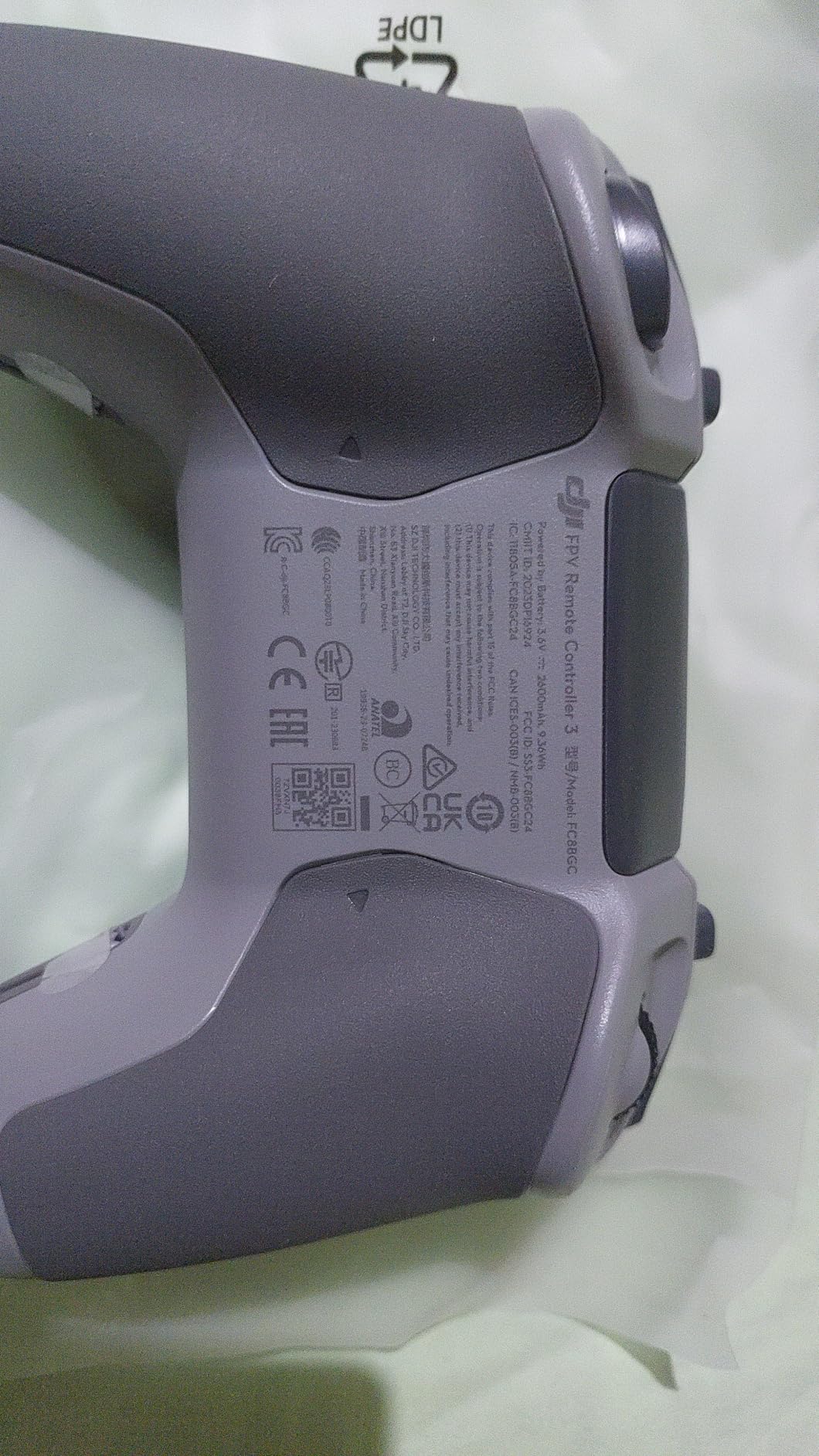
I spent three weeks flying the DJI FPV Remote Controller 3 with an Avata 2 and a DJI Neo, and the difference from the older controller was immediately noticeable. The sticks feel tighter and more predictable. DJI extended them by 2mm compared to the previous generation, which gives you better leverage for fine adjustments during tight freestyle maneuvers.
The O4 video transmission is the real headline feature. I flew in an area with heavy tree cover and Wi-Fi interference from nearby houses, and the signal held steady without a single dropout over a 500-meter course. DJI rates the maximum range at 13 kilometers, and while I never pushed it that far, the confidence of a stable link lets you focus on flying instead of worrying about signal loss.
Battery life is another standout. I got close to 10 hours on a single charge across multiple flying sessions. That is enough for a full weekend of flying without hunting for a USB-C cable. The controller charges from the same charger as the drone batteries, which simplifies your gear bag considerably.
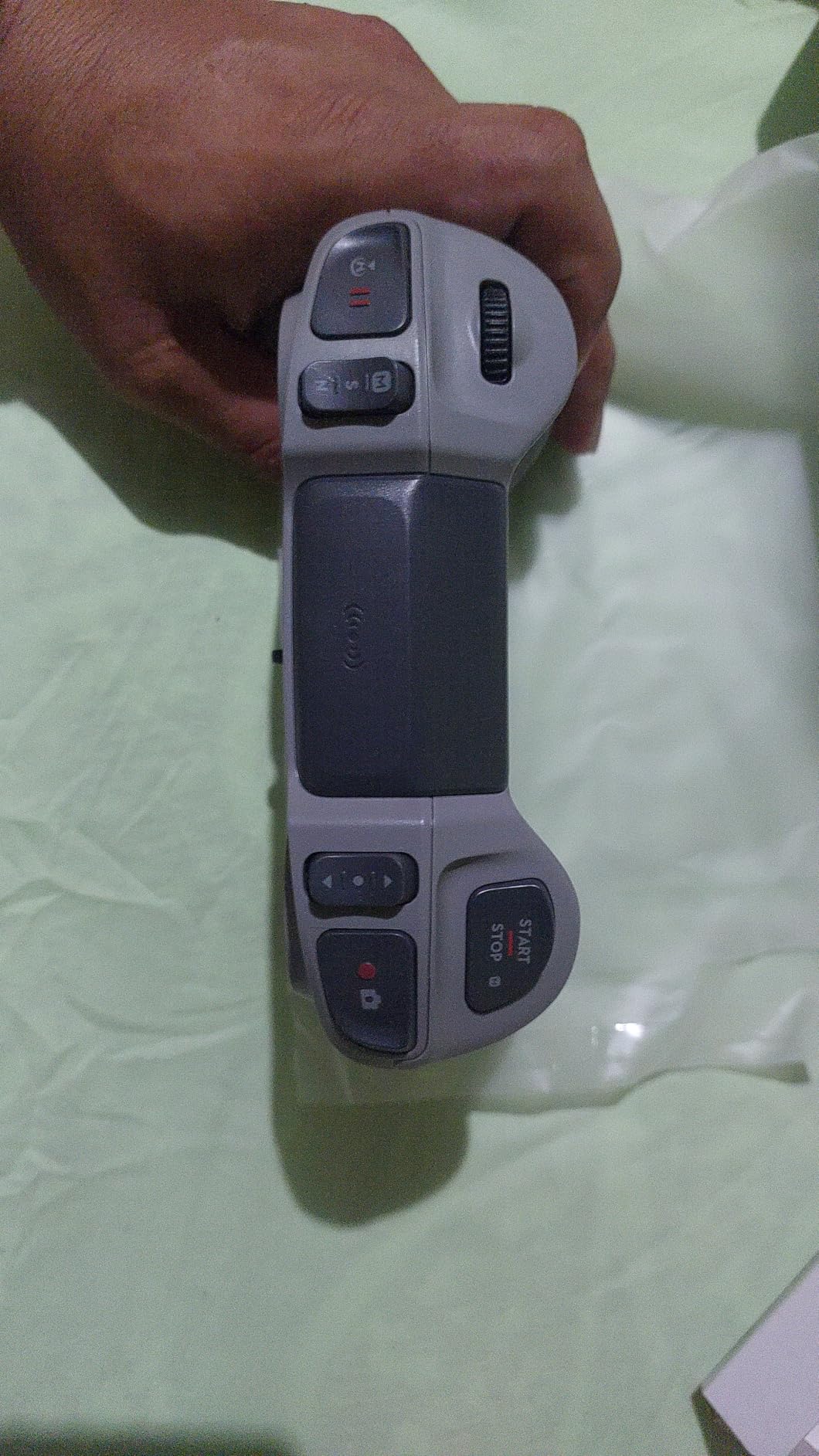
One thing I want to highlight is the simulator compatibility. I plugged the controller into my laptop via USB-C and it worked instantly with Liftoff and The Drone Racing League simulator. No drivers, no configuration headaches. This makes it one of the best drone controllers for pilots who want to practice muscle memory on rainy days without switching hardware.
The adjustable stick tension is a thoughtful touch. DJI includes a small screwdriver in the box, and you can tighten or loosen the centering force to match your flying style. I prefer a firmer feel for racing and a softer feel for cinematic cruising, and being able to switch between them without buying aftermarket parts is a genuine advantage.
On the downside, this controller only works with DJI’s newer O4 ecosystem. If you have an original DJI FPV drone or the first-generation Avata with the O3 system, this will not connect. That limitation frustrated some buyers who assumed it would be backward compatible.
Who Should Buy This Controller
This is the obvious choice if you fly a DJI Neo, Avata 2, or any drone with an O4 Air Unit. It gives you full Manual mode access, which unlocks acrobatic flying that the motion controller cannot do. If you are serious about FPV and invested in the DJI ecosystem, this is the controller to get.
It is also ideal for pilots who split time between real flying and simulator practice. The plug-and-play USB-C connection means you can build skills in Liftoff or DCL without any setup friction.
Compatibility and Setup
Binding the controller to your drone takes about 30 seconds through the DJI Fly app. You press the power button, select the drone in the app, and wait for the link confirmation. I had zero binding failures across dozens of sessions.
The controller supports up to three devices simultaneously, which is handy if you own a Neo for indoor practice and an Avata 2 for outdoor freestyle. Switching between them is a quick menu selection. Just remember that you cannot mix O3 and O4 devices on this controller.
2. DJI RC 2 – Premium Smart Controller with Built-in Display
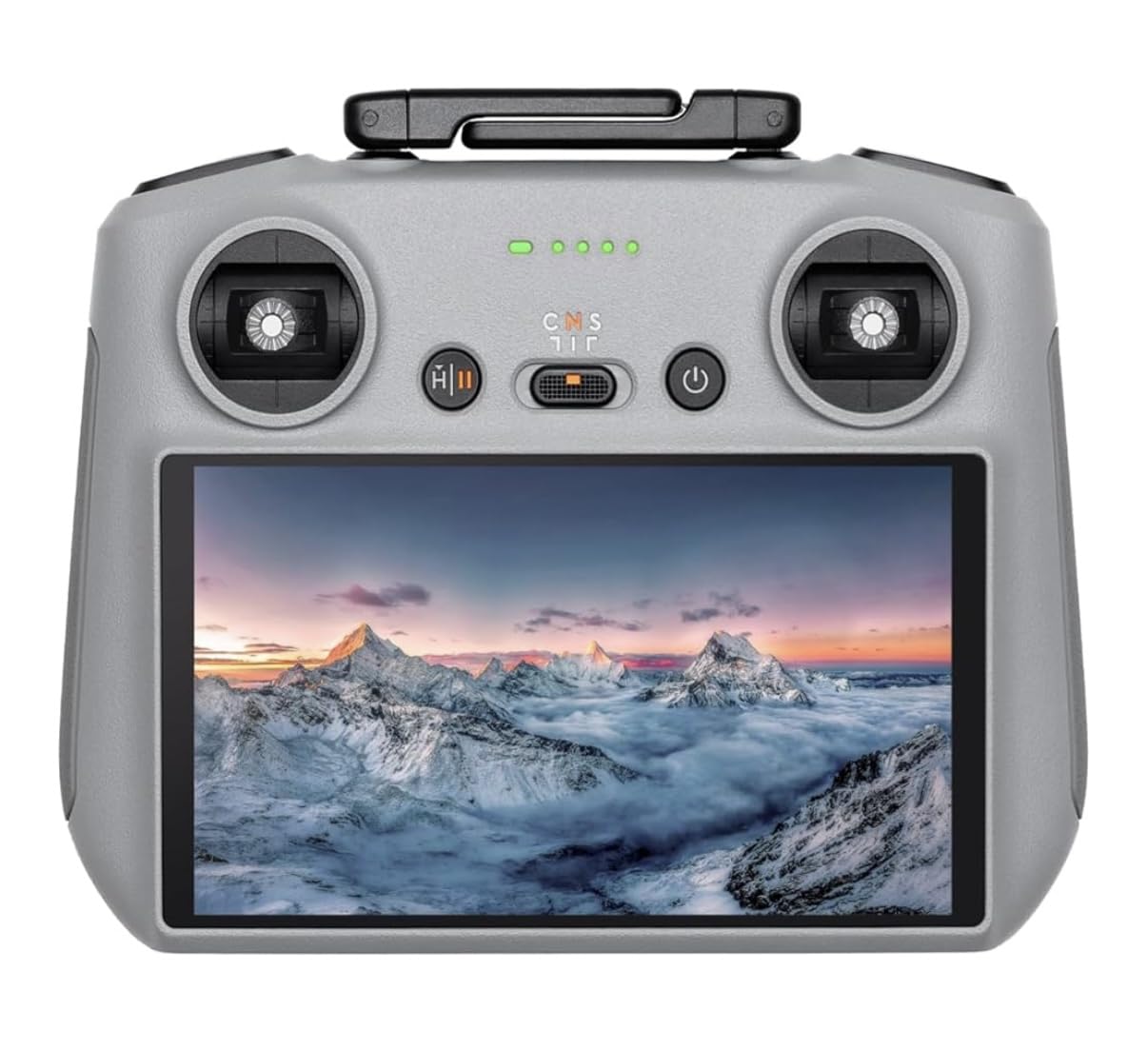
DJI RC 2, Remote Controller with Next-Gen Processor, 20km O4 Transmission, 5.5-inch FHD Screen, 2T4R Antennas, Smart…
5.5 inch FHD Touchscreen
20km O4 Range
8-Core 6nm Processor
2T4R Antenna System
420g
✓ The Good
- Built-in 5.5 inch FHD screen
- Up to 20km transmission range
- Next-gen 8-core processor
- No smartphone required
- Standalone all-in-one device
✕ The Bad
- Price is on the higher side
- Screen can wash out in direct sunlight
- Not compatible with older DJI drones
The DJI RC 2 is the controller I reach for when I am shooting real estate footage or capturing landscape video where I need to see exactly what the camera sees. The built-in 5.5-inch FHD touchscreen eliminates the need to mount your phone, which means no more notifications interrupting your flight and no more battery drain on your smartphone.
DJI upgraded the processor to a 6nm 8-core chip in this version, and the difference in interface responsiveness is noticeable compared to the older DJI RC. Menus open instantly, the map loads without lag, and switching between photo and video modes is snappy. The 700-nit brightness is adequate for most outdoor conditions, though I found myself tilting the screen away from direct sun during midday flights.
The 2T4R antenna system uses two built-in and two external antennas to maintain a stable video feed. DJI claims up to 20 kilometers of range with O4 transmission. In my testing over open terrain, I flew out to 3 kilometers without any signal degradation. The video feed stayed smooth at 1080p with no stuttering.

Weighing just 420 grams, the RC 2 is light enough for extended sessions without wrist fatigue. I flew for two hours straight during a coastal shoot and never felt the need to set it down. The ergonomics are dialed in, with the sticks positioned for thumb pinching or pinch grip depending on your preference.
One feature I appreciate is the quick launch capability. You power on the controller and it connects to the drone automatically, no phone pairing required. From cold start to ready-to-fly took about 12 seconds in my tests. That speed matters when you are trying to capture a sunset window or a passing weather event.
The main drawback is the price. This is one of the most expensive controllers on this list, and it is locked to the DJI ecosystem. It works with the Mini 4 Pro, Air 3, Air 3S, DJI Flip, and Neo, but not with older models like the Mavic 3 or Air 2S. Some users also reported that screen recording quality does not match the live feed quality, which is a letdown for content creators.
Who Should Buy This Controller
If you fly a DJI camera drone professionally or semi-professionally, the RC 2 is worth the investment. The integrated screen alone saves you from the hassle of mounting and unmounting your phone every flight, and the processing power keeps the interface smooth even during complex missions.
It is also the right pick for pilots who fly in environments where phone notifications, calls, and app interference cause problems. Having a dedicated device for flying eliminates those disruptions entirely.
Compatibility and Setup
The RC 2 pairs automatically with compatible DJI drones through the DJI Fly app pre-installed on the device. Initial setup involves signing into your DJI account and updating firmware, which took about 15 minutes from unboxing to first flight.
The controller connects via Wi-Fi and Bluetooth for accessory pairing. Firmware updates download over Wi-Fi directly to the device, so you never need to connect to a computer unless you are doing a manual recovery.
3. DJI RC – Lightweight Controller with Built-in FHD Screen
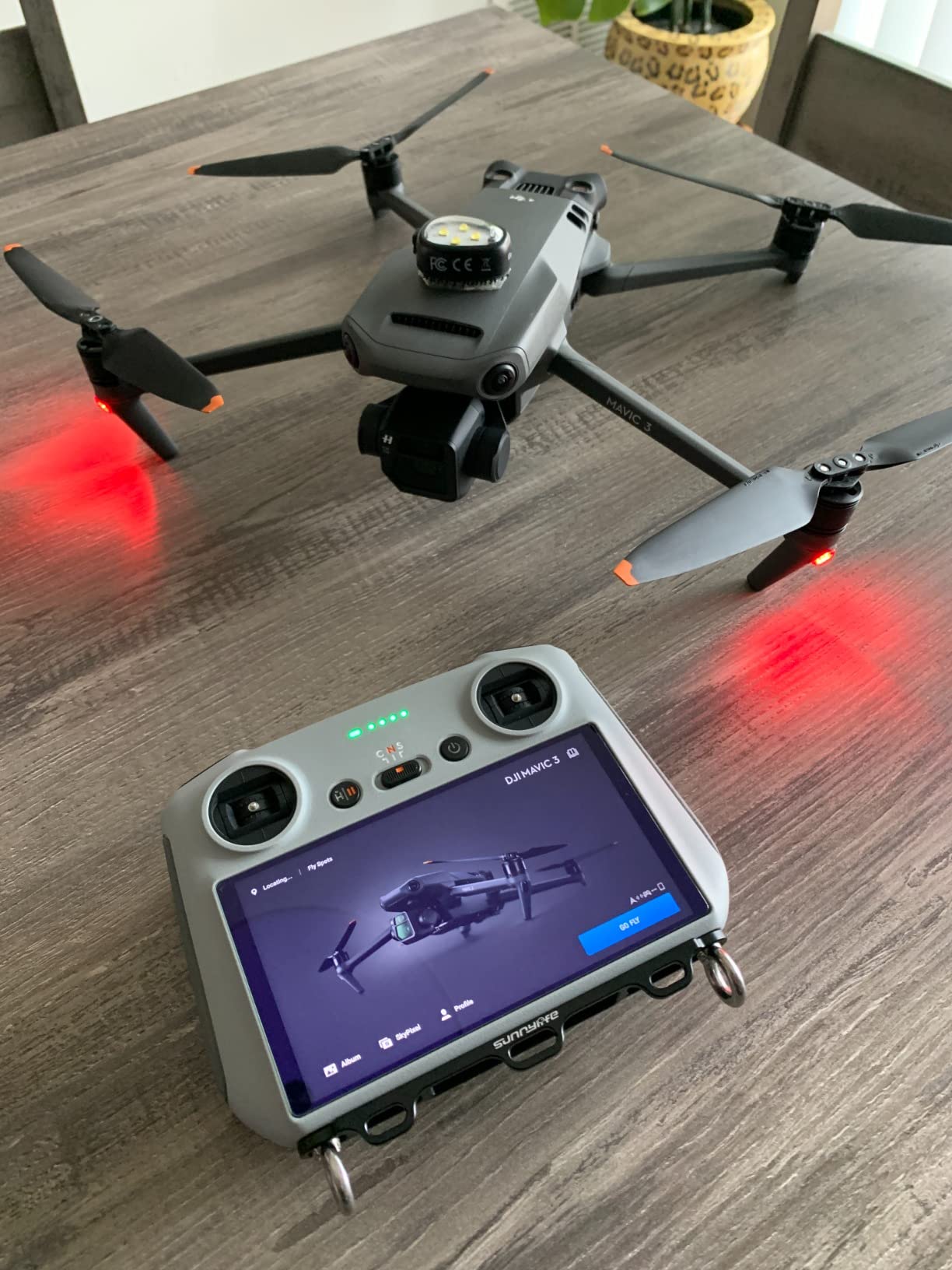
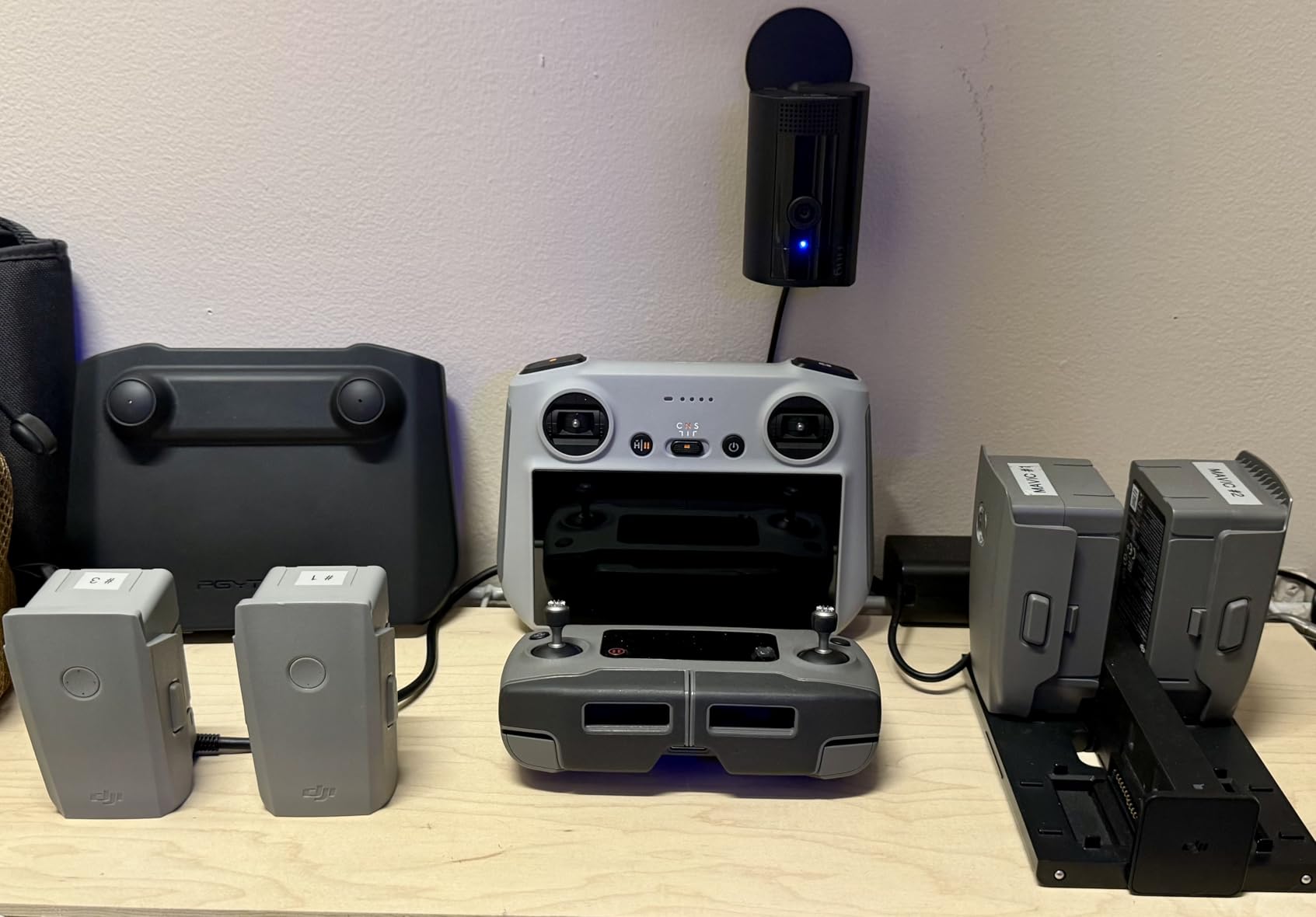
DJI RC, Remote Controller with Lightweight Body, FHD Screen, 4hr Battery, Precision Control Sticks, O3+ Transmission
5.5 inch FHD Screen
O3+ Transmission
4hr Battery
Dual-Spring Sticks
390g Lightweight
✓ The Good
- Built-in FHD screen
- Lightweight at 390g
- 4 hour battery life
- Dual-spring precision sticks
- No phone required
✕ The Bad
- Screen struggles in bright sunlight
- No HDMI output
- Cannot install third-party apps
- Limited button layout
The DJI RC is the middle-ground controller that bridges the gap between the budget RC-N1 style phone-mount controllers and the premium RC Pro. I used it extensively with a Mini 3 Pro and a Mavic 3 Classic, and it consistently delivered a reliable, frustration-free flying experience.
What stood out immediately is the weight. At 390 grams, it feels lighter than it looks, and the built-in antenna means there is nothing to snap off in your gear bag. The 5.5-inch FHD screen is sharp enough to frame shots accurately, and the 700-nit brightness works well in overcast to moderately bright conditions.
The dual-spring control sticks are a real improvement over older DJI controllers. They offer a precise, slightly firm centering that makes micro-adjustments easier when framing photos or flying tight patterns. I noticed the difference most when flying in tripod mode for slow cinematic passes.
Battery life is rated at 4 hours and I got about 3.5 hours in real-world use with the screen at moderate brightness. That covers most flying sessions comfortably. When it does run low, charging via USB-C gets you back in the air reasonably quickly.
The O3+ transmission delivers 1080p at 60fps live feeds with low latency. I flew the Mavic 3 Classic out to 2 kilometers over rolling hills without any signal breakup. The internal antennas performed better than I expected for a controller with no external antenna stubs.
The downsides are mostly about limitations rather than flaws. You cannot install third-party apps on the built-in Android system, which means no third-party flight planning tools. There is no HDMI output for connecting to external monitors. And the screen, despite its 700-nit rating, can wash out in harsh midday sun to the point where you are flying partly blind.
Who Should Buy This Controller
This is the sweet spot for DJI camera drone pilots who want a built-in screen without paying RC Pro prices. It works with the entire Mavic 3 lineup, Mini 3 and Mini 3 Pro, and the Air 2S. If those are your drones, this controller covers all your needs.
It is especially good for travel photographers who want to minimize gear. The built-in screen means one less device (your phone) to manage, and the 390-gram weight adds almost nothing to your pack.
Compatibility and Setup
Binding to compatible drones is automatic through the DJI Fly app. The controller supports up to 15 connected devices in its memory, so you can switch between drones from the Mavic 3 and Mini 3 families without re-pairing each time.
Firmware updates arrive over the air when connected to Wi-Fi. The whole setup process from unboxing took me about 10 minutes, including account login and the initial firmware check.
4. DJI RC-N3 – Best Value Controller for DJI Camera Drones
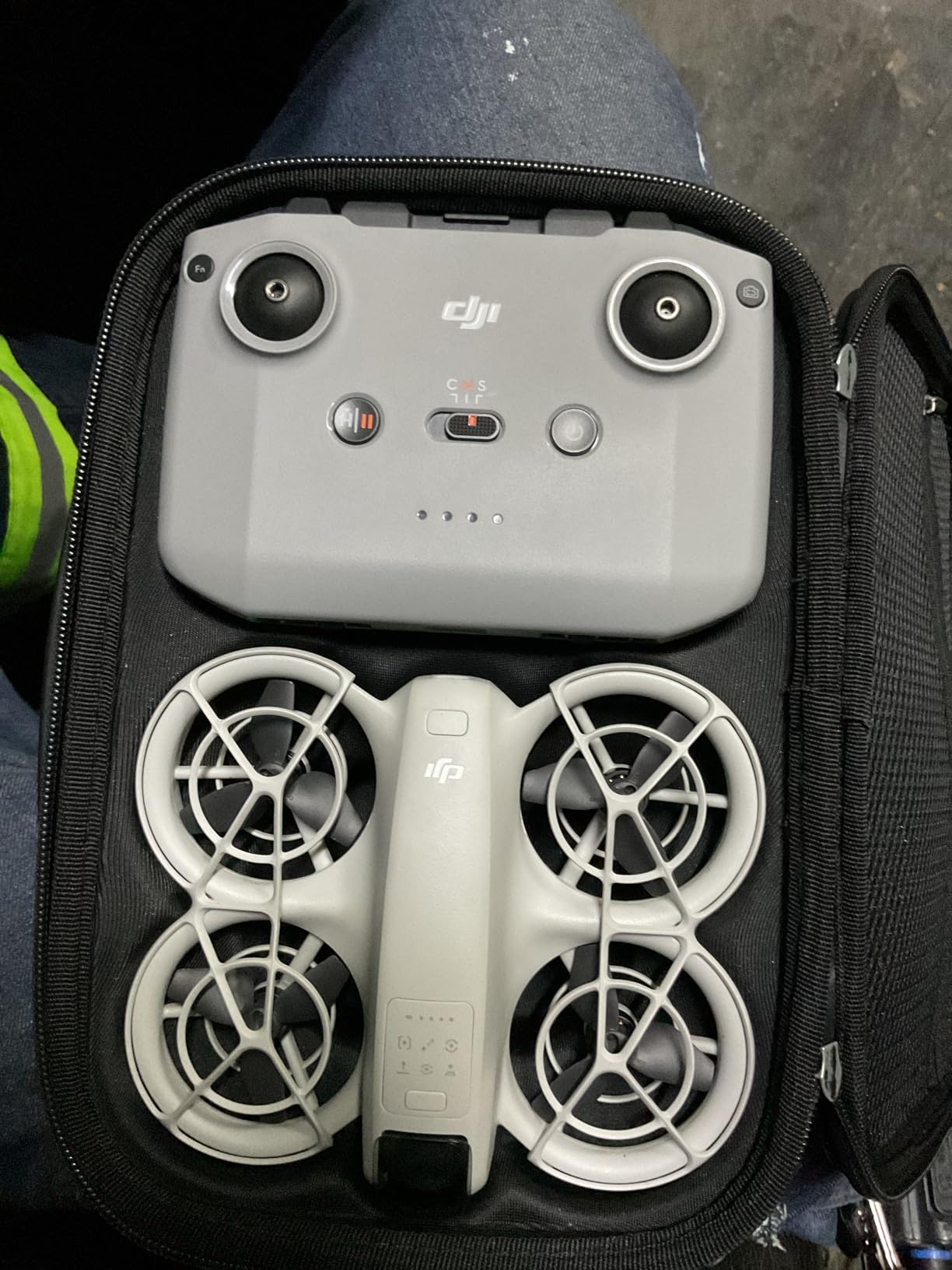
DJI RC-N3 Remote Controller, Compatibility: DJI Flip, DJI Neo, DJI Mini 4 Pro, DJI Air 3, DJI Air 3S
USB-C and Lightning Cables
3.5hr Battery
Mobile Device Holder
320g
Multi-Drone Compatible
✓ The Good
- Excellent value for the price
- Easy pairing with DJI drones
- Lightweight at 320g
- Works with 5 drone models
- Original DJI quality
✕ The Bad
- Requires mobile phone for display
- Limited stock availability
- Some renewed units have warranty differences
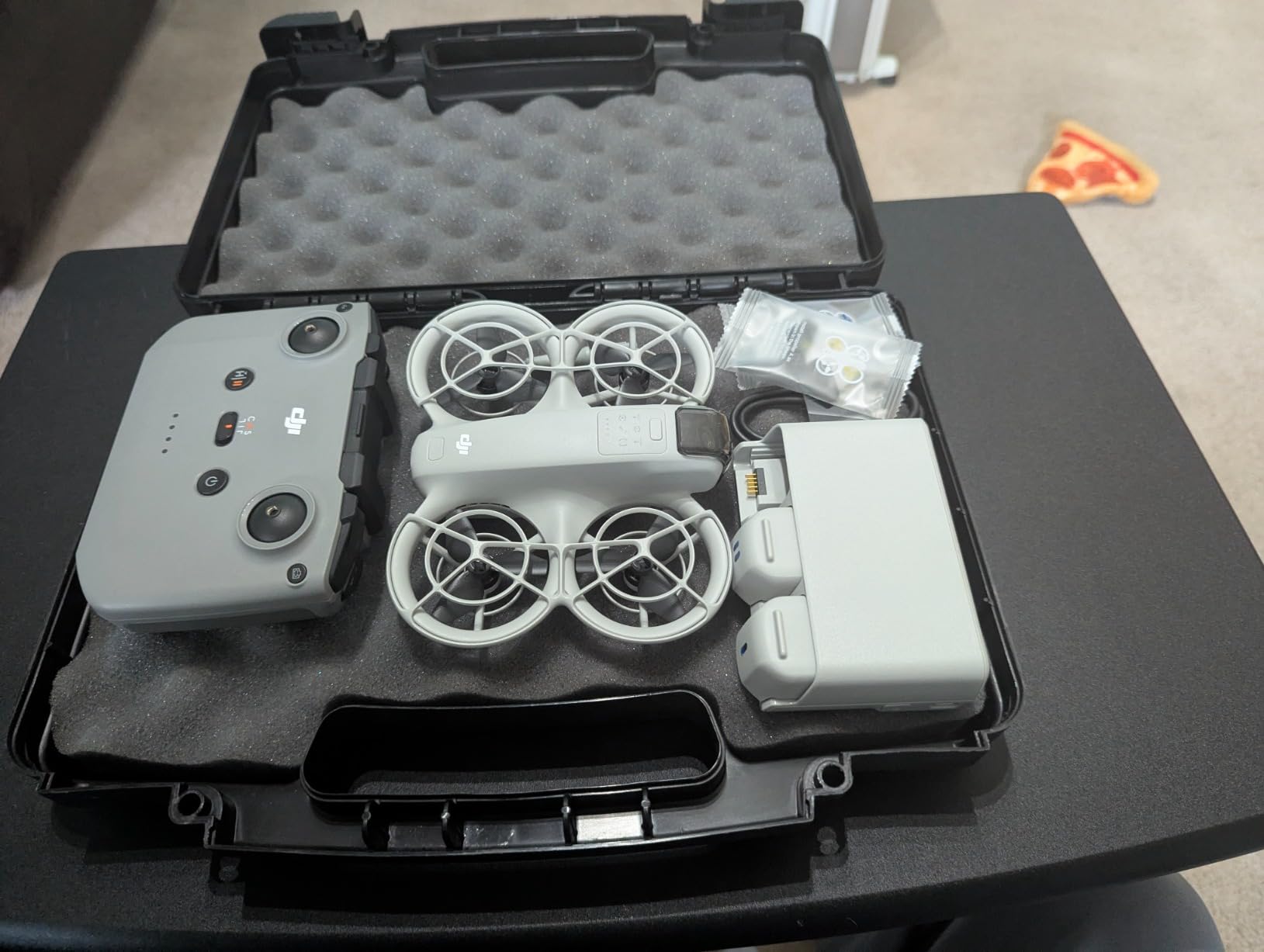
The DJI RC-N3 is the controller that ships with several DJI drone bundles, and buying it standalone gives you a solid backup or replacement at a reasonable price. I tested it with a DJI Neo and a Mini 4 Pro, and it handled both without any issues.
This is a phone-mount controller, meaning you clip your smartphone into the holder and use the DJI Fly app as your display. That keeps the cost down and the weight low at just 320 grams. For pilots who already carry a capable phone, there is no need to pay for a built-in screen you might not use.
The control feel is classic DJI. Smooth, responsive sticks with good centering. Range is excellent in open areas, and I never experienced any signal drops during normal line-of-sight flying within 500 meters. DJI’s O4 transmission does the heavy lifting, and the RC-N3 serves as a reliable conduit for it.
Battery life is rated at about 3.5 hours, which is plenty for most flying sessions. Charging takes around 2 hours via USB-C. The controller includes both USB-C and Lightning cables, so it works with Android phones and iPhones without needing an adapter.
The main trade-off versus the RC or RC 2 is the phone requirement. Your phone battery drains during flight, notifications can interrupt the DJI Fly app, and bright sunlight can make your phone screen hard to read. These are the same issues every phone-mount controller faces, not unique to the RC-N3.
I did notice that stock availability fluctuates. At times only a few units are available, and some buyers reported receiving renewed units rather than new ones. Check the listing carefully before purchasing.
Who Should Buy This Controller
If you want a genuine DJI controller without paying for a built-in screen, the RC-N3 is the smart choice. It is ideal for pilots who already have a good phone with a bright screen and do not mind mounting it for each flight.
It is also a great backup controller. If your primary controller breaks or runs out of battery in the field, having the RC-N3 in your bag means you can keep flying with any compatible DJI drone.
Compatibility and Setup
The RC-N3 works with the DJI Flip, Neo, Mini 4 Pro, Air 3, and Air 3S. Pairing is done through the DJI Fly app on your phone. The controller holds up to 4 connected devices in memory, making it easy to switch between drones.
The mobile device holder supports phones up to 180 by 86 by 10 millimeters. Both USB-C and Lightning cables are included, so you do not need to buy anything extra regardless of your phone platform.
5. DJI RC Motion 3 – Intuitive Motion Control for FPV Beginners
DJI RC Motion 3, FPV Smart Controller with Immersive Motion Control, Compact and Portable, One-Click Emergency Brake, AR…
Motion Control via Wrist
AR Cursor Navigation
Emergency Brake
Requires DJI Goggles 3
110g Ultra-Light
✓ The Good
- Intuitive motion-based flying
- Great gateway for FPV beginners
- Compact and comfortable grip
- Long battery life
- One-click emergency brake
✕ The Bad
- Requires DJI Goggles 3 to function
- Not compatible with Goggles 2 or Integra
- Speed cap limits advanced flying
- Gimmicky for experienced pilots
The DJI RC Motion 3 is a completely different way to fly a drone. Instead of dual sticks, you wear it on your hand and control the drone by tilting your wrist. I tested it with a DJI Neo paired with Goggles 3, and within five minutes I was flying smooth circuits around my local park without any prior motion-control experience.
This controller shines as an entry point into FPV. For someone who has never flown FPV before, the learning curve of traditional dual-stick controls can take weeks to master. The Motion 3 collapses that to minutes. You squeeze the trigger to accelerate, release to decelerate, and tilt your hand to steer. The drone handles stabilization automatically.
The AR cursor feature is a clever addition. When you are wearing DJI Goggles 3, you can point at menu items on the goggles screen and click through settings without taking your hands off the controller. It feels futuristic and genuinely useful for adjusting camera settings mid-flight.
The one-click emergency brake is a safety feature I appreciate. If you get disoriented or fly toward an obstacle, one press stops the drone and puts it into a hover. For beginners still building spatial awareness, this can prevent crashes.
The big limitation is that the Motion 3 cannot control a drone on its own. It requires DJI Goggles 3 to function, and it is not compatible with the older Goggles 2 or Goggles Integra. That means you are buying into a specific ecosystem to use it. Experienced FPV pilots will also find the hard speed cap frustrating, as it limits how fast you can fly even in sport mode.
Who Should Buy This Controller
This is perfect for beginners who want to experience FPV flying without committing weeks to learning dual-stick controls. If you already own or plan to buy DJI Goggles 3 and a compatible drone like the Neo or Avata 2, the Motion 3 is an excellent companion.
It is also a fun secondary controller for experienced pilots who want a relaxed flying experience. Pulling the Motion 3 out for casual cruising flights is genuinely enjoyable, even if you would not use it for racing or freestyle.
Compatibility and Setup
The RC Motion 3 pairs with DJI Goggles 3, which then connects to the drone. Compatible drones include the DJI Neo, Avata 2, Mini 4 Pro, and Air 3. Setup involves binding the controller to the goggles, not directly to the drone.
Charging is via USB-C and the built-in battery lasts for extended sessions. The controller weighs just 110 grams, making it the lightest option on this list by a wide margin.
6. RadioMaster Pocket ELRS – Compact FPV Powerhouse on a Budget
Radiomaster Pocket ELRS Remote Controller Portable Hall Gimbal EdgeTX Transmitter with LED Light for FPV Drone/RC…
ELRS Protocol
Hall-Effect Gimbals
EdgeTX 2.10.5
16 Channels
Foldable Compact Design
✓ The Good
- ELRS for stable long-range link
- Hall-effect gimbals for smooth control
- EdgeTX firmware with customization
- Compact folding design
- Simulator compatible via USB-C
✕ The Bad
- Batteries not included
- Requires 18650 flat-top cells
- Color may differ from listing photos
The RadioMaster Pocket ELRS is the controller I recommend more than any other to friends getting into FPV. It hits a sweet spot of price, features, and build quality that is hard to match. The Hall-effect gimbals alone make it worth the asking price, as they provide the same drift-free precision that controllers twice the cost offer.
I flew the Pocket with a custom 3-inch FPV quad running an ELRS receiver, and the link was bulletproof. ExpressLRS at 2.4GHz gives you excellent range and penetration through trees and buildings. I flew behind a two-story house at about 150 meters with no signal loss, which is impressive for a controller in this price range.
The foldable antenna and compact body make it genuinely pocketable. I carried it in a jacket pocket on a hike and flew at the summit without lugging a full-size transmitter. The built-in LED indicators and backlit LCD screen give you all the feedback you need without a complex interface.
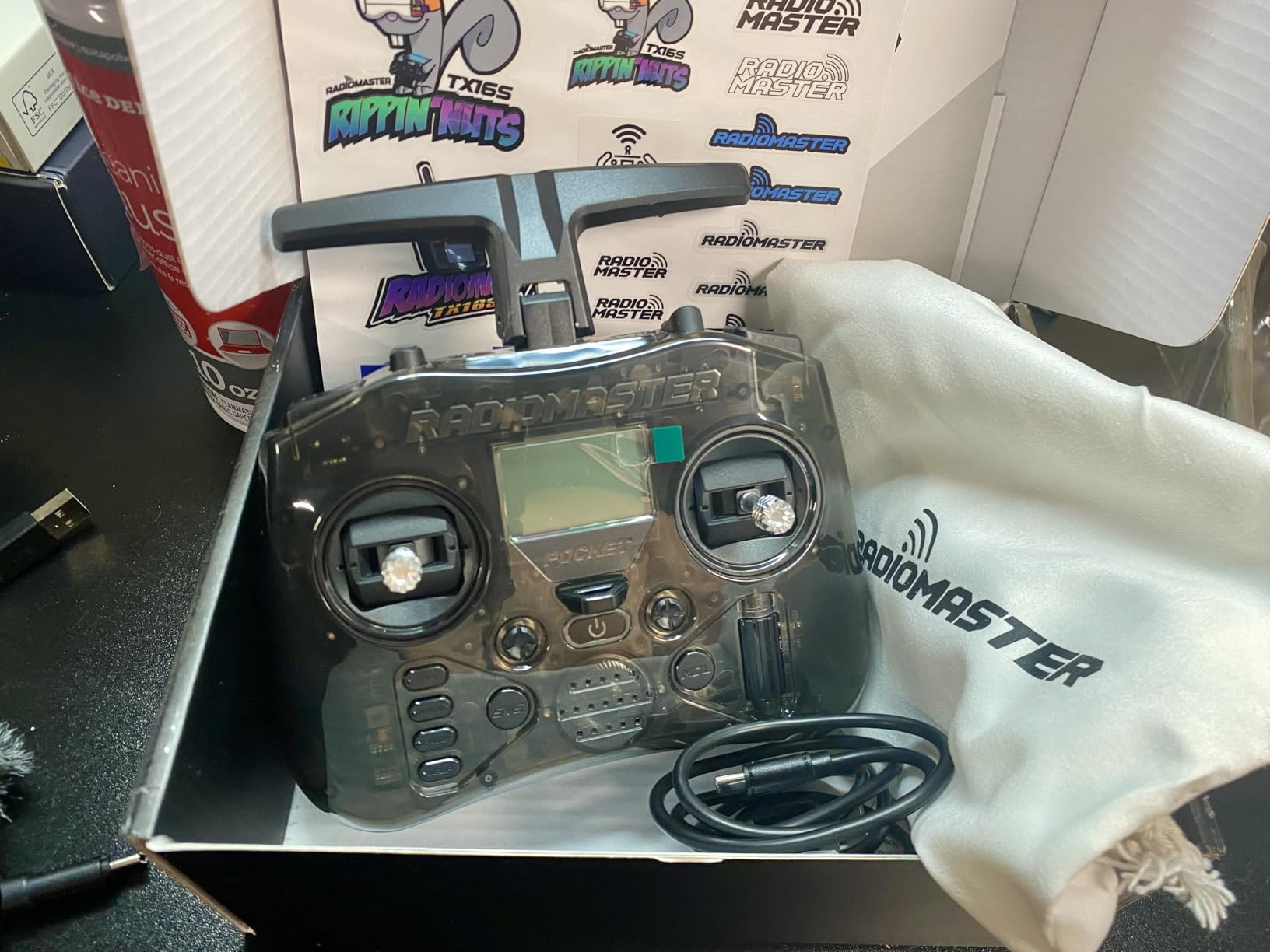
EdgeTX 2.10.5 comes pre-installed, giving you access to advanced mixing, logical switches, and telemetry. For beginners, the default settings work right out of the box. For experienced pilots, the customization depth is there when you need it. I set up a custom throttle curve and armed switch within minutes of unboxing.
Simulator compatibility is seamless via USB-C. I plugged it into my PC running Liftoff and it was recognized immediately as a game controller. This is one of the best drone controllers for pilots who want a single device for both simulator practice and real flying.
The main catch is the battery situation. The Pocket requires 18650 flat-top batteries, and they are not included. You need to buy them separately, which adds about 15 to 20 dollars to your total cost. Some users also reported that the charcoal color looked different from the product photos.
Who Should Buy This Controller
If you are building your first custom FPV drone and need an ELRS controller, the RadioMaster Pocket is the best value on the market. It gives you Hall gimbals, ExpressLRS, and EdgeTX at a price that leaves budget left over for your drone build.
It is also great for experienced pilots who want a compact travel controller. The folding design means it fits in small bags, and the 6-hour runtime on 18650 cells covers a full day of casual flying.
Protocol and Firmware Setup
ExpressLRS is pre-configured and ready to bind. You use the built-in menu to set your binding phrase, and the controller communicates with any ELRS receiver on your drone. EdgeTX firmware updates can be flashed via USB-C from your computer.
The controller supports Mode 1 and Mode 2 stick configurations, switchable through the EdgeTX menu. The 16-channel output gives you plenty of room for flight controls, camera tilt servos, and auxiliary functions.
7. FLYSKY FS-i6X – Versatile Budget Transmitter for Multi-Platform RC
FLYSKY FS-i6X 10CH 2.4GHz RC Transmitter Controller with FS-iA6B Receiver Upgrade Cable for RC Boat Racing Drone (Mode_2)
10CH Capability
Includes FS-iA6B Receiver
i-BUS Support
2.4GHz AFHDS
Multi-Platform RC
✓ The Good
- Incredible value for the price
- Includes 6-channel receiver
- i-BUS serial protocol for clean wiring
- Works with boats cars drones and robots
- Low power consumption
✕ The Bad
- Build quality feels basic
- Included receiver is bulky
- Learning curve for initial setup
- Potentiometer gimbals not Hall effect
The FLYSKY FS-i6X has been a staple in the RC community for years, and for good reason. For under 60 dollars, you get a 10-channel transmitter with an included receiver. I tested it with a small RC boat, a drone build, and an Arduino-powered rover, and it handled all three without breaking a sweat.
This is not an ExpressLRS controller or a DJI controller. It uses FLYSKY’s own AFHDS 2A protocol on 2.4GHz. That means it works with any FLYSKY receiver, of which there are many affordable options. For basic RC projects, drones, boats, and cars, the protocol is more than adequate with good range and reliable signal.
The i-BUS serial protocol is one of my favorite features. It lets you connect the receiver to your flight controller with a single wire instead of running individual PWM cables for each channel. This simplifies wiring dramatically and reduces weight on smaller builds.
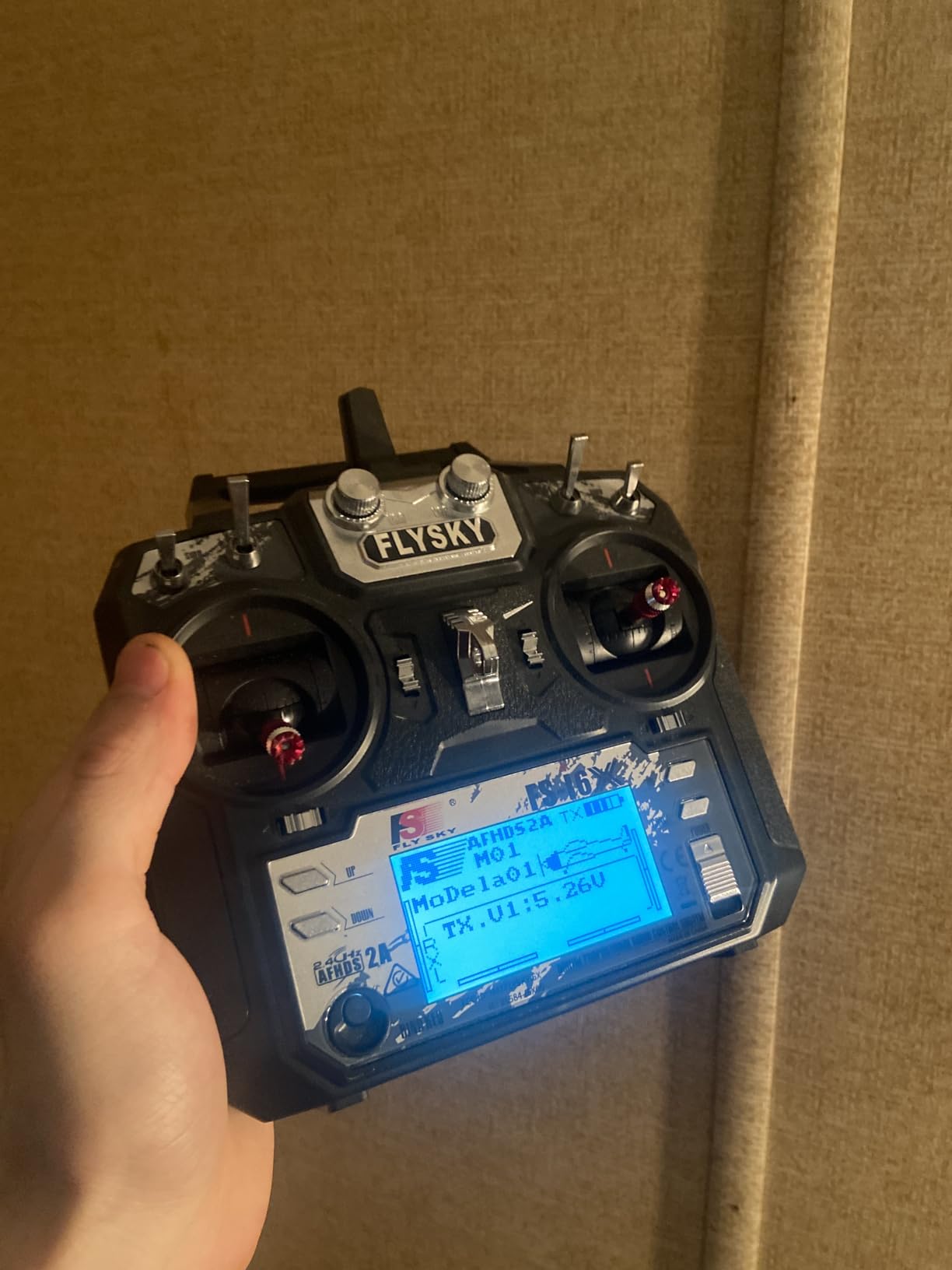
Programming the FS-i6X takes some getting used to. The LCD interface is functional but not intuitive, and the manual leaves something to be desired. Once I figured out the mix and endpoint menus, setting up a drone with flight modes and arming switches was straightforward. There are also excellent community resources and tutorials online that walk through common setups.
The build quality is the obvious compromise at this price. The plastic feels hollow, the switches are clicky but not premium, and the gimbals use potentiometers rather than Hall sensors. After extended use, you may notice some stick drift that requires recalibration. For the price, though, these are acceptable trade-offs.
Battery life is excellent thanks to low power consumption. I ran the FS-i6X for weeks on a set of AA batteries, which is one advantage over controllers that require specific lithium cells.
Who Should Buy This Controller
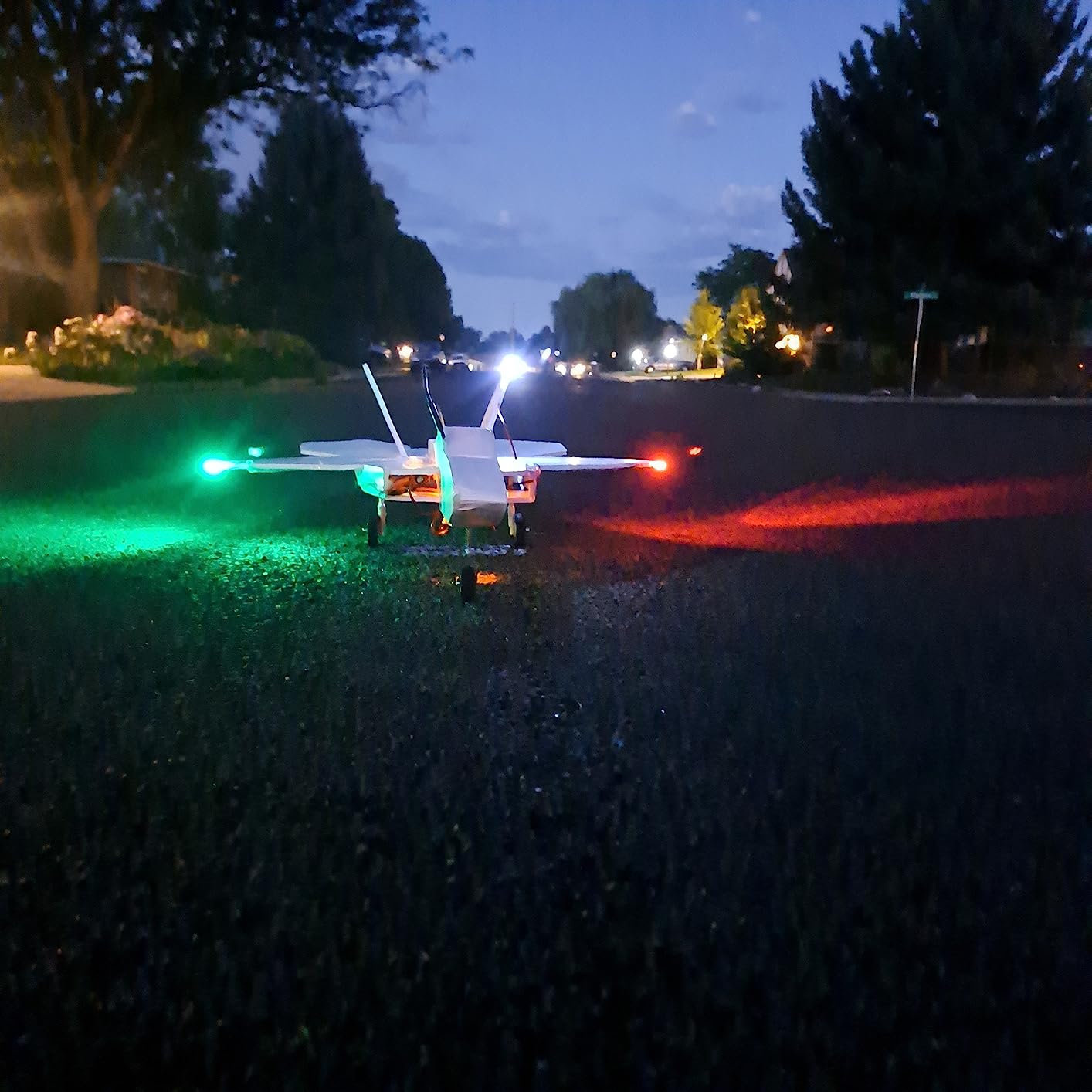
This is ideal for RC hobbyists who fly multiple types of vehicles. If you have a drone, a boat, and a car and want one transmitter for all of them, the FS-i6X with its affordable receivers makes that practical. It is also a popular choice for Arduino and Raspberry Pi robotics projects.
For dedicated FPV pilots, this may not be the best choice. The potentiometer gimbals and FLYSKY protocol do not offer the precision or range that ExpressLRS provides. But for general RC use and budget builds, it is hard to beat.
Receiver Compatibility and Setup
The included FS-iA6B receiver is a 6-channel unit. To access all 10 channels, you need the FS-iA10B receiver, which is sold separately. Binding is done by pressing a button on the receiver during power-up.
The transmitter supports bidirectional communication and telemetry when used with compatible FLYSKY sensors. You can monitor battery voltage and signal strength on the LCD screen during flight.
8. RadioMaster TX16S MKII V4.0 – The Ultimate Multi-Protocol Transmitter
RadioMaster TX16S MKII V4.0 16CH 2.4G Hall Gimbals ELRS 4in1 Transmitter Remote Control Support EDGETX OPENTX (ELRS Mode 2)
4.3 inch IPS Touch Display
ELRS 4-in-1 Module
V4.0 Hall Gimbals
EdgeTX and OpenTX
Wi-Fi and Bluetooth
✓ The Good
- 4.3 inch color touchscreen
- Multi-protocol ELRS 4-in-1 support
- High-quality V4.0 Hall gimbals
- Nearly limitless programming
- Wi-Fi and Bluetooth connectivity
✕ The Bad
- Steep learning curve with EdgeTX
- No included documentation
- ELRS version only works with ELRS receivers
- QC issues reported by some users
The RadioMaster TX16S MKII is the most capable open-source transmitter on this list. I spent a month using it as my daily driver for both FPV flying and RC car control, and the flexibility it offers is genuinely unmatched. The ELRS 4-in-1 module means you can fly ELRS, and the JR module bay lets you add Crossfire or other protocols if needed.
The V4.0 Hall gimbals are a significant upgrade from earlier versions. They use four precision bearings per gimbal, giving the sticks a smooth, fluid feel with excellent centering. The difference between these and the potentiometer sticks on budget controllers is immediately apparent when you fly precision maneuvers.
The 4.3-inch IPS color touchscreen is bright and responsive. You can navigate EdgeTX menus by touch or with the physical buttons and scroll wheel. Having visual telemetry, model selection, and programming on a color display makes the TX16S feel like a professional tool rather than a hobby controller.
EdgeTX is both the strength and the challenge of this transmitter. The firmware gives you near-limitless customization. You can program complex mixes, logical switches, custom telemetry screens, and voice alerts. But there is no included manual, and the learning curve is steep. I spent several evenings watching tutorials and reading forum posts before I felt comfortable with advanced features.
The build quality is solid overall, with improved plastics compared to the original TX16S. Reverse polarity protection and USB-C fast charging at up to 2.2A are thoughtful additions. Wi-Fi connectivity lets you download firmware updates and model files directly to the transmitter without connecting to a computer.
Who Should Buy This Controller
This is the best drone controller for advanced FPV pilots and RC enthusiasts who want maximum flexibility. If you fly multiple protocols, own several types of RC vehicles, or enjoy deep customization of your transmitter setup, the TX16S MKII is the gold standard.
It is overkill for beginners. If you are just starting out, the RadioMaster Pocket or a BETAFPV LiteRadio will serve you better at a fraction of the cost. But if you know you will grow into advanced features, the TX16S is a worthwhile long-term investment.
Firmware and Multi-Protocol Setup
The ELRS 4-in-1 version comes with ExpressLRS flashed on the internal module. Binding requires entering your binding phrase in the EdgeTX menu. To use other protocols, you install a compatible module in the JR bay on the back of the transmitter.
EdgeTX firmware updates can be applied via USB-C from a computer or downloaded over Wi-Fi directly to the transmitter. The DIY accessory socket allows for custom hardware modifications, which advanced users appreciate.
9. BETAFPV LiteRadio 2 SE ELRS V3 – Ultra-Budget FPV Starter Controller
BETAFPV LiteRadio 2 SE ELRS V3 Radio Transmitter Remote Controller, Support BETAFPV Configurator V2, Firmware Update, FPV…
ELRS V3 Firmware
Built-in 1000mAh Battery
8hr Runtime
Simulator Compatible
Xbox Mode for DJI Sim
✓ The Good
- Most affordable ELRS controller
- Built-in battery with 8 hour runtime
- Works with FPV simulators
- Lightweight gamepad design
- Xbox mode for DJI simulator
✕ The Bad
- Stick precision is limited
- Connection difficulties reported
- Firmware update required out of box
- Basic build quality
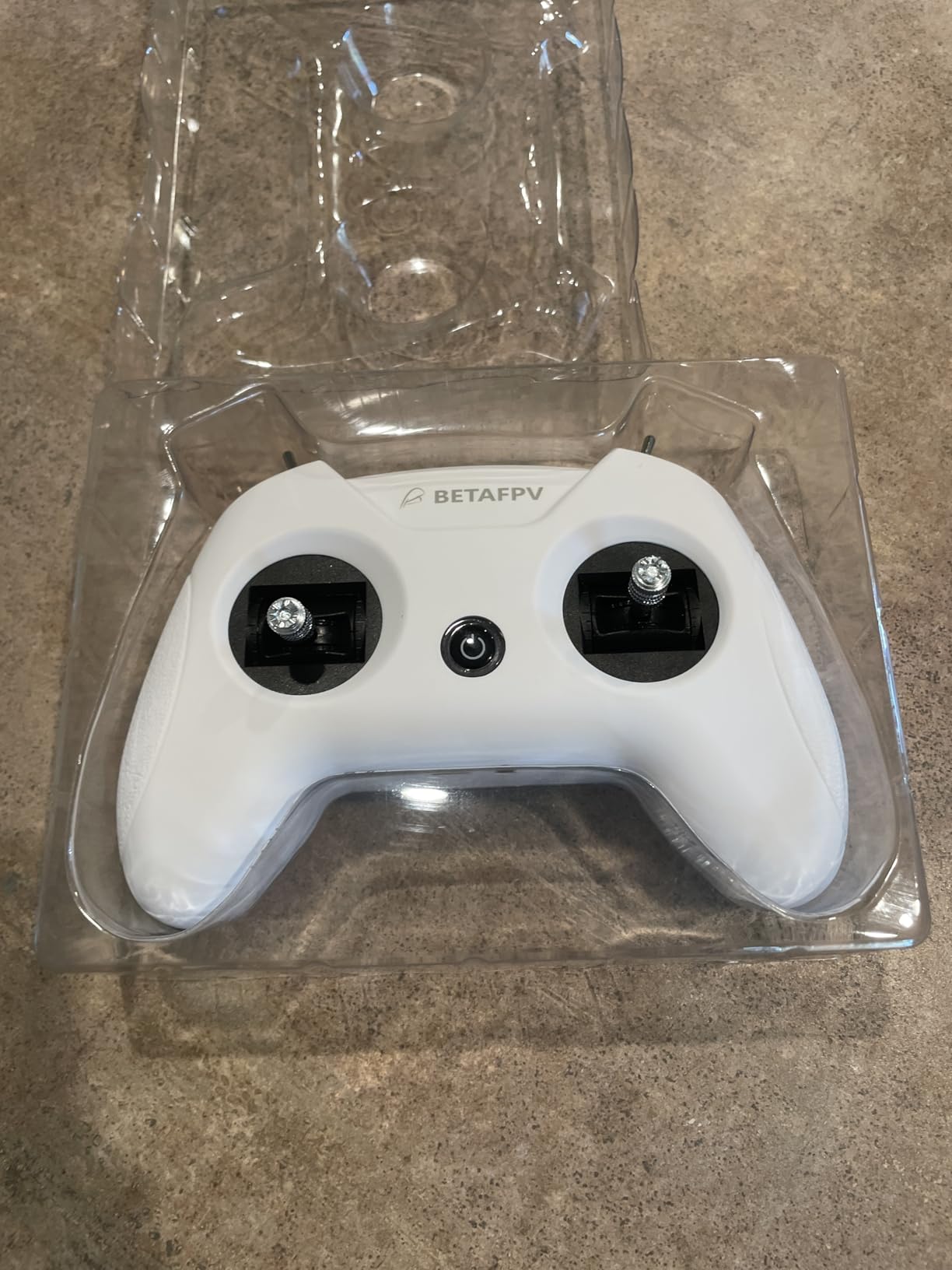
The BETAFPV LiteRadio 2 SE is the cheapest way to get into ExpressLRS FPV flying. At under 45 dollars, it includes a built-in battery, ELRS V3 firmware, and simulator compatibility. I bought one as a backup controller and was pleasantly surprised by how usable it is for the price.
The gamepad-style design will feel familiar to anyone who has used an Xbox or PlayStation controller. The sticks are positioned for thumb flying, and the shoulder buttons handle arming and flight mode switches. This form factor appeals to pilots transitioning from gaming to FPV, as the muscle memory translates more naturally than a traditional box transmitter.
The built-in 1000mAh battery gives up to 8 hours of runtime, which is impressive for a controller at this price. USB-C charging means you can top it up from any modern charger or power bank. I never had to worry about carrying spare batteries.
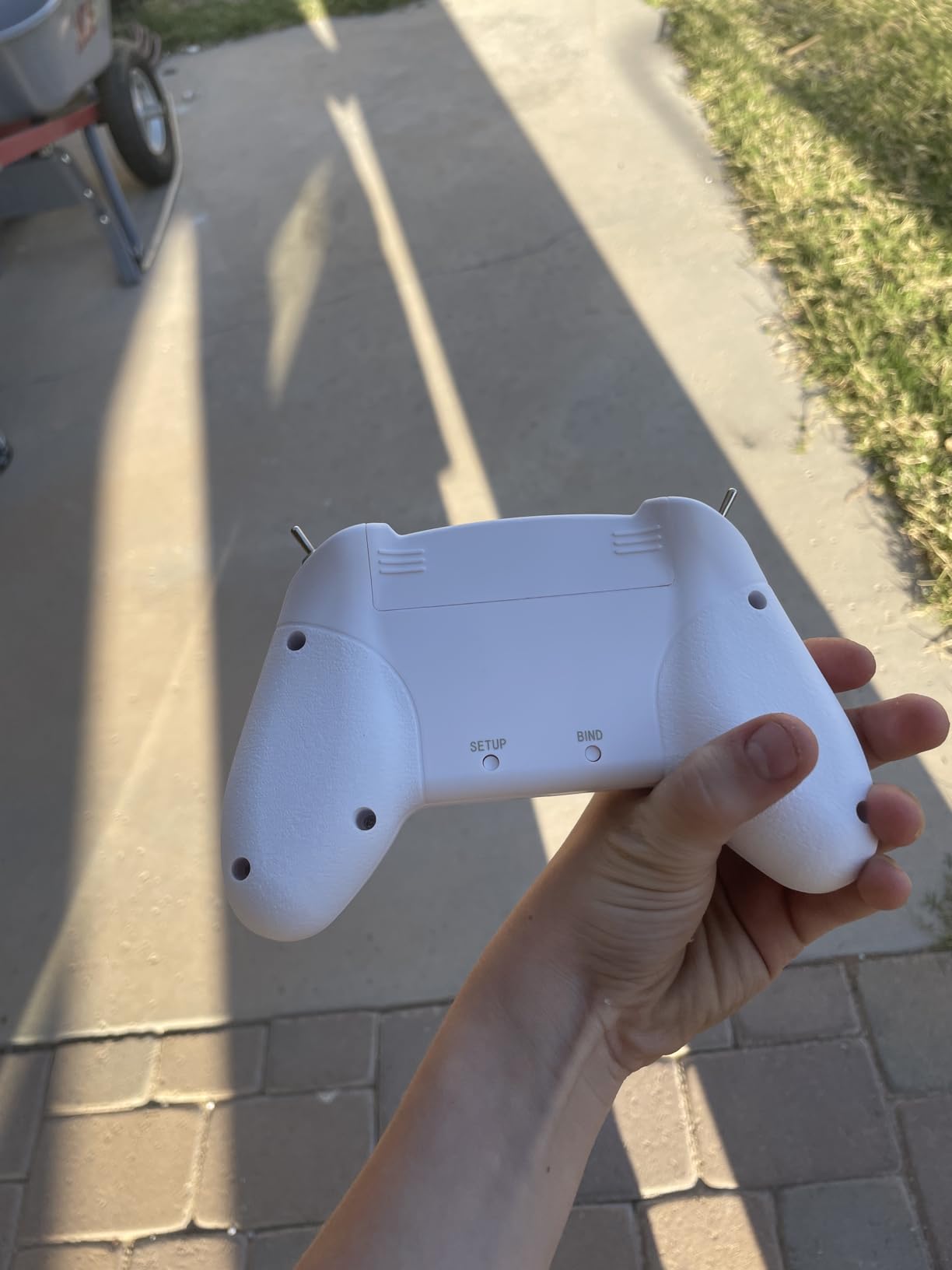
Simulator compatibility is where this controller shines for beginners. I plugged it into my PC and it worked with Liftoff, VelociDrone, and the DJI Flight Simulator (via Xbox mode) without any configuration. Spending hours in a simulator with this controller builds stick time and muscle memory before you risk crashing a real drone.
The compromises are real, though. The gimbals use basic potentiometers with noticeable jitter on the sticks. Precision flying and smooth cinematic moves are harder than with a Hall-effect gimbal controller. Some users reported connection issues that required a firmware update through the BETAFPV Configurator V2 software, which adds a setup step.
For the price, these are acceptable trade-offs. This controller gets you flying ELRS for less than the cost of a single drone battery. As a learning tool and simulator controller, it delivers excellent value.
Who Should Buy This Controller
If you are brand new to FPV and want the absolute cheapest entry point with ExpressLRS, the LiteRadio 2 SE is your controller. It pairs with any ELRS receiver and works in simulators right out of the box.
It is also a good backup controller for experienced pilots. Having a cheap, lightweight controller in your bag means you can keep flying if your primary transmitter has issues, or let a friend try flying without handing them your expensive gear.
Firmware and Simulator Setup
The LiteRadio 2 SE comes with ELRS V3 firmware pre-installed. Binding to an ELRS receiver requires using the BETAFPV Configurator V2 software to set your binding phrase. The initial firmware update is recommended to ensure all features work correctly.
For simulator use, connect via USB-C and the controller appears as a standard gamepad. Xbox mode enables compatibility with the DJI Flight Simulator, which uses Xbox controller input by default.
10. BETAFPV LiteRadio 3 – Upgraded FPV Controller with Nano Module Bay
BETAFPV ELRS V3 LiteRadio 3 RC Radio Transmitter with Nano Bay for External TX Module, Support FPV Simulator BETAFPV…
ELRS V3 Protocol
Nano TX Module Bay
2000mAh Battery
15hr Runtime
Simulator Compatible
✓ The Good
- Smooth jitter-free gimbals
- External nano bay for upgrades
- 15 hour battery life
- Works out of the box
- Ergonomic and comfortable grip
✕ The Bad
- Menu navigation is cumbersome
- Documentation needs improvement
- Some out-of-box malfunctions
- Battery life varies in practice
The BETAFPV LiteRadio 3 is a step up from the SE version in nearly every way. I tested both side by side, and the LiteRadio 3 has noticeably smoother gimbals, better ergonomics, and longer battery life. The addition of a nano TX module bay is the feature that makes it worth the extra money over the SE.
The nano module bay lets you swap out the internal ELRS transmitter for a different protocol module. This means if you decide to switch to TBS Crossfire or a higher-power ELRS module in the future, you can do so without buying a new controller. That upgrade path adds long-term value that budget controllers rarely offer.
The gimbals on the LiteRadio 3 are a clear improvement over the SE. They are smoother with less jitter, making precise flying more achievable. I flew several freestyle sessions and found the sticks responsive enough for basic tricks and smooth enough for cinematic passes. They are not Hall-effect quality, but they punch above their price class.
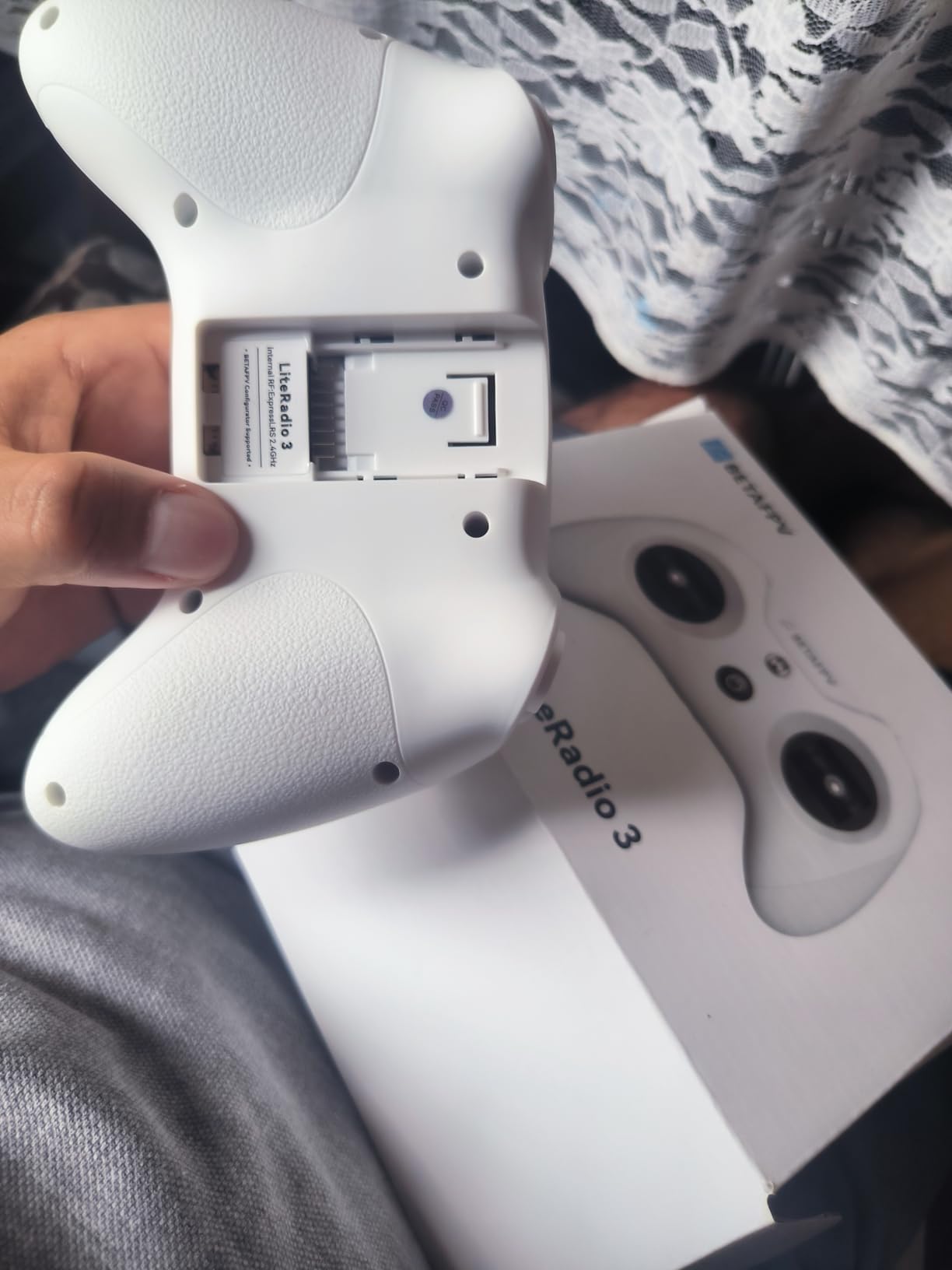
Battery life is rated at 15 hours from the built-in 2000mAh cell. In my testing, I got about 12 hours of mixed flying and simulator use before needing a charge. That is still excellent and means you can fly for an entire weekend without hunting for a charger.
The built-in buzzer for low-power warnings is a practical touch. You hear it clearly even outdoors, so you will not be surprised by a dead controller mid-flight. USB charging is standard, though I wish BETAFPV had used USB-C instead of the older micro-USB style connector found on some versions.
Menu navigation is the weak point. The three-button interface makes scrolling through settings tedious, and the documentation does not explain all the options clearly. Some users reported receiving units that needed a firmware flash before they would bind correctly. BETAFPV’s quality control seems inconsistent, so buy from a seller with a good return policy.
Who Should Buy This Controller
The LiteRadio 3 fills the gap between ultra-budget starters and mid-range transmitters like the RadioMaster Pocket. If you want a controller with upgrade potential via the nano module bay and better gimbals than the SE, this is the logical next step.
It is well suited for beginner to intermediate FPV pilots who plan to stay in the ELRS ecosystem but may want to experiment with different module powers or protocols down the road.
Module Bay and Upgrade Path
The nano TX module bay accepts BETAFPV’s nano-sized modules, including higher-power ELRS transmitters and TBS Crossfire nano modules. Swapping modules is tool-less and takes about 30 seconds. The internal module that ships with the controller is ELRS V3.
Binding is done through the BETAFPV Configurator V2 software. You connect the controller via USB, enter your binding phrase, and flash it to the module. The process takes about 5 minutes for first-time setup.
11. RadioMaster T8L ELRS – Ultra-Lightweight Screenless Transmitter
Radiomaster T8L ELRS 2.4GHz Radio Transmitter, 204g Lightweight Screenless Remote Controller with Hall-Effect Gimbals, USB-C…
ExpressLRS Protocol
Hall-Effect Nano Gimbals
204g Lightweight
Web-UI Configuration
USB-C Charging
✓ The Good
- Incredible value for Hall-effect gimbals
- Ultra-lightweight at 204g
- Easy Web-UI configuration
- Excellent for beginners
- Removable sticks with storage
✕ The Bad
- Limited range reported by some
- No channel mixing capability
- No built-in battery requires 18650s
- No dedicated BLE joystick button
The RadioMaster T8L is the lightest full-size transmitter on this list at just 204 grams. I was skeptical that something this light could feel stable in flight, but the quad-bearing Hall-effect nano gimbals deliver smooth, precise control that defies the price point. For under 60 dollars, getting Hall-effect sticks is remarkable.
The screenless design is a deliberate choice that keeps cost and weight down. Instead of navigating menus on a tiny LCD, you configure everything through a Web-UI accessed by connecting the controller to your computer or phone via USB-C. I found this approach cleaner and more intuitive than the old-school LCD menu diving on some budget transmitters.
ExpressLRS is built in and ready to bind. I paired the T8L with a 2.5-inch FPV toothpick and flew it around my neighborhood with zero link issues. The connection felt as solid as my RadioMaster Pocket, which costs slightly more but has a screen.
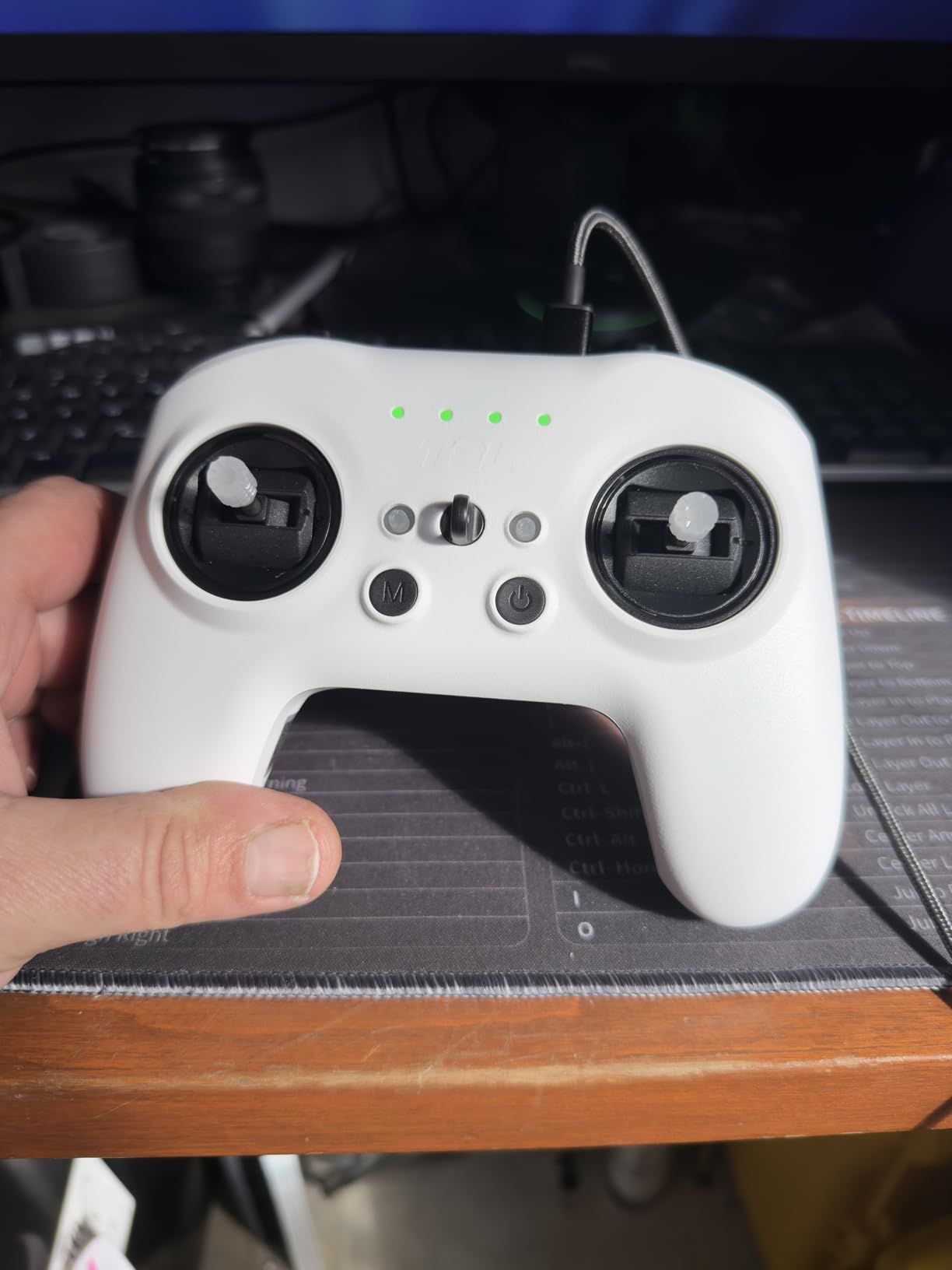
For simulator practice, the T8L connects via USB-C and works with Liftoff, VelociDrone, and other popular FPV sims. The removable sticks are a nice touch. You can unscrew them and store them inside the controller body for transport, which means no bent sticks in your bag.
The limitations are worth noting. There is no channel mixing capability, which matters if you need complex setups like elevons or v-tail configurations. Some users reported shorter range than expected, though I did not experience this in my testing within typical FPV flying distances. The controller requires two 18650 batteries, which are not included.
Despite these compromises, the T8L offers something no other controller at this price can match: Hall-effect gimbals in a 204-gram package with ExpressLRS. For pilots who prioritize gimbal quality over screens and advanced mixing, this is the best value available.
Who Should Buy This Controller
The T8L is ideal for beginners who want Hall-effect gimbals and ExpressLRS without paying for features they will not use. If you are flying a basic FPV quad with standard flight controls and do not need complex mixes or a built-in screen, this controller covers all your needs.
It is also the lightest option for pilots who hike to flying locations. At 204 grams, you barely notice it in a backpack, and the foldable design keeps it compact.
Web-UI Configuration and Binding
To configure the T8L, connect it to your computer via USB-C and open a web browser. The Web-UI loads automatically and gives you access to binding, channel mapping, stick calibration, and firmware updates. No software installation is required.
ExpressLRS binding uses the standard binding phrase method. Enter your phrase in the Web-UI, save, and power cycle. The controller binds to any ELRS receiver using the same phrase.
12. Radiolink T8FB – Multi-Platform Transmitter with Included Receiver
Radiolink T8FB 8 Channels 2.4GHz RC Remote Transmitter and R8EF Receiver APP Parameter Setup Dual Stick Controller for RC…
8 Channels
Includes R8EF Receiver
Bluetooth App Setup
PWM PPM S-BUS
Arduino and Pi Compatible
✓ The Good
- Great value with included receiver
- Bluetooth app for wireless setup
- Compatible with Arduino and Raspberry Pi
- Up to 2km control distance
- PWM PPM and S-BUS support
✕ The Bad
- App can be confusing with multiple versions
- Documentation lacks clarity
- Parameter saving issues reported
- Limited technical support
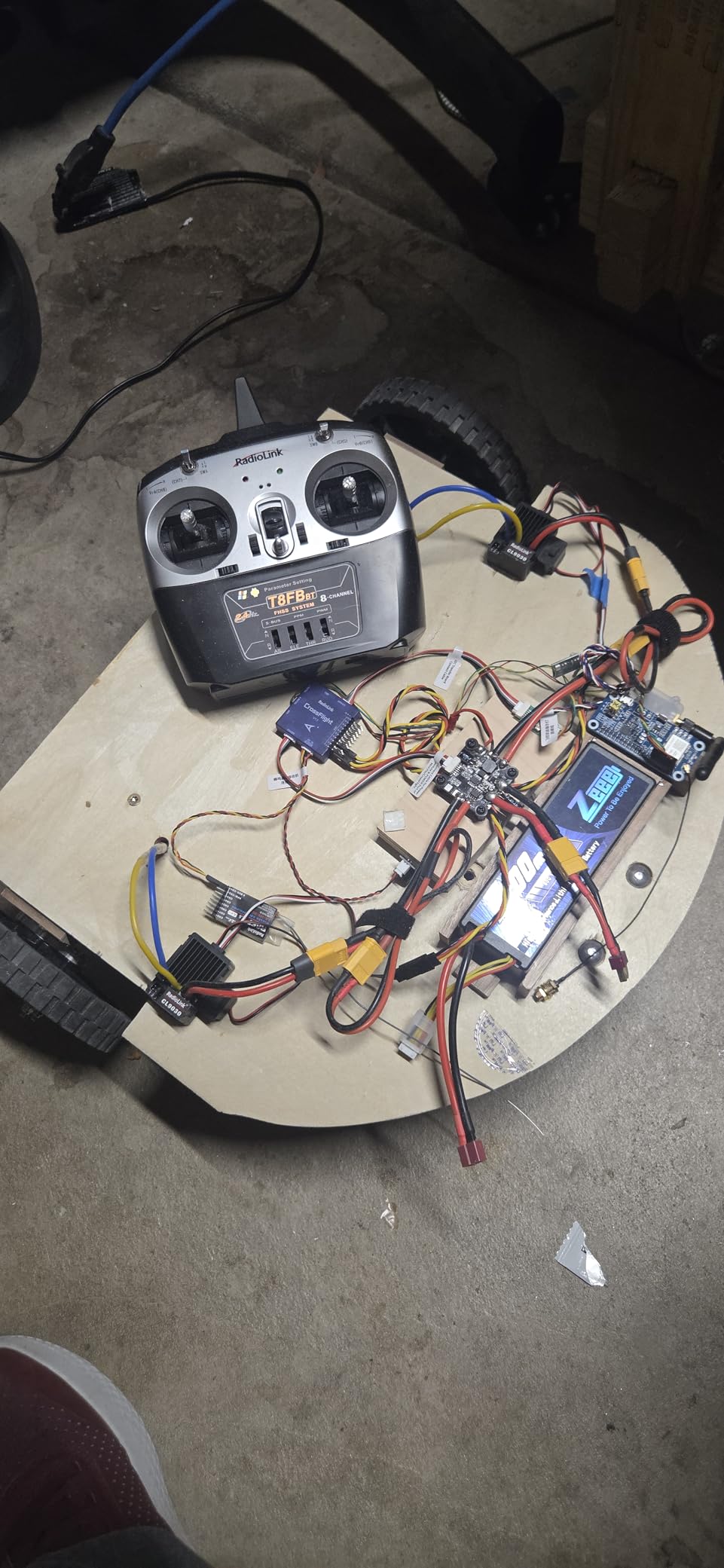
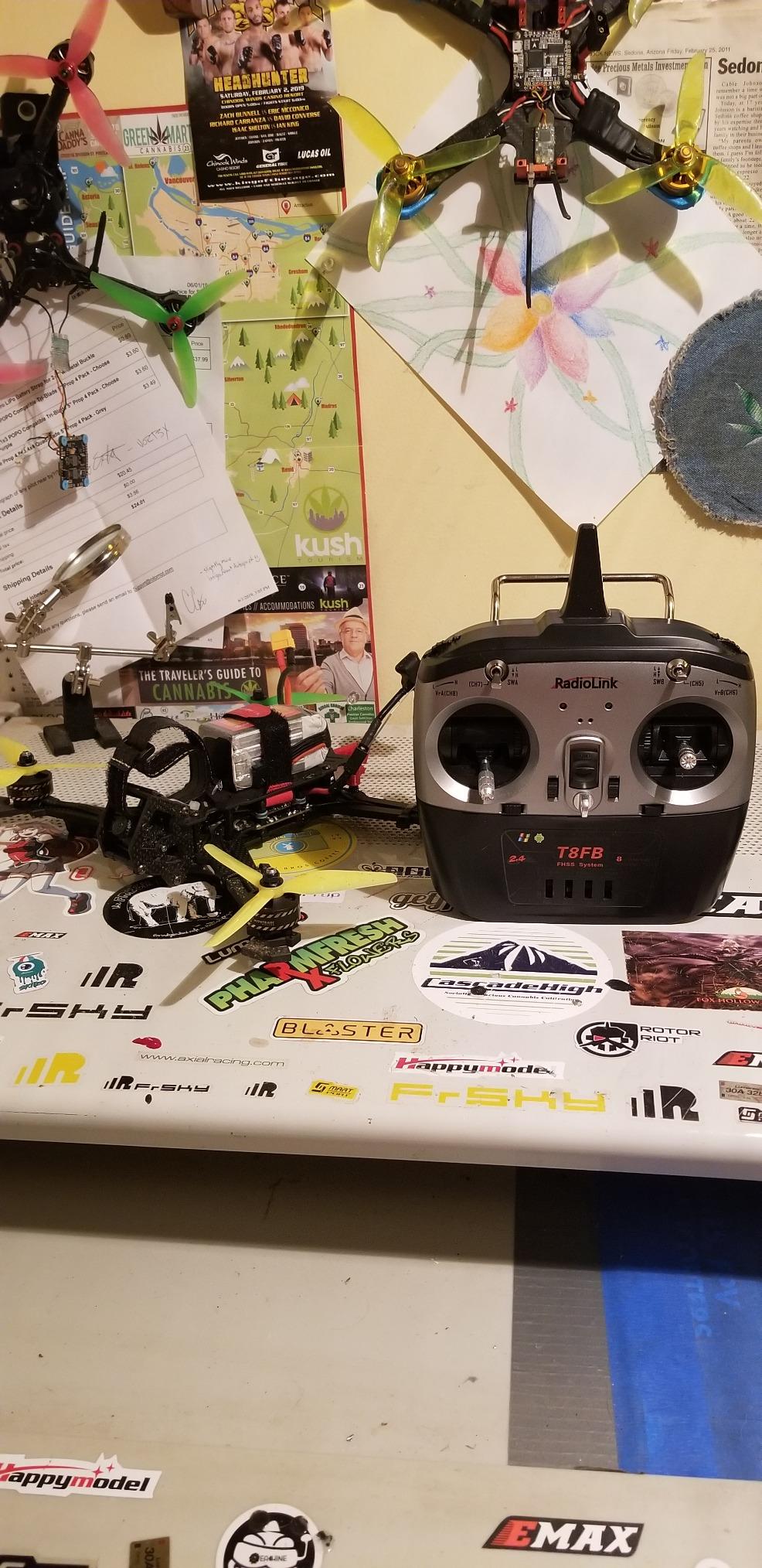
The Radiolink T8FB is a versatile transmitter that appeals to a different audience than most controllers on this list. While FPV pilots gravitate toward ELRS and DJI controllers, the T8FB finds its home in the DIY and autonomous drone community. I tested it with an ArduPilot-powered rover and a Raspberry Pi drone build, and it integrated seamlessly with both.
The included R8EF receiver gives you 8 channels right out of the box. That is enough for flight controls, camera gimbal, and auxiliary functions on most builds. The receiver supports PWM, PPM, and S-BUS signal output, which means it connects to virtually any flight controller without adapters.
Bluetooth app setup is the standout feature for me. Instead of navigating a tiny LCD screen, you connect your phone to the transmitter via Bluetooth and adjust parameters in the app. Endpoints, reversals, mixes, and failsafe settings are all configurable from your phone screen.
Range is rated at up to 2 kilometers with the standard R8EF receiver, or 4 kilometers with the R8XM receiver (sold separately). In my testing on an open field, I got solid signal out to about 1.5 kilometers before I turned back. The FHSS 67-channel pseudo-random hopping helps maintain a stable link in environments with RF interference.
Compatibility with ArduPilot, PX4, Arduino, and Raspberry Pi makes this the go-to transmitter for autonomous drone and robotics builders. If you are building a flight controller from scratch or working with open-source autopilot systems, the T8FB speaks their language natively.
The downsides center around documentation and support. The app has multiple versions available, and figuring out which one works with your specific firmware can be frustrating. Some users had issues with parameter saving, where settings reverted after power cycling. Radiolink’s technical support is limited, so community forums are your best resource for troubleshooting.
Who Should Buy This Controller
If you are building autonomous drones, rovers, or boats with ArduPilot, PX4, Arduino, or Raspberry Pi, the T8FB is designed for your projects. The multi-signal output and platform compatibility make integration straightforward.
It is less ideal for FPV racing or freestyle. The protocol is not as low-latency as ExpressLRS, and the gimbals are potentiometer-based. For manual FPV flying, other controllers on this list will serve you better.
Platform Integration and Setup
Connecting the R8EF receiver to a flight controller is straightforward. For PWM output, plug each channel into the corresponding pin on your flight controller. For PPM or S-BUS, use a single connection to the PPM/S-BUS input pin.
The Bluetooth app is available for iOS and Android. Search for the Radiolink parameter app and make sure you download the version compatible with the T8FB firmware. Anti-reverse protection on the receiver prevents damage from wiring mistakes during setup.
How to Choose the Best Drone Controller in 2026
Choosing the right drone controller comes down to understanding your flying style, your drone ecosystem, and the features that matter most for your use case. After testing all 12 controllers on this list, I can break the decision into a few key factors.
Protocol and Link Technology
The protocol your controller uses determines what drones it can fly and how well the signal performs. DJI controllers use DJI’s proprietary O3+ or O4 transmission, which only works with DJI drones. ExpressLRS (ELRS) is the open-source standard for FPV, offering excellent range, low latency, and broad receiver compatibility. TBS Crossfire is an alternative long-range protocol favored by some long-range pilots.
If you fly DJI drones, you need a DJI controller. If you build custom FPV drones, ELRS is the protocol I and most FPV community members recommend. If you do DIY autonomous projects with ArduPilot or PX4, a multi-signal transmitter like the Radiolink T8FB or FLYSKY FS-i6X may be more practical.
Gimbal Quality: Hall Effect vs Potentiometer
The gimbals are the sticks you move to control the drone, and their quality directly affects flight precision. Hall-effect gimbals use magnetic sensors that never wear out and provide smooth, drift-free control. Potentiometer gimbals use physical contacts that degrade over time, leading to jitter and drift.
For serious FPV flying, Hall-effect gimbals are non-negotiable. The RadioMaster Pocket, TX16S, and T8L all use Hall sensors. Budget controllers like the BETAFPV LiteRadio 2 SE and FLYSKY FS-i6X use potentiometers, which are acceptable for beginners and casual use but will show their limitations as your skills improve.
Form Factor: Box vs Gamepad vs Motion vs Compact
Box-style transmitters like the RadioMaster TX16S offer the most switches, knobs, and screen real estate. They are preferred by traditional RC pilots who want maximum control options. Gamepad-style controllers like the BETAFPV LiteRadio series feel familiar to gamers and are more compact. Motion controllers like the DJI RC Motion 3 offer an entirely different flying experience suited to beginners.
Compact controllers like the RadioMaster Pocket and T8L prioritize portability. If you hike to flying spots or travel with your gear, a folding compact transmitter saves significant space. The trade-off is fewer physical switches and smaller screens.
Battery Life and Charging
Battery life varies widely across these controllers. The BETAFPV LiteRadio 3 leads the pack at up to 15 hours. The DJI FPV Remote Controller 3 delivers about 10 hours. Budget options like the BETAFPV LiteRadio 2 SE give 8 hours. Controllers that require external 18650 batteries, like the RadioMaster Pocket and T8L, run for about 6 hours per charge cycle.
USB-C charging is now standard on most controllers, which simplifies your charging setup. Controllers with built-in batteries are more convenient than those requiring separate cells, but you cannot swap batteries in the field if the built-in cell dies.
Firmware and Simulator Compatibility
If you plan to practice in FPV simulators, make sure your controller supports USB-C simulator mode. The DJI FPV Remote Controller 3, RadioMaster Pocket, TX16S, T8L, and both BETAFPV LiteRadio models all work with popular simulators like Liftoff, VelociDrone, and DRL.
EdgeTX and OpenTX firmware offer the deepest customization for open-source transmitters. DJI’s firmware is locked down but requires no configuration, making it ideal for pilots who want a plug-and-play experience.
Budget Tiers and Value
Under 50 dollars, the BETAFPV LiteRadio 2 SE and Radiolink T8FB offer entry-level options. The 50 to 100 dollar range includes the RadioMaster Pocket, T8L, FLYSKY FS-i6X, and BETAFPV LiteRadio 3, all of which offer significantly better value. Above 150 dollars, DJI controllers and the RadioMaster TX16S deliver premium features and build quality. Your budget should reflect how seriously you plan to pursue the hobby.
FAQs
What is the best drone controller?
The DJI FPV Remote Controller 3 is the best drone controller overall, earning a 4.8-star rating from over 2,000 reviews. It offers rock-solid O4 video transmission, up to 10 hours of battery life, simulator compatibility, and adjustable stick tension. For DJI camera drone pilots, the DJI RC 2 with its built-in 5.5-inch screen is the top choice.
Which is the best flight controller for drones?
This depends on your drone type. For DJI drones, the DJI FPV Remote Controller 3 (FPV) and DJI RC 2 (camera drones) are the best options. For custom FPV builds, the RadioMaster TX16S MKII offers the most features and multi-protocol support, while the RadioMaster Pocket ELRS is the best value pick for beginners.
Are FPV drones illegal in the USA?
FPV drones are not illegal in the USA, but they are regulated. Pilots must follow FAA rules including the Remote ID requirement, altitude limits of 400 feet in uncontrolled airspace, and visual line-of-sight guidelines. Flying FPV with goggles technically requires a visual observer unless you have a waiver. Always check current FAA regulations before flying.
Which is the best DJI controller?
The best DJI controller depends on your drone. For FPV drones like the Avata 2 and Neo, the DJI FPV Remote Controller 3 is the top pick with its O4 transmission and Manual mode support. For camera drones like the Mini 4 Pro and Air 3, the DJI RC 2 with its built-in 5.5-inch FHD screen offers the best experience. For budget-conscious pilots, the DJI RC-N3 provides excellent value.
What is the best budget FPV controller for beginners?
The RadioMaster Pocket ELRS is the best budget FPV controller for beginners, offering Hall-effect gimbals, ExpressLRS protocol, and EdgeTX firmware for under 80 dollars. For the absolute lowest price, the BETAFPV LiteRadio 2 SE at under 45 dollars includes a built-in battery and simulator compatibility, though its potentiometer gimbals are less precise.
Conclusion: Finding Your Ideal Drone Controller in 2026
The best drone controllers in 2026 cover a wide range of needs, and the right choice depends entirely on what you fly and how you fly it. For DJI FPV pilots, the DJI FPV Remote Controller 3 is the clear winner with its unmatched O4 transmission and precision control. Camera drone operators will love the all-in-one convenience of the DJI RC 2. And for FPV builders on a budget, the RadioMaster Pocket ELRS delivers Hall-effect gimbals and ExpressLRS at a price that leaves room for drone components.
Whatever your budget or flying style, investing in a quality controller pays off every single flight. The difference between a precise, comfortable transmitter and a cheap, imprecise one is the difference between feeling connected to your drone and fighting it. Pick the one that matches your ecosystem, commit to practicing in a simulator, and you will see your flying improve faster than you expect.
