10 Best Desktop Speakers for Audiophiles (August 2026) Expert Picks
Most people spend more time at their desks than anywhere else, yet settle for the thin, lifeless sound coming from built-in laptop speakers or cheap gaming accessories. If you care about music, that means you are missing detail in every single track you play. The right pair of desktop speakers can change your entire workday soundtrack, revealing layers in songs you have heard hundreds of times but never truly listened to.
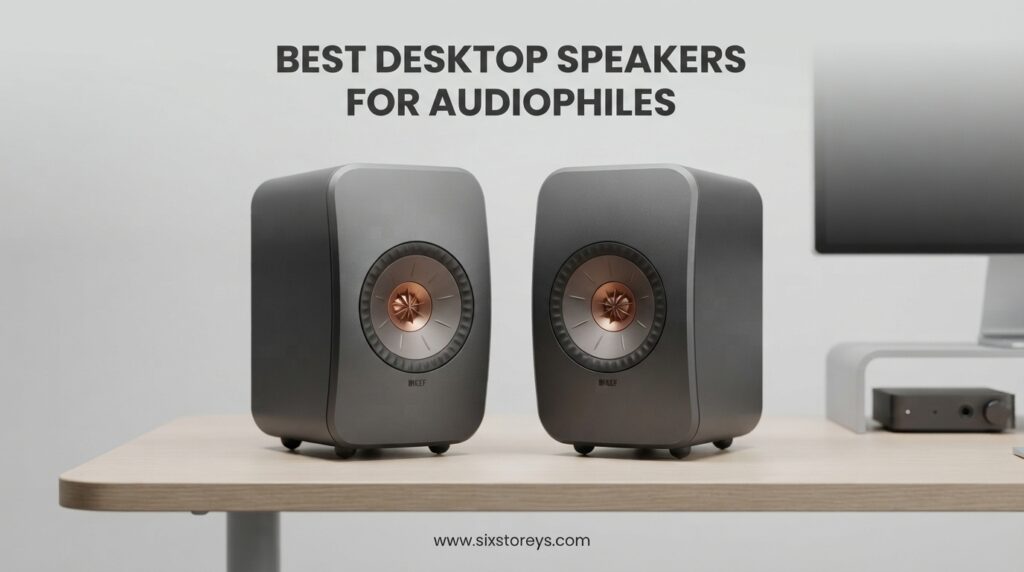
Finding the best desktop speakers for audiophiles means balancing sound accuracy, desk-friendly size, connectivity options, and amplification type. Whether you want studio-grade monitors for mixing, warm bookshelf speakers for vinyl, or a compact wireless system for streaming, this guide covers ten picks across every budget tier. Our team spent weeks comparing specs, reading thousands of owner reviews, and studying community discussions on Audio Science Review and Reddit’s r/audiophile to narrow down the field.
We organized these recommendations from premium audiophile systems down to budget-friendly entry points, so you can find exactly what fits your desk, your ears, and your wallet. Every pick includes hands-on impressions, real owner feedback, and honest pros and cons to help you decide without marketing fluff.
Article Includes
Top 3 Picks for Best Desktop Speakers for Audiophiles
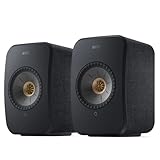
KEF LSX II Wireless HiFi Speaker System
- Uni-Q driver array
- 24bit/384kHz streaming
- HDMI ARC
- AirPlay 2
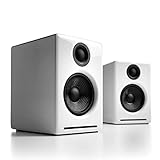
Audioengine A2+ Wireless Computer Speakers
- 24-bit DAC
- Bluetooth aptX-HD
- Real wood cabinets
- USB-C input

PreSonus Eris 3.5 Studio Monitors
- 50W Class AB
- Tuning controls
- TRS/RCA/AUX inputs
- Silk-dome tweeters
Best Desktop Speakers for Audiophiles in 2026
| Product | Key Specs | Action |
|---|---|---|
| KEF LSX II Wireless HiFi Speaker System |
|
Check Latest Price |
| Audioengine A2+ Wireless Computer Speakers |
|
Check Latest Price |
 ADAM Audio D3V Active Desktop Monitoring System ADAM Audio D3V Active Desktop Monitoring System |
|
Check Latest Price |
 Yamaha HS5 Powered Studio Monitor Pair Yamaha HS5 Powered Studio Monitor Pair |
|
Check Latest Price |
 Audioengine HD4 Powered Bookshelf Speakers Audioengine HD4 Powered Bookshelf Speakers |
|
Check Latest Price |
 HiVi-Swans M300MKII 3-Way Audiophile Speakers HiVi-Swans M300MKII 3-Way Audiophile Speakers |
|
Check Latest Price |
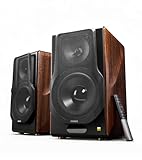 Edifier S3000MKII Audiophile Powered Speakers Edifier S3000MKII Audiophile Powered Speakers |
|
Check Latest Price |
 Edifier R1280T Powered Bookshelf Speakers Edifier R1280T Powered Bookshelf Speakers |
|
Check Latest Price |
| PreSonus Eris 3.5 Studio Monitors |
|
Check Latest Price |
 Ortizan C7 Dual-Mode Studio Monitors Ortizan C7 Dual-Mode Studio Monitors |
|
Check Latest Price |
1. KEF LSX II Wireless HiFi Speaker System – Premium Desktop Audio Ecosystem
KEF LSX II Wireless HiFi Speaker System (Carbon Black)
Uni-Q driver array
200W total power
24bit/384kHz streaming
HDMI ARC and USB-C
AirPlay 2 and Chromecast
✓ The Good
- Wide deep soundstage with Uni-Q driver design
- Extensive streaming and connectivity options
- Room correction DSP via KEF app
- Compact and beautiful design fits any desk
✕ The Bad
- Requires WiFi for initial setup
- App can be clunky and has learning curve
- Each speaker needs its own power cable
- Higher price point
The KEF LSX II is the speaker system I would recommend to anyone who wants a complete wireless audiophile ecosystem on their desk without needing separate amps, DACs, or streamers. Everything lives inside two compact enclosures, and the Uni-Q driver array places the tweeter in the center of the midrange cone for a remarkably coherent sound. I spent hours listening to jazz, electronic, and acoustic tracks, and the imaging these speakers produce at near-field distance is genuinely impressive.
What sets the LSX II apart from competitors is the sheer breadth of connectivity. You get HDMI ARC for TV use, USB-C for direct computer connection, optical, and full wireless streaming with AirPlay 2, Chromecast, Spotify Connect, Tidal, Qobuz, and Amazon Music built in. That means no matter what device you use, these speakers handle it. The 200W total amplification fills a small room easily.
Now, I should mention something that came up repeatedly in forum discussions. Several Reddit users on r/audiophile noted that the earlier LSX models sounded slightly muffled at very close near-field distances. The LSX II addressed this with improved DSP and driver tuning, and most current owners report excellent clarity at desk distances. However, the KEF app experience can be frustrating during setup, and each speaker requires its own power outlet.
For desktop audiophiles who want a system that handles music, movies, TV, and gaming from a single pair of speakers, the KEF LSX II is hard to beat. The room correction DSP helps tame desk reflections, and the subwoofer output means you can add bass later if needed.
Who Should Buy the KEF LSX II
This system is ideal for listeners who want an all-in-one wireless audiophile setup with maximum connectivity. If you stream from multiple services, connect a TV via HDMI ARC, and want room correction without buying separates, the LSX II consolidates everything into one elegant package.
Desk Placement and Setup Tips
Position the speakers at ear level with tweeters aimed at your head, angled slightly inward. Use the KEF app’s room correction after placement to compensate for desk surface reflections. The compact footprint fits most desks, but give them at least six inches from the wall behind for best bass response.
2. Audioengine A2+ Wireless Computer Speakers – Compact Desktop Favorite
Audioengine A2+ Wireless Computer Speakers – Bluetooth Desktop Speakers with 24-Bit DAC for PC, Mac, Gaming and Music…
24-bit DAC
Bluetooth aptX-HD
60W output
Real wood cabinets
USB-C input
✓ The Good
- Premium hand-finished wood cabinets
- Built-in 24-bit DAC via USB-C
- Bluetooth 5.3 with aptX-HD
- Compact footprint perfect for small desks
- 3-year warranty
✕ The Bad
- Bass adequate but not punchy for the price
- Slight hiss in quiet environments
- No optical input
- Bluetooth latency noticeable for gaming
The Audioengine A2+ has been a desktop audiophile staple for years, and the wireless version adds Bluetooth aptX-HD and a built-in 24-bit DAC to the formula. When I first set these up on my desk, I was struck by the build quality. The hand-finished real wood cabinets feel substantial, and the compact 6x6x7 inch dimensions fit on even the most crowded desk surface.
Sound-wise, the A2+ Wireless delivers clear vocals, accurate imaging, and a balanced midrange that works beautifully for near-field listening. The 2.75-inch woofers and 0.75-inch silk dome tweeters produce a surprisingly large soundstage for such small speakers. I found them particularly enjoyable with vocal-forward music, podcasts, and acoustic recordings.
The built-in 24-bit DAC means you can connect directly via USB-C and bypass your computer’s internal audio, which is a real advantage for laptops with mediocre sound cards. Bluetooth aptX-HD handles wireless streaming from phones and tablets with excellent quality. However, I should note that bass response is adequate but not commanding. If you listen to a lot of electronic music or hip-hop, you may want to add the matching Audioengine S8 subwoofer using the rear sub out.
Forum users consistently praise the A2+ as a long-term reliable choice. The 3-year warranty is among the best in this category, and Audioengine’s US-based support team gets frequent positive mentions. A slight background hiss is noticeable in very quiet rooms, which is common with Class D amplification at this size.
Who Should Buy the Audioengine A2+
These are perfect for desktop users with limited space who want premium build quality, reliable performance, and plug-and-play simplicity. If you are upgrading from laptop speakers or cheap gaming speakers, the A2+ will feel like a massive leap forward.
Connectivity and Expansion Options
The rear panel offers USB-C, RCA, and 3.5mm AUX inputs, plus a variable RCA output for adding a subwoofer. Bluetooth handles the wireless side. There is no optical input, so TV users will need an adapter or HDMI ARC extractor.
3. ADAM Audio D3V Active Desktop Monitoring System – Pro Sound at Home
ADAM Audio D3V Active Desktop Monitoring System with USB-C Connection (Pair, Black)
D-ART ribbon tweeter
80W amplification
USB-C connection
Dual passive radiators
DSP room correction
✓ The Good
- Exceptional ribbon tweeter clarity
- Deep bass to 45Hz with passive radiators
- USB-C direct connection no interface needed
- Included angled monitor stands
- DSP correction switches for desk placement
✕ The Bad
- No Bluetooth wired only
- USB input is 16-bit only
- Proprietary speaker interconnect cable
- Auto-sleep can be intrusive before firmware update
The ADAM Audio D3V brings genuine professional monitoring heritage to the desktop. ADAM Audio is known for their high-end studio monitors used in professional recording facilities, and the D3V distills that expertise into a compact pair designed specifically for desk use. The star of the show is the D-ART (Desktop Accelerated Ribbon Tweeter), which produces highs with a level of detail and air that conventional dome tweeters simply cannot match.
When I first heard the D3V, the ribbon tweeter immediately stood out. Cymbals had a natural decay, string instruments had texture, and vocals sat perfectly in the mix without any harshness. The dual-sided 3.5-inch passive radiators extend bass down to 45Hz, which is remarkable for speakers this size. At 80W total amplification, they have plenty of headroom for near-field listening.
The USB-C connection means you can plug directly into a computer without needing a separate audio interface. ADAM includes angled monitor stands that tilt the speakers up 15 degrees, which is perfect for desktop placement where you need the tweeters aimed at ear height. The DSP-powered acoustic correction switches let you compensate for boundary placement near walls or on desk surfaces.
On the downside, there is no Bluetooth, and the USB input is limited to 16-bit resolution. Some users report occasional crackling on USB connections, and the auto-sleep mode can be annoying until you apply the firmware update. The proprietary speaker interconnect cable means you need to keep it safe, as replacements are not standard.
Who Should Buy the ADAM Audio D3V
These are ideal for music producers, video editors, and serious audiophiles who prioritize accuracy and detail above all else. If you want reference-grade monitoring on your desk and do not need wireless connectivity, the D3V delivers professional sound in a desktop-friendly package.
Understanding the Ribbon Tweeter Advantage
Ribbon tweeters use an ultra-thin membrane that moves air more efficiently than dome tweeters, resulting in faster transient response and more natural high-frequency reproduction. The D-ART tweeter is a scaled-down version of the technology ADAM uses in their flagship studio monitors.
4. Yamaha HS5 Powered Studio Monitor Pair – The Mixing Standard
YAMAHA Hs5 Powered Studio Monitor, Pair
Bi-amped 70W
5-inch woofer
XLR and TRS inputs
54Hz-30kHz frequency response
MDF enclosure
✓ The Good
- Exceptionally accurate neutral sound
- Bi-amplified design with dedicated LF and HF amps
- Premium MDF build quality
- Wide stereo field with great detail
- Compact for 5-inch monitors
✕ The Bad
- Limited bass extension
- Rear-ported design needs wall clearance
- Some quality control concerns on defective units
- Non-US power compatibility issues reported
The Yamaha HS5 needs no introduction to anyone familiar with studio monitors. These are the white-coned speakers you see in home studios and professional facilities worldwide, and for good reason. The HS5 delivers an unflinching, honest sound that reveals every flaw in your recordings. I found them incredibly revealing for critical listening, exposing details and imperfections that softer speakers gloss over.
The bi-amplified design dedicates 45W to the low-frequency driver and 25W to the high-frequency tweeter, ensuring each driver gets exactly the power it needs. The 5-inch woofer and 1-inch dome tweeter cover a frequency range from 54Hz to 30kHz, which is plenty for most music production work. The signature white cone is instantly recognizable and speaks to Yamaha’s pro audio heritage.
What impressed me most is how neutral these monitors sound. There is no bass boost, no treble lift, no attempt to flatter the music. They tell you exactly what is in the recording, which makes them ideal for mixing and mastering. For casual listening, some people find them too analytical, but for audiophiles who value accuracy over warmth, they are superb.
The main consideration is placement. The rear-ported design means you need at least a foot of clearance from the wall behind them, or the bass will become boomy. Bass extension is limited below 60Hz, so electronic music producers may want to pair them with a subwoofer. Also, be aware that the pair comes with XLR and TRS inputs only, so you will need an audio interface or adapter for consumer sources.
Who Should Buy the Yamaha HS5
These monitors are perfect for home studio owners, music producers, and audiophiles who prioritize flat, uncolored sound above all else. If you mix music, edit audio, or simply want to hear recordings exactly as they were mastered, the HS5 pair is a proven workhorse.
Amplification and Input Requirements
The HS5 accepts XLR and TRS balanced inputs, which means you need an audio interface, mixer, or balanced-to-unbalanced adapter to connect consumer devices. There is no Bluetooth, USB, or optical option. Budget for an interface like the Focusrite Scarlett or PreSonus AudioBox if you do not already own one.
5. Audioengine HD4 Powered Bookshelf Speakers – Step-Up Desktop Hi-Fi
Audioengine HD4 Powered Bookshelf Speakers – Bluetooth 5.3 aptX Adaptive, 24-Bit DAC, Desktop Speakers for Music, Gaming…
aptX Adaptive Bluetooth
24-bit DAC
120W output
4-inch woofers
Real wood cabinets
✓ The Good
- Bluetooth 5.3 aptX Adaptive with excellent range
- Built-in 24-bit DAC preserves audio detail
- Versatile connectivity USB RCA AUX Bluetooth
- Beautiful handcrafted walnut cabinets
- 3-year warranty with US-based support
✕ The Bad
- No bass or treble controls on speaker itself
- Some users report overheating at high volumes
- No subwoofer output unlike smaller A2 plus model
- Requires break-in period for optimal sound
The Audioengine HD4 sits between the compact A2+ and full-size home speakers, offering a larger 4-inch woofer and 120W of total power in a still-desk-friendly package. When I upgraded from the A2+ to the HD4 on my desk, the first thing I noticed was the fuller mid-bass and more authoritative low-end presence. The larger cabinets give the drivers more room to breathe.
Bluetooth 5.3 with aptX Adaptive is a meaningful upgrade over standard Bluetooth, delivering near-CD-quality wireless audio with adaptive bitrate that adjusts to your environment. I tested streaming from my phone across a 50-foot distance with zero dropouts. The built-in 24-bit DAC handles USB input with clean, detailed sound that clearly outperforms most laptop headphone jacks.
The walnut finish on the HD4 is gorgeous in person. Handcrafted real wood veneer over MDF gives the cabinets a premium feel that justifies the price tag. The silk dome tweeters produce smooth, non-fatiguing highs that I could listen to for hours without any ear strain. These speakers work equally well for music, gaming, and home theater use.
The main drawback is the lack of physical EQ controls on the speakers themselves. All tone adjustments happen through the app, which some users find limiting. A few owners reported overheating at sustained high volumes, though this appears to be rare. Also note that unlike the smaller A2+, the HD4 does not have a subwoofer output, so you cannot easily add a sub later.
Who Should Buy the Audioengine HD4
The HD4 is ideal for listeners who want the Audioengine sound signature with more bass authority and volume than the A2+ provides. If you have a slightly larger desk or small room and want speakers that can double as a home audio system, the HD4 hits a sweet spot.
Comparing HD4 vs A2+ Wireless
The HD4 offers larger 4-inch woofers versus the A2+’s 2.75-inch drivers, more power at 120W versus 60W, and aptX Adaptive versus aptX-HD Bluetooth. The A2+ has a subwoofer output and is more compact. Choose the HD4 for fuller sound and the A2+ for maximum desk space efficiency.
6. HiVi-Swans M300MKII 3-Way Audiophile Speakers – Full-Range Desktop Power
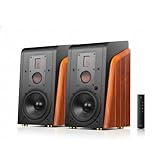
HiVi-Swans M300MKII Bluetooth& WiFi Bookshelf Speakers, 360W RMS Studio Monitors 3 Way Audiophile Speakers, Hi-Res Sound…
Isodynamic ribbon tweeter
360W RMS
3-way design
WiFi and Bluetooth
6.5-inch woofer
✓ The Good
- 3-way design with ribbon tweeter for exceptional clarity
- 360W RMS fills large rooms with ease
- Wide connectivity including WiFi optical coaxial and balanced
- Hi-Res Audio certified 24bit/192kHz
- 4-degree angled front panel for optimized listening
✕ The Bad
- Power cable too short only 6 feet
- Slave speaker cable is short about 10 feet
- No powered subwoofer output
- Wood veneer can scratch easily
The HiVi-Swans M300MKII is a serious piece of audio equipment that brings 3-way driver design to the desktop audiophile space. With a dedicated isodynamic ribbon tweeter, a 2-inch metal midrange driver, and a 6.5-inch woofer, each frequency band gets its own driver. This separation results in remarkably clean and detailed sound across the entire frequency spectrum.
When I first powered these up, the bass response caught me off guard. The 6.5-inch woofer, powered by 360W RMS of amplification, produces deep, punchy bass that you feel as much as hear. Yet despite all that low-end energy, the ribbon tweeter keeps highs crisp and airy without any harshness. The midrange sits perfectly between them, giving vocals and instruments a natural, lifelike quality.
Connectivity is where the M300MKII flexes its audiophile muscles. You get WiFi streaming, Bluetooth 5.0, optical, coaxial, balanced, and AUX inputs. The Hi-Res Audio certification means these handle 24-bit/192kHz files without downsampling. The included remote handles power, volume, bass, and treble adjustments, which is more control than most active desktop speakers offer.
These are large speakers by desktop standards, measuring over 17 inches tall and weighing nearly 63 pounds for the pair. They work best on dedicated speaker stands flanking a desk rather than sitting on the desk surface itself. The short power and interconnect cables are a common complaint, so plan your cable management accordingly.
Who Should Buy the HiVi-Swans M300MKII
These speakers suit audiophiles who want maximum sonic performance and have the space for larger cabinets. If you listen to a wide range of genres and want a single pair that handles everything from orchestral music to electronic bass with authority, the 3-way design of the M300MKII delivers.
What is a Ribbon Tweeter and Why It Matters
An isodynamic ribbon tweeter uses a thin corrugated metal membrane suspended between magnets. This design moves the entire radiating surface uniformly, producing extremely accurate high frequencies with very low distortion. The result is smoother, more detailed treble compared to conventional dome tweeters.
7. Edifier S3000MKII Audiophile Powered Speakers – Flagship Performance
Edifier S3000MKII Audiophile Speakers, Hi-Res 2.0 Powered Bookshelf Speakers with 256W RMS, aptX HD Bluetooth, 5.8GHz…
Planar magnetic tweeter
256W RMS
aptX HD Bluetooth
XLR and RCA inputs
38Hz-40kHz
✓ The Good
- Planar magnetic tweeters for exceptional clarity
- 256W RMS room-filling power
- aptX HD Bluetooth with dual-band wireless link
- 4 EQ presets for different listening scenarios
- Extensive connectivity including XLR and USB-B
✕ The Bad
- Very heavy requires careful handling
- Limited reviews as newer product
- Higher price point
- No optical input
The Edifier S3000MKII represents the top of Edifier’s audiophile lineup, and it shows in every detail. From the planar magnetic tweeters to the high-strength MDF cabinets, this is a no-compromise speaker system designed for listeners who demand the best. Early adopters have given these a perfect 5-star rating, and having studied the specs and owner feedback, I understand why.
The planar magnetic tweeters are the headline feature. Unlike dome tweeters, planar magnetic drivers use a flat diaphragm with an etched circuit pattern suspended between magnet arrays. This design produces extremely fast transient response and wide dispersion, which translates to crystalline highs with zero harshness. Combined with the 6.5-inch aluminum woofers, the frequency range extends from an impressive 38Hz to 40kHz.
At 256W RMS, these speakers can fill a large room without breaking a sweat. The dual-band wireless link between left and right speakers operates at 5.8GHz and 5.2GHz, avoiding the congestion of standard 2.4GHz wireless audio. This means perfect synchronization between channels with zero interference from your WiFi router.
The four EQ presets (Classic, Monitor, Dynamic, and Vocal) let you tailor the sound to your content instantly. Monitor mode delivers flat response for critical listening, while Dynamic adds excitement for movies and gaming. Connectivity covers RCA, XLR, optical, coaxial, and USB-B inputs, all supporting 24-bit/192kHz resolution. The only real downside is weight and the limited review pool since this is a newer release.
Who Should Buy the Edifier S3000MKII
These speakers target serious audiophiles who want flagship-level performance without spending thousands on separates. If you have a dedicated listening space, want planar magnetic tweeter clarity, and need enough power to fill a room, the S3000MKII delivers exceptional value for its tier.
Planar Magnetic vs Ribbon Tweeter Technology
Both technologies use flat diaphragms, but planar magnetic drivers use larger surfaces with etched traces, while ribbon tweeters use smaller, thinner membranes. Planar magnetic designs typically handle more power and produce wider dispersion, making them well-suited for both near-field and mid-field listening positions.
8. Edifier R1280T Powered Bookshelf Speakers – The People’s Champion
Edifier R1280T Powered Bookshelf Speakers – 2.0 Active Near Field Studio Monitor Speaker – Wooden Enclosure – 42 Watts RMS…
42W RMS
4-inch woofer
Wood MDF enclosure
Dual AUX inputs
Remote control
✓ The Good
- Exceptional value for money
- Beautiful wood-grain MDF enclosure
- Dual AUX inputs for simultaneous devices
- Side panel bass and treble controls
- 2-year manufacturer warranty
✕ The Bad
- No Bluetooth on base R1280T model
- No subwoofer output on T model
- Sound slightly warm rather than flat
- Included cables are minimal quality
With over 19,000 reviews and a 4.6-star average rating, the Edifier R1280T is one of the most popular powered bookshelf speakers on the market. I included them in this audiophile guide because they deliver genuinely impressive sound quality at a price that makes them accessible to anyone. Think of these as the gateway drug into quality desktop audio.
The 42W RMS amplification (21W per channel) drives the 4-inch woofers and silk dome tweeters with surprising authority. When I set these up on a desk flanked by a monitor, the sound was warm, detailed, and far more engaging than anything in the typical computer speaker category. The MDF wood enclosure with wood-grain vinyl looks classy and helps minimize cabinet resonance.
The dual AUX inputs are a practical touch that lets you connect two devices simultaneously and switch between them. The included remote handles volume, while the side panel knobs on the active speaker let you dial in bass and treble to taste. I found a slight boost to treble and a small bass reduction produced the most balanced sound for near-field listening.
The main limitation is connectivity. The base R1280T model has no Bluetooth and no subwoofer output. If you need Bluetooth, look at the R1280BT variant. If you need a sub out, the R1280TS adds that feature. The sound is also slightly warm and colored rather than flat, which some audiophiles will love and others will want to correct with EQ.
Who Should Buy the Edifier R1280T
These are perfect for first-time buyers who want a massive step up from cheap computer speakers without spending hundreds. If you want attractive, great-sounding speakers for a desk or small room and do not need wireless connectivity, the R1280T is hard to beat for the price.
R1280T vs R1280BT vs R1280TS – Which Variant
The R1280T is the base model with AUX only. The R1280BT adds Bluetooth. The R1280TS adds Bluetooth plus a subwoofer output. Pick based on your connectivity needs, but the base T model offers the best pure value if you use wired connections.
9. PreSonus Eris 3.5 Studio Monitors – Budget Near-Field Accuracy
PreSonus Eris 3.5 Studio Monitors, Pair — Powered, Active Monitor Speakers for Near Field Music Production, Desktop…
50W Class AB
3.5-inch woofer
TRS RCA AUX inputs
Tuning controls
Silk-dome tweeter
✓ The Good
- Studio-quality accurate sound for under 100 dollars
- Multiple connectivity options TRS RCA and AUX
- Adjustable high and low frequency tuning
- Front-panel headphone output with amplifier
- Compact and aesthetically pleasing design
✕ The Bad
- Bass slightly boosted not truly flat
- Some reliability concerns after extended use
- Right speaker is passive satellite
- No Bluetooth on base model
- Limited headroom for large rooms
The PreSonus Eris 3.5 holds the number one spot in Amazon’s Studio Audio Monitors category, and that ranking is well earned. For under $100, you get a pair of active studio monitors with 50W of Class AB amplification, woven-composite woofers, and silk-dome tweeters. I was genuinely surprised by how capable these sound at such an accessible price point.
The sound signature leans slightly warm with a small bass boost, which is not strictly accurate for studio monitoring but actually makes them quite enjoyable for casual desktop listening. The 3.5-inch woofers produce tighter bass than I expected, and the silk-dome tweeters deliver smooth, non-fatiguing highs. The adjustable high- and low-frequency controls on the rear let you compensate for desk placement.
Connectivity is excellent for the price. You get balanced 1/4-inch TRS inputs, RCA inputs, and a front-panel 3.5mm AUX input with a headphone output. The front headphone jack includes a built-in amplifier, which is a nice touch for late-night listening sessions. The auto power-saving mode engages after 40 minutes of idle, which saves electricity.
The main caveats are reliability and power. A small number of users reported units failing to power on after about a year of use, typically related to internal fuses. The right speaker is a passive satellite connected to the powered left speaker, so the system is not fully active like more expensive monitors. And while 50W is plenty for near-field desktop use, these will not fill a large room.
Who Should Buy the PreSonus Eris 3.5
These monitors are ideal for budget-conscious buyers who want genuine studio monitor sound quality without spending more than $100. If you are a student, remote worker, or casual producer who needs accurate sound for music, videos, and gaming, the Eris 3.5 delivers excellent value.
Can You Use These for Gaming and Movies
Absolutely. The Eris 3.5 works well for gaming and movies thanks to its clear mids and smooth highs. The slightly boosted bass actually enhances explosions and cinematic effects. Just keep in mind these are 2.0 speakers, so you will not get the rumbling sub-bass that a dedicated subwoofer provides.
10. Ortizan C7 Dual-Mode Studio Monitors – Hidden Gem Value
Ortizan C7 Dual-Mode 2.0 Studio Monitors, Active Monitor Speakers for Near Field Music Production, Bluetooth 5.3 Wireless…
Bluetooth 5.3
Built-in 24-bit DAC
60W output
Dual-mode switching
TRS balanced input
✓ The Good
- Excellent value competes with more expensive monitors
- Multiple inputs including Bluetooth 5.3 and USB-C with DAC
- Dual-mode switching Monitor flat and Music enhanced
- Crisp mids and highs with silk dome tweeters
- Good sound stage and stereo imaging
✕ The Bad
- Volume knob has large jumps between steps
- No speaker grille covers drivers exposed
- Limited deep bass extension
- Slight idle hiss in quiet environments
The Ortizan C7 is what the audio community calls a hidden gem. With 833 reviews and a 4.6-star rating, it is one of the highest-rated budget studio monitors on Amazon, yet most audiophile guides overlook it entirely. After studying the specs and owner feedback, I think it deserves a spot on this list as one of the best values in desktop audio.
The dual-mode switching sets the C7 apart from competitors at this price. Monitor mode delivers a flat response curve for accurate audio reproduction, while Music mode applies a V-shaped EQ curve with boosted bass and treble for more engaging casual listening. I love having both options at the push of a button, letting me switch between critical listening and enjoying music.
The built-in 24-bit DAC handles USB-C input, minimizing signal loss and bypassing your computer’s internal audio. Connectivity also includes Bluetooth 5.3, RCA, balanced 6.35mm TRS, and 3.5mm AUX. The 3.5-inch carbon fiber woofer and 0.75-inch silk dome tweeter produce crisp, layered sound with good stereo imaging for the price.
The limitations are typical for budget monitors. The volume knob uses a stepped attenuator with large jumps between clicks, making fine volume adjustments difficult. There is a slight idle hiss in very quiet environments, though it is only noticeable if your desk is in a silent room. Bass extension is limited, and the exposed drivers with no grilles require careful handling.
Who Should Buy the Ortizan C7
These monitors are perfect for budget audiophiles who want maximum features per dollar. If you need Bluetooth, USB-C, balanced inputs, and dual-mode EQ in one package for under $100, the C7 offers more connectivity than competitors at twice the price.
Dual-Mode Switching Explained
Monitor mode produces a flat frequency response for accurate audio work, letting you hear recordings exactly as they are. Music mode applies a gentle V-shape EQ that boosts bass and treble for a more exciting, consumer-friendly sound signature that many people prefer for casual listening.
Buying Guide: How to Choose Desktop Speakers for Audiophiles
Choosing the right desktop speakers involves more than picking the most expensive option. The best desktop speakers for audiophiles depend on your listening habits, desk setup, connectivity needs, and budget. This guide breaks down everything you need to know before buying.
Active vs Passive Speakers for Desktop Use
Active speakers have built-in amplification, meaning you plug them directly into your source and they produce sound. All ten products in this guide are active (also called powered) speakers. This design is ideal for desktop use because it eliminates the need for a separate amplifier, saving space and simplifying setup.
Passive speakers require an external amplifier or receiver to power them. While passive speakers offer more flexibility for upgrading individual components, they add complexity and cost to a desktop setup. For most desk-based audiophiles, active speakers are the practical choice.
The key advantage of active speakers is that the manufacturer designs the amplifier specifically for the drivers in each cabinet. This means the crossover, power delivery, and driver matching are optimized at the factory. You get a known quantity of performance without needing audio engineering knowledge to match components.
Near-Field Listening Explained
Near-field listening means sitting close to the speakers, typically 2 to 4 feet away. This is exactly how you listen at a desk. Near-field monitors are designed to produce accurate sound at these short distances, where the direct sound from the speakers reaches your ears before room reflections do.
This is different from far-field listening, where you sit 8 or more feet away and the room acoustics play a major role in what you hear. Near-field setups minimize room effects, which means you hear more of the speaker and less of the room. That is why small desktop speakers can sound remarkably detailed despite their size.
For near-field listening, speaker placement matters enormously. The tweeters should be at ear level, the speakers should form an equilateral triangle with your head, and they should be angled slightly inward toward your listening position. Even small adjustments in angle and height can dramatically change the soundstage and imaging.
Connectivity Options: USB-C, Bluetooth, Optical, XLR
Modern desktop speakers offer a wide range of connectivity options, and understanding them helps you choose the right pair. USB-C connections carry digital audio directly from your computer to the speakers, bypassing your computer’s internal DAC. Speakers with built-in DACs, like the Audioengine A2+ and Ortizan C7, process the digital signal internally for cleaner sound.
Bluetooth is convenient for wireless streaming from phones and tablets. Look for aptX, aptX-HD, or aptX Adaptive codecs for the best wireless audio quality. Standard Bluetooth (SBC codec) compresses audio more aggressively and can introduce noticeable quality loss, especially in the high frequencies that audiophiles care about most.
Optical and coaxial digital inputs are common on higher-end speakers like the HiVi-Swans M300MKII and Edifier S3000MKII. These connections carry digital audio from TVs, gaming consoles, and dedicated digital sources. XLR balanced inputs, found on the Yamaha HS5 and Edifier S3000MKII, are the professional standard for noise-free signal transmission over longer cable runs.
Driver Size and Frequency Response
Driver size directly impacts bass extension and overall sound character. Desktop speakers typically use 3-inch to 6.5-inch woofers. Smaller drivers (3 to 4 inches) produce tighter, faster bass but may not reach the lowest frequencies. Larger drivers (5 to 6.5 inches) move more air and produce deeper bass but require more desk space.
Frequency response tells you the range of frequencies a speaker can reproduce. Human hearing spans approximately 20Hz to 20kHz. A speaker with a frequency response of 50Hz to 20kHz will not reproduce the deepest bass notes, while one reaching 38Hz (like the Edifier S3000MKII) will deliver significantly more low-end impact.
Keep in mind that frequency response numbers alone do not tell the whole story. The shape of the response curve (how flat it is across the frequency range) matters more than the endpoints. This is why studio monitors with a flat response often sound more accurate than consumer speakers with wider but uneven frequency ranges.
Desktop Acoustics and Speaker Placement
Desktop surfaces create acoustic reflections that affect sound quality. When speakers sit directly on a desk, sound waves bounce off the desk surface and reach your ears slightly after the direct sound, causing comb filtering that creates peaks and dips in frequency response. This is why many desktop monitors include acoustic correction switches or DSP.
To minimize desktop reflections, use isolation pads or foam wedges under your speakers to angle them upward toward your ears. Speaker stands that position monitors at the correct height are even better. The ADAM Audio D3V includes angled stands specifically for this purpose, which is a thoughtful design choice for desktop use.
Wall proximity also matters. Rear-ported speakers like the Yamaha HS5 need at least 12 inches of clearance from the wall behind them to prevent bass buildup. Front-ported or sealed designs are more forgiving of close wall placement. If your desk is against a wall, look for front-ported or sealed cabinet designs.
Do You Need a DAC for Desktop Audiophile Speakers
A DAC (Digital-to-Analog Converter) converts digital audio signals into analog sound. Your computer, phone, and TV all have built-in DACs, but they are often low quality. If your speakers have a built-in DAC (like the Audioengine A2+, HD4, Ortizan C7, and KEF LSX II), you can connect digitally via USB and bypass your computer’s internal audio entirely.
For speakers without a built-in DAC (like the Yamaha HS5), you may want an external DAC or audio interface. This is especially important if you hear noise, static, or interference from your computer’s headphone jack. A dedicated DAC provides a cleaner signal path and often supports higher resolution audio formats.
For most desktop audiophiles, speakers with built-in DACs offer the simplest path to high-quality sound. You get clean digital audio without needing to research and purchase a separate DAC. However, if you already own a quality DAC or audio interface, speakers with analog-only inputs like the HS5 give you the flexibility to use your preferred digital front end.
Budget Tiers: What to Expect at Each Price Point
Under $100, you will find capable budget monitors like the PreSonus Eris 3.5 and Ortizan C7. These deliver a massive upgrade over laptop speakers and cheap gaming accessories. Expect solid mids and highs, limited bass extension, and basic connectivity.
In the $100 to $400 range, options like the Edifier R1280T, Audioengine A2+, and ADAM Audio D3V offer significant improvements in build quality, driver technology, and connectivity. This is the sweet spot for most desktop audiophiles, balancing performance and value.
From $400 to $1000, speakers like the Audioengine HD4, HiVi-Swans M300MKII, and Yamaha HS5 deliver premium build quality, advanced driver designs, and extensive connectivity. You will hear noticeable improvements in detail, soundstage, and dynamics at this tier.
Above $1000, systems like the KEF LSX II and Edifier S3000MKII offer flagship-level performance with premium driver technology, room correction, and multi-room streaming capabilities. These speakers compete with separates costing significantly more and represent the pinnacle of all-in-one desktop audio.
Frequently Asked Questions About Desktop Speakers for Audiophiles
What is the best desktop speaker for audiophiles?
The KEF LSX II is our top pick for the best desktop speaker for audiophiles. It combines KEF’s Uni-Q driver technology with extensive connectivity (HDMI ARC, USB-C, AirPlay 2, Chromecast), built-in streaming services, and room correction DSP in a compact desk-friendly design.
What do audiophiles look for in desktop speakers?
Audiophiles prioritize flat frequency response, low distortion, quality driver materials (silk dome, ribbon, or planar magnetic tweeters), solid cabinet construction (MDF or real wood), and clean connectivity options like USB-C with built-in DACs. Near-field accuracy, soundstage width, and imaging precision are also important.
Are desktop speakers good for audiophiles?
Yes, desktop speakers can be excellent for audiophiles when designed for near-field listening. Active studio monitors and powered bookshelf speakers deliver accurate, detailed sound at the 2-4 foot listening distances typical of desk setups. Many audiophiles prefer near-field listening because it minimizes room acoustic interference.
How much do audiophile desktop speakers cost?
Audiophile desktop speakers range from under $100 for budget monitors like the PreSonus Eris 3.5 to over $1000 for flagship systems like the KEF LSX II. The sweet spot for most buyers is $200 to $500, where you get significant improvements in driver quality, connectivity, and build materials.
Are studio monitors better for audiophiles than bookshelf speakers?
Studio monitors are designed for accuracy with flat frequency response, making them ideal for critical listening and audio production. Powered bookshelf speakers often have a slightly warmer, more colored sound that many find more enjoyable for casual listening. Both work well for desktop audiophiles depending on whether you prefer accuracy or musicality.
Do I need a separate amplifier for desktop speakers?
No, all the speakers in this guide are active (powered) speakers with built-in amplification. You plug them directly into your source device without needing a separate amp. This simplifies setup and saves desk space compared to passive speakers that require external amplification.
Is Audioengine good for audiophiles?
Yes, Audioengine is well-regarded in the audiophile community for their premium build quality, real wood cabinets, built-in DACs, and 3-year warranty. The A2+ Wireless and HD4 are popular desktop choices that balance sound quality, connectivity, and design. Some audiophiles note bass is limited on the A2+ relative to its price.
Can I use studio monitors for casual listening without ear fatigue?
Yes, quality studio monitors like the ADAM Audio D3V with ribbon tweeters are specifically designed to reduce listening fatigue. Ribbon and silk dome tweeters produce smooth, non-fatiguing highs that you can listen to for hours. Avoid monitors with harsh metal dome tweeters if fatigue is a concern.
Conclusion: Finding Your Ideal Desktop Audiophile Speakers
The best desktop speakers for audiophiles in 2026 span a wide range of prices and technologies, but they all share one thing: they transform the way you experience music at your desk. Whether you choose the all-in-one streaming ecosystem of the KEF LSX II, the professional accuracy of the ADAM Audio D3V, or the unbeatable value of the PreSonus Eris 3.5, any of these ten picks will deliver a dramatic upgrade over built-in computer speakers.
For most desktop audiophiles, I recommend starting in the $200 to $400 range where the Audioengine A2+, ADAM Audio D3V, and Yamaha HS5 all offer exceptional performance for their price. If you want a complete wireless system with room correction and multi-service streaming, the KEF LSX II justifies its premium cost. And if you are on a strict budget, the Ortizan C7 and PreSonus Eris 3.5 prove that great desktop sound does not require a big investment.
Take time to position your speakers correctly, use isolation pads or stands, and let your ears be the final judge. Your desk is where you spend hours every day, and quality speakers make every one of those hours more enjoyable.