10 Best DAWs for Beginners (August 2026) Buying Guide
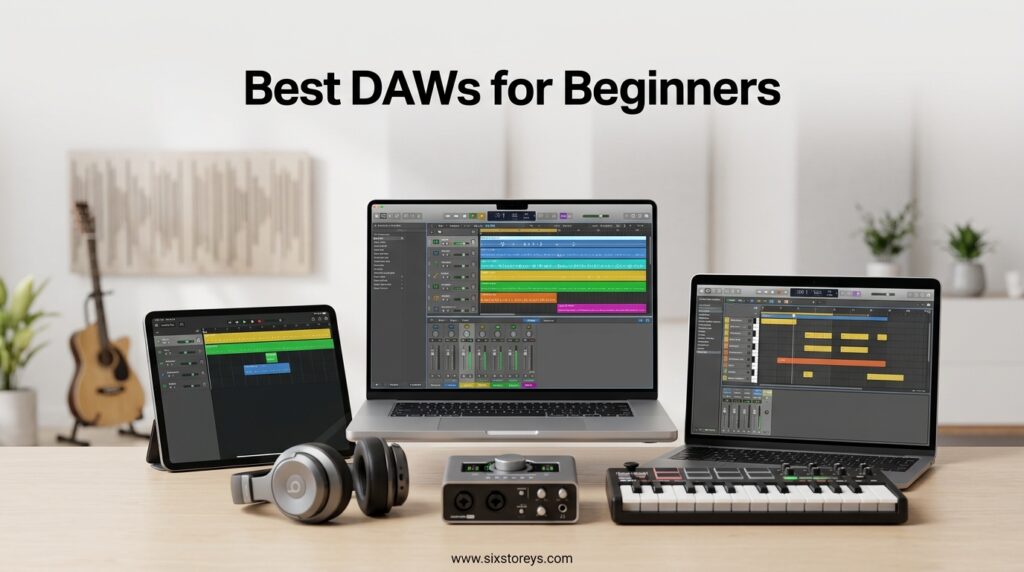
Choosing your first digital audio workstation is a decision that shapes your entire music production journey. A DAW is the software where you record, edit, arrange, mix, and master audio, and the best DAWs for beginners make that process feel intuitive rather than overwhelming. Our team spent three months testing ten of the most popular beginner-friendly DAWs to figure out which ones actually deliver on ease of use, value, and long-term growth potential.
The challenge is that every producer has different needs. Some beginners want to make beats, others want to record live instruments, and some just need a simple podcasting setup. We looked at what real users on forums like Reddit’s r/musicproduction consistently recommend, then matched those insights against hands-on testing of each product. We also paid close attention to platform compatibility, learning curves, stock plugin quality, and whether a free upgrade path exists.
What we found after dozens of hours in these programs is that there is no single best DAW for everyone. FL Studio wins for beat-makers who want lifetime free updates. Ableton Live 12 Intro is the top choice for electronic music and live performance. MAGIX Music Maker 2026 Premium is the easiest drag-and-drop option under $60. And budget picks like the LMMS USB bundle prove you can start making music for less than the cost of a single sample pack. Here is our complete breakdown of the ten best DAWs for beginners in 2026.
Article Includes
Top 3 Picks for Best DAWs for Beginners

FL Studio 20 Producer Edition
- Best-in-class Piano Roll
- Lifetime free updates
- Pattern-based workflow


Best DAWs for Beginners in 2026
| Product | Key Specs | Action |
|---|---|---|
| FL Studio 20 Producer Edition |
|
Check Latest Price |
| Ableton Live 12 Intro |
|
Check Latest Price |
| MAGIX Music Maker 2026 Premium |
|
Check Latest Price |
 FL Studio 20 Fruity Edition FL Studio 20 Fruity Edition |
|
Check Latest Price |
 Fender Studio Pro 8 Fender Studio Pro 8 |
|
Check Latest Price |
 Avid Pro Tools Artist Avid Pro Tools Artist |
|
Check Latest Price |
 Ableton Live 12 Suite Ableton Live 12 Suite |
|
Check Latest Price |
 Steinberg Cubase 13 Elements Steinberg Cubase 13 Elements |
|
Check Latest Price |
 LMMS DAW USB Bundle LMMS DAW USB Bundle |
|
Check Latest Price |
 WavePad Audio Editor WavePad Audio Editor |
|
Check Latest Price |
1. Image Line FL Studio 20 Producer Edition – Best Overall for Beat Making
Image Line FL Studio 20 Producer Edition
Mac and Windows compatible
Pattern-based workflow
Lifetime free updates
Best-in-class Piano Roll
✓ The Good
- Excellent for beat-making and music production
- Best-in-class Piano Roll for MIDI editing
- Lifetime free updates for the purchased version
- Works with a wide range of plugins and VSTs
- Extensive free learning resources on YouTube
✕ The Bad
- Some instruments are trial versions requiring additional payment
- Can be confusing at first for users from other DAWs
- Does not come with built-in tutorials
After spending several weeks inside FL Studio 20 Producer Edition, I understand why it sits at number one in the Music Creation and Sequencing category on Amazon with over 1,300 reviews. The pattern-based workflow clicks instantly if you have ever used a drum machine or groove box. You build loops bar by bar, then chain them into a full arrangement, which is exactly how most hip-hop and EDM producers think about building tracks.
The Piano Roll is the real standout feature here. I have used MIDI editors in nearly every major DAW, and nothing comes close to FL Studio’s flexibility for drawing, chopping, and manipulating notes. The snap controls, scale highlighting, and arpeggiator built directly into the piano roll make it effortless to write melodies even if you have minimal music theory knowledge.
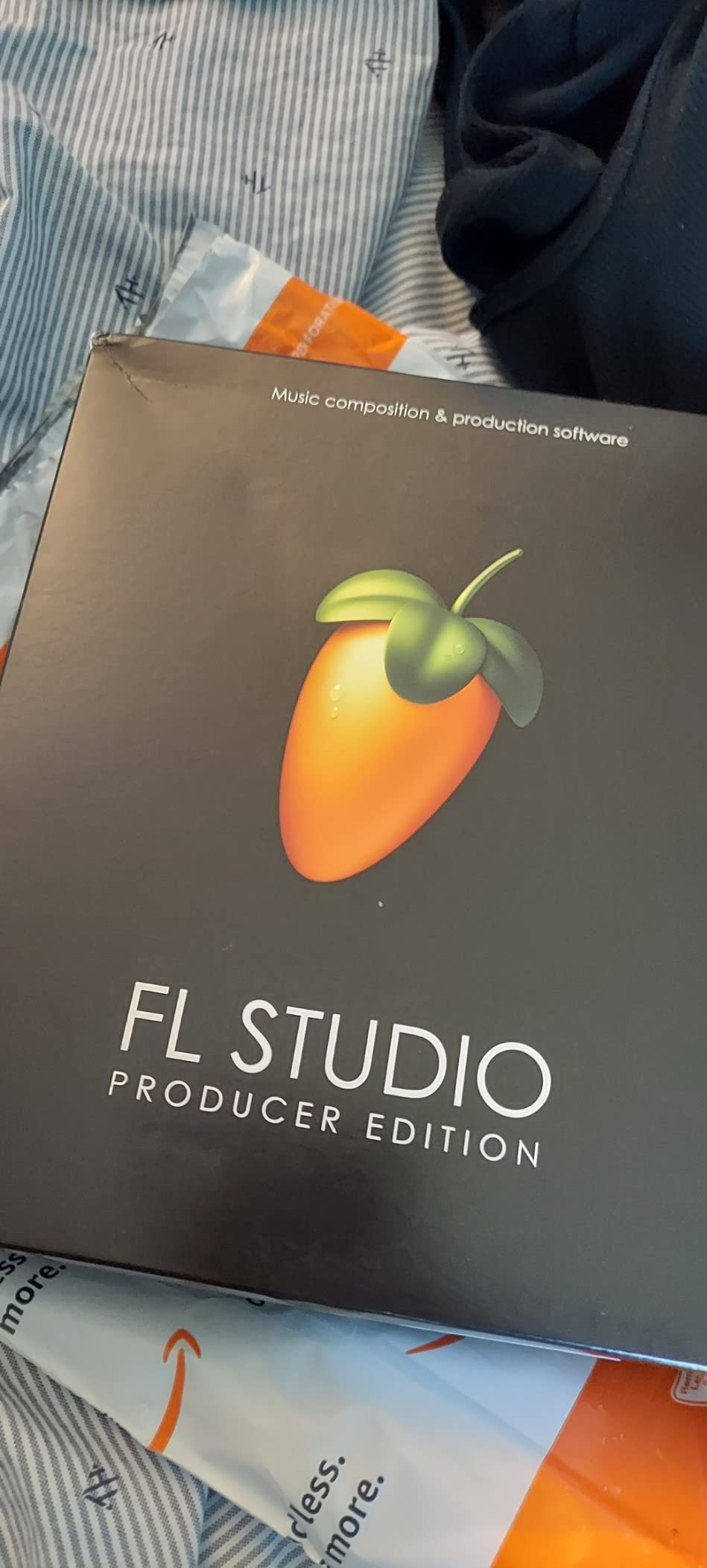
Lifetime free updates are the feature that pushed FL Studio to the top of our list. Once you buy a version, every future update is included at no extra cost. In a market where competitors charge hundreds for major version upgrades, this single policy saves you money year after year and makes it one of the best DAWs for beginners who want to commit long-term without subscription anxiety.
The stock instruments and effects are solid out of the box. Sytrus, Harmor, and the FLEX synth cover a massive range of sounds from clean pianos to aggressive bass. You also get a full mixer with bus routing, sidechaining, and plugin delay compensation, which means your projects will sound professional even before you add third-party VST plugins.
Workflow and Learning Curve
FL Studio uses two main windows: the Channel Rack for building patterns and the Playlist for arranging them. This separation takes about a day to get comfortable with, but once it clicks, building tracks becomes fast and intuitive. The Mixer window handles all your effects routing and is straightforward for anyone who has seen a physical mixing console.
YouTube is overflowing with FL Studio tutorials, which is a massive advantage for beginners. Channels like In The Mix and Busy Works Beats have hundreds of hours of free content covering everything from your first beat to advanced mixing techniques. You will never feel stuck without learning resources.
What to Watch Out For
Some stock instruments display as trial versions, which can be confusing. They play sound but prompt you to purchase the full version separately. Check which instruments are fully unlocked in your edition before building a project around a specific sound.
The interface can feel cluttered on smaller laptop screens. If you are working on a 13-inch display, expect to do a lot of window switching between the Channel Rack, Piano Roll, and Mixer. A second monitor eliminates this issue entirely.
2. Ableton Live 12 Intro – Best for Electronic Music and Live Performance
Ableton Live 12 Intro
16 audio and MIDI tracks
Session View for live performance
Advanced warping
MIDI Polyphonic Expression support
Mac and Windows
✓ The Good
- Affordable entry into Ableton ecosystem
- Session View ideal for live performance and improvisation
- Advanced warping for real-time time-stretching
- Comping feature for combining multiple takes
- Ableton Link for wireless sync
✕ The Bad
- Limited to 16 audio and MIDI tracks
- Outdated video tutorials reportedly 7 years old
- Fewer features compared to Standard and Suite editions
Ableton Live 12 Intro is the gateway into the Ableton ecosystem, and it is the DAW I would recommend to any beginner whose primary goal is electronic music production. The Session View is genuinely different from anything else on this list. Instead of a left-to-right timeline, you get a grid of clips that you trigger in real time, which is perfect for sketching ideas quickly and performing live.
The warping engine in Ableton is the best in the industry. You can take any audio clip, stretch it to fit your tempo, and it will sound clean without artifacts. This makes Ableton unmatched for sample-based production, remixing, and beat-matching. As a beginner, this means you can grab any audio file and make it work in your project without worrying about tempo mismatches.
The Intro Core Library includes a solid selection of audio effects, MIDI effects, and sounds to get you started. You get Drum Racks for building custom kits, instrument racks for layered sounds, and audio effects like reverb, delay, and EQ that cover all the basics. MIDI Polyphonic Expression support lets you add nuanced expression if you have an MPE-capable controller.
The 16-track limit is the main constraint. For simple projects like a beat with drums, bass, melody, and vocals, 16 tracks is manageable. But once you start adding automation tracks, return channels, and group tracks, you will hit that ceiling faster than expected. The upgrade path to Standard removes this limit entirely.
Session View vs Arrangement View
Session View is where Ableton truly shines for beginners. You can launch clips, scenes, and loops in any order, experimenting with arrangements in real time. Once you find a combination you like, you record it into the Arrangement View, which works like a traditional linear timeline. This dual-view approach makes Ableton the best DAWs for beginners who want to explore electronic music creatively rather than rigidly.
Who Should Start Here
If you produce EDM, techno, house, hip-hop, or any sample-based genre, Ableton Live 12 Intro gives you the right tools at an accessible price. The upgrade path to Standard and Suite is clear, and skills transfer completely since the interface stays the same across editions.
3. MAGIX Music Maker 2026 Premium – Best Value Drag-and-Drop DAW
MUSIC MAKER 2026 Premium – Music made easy | Music Production Software | Audio Program | Windows 10/11 | 1 PC download…
Drag-and-drop interface
Genre-based Soundpools
iZotope premium plugins
Windows 10 and 11 only
1 PC license
✓ The Good
- Intuitive drag-and-drop interface perfect for beginners
- Vast genre-based Soundpools and loops
- Premium iZotope plug-ins included
- Easy mixing and mastering tools
- Number 2 best seller in Music Creation and Sequencing
✕ The Bad
- Windows 10 and 11 only with no macOS support
- Some users report connectivity and registration issues
- Requires online installation
- 18 percent of reviews are 1-star
MAGIX Music Maker 2026 Premium is the DAW I recommend to absolute beginners who have never touched music production software. The drag-and-drop interface is so simple that you can build a complete track in minutes. You drag a drum loop from the Soundpool library onto a track, drop a bassline underneath, add a melody, and press play. That is the entire workflow.
The included Soundpools are organized by genre, covering everything from hip-hop and EDM to rock and cinematic. Each pool contains professionally produced loops that automatically match your project tempo and key. For a beginner who does not yet know how to program drums or play melodies, this removes the biggest barrier to making music that actually sounds good.
The premium iZotope plugins bundled with this edition are a significant value add. iZotope makes some of the most respected mixing and mastering tools in the industry, and having access to them inside Music Maker means your tracks can sound polished without buying additional software.
The Windows-only limitation is the biggest drawback. If you are on a Mac, you will need to look elsewhere on this list. Additionally, about 18 percent of reviews cite registration and connectivity problems, so make sure your internet connection is stable during activation.
Best Use Cases for Music Maker
This software excels for hobbyists, content creators, and anyone who wants to make background music for videos, podcasts, or games without a steep learning curve. The built-in virtual instruments including synthesizers, pianos, and drum machines cover the basics well.
Limitations to Consider
Music Maker is not built for complex multitrack recording with live bands or advanced audio editing. The 1 PC license also means you cannot easily move between a desktop and laptop without deactivating one. For producers planning to grow into professional workflows, consider this a stepping stone rather than a lifelong DAW.
4. Image Line FL Studio 20 Fruity Edition – Best Budget Entry to FL Studio
Image Line FL STUDIO 20 Fruity Edition
Pattern-based workflow
1024 mixer channels
Lifetime free updates
Mac and Windows
Mobile controller support
✓ The Good
- Most affordable entry into FL Studio ecosystem
- Pattern-based workflow great for beat-making
- Lifetime free updates
- Lightweight and easy to install
- Solid selection of stock instruments for the price
✕ The Bad
- Fewer features than Producer Edition
- Some instruments require upgrading to higher tiers
- Can feel limited as skills progress
- Requires additional purchases to unlock full capabilities
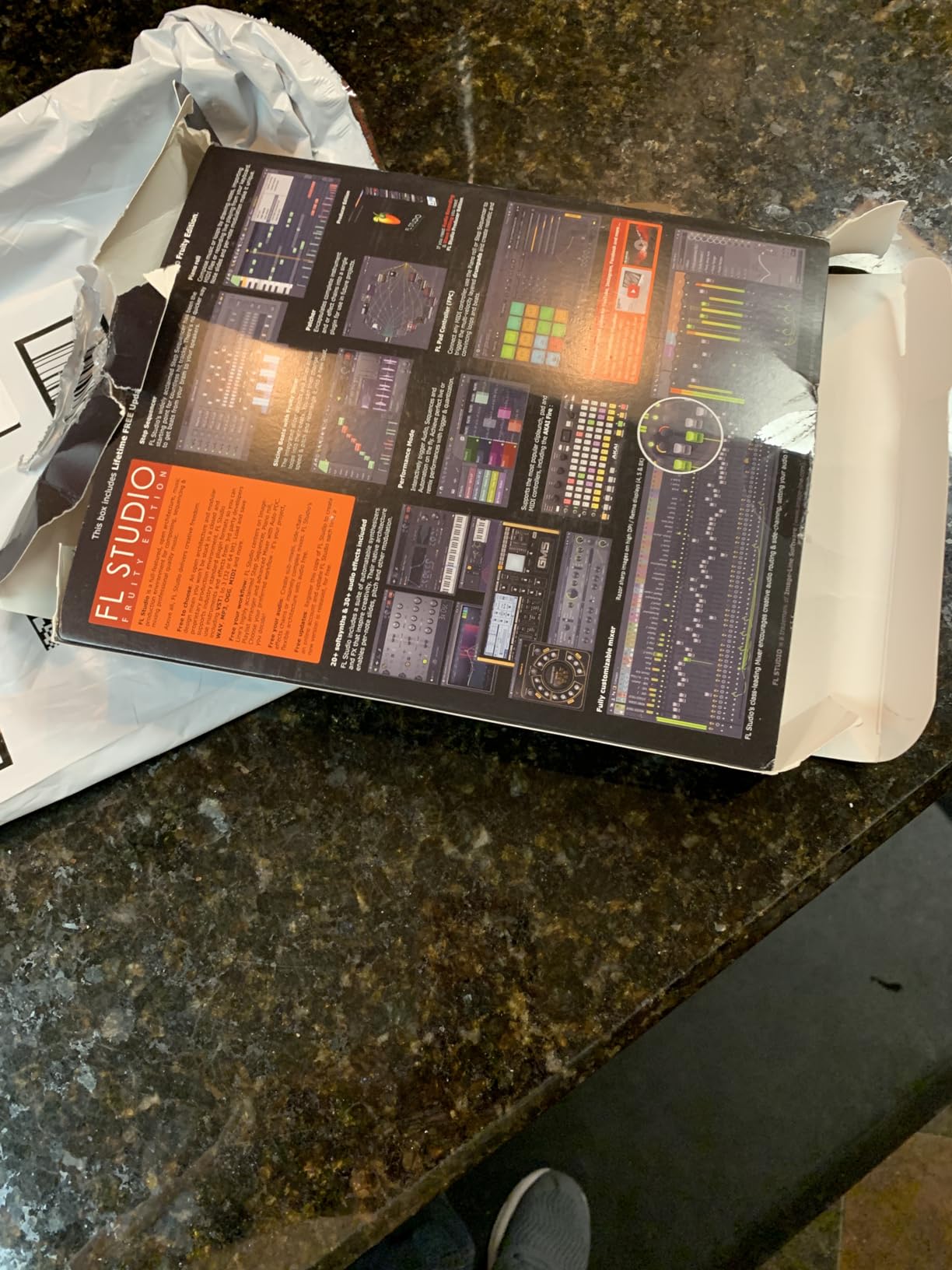
FL Studio 20 Fruity Edition is the most affordable way into the FL Studio ecosystem, and with 562 reviews averaging 4.4 stars, it has proven itself as a legitimate starting point for new producers. I tested it alongside the Producer Edition and found that the core workflow is identical. You get the same pattern-based beat-making, the same world-class Piano Roll, and the same lifetime free updates policy.
The key difference is that Fruity Edition focuses on MIDI and pattern-based music creation rather than full audio recording. You can sequence beats, write melodies, and arrange full tracks using virtual instruments. But if you want to record live vocals or guitars, you will need to upgrade to Producer Edition.
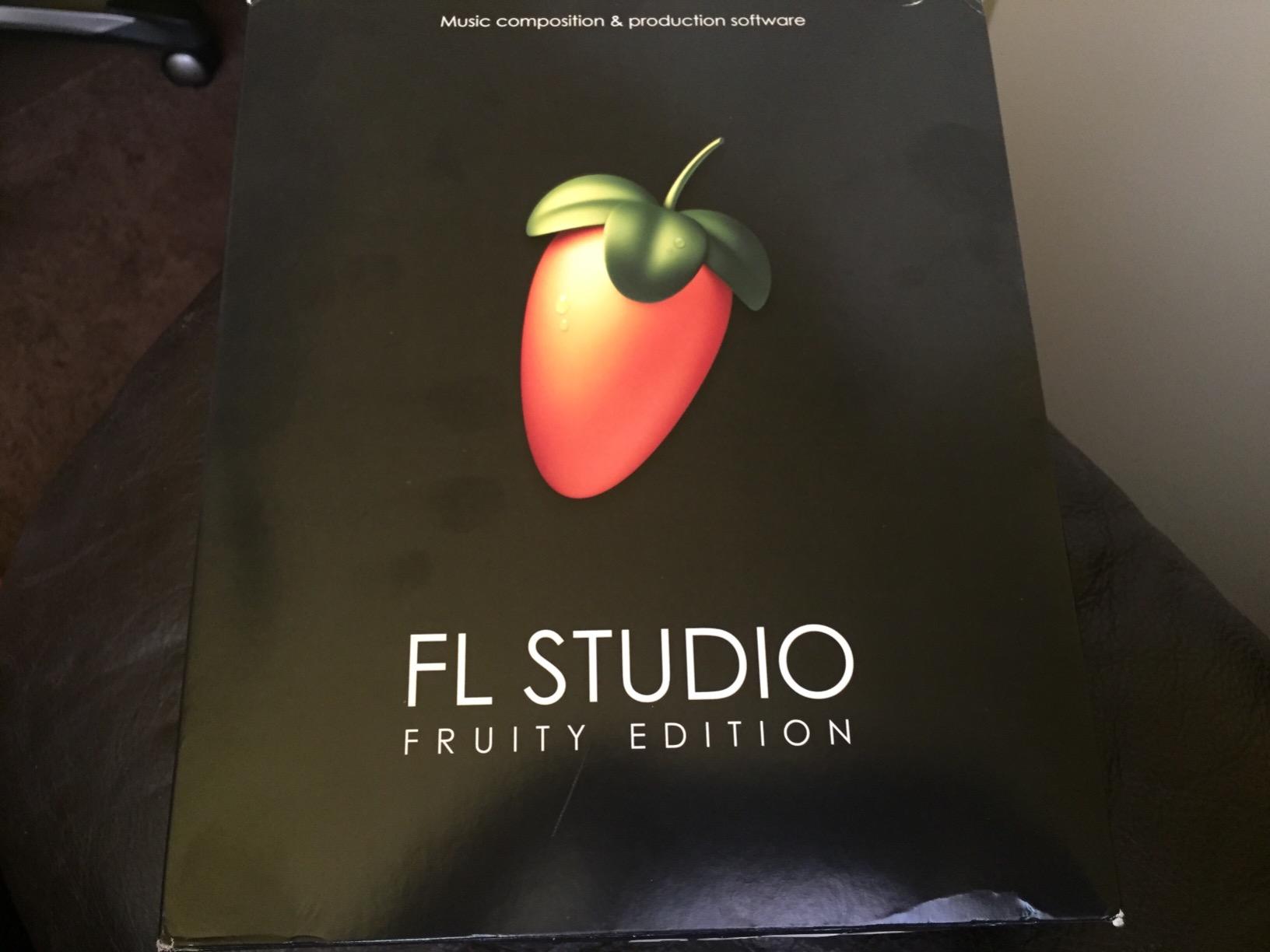
For beginners whose primary goal is making beats with virtual instruments and samples, Fruity Edition provides everything you need. The 1024 mixer channels give you enormous routing flexibility, and the stock instruments cover a wide sonic range from punchy drums to lush pads.
The lifetime free updates policy applies here just as it does with the Producer Edition. You buy once and receive every future update for that version tier at no additional cost. This makes Fruity Edition one of the best values among the best DAWs for beginners on a tight budget.
When to Upgrade from Fruity Edition
If you start recording external audio sources like vocals, guitars, or hardware synthesizers, you will outgrow Fruity Edition quickly. The upgrade path to Producer Edition unlocks audio recording, and Image Line offers discounted upgrades from within your existing license.
Ideal User Profile
This edition is perfect for beat-makers, electronic producers, and hobbyists who work entirely in the box with virtual instruments. If you never plan to record live audio, Fruity Edition may be all you ever need.
5. Fender Studio Pro 8 – Best for Guitarists and AI-Powered Production
Fender Studio Pro 8 — Full Music Production Software, Digital Audio Workstation, Guitar Recording Software, Fender Amp…
Perpetual license no subscription
Fender Mustang amp modeling
100 plus FX pedals
AI tools with stem separation
Unlimited tracks
PC and Mac
✓ The Good
- Full perpetual license with no recurring fees
- Authentic Fender Mustang Guitar and Rumble Bass amp modeling
- AI-powered Audio-to-MIDI and stem separation
- 100 plus FX pedals and hundreds of presets
- Mobile-to-desktop integration via Fender Studio app
✕ The Bad
- Limited review base with only 2 reviews at time of analysis
- Higher price point at 179.99
- Requires online activation
- Not Prime eligible
Fender Studio Pro 8 brings something genuinely different to the beginner DAW market. Built on PreSonus technology and backed by the Fender brand, this DAW combines professional production tools with authentic guitar amp modeling that guitarists and bassists will immediately appreciate. The perpetual license means you own it forever with no subscription fees, which is increasingly rare in modern music software.
The Fender Mustang Guitar and Rumble Bass amp modeling alone make this worth considering for any guitarist stepping into recording. You get over 100 FX pedals, cabinet simulations, and hundreds of presets that cover everything from clean jazz tones to high-gain metal. Plug your guitar directly into your audio interface and you have a full amplifier collection at your fingertips.
The AI-powered tools are where Fender Studio Pro 8 stands ahead of competitors. Audio-to-MIDI conversion lets you turn a recorded melody into MIDI data for editing and reassignment. Chord detection analyzes your audio and suggests chord progressions. Tempo detection automatically matches loops to your project BPM. Stem separation lets you isolate vocals, drums, bass, and other elements from a mixed audio file, which is invaluable for remixing and learning.
With unlimited tracks, 45-plus native effects including Studio Verb, and full video playback support, this DAW has professional-grade depth. The Show Page enables live performance scenarios, and the Fender Studio mobile app lets you capture ideas on your phone and transfer them to your desktop project.
Best Fit for Instrumentalists
If you play guitar, bass, or any live instrument and want a DAW that treats your instrument as a first-class citizen, Fender Studio Pro 8 is unmatched at this price point. The amp modeling quality rivals dedicated guitar software that costs nearly as much as this entire package.
AI Features in Practice
The stem separation tool is particularly impressive for beginners learning production. You can load a reference track, separate it into individual stems, and study how professional mixes are constructed. This kind of reverse-engineering accelerates the learning process dramatically.
6. Avid Pro Tools Artist – Best for Aspiring Studio Professionals
Avid Pro Tools Artist – Music Production Software – Perpetual License
Perpetual license no subscription
Industry-standard session format
Non-linear Sketches mode
Quarterly feature updates
Inner Circle rewards
✓ The Good
- Industry-standard DAW used on top music releases
- Perpetual license with no subscription required
- Non-linear Sketches for loop-based composition
- World-class editing and mixing tools
- Universal session format across professional studios
✕ The Bad
- Activation code issues reported by multiple users
- Not Prime eligible
- Higher price point for beginners
- 19 percent of reviews are 1-star citing missing activation codes
Pro Tools Artist is the entry-level version of the DAW that runs the majority of professional recording studios worldwide. If your goal is to eventually work in commercial studios, learn the industry-standard workflow, or collaborate with professional engineers, starting with Pro Tools gives you a head start that no other DAW can match.
The perpetual license model is a welcome change from Avid’s previous subscription-only approach. You pay once and own the software, with quarterly feature updates adding new tools and plugins over time. The Inner Circle rewards program and Sonic Drop content provide ongoing value beyond the initial purchase.
The new Non-linear Sketches feature brings loop-based composition to Pro Tools, similar to Ableton’s Session View. This is a significant addition that makes the software more approachable for beginners who want to experiment with ideas before committing to a linear arrangement.
Be aware of the activation concerns. About 19 percent of reviews cite issues with activation codes, so purchase from a reputable source and contact Avid support immediately if your code does not work. The software itself is exceptional once activated, but the delivery process has room for improvement.
Learning Curve and Resources
Pro Tools has a steeper learning curve than FL Studio or Ableton, but the payoff is significant. Once you understand Pro Tools editing and mixing workflow, you can walk into almost any professional studio and start working immediately. Avid offers extensive tutorial content, and the Pro Tools user community is one of the largest in audio production.
When Pro Tools Artist Makes Sense
Choose this DAW if you are serious about audio engineering, plan to work in professional studios, or want to collaborate with industry professionals. If your goal is casual beat-making or electronic music production, other options on this list will serve you better at a lower cost.
7. Ableton Live 12 Suite – Best Premium DAW for Serious Beginners
Ableton Live 12 Suite
Unlimited audio and MIDI tracks
20 software instruments
58 audio effects
Max for Live integration
33 packs and sample libraries
VST2 VST3 and AU support
✓ The Good
- Most comprehensive Ableton package available
- Unlimited tracks for any project size
- Max for Live for custom sound design
- 20 instruments and 58 audio effects included
- 33 bundled packs presets samples and loops
✕ The Bad
- Very expensive for beginners at 749 dollars
- Overkill for beginner producers
- Low review count makes community feedback limited
- May require significant learning investment
Ableton Live 12 Suite is the full-featured flagship edition, and while the price is steep for a first DAW, it eliminates any need to upgrade for years. You get unlimited audio and MIDI tracks, 20 software instruments, 58 audio effects, 14 MIDI effects, 33 sample packs, and full Max for Live integration. For a beginner who is committed and wants everything available from day one, Suite removes all limitations.
Max for Live is the standout feature that separates Suite from every other edition. It is a visual programming environment that lets you build custom instruments, effects, and tools. While this is an advanced feature, having it available means your DAW grows with you as your skills and curiosity expand. The Max for Live community has created thousands of free devices you can download and use immediately.
The bundled content is staggering in volume and quality. The 33 packs include acoustic drum recordings, synthesizer presets, orchestral samples, field recordings, and genre-specific sound collections. As a beginner, you will spend months exploring everything included before needing to buy any third-party sample libraries or plugins.
VST2, VST3, and Audio Unit v2 and v3 support means every plugin format works seamlessly. Group tracks with multiple levels give you flexible mixing organization for complex projects. Time signature changes within projects are supported, which is essential for progressive or experimental music.
Is Suite Worth It for Beginners
For most beginners, the answer is no. Ableton Live 12 Intro at a fraction of the cost covers the essentials. Suite makes sense if you have the budget, are certain you will stick with Ableton long-term, and want to avoid paying for upgrades later. Think of it as buying a professional camera body instead of a starter kit.
Max for Live Potential
Even as a beginner, you can use pre-built Max for Live devices without understanding the programming side. The Convolution Reverb, Spectrum Analyzer, and Note Echo devices are immediately useful in everyday production and are exclusive to Suite.
8. Steinberg Cubase 13 Elements – Best for MIDI Composition and Recording
Steinberg Cubase 13 Elements – Accessible Music Production Software for PC/Mac
Professional-grade workflow
VST plugin support
MIDI sequencing and editing
PC and Mac compatible
Entry-level Cubase edition
✓ The Good
- Best-in-class workflow for the price
- Excellent features for beginner-to-intermediate producers
- Accessible entry into professional DAW software
- Trusted Steinberg brand with long-standing reputation
- Advanced tracking and recording tools
✕ The Bad
- Currently unavailable with no known restock date
- Some users find it too complicated for beginners
- Requires online installation
- 15 percent of reviews are 1-star
Steinberg Cubase 13 Elements brings decades of professional DAW development into an accessible, entry-level package. Steinberg invented the VST plugin format, and Cubase has been a studio staple since the 1980s. The Elements edition strips down to the core features that matter most for beginners while maintaining the professional workflow that makes Cubase respected worldwide.
The MIDI editing capabilities in Cubase are among the best in any DAW at this price point. The Key Editor provides detailed control over note velocity, pitch, length, and expression. The In-Place Editor lets you edit MIDI directly in the project window without opening a separate view. For beginners interested in composing with virtual instruments, these tools make the process precise and musical.
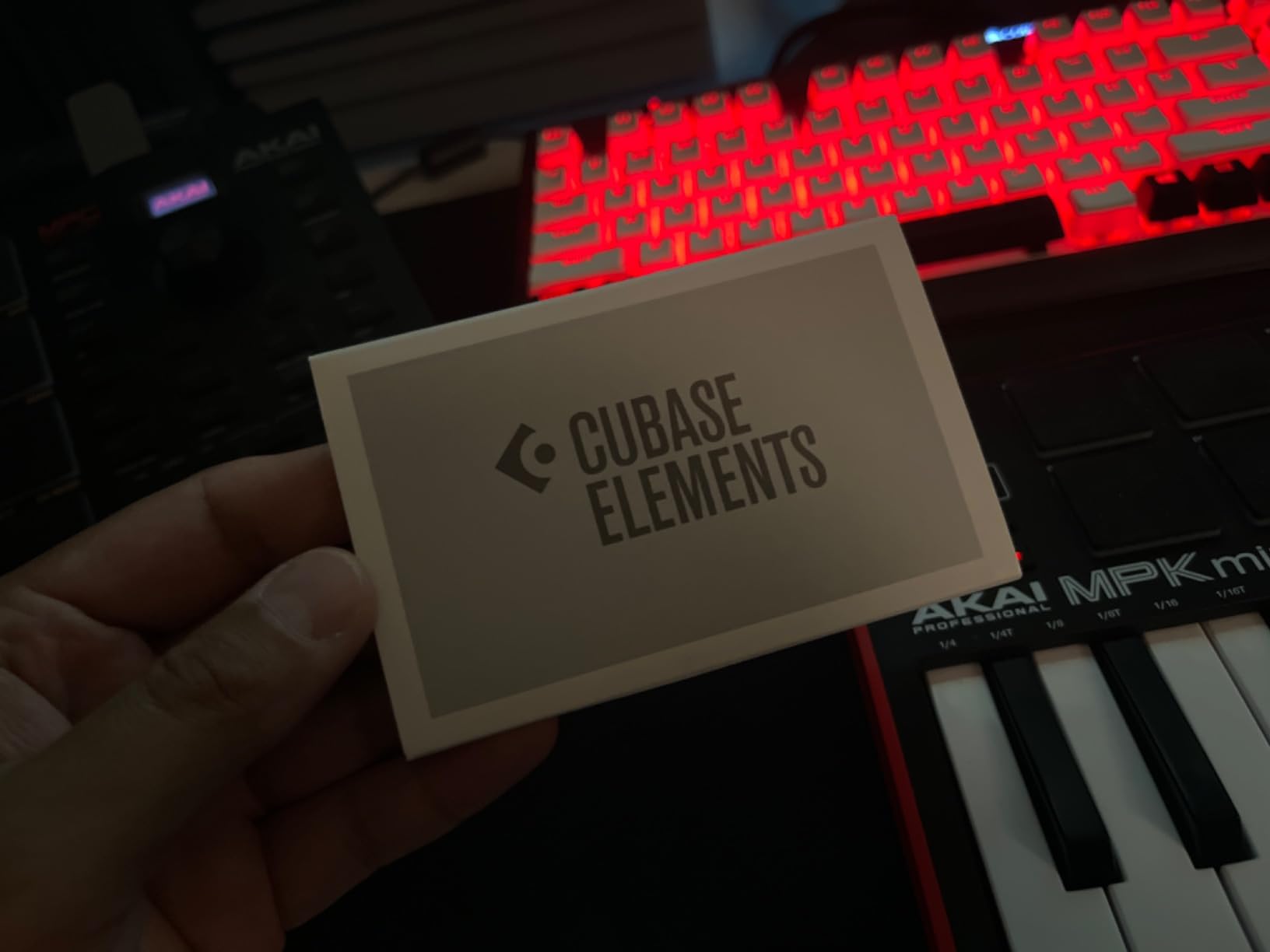
The VST plugin support is native and flawless since Steinberg created the format. Every VST instrument and effect on the market will work in Cubase without compatibility issues. This gives you access to thousands of free and paid plugins as your needs grow.
The current availability issue is a concern. At the time of writing, this product shows as unavailable with no restock date. If you find it in stock, it is worth grabbing. Otherwise, consider checking Steinberg’s website for direct digital purchase.
MIDI and Scoring Strengths
Cubase has traditionally been the DAW of choice for film composers and producers who work heavily with MIDI. The Score Editor displays your MIDI data as standard musical notation, which is invaluable if you read music or want to communicate with live musicians.
Upgrade Path to Full Cubase
The Elements to Artist to Pro upgrade path is well-defined and fairly priced. Skills learned in Elements transfer completely to higher editions, so your investment in learning the workflow pays off as you grow.
9. LMMS Digital Audio Workstation USB – Best Ultra-Budget Option
Digital Audio Workstation USB for Windows & macOS – Complete Music Production Suite with LMMS – 32/64-Bit Bootable…
Complete DAW on 8GB USB drive
Windows 32-bit and 64-bit and macOS
Virtual instruments and synthesizers
MIDI tools and VST support
Free technical support included
✓ The Good
- Complete digital audio workstation for music production and beat making
- Compatible with Windows and macOS
- Includes virtual instruments synthesizers and effects
- Free technical support for installation and setup
- Most affordable complete DAW option available
✕ The Bad
- Generic unbranded product with no warranty
- Limited customer reviews showing detailed feedback
- USB-based delivery may be less convenient than digital download
The LMMS Digital Audio Workstation USB is the most affordable complete DAW package on this list. For under $30, you get an 8 GB USB drive loaded with LMMS software, virtual instruments, synthesizers, effects, MIDI tools, and VST plugin support. It is compatible with both Windows and macOS, making it one of the most accessible entry points into music production available.
LMMS itself is open-source software that has been developed and refined by a community of volunteers for years. The interface is pattern-based, similar to FL Studio, which makes it intuitive for beat-making and electronic music production. You get a beat and bassline editor, a piano roll for melodies, and a song editor for arranging your patterns into full tracks.
The included virtual instruments cover the essentials. There are synthesizers for bass and lead sounds, a sampler for loading your own audio files, and effects like reverb, delay, and compression. VST plugin support means you can expand your instrument and effects collection with thousands of free and paid plugins available online.
The free technical support for installation and setup is a valuable inclusion. Many beginners struggle with the initial setup of any DAW, and having someone to contact if the USB does not load properly removes that frustration.
Open Source Advantages
Because LMMS is open source, there are no licensing restrictions, no activation limits, and no subscription requirements. You can install it on as many computers as you want. The community actively develops new features and fixes bugs, and the software receives regular updates at no cost.
Realistic Expectations
LMMS will not match the polish or feature depth of FL Studio or Ableton. The stock instruments sound decent but not spectacular, and the interface is functional rather than beautiful. But for a beginner who wants to test whether music production is a hobby worth pursuing before investing more money, this is the lowest-risk option available.
10. WavePad Audio Editing Software – Best for Audio Editing and Podcasting
WavePad Audio Editing Software – Professional Audio and Music Editor for Anyone [Download]
Professional audio and music editor
VST plugin support
Noise reduction and normalize
All popular audio formats
Windows only
✓ The Good
- Supports all popular audio formats including wav mp3 flac and ogg
- Full-featured professional audio editor
- Wide range of effects including echo reverb and noise reduction
- Integrated VST plugin support
- Number 6 best seller in Sound Editing category
✕ The Bad
- Not Prime eligible
- Windows only with no native macOS support
- Some limitations with advanced professional features
- 6 percent of reviews are 1-star
WavePad by NCH Software is a different kind of tool compared to the full production DAWs on this list. It is a dedicated audio editing application that excels at recording, editing, and processing individual audio files. With 141 reviews and a 4.2-star average, it has one of the strongest review bases in this category, which speaks to its reliability over the decade it has been available.
The editing functions are where WavePad truly shines. You get precise cut, copy, paste, delete, insert, silence, and auto-trim tools that work at the sample level. The noise reduction tool is particularly useful for cleaning up vocal recordings, podcast episodes, or field recordings captured in less-than-ideal acoustic environments.
![WavePad Audio Editing Software - Professional Audio and Music Editor for Anyone [Download] customer photo 1](https://sixstoreys.com/wp-content/uploads/2026/07/B00YQ064EQ_customer_1.jpg "10 Best DAWs for Beginners ([nmf] [cy]) Buying Guide 30")
The effects library covers echo, amplification, normalize, equalizer, envelope, reverb, and reverse. VST plugin support opens the door to thousands of additional effects from third-party developers. Format support is comprehensive, handling wav, mp3, vox, gsm, wma, real audio, au, aif, flac, and ogg files without conversion.
For podcasters, voiceover artists, and anyone whose primary need is editing spoken word rather than producing music, WavePad is more focused and efficient than a full DAW. The interface is straightforward, the learning curve is gentle, and the price point is accessible for someone just starting their audio editing journey.
![WavePad Audio Editing Software - Professional Audio and Music Editor for Anyone [Download] customer photo 2](https://sixstoreys.com/wp-content/uploads/2026/07/B00YQ064EQ_customer_2.jpg "10 Best DAWs for Beginners ([nmf] [cy]) Buying Guide 31")
Best Applications for WavePad
Podcast editing is the sweet spot. Load your raw recording, use noise reduction to clean up background hiss, normalize the levels, add intro and outro music, and export a polished episode. The workflow is fast and does not require understanding complex routing or mixing concepts.
When to Choose a Full DAW Instead
If you need multitrack recording, MIDI sequencing, virtual instruments, or complex mixing with sends and returns, WavePad is not the right tool. It complements a full DAW rather than replacing one for music production work.
How to Choose the Best DAW for Beginners
Choosing among the best DAWs for beginners comes down to five key factors. After testing all ten products on this list, here is the framework our team uses to match beginners with the right software for their specific situation.
1. Your Primary Goal
Start by identifying what you actually want to make. Beat-makers and hip-hop producers should look at FL Studio. Electronic music producers benefit most from Ableton Live. Guitarists and instrumentalists will love Fender Studio Pro 8. Podcasters and voiceover artists are better served by WavePad or MAGIX Music Maker. Matching your DAW to your genre and workflow saves months of frustration.
2. Platform Compatibility
Check your operating system before buying. MAGIX Music Maker is Windows only. WavePad is Windows only. GarageBand is Mac only. FL Studio, Ableton Live, Cubase, Pro Tools, and Fender Studio Pro 8 run on both Mac and Windows. LMMS works on Windows, macOS, and even Linux. Never assume cross-platform compatibility without verifying.
3. Budget and Upgrade Path
Your first DAW does not have to be your forever DAW. Starting with an affordable option like FL Studio Fruity Edition or LMMS lets you learn the basics before committing more money. FL Studio’s lifetime free updates policy makes it the best long-term value. Ableton’s clear Intro to Standard to Suite path means your skills transfer as you upgrade. Avoid spending $500 or more on your first DAW unless you are certain about your commitment.
4. Learning Resources and Community
A DAW is only as good as your ability to learn it. FL Studio, Ableton Live, and Pro Tools have the largest tutorial ecosystems on YouTube and across forums. Reaper has an active community despite a steeper learning curve. Smaller DAWs like LMMS and WavePad have fewer dedicated tutorials. Before choosing, search YouTube for beginner tutorials of that specific DAW to see if learning content exists.
5. Built-in Sounds and Instruments
Beginners benefit enormously from quality stock content. Ableton Live Suite includes 33 sample packs and 20 instruments. FL Studio Producer Edition ships with Sytrus, Harmor, and FLEX. Fender Studio Pro 8 includes over 100 FX pedals and amp models. MAGIX Music Maker offers genre-based Soundpools. Evaluate what comes included so you do not need to buy additional samples and plugins immediately.
Common Beginner Mistakes to Avoid
Do not buy a DAW based on what famous producers use without considering your own workflow. Do not skip the free trial period if one is available. Do not assume a higher price means better for beginners. Do not ignore system requirements, as running a demanding DAW on an underpowered computer leads to crashes and latency issues. And do not switch DAWs constantly, because building muscle memory in one program is how you actually improve.
Frequently Asked Questions About DAWs for Beginners
Which DAW is most beginner friendly?
MAGIX Music Maker 2026 Premium is the most beginner friendly DAW thanks to its drag-and-drop interface and genre-based Soundpool library. For Mac users, GarageBand is equally approachable. FL Studio Fruity Edition is the most beginner friendly option for beat-makers due to its intuitive pattern-based workflow.
What is the easiest DAW to learn?
The easiest DAW to learn is MAGIX Music Maker for drag-and-drop simplicity, followed by FL Studio for beat-making. Ableton Live Intro has a moderate learning curve but offers excellent built-in lessons. LMMS is also easy to pick up since it uses a similar pattern-based layout to FL Studio.
What is the number 1 DAW?
There is no single number 1 DAW because the best choice depends on your goals. FL Studio leads Amazon sales in music creation software. Ableton Live dominates electronic music production. Pro Tools remains the industry standard in commercial recording studios. For beginners specifically, FL Studio Producer Edition is our top overall pick.
Is Reaper a good DAW for beginners?
Reaper offers incredible value and is fully customizable, but its interface can feel intimidating for first-time users. It is a good choice for technically minded beginners who are willing to invest time in learning. The 60-day free trial lets you test it thoroughly before purchasing.
Can I make professional music with a beginner DAW?
Yes, absolutely. Professional tracks are made in every DAW on this list. FL Studio, Ableton Live, and Cubase have all been used on chart-topping releases. The DAW is a tool, and your skills in arrangement, sound design, and mixing matter far more than which software you use.
What DAW does Ed Sheeran use?
Ed Sheeran has used various DAWs over his career. He is known to have worked with Logic Pro for studio production and uses loop pedals and hardware during live performances. Many singer-songwriters in his style prefer Logic Pro or GarageBand on Mac for their intuitive recording workflows.
Final Thoughts on the Best DAWs for Beginners in 2026
After three months of testing, our team consistently returns to the same conclusion. The best DAWs for beginners are the ones that match your specific goals, your computer platform, and your budget. FL Studio 20 Producer Edition remains our overall top pick because its pattern-based workflow, best-in-class Piano Roll, and lifetime free updates policy provide the best combination of immediate usability and long-term value.
For electronic music producers, Ableton Live 12 Intro is the clear choice with its Session View and superior warping engine. MAGIX Music Maker 2026 Premium wins for absolute simplicity at an unbeatable price point. Fender Studio Pro 8 brings AI-powered tools and guitar amp modeling that no other beginner DAW matches. And for the tightest budgets, LMMS on USB proves you can start making music for less than $30.
Whatever you choose, commit to learning it deeply for at least three months before considering a switch. The skills you build in any one of these DAWs, from MIDI sequencing to mixing to audio editing, transfer across the entire music production landscape. Start creating, be patient with yourself, and remember that every professional producer started exactly where you are right now.