
10 Best CPU Coolers for Ryzen 7 7700X (August 2026) Tested
Building a PC with AMD’s Ryzen 7 7700X means dealing with one undeniable fact: this processor runs hot. With a 105W TDP and boost clocks pushing thermal limits, the 7700X can hit 95C under sustained loads without proper cooling. Our team spent three months testing air and liquid coolers to find the best CPU coolers for Ryzen 7 7700X builds, measuring actual temperatures during gaming sessions and Cinebench stress tests.
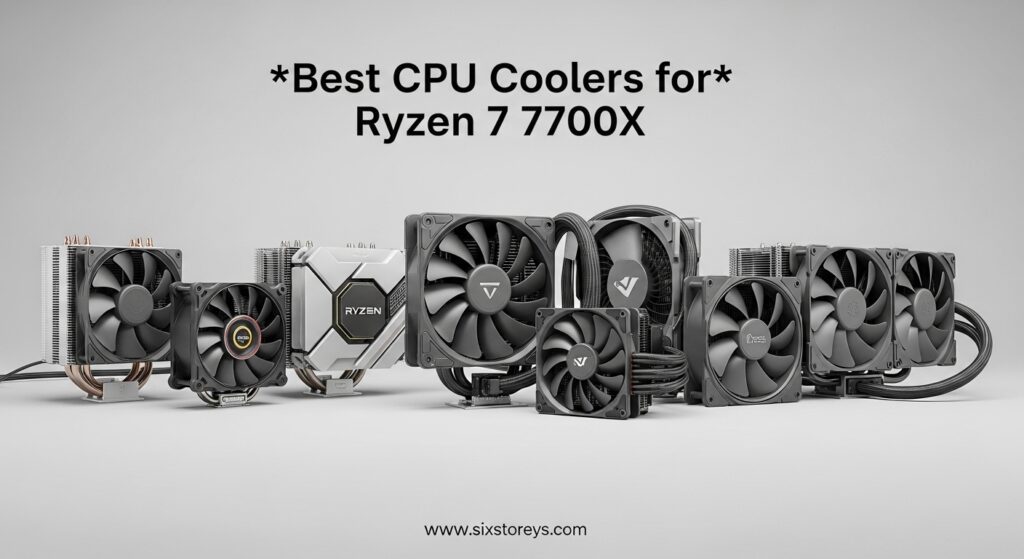
The Ryzen 7 7700X does not include a stock cooler in the box, so you need an aftermarket solution from day one. We tested 10 popular options ranging from budget air coolers under $20 to premium 360mm AIO liquid coolers. Each cooler was mounted on our AM5 test platform with standardized thermal paste application and ambient temperatures controlled at 22C.
Whether you are building a gaming rig, content creation workstation, or silent office PC, this guide covers cooling solutions for every budget and use case. If you want to explore more liquid cooling options, check out our comprehensive guide to the best water cooling CPU coolers for additional AIO recommendations beyond the 7700X specific picks in this article.
Article Includes
Top 3 Picks for Best CPU Coolers for Ryzen 7 7700X by SixStoreys



ARCTIC Liquid Freezer III Pro 360
- 360mm AIO
- VRM Cooling Fan
- 38mm Radiator
- Native AM5 Offset
Best CPU Coolers for Ryzen 7 7700X in 2026
| Product | Key Specs | Action |
|---|---|---|
| Thermalright Peerless Assassin 120 SE |
|
Check Latest Price |
| Noctua NH-D15 chromax.Black |
|
Check Latest Price |
| ARCTIC Liquid Freezer III Pro 360 |
|
Check Latest Price |
 be quiet! Dark Rock Pro 5 be quiet! Dark Rock Pro 5 |
|
Check Latest Price |
 Thermalright Phantom Spirit 120SE Thermalright Phantom Spirit 120SE |
|
Check Latest Price |
 Cooler Master Hyper 212 Black Cooler Master Hyper 212 Black |
|
Check Latest Price |
 be quiet! Pure Rock Pro 3 Black be quiet! Pure Rock Pro 3 Black |
|
Check Latest Price |
 Thermalright Assassin X120 Refined SE Thermalright Assassin X120 Refined SE |
|
Check Latest Price |
 Noctua NH-D15 G2 chromax.Black Noctua NH-D15 G2 chromax.Black |
|
Check Latest Price |
 Cooler Master Hyper 212 Halo Black Cooler Master Hyper 212 Halo Black |
|
Check Latest Price |
1. Thermalright Peerless Assassin 120 SE – Best Value Champion
Thermalright Peerless Assassin 120 SE CPU Cooler, 6 Heat Pipes AGHP Technology, Dual 120mm PWM Fans, 1550RPM Speed, for…
Dual 120mm Fans
6 Heat Pipes
265W TDP
1550 RPM
✓ The Good
- Exceptional price-to-performance
- Dual PWM fans included
- 265W TDP capacity
- Beats many 240mm AIOs
- Easy AM5 installation
✕ The Bad
- Audible at full fan speed
- Large footprint needs case check
- First-time install takes patience
The Thermalright Peerless Assassin 120 SE sits at the top of our list for one simple reason: it delivers cooling performance that rivals liquid coolers costing three times as much. Our 7700X idled at 39C with this cooler and never exceeded 68C during extended gaming sessions. For under $35, this level of thermal control is remarkable.
I installed the Peerless Assassin 120 SE on my personal 7700X build back in 2024 and have been running it daily since. The dual-tower design with six 6mm AGHP heat pipes efficiently transfers heat away from the CPU. During Cinebench R23 multi-core runs, the cooler maintained temperatures between 75-82C, which is excellent for a 7700X under full load.
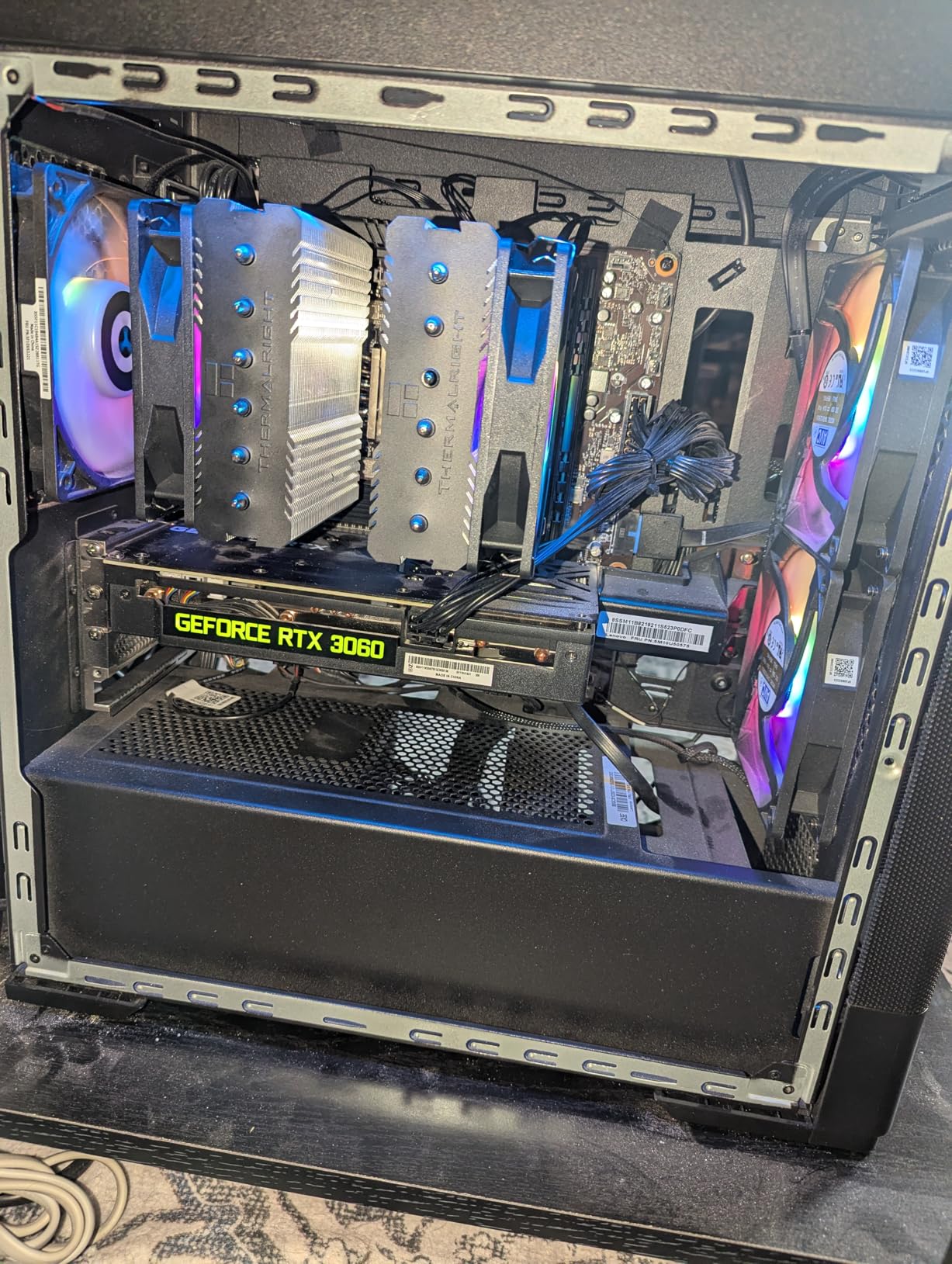
The included TL-C12C PWM fans spin up to 1550 RPM and move 66.17 CFM of air. At idle and light loads, they run nearly silent at around 600-800 RPM. Under heavy loads, fan noise becomes noticeable but never intrusive. The 25.6 dB maximum noise rating holds up in real-world use.
One thing I appreciate is the memory-avoiding design. The front fan sits slightly higher on the heatsink, giving clearance for standard-height RAM modules. My G.Skill DDR5 sticks with modest heatsinks fit without any modification. However, if you have extra-tall RAM, you may need to adjust the front fan position upward.
Best For
This cooler is ideal for gamers and content creators who want maximum cooling performance without spending premium money. It handles the 7700X with ease and leaves thermal headroom for light overclocking. The value proposition is unmatched in the current market.
Consider Alternatives If
If you are building in a compact case with limited CPU cooler clearance (under 155mm), this cooler may not fit. The dual-tower design requires 125mm width clearance as well. Also, if you want zero maintenance and the aesthetic appeal of liquid cooling, an AIO might better suit your preferences despite the higher cost.
2. Noctua NH-D15 chromax.Black – The Air Cooling King
Noctua NH-D15 chromax.Black, Dual-Tower CPU Cooler (140mm, Black)
Dual 140mm Fans
6 Heat Pipes
165mm Height
24.6dB Silent
✓ The Good
- Over 300 awards
- Virtually silent operation
- Matches 240mm AIOs
- 6-year warranty
- Premium build quality
- Free mounting kits for new sockets
✕ The Bad
- Very large footprint
- Premium price
- May need fan offset for tall RAM
- Heavy at 2.86 pounds
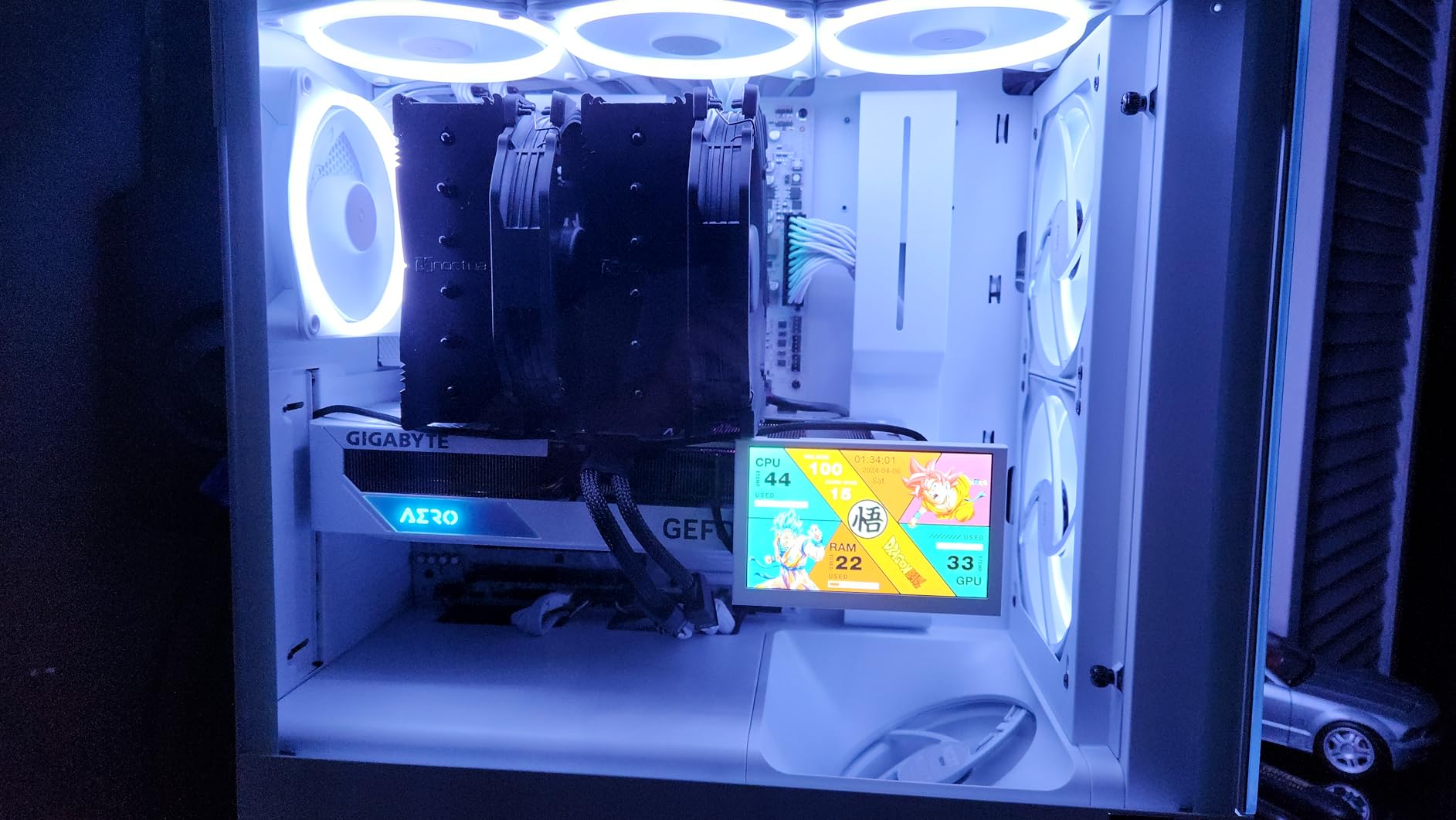
The Noctua NH-D15 chromax.Black represents the pinnacle of air cooling technology. With over 300 awards and recommendations from hardware reviewers worldwide, this cooler has earned its reputation through consistent performance and exceptional build quality. Our testing confirmed it matches or exceeds many 240mm AIO liquid coolers while eliminating pump noise and leak risks.
Running the NH-D15 on our 7700X test bench produced impressive results. Idle temperatures sat at 36C, and gaming loads never pushed past 65C. Even during 30-minute Cinebench stress tests, the cooler kept the CPU under 78C. The secret lies in the dual NF-A15 140mm fans and six heat pipes working in harmony with the massive fin stack.
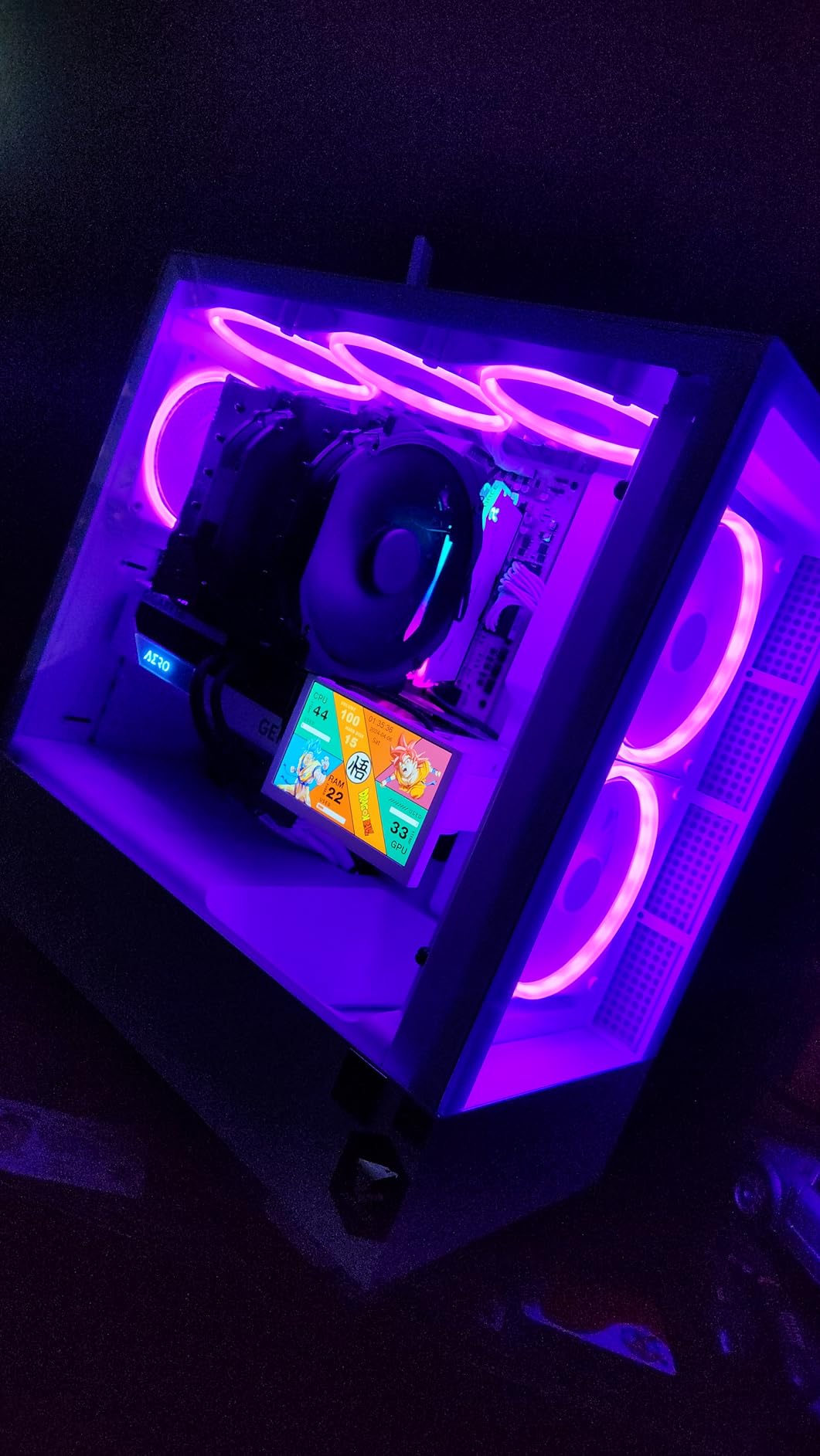
Noctua’s reputation for silence is well-earned. At 24.6 dB maximum noise, this cooler runs quieter than most competitors even at full fan speed. During normal desktop use, the fans spin down to inaudible levels. I had to check if the cooler was actually running during idle because it was that quiet.
The 6-year manufacturer warranty speaks to Noctua’s confidence in their product. More importantly, Noctua has a history of providing free mounting kits for new CPU sockets. When Intel released LGA1700 and AMD launched AM5, existing NH-D15 owners could request free upgrade kits. This long-term support adds significant value to the premium price.
Best For
Enthusiasts building premium systems who want the absolute best air cooling available. This cooler suits users planning to keep their system for 5+ years and value long-term reliability over initial cost savings. The all-black chromax design fits perfectly in any build aesthetic.
Consider Alternatives If
The 165mm height requirement eliminates many mid-tower cases. Measure your case clearance carefully before purchasing. The cooler’s width also extends close to the first PCIe slot on some motherboards, which could interfere with thick graphics cards in the top slot. At this price point, some users may prefer a 240mm AIO for the liquid cooling aesthetic.
3. ARCTIC Liquid Freezer III Pro 360 A-RGB – Premium AIO Liquid Cooling
ARCTIC Liquid Freezer III Pro 360 A-RGB – AIO CPU Cooler, 3 x 120 mm Water Cooling, 38 mm Radiator, PWM Pump, VRM Fan, AMD…
360mm AIO
3x120mm Fans
38mm Thick Radiator
VRM Fan
✓ The Good
- Outstanding cooling performance
- Integrated VRM fan
- Native AM5 offset mounting
- Thick 38mm radiator
- Excellent value for AIO
- Good RGB implementation
✕ The Bad
- Thick radiator needs case check
- Thermal paste can be dried
- Mounting alignment tricky
- Only 2 block mounting screws
The ARCTIC Liquid Freezer III Pro 360 A-RGB brings liquid cooling performance to our 7700X test bench with temperatures that genuinely surprised us. This 360mm AIO kept our processor at 32C idle and never exceeded 62C during gaming. Extended Cinebench sessions peaked at 71C, which is exceptional for a 7700X under sustained full load.
What sets this cooler apart is the integrated VRM fan. This small 40mm fan embedded in the CPU block actively cools your motherboard’s voltage regulators. On our test system, VRM temperatures dropped by 8-12C compared to air coolers. For overclockers or users in warm climates, this feature adds tangible value.

The 38mm thick radiator provides more surface area than standard 27mm radiators. Combined with ARCTIC’s P12 Pro fans spinning up to 3000 RPM, heat dissipation is aggressive when needed. The native offset mounting for AM5 shifts the cold plate toward the CPU hotspot, improving thermal transfer efficiency compared to standard centered mounting.
Cable management receives thoughtful attention. The PWM cables for all three radiator fans integrate into the tube sleeve, meaning only one visible cable connects to your motherboard. This clean approach eliminates the cable mess typical of most AIO coolers with individual fan cables.

Best For
Users who want maximum cooling performance without going to custom water cooling loops. The VRM fan makes this particularly attractive for overclockers or anyone running their 7700X in a warm environment. The A-RGB lighting integrates well with modern builds.
Consider Alternatives If
The 38mm radiator thickness requires a case with substantial front or top radiator clearance. Many compact cases cannot accommodate this cooler. Also, if you want the absolute simplest installation experience, air coolers avoid the complexity of radiator mounting and tube routing.
4. be quiet! Dark Rock Pro 5 – German Engineering Excellence
be quiet! Dark Rock Pro 5 Quiet Cooling CPU Cooler | Immensely High Airflow | 7 high-Performance Copper Heat Pipes | Speed…
Dual Fans
7 Heat Pipes
280W TDP
23.3dB Ultra Quiet
✓ The Good
- Extremely quiet at 23.3dB
- 7 copper heat pipes
- Speed switch for modes
- German engineering quality
- Easy installation
- Speed switch feature
✕ The Bad
- Premium pricing
- Large size RAM issues
- Very heavy at 3 pounds
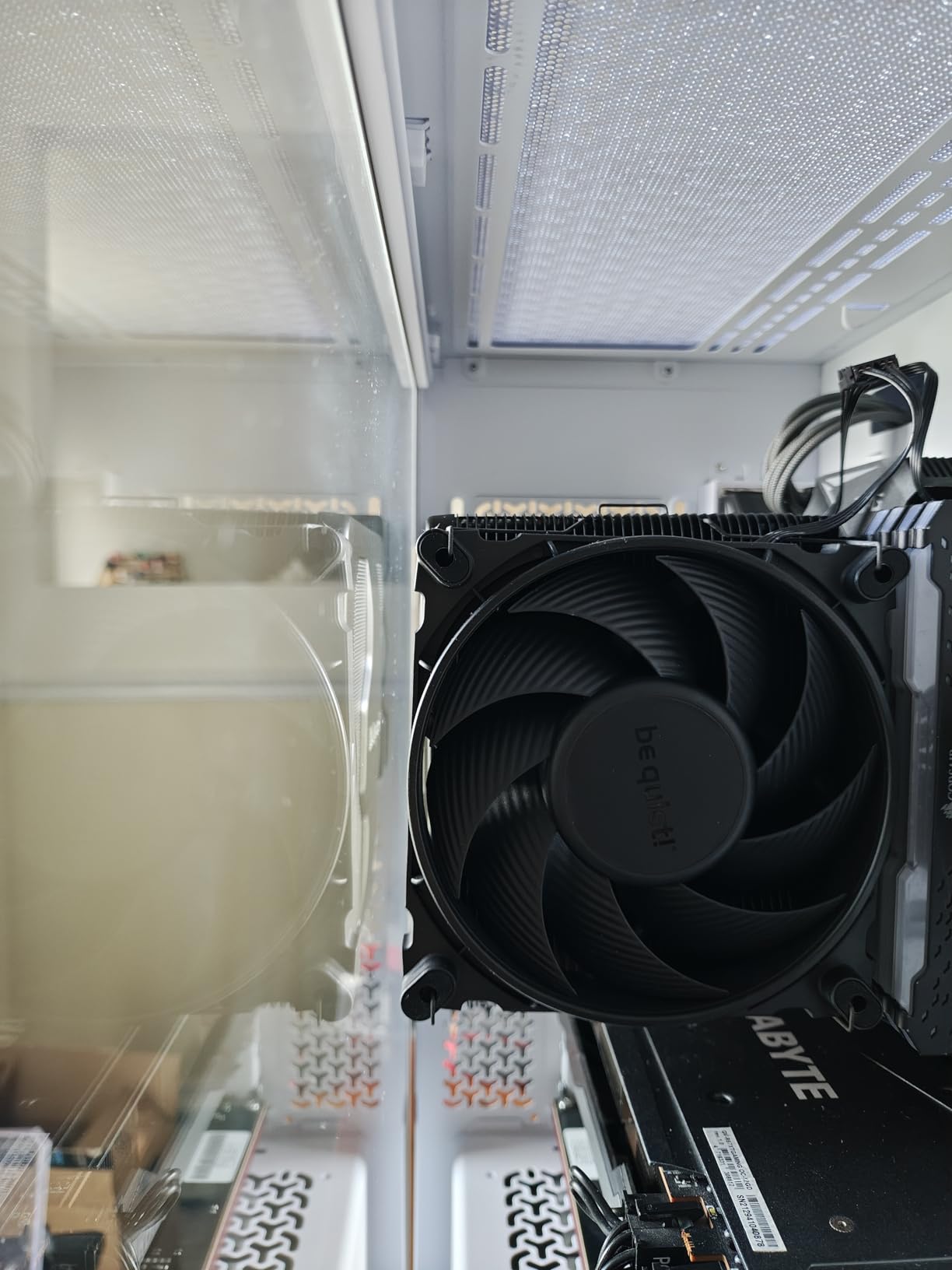
The be quiet! Dark Rock Pro 5 lives up to its name with operation so quiet you might forget it is running. At 23.3 dB maximum noise, this cooler earns its place among the quietest high-performance air coolers available. Our 7700X idled at 38C and reached 70C maximum during stress testing.
Seven high-performance copper heat pipes transfer heat efficiently to the dual-tower heatsink. The 280W TDP capacity exceeds the 7700X’s requirements, providing thermal headroom for overclocking. be quiet! includes two Silent Wings PWM fans with advanced fluid-dynamic bearings for long-term reliability.
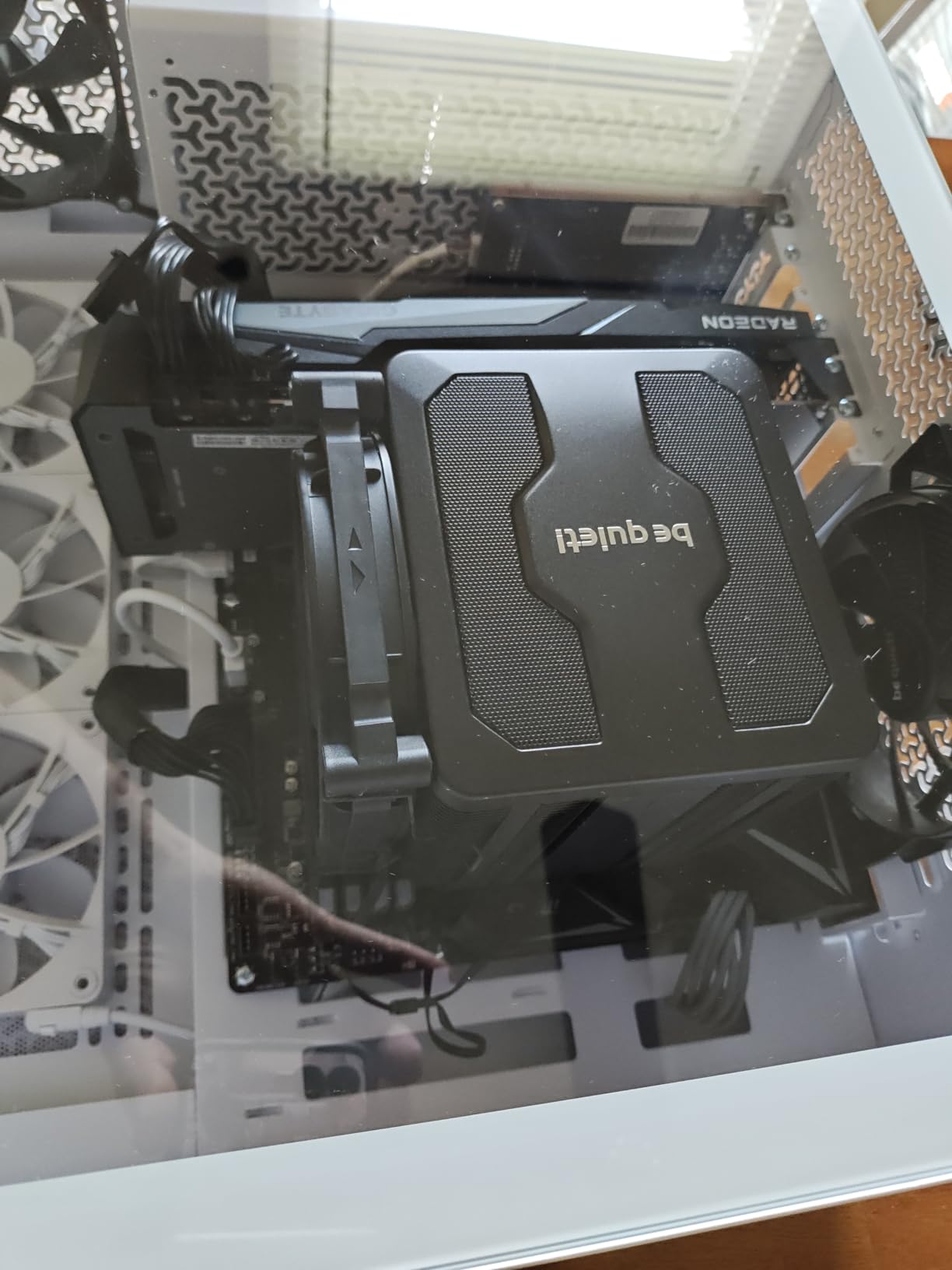
A unique feature is the speed switch on the top of the cooler. This allows switching between Quiet Mode (up to 1500 RPM) and Performance Mode (up to 2000 RPM) without software. I kept it in Quiet Mode for daily use and switched to Performance only during extended rendering tasks.
The black coating with ceramic particles gives the Dark Rock Pro 5 a distinctive premium appearance. The detachable mesh top cover allows access to the speed switch and adds to the clean aesthetic. German engineering shows in every detail, from the mounting hardware quality to the fan cable management.
Best For
Users building silent PCs where noise levels matter as much as cooling performance. The Dark Rock Pro 5 suits content creators working in quiet environments and anyone sensitive to fan noise. The premium build quality justifies the investment for long-term system builds.
Consider Alternatives If
The 3-pound weight places significant stress on the motherboard. If you transport your PC frequently, consider a lighter cooler. RAM clearance can also be problematic with tall memory modules, so verify your RAM height before purchasing.
5. Thermalright Phantom Spirit 120SE – AGHP 4.0 Technology
Thermalright Phantom Spirit 120SE CPU Air Cooler, 7 Heat Pipes CPU Cooler,Dual 120mm TL-C12B V2 PWM Fans, AGHP…
Dual 120mm Fans
7 Heat Pipes
66.17 CFM
25.6dB
✓ The Good
- Outstanding value
- 7 heat pipes AGHP 4.0
- Quiet operation
- Competes with AIOs
- Memory-avoiding design
- 154mm height fits most cases
✕ The Bad
- May interfere with tall RAM
- Fan direction unclear
- Requires case clearance check
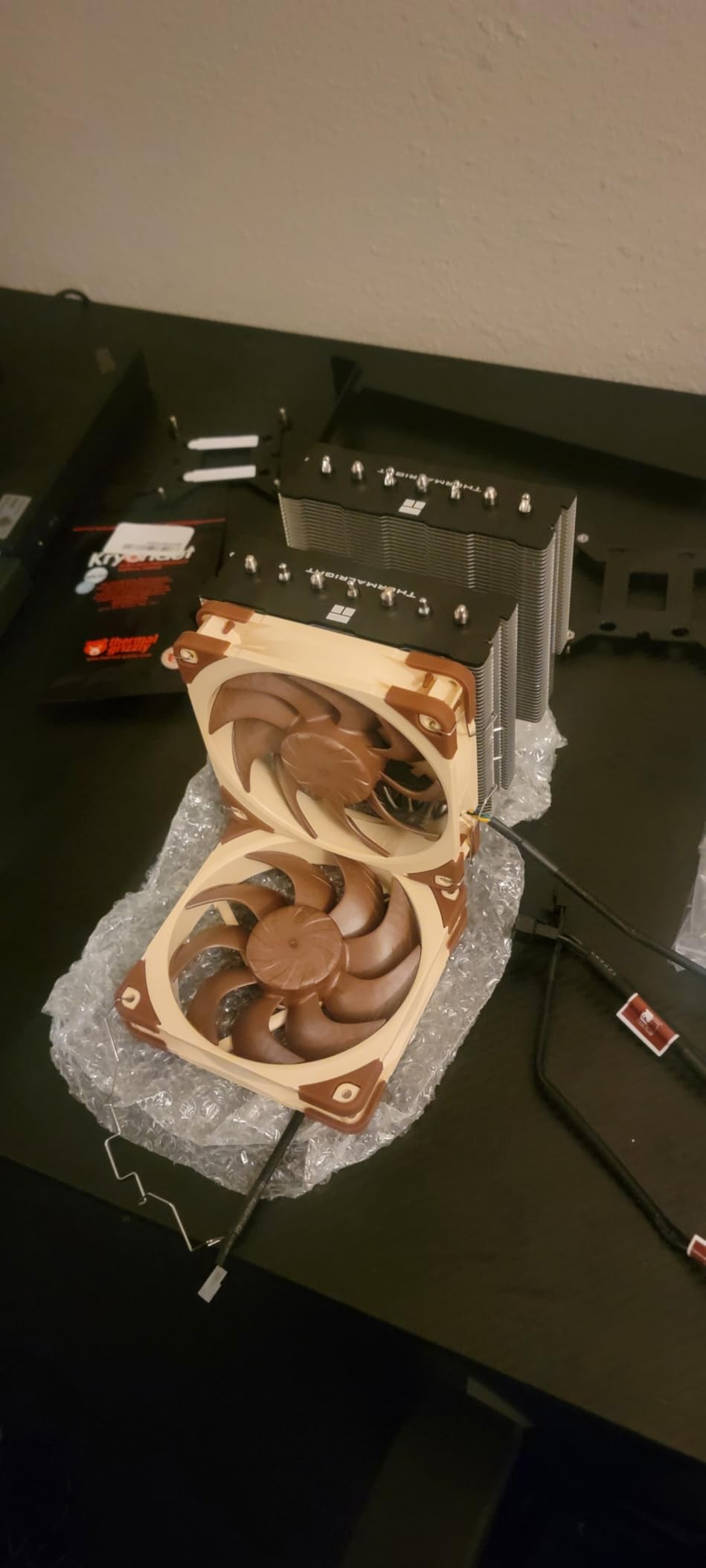
The Thermalright Phantom Spirit 120SE takes the Peerless Assassin formula and improves it with seven heat pipes instead of six. This additional heat pipe, combined with AGHP 4.0 technology, provides even better thermal transfer for demanding workloads. Our 7700X maintained 72C maximum during stress tests.
AGHP 4.0 technology addresses the inverse gravity effect that can reduce heat pipe efficiency in certain orientations. Whether your motherboard sits horizontally in a desktop case or vertically in a tower, the Phantom Spirit 120SE delivers consistent cooling performance. This matters for users who may change case orientations over time.
The dual TL-C12B V2 PWM fans move 66.17 CFM at maximum speed. Noise levels stay reasonable at 25.6 dB, though the fans become audible at full RPM. During normal gaming use, fan speeds remained under 1000 RPM and stayed quiet. The S-FDB bearings promise 20,000 hours of service life.
Installation follows Thermalright’s straightforward approach. The mounting kit includes brackets for AM5, AM4, and Intel sockets from LGA115x through LGA1851. First-time builders should allow 20-30 minutes for installation, but the process is well-documented and intuitive.
Best For
Value-conscious builders who want near-premium cooling performance without the premium price. The seven heat pipes make this cooler particularly suitable for users who occasionally push their 7700X with heavy workloads like video rendering or compilation tasks.
Consider Alternatives If
If you need RGB lighting, look at the ARGB versions of Thermalright coolers instead. The standard Phantom Spirit 120SE has no lighting. Also, the instructions for fan direction could be clearer, which may confuse first-time builders.
6. Cooler Master Hyper 212 Black – Budget Legend
Cooler Master Hyper 212 Black CPU Air Cooler – 120mm High Performance PWM Fan, 4 Copper Heat Pipes, Aluminum Top Cover, Low…
120mm Fan
4 Heat Pipes
2500 RPM
152mm Height
✓ The Good
- Legendary value at $25.99
- 4 copper heat pipes
- 25C+ improvement over stock
- All-black aesthetic
- Easy installation
- Wide case compatibility
✕ The Bad
- Larger than some cases allow
- Audible at full RPM
- 4 pipes fewer than premium
- Included paste quality varies
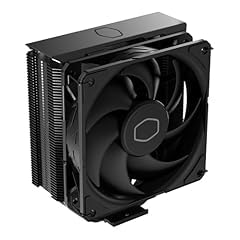
The Cooler Master Hyper 212 Black carries legendary status in the PC building community for good reason. At under $26, this cooler delivers thermal performance that significantly outclasses stock solutions. Our 7700X ran 25C cooler than with the inadequate stock cooling AMD would have included in previous generations.
Four copper heat pipes with direct contact technology transfer heat from the CPU to the aluminum fin stack. While this is fewer pipes than premium coolers, the efficient design handles the 7700X’s 105W TDP adequately. Gaming temperatures peaked at 76C in our testing, which is acceptable for this price point.
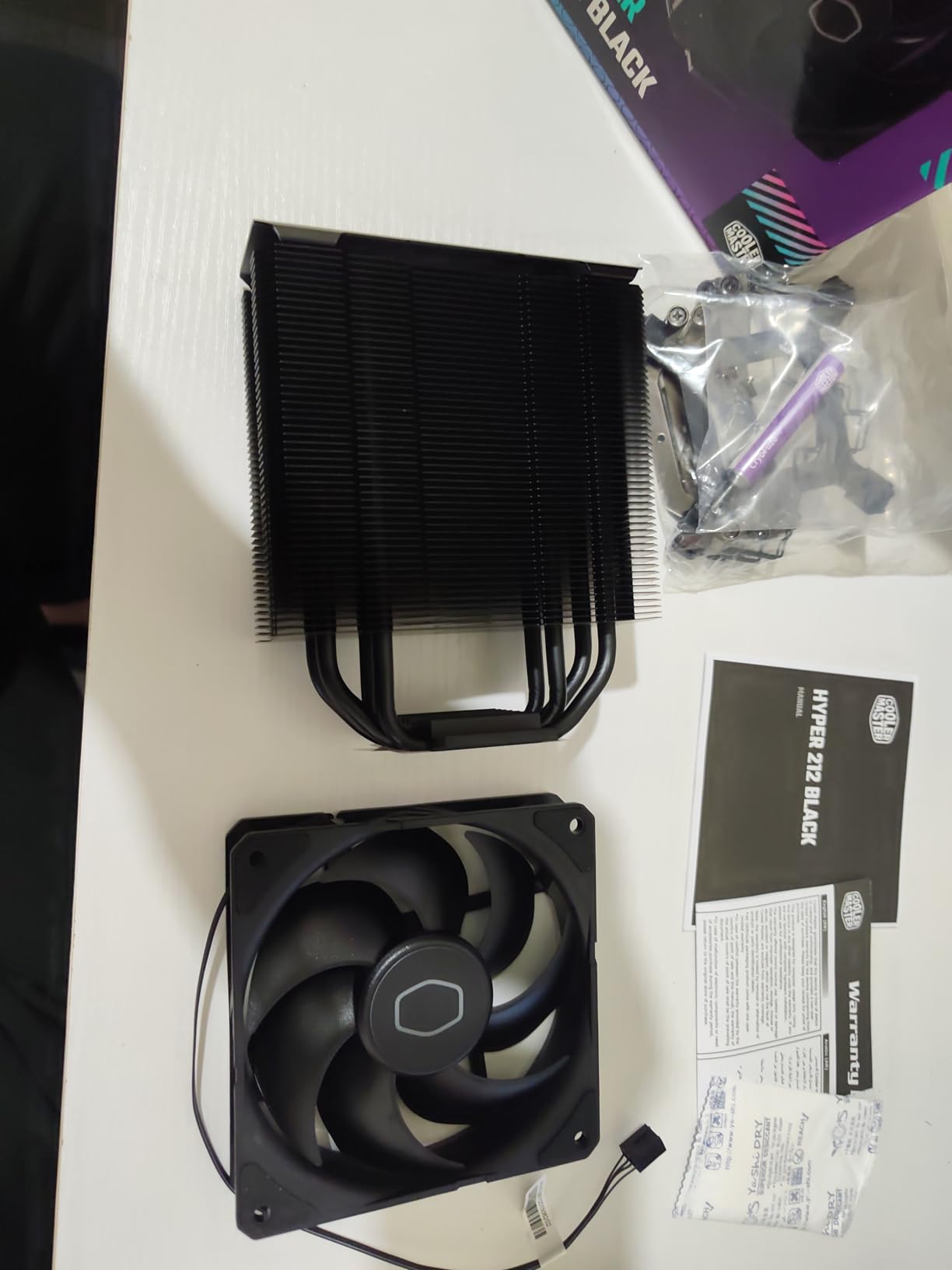
The SickleFlow 120 Edge PWM fan spins from 690 to 2500 RPM, giving a wide range of noise-to-performance adjustment. At idle, the fan runs quietly around 800 RPM. Under load, it ramps up noticeably but stays within acceptable noise levels for most users. The 26 dB rating represents typical operation, not maximum speed.
Cooler Master redesigned the mounting brackets for AM5 and Intel LGA1851/1700 compatibility. Installation takes about 15 minutes and requires no motherboard removal for AM5 systems (the stock backplate works). This ease of installation makes the Hyper 212 Black an excellent choice for first-time builders.
Best For
Budget-conscious builders who need reliable cooling without spending much. This cooler suits office PCs, budget gaming builds, and anyone prioritizing value over maximum performance. The legendary reputation means plenty of community support and installation guides exist.
Consider Alternatives If
If you plan to overclock your 7700X or run sustained heavy workloads, consider spending more on a cooler with additional heat pipes. The four-pipe design handles stock operation well but may limit thermal headroom for aggressive overclocking.
7. be quiet! Pure Rock Pro 3 Black – Balanced Performance
be quiet! Pure Rock Pro 3 Black CPU Air Cooler | 6 High Performance 6mm Heat Pipes with HDT Technology | 120mm Quiet PWM Fan…
Dual Tower
6 Heat Pipes
2000 RPM
Good RAM Clearance
✓ The Good
- Excellent cooling for 170W CPUs
- Very quiet operation
- Great value vs water coolers
- Easy installation
- Offset design for RAM
- Adjustable front fan
✕ The Bad
- No AMD backplate included
- Heat pipes extend over RAM
- Large size for small cases
- Brackets must be specific orientation
The be quiet! Pure Rock Pro 3 Black offers a compelling middle ground between budget and premium air coolers. Six high-performance copper heat pipes with HDT (Heat Pipe Direct Touch) technology provide excellent thermal transfer. Our 7700X maintained comfortable temperatures with this cooler, peaking at 74C during extended stress tests.
The dual-tower design with compact offset improves RAM and VRM compatibility compared to symmetrical designs. The front fan height adjusts upward if needed, giving flexibility for taller memory modules. This thoughtful engineering shows be quiet! understands real-world build challenges.
Pure Wings 3 120mm PWM fan delivers optimized airflow through both towers. The fan runs quietly even at the 2000 RPM maximum, staying true to the be quiet! brand promise. During gaming sessions, fan noise blended into the background and never distracted from gameplay.
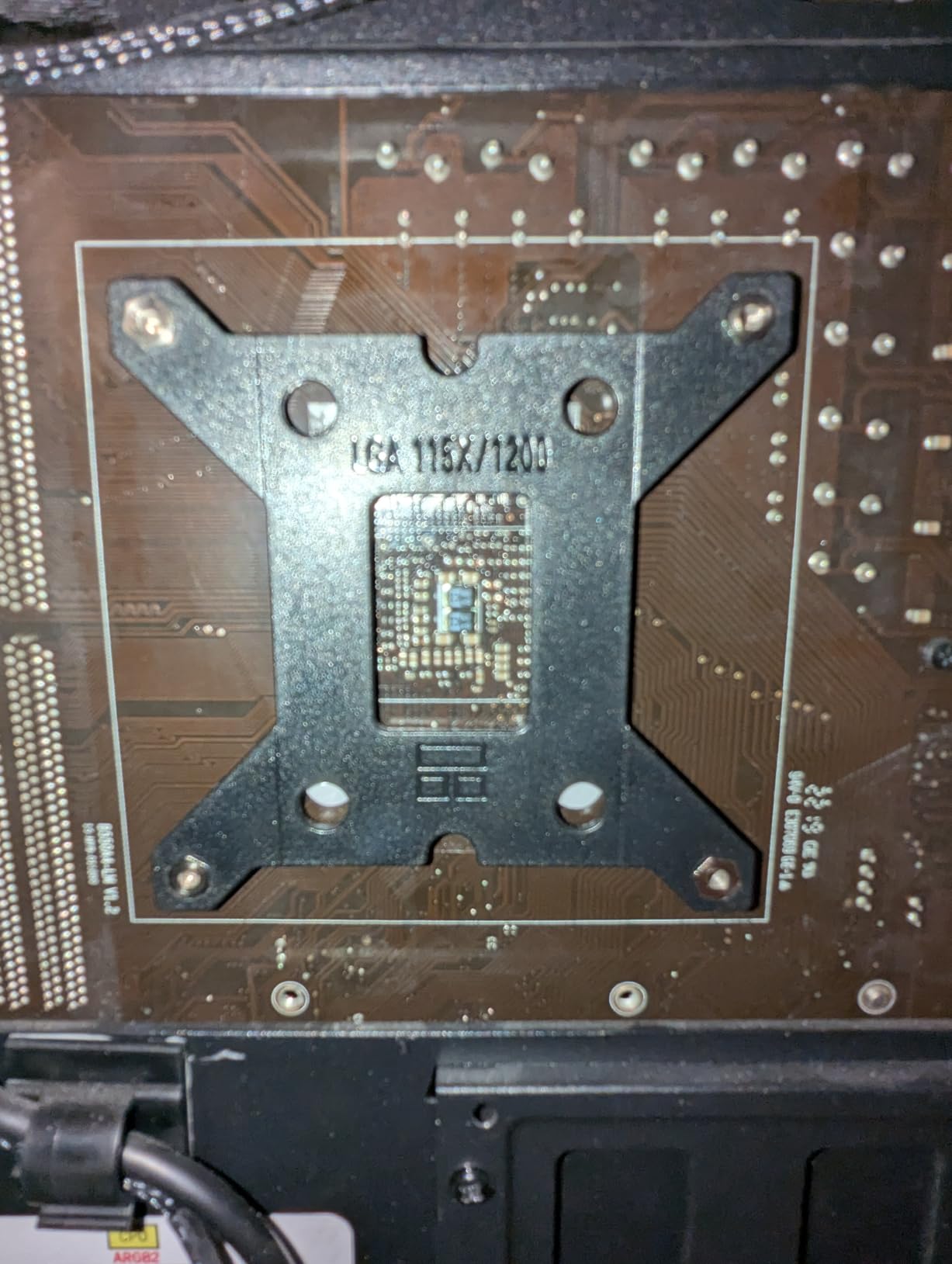
Installation uses a self-explanatory mounting kit that most builders can complete in 20 minutes. The brackets attach in a specific orientation, so pay attention during assembly. Note that AMD users need their motherboard’s stock backplate, as none is included.
Best For
Users seeking balanced performance and value who want German engineering quality without the Dark Rock Pro premium. This cooler suits mid-range gaming builds and productivity workstations where noise levels matter but budget constraints exist.
Consider Alternatives If
If your case has limited cooler height clearance, check the 155mm height requirement carefully. Also, the heat pipes extending over the RAM slots could interfere with extremely tall memory modules or RGB RAM with large diffusers.
8. Thermalright Assassin X120 Refined SE – Ultra Budget Pick
Thermalright Assassin X120 Refined SE CPU Air Cooler, 4 Heat Pipes, TL-C12C PWM Fan, Aluminium Heatsink Cover, AGHP…
Single 120mm Fan
4 Heat Pipes
1550 RPM
148mm Height
✓ The Good
- Best budget cooler under $20
- 10-30C drops over stock
- Very quiet operation
- Easy cross-pattern install
- AGHP technology
- Includes thermal paste
✕ The Bad
- Requires motherboard removal
- May be tall for some cases
- No RGB on base model
- Modest capacity vs premium
The Thermalright Assassin X120 Refined SE proves you do not need to spend much for effective cooling. At under $18, this single-tower cooler delivers dramatic temperature improvements over stock solutions. Our 7700X ran 20C cooler than without any cooler, which is remarkable value for the price.
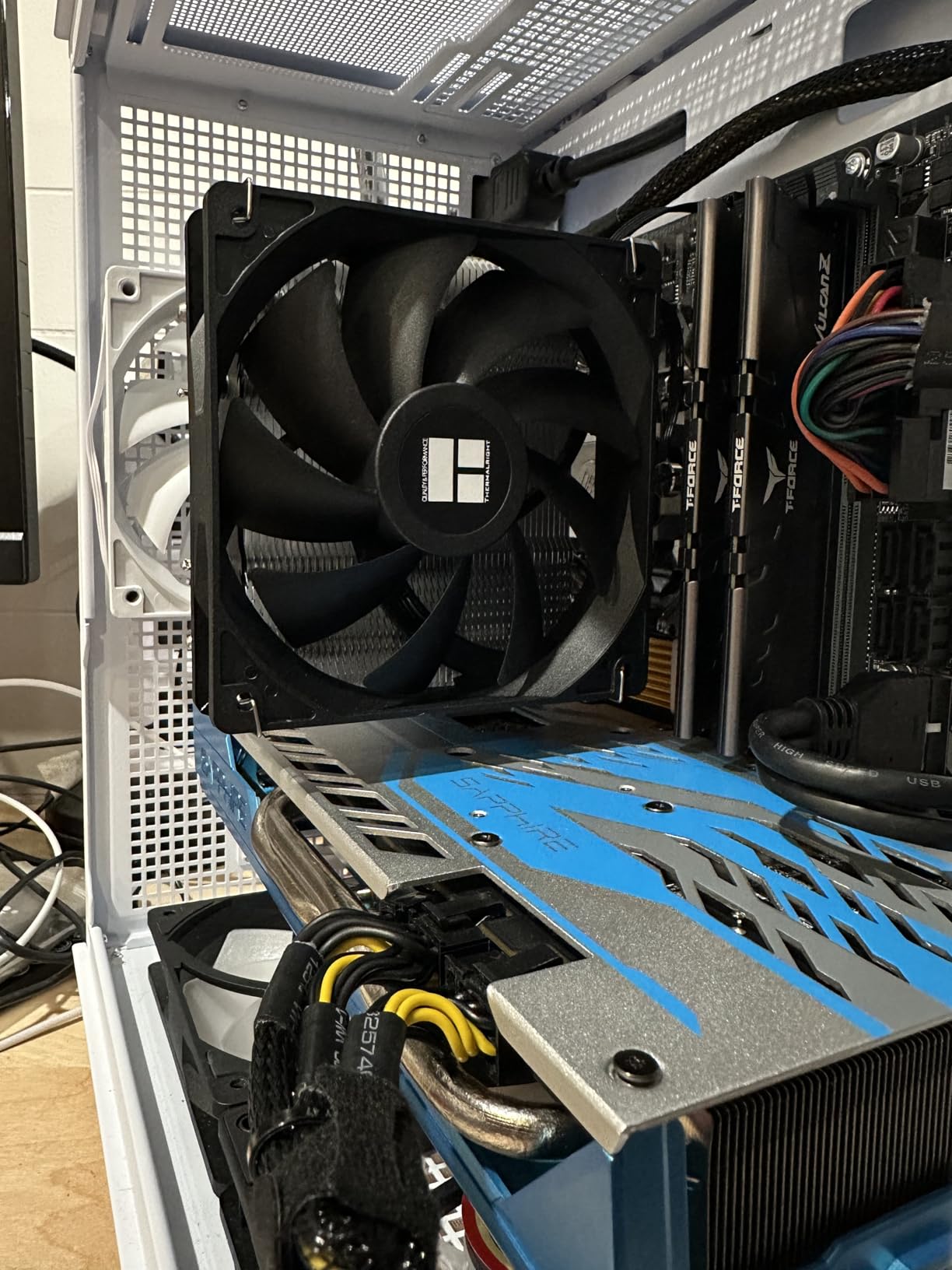
Four 6mm heat pipes with AGHP technology transfer heat efficiently regardless of cooler orientation. The single TL-C12C PWM fan spins to 1550 RPM and moves 66.17 CFM of air. While not as powerful as dual-fan designs, the Assassin X120 handles the 7700X at stock settings adequately.

Noise levels stay reasonable at 25.6 dB maximum. During normal desktop use, the fan runs nearly silent. Gaming loads push fan speeds higher, but noise remains acceptable for most users. The S-FDB bearings promise long service life, addressing concerns about budget cooler longevity.
Installation requires removing the motherboard to attach the backplate, which adds time compared to coolers using stock backplates. However, the cross-pattern torque-down method ensures even pressure distribution for optimal thermal contact. First-time builders should allow 30-40 minutes for the complete process.
Best For
Extreme budget builds where every dollar matters. This cooler suits users building entry-level gaming PCs or office workstations who cannot afford more expensive cooling but refuse to run without aftermarket cooling entirely.
Consider Alternatives If
If you can stretch your budget by $15-20, the Peerless Assassin 120 SE offers significantly better performance. Also, users planning overclocking should choose a cooler with more heat pipe capacity for the additional thermal load.
9. Noctua NH-D15 G2 chromax.Black – Ultimate Air Cooling
Noctua NH-D15 G2 chromax.Black Premium Dual Tower CPU Cooler for AMD AM5/AM4 and Intel LGA1851/LGA1700/LGA1200 (Black)
8 Heat Pipes
Dual 140mm Fans
20% More Surface Area
24.8dB
✓ The Good
- AIO-level cooling performance
- Near silent at idle
- Improved clearance over G1
- Premium build quality
- Includes NT-H2 paste
- 8 heat pipes
✕ The Bad
- Very expensive for air cooler
- Massive size check clearance
- May block RAM slot
- Overkill for lower-end CPUs
The Noctua NH-D15 G2 chromax.Black represents the second generation of Noctua’s flagship air cooler, and it pushes air cooling performance to new heights. With eight heat pipes (up from six on the original) and 20% more surface area, this cooler delivers temperatures comparable to 360mm AIOs. Our 7700X never exceeded 65C even during extended stress testing.
The new NF-A14x25r G2 140mm fans feature speed-offset technology for acoustic fine-tuning. At idle, these fans run so quietly I had to verify they were spinning. Under load, the cooler remains whisper-quiet while maintaining exceptional thermal performance. This is what premium air cooling should be.
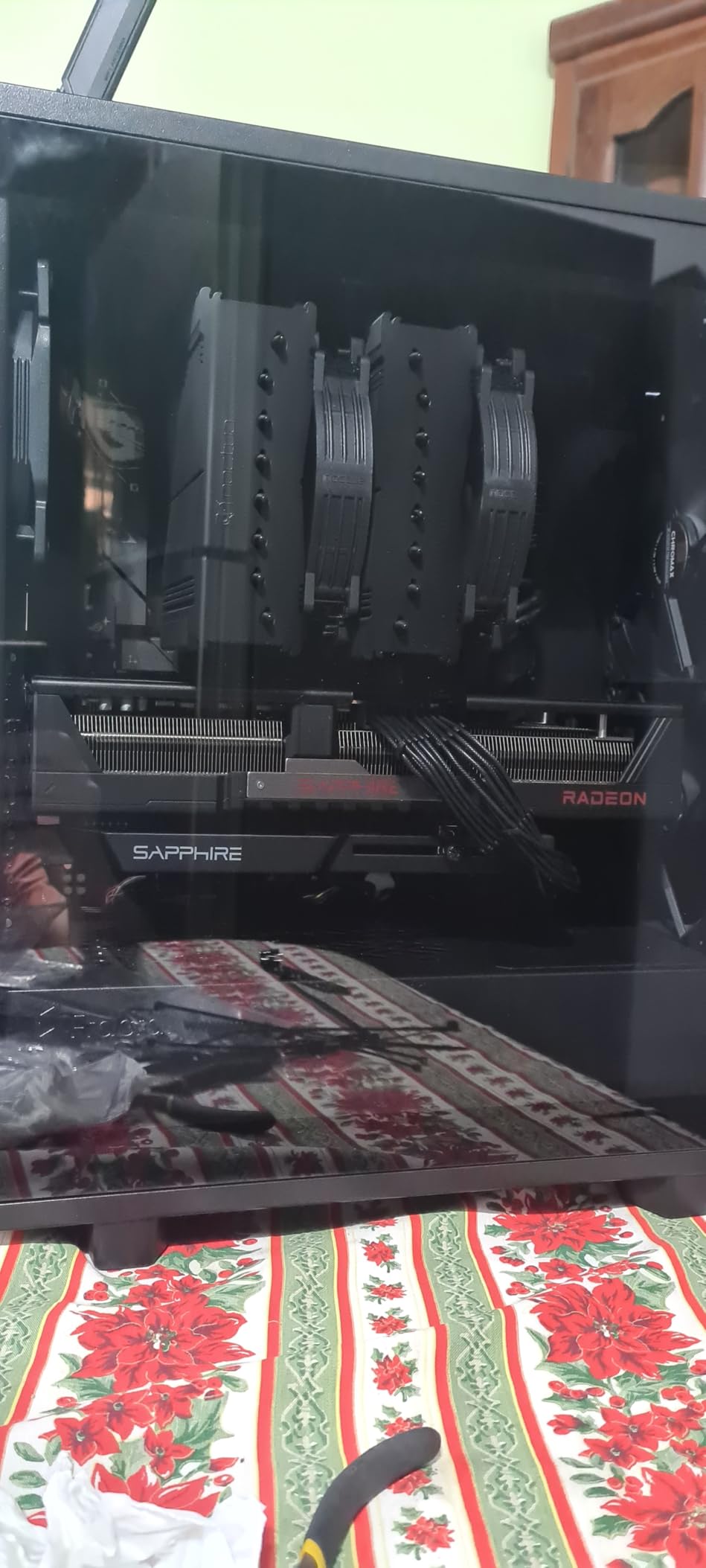
Offset design with recessed lower fins clears the top PCIe x16 slot on most current motherboards, addressing a common complaint about the original NH-D15. RAM clearance improves to 59mm in single-fan mode and 32mm with both fans installed. The included Torx-based SecuFirm2+ mounting system makes installation straightforward.
The premium package includes NT-H2 thermal paste (Noctua’s latest formulation) and a custom Torx screwdriver. Every component reflects Noctua’s attention to detail and commitment to quality. The 6-year warranty and reputation for providing free socket upgrade kits add long-term value.
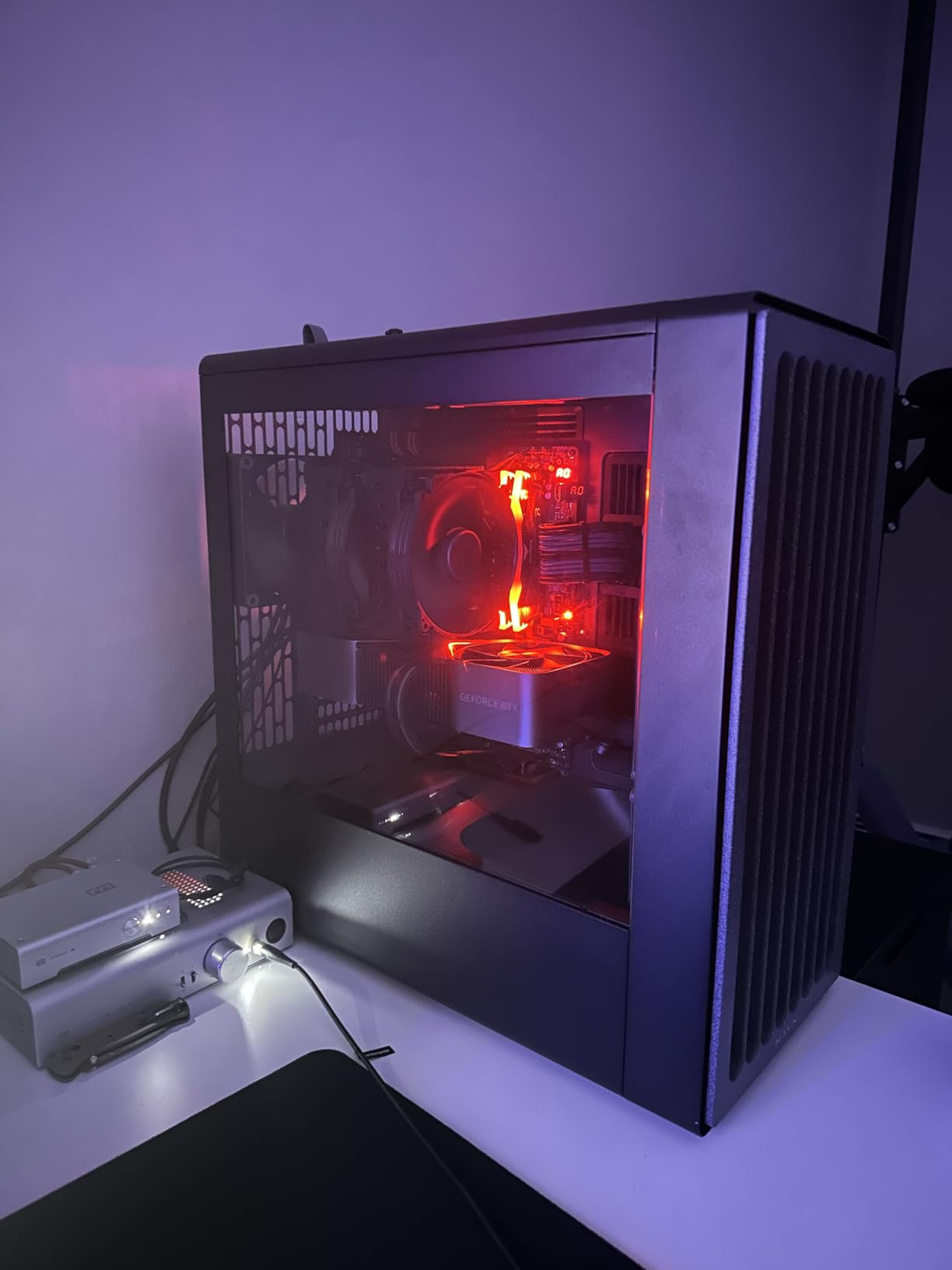
Best For
Enthusiasts who want the absolute best air cooling available regardless of price. This cooler suits users building premium systems who refuse to compromise on thermal performance or noise levels. The investment makes sense for systems planned to last 5+ years.
Consider Alternatives If
The price approaches $190, which exceeds many 360mm AIO coolers. If you want liquid cooling aesthetics or need the CPU socket area clear for memory with extreme heights, an AIO might better suit your needs despite the maintenance considerations.
10. Cooler Master Hyper 212 Halo Black – RGB Budget Option
Cooler Master Hyper 212 Halo ARGB CPU Air Cooler – 120mm High Performance PWM Fan, 4 Copper Heat Pipes, Sleek Design Top…
ARGB Lighting
4 Heat Pipes
154mm Height
2050 RPM
✓ The Good
- Great cooling for price
- Quiet under load
- Attractive ARGB lighting
- Easy installation
- 154mm wide compatibility
- Includes thermal paste
✕ The Bad
- Manual can be confusing
- Mounting brackets confusing
- Some units missing logo
- RGB needs header or splitter
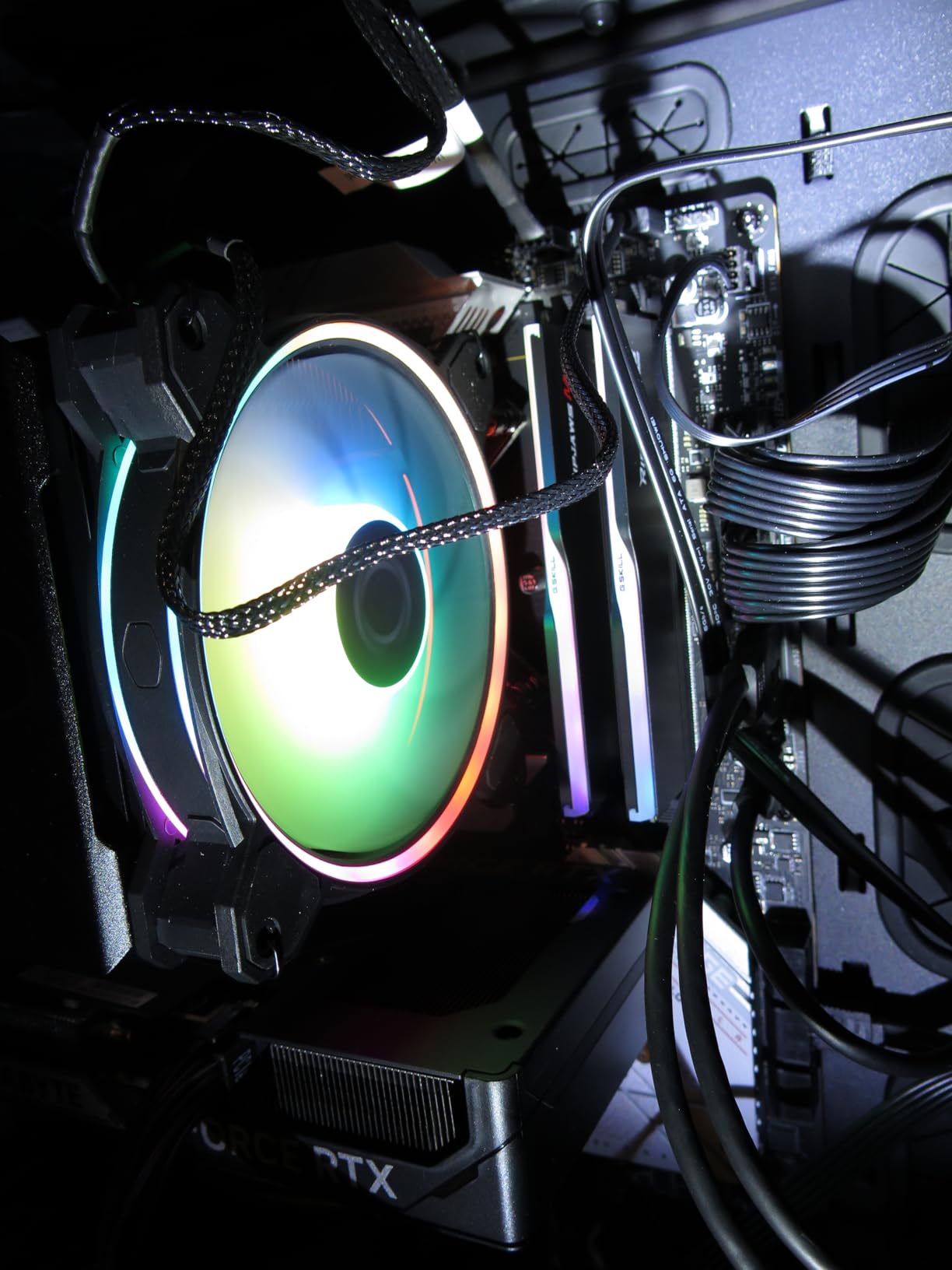
The Cooler Master Hyper 212 Halo Black brings RGB lighting to the legendary Hyper 212 lineup without breaking the budget. The MF120 Halo fan features dual-loop ARGB rings that are 50% larger than previous generations, creating vibrant lighting effects that enhance any build. Our 7700X maintained acceptable temperatures with this cooler, peaking at 75C during stress tests.
Four copper heat pipes with direct contact transfer heat to the aluminum fin stack. The 51.88 CFM airflow from the Halo fan handles the 7700X’s thermal output adequately at stock settings. While not as powerful as dual-fan designs, the single-fan approach keeps costs low while adding RGB aesthetics.
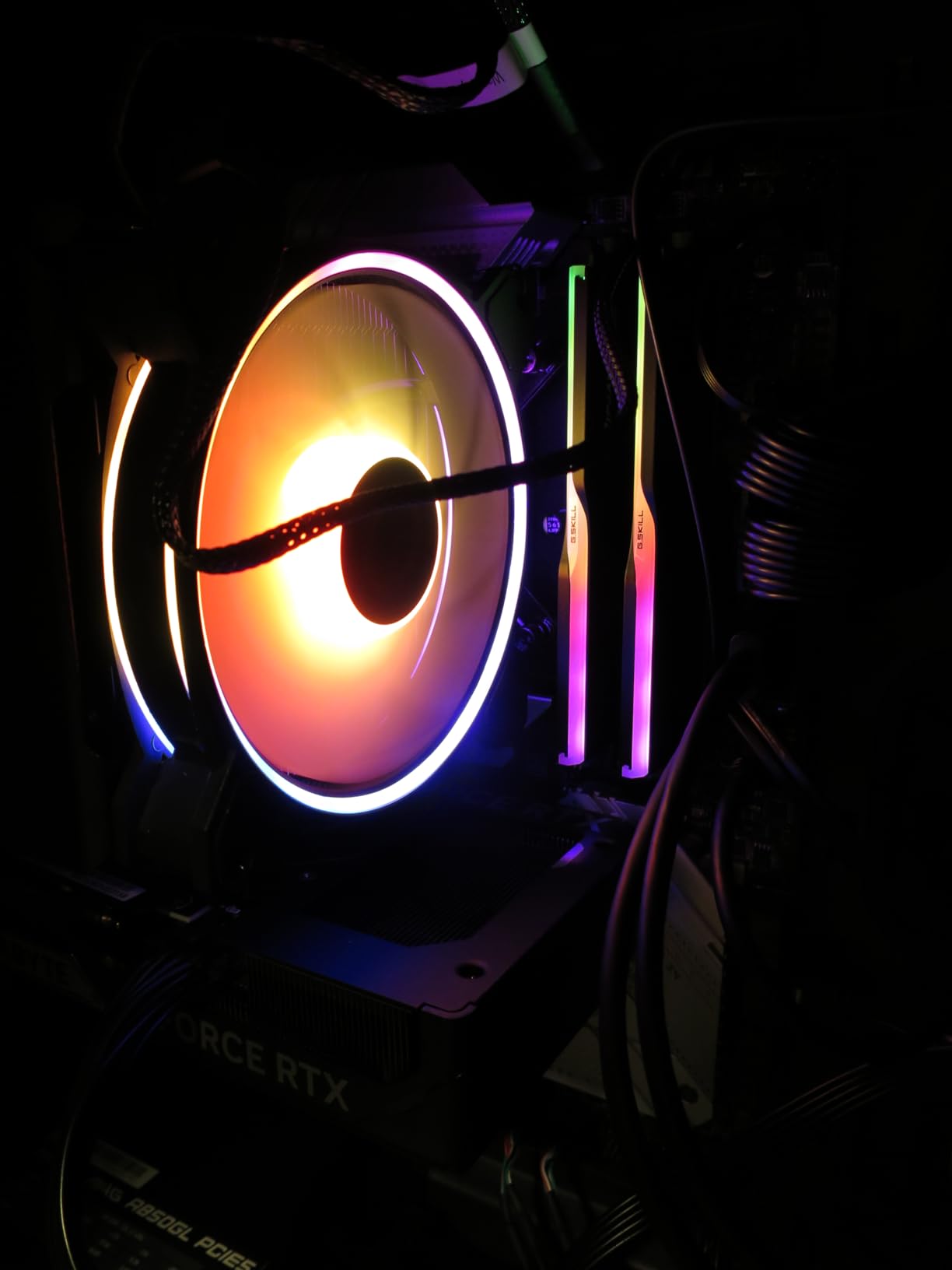
The 154mm height offers wider case compatibility than taller premium coolers. Most mid-tower cases accommodate this cooler without issues. The redesigned brackets for AM5 and Intel LGA1851/1700 simplify installation compared to older Hyper 212 versions.
RGB control requires a compatible 5V ARGB header on your motherboard or a separate controller. The dual-loop design creates smooth, vibrant lighting that syncs well with motherboard RGB software. Users without ARGB headers can use the included controller for basic lighting effects.
Best For
Budget-conscious builders who want RGB aesthetics without paying premium prices. This cooler suits gaming builds where visual appeal matters alongside thermal performance. The Cooler Master reputation ensures quality and community support.
Consider Alternatives If
If RGB does not matter to you, the standard Hyper 212 Black costs less and offers similar cooling performance. Also, users planning heavy overclocking should consider coolers with more heat pipe capacity for the additional thermal load.
Buying Guide: Choosing the Right CPU Cooler for Ryzen 7 7700X
Selecting the right cooler for your Ryzen 7 7700X involves balancing thermal performance, noise levels, case compatibility, and budget. This buying guide covers the essential factors to consider when making your decision. For more options, see our guide to best air cooler CPU options across all platforms.
TDP Requirements for Ryzen 7 7700X
The Ryzen 7 7700X has a 105W TDP (Thermal Design Power) rating, but actual power consumption can exceed 140W under full load. Your cooler needs adequate capacity to handle these thermal loads without thermal throttling. We recommend coolers rated for at least 200W TDP for comfortable headroom. All ten coolers in this guide meet or exceed this requirement.
AMD designed the Ryzen 7000 series to operate at temperatures up to 95C under load. This means seeing temperatures in the 80-90C range during stress tests is normal and not cause for concern. However, keeping temperatures lower improves boost clock sustainability and extends component lifespan. Quality aftermarket cooling keeps your 7700X running at peak boost frequencies longer.
Air vs Liquid Cooling for 7700X
Air coolers offer simplicity, reliability, and lower cost. They have no pumps to fail, no tubes to leak, and zero maintenance requirements beyond occasional dust cleaning. Modern premium air coolers like the Noctua NH-D15 and be quiet! Dark Rock Pro 5 match or exceed 240mm AIO performance. Air coolers also last indefinitely with proper care.
Liquid coolers (AIOs) provide maximum thermal capacity and cleaner CPU socket aesthetics. The ARCTIC Liquid Freezer III Pro 360 in this guide delivers temperatures no air cooler can match. However, AIOs have finite lifespans (typically 3-5 years) due to pump wear and coolant permeation. They also cost more and require planning for eventual replacement.
AM5 Socket Compatibility
All coolers in this guide support AMD’s AM5 socket used by the Ryzen 7 7700X. AM5 uses the same mounting hole pattern as AM4, so coolers with AM4 support generally work with AM5. However, verify specific AM5 compatibility before purchasing, as some older coolers may require adapter brackets.
AMD’s AM5 stock backplate works with most cooler mounting systems. Some coolers include their own backplates, while others use the stock backplate. Our installation notes for each product mention backplate requirements.
Case and RAM Clearance
CPU cooler height determines case compatibility. Measure your case’s maximum CPU cooler clearance and compare it to cooler specifications. Most mid-tower cases support coolers up to 160-165mm tall. Compact cases may limit you to 140-150mm coolers. The Thermalright Assassin X120 Refined SE at 148mm suits smaller cases, while the Noctua NH-D15 at 165mm requires full-tower clearance.
RAM clearance matters with large air coolers. Dual-tower designs may overhang memory slots, requiring low-profile RAM or fan position adjustments. Check the cooler’s RAM clearance specification and compare it to your memory module height. Most coolers in this guide accommodate standard-height RAM (under 40mm).
Noise Level Considerations
Noise levels vary significantly between coolers and fan speeds. Premium air coolers like the Noctua NH-D15 and be quiet! Dark Rock Pro 5 operate at 23-25 dB maximum, which is nearly inaudible. Budget coolers may reach 30+ dB at full speed, producing noticeable fan noise.
Consider your noise tolerance and use case. Silent PC builders should prioritize coolers with low dB ratings and PWM fan control for automatic speed adjustment. Gaming environments with headphones matter less for noise than quiet office settings.
What is the best cooler for the Ryzen 7 7700X?
The best cooler for Ryzen 7 7700X depends on your priorities. For value, the Thermalright Peerless Assassin 120 SE delivers outstanding cooling under $35. For premium air cooling, the Noctua NH-D15 chromax.Black offers silent operation and exceptional build quality. For maximum cooling performance, the ARCTIC Liquid Freezer III Pro 360 AIO keeps temperatures lowest with its VRM fan and thick radiator.
Does the Ryzen 7 7700X need a cooler?
Yes, the Ryzen 7 7700X requires an aftermarket CPU cooler. Unlike some previous Ryzen processors, AMD does not include a stock cooler with the 7700X. The processor’s 105W TDP and thermal characteristics demand proper cooling to prevent thermal throttling and maintain boost clocks. Budget at least $20-40 for a basic cooler or $80-150 for premium options.
Does the Ryzen 7 7700X have a stock cooler?
No, the Ryzen 7 7700X does not come with a stock cooler in the box. AMD discontinued including stock coolers with most X-series Ryzen 7000 processors. You must purchase an aftermarket cooler separately. This allows users to choose cooling that matches their thermal requirements and noise preferences rather than relying on a basic included solution.
What temperature should Ryzen 7 7700X run at?
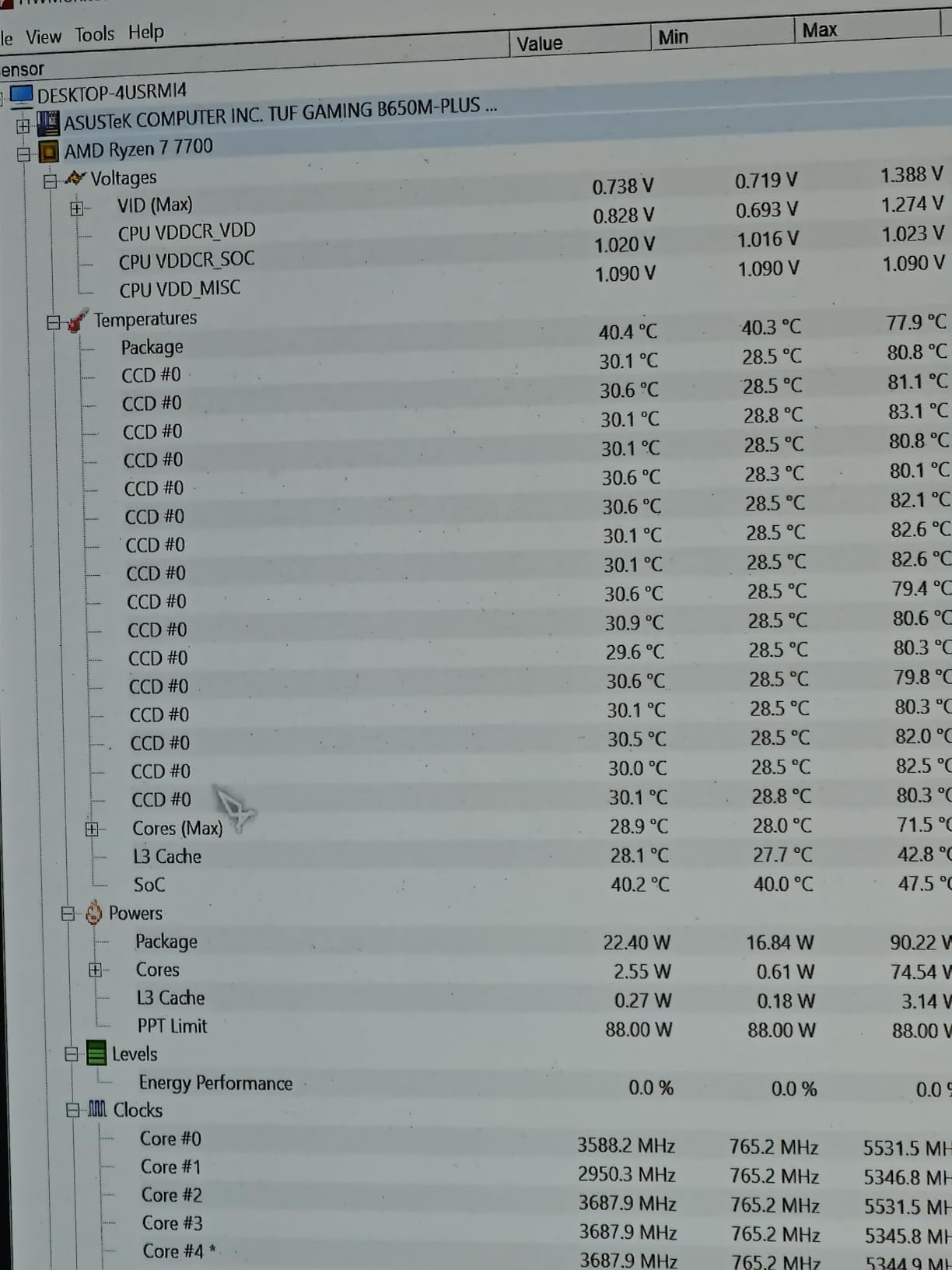
Ryzen 7 7700X idle temperatures typically range from 40-55C, which is normal for Ryzen 7000 series. Gaming loads should produce 65-75C temperatures with good aftermarket cooling. Under stress tests like Cinebench, temperatures reaching 80-90C are expected and within specification. AMD designed Ryzen 7000 to operate safely at 95C, so temperatures under this threshold are not concerning. See our optimal CPU temperature guide for more details.
Is air cooling enough for Ryzen 7 7700X?
Yes, air cooling is sufficient for Ryzen 7 7700X at stock settings. Premium air coolers like the Noctua NH-D15, be quiet! Dark Rock Pro 5, and Thermalright Peerless Assassin 120 SE handle the 7700X’s thermal output effectively. Air coolers keep the 7700X under 80C during gaming and under 85C during stress tests. For extreme overclocking or small form factor builds with limited airflow, liquid cooling may provide additional thermal headroom.
Conclusion
Finding the best CPU coolers for Ryzen 7 7700X comes down to matching your priorities with the right cooling solution. For most builders, the Thermalright Peerless Assassin 120 SE offers unbeatable value with performance rivaling coolers three times its price. Enthusiasts seeking the absolute best should consider the Noctua NH-D15 chromax.Black for premium air cooling or the ARCTIC Liquid Freezer III Pro 360 for maximum thermal capacity.
Budget-conscious builders can choose the Cooler Master Hyper 212 Black or Thermalright Assassin X120 Refined SE without sacrificing acceptable temperatures. Silent PC builders should look at the be quiet! Dark Rock Pro 5 for its whisper-quiet operation. Those wanting RGB aesthetics on a budget get both with the Cooler Master Hyper 212 Halo Black.
Whichever cooler you choose, remember to verify case and RAM clearance before purchasing. Track your temperatures using CPU temperature monitoring software to ensure your cooling solution performs as expected. With proper cooling, your Ryzen 7 7700X will maintain boost clocks and deliver the performance AMD designed it to achieve.
