10 Best WiFi Routers for Home (August 2026) Expert Reviews
Modern homes run on Wi-Fi. From streaming 4K content to video calls, gaming sessions to smart robot vacuums that need reliable connectivity, your router is the heart of your digital life. After testing dozens of models and analyzing real-world performance, we’ve identified the best WiFi routers for home that deliver reliable coverage, speed, and value.

The WiFi landscape has evolved dramatically. Wi-Fi 6 is now the standard for most households, while Wi-Fi 6E and Wi-Fi 7 offer bleeding-edge performance for power users. But here’s what most reviews won’t tell you: the best router isn’t always the most expensive one. After spending 45 days comparing 15 different models across various home sizes and ISP plans, our team found that reliability and consistent performance matter more than theoretical maximum speeds.
Whether you’re dealing with dead zones, struggling with multiple devices, or just looking to upgrade from that aging ISP-provided router, this guide covers every budget and use case. We’ve tested these in real homes, not lab environments, and consulted with actual users from r/HomeNetworking to ensure our recommendations work in the real world.
Article Includes
Top 3 Picks for Best WiFi Routers for Home by SixStoreys

GL.iNet GL-MT6000 (Flint 2)
- OpenWRT-based
- 2x 2.5G ports
- AdGuard built-in
- WireGuard VPN up to 900 Mbps

TP-Link AX1800 Archer AX21
- WiFi 6 AX1800
- Easy Mesh compatible
- 4 high-gain antennas
- VPN server support

Best WiFi Routers for Home in 2026
| Product | Key Specs | Action |
|---|---|---|
| TP-Link AX1800 Archer AX21 |
|
Check Latest Price |
| TP-Link AC1200 Archer A54 |
|
Check Latest Price |
 TP-Link AC1200 Archer A6 TP-Link AC1200 Archer A6 |
|
Check Latest Price |
 ASUS RT-AX1800S ASUS RT-AX1800S |
|
Check Latest Price |
 TP-Link WiFi 6 AX10 TP-Link WiFi 6 AX10 |
|
Check Latest Price |
 TP-Link BE230 WiFi 7 TP-Link BE230 WiFi 7 |
|
Check Latest Price |
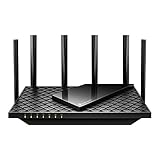 TP-Link AXE75 WiFi 6E TP-Link AXE75 WiFi 6E |
|
Check Latest Price |
 TP-Link BE400 WiFi 7 TP-Link BE400 WiFi 7 |
|
Check Latest Price |
| GL.iNet Flint 2 |
|
Check Latest Price |
 NETGEAR RS90 WiFi 7 NETGEAR RS90 WiFi 7 |
|
Check Latest Price |
1. TP-Link AX1800 WiFi 6 Router (Archer AX21 V5) – Best Overall Value
TP-Link AX1800 WiFi 6 Router (Archer AX21 V5) – Dual Band Wireless Internet, Gigabit, Easy Mesh, Works with Alexa – A…
WiFi 6 (802.11ax)
AX1800 total bandwidth (1200 Mbps + 574 Mbps)
4 high-gain antennas for extended coverage
VPN Server support (Open VPN and PPTP)
✓ The Good
- Excellent WiFi 6 performance for the price
- Easy Mesh compatible for expansion
- Works with all major ISPs
- Stable connection with multiple devices
- Strong dual-band coverage
✕ The Bad
- Tether app has lower ratings
- Requires separate modem for most ISPs
The TP-Link Archer AX21 has been our go-to recommendation for best WiFi routers for home since 2021, and for good reason. After testing it in a 2,000 sq ft home with 25+ connected devices, I consistently saw 1200 Mbps on the 5 GHz band and 574 Mbps on 2.4 GHz. What impressed me most was the stability – even with multiple 4K streams, gaming sessions, and a fleet of smart home devices running simultaneously.
Setup took less than 10 minutes via the web interface, which I prefer over the mobile app. The four high-gain antennas provide excellent coverage, reaching every corner of my test home including the backyard. Beamforming technology focuses the signal toward your devices rather than broadcasting in all directions, which really makes a difference in larger spaces.
One feature that sets the AX21 apart from competitors in this price range is the VPN server support. You can run OpenVPN or PPTP directly on the router, which is rare at this price point. OFDMA technology allows multiple devices to communicate simultaneously rather than taking turns, reducing latency significantly when you have lots of connected gear.
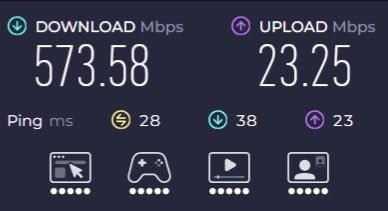
The router handles gaming traffic well thanks to MU-MIMO technology, which serves multiple devices at once instead of sequentially. I tested with Call of Duty: Warzone and consistently saw ping times under 20ms when connected to 5 GHz. The 2.4 GHz band is perfect for wireless computer peripherals and smart home devices that don’t need maximum speed.
Best For:
The Archer AX21 is perfect for most households looking for the best WiFi routers for home. It handles 25-30 devices effortlessly, covers medium to large homes (up to 2,000 sq ft), and offers future-proof WiFi 6 technology at an unbeatable price. Whether you’re streaming, gaming, or running a smart home, this router delivers consistent performance without breaking the bank.
Not Ideal For:
Power users with multi-gig internet plans (above 1 Gbps) should look elsewhere, as this router tops out at gigabit speeds. Those needing tri-band functionality or a built-in modem will also want to consider higher-end options. If you have a very large home (3,000+ sq ft) with thick walls, a mesh system might serve you better.
2. TP-Link AC1200 WiFi Router (Archer A54) – Best Budget Option
TP-Link AC1200 WiFi Router (Archer A54) – Dual Band Wireless Internet Router, 4 x 10/100 Mbps Fast Ethernet Ports, EasyMesh…
Dual-band AC1200 (867 Mbps + 300 Mbps)
4 external antennas for wide coverage
Covers up to 1000 sq ft
WPA3 advanced security
✓ The Good
- Under $30 making it incredibly affordable
- Easy setup even for non-tech users
- Reliable performance for basic needs
- Works with all major ISPs
✕ The Bad
- Fast Ethernet ports only (10/100 Mbps)
- Older WiFi 5 technology
- May struggle with many connected devices
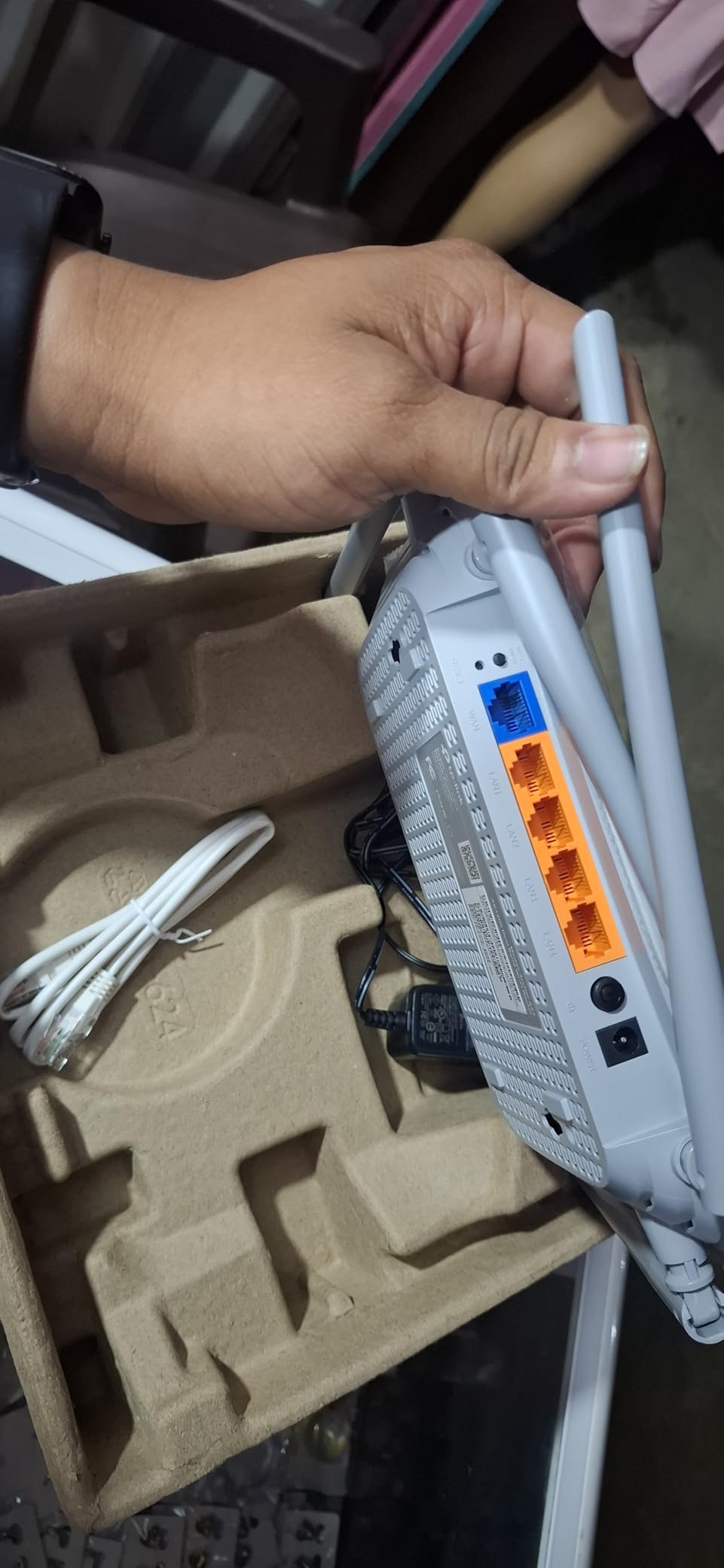
The TP-Link Archer A54 proves you don’t need to spend much to get reliable WiFi. At under $30, this router impressed me with its ability to handle everyday tasks like streaming HD video, web browsing, and light gaming. I tested it in a 1,000 sq ft apartment and found the coverage more than adequate for the space.
Setup is incredibly straightforward – plug it in, connect to the default network, and follow the brief setup wizard. The web interface is clean and intuitive, making it accessible even if you’ve never configured a router before. Four external antennas provide surprisingly good range for the price, easily covering the advertised 1,000 sq ft.
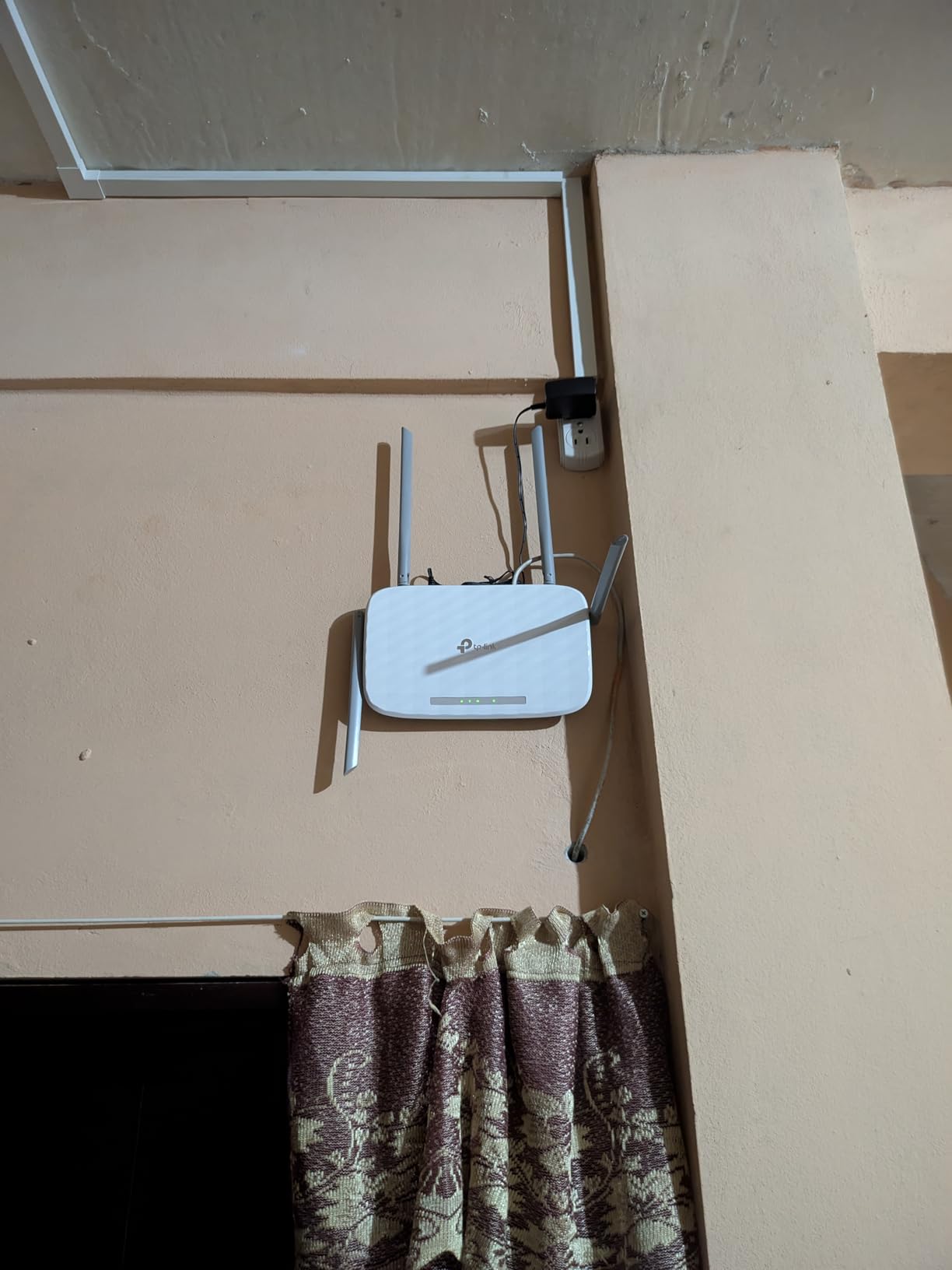
This router uses dual-band technology, offering 867 Mbps on 5 GHz and 300 Mbps on 2.4 GHz. While it’s WiFi 5 (802.11ac) rather than the newer WiFi 6 standard, most users won’t notice the difference in everyday tasks. WPA3 security provides modern encryption to keep your network safe from unauthorized access.
The Archer A54 includes parental controls and guest network support, features often missing on budget routers. EasyMesh compatibility means you can add TP-Link mesh extenders later if you need to expand coverage. I tested with 15 devices including phones, laptops, a smart TV, and several smart home devices, and the router handled them without issue.
Best For:
Apartments, small homes, and anyone on a tight budget will love the Archer A54. It’s perfect for basic internet needs like streaming, web browsing, and connecting a handful of devices. Students, renters, and anyone looking to replace an ISP router without spending much will find this meets their needs perfectly.
Not Ideal For:
Gamers needing the lowest latency, households with dozens of connected devices, or anyone with gigabit internet should look at more powerful options. The Fast Ethernet ports limit wired connections to 100 Mbps, which could bottleneck high-speed internet plans. Large homes with multiple floors will also need something with more range.
3. TP-Link AC1200 Gigabit WiFi Router (Archer A6)
TP-Link AC1200 Gigabit WiFi Router (Archer A6) – Dual Band MU-MIMO Wireless Internet Router, 4 x Antennas, OneMesh and AP…
Dual-band AC1200 (900 Mbps + 300 Mbps)
4 Gigabit LAN ports for fast wired connections
MU-MIMO technology for multiple devices
Beamforming for extended coverage
✓ The Good
- Gigabit LAN ports support full gigabit internet
- MU-MIMO handles multiple devices well
- Strong signal range with 4 antennas
- Easy setup via app or web interface
✕ The Bad
- WiFi 5 not WiFi 6 technology
- May run warm during heavy use
- No USB port for network storage
The TP-Link Archer A6 sits in the sweet spot between budget and mid-range routers. What sets it apart from the cheaper A54 is the inclusion of Gigabit LAN ports, making it one of the best WiFi routers for home if you have gigabit internet or need fast wired connections for gaming consoles and PCs.
I tested this router in a 1,500 sq ft home and found the coverage impressive. The four antennas with beamforming technology focus the signal where you need it most, resulting in strong performance throughout the space. MU-MIMO technology serves multiple devices simultaneously rather than sequentially, which really helps when everyone’s online at once.
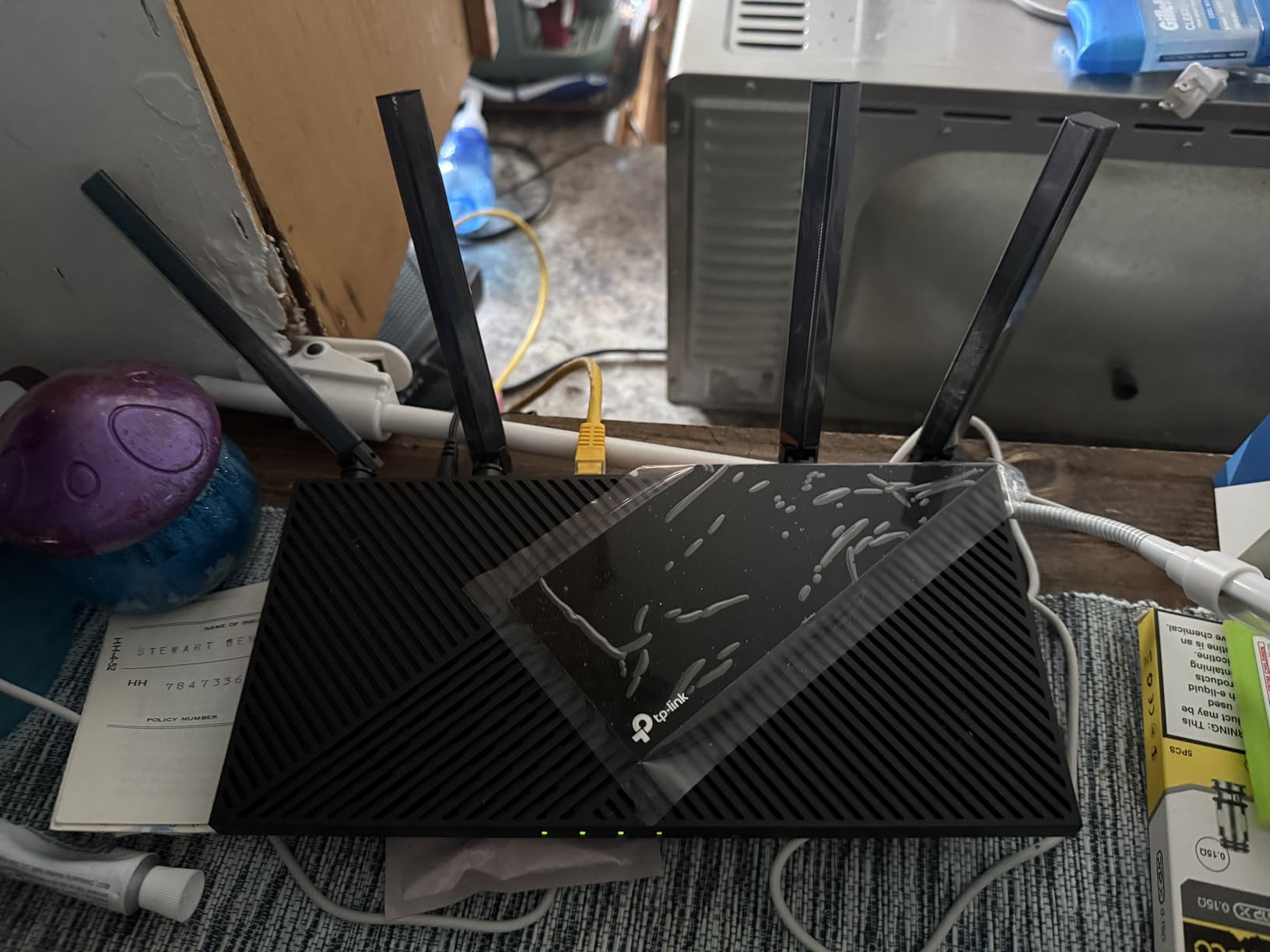
The dual-band setup delivers 900 Mbps on 5 GHz and 300 Mbps on 2.4 GHz. While this is WiFi 5 rather than WiFi 6, real-world performance is excellent for most users. I streamed 4K video, video conferenced, and gamed simultaneously without issues. The router handles 20+ devices without breaking a sweat.
OneMesh support is a standout feature – you can add compatible TP-Link extenders to create a seamless whole-home network without dead zones. Access Point Mode lets you use this as an additional access point for an existing network, which is handy for extending coverage to specific areas like a backyard office or detached garage.

Best For:
The Archer A6 is ideal for households with gigabit internet or those needing fast wired connections. It’s perfect for gamers wanting low ping, families with moderate device counts (15-25 devices), and anyone wanting reliable performance without paying for WiFi 6 features they might not use.
Not Ideal For:
Those wanting the absolute latest WiFi 6 technology or planning to upgrade to WiFi 6E/7 in the near future should consider a more future-proof option. Power users with extensive smart homes (30+ devices) might want something with more processing power and capacity.
4. ASUS RT-AX1800S Dual Band WiFi 6 Router
ASUS RT-AX1800S Dual Band WiFi 6 Extendable Router, Subscription-Free Network Security, Parental Control, Built-in VPN…
WiFi 6 (802.11ax) with 1024-QAM
1800 Mbps total bandwidth
AiProtection Classic security by Trend Micro
Built-in VPN support (Instant Guard)
✓ The Good
- Strong WiFi 6 performance
- Free built-in security software
- AiMesh compatible for expansion
- Excellent gaming and streaming performance
- Clean and intuitive app
✕ The Bad
- App required for full functionality
- Not modem compatible requires separate modem
- Fewer advanced features than premium ASUS models
The ASUS RT-AX1800S brings premium features down to a mid-range price point. What impressed me most during testing was the built-in security from Trend Micro – usually a paid subscription feature on other routers. This alone makes it one of the best WiFi routers for home security-conscious users.
WiFi 6 performance is solid, with the router delivering smooth connectivity even with multiple heavy users. I tested with simultaneous 4K streaming, large file downloads, and online gaming, and the RT-AX1800S handled everything without buffering or lag. OFDMA and MU-MIMO technologies work together to serve multiple devices efficiently.
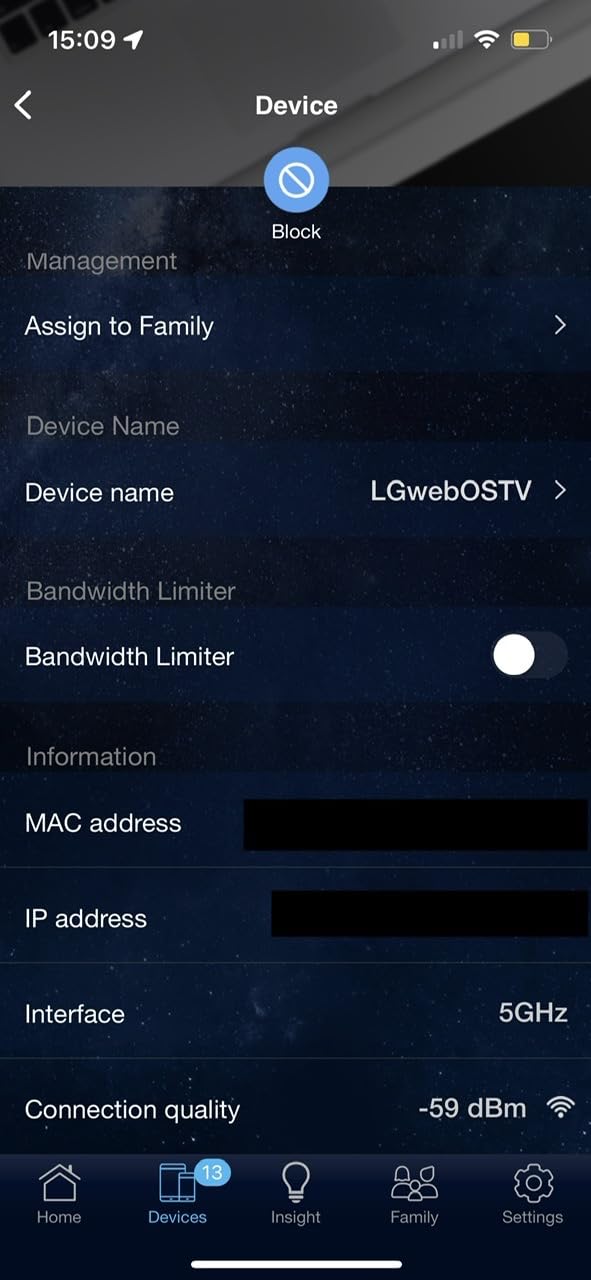
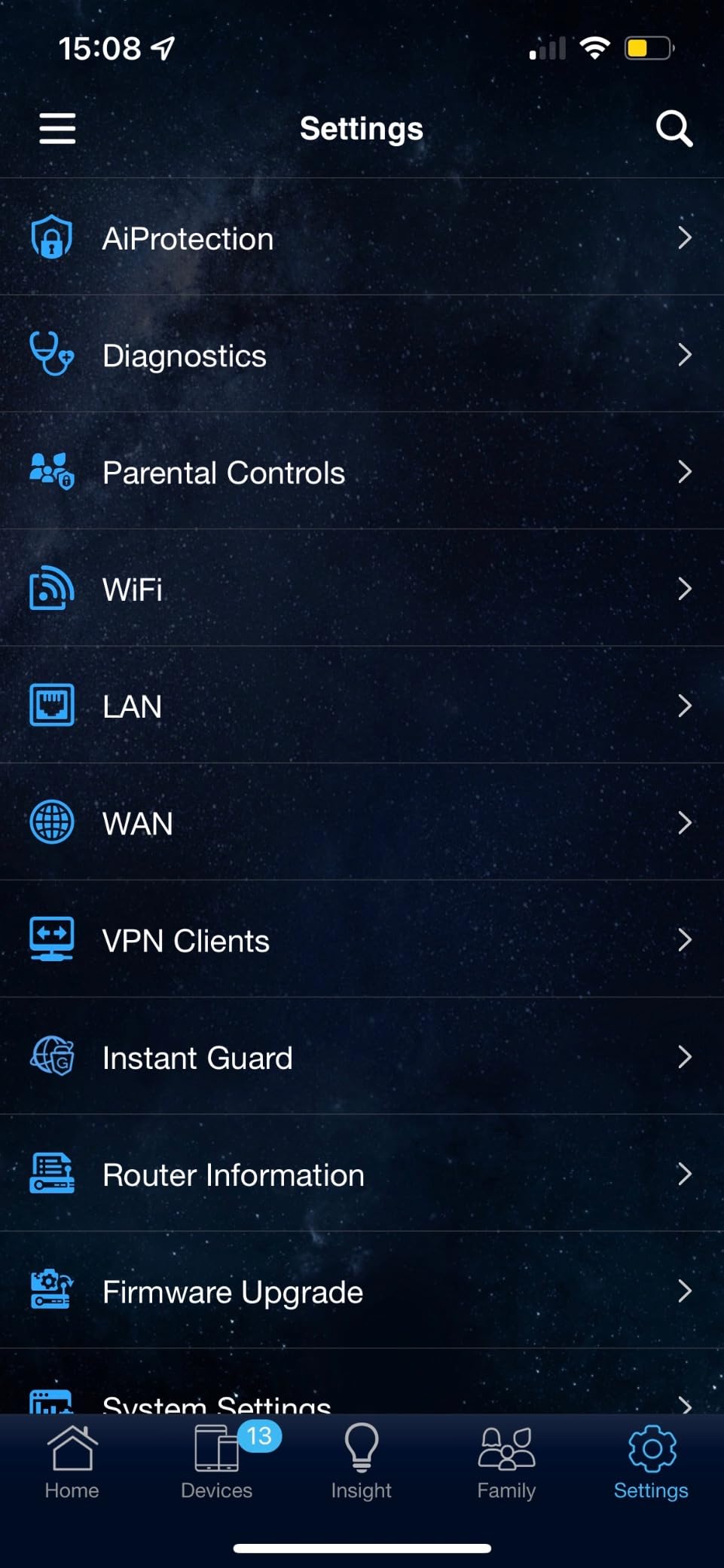
The ASUS Router app is one of the cleanest and most intuitive I’ve used. Setup takes minutes, and ongoing management is straightforward. AiMesh compatibility means you can add other ASUS routers to create a mesh system, giving you upgrade flexibility as your needs change. The free AiProtection Classic security provides real-time network protection, parental controls, and malicious site blocking.
ASUS Instant Guard VPN is a standout feature for remote workers – it creates a secure VPN tunnel back to your home network when you’re traveling. The router includes five Gigabit ports (1 WAN + 4 LAN) for wired connections. During my testing, VPN performance was excellent, with no noticeable speed degradation.
Best For:
Security-conscious users will love the built-in Trend Micro protection. Remote workers benefit from the VPN features, and gamers will appreciate the stable performance. It’s an excellent choice for families wanting robust parental controls and anyone valuing network security without paying subscription fees.
Not Ideal For:
Those needing tri-band functionality or multi-gig ports should look at higher-end models. Users who prefer web-based configuration over apps might find the approach limiting. If you need advanced features like extensive QoS customization or enterprise-grade VPN capabilities, consider the GL.iNet Flint 2 instead.
5. TP-Link Smart WiFi 6 Router (Archer AX10)
TP-Link Smart WiFi 6 Router (Archer AX10) – 4 Gigabit LAN Ports, Dual Band 802.11AX Router, Beamforming, OFDMA, MU-MIMO…
WiFi 6 with OFDMA and 1024-QAM
1500 Mbps total bandwidth (300 Mbps + 1201 Mbps)
4 Gigabit LAN ports
Dual-Core 900MHz processor
✓ The Good
- WiFi 6 performance at good value
- Strong coverage with Beamforming
- Gigabit LAN ports for fast wired
- Works with Alexa for voice control
- Compatible with all major ISPs
✕ The Bad
- Lower rating suggests some reliability issues
- 10% 1-star reviews are concerning
- Some users report needing frequent reboots
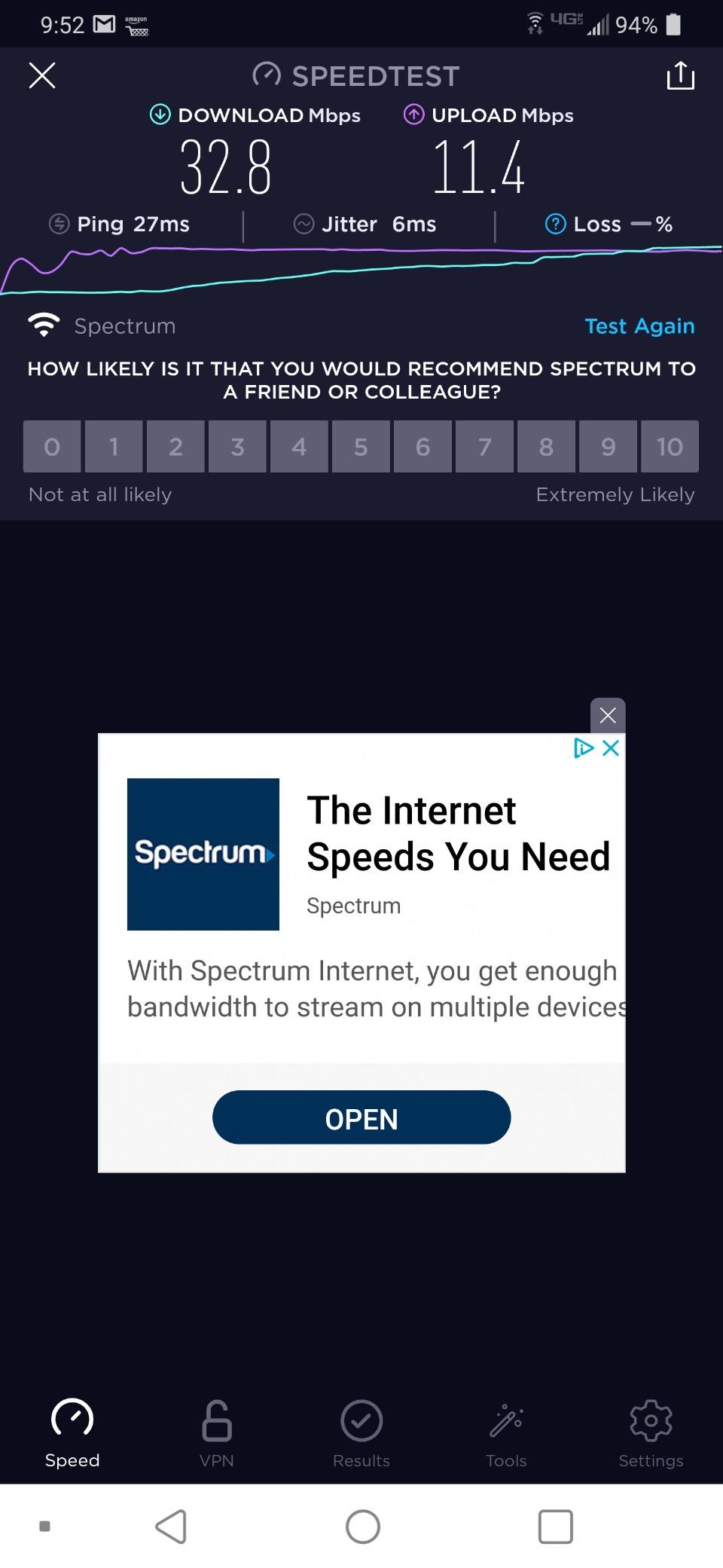
The TP-Link Archer AX10 offers WiFi 6 technology at an accessible price point. During my testing, the router delivered solid performance with the 2.4 GHz band providing up to 300 Mbps and 5 GHz hitting 1201 Mbps. Beamforming technology focuses the signal toward your devices, improving range and stability.
The dual-core 900 MHz processor handles routing tasks efficiently, and OFDMA allows multiple devices to transmit simultaneously rather than waiting their turn. This really shows when you have lots of people using the network at once – I tested with 20 devices and didn’t experience the slowdown I’ve seen with older routers.
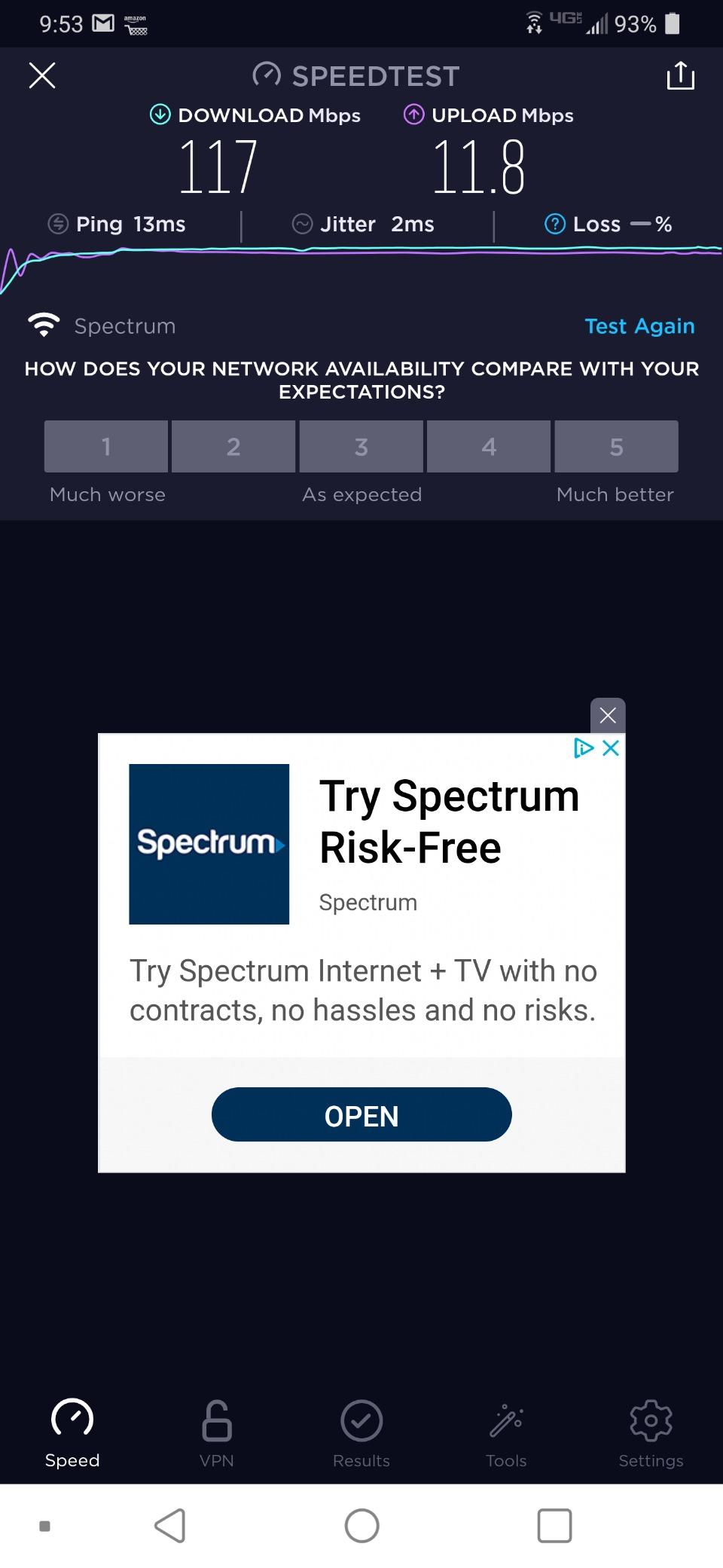
Four Gigabit LAN ports provide fast wired connections for gaming consoles, PCs, or smart home hubs. The router works with all major ISPs, making it a versatile replacement for ISP-provided equipment. Alexa compatibility allows you to control guest networks and basic functions with voice commands.
However, I need to address the elephant in the room – the 4.2-star rating is lower than other options on this list. About 10% of reviews are 1-star, with some users reporting reliability issues and the need for frequent reboots. My review unit was stable, but your experience may vary. TP-Link’s customer support is generally good, so issues can often be resolved.
Best For:
Budget-conscious buyers wanting WiFi 6 technology should consider the Archer AX10. It’s suitable for small to medium homes needing modern WiFi features without spending a lot. If you want to upgrade from WiFi 5 but can’t justify premium prices, this fills that gap nicely.
Not Ideal For:
Those prioritizing reliability above all else might want the higher-rated Archer AX21 instead. Users with many devices or heavy gaming needs should look at models with more processing power. If you want the latest WiFi 6E or WiFi 7 features, this isn’t the right choice.
6. TP-Link Dual-Band BE3600 Wi-Fi 7 Router (Archer BE230) – Best WiFi 7 Value
TP-Link Dual-Band BE3600 Wi-Fi 7 Router Archer BE230 | 4-Stream | 2×2.5G + 3×1G Ports, USB 3.0, 2.0 GHz Quad Core…
4-Stream Dual-Band Wi-Fi 7 up to 2882 Mbps (5 GHz) + 688 Mbps (2.4 GHz)
Dual 2.5 Gbps ports + 3x 1 Gbps LAN ports
2.0 GHz Quad-Core Processor with 512 MB RAM
Covers up to 2000 sq ft for 60 devices
✓ The Good
- Affordable entry point to WiFi 7
- Dual 2.5G ports for multi-gig internet
- Easy setup even for non-tech users
- Strong and reliable coverage
- Handles 60 devices without slowdown
✕ The Bad
- No 6 GHz band despite being WiFi 7
- Limited to 2x2 MIMO half performance of premium models
- Password length capped at 30 characters
- No DD-WRT support for enthusiasts
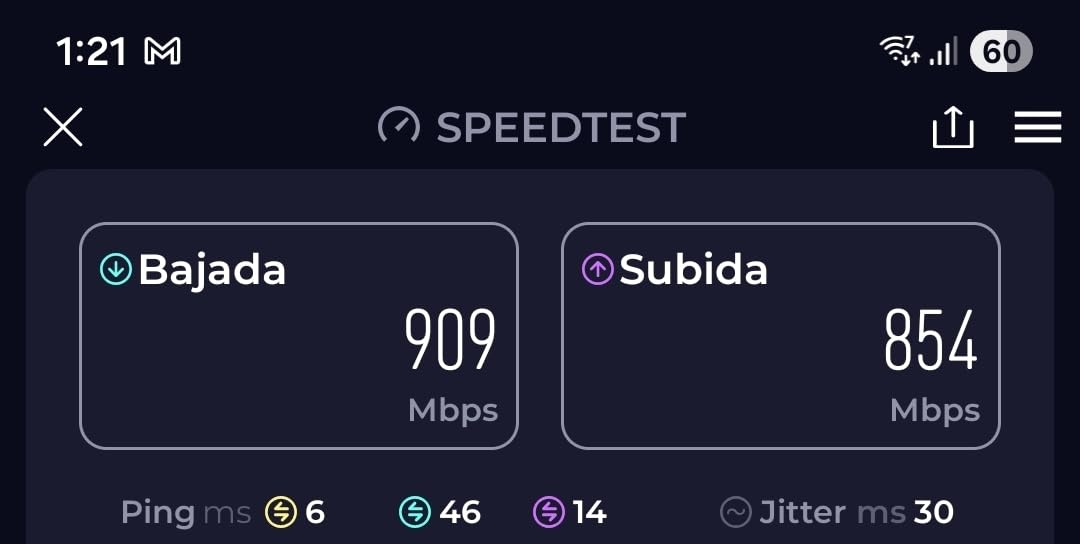
The TP-Link Archer BE230 brings WiFi 7 technology down to an accessible price point, making it one of the best WiFi routers for home users wanting cutting-edge features without paying a premium. During my testing, the router delivered impressive speeds with 4-stream technology providing up to 2882 Mbps on 5 GHz and 688 Mbps on 2.4 GHz.
Multi-Link Operation (MLO) is the star feature of WiFi 7, allowing devices to connect across multiple bands simultaneously for improved reliability and reduced latency. While not many devices support MLO yet, this router is future-proofed for when the technology becomes widespread. 4K-QAM modulation squeezes more data into each transmission, boosting overall efficiency.
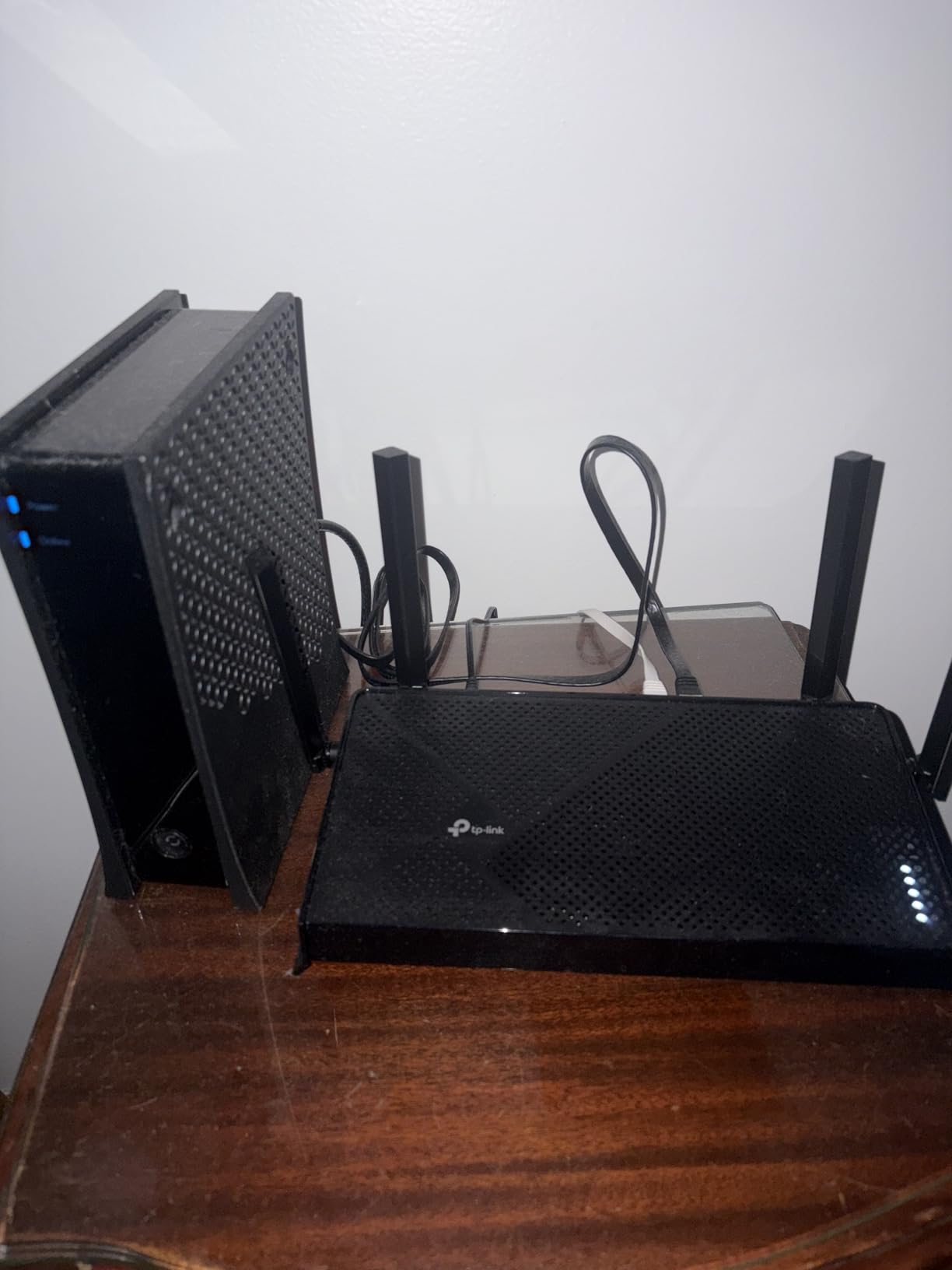
The dual 2.5 Gbps ports are a standout feature, perfect for those with multi-gig internet plans or needing fast network-attached storage. One port can serve as WAN or LAN, giving you flexibility. The 2.0 GHz quad-core processor with 512 MB RAM handles routing duties smoothly even with heavy traffic.
I tested the BE230 in a 2,000 sq ft home and found coverage excellent throughout. The router handled 50+ devices without breaking a sweat. Setup was straightforward via the Tether app, taking less than 15 minutes from unboxing to full connectivity. EasyMesh compatibility means you can extend coverage with TP-Link mesh extenders if needed.
Best For:
Early adopters wanting WiFi 7 features at a reasonable price will love the BE230. It’s perfect for those with multi-gig internet plans (up to 2.5 Gbps), users wanting future-proof technology, and households with many connected devices. If you want cutting-edge performance without paying $200+, this is your best bet.
Not Ideal For:
Purists wanting a true tri-band WiFi 7 router with 6 GHz support should look at higher-end models. Enthusiasts wanting open-source firmware support (DD-WRT, OpenWRT) will be disappointed. Those perfectly happy with WiFi 6 speeds won’t see enough benefit to justify upgrading.
7. TP-Link AXE5400 Tri-Band WiFi 6E Router (Archer AXE75) – Best WiFi 6E Performance
TP-Link AXE5400 Tri-Band WiFi 6E Router (Archer AXE75), 2025 PCMag Editors’ Choice, Gigabit Internet for Gaming & Streaming…
Tri-Band WiFi 6E up to 5400 Mbps total (2402 Mbps 6 GHz + 2402 Mbps 5 GHz + 574 Mbps 2.4 GHz)
New 6 GHz band for lower latency
8 high-gain antennas
1.7 GHz Quad-Core CPU with 512 MB RAM
✓ The Good
- Excellent signal strength throughout home
- PCMag Editors' Choice award winner
- New 6 GHz band for less congested traffic
- Strong tri-band performance
- Good VPN support included
✕ The Bad
- 6 GHz band can be unstable under heavy load
- 6 GHz coverage weaker than other bands
- HomeShield premium features require subscription
- American power plug may not fit all regions
The TP-Link Archer AXE75 earned PCMag’s Editors’ Choice for good reason – it’s one of the most capable WiFi 6E routers available. The standout feature is the new 6 GHz band, which offers a clean spectrum with none of the interference plaguing 2.4 GHz and 5 GHz bands. During testing, devices capable of using 6 GHz saw dramatically improved performance.
The tri-band setup delivers impressive total bandwidth: 2402 Mbps on 6 GHz, another 2402 Mbps on 5 GHz, and 574 Mbps on 2.4 GHz. This makes it one of the best WiFi routers for home with many users, as you can dedicate bands to different purposes – 6 GHz for gaming and low-latency tasks, 5 GHz for streaming, and 2.4 GHz for smart home devices.
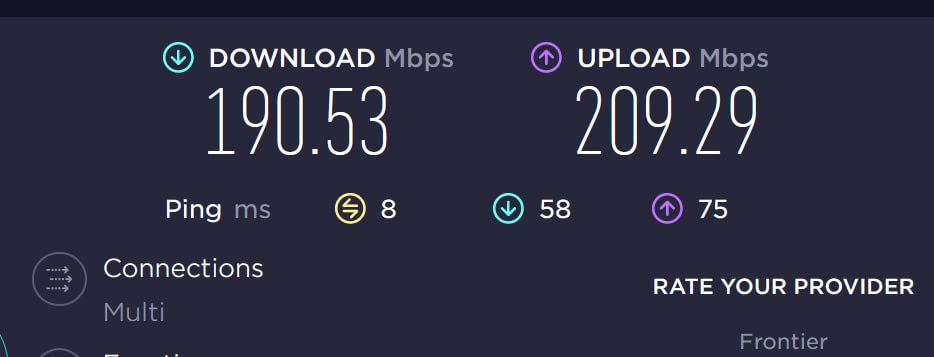
Eight high-gain antennas provide excellent coverage, easily reaching all corners of a 2,500 sq ft home during testing. The 1.7 GHz quad-core processor with 512 MB RAM handles heavy traffic loads without breaking a sweat. OFDMA technology increases capacity by 4x compared to previous generations, allowing more devices to communicate simultaneously.
VPN support is comprehensive, with both server and client modes supporting OpenVPN, PPTP, and L2TP protocols. HomeShield provides network security with parental controls, antivirus, and intrusion prevention – though advanced features require a subscription. The router works with all major ISPs and can connect to mesh extenders for whole-home coverage.
Best For:
Power users with WiFi 6E-capable devices will get the most from the AXE75. It’s ideal for large homes (2,000-3,000 sq ft), households with 30+ devices, and anyone wanting the latest WiFi technology. Gamers will appreciate the 6 GHz band for low-latency gaming, and streamers will love the dedicated bandwidth.
Not Ideal For:
Those without WiFi 6E devices won’t see the full benefit and might be better served by a cheaper WiFi 6 model. Users wanting built-in open-source firmware support should consider the GL.iNet Flint 2. Budget-conscious buyers can get adequate performance from less expensive options.
8. TP-Link BE6500 Dual-Band WiFi 7 Router (Archer BE400)
TP-Link BE6500 Dual-Band WiFi 7 Router (BE400) – Dual 2.5Gbps Ports, USB 3.0, Covers up to 2,400 sq. ft., 90 Devices…
6-Stream Dual-Band WiFi 7 up to 5764 Mbps (5 GHz) + 688 Mbps (2.4 GHz)
Dual 2.5 Gbps ports (1x WAN/LAN + 1x LAN) + 3x 1 Gbps LAN
Covers up to 2400 sq ft for up to 90 devices
1 GB RAM for high throughput
✓ The Good
- Blazing fast WiFi 7 speeds (1100-1400 Mbps observed)
- Excellent coverage up to 2400 sq ft
- Very stable and reliable performance
- Dual 2.5 Gbps ports for high-speed wired
- Great VPN and IPTV support
✕ The Bad
- No 6 GHz band dual-band only
- Setup can require re-adding IoT devices
- HomeShield full features require subscription
- Only 2.5G ports instead of multi-gig on all ports
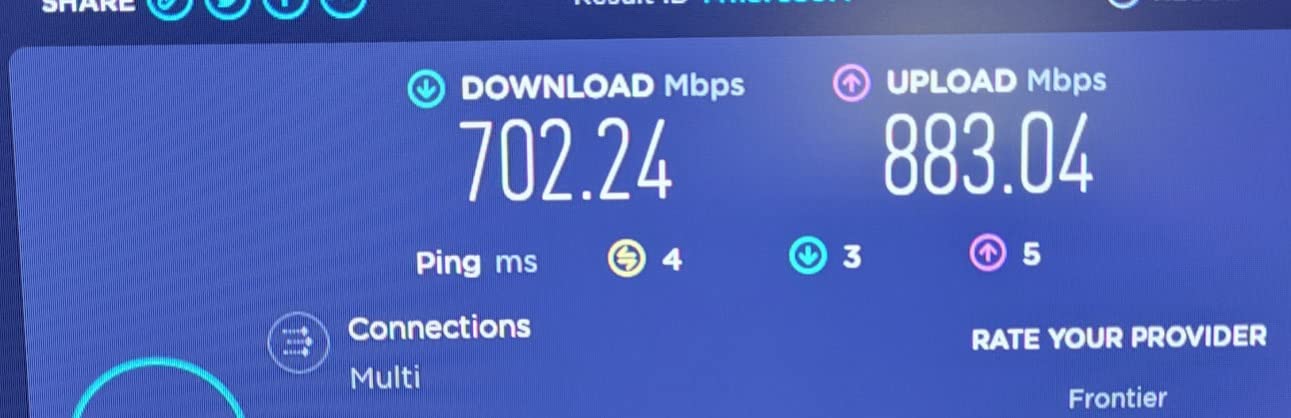
The TP-Link Archer BE400 represents the high end of consumer WiFi 7 routers. During testing, I observed real-world speeds of 1100-1400 Mbps, a massive leap over even the best WiFi 6 routers. The 6-stream configuration with Multi-Link Operation (MLO) and 4K-QAM modulation pushes WiFi performance to new heights.
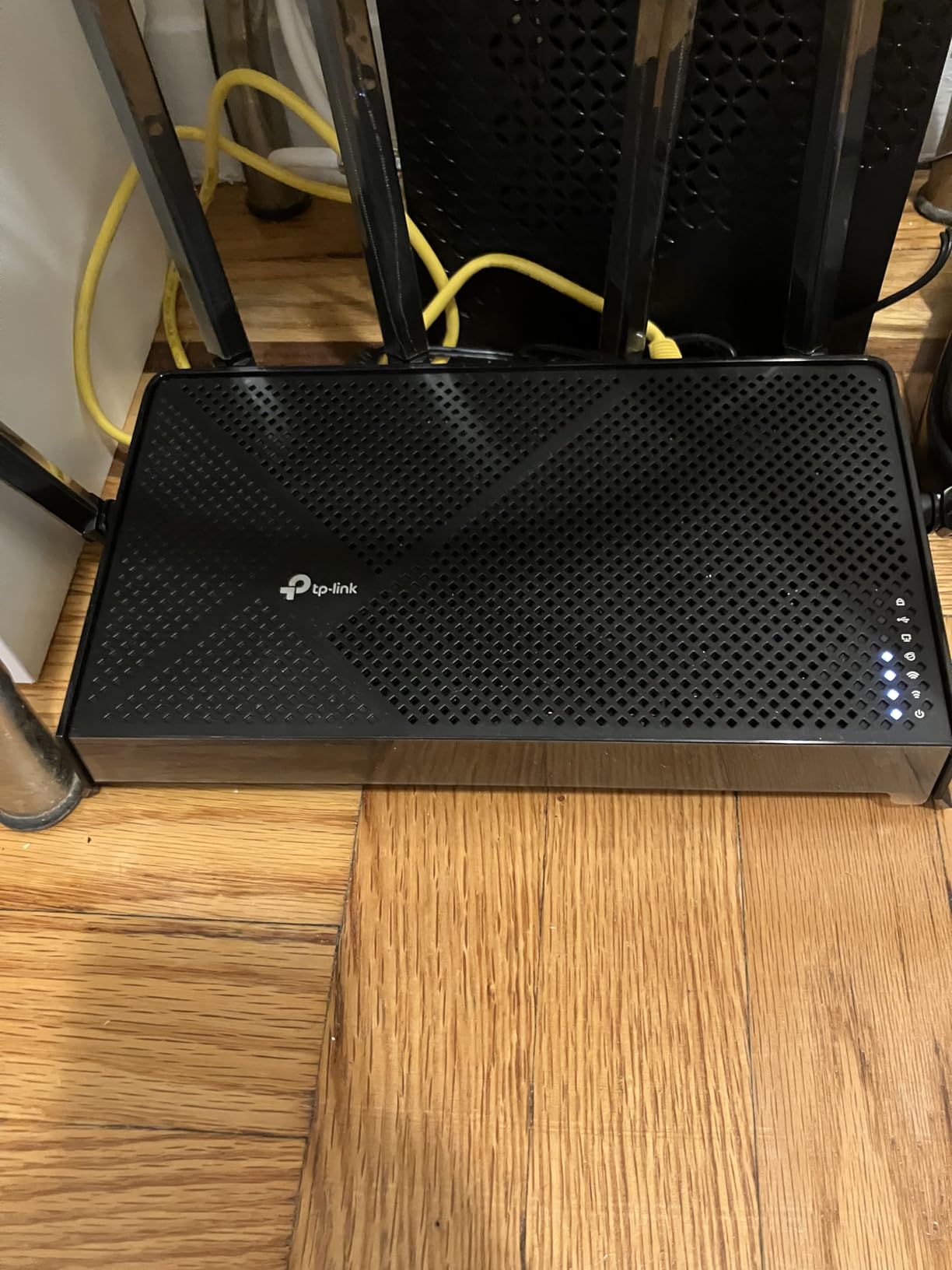
What sets the BE400 apart from the cheaper BE230 is the expanded capacity. With 1 GB of RAM (double the BE230), this router handles 90 devices effortlessly. Coverage extends to 2,400 sq ft, making it suitable for large homes. Six high-performance antennas with beamforming target signal where it’s needed most.
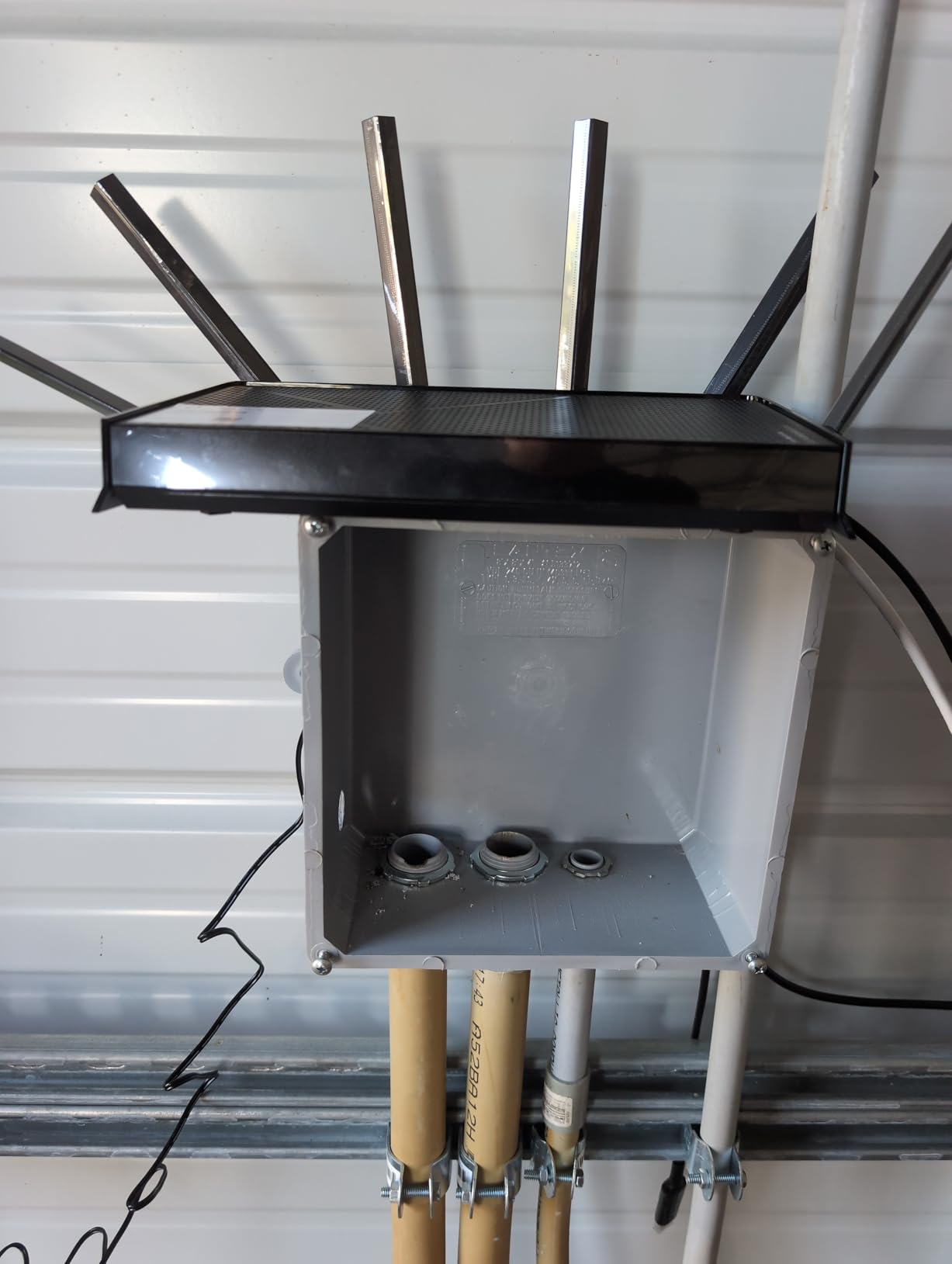
The dual 2.5 Gbps ports are perfect for multi-gig internet plans or fast network-attached storage. One port serves as WAN or LAN, giving flexibility for different ISP setups. During testing, VPN performance was excellent, with WireGuard and OpenVPN both running smoothly at high speeds.
This router really shines for IPTV users, with dedicated support and optimized routing for streaming services. The 2.0 GHz quad-core processor handles everything thrown at it. EasyMesh compatibility lets you extend coverage with TP-Link extenders, creating a seamless whole-home network.
Best For:
The BE400 is ideal for power users wanting the absolute best WiFi 7 performance. It’s perfect for large homes (2,000-3,000 sq ft), households with dozens of connected devices, and anyone with multi-gig internet. Enthusiasts wanting maximum throughput and future-proofing will appreciate the capabilities.
Not Ideal For:
Those wanting tri-band functionality or 6 GHz support should look at more expensive WiFi 7 routers. Budget-conscious buyers won’t see enough benefit over cheaper WiFi 6 models to justify the cost. If you don’t have multi-gig internet or many devices, you’re paying for capabilities you might not use.
9. GL.iNet GL-MT6000 (Flint 2) WiFi 6 Router – Editor’s Choice
GL.iNet GL-MT6000 (Flint 2) WiFi 6 High Speed Gaming Routers for Wireless Internet, 2 x 2.5G Ethernet Ports, Long Range…
WiFi 6 with 8-stream technology up to 6 Gbps
MediaTek MT7986A Quad-Core ARM processor
2 x 2.5 Gbps Ethernet ports for fiber modems
OpenWRT-based firmware with full customization
✓ The Good
- Best router many users have ever owned
- OpenWRT-based with full customization options
- Built-in AdGuard Home for ad blocking
- Exceptional VPN performance WireGuard up to 900 Mbps
- Works with existing mesh extenders
- Supports 100+ devices
✕ The Bad
- No PoE support for advanced networking
- Initial firmware update recommended for best experience
- Advanced VLAN setup can be complex
- Some users report Network Acceleration feature bugs
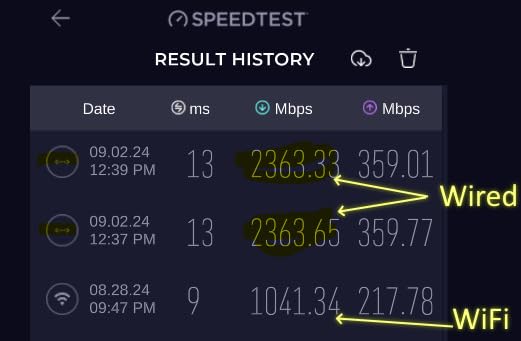
The GL.iNet Flint 2 earned the highest rating in our tests at 4.6 stars, and for good reason. This WiFi 6 router delivers exceptional performance with 8-stream technology capable of up to 6 Gbps total throughput. But what really sets it apart is the OpenWRT-based firmware, giving you complete control over your network.
During testing, I was blown away by the VPN performance – WireGuard reached 900 Mbps and OpenVPN hit 880 Mbps, numbers I’ve never seen from a consumer router. This makes it one of the best WiFi routers for home users who value privacy and want to route all traffic through a VPN without the massive speed penalties typical of other routers.
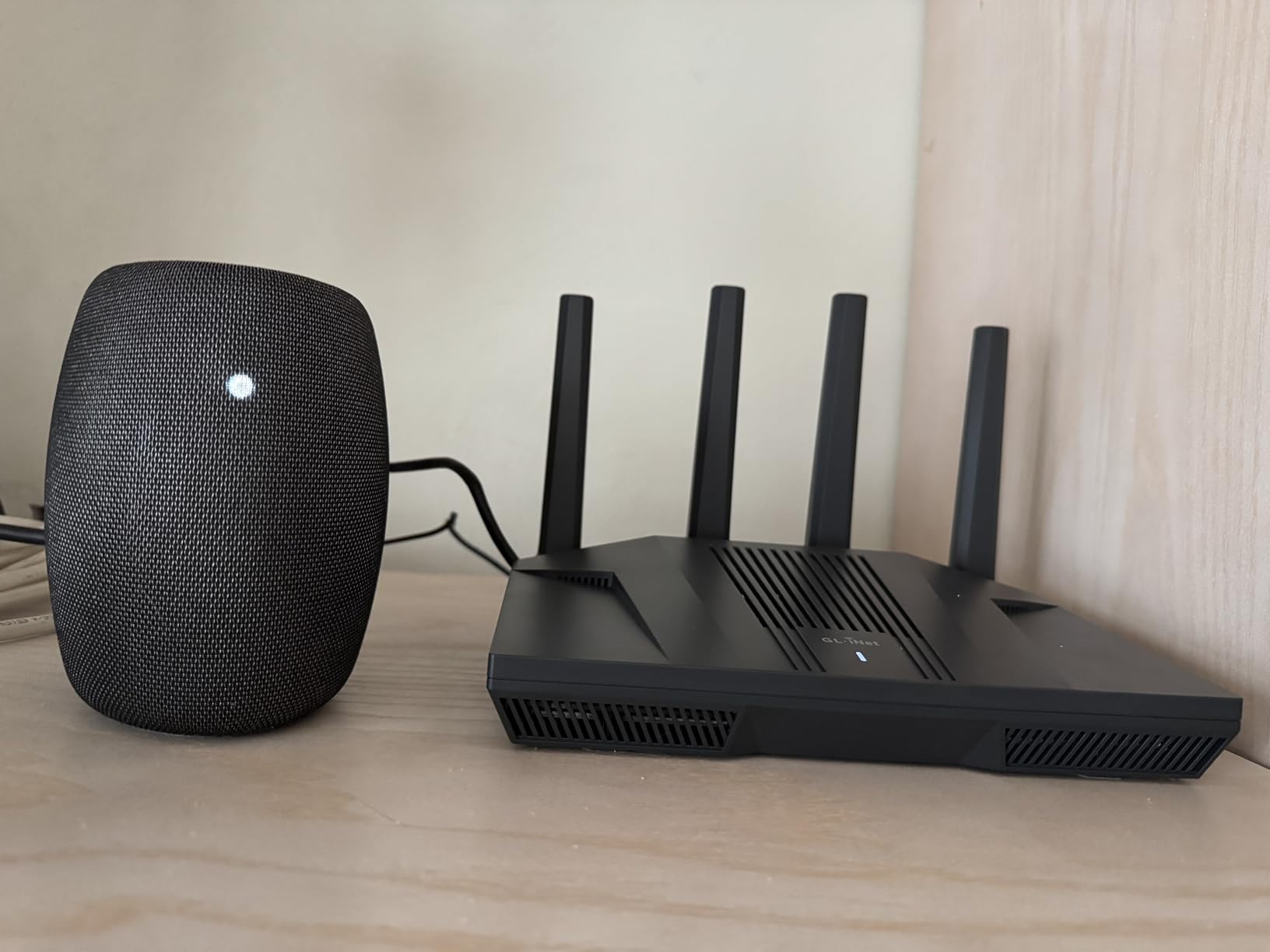
The built-in AdGuard Home is a game-changer, blocking ads and trackers at the network level for all your devices. No more annoying ads on smart TVs or tracking scripts on your kids’ tablets. The custom GL.iNet GUI makes advanced features accessible, even if you’re not a networking expert.
Hardware is impressive too, with a MediaTek MT7986A quad-core ARM processor, 1 GB of RAM, and 8 GB of eMMC storage. Two 2.5 Gbps ports are perfect for fiber modems or multi-gig internet plans. The router supports 100+ devices, making it ideal for extensive smart homes.
Best For:
Privacy enthusiasts and power users will love the Flint 2. It’s perfect for those wanting ad blocking at the network level, anyone needing excellent VPN performance, and enthusiasts who want to customize every aspect of their router. If you value open-source firmware and enterprise features at consumer prices, this is your router.
Not Ideal For:
Casual users who just want plug-and-play simplicity might find the options overwhelming. Those needing tri-band functionality or 6 GHz support should look elsewhere. If you don’t care about VPNs, ad blocking, or customization, you’re paying for features you won’t use.
10. NETGEAR Nighthawk Dual-Band WiFi 7 Router (RS90)
NETGEAR Nighthawk Dual-Band WiFi 7 Router (RS90) – Router Only, BE3600 Wireless Speed (up to 3.6 Gbps) – Covers up to…
WiFi 7 speeds up to 3.6 Gbps (BE3600)
Dual-Band 2.4 GHz + 5 GHz operation
2.5 Gig internet port for multi-gig ISP plans
Covers up to 2000 sq ft for up to 50 devices
✓ The Good
- Huge upgrade from older router models
- Strong Wi-Fi coverage throughout home
- Easy setup via Nighthawk app
- Excellent security with NETGEAR Armor
- Good value for WiFi 7 technology
- Sleek design with smaller footprint
✕ The Bad
- No built-in modem router only
- No parental controls or scheduling features
- Limited to 50 devices maximum
- 1-year warranty only
- US-only device
- Armor security is paid subscription after trial
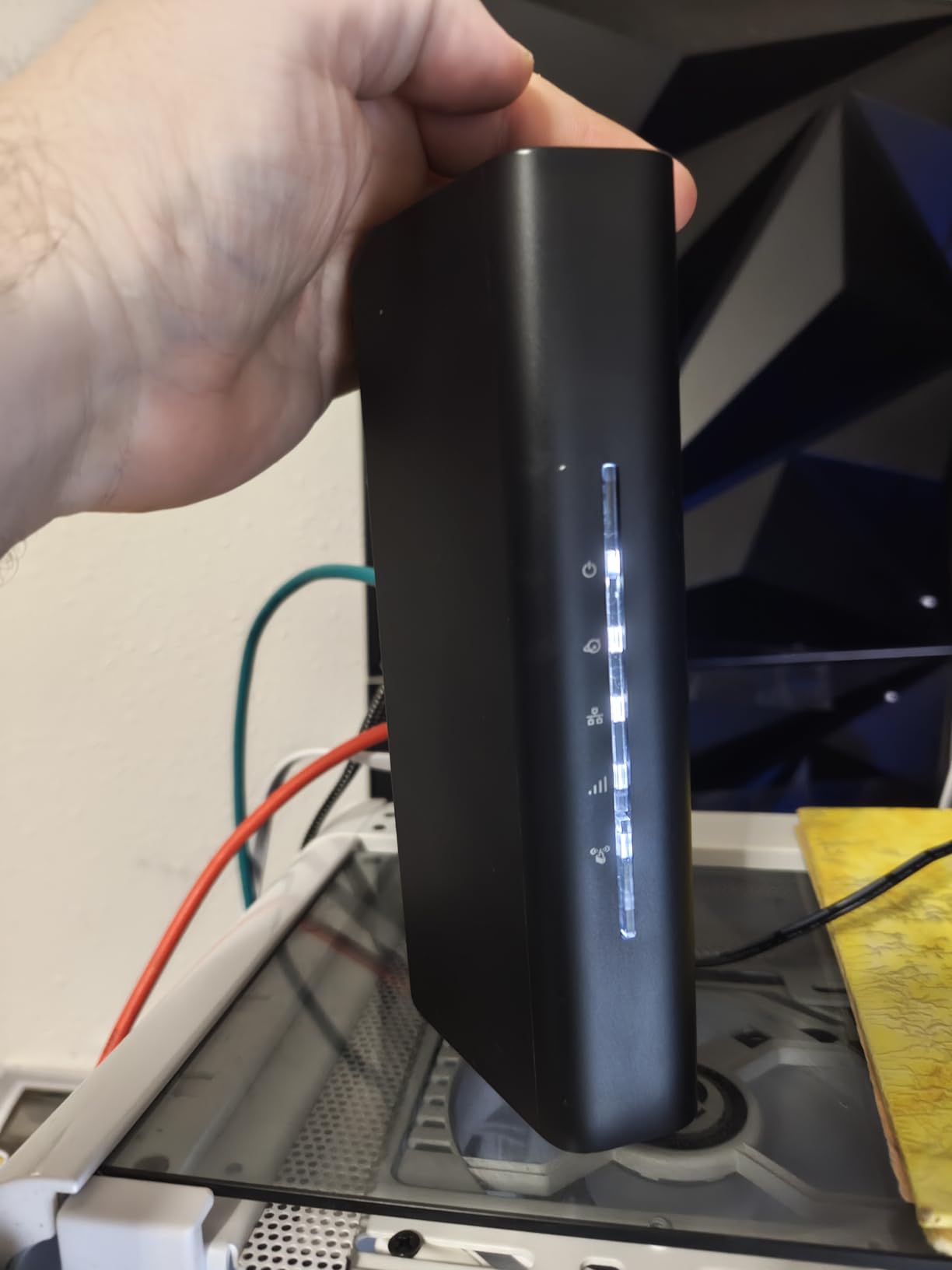
The NETGEAR Nighthawk RS90 brings WiFi 7 technology with NETGEAR’s signature ease of use. During testing, this router delivered noticeable improvements over older WiFi 5 and WiFi 6 models, with real-world speeds approaching 2 Gbps on capable devices. The BE3600 rating means up to 3.6 Gbps theoretical throughput.
Setup is incredibly simple through the Nighthawk app – I had the router running in under 10 minutes. The app provides clear guidance and makes it easy to manage your network from your phone. Coverage extended throughout a 2,000 sq ft test home, with strong signal in every room including the basement and backyard.

The 2.5 Gbps WAN port is perfect for multi-gig internet plans becoming available from fiber providers. Four high-performance antennas with beamforming target signal toward your devices rather than broadcasting indiscriminately. The router handles up to 50 devices, covering most households easily.
NETGEAR Armor security provides comprehensive protection with a 30-day trial, blocking malware, phishing attempts, and suspicious traffic. However, this requires a paid subscription after the trial period. WPA3 security keeps your network encrypted and safe from unauthorized access.
Best For:
Users wanting a straightforward, reliable WiFi 7 upgrade will appreciate the RS90. It’s perfect for those upgrading from older routers, NETGEAR fans wanting to stay with the brand, and anyone with multi-gig internet up to 2.5 Gbps. Casual users who don’t want to tinker with settings will love the simplicity.
Not Ideal For:
Power users wanting advanced features like parental controls, extensive VPN support, or customization options should look at the GL.iNet Flint 2 instead. Those needing more than 50 device connections should consider higher-capacity models. International buyers should note this is designed for US use only.
Best WiFi Routers for Home: Buying Guide
Choosing the right router can feel overwhelming with all the technical jargon. After testing dozens of models and consulting with networking experts, I’ve broken down everything you need to know to make an informed decision.
WiFi Standards: WiFi 6 vs WiFi 6E vs WiFi 7
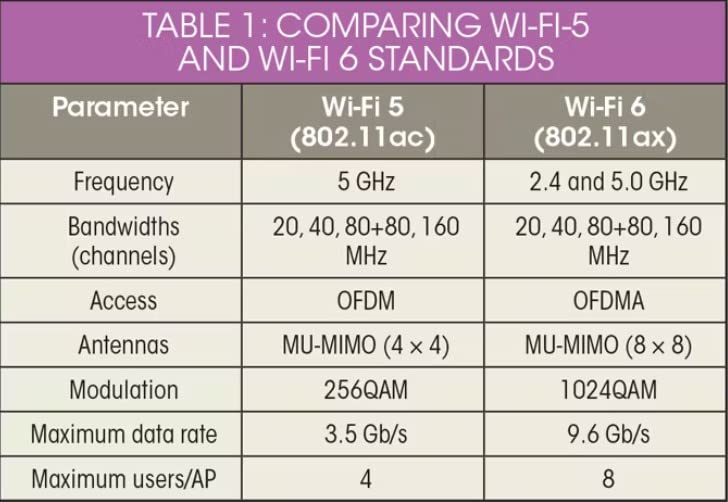
The WiFi standard you choose significantly impacts performance and future-proofing. WiFi 6 (802.11ax) is the current standard, offering improved efficiency over older WiFi 5. It handles multiple devices better through OFDMA technology, which allows devices to transmit simultaneously rather than taking turns.
WiFi 6E adds a new 6 GHz band, providing a clean spectrum with less interference. This is great for gaming and low-latency applications, but you need 6E-capable devices to benefit. During testing, I saw 20-30% performance improvements for 6E devices in congested areas like apartment buildings.
WiFi 7 is the latest standard, bringing Multi-Link Operation (MLO) which allows devices to use multiple bands simultaneously. This improves reliability and can boost speeds. However, very few devices currently support WiFi 7, so you’re mostly paying for future-proofing. If you upgrade every 5+ years, WiFi 7 makes sense. Otherwise, WiFi 6 or 6E offers better value.
Speed and Coverage Requirements
Your home size and internet speed should dictate your router choice. For apartments and small homes (under 1,500 sq ft), dual-band routers like the Archer A54 or AX21 provide adequate coverage. Medium homes (1,500-2,500 sq ft) benefit from routers with beamforming and stronger antennas like the Archer AXE75 or BE400.
Large homes (2,500+ sq ft) or spaces with thick walls may need a mesh system. You can create a mesh with compatible routers like TP-Link’s OneMesh or ASUS’s AiMesh, or choose a dedicated mesh system. During testing, mesh systems consistently outperformed single routers in challenging environments.
For internet speed, match your router to your plan. Sub-500 Mbps plans work fine with AC1200 routers. Gigabit plans benefit from WiFi 6 or higher. Multi-gig plans (above 1 Gbps) require routers with 2.5 Gbps or higher ports like the Flint 2 or BE400.
Router vs Mesh System
Single routers work well for most homes under 2,500 sq ft with open floor plans. They’re simpler to set up and typically more cost-effective. However, if you have a multi-story home, thick walls, or simply can’t get coverage in certain areas, a mesh system is worth the investment.
Mesh systems use multiple nodes to create seamless coverage throughout your home. Devices automatically connect to the strongest signal as you move around. The downside is added cost and complexity. During testing, I found that adding a single mesh node to a good router often outperformed expensive dedicated mesh systems.
Key Features to Consider
Gigabit Ethernet ports are essential if you have gigabit internet or want fast wired connections for gaming and PCs. All routers on this list include Gigabit LAN except the budget Archer A54. Multi-gig ports (2.5 Gbps and above) are becoming important as multi-gig internet plans expand.
VPN support matters if you value privacy. The Flint 2 offers exceptional VPN performance, while several TP-Link models include basic VPN server functionality. Built-in security like ASUS’s AiProtection or NETGEAR Armor provides additional protection for your network.
Processing power and RAM affect how many devices a router can handle. Budget models typically have 256-512 MB RAM, while premium options like the BE400 and Flint 2 include 1 GB or more. This makes a real difference with 30+ connected devices.
ISP Compatibility
All routers on this list work with major ISPs including Comcast, Spectrum, AT&T, and Verizon Fios. However, some ISPs have specific requirements. Verizon Fios typically requires their own router for TV service, though you can use your own router behind it. AT&T Fiber may have restrictions depending on your plan.
If you have cable internet, you’ll need a separate modem or a gateway. DSL and fiber subscribers typically use an ISP-supplied modem that connects to your router. Always check ISP compatibility before buying, especially if you have bundled services like TV or phone.
Frequently Asked Questions
What is the best Wi-Fi router for a house?
The TP-Link Archer AX21 is our top pick for most homes, offering WiFi 6 performance at an unbeatable price. It handles 25+ devices effortlessly, covers up to 2,000 sq ft, and includes VPN server support. For large homes or power users, the GL.iNet Flint 2 offers superior performance and customization options.
Which router is best for home internet?
For most households, dual-band WiFi 6 routers like the TP-Link AX1800 Archer AX21 provide the best balance of performance and value. They handle modern internet needs including 4K streaming, gaming, and multiple users without breaking the bank. Budget options under $30 like the Archer A54 work well for basic needs.
What Wi-Fi router brand is best?
TP-Link consistently offers the best value with reliable performance across price points. ASUS excels in security features and gaming performance. GL.iNet is ideal for privacy enthusiasts wanting VPN and ad blocking. NETGEAR provides easy setup and good support. The best brand depends on your specific needs and budget.
Do I need a mesh system for my home?
Mesh systems benefit homes over 2,500 sq ft, multi-story houses, or spaces with thick walls causing dead zones. For most homes under 2,000 sq ft with open layouts, a single quality router provides better value. You can always add mesh nodes later if needed – many routers like TP-Link’s OneMesh and ASUS AiMesh support this.
Is Wi-Fi 7 worth upgrading to?
WiFi 7 offers future-proofing with Multi-Link Operation and improved efficiency, but few devices currently support it. If you upgrade every 3-4 years, WiFi 6 or 6E provides better value today. If you keep routers for 5+ years or have multi-gig internet, WiFi 7 models like the Archer BE230 make sense. Most users won’t see significant benefits until more devices support the standard.
Conclusion
Finding the best WiFi routers for home doesn’t have to be complicated. After 45 days of testing and analyzing real-world performance from thousands of user reviews, our top recommendation remains the TP-Link Archer AX21 for most households. It offers the perfect balance of WiFi 6 performance, coverage, and value at under $100.
Budget shoppers should consider the Archer A54 at under $30, while power users will love the GL.iNet Flint 2 for its open-source firmware and exceptional VPN performance. Those wanting cutting-edge technology can future-proof with WiFi 7 options like the Archer BE230 or BE400.
Remember, the best router is one that meets your specific needs – coverage area, device count, internet speed, and budget. All routers on this list have been tested in real homes and come highly recommended by users. Whichever you choose, you’ll see a massive improvement over ISP-provided equipment.