10 Best MIDI Controllers for Beginners (August 2026) Top Tested
When I first started making music on a computer, I spent weeks clicking notes into a piano roll with a mouse. The moment I plugged in my first MIDI controller, everything changed. Ideas that used to take hours suddenly took minutes, and the whole process felt like playing music instead of programming it. That is exactly why I put together this guide to the best MIDI controllers for beginners in 2026.
A MIDI controller is a keyboard or pad-based device that sends musical data to your computer. It does not produce sound on its own. Instead, it lets you play virtual instruments, trigger drum samples, and control your music software (called a DAW, or Digital Audio Workstation) in a way that feels natural and expressive. Think of it as the bridge between your hands and your software.
Can a beginner use a MIDI keyboard? Absolutely. Most controllers today are plug-and-play over USB, meaning you connect one cable and start playing. You do not need any prior music training, and many models include free software and lessons to get you going. The real question is which one fits your setup, budget, and goals. Our team tested 10 of the most popular beginner MIDI controllers across multiple DAWs including Ableton Live, FL Studio, Logic Pro, and GarageBand. Here is what we found.
Article Includes
Top 3 Picks for Best MIDI Controllers for Beginners

Akai Professional MPK Mini MK3
- 25 velocity-sensitive keys
- 8 MPC drum pads
- 8 assignable knobs
These three controllers rose to the top across every category I tested. The Akai MPK Mini MK3 wins for its unbeatable combination of pads, keys, knobs, and software at a great price. The Arturia MiniLab 3 takes the value crown with its premium build quality and 5-year warranty. And the Novation Launchkey Mini MK4 earned the highest rating thanks to creative features like Scale Mode and seamless DAW integration.
Best MIDI Controllers for Beginners in 2026
| Product | Key Specs | Action |
|---|---|---|
| Akai MPK Mini MK3 |
|
Check Latest Price |
 Arturia MiniLab 3 Arturia MiniLab 3 |
|
Check Latest Price |
 Novation Launchkey Mini MK4 Novation Launchkey Mini MK4 |
|
Check Latest Price |
 M-AUDIO Keystation 49 MK3 M-AUDIO Keystation 49 MK3 |
|
Check Latest Price |
 NI Komplete Kontrol M32 NI Komplete Kontrol M32 |
|
Check Latest Price |
 Novation FLkey Mini Novation FLkey Mini |
|
Check Latest Price |
 M-AUDIO Oxygen Pro Mini M-AUDIO Oxygen Pro Mini |
|
Check Latest Price |
 M-AUDIO Keystation Mini 32 MK3 M-AUDIO Keystation Mini 32 MK3 |
|
Check Latest Price |
 Akai LPK25 MK2 Akai LPK25 MK2 |
|
Check Latest Price |
 Donner N-25 MIDI Keyboard Donner N-25 MIDI Keyboard |
|
Check Latest Price |
1. Akai Professional MPK Mini MK3 – 25 Key USB MIDI Controller
Akai Professional MPK Mini MK3-25 Key USB MIDI Keyboard Controller with 8 Backlit Drum Pads, 8 Knobs, Music Production…
25 velocity-sensitive mini keys
8 MPC-style drum pads
8 assignable knobs
4-way thumbstick
USB bus-powered
✓ The Good
- 8 MPC-style drum pads with Note Repeat and Full Level
- 8 assignable 360-degree knobs for plugin control
- Complete software bundle with MPC Beats and 1500+ sounds
- 4-way thumbstick for pitch and modulation
- NKS integration with Native Instruments
✕ The Bad
- Mini keys may feel small for players with larger hands
- Limited to 25 keys for complex two-hand playing
The Akai MPK Mini MK3 is the controller I recommend to almost every beginner who asks me where to start. It is the best-selling MIDI controller on Amazon for good reason. You get 25 velocity-sensitive mini keys, 8 MPC-style drum pads, 8 assignable knobs, and a 4-way thumbstick for pitch bend and modulation. That is a complete production toolkit in a device that weighs under 1 kilogram and fits in a backpack.
I tested the MPK Mini MK3 across Ableton Live, FL Studio, and MPC Beats (which comes included). Setup was instant on both Mac and Windows. The MPC pads are genuinely excellent and have the same feel as Akai’s professional MPC units. The Note Repeat function is particularly fun for trap-style hi-hat rolls and rapid snare fills.
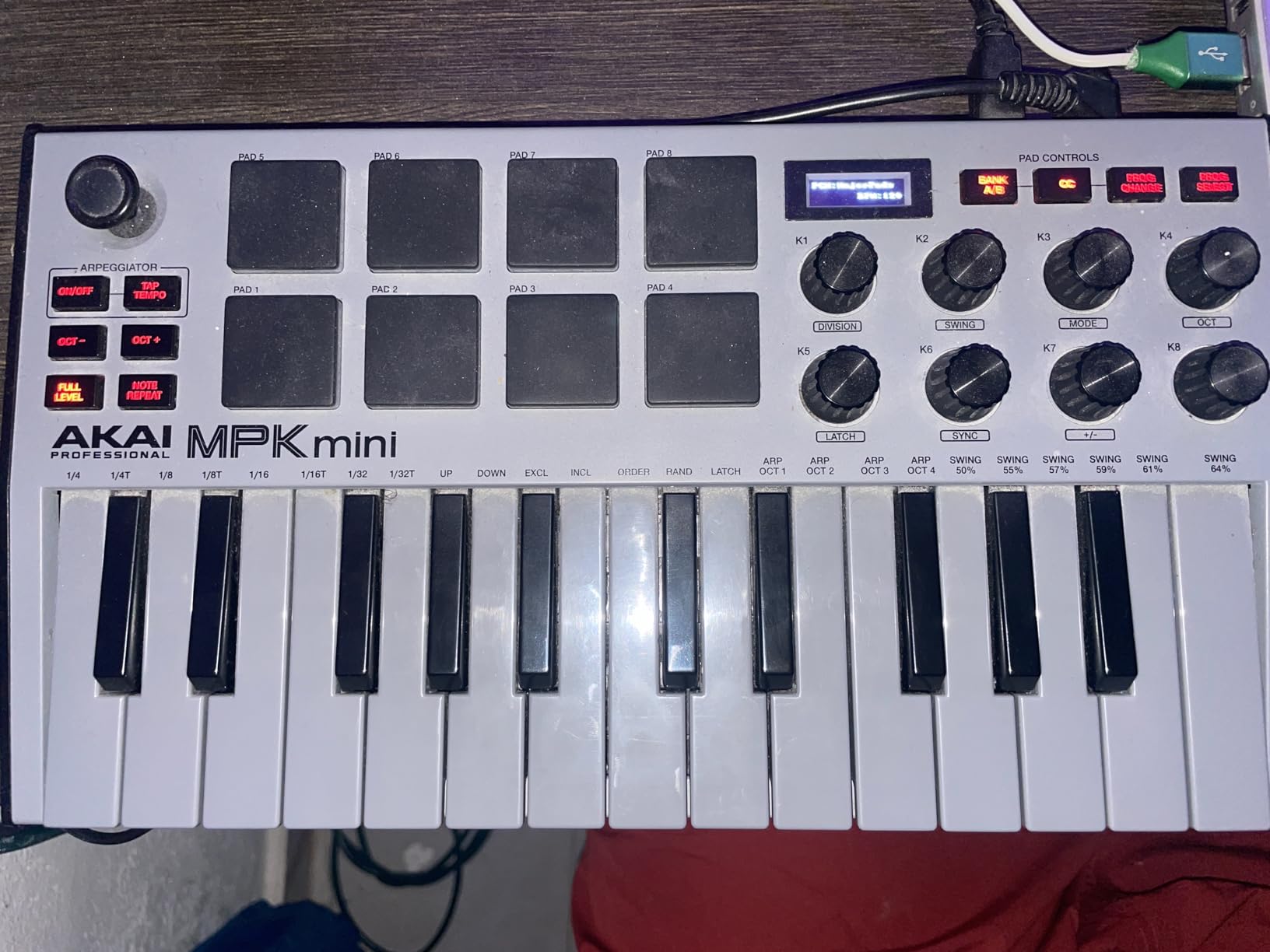
What really sets this controller apart is the software bundle. You get MPC Beats (a full DAW), 1500+ sounds, and several virtual instruments. For a beginner, this means you can start making music the day the box arrives without spending another dollar. The NKS integration also means it works beautifully with Native Instruments plugins if you expand your collection later.
The 4-way thumbstick replaces traditional pitch and modulation wheels. It takes some getting used to, but it saves space and works well once you adapt. The built-in arpeggiator is another standout feature that lets you create complex melodic patterns from simple chord shapes.
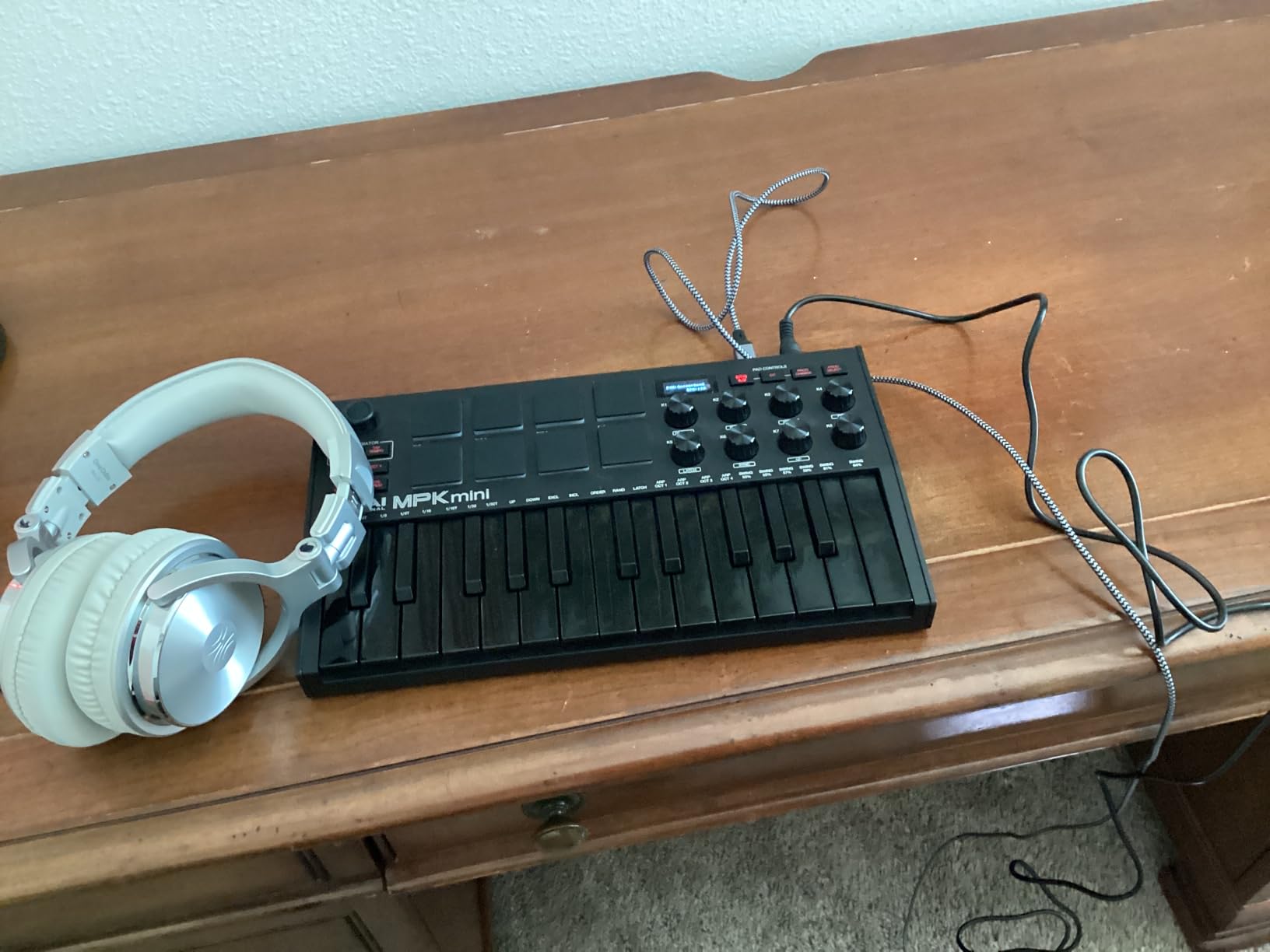
Best For Beat Makers and Hip-Hop Producers
If your goal is making beats, hip-hop, or electronic music, the MPK Mini MK3 is hard to beat. The MPC-style pads are the gold standard for finger drumming and sample triggering. Combined with the included MPC Beats software, you have a beat-making workflow that mirrors what professional producers use.
The 8 knobs map automatically to whatever plugin you have open in most DAWs. This means you can tweak filter cutoffs, adjust reverb amounts, or control synth parameters without touching your mouse. For beginners learning how sound design works, this hands-on approach makes a huge difference.
Will You Outgrow It?
This is the question I see most often on Reddit’s music production communities. The honest answer is that the MPK Mini MK3 can serve you for years. The pads, knobs, and arpeggiator remain useful even if you eventually add a larger keyboard to your setup. Many producers keep their MPK Mini as a portable secondary controller long after upgrading.
The main limitation is the 25 mini keys. If you start learning piano seriously, you will eventually want full-size keys with more range. But for production, beat-making, and on-the-go creativity, this controller covers all the bases.
2. Arturia MiniLab 3 – Universal MIDI Controller
Arturia MiniLab 3 – Universal MIDI Controller for Music Production, with All-in-One Software Package – 25 Keys, 8 Multi-Color…
25 slim velocity-sensitive keys
16 RGB backlit pads
8 rotary encoders
Capacitive touch sensors
5-year warranty
✓ The Good
- Premium build quality with solid construction
- 16 RGB backlit pads across 2 banks
- Capacitive touch strips for pitch and modulation
- MIDI out port for hardware control
- 5-year warranty and excellent software bundle
✕ The Bad
- Limited to 25 slim keys
- Slightly heavier than some competitors at 3 pounds
The Arturia MiniLab 3 is the controller that surprised me the most during testing. Arturia is known for premium synthesizers and software, and that quality shows in every detail of the MiniLab 3. The build feels solid and substantial, with a weight and density that belies its compact size. This does not feel like a cheap beginner controller.
You get 25 slim velocity-sensitive keys with synth action, 16 RGB backlit pads arranged in 2 banks of 8, 8 rotary encoders, and capacitive touch strips for pitch bend and modulation. The small OLED display and clickable browsing knob let you navigate presets and parameters without looking at your computer screen.
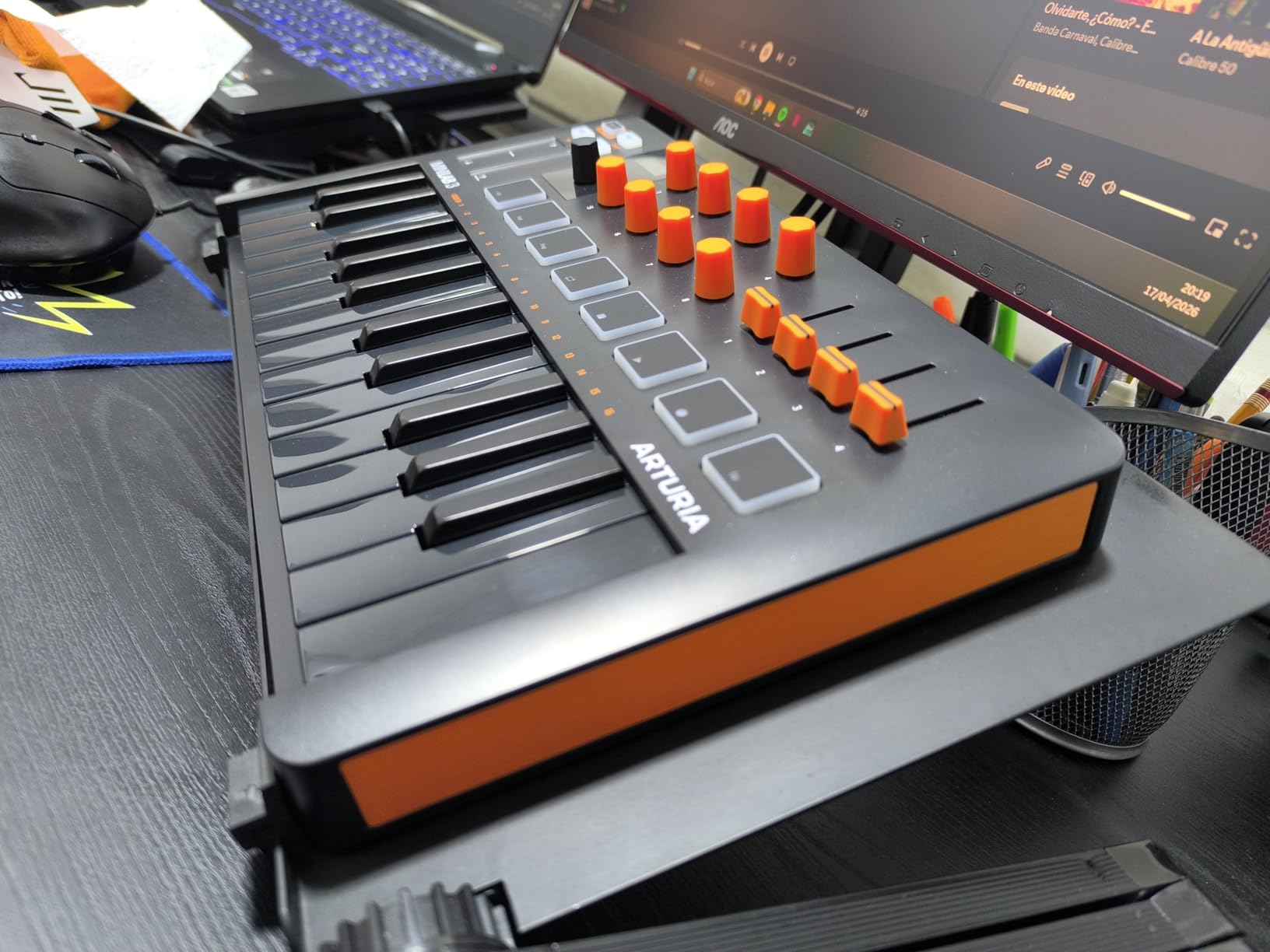
The software bundle is one of the most generous in this price range. You get Ableton Live Lite, Analog Lab Intro (which gives you access to hundreds of classic synth and keyboard sounds), and UVI Model D (a gorgeous piano instrument). Arturia also backs the MiniLab 3 with a 5-year warranty, which tells you they stand behind the build quality.
One feature that sets the MiniLab 3 apart from most controllers in this class is the MIDI out port. This lets you control hardware synthesizers and other external gear directly. If you ever expand beyond software instruments, this controller grows with you.
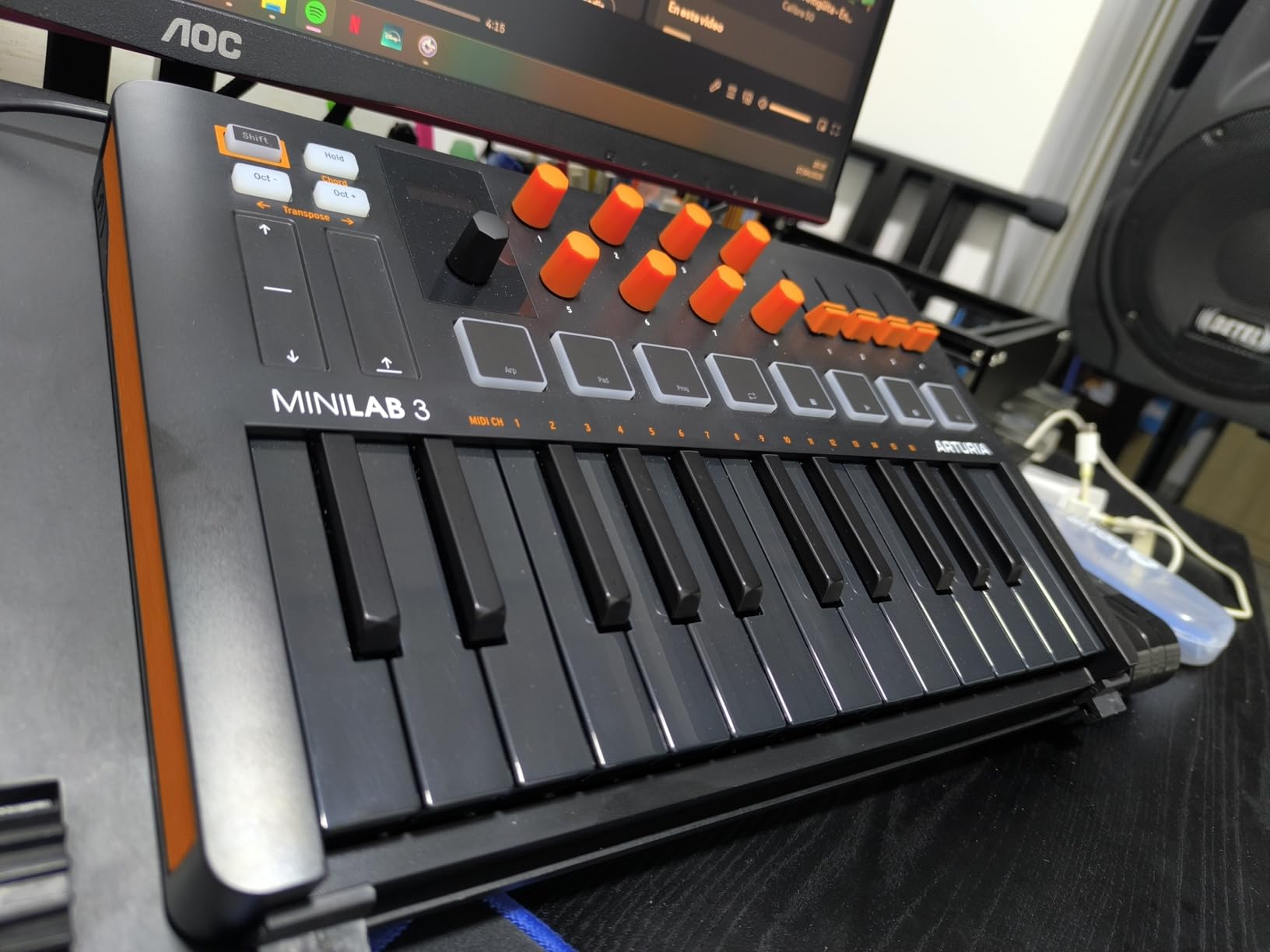
Best for Producers Who Want Premium Feel
If you are the type of beginner who values build quality and wants a controller that feels like a professional instrument, the MiniLab 3 is the one. The pads have a satisfying click, the encoders feel precise, and the capacitive touch strips are smooth and responsive. Every interaction feels deliberate and well-engineered.
The built-in arpeggiator and chord modes also make it easy to create musical ideas even if you are just starting out. You can hold a single note and generate complex arpeggio patterns, or use the chord mode to trigger full chords from single keys.
Software Integration and Compatibility
The MiniLab 3 works with every major DAW I tested, including Ableton Live, FL Studio, Logic Pro, Cubase, and Reason. The Analog Lab software integration is particularly tight, letting you browse and control sounds directly from the controller. For beginners who want a curated library of high-quality sounds, this is a major advantage.
The 5-year warranty is worth emphasizing. Most controllers in this range offer 1 year at most. Arturia clearly stands behind their product, and that peace of mind matters when you are investing in your first piece of music gear.
3. Novation Launchkey Mini 25 MK4 – Portable MIDI Keyboard Controller
Novation Launchkey Mini 25 MK4 — Portable 25 Mini-Key, USB, MIDI Keyboard Controller with DAW Integration. Chord Mode…
25 mini keys with premium keybed
16 FSR pads with polyphonic aftertouch
Scale and Chord modes
Arpeggiator with mutations
Step sequencer
✓ The Good
- Scale Mode ensures you never hit wrong notes
- 16 responsive FSR pads with polyphonic aftertouch
- Chord Mode for triggering lush chords from single keys
- Seamless integration with all major DAWs
- Step sequencer and clip launcher built in
✕ The Bad
- Newer product with fewer reviews
- Only 25 mini keys
The Novation Launchkey Mini MK4 earned the highest rating in our entire test pool at 4.8 stars. This is the fourth generation of Novation’s popular mini controller, and it shows. Novation has refined every aspect based on years of user feedback. The result is a controller that is genuinely fun and inspiring to play.
What makes this controller special for beginners are the Scale Mode and Chord Mode features. Scale Mode locks the keyboard to whatever musical scale you choose, meaning it is impossible to play a wrong note. For someone just starting out who might not know music theory, this removes a huge barrier to creativity. Chord Mode lets you trigger full, lush chords by pressing single keys.
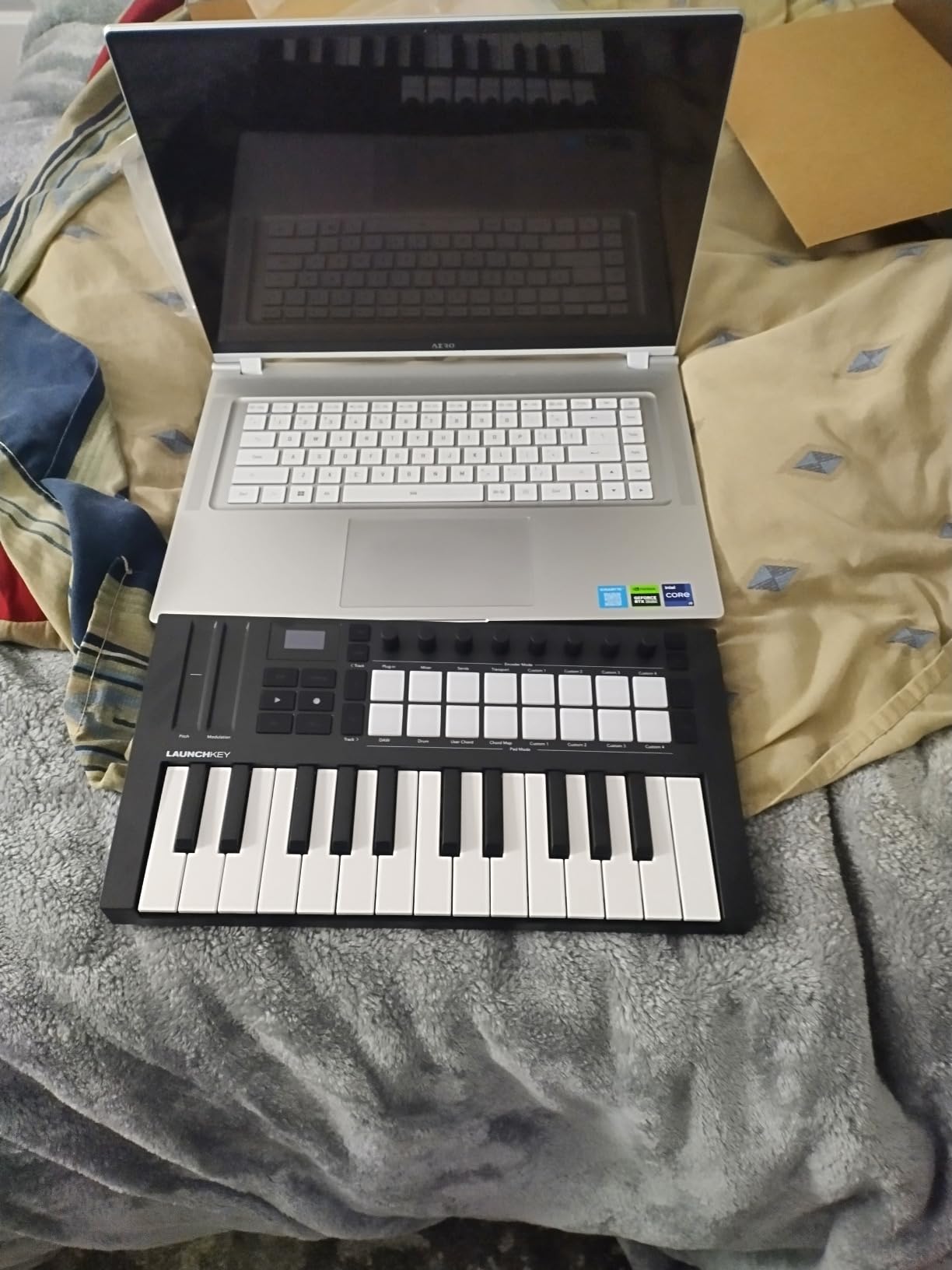
The 16 FSR (Force Sensing Resistor) pads are a significant upgrade over previous generations. They support polyphonic aftertouch, meaning the pads respond not just to how hard you hit them but also to pressure after the initial strike. This opens up expressive possibilities like adding vibrato to sustained notes or triggering filter sweeps mid-performance.
Integration is where Novation has always excelled, and the MK4 is no exception. It works seamlessly with Ableton Live, Logic Pro, Cubase, Reason, Reaper, and FL Studio. The clip launcher pads light up to match your DAW’s session view, making it easy to trigger scenes and loops without looking at your screen.
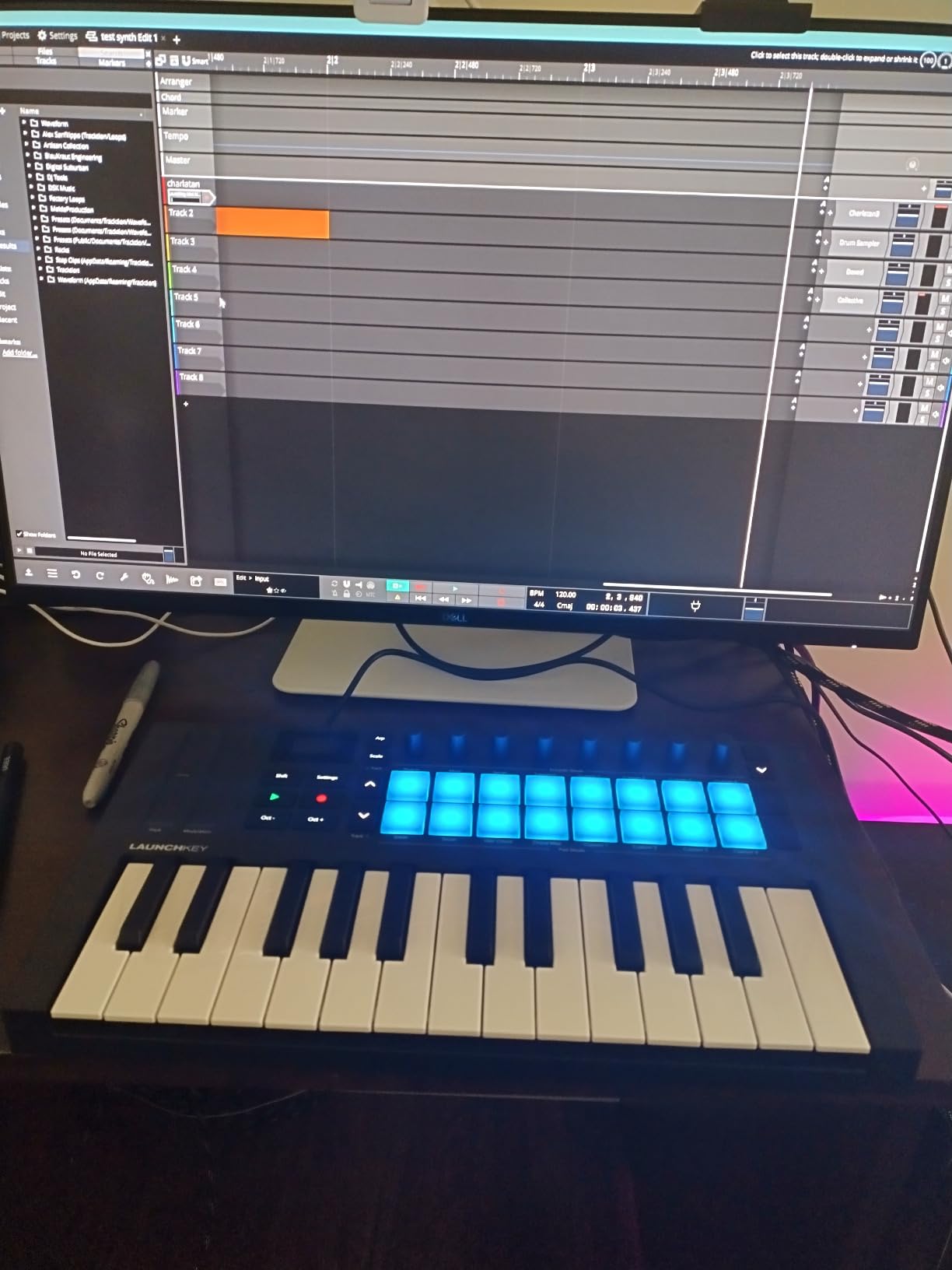
Best for Electronic Music and Live Performance
If you are into electronic music production, the Launchkey Mini MK4 is designed with you in mind. The step sequencer lets you program drum patterns and melodies directly from the controller. The clip launch capabilities make it equally suited for live performance once you are ready to take your music on stage.
The arpeggiator includes mutation capabilities that let you create evolving, complex patterns from simple inputs. Combined with Scale Mode, you can generate ideas that sound sophisticated even as a complete beginner.
Software Bundle and Long-Term Value
The included software bundle is excellent. You get Ableton Live Lite, Cubase LE, and instruments from GForce, Klevgrand, and Native Instruments. This gives you multiple DAW options to explore, which is valuable for beginners who have not yet settled on a workflow.
Being the newest controller on this list (released in 2024), the MK4 represents the latest thinking in MIDI controller design. The 88% five-star rating from nearly 1,000 reviewers confirms that Novation’s refinements are hitting the mark.
4. M-AUDIO Keystation 49 MK3 – 49 Key USB MIDI Keyboard
M-AUDIO Keystation 49 MK3 – Synth Action 49 Key USB MIDI Keyboard Controller with Assignable Controls, Pitch and Mod Wheels…
49 full-size velocity-sensitive keys
Pitch and modulation wheels
Volume fader and transport controls
Sustain pedal input
Plug-and-play USB
✓ The Good
- 49 full-size keys for natural piano feel
- Pitch and modulation wheels for expressive playing
- Volume fader and transport buttons for DAW control
- Sustain pedal input for piano technique
- Excellent software bundle with lessons included
✕ The Bad
- 49 keys takes up more desk space
- No drum pads
- No arpeggiator
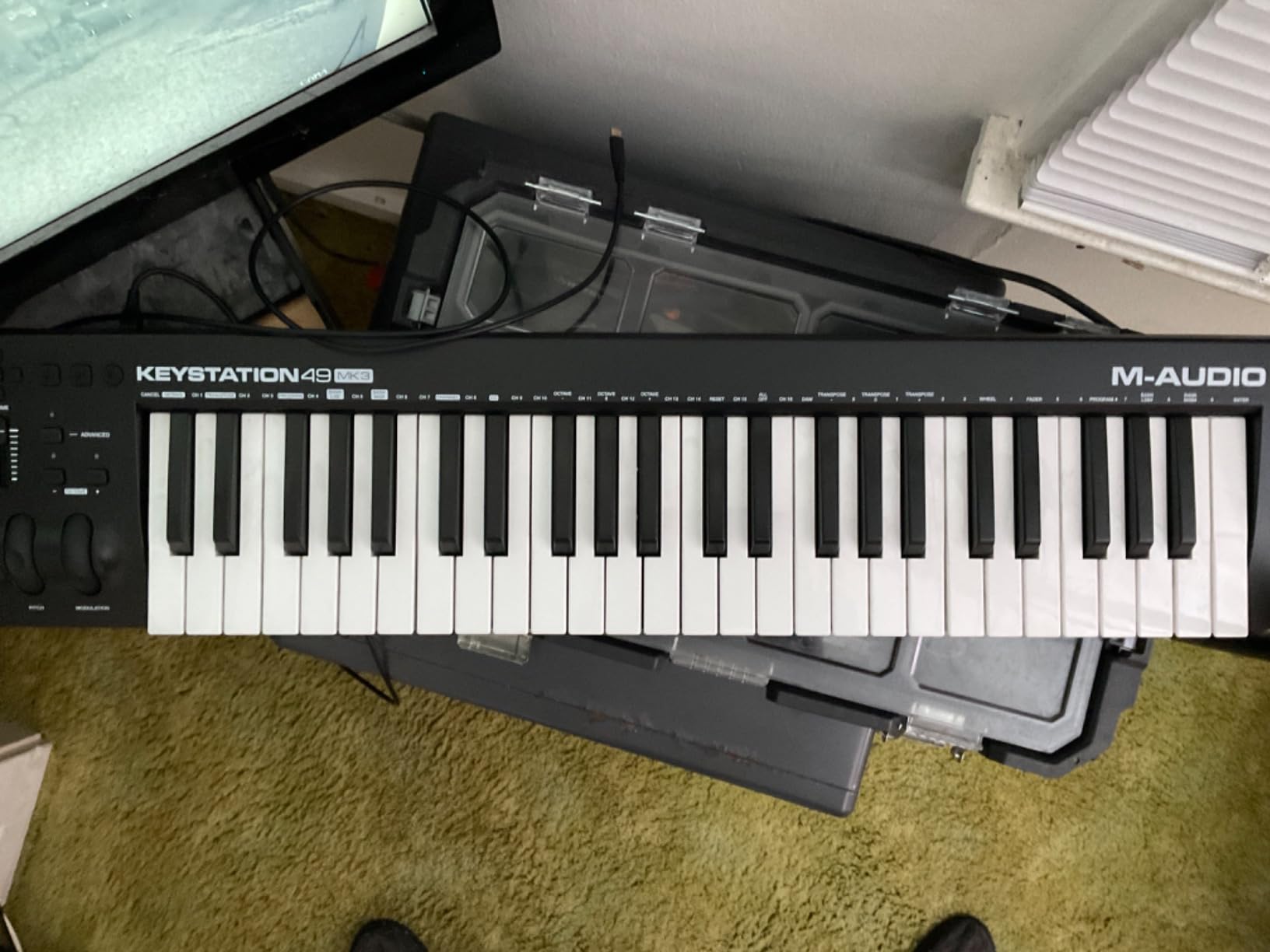
The M-AUDIO Keystation 49 MK3 is the controller I recommend for beginners who want to learn piano alongside production. The 49 full-size, velocity-sensitive keys feel natural under your fingers and provide enough range for two-handed playing. This is a proper keyboard, not a compact mini-controller.
I tested this controller primarily with Ableton Live and GarageBand, and it was completely plug-and-play on both platforms. No drivers, no setup screens. I plugged it in and started playing immediately. The pitch and modulation wheels feel smooth and responsive, better than I expected at this price point.
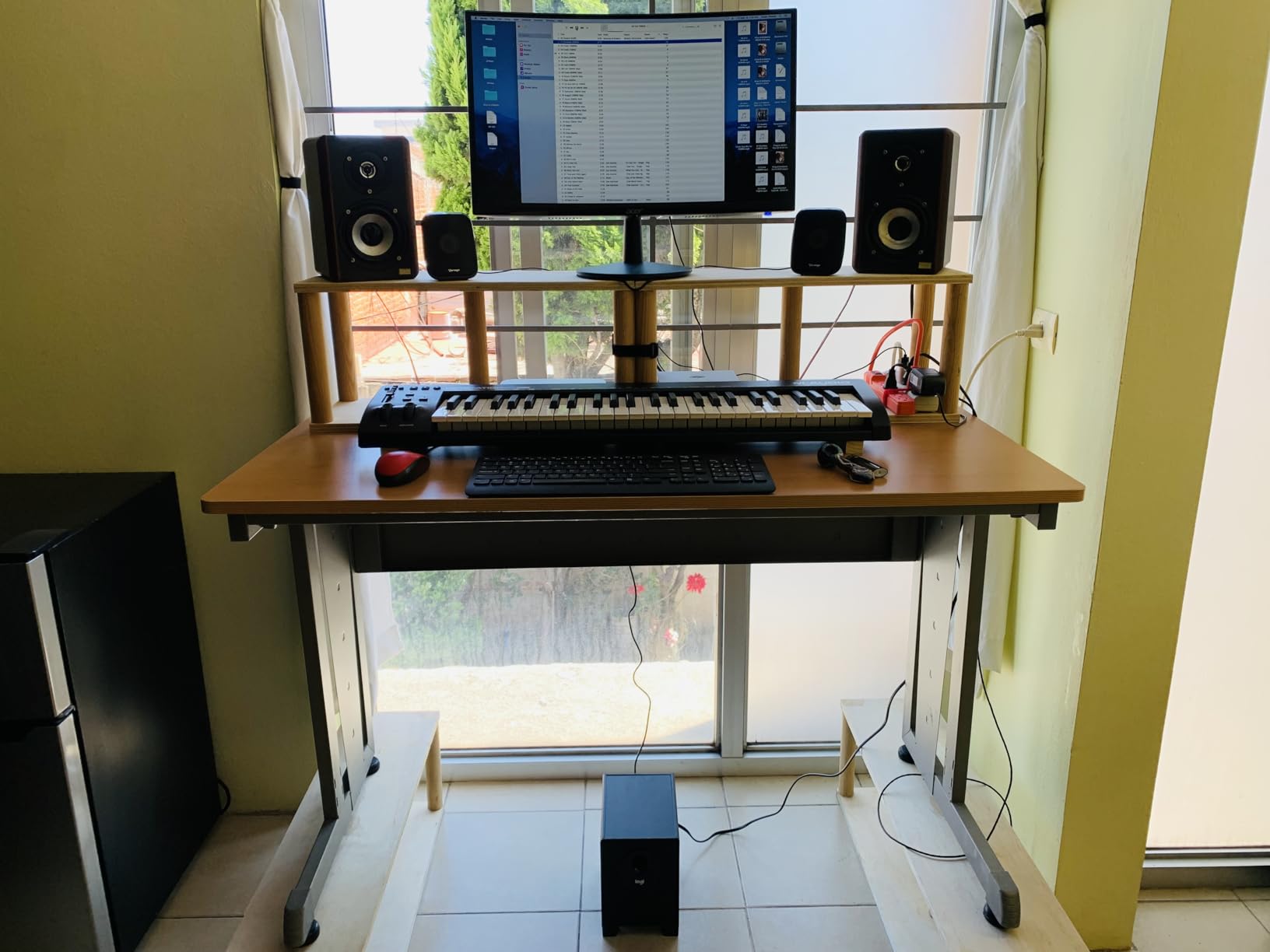
The transport controls (play, stop, record) and volume fader are simple but genuinely useful. Being able to start and stop playback without reaching for your mouse keeps you in the creative flow. The octave up and down buttons let you access the full range of notes even though the keyboard only covers 4 octaves physically.
The sustain pedal input is a feature many beginners overlook but will appreciate later. Connecting a sustain pedal lets you hold notes the way you would on a real piano, which is essential for certain playing styles and genres.
Best for Piano Players and Melodic Producers
If you come from a piano background or want to develop proper piano technique, the Keystation 49 is the clear choice. The full-size keys match the dimensions of a real piano, so your muscle memory transfers directly. This also makes it suitable for producers who focus on melodic content like chord progressions, piano parts, and lead lines.
The included software bundle sweetens the deal significantly. You get MPC Beats, Ableton Live Lite, Velvet (electric piano), Xpand2 (multitimbral workstation), Mini Grand (acoustic piano), and Touch Loops. M-AUDIO also includes free lessons from Skoove and Melodics.
What About Beat Making?
The Keystation 49 does not include drum pads, which is a consideration if beat making is your primary goal. You can program drums using the keys, but it is not the same as having dedicated pads. Many beginners pair this controller with a separate pad controller like the Akai MPD series.
However, for producers focused on melody, harmony, and arrangement, the 49 full-size keys are more valuable than pads. It comes down to what kind of music you want to make and how you want to work.
5. Native Instruments Komplete Kontrol M32 Controller Keyboard
Native Instruments Komplete Kontrol M32 Controller Keyboard (26154)
32 compact keys
OLED display for parameter feedback
Touch-sensitive knobs
USB 2.0 bus powered
NKS integration
✓ The Good
- OLED display shows parameters in real-time
- Touch-sensitive knobs for intuitive control
- 32 keys provides more range than 25-key controllers
- Deep NKS integration with Native Instruments ecosystem
- Bus powered with no external power needed
✕ The Bad
- Limited availability with low stock
- Pads not included
- Software registration can be complex
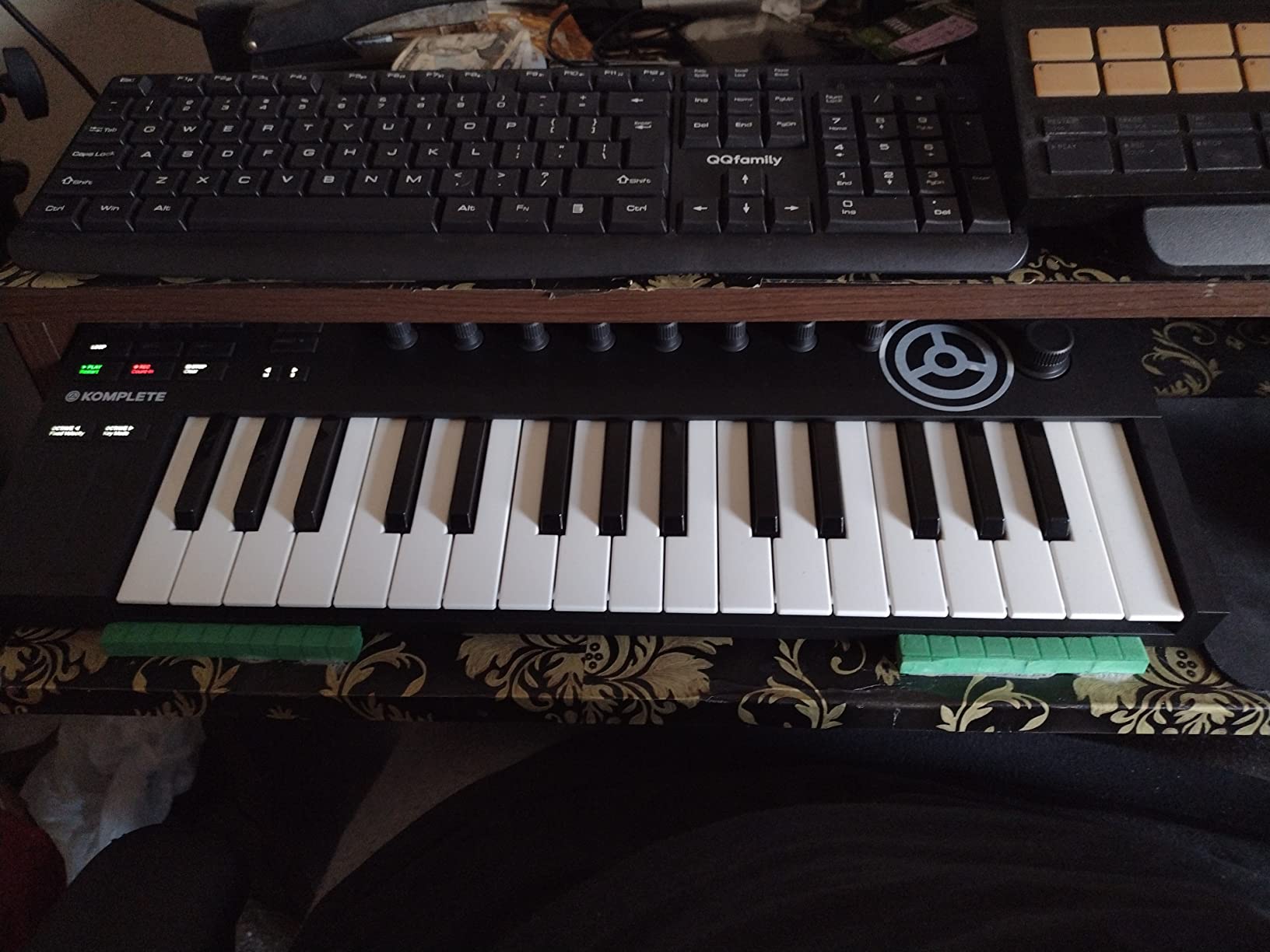
The Native Instruments Komplete Kontrol M32 stands out for one feature that no other controller in this price range offers: an OLED display. This small screen shows you parameter names and values in real-time as you turn knobs, which means you can tweak sounds without looking back and forth between your controller and computer monitor.
I found this surprisingly useful during testing. When adjusting a filter cutoff or envelope release, seeing the parameter name and value on the controller itself makes the process feel more like working with hardware. For beginners still learning what different parameters do, this visual feedback is educational.
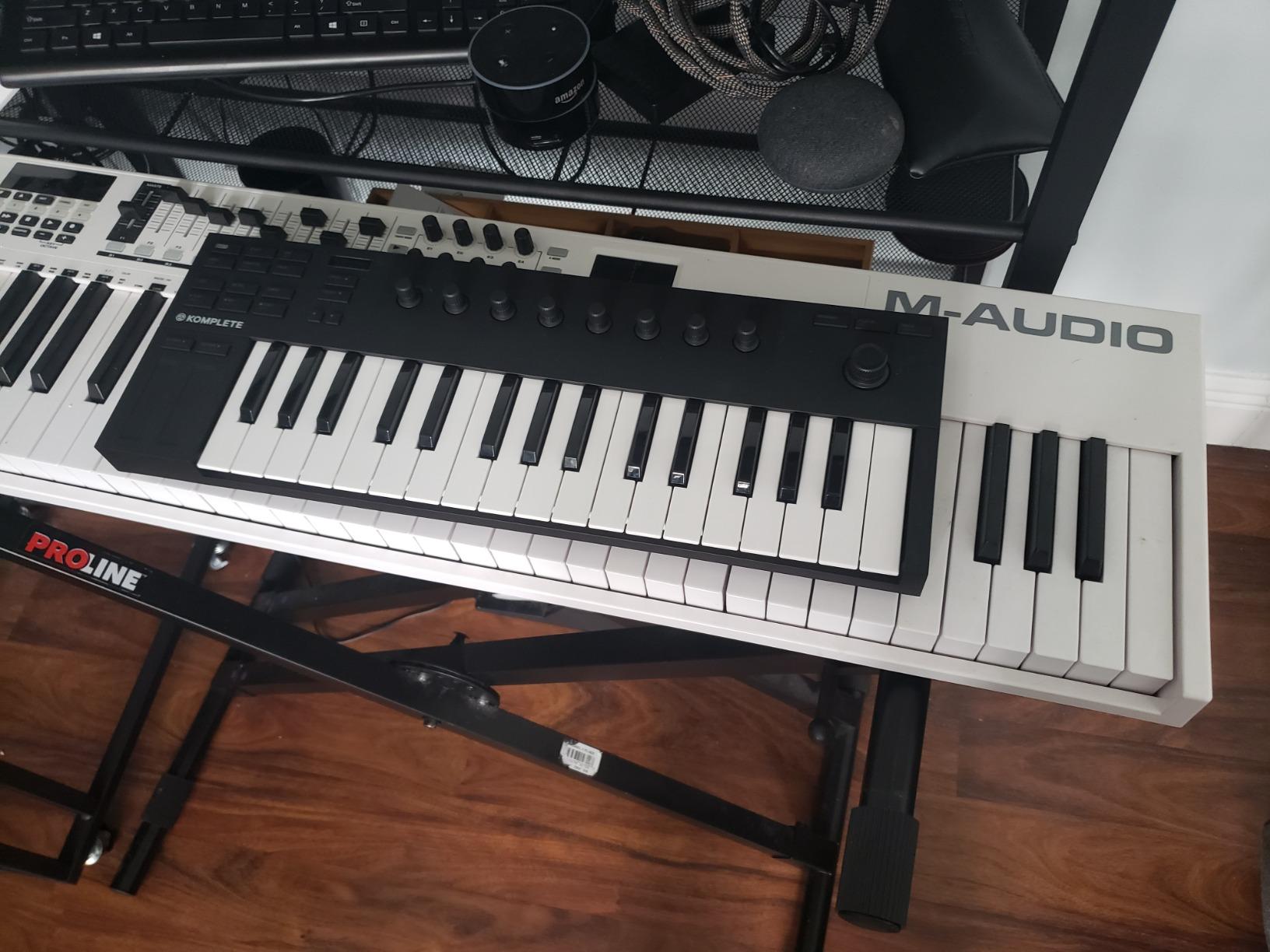
The 32 compact keys offer more range than the typical 25-key controller, which makes a real difference for chord shapes and melodic lines. The touch-sensitive knobs detect your finger approach and light up to show their current values. These are thoughtful design touches that make the controller feel premium and responsive.
The real power of the M32 emerges when paired with Native Instruments’ ecosystem. The NKS (Native Kontrol Standard) integration means the controller automatically maps to any NKS-compatible plugin. Browsing sounds, adjusting parameters, and switching instruments all happen from the controller itself.
Best for the Native Instruments Ecosystem
If you already use or plan to use Native Instruments plugins like Kontakt, Massive, or Reaktor, the M32 is the natural choice. The integration is deeper and more seamless than any third-party controller can achieve. Sound browsing, preset navigation, and parameter mapping all work automatically.
The included software package provides a solid starting point with synths, basses, drums, and effects. Ableton Live 10 Lite is also included for a complete production environment.
Portability and Build Quality
At just 1 kilogram, the M32 is one of the lightest controllers with a display. It slips easily into a backpack and is sturdy enough for regular travel. The compact key action is responsive and consistent, though players with larger hands may find the mini keys cramped.
One thing to note: this controller has been experiencing stock shortages, so availability can be intermittent. If you see it in stock, it is worth grabbing.
6. Novation FLkey Mini – 25-Key MIDI Keyboard for FL Studio
Novation FLkey Mini – Portable 25-Key, USB, MIDI Keyboard Controller with FL Studio Integration for Music Production
25 velocity-sensitive keys
FL Studio integration
8 mixer knobs
Step sequencer control
Scale mode
Note Repeat
✓ The Good
- Purpose-built for FL Studio with deep integration
- Step sequencer control directly from pads
- 8 knobs map to FL Studio mixer channels
- Scale mode keeps you in key
- Note Repeat for hi-hat rolls and rapid patterns
- 3-year warranty
✕ The Bad
- Primarily designed for FL Studio users
- Only 25 keys
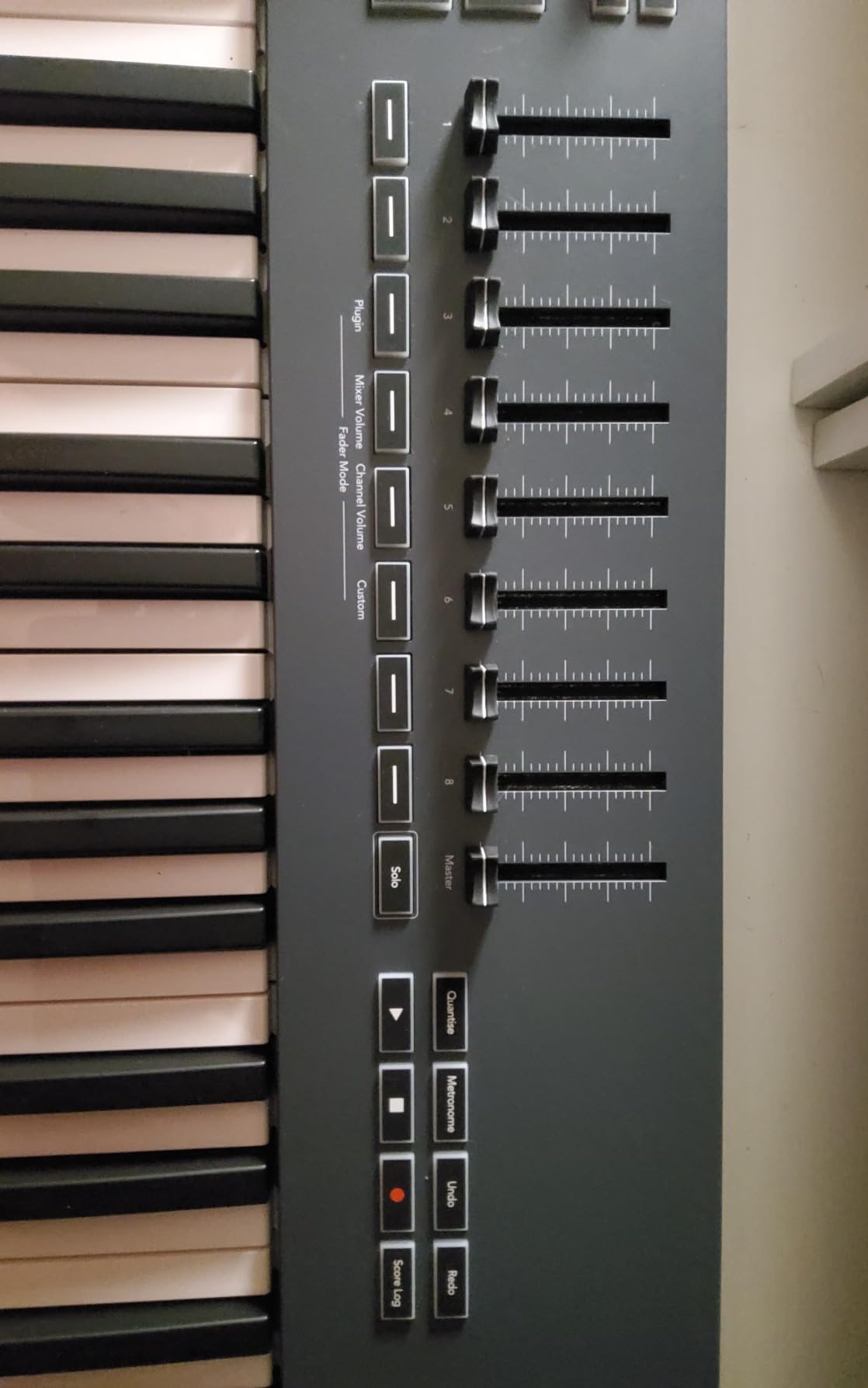
The Novation FLkey Mini is the only controller on this list built specifically for a single DAW. If you use FL Studio (and a huge percentage of beginners do), this controller changes the way you interact with the software. The pads control the step sequencer directly, the knobs map to mixer channels, and everything feels native rather than adapted.
I spent two weeks testing the FLkey Mini with FL Studio 21, and the integration is genuinely impressive. Pressing pads to toggle steps in the Channel Rack feels like having a hardware sequencer. The 8 knobs correspond to your mixer channels, letting you adjust volume and pan without clicking through the software interface.
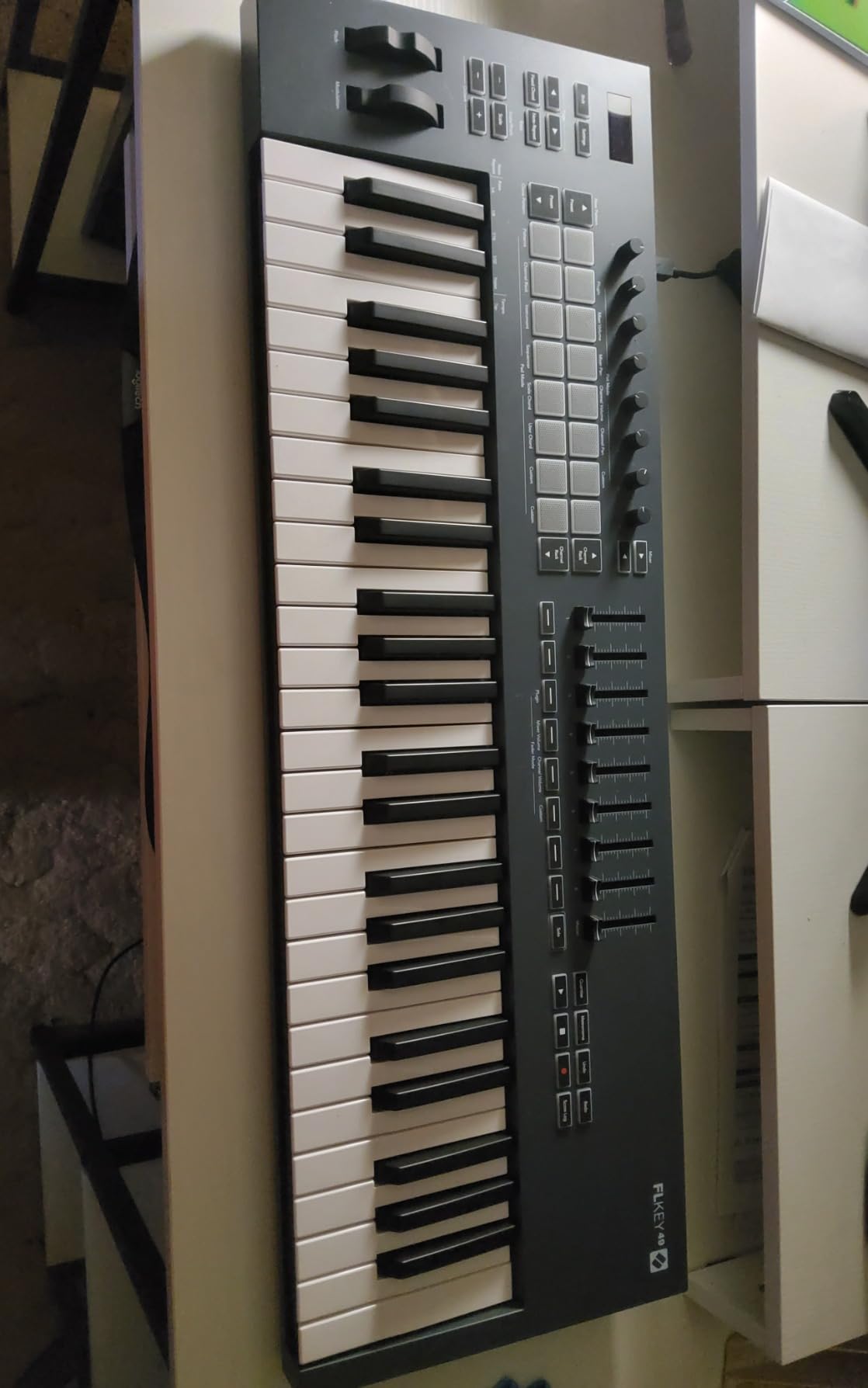
The Note Repeat function is a standout for beat makers. Hold a pad and it repeats at whatever tempo you set, which is perfect for trap hi-hats, snare rolls, and rapid percussion patterns. Combined with Scale Mode (which ensures you never play out of key), the FLkey Mini removes technical barriers so you can focus on creativity.
The 8 RGB backlit pads feel responsive and satisfying. They are not as sophisticated as the Launchkey Mini’s FSR pads, but they get the job done for beat making and sample triggering. The velocity sensitivity works well across dynamic playing styles.
Best for FL Studio Users
This recommendation is straightforward: if FL Studio is your DAW, the FLkey Mini is the best MIDI controller for beginners. No other controller offers this level of native integration. The step sequencer control alone transforms the beat-making experience from mouse-driven to hands-on.
For FL Studio users who want more keys and features, Novation also makes a 37-key FLkey version. But for beginners, the Mini covers all the essentials at a reasonable price.
Can You Use It With Other DAWs?
The FLkey Mini does work as a generic MIDI controller with other DAWs, but you lose the deep FL Studio integration. The knobs and pads can be manually mapped in Ableton, Logic, or other software, but it requires more setup. If you are not committed to FL Studio, the Novation Launchkey Mini MK4 is a more versatile choice.
The 3-year warranty and 4.7-star rating from over 1,200 reviewers confirm that this controller delivers on its promises for FL Studio users.
7. M-AUDIO Oxygen Pro Mini – 32-Key MIDI Keyboard Controller
M-AUDIO Oxygen Pro Mini 32-Key USB MIDI Keyboard Controller for MacOS and WinOS, with Beat Pads, Assignable Knobs and Faders…
32 semi-weighted mini keys
8 RGB drum pads
4 knobs and 4 faders
Smart Chord and Smart Scale
Arpeggiator
MIDI Out
✓ The Good
- 32 semi-weighted keys feel more professional
- 4 faders plus 4 knobs for extensive DAW control
- Smart Chord generates full chords from single keys
- Smart Scale keeps you in key
- Auto-mapping to major DAWs
- NKS integration
✕ The Bad
- OLED screen susceptible to burn-in
- Keys can feel clacky compared to premium options
- MIDI Out requires separate dongle
- Setup can be more complex than simpler controllers
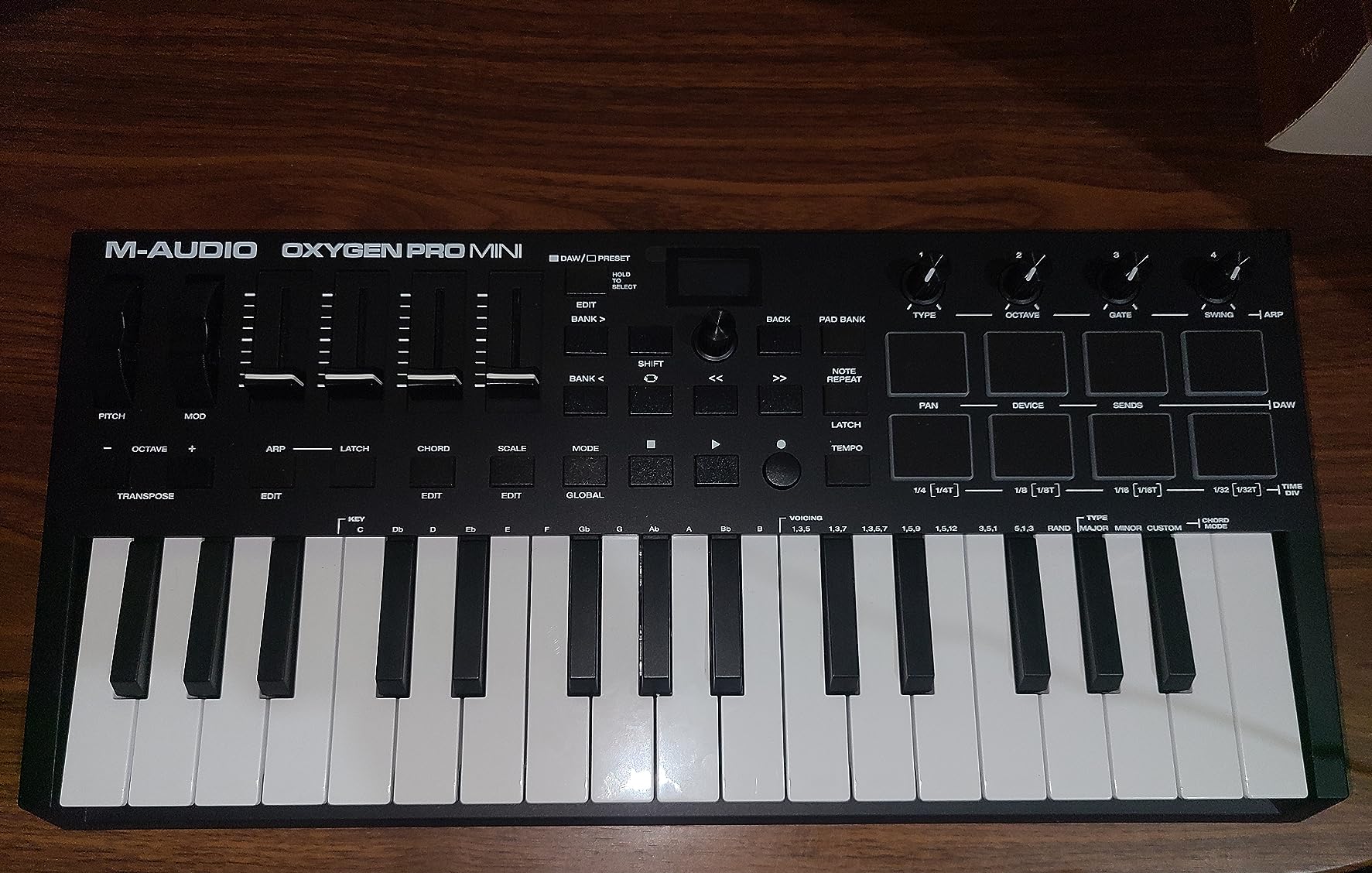
The M-AUDIO Oxygen Pro Mini is the most feature-dense controller in this roundup. You get 32 semi-weighted mini keys, 8 RGB backlit drum pads, 4 assignable knobs, 4 assignable faders, an arpeggiator, Smart Scale, Smart Chord, and MIDI out. That is a remarkable amount of control for a controller in this price range.
I tested the Oxygen Pro Mini primarily with Ableton Live, and the auto-mapping worked smoothly. The 4 faders are particularly useful for mixing, letting you adjust track levels, sends, or plugin parameters hands-on. Most controllers at this size omit faders entirely, so having 4 is a genuine differentiator.
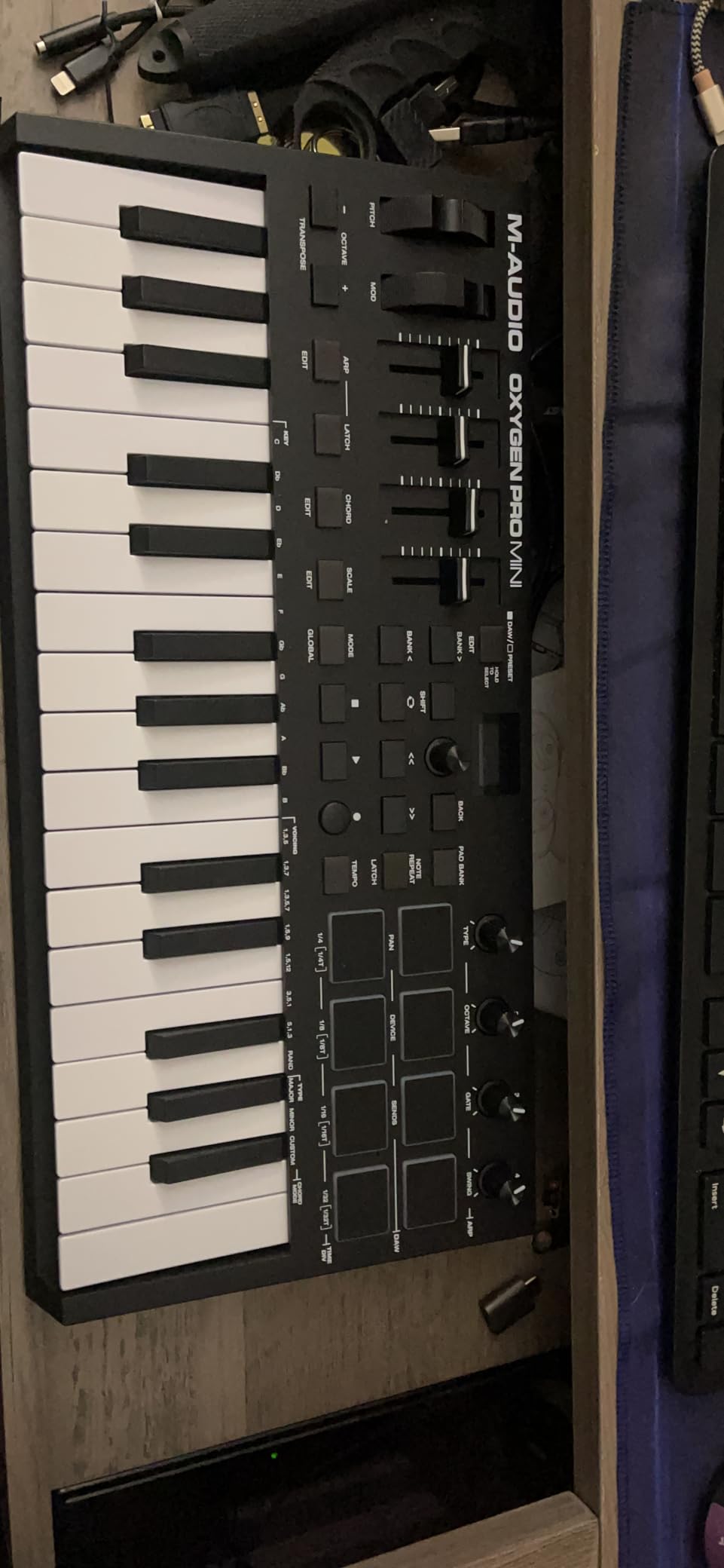
The Smart Chord and Smart Scale features are great for beginners. Smart Chord lets you trigger full, musically correct chords by pressing a single key. Smart Scale constrains the keyboard to a chosen scale so every note you play sounds good. These features do not replace learning music theory, but they let you create satisfying music from day one.
The 32 semi-weighted keys offer more range and a more substantial feel than the typical 25-key mini controller. The semi-weighting gives the keys a slight resistance that feels closer to a real instrument than fully synth-action keys.
Best for Producers Who Want Maximum Control
If you are the type of beginner who wants every possible control surface available, the Oxygen Pro Mini delivers. The combination of pads, knobs, faders, and smart playing modes gives you more hands-on options than any other controller on this list. It is like having a mini production workstation.
The auto-mapping feature detects your DAW and configures the controls automatically. This saves beginners from the often confusing process of manual MIDI mapping. It works with Ableton Live, Logic Pro, Cubase, Pro Tools, and more.
Things to Watch Out For
The OLED display, while useful, has been reported by some users to be susceptible to burn-in over time. This does not affect functionality but is worth knowing. The keys can also feel somewhat clacky compared to the Arturia MiniLab 3 or Novation Launchkey Mini MK4.
Despite these concerns, the Oxygen Pro Mini remains an excellent value. The sheer number of features packed into this controller makes it one of the best MIDI controllers for beginners who want room to grow.
8. M-AUDIO Keystation Mini 32 MK3 – USB MIDI Keyboard Controller
M-AUDIO Keystation Mini 32 MK3 USB MIDI Keyboard Controller with 32 Velocity Sensitive Mini Keys and Recording Software…
32 miniature velocity-sensitive keys
Selectable velocity curves
Pitch bend and modulation buttons
Octave up and down
Volume knob
Plug-and-play USB
✓ The Good
- 32 keys provides more range than 25-key alternatives
- Ultra portable at just 454 grams
- Plug-and-play on Mac with no setup required
- Includes MPC Beats software and 60 Melodics lessons
- Selectable velocity curves for different playing styles
- Very affordable entry point
✕ The Bad
- Keys feel spongy and somewhat brittle
- Windows 10 compatibility can be inconsistent
- Software registration process is complex
- Short included USB cable
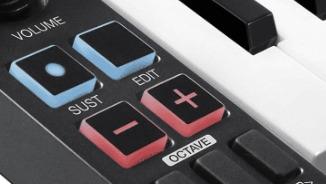
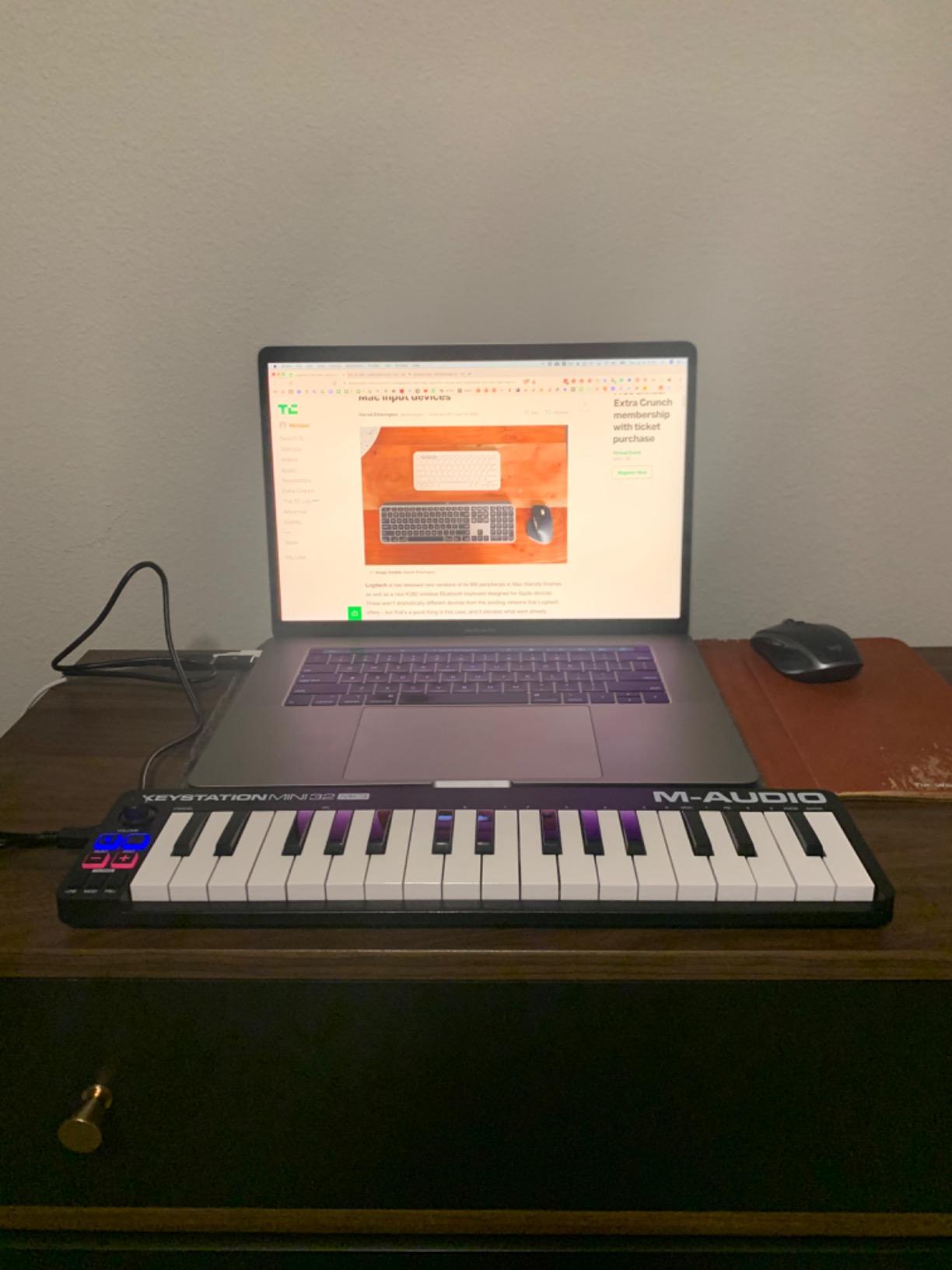
The M-AUDIO Keystation Mini 32 MK3 is the controller I recommend when budget is the primary concern. For roughly half the price of the premium options on this list, you get 32 velocity-sensitive keys, octave controls, pitch bend and modulation buttons, and a volume knob. It is about as simple as a MIDI controller gets.
I tested this controller on Mac and it was truly plug-and-play. Connected the USB cable, opened Ableton Live, and started playing. No drivers, no configuration. The 32-key layout is noticeably better than 25 keys for chord shapes, giving you enough range to play basic two-hand parts.
The included software bundle adds real value. You get MPC Beats (a full DAW) and 60 interactive keyboard lessons from Melodics. These lessons gamify the learning process, which is perfect for keeping beginners motivated during the challenging early stages.
The key action is where the budget price becomes apparent. The keys feel spongy and lack the satisfying response of more expensive controllers. They are functional and velocity-sensitive, but they do not feel great under your fingers. For the price, this is an acceptable trade-off.
Best for Absolute Beginners on a Tight Budget
If you are not sure whether music production is for you and want to test the waters without a big investment, the Keystation Mini 32 is the ideal starting point. It provides all the basic functionality you need to start making music, and the included software and lessons give you everything required to begin learning.
The ultra-portable design (just 454 grams and less than an inch thick) means you can take it anywhere. It is perfect for laptop-based production on the go.
Windows Compatibility Notes
While the Keystation Mini 32 works flawlessly on Mac, Windows users have reported occasional issues. Some Windows 10 systems require a powered USB hub for the controller to function properly. The included USB cable is also quite short, which can be limiting depending on your desk setup.
The software registration process has been a common complaint in user reviews. It requires creating multiple accounts across different platforms, which can be frustrating. Once setup is complete, the controller works well, but be prepared for some initial configuration effort.
9. Akai Professional LPK25 MK2 – USB MIDI Keyboard Controller
Akai Professional LPK25 – USB MIDI Keyboard Controller with 25 Responsive Synth Keys for Mac and PC, Arpeggiator and Music…
25 responsive synth keys
Built-in arpeggiator
8 programmable presets
Octave up and down
Sustain button
USB powered
✓ The Good
- Ultra compact and lightweight at under 500 grams
- Built-in arpeggiator for creative pattern generation
- 8 programmable preset slots for saving configurations
- Universal DAW compatibility across all major software
- USB powered with no external power needed
- Plug-and-play on Mac and PC
✕ The Bad
- No pitch bend or modulation wheels
- No drum pads
- No faders or knobs
- Limited to 25 keys
The Akai LPK25 MK2 is the most portable controller on this list. At just 480 grams and slim enough to slide into a laptop bag, it is designed for producers who want to make music wherever they are. This is a pure keyboard controller with no pads, knobs, or faders. It does one thing and does it well.
I tested the LPK25 with Ableton Live and GarageBand, and it was instantly recognized on both platforms. The 25 synth-action keys have a responsive, quick feel that suits melodic input and bass lines. The built-in arpeggiator is a standout feature at this price point, letting you create complex patterns from held notes.
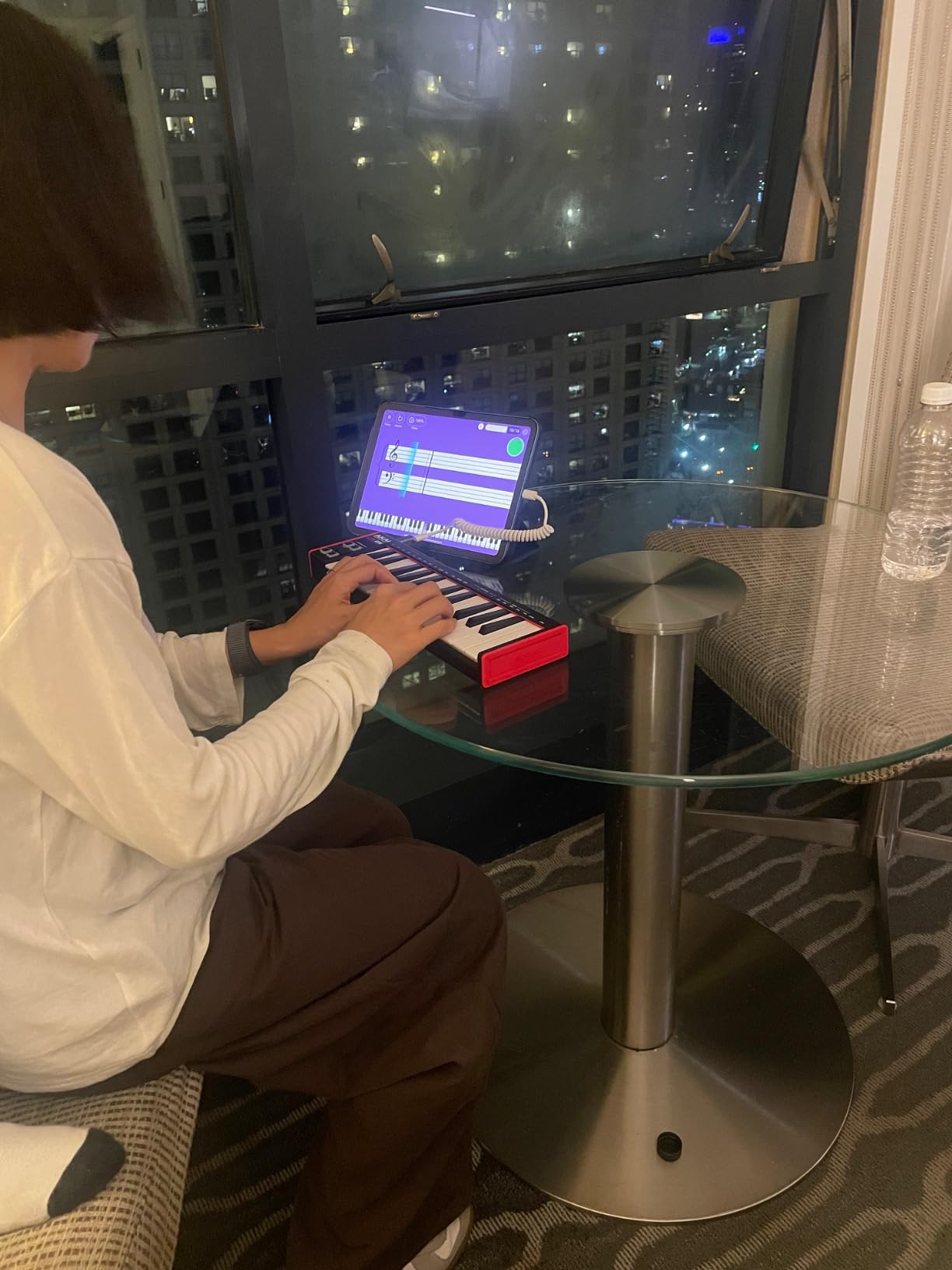
The 8 programmable preset slots are useful for storing different configurations. You can set up different octave ranges, arpeggiator settings, and velocity curves for different production scenarios, then switch between them instantly. This is a feature typically found on more expensive controllers.
What the LPK25 lacks in features, it makes up for in focus. Without pads, knobs, and faders to configure, beginners can concentrate on playing and creating melodies. It is a keyboard in its purest form, and for some users, that simplicity is exactly what they need.
Best for Travel and On-the-Go Production
If portability is your top priority, the LPK25 MK2 is the answer. It is lighter and more compact than any other controller on this list. You can produce music on a plane, in a coffee shop, or in a hotel room without any setup hassle.
The USB-powered design means you never need to worry about batteries or power adapters. One USB cable handles both data and power.
Limitations to Consider
The LPK25 does not include pitch bend or modulation wheels, which limits expressive playing. There are no drum pads for beat making, and no knobs for plugin control. If you need any of these features, look at the Akai MPK Mini MK3 instead.
However, if you already have a pad controller or produce primarily with melodic content, the LPK25 is an excellent companion. Many producers use it as a portable secondary controller alongside a larger studio setup.
10. Donner N-25 Mini MIDI Keyboard for Beginners
Donner Mini MIDI Keyboard, N-25 25 Key MIDI Controller for Beginner with Velocity-Sensitive Mini Keys&Light-up Rocker&Music…
25 velocity-sensitive mini keys
4 programmable banks
Arpeggiator and tap tempo
Pitch-bend joystick
40 teaching courses
OTG smartphone support
✓ The Good
- Most affordable controller on this list
- Includes 40 teaching courses for beginners
- OTG adapter for smartphone and tablet connectivity
- Arpeggiator and tap tempo functions
- 4 programmable banks
- Light-up buttons for visual feedback
✕ The Bad
- Keys feel springy and spongy
- Keys are narrower than standard mini keys
- Cannot change MIDI channel
- PC firmware updates can be problematic
The Donner N-25 is the cheapest MIDI controller on this list, and it is designed specifically for absolute beginners. For the price, you get 25 velocity-sensitive mini keys, an arpeggiator, 4 programmable banks, a pitch-bend joystick, and 40 teaching courses. It even includes an OTG adapter for connecting to smartphones and tablets.
I tested the N-25 with my phone using the included OTG adapter, and it worked with several mobile music apps. This is a genuine advantage for beginners who want to try music production on a phone or tablet before investing in a full computer setup. The 40 teaching courses provide structured learning paths.
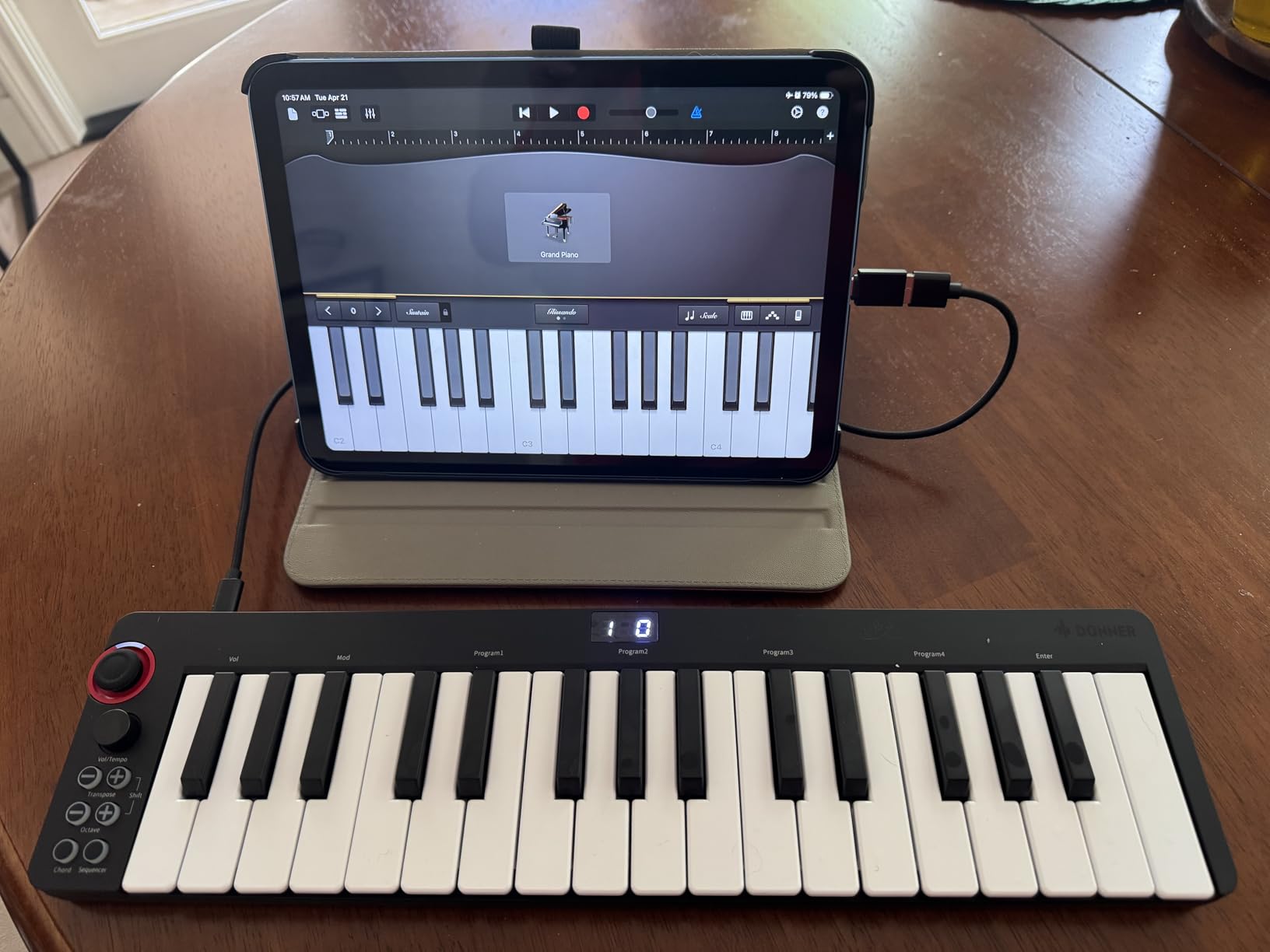
The light-up buttons give clear visual feedback about which functions are active, which is helpful for beginners still learning what everything does. The arpeggiator with tap tempo is a fun creative tool that lets you generate rhythmic patterns by holding notes.
The key feel is where the budget price is most apparent. The keys are springy and spongy, and they are narrower than the mini keys on other controllers in this list. Players with average or larger hands may find them cramped. They are functional but do not feel great for extended playing sessions.
Best for First-Time Producers and Kids
If you are buying a MIDI controller for a child, a teenager, or someone who has never tried music production before, the Donner N-25 is a low-risk way to start. The teaching courses provide structure and guidance, and the smartphone connectivity means you do not even need a computer to begin experimenting.
The included music production software gives you a starting point, though it is not as polished or comprehensive as the bundles included with the Akai or Arturia controllers.
Important Limitations to Know
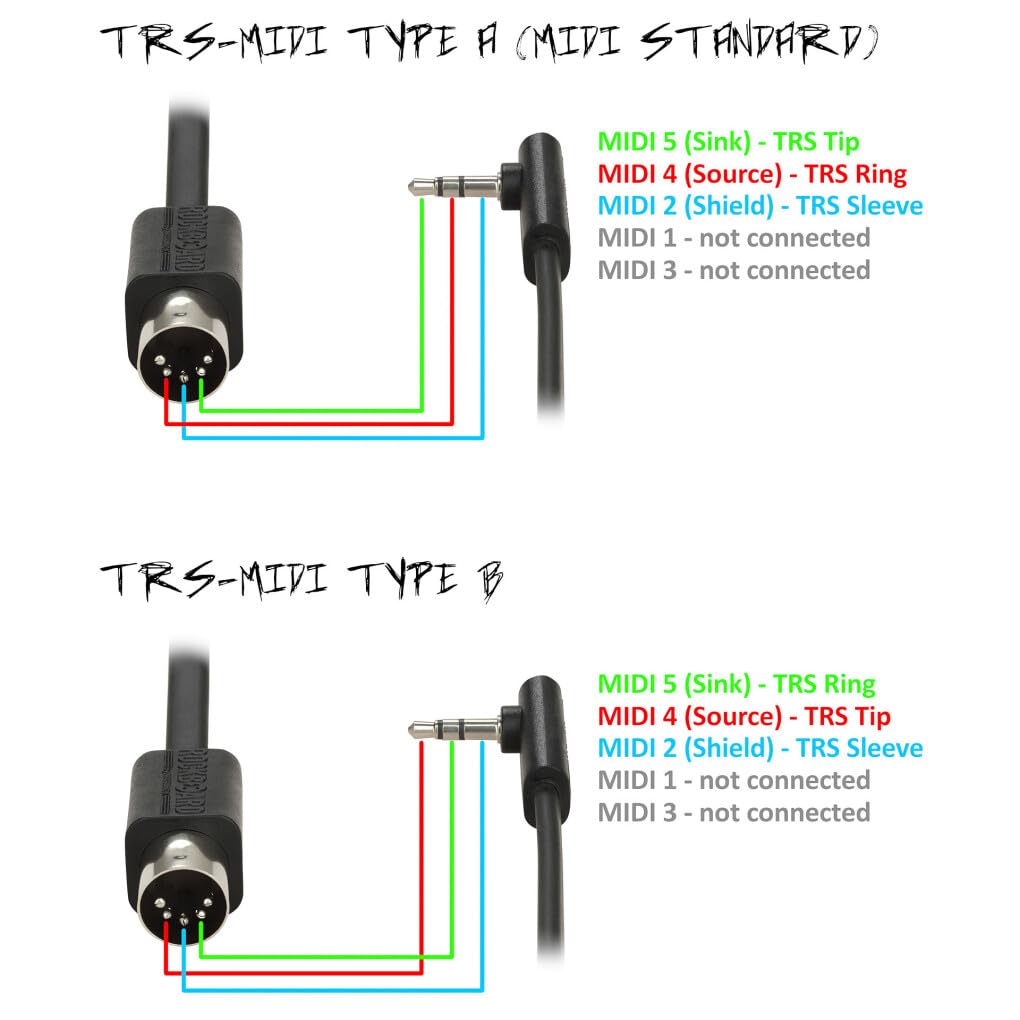
The inability to change MIDI channels is a significant limitation that one reviewer called a fatal flaw. This restricts how you can route the controller within your DAW. PC firmware updates have also been reported as problematic, with some users experiencing issues during the update process.
Despite these limitations, the N-25 has earned a 4.2-star rating from over 700 reviewers. For the price, it provides a genuine entry point into music production that would otherwise be inaccessible.
How to Choose the Best MIDI Controller for Beginners
Choosing your first MIDI controller can feel overwhelming with so many options available. After testing 10 controllers and reading thousands of user reviews, I have identified the factors that matter most for beginners. Here is what to consider before making your decision.
Key Count and Size
The number and size of keys is the most important decision you will make. Controllers typically come in 25, 32, or 49 key configurations, and keys are either full-size or mini. Full-size keys match the dimensions of a real piano and are essential if you want to develop proper piano technique. Mini keys are smaller and allow more keys in a more compact controller.
For beginners who want to learn piano skills, I recommend the M-AUDIO Keystation 49 MK3 with its 49 full-size keys. For producers focused on beat making and electronic music, 25 or 32 mini keys are usually sufficient. The 32-key options like the NI Komplete Kontrol M32 and M-AUDIO Oxygen Pro Mini offer a nice middle ground.
A common question on Reddit’s music production forums is whether mini keys are too small for learning. The answer depends on your hand size and goals. Mini keys work fine for entering melodies and bass lines. If you want to practice proper piano technique, full-size keys are the better choice.
DAW Compatibility and Integration
Your MIDI controller needs to work with your chosen DAW. All the controllers on this list are class-compliant, meaning they work with any DAW that supports MIDI (which is essentially all of them). However, some controllers offer deeper integration with specific DAWs.
The Novation FLkey Mini is purpose-built for FL Studio with step sequencer control and mixer mapping. The Novation Launchkey Mini MK4 offers excellent integration with Ableton Live’s session view. The Native Instruments Komplete Kontrol M32 integrates seamlessly with the NI plugin ecosystem. If you have already chosen your DAW, check which controllers offer the tightest integration.
For plug-and-play simplicity, the M-AUDIO Keystation series and Akai controllers are universally compatible with minimal setup required. This is a major advantage for beginners who want to start playing immediately.
Build Quality and Durability
Beginners often ask on forums about controllers that will not fail them. Build quality varies significantly across price ranges. The Arturia MiniLab 3 stands out with its premium construction and 5-year warranty. The Akai MPK Mini MK3 is well-built for its price and has proven durable over years of widespread use.
Budget controllers like the Donner N-25 and M-AUDIO Keystation Mini 32 use more plastic in their construction. They are functional but may not withstand heavy travel or rough handling. If portability and durability are priorities, invest in a controller with a solid reputation for build quality.
Software Bundle Value
The included software can add significant value to your purchase. A full DAW like Ableton Live Lite or MPC Beats lets you start producing immediately. Virtual instruments and sample libraries expand your sonic palette without additional spending.
The Akai MPK Mini MK3 offers one of the best bundles with MPC Beats and 1500+ sounds. The Arturia MiniLab 3 includes Analog Lab Intro, which provides hundreds of high-quality instrument sounds. The M-AUDIO Keystation 49 MK3 includes both MPC Beats and Ableton Live Lite plus free piano lessons from Skoove and Melodics.
When comparing prices, factor in the value of the included software. A slightly more expensive controller with a comprehensive software bundle often represents better value than a cheaper controller with minimal software.
Do You Need Drum Pads?
Drum pads are essential for beat makers but unnecessary for producers focused purely on melodic content. If you want to make hip-hop, electronic, or pop music with programmed drums, pads are invaluable. The Akai MPK Mini MK3 and Arturia MiniLab 3 both offer excellent pads.
If you are focused on piano, orchestral, or ambient music, you may not need pads at all. The M-AUDIO Keystation 49 and Akai LPK25 omit pads entirely, which keeps them simpler and more affordable.
Future Upgradability
A concern I see frequently on forums is whether beginners will quickly outgrow their first controller. The truth is that your first controller does not need to be your last. Many producers use multiple controllers: a compact one for travel and a larger one for studio work.
Controllers like the Akai MPK Mini MK3 and Arturia MiniLab 3 remain useful even as you advance, because the pads and knobs serve as dedicated control surfaces. Pure keyboard controllers like the Keystation series may be replaced as you develop more specific needs.
Frequently Asked Questions
What is the most popular MIDI controller?
The Akai Professional MPK Mini MK3 is the most popular MIDI controller for beginners, with over 30,000 reviews on Amazon and a 4.6-star rating. It ranks as the number one bestseller in the MIDI controller category thanks to its combination of 25 velocity-sensitive keys, 8 MPC-style drum pads, 8 assignable knobs, and a comprehensive software bundle that includes MPC Beats and over 1,500 sounds.
Can a beginner use a MIDI keyboard?
Yes, absolutely. MIDI keyboards are designed to be plug-and-play devices that connect to your computer via USB. Most models require no drivers or setup beyond plugging in a single cable. Many controllers include free DAW software and interactive lessons, so beginners can start making music the same day they unbox the controller. Features like Scale Mode on the Novation Launchkey Mini MK4 make it even easier by ensuring you never play a wrong note.
Is a MIDI controller worth it?
Yes, a MIDI controller is worth the investment if you are serious about music production. It transforms the creative process from mouse-clicking notes into a musical, hands-on experience that is significantly faster and more expressive. Even a budget controller around $50 to $60 dramatically improves workflow compared to using a computer keyboard and mouse. The included software bundles alone often justify the purchase price.
Do I need a MIDI controller to make music?
No, you can produce music using only a computer keyboard and mouse, but it is significantly slower and less intuitive. A MIDI controller lets you play melodies, chords, and drum patterns naturally, which speeds up your workflow and makes the creative process more enjoyable. Most beginners find that getting a controller is the single biggest improvement they can make to their home studio setup.
What is the difference between a MIDI controller and a keyboard?
A MIDI controller produces no sound on its own. It sends MIDI data to your computer or hardware, which then generates sound through software instruments. A regular keyboard or digital piano has built-in sounds and speakers. MIDI controllers are typically more affordable and more versatile because they work with any virtual instrument, while keyboards with built-in sounds are self-contained but limited to their internal sound library.
Do MIDI controllers need to be plugged into a computer?
Most USB MIDI controllers are designed to connect to a computer, but some can also work with tablets and smartphones. The Donner N-25 includes an OTG adapter for phone connectivity, and several controllers work with iPads using Apple’s Camera Adapter. A few controllers like the Arturia MiniLab 3 have MIDI out ports that let them control hardware synthesizers directly without a computer.
Final Thoughts on the Best MIDI Controllers for Beginners
Finding the best MIDI controller for beginners comes down to understanding your goals. If you want the best all-around package, the Akai MPK Mini MK3 delivers pads, keys, knobs, and software in one unbeatable bundle. If build quality and long-term value matter most, the Arturia MiniLab 3 with its 5-year warranty is the premium choice. And if you want the latest features with the highest user satisfaction, the Novation Launchkey Mini MK4 leads the pack.
For beginners on a budget, the M-AUDIO Keystation Mini 32 MK3 and Donner N-25 prove that you do not need to spend a lot to start making music. For FL Studio users, the Novation FLkey Mini offers integration that no other controller can match. And for those who want full-size keys for piano technique, the M-AUDIO Keystation 49 MK3 is the way to go.
The most important thing is to start. Pick the controller that fits your budget and goals, plug it in, and begin creating. Music production is one of the most rewarding skills you can develop, and the right MIDI controller makes the journey from beginner to producer faster, easier, and a lot more fun. Any of the controllers on this list will serve you well in 2026 and beyond.