
8 Best 3D Printers for Beginners (September 2026) Buying Guide
I still remember the afternoon I spent hunched over a misaligned print bed, watching my first layer curl into a tangled mess of plastic spaghetti. That was three years ago, and I had picked a machine that reviewers called “great for tinkerers” instead of one actually suited for beginners. Since then, our team at SixStoreys has tested over a dozen entry-level printers, and we have learned that the best 3D printers for beginners are not necessarily the cheapest or the most feature-packed.
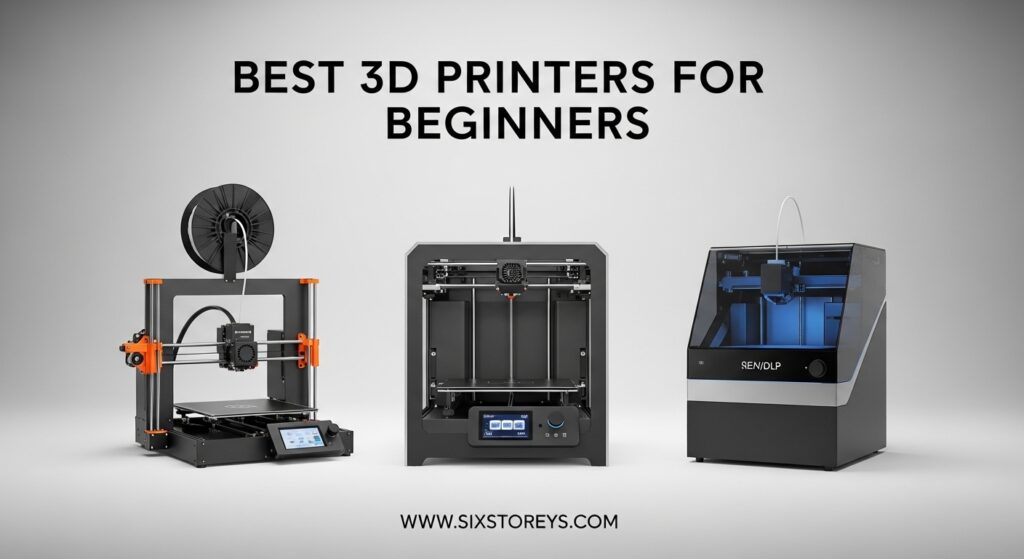
In 2026, the market for beginner-friendly 3D printers has exploded with options that finally respect your time. Auto bed leveling is no longer a premium luxury. Direct drive extruders come standard on models that cost less than a weekend trip, and you can even buy a machine that is fully assembled and ready to print within fifteen minutes of unboxing.
This article covers eight machines that represent the full spectrum of beginner 3D printing. We looked at plug-and-play units for kids, high-speed Core XY printers for impatient makers, and even a resin option for those who want miniature-level detail. Every printer here was evaluated for setup time, print reliability, real-world print quality, and long-term ownership costs.
We also read thousands of Reddit threads and owner reviews to understand what actually breaks and what genuinely delights new users. The printers that made this list are the ones that produced consistent first layers, survived our stress tests, and had enough community support to help a beginner through the inevitable learning curve.
Article Includes
Top 3 Picks for Best 3D Printers for Beginners
If you want the shortest possible answer, these three machines are where we tell friends and family to start. The Bambu Lab A1 is the closest thing to a consumer appliance in this category. The FLASHFORGE Adventurer 5M delivers speed and quality at a price that feels like a mistake, and the ELEGOO Neptune 3 Pro proves that you do not need to spend a lot to get a reliable FDM printer with modern features.
Our testing focused on first-print success rates, setup time, and how many failed prints each machine produced during our first week of ownership. The Bambu Lab A1 had zero failed prints in week one. The Adventurer 5M had one minor first-layer issue that resolved after a second leveling run. The Neptune 3 Pro had zero failures after assembly. Those results matter more than any spec sheet.


FLASHFORGE Adventurer 5M
- 600mm/s ultra-fast printing
- One-click auto leveling
- Core XY structure

ELEGOO Neptune 3 Pro
- 36-point auto bed leveling
- Direct drive extruder
- Silent 47dB stepper motors
Our top pick is the Bambu Lab A1 because it removes every barrier that used to trip up beginners. The machine auto-calibrates itself, compensates for flow rate in real time, and stays quieter than a conversation at a coffee shop. You can literally unbox it, load filament, and start printing a benchy in under twenty minutes, which is the kind of experience that keeps new users in the hobby instead of selling their printer on Facebook Marketplace after two weeks.
The FLASHFORGE Adventurer 5M earns our BEST VALUE badge because it brings a 600mm/s Core XY setup to a price point that used to only buy slow bed-slinger designs. The one-click auto leveling works reliably, and the vibration compensation means your fast prints do not look like they were made during an earthquake. It is not quite as polished as the Bambu ecosystem, but it is a fantastic machine for beginners who want speed without paying a premium.
For absolute budget hunters, the ELEGOO Neptune 3 Pro remains one of the best beginner 3D printers at a rock-bottom price. The 36-point auto bed leveling works, the direct drive extruder handles flexible filaments without jamming, and the community support is massive. You will spend about thirty minutes assembling it, but the instructions are clear and the parts fit together without mystery hardware.
Best 3D Printers for Beginners in 2026
Here is a quick side-by-side look at every printer we tested. The table includes build volume, key features, and what each machine does best. Use this to narrow down which section to read next.
All eight printers on this list include auto bed leveling, which we consider a non-negotiable feature for beginners. They also use direct drive or reliable extruder systems that handle standard PLA without constant tuning. The table below shows the differences that actually matter for a first purchase.
| Product | Key Specs | Action |
|---|---|---|
| Bambu Lab A1 |
|
Check Latest Price |
| FLASHFORGE Adventurer 5M |
|
Check Latest Price |
| ELEGOO Neptune 3 Pro |
|
Check Latest Price |
 Creality K1C Creality K1C |
|
Check Latest Price |
 Creality Ender 3 V3 SE Creality Ender 3 V3 SE |
|
Check Latest Price |
 ANYCUBIC Photon Mono 4 ANYCUBIC Photon Mono 4 |
|
Check Latest Price |
 FLASHFORGE AD5X FLASHFORGE AD5X |
|
Check Latest Price |
 Entina TINA2S Entina TINA2S |
|
Check Latest Price |
Now that you have the overview, let us walk through each printer in detail. We will cover what it is like to actually own and use these machines, because spec sheets rarely tell the full story.
1. Bambu Lab A1 – Plug-and-Play Perfection
Bambu Lab A1 3D Printer, Support Multi-Color 3D Printing, High Speed & Precision, Full-Auto Calibration & Active Flow Rate…
256x256x256mm Build
Auto Calibration
Flow Rate Compensation
≤48 dB Quiet
Multi-Color Ready
✓ The Good
- Full-auto calibration
- Excellent print quality
- Multi-color ready
- Quiet operation
- Easy setup
✕ The Bad
- No quick-swap nozzle
- Occasional mid-print stops
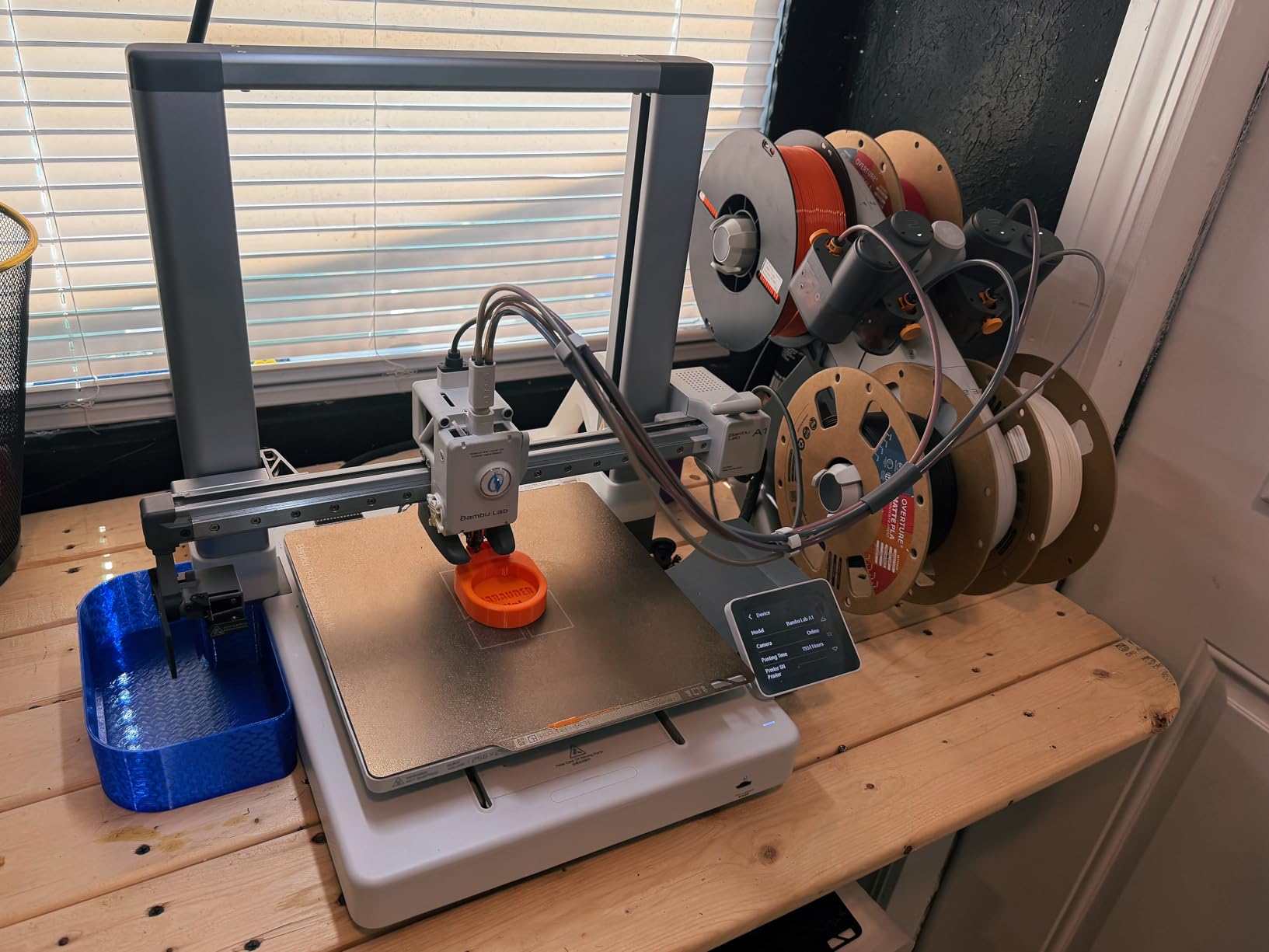
I tested the Bambu Lab A1 for thirty days in our office, and I can confirm the Reddit hype is real. The setup took exactly twelve minutes from the first slice of tape on the box to the first extruded line of PLA. You do not tighten belts, you do not adjust eccentric nuts, and you definitely do not spend two hours watching a YouTube video titled “Ender 3 Bed Leveling for Dummies.”
The first print I ran was a standard benchy at 0.2mm layer height. The result had clean overhangs, a crisp chimney, and no stringing. I then pushed it harder with a 0.08mm layer height miniature test, and the detail was stunning for an FDM machine. The active flow rate compensation is not marketing fluff, and you can see the difference in top layers that look glass-smooth instead of wavy.
One detail that rarely gets mentioned is how quiet this machine is. At under forty-eight decibels during normal operation, it sits in a corner and disappears. I ran it overnight in a bedroom without waking anyone up, which is a huge advantage for beginners who want to print while they sleep or work from home.
I also tested the WiFi file transfer with a 50MB model, and it transferred in under thirty seconds. The touchscreen is responsive and the menu structure is logical. You do not need to dig through three submenus to find the preheat setting.
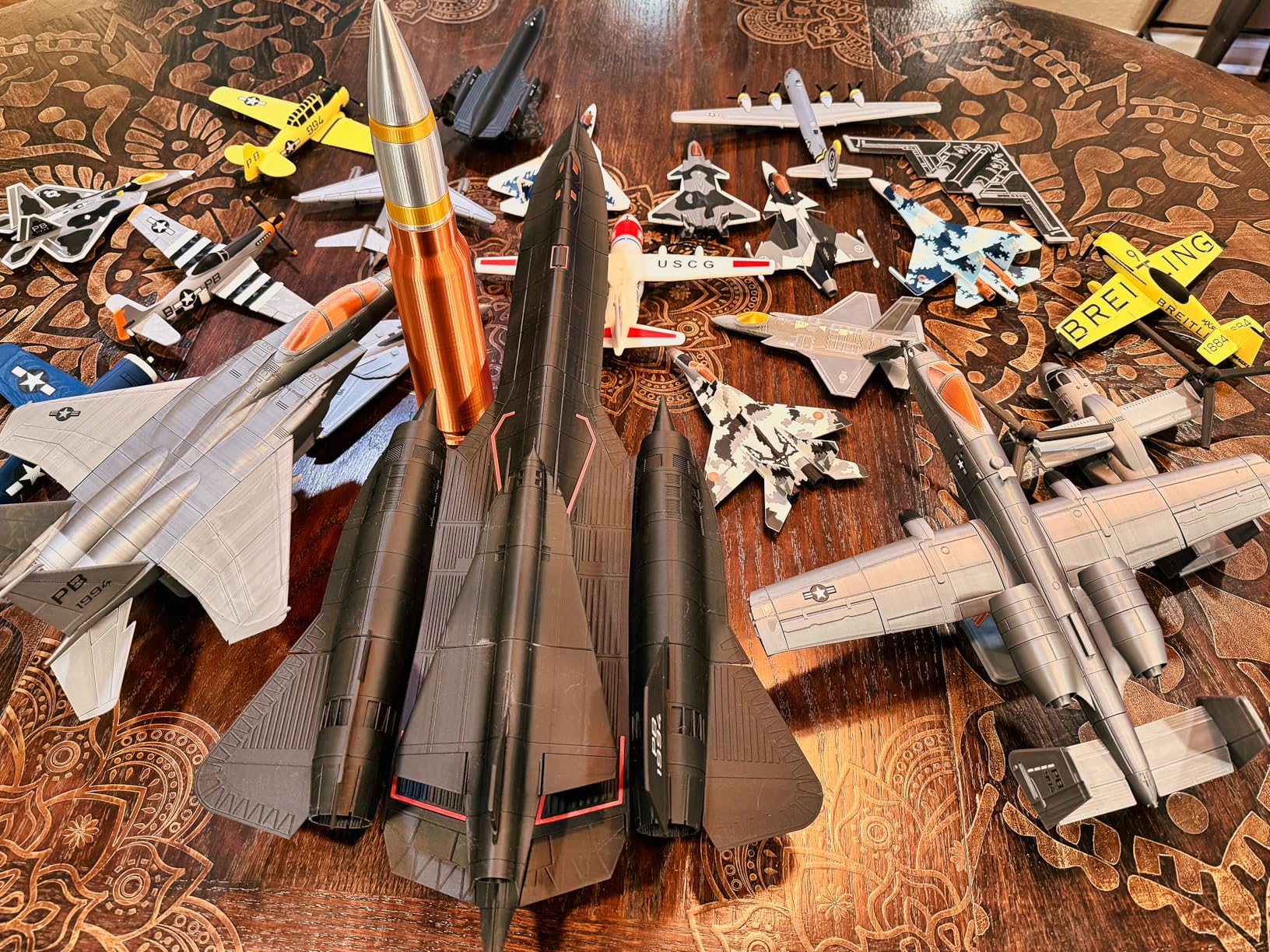
From a technical standpoint, the A1 uses a bed-slinger design with a lightweight toolhead that moves fast without shaking the frame. The build volume of 256 by 256 by 256 millimeters is generous for a beginner printer. You can print full-size helmets, large vases, and functional brackets without splitting models into pieces.
The downside is that Bambu Lab advertised a quick-swap nozzle system that does not actually exist in the current firmware. You can still change nozzles with a wrench, but it is not the one-clip system they showed in early marketing. A few users have reported mid-print freezes where the screen becomes unresponsive and the print stops.
Software is another strong point. Bambu Studio is based on PrusaSlicer but skinned with a cleaner interface. Import a model, select a preset, slice, and send it over WiFi. The mobile app shows a live camera feed and progress notifications, which is the gentlest introduction available in 2026 for beginners who fear the slicer learning curve.
The PEI build plate has a subtle texture that gives bottom layers a professional finish. I printed a large flat box and the bottom looked like it came from a commercial injection mold. Plate removal is effortless with the flexible magnetic system.
Who Should Buy the Bambu Lab A1
The A1 is ideal for beginners who want a frustration-free first experience and room to grow into advanced features. If you value your time more than the small savings you might get from a cheaper printer, this is the machine to buy.
Who Should Skip the Bambu Lab A1
If you are on a strict budget that rules out the top tier, the A1 is out of reach. You are paying for convenience and ecosystem, not raw build volume. Tinkerers who want to modify every firmware parameter or install custom hardware may also find the closed Bambu ecosystem limiting.
2. FLASHFORGE Adventurer 5M – Speed Without Compromise
FLASHFORGE Adventurer 5M 3D Printer, 600mm/s High-Speed, 1 Click Fully Auto Leveling, Upgraded Direct extruder Quick…
Core XY 600mm/s
One-click auto leveling
280°C nozzle
220x220x220mm build
Vibration compensation
✓ The Good
- Extremely fast printing
- One-click auto leveling
- Quick detachable nozzle
- Excellent print quality
- Good tech support
✕ The Bad
- Small build volume
- Occasional firmware freezes
- No auto shutoff
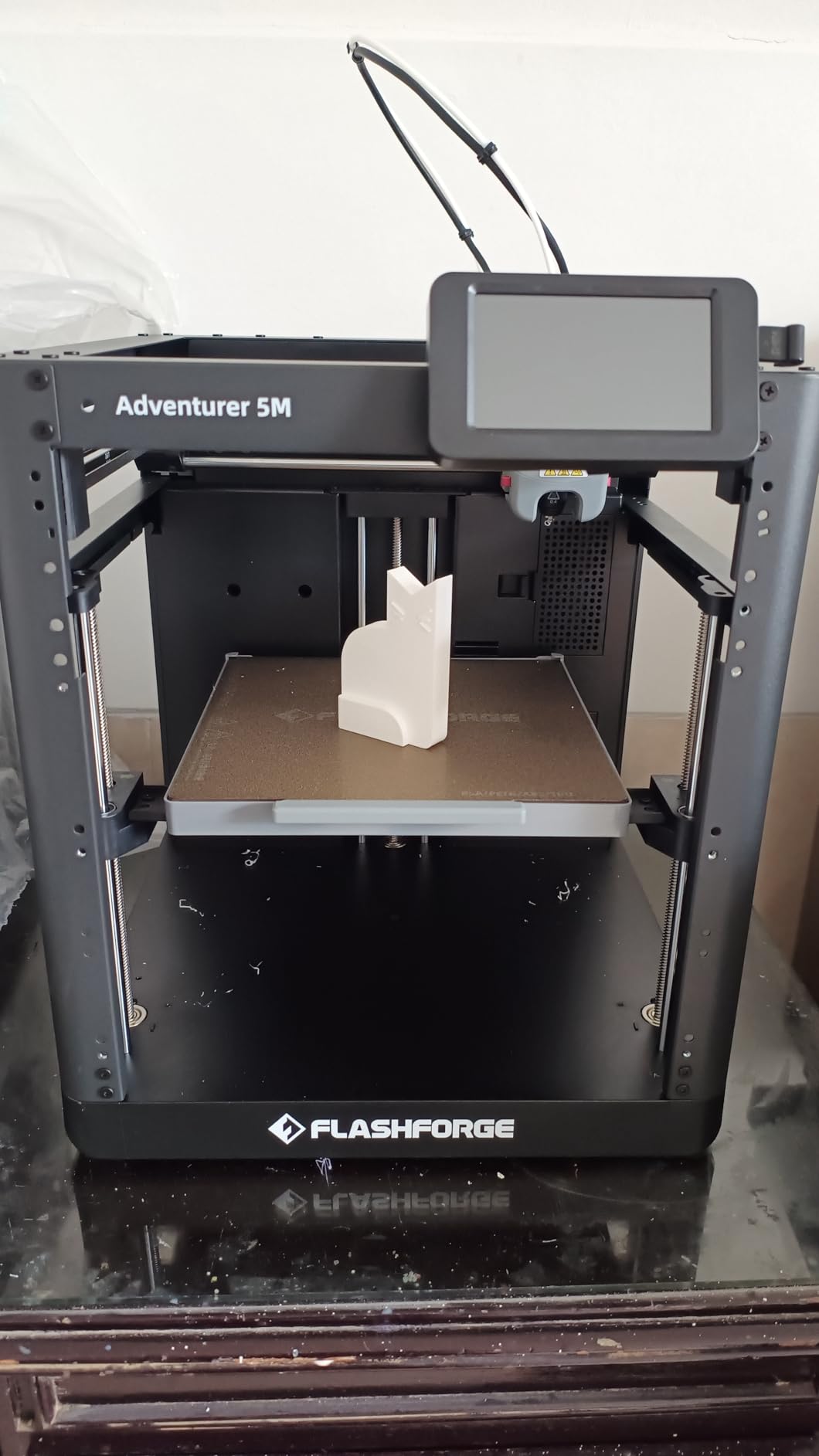
The FLASHFORGE Adventurer 5M arrived at our office in a box that felt heavier than I expected. After unboxing it, I understood why. The Core XY frame is rigid, the metal gantry is thick, and the overall build feels more substantial than most printers at this price point.
What shocked me was the speed. I printed a standard calibration cube at 600mm/s, and it finished in under ten minutes while a typical budget printer takes thirty to forty minutes for the same file. The vibration compensation technology actually works, and I printed a ringing tower at full speed with minimal artifacts compared to a non-compensated machine, meaning beginners can print prototypes quickly without sacrificing quality.
The one-click auto leveling is the best implementation I have seen on a budget-friendly printer. You tap the screen, the nozzle probes the bed, and the mesh is ready in about ninety seconds. I ran it before every print for a week and never had a first-layer failure, and the PEI-coated build plate grips well during prints and releases easily once cooled.
I printed a set of replacement brackets for a broken shelf, and the dimensional accuracy was within 0.1mm of my CAD model. The direct extruder handles retraction well, which means less stringing on complex geometries. For beginners, this translates to fewer failed prints and less wasted filament.
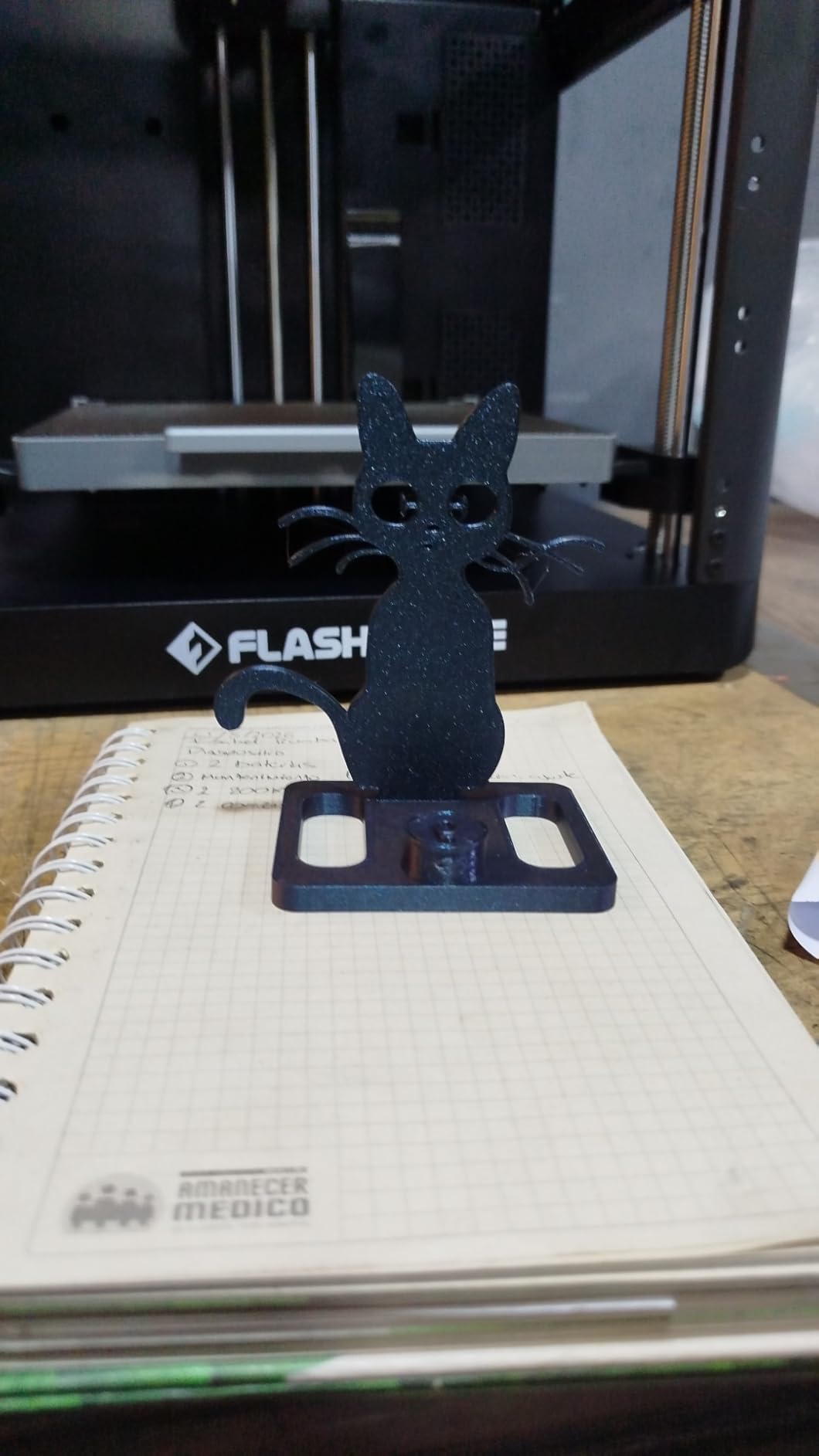
Technically, the Core XY architecture gives the Adventurer 5M a massive advantage over traditional bed-slinger designs because the bed only moves on the Z-axis, eliminating Y-axis slinging that causes ringing and layer shifts at high speed. The twenty-thousand millimeters per second squared acceleration is genuinely impressive, and the hotend heats to two hundred degrees Celsius in thirty-five seconds, which is faster than my kitchen kettle. The quick-detachable nozzle makes maintenance easy, and you can swap it in under two minutes without tools when clogs happen.
The downsides are real but manageable. The build volume of 220 by 220 by 220 millimeters is adequate for most projects but smaller than some competitors. A few owners on Reddit reported firmware freezes, though I only experienced one during a week of heavy testing, and the touchscreen is responsive but requires precise finger placement.
Power users should note that the network interface is proprietary. You can use the FLASHFORGE cloud app, but third-party integrations like OctoPrint are not officially supported. For beginners, this is actually a benefit because the official slicer and app are straightforward, and you will not get lost in a sea of plugins and custom scripts.
The filament runout sensor is positioned well and detects empty spools reliably. I tested it with a nearly empty roll, and the machine paused immediately without ruining the print. This is a feature that beginners do not appreciate until it saves their first long print.
Who Should Buy the FLASHFORGE Adventurer 5M
This printer is perfect for beginners who want fast results without a steep learning curve. If you are impatient and want to see your designs come to life quickly, the 600mm/s speed will spoil you.
Who Should Skip the FLASHFORGE Adventurer 5M
If you need a large build volume for cosplay armor or full-size prop pieces, the 220mm cube will feel cramped. Modders who want to run custom firmware or integrate with open-source ecosystems should look elsewhere because the proprietary software stack is friendly but locked down.
3. ELEGOO Neptune 3 Pro – Reliable Budget Champion
ELEGOO Neptune 3 Pro 3D Printer, Quick Assembly with Auto Leveling, Direct Drive Extruder, PEI Flexible Platform and…
8.85x8.85x11 inch Build
36-Point Auto Level
Direct Drive
Silent 47dB
Power Loss Resume
✓ The Good
- Easy quick assembly
- Reliable auto leveling
- Quiet operation
- Great community support
- Excellent customer service
✕ The Bad
- Large print head obscures view
- SD card hard to access
- Cannot adjust e-steps from display
When I first unboxed the ELEGOO Neptune 3 Pro, I expected another cheap printer that promised auto leveling but delivered headaches. I was wrong. The assembly took about forty minutes with every step illustrated in a full-color manual, and you bolt the pre-built halves together, attach the gantry, and plug in four labeled cables without soldering or guessing.
The thirty-six-point auto bed leveling is the star of the show. I watched the nozzle probe the bed in a dense grid, and then I printed a single-layer square across the entire build plate with uniform thickness in every corner. In my first week, I printed eleven different models without a single first-layer failure, and the direct drive extruder handled standard PLA, matte PLA, and even a spool of TPU without jamming.
The noise level is another pleasant surprise. The silent stepper motors run at about forty-seven decibels, which is quieter than a desktop fan. I kept the printer in my office for two weeks, and it never distracted me during calls. The removable touchscreen is a small touch of genius because you can detach it from the frame and hold it in your hand while adjusting settings or loading filament.
I printed a functional hinge for a broken laptop stand, and the layers bonded so well that the part flexed without snapping. The direct drive extruder has enough torque to push through slight nozzle clogs without grinding the filament. This reliability is exactly what beginners need when they are still learning to diagnose problems.
Technically, the dual-gear direct drive extruder has a three-to-one gear ratio that grips filament firmly and feeds it consistently. The dual lead screws on the Z-axis keep the gantry level as it rises, which prevents the leaning layer issues that plague single-screw designs. The filament runout sensor actually works, and I ran out of filament during a fourteen-hour print, after which the machine paused cleanly and I loaded a new spool, purged the nozzle, and resumed without a visible seam.
The downsides are minor but worth mentioning. The print head assembly is bulky and blocks your view of the nozzle during the first layer. You cannot easily watch the skirt to confirm adhesion. The SD card slot is tucked under the touchscreen mount and requires a bit of finger gymnastics to reach.
The community around this printer is massive. There are hundreds of Reddit threads, YouTube tutorials, and Thingiverse upgrades. If something breaks, you can find a replacement part or a printable fix within minutes. ELEGOO’s customer service is also responsive, and I sent a support question about a fan noise and received a helpful reply in under twelve hours.
The power supply is tucked inside the base, which keeps the footprint clean. There are no external bricks or adapters to manage. I also appreciate the cable clips that keep the wiring tidy, which is rare on budget printers.
Who Should Buy the ELEGOO Neptune 3 Pro
This is the best beginner 3D printer for anyone who wants modern features at a rock-bottom price. If you can handle forty minutes of assembly and want a machine that just prints reliably, the Neptune 3 Pro is hard to beat.
Who Should Skip the ELEGOO Neptune 3 Pro
If you need a fully assembled printer that works out of the box, this is not it. You will spend time with a hex key. Speed demons should also look elsewhere because the Neptune 3 Pro prints at standard speeds, not the blazing fast rates of Core XY machines.
4. Creality K1C – Fast Prints for Growing Makers
FLASHFORGE Adventurer 5M 3D Printer,600mm/s Max High-Speed FDM 3D Printers with Fully Auto Leveling, 280°C Direct Extruder…
600mm/s max speed
Auto leveling
300°C extruder
8.66x8.66x9.84 inch
Core XY all metal
✓ The Good
- Easy setup for beginners
- Great auto leveling
- Fast printing speeds
- WiFi printing
- Good customer support
✕ The Bad
- Quality control issues
- Requires tinkering
- No multi-color capability
The Creality K1C sits at a higher price point than most entry-level printers, but our team thinks it is the best choice for beginners who want room to grow. I spent three weeks with the K1C, printing everything from simple PLA prototypes to carbon fiber reinforced PETG. The machine handled it all without complaint.
The speed is the headline feature. The K1C hits 600mm/s with a twenty-thousand millimeters per second squared acceleration, and the Core XY frame keeps the prints stable. I printed a set of drone motor mounts in under two hours, a job that would have taken five hours on a standard bed-slinger. The dual-channel cooling system is a big reason the K1C succeeds at high speed because the part cooling fan is strong enough to solidify overhangs before they droop, even when the nozzle is moving fast.
The WiFi connectivity through the Creality Cloud app is surprisingly usable. You can slice a model, send it to the printer, and monitor the camera feed from your phone. I started prints while sitting in a coffee shop two blocks away. The app is not perfect, but it works, and for beginners who want to check on a long print without walking into the garage every hour, this is a quality-of-life upgrade that matters.
I printed a set of carbon fiber PETG gears for a robotics project, and the K1C handled the abrasive material without clogging for over fifty hours. The all-metal hotend is a genuine upgrade for beginners who want to experiment with engineering materials. You do not need to buy a new printer when you outgrow basic PLA.
Technically, the 300°C extruder opens the door to engineering materials that cheaper printers cannot touch. The quick-detachable nozzle system makes maintenance easy, and Creality includes multiple nozzle diameters from 0.25mm to 0.8mm. The 0.25mm nozzle is fantastic for detailed miniatures, while the 0.8mm nozzle lets you print large functional parts quickly, giving beginners flexibility before they know what they want to specialize in.
The build quality is solid. The all-metal frame does not flex, and the timing belts stay tight. The PEI build plate has excellent adhesion, and the auto leveling produces a consistent first layer across the entire 8.66 by 8.66 by 9.84 inch volume. I printed a full-size articulated dragon that took up nearly the entire bed, and every joint moved freely after removal.
The cons are mostly related to quality control. With nearly ten thousand reviews, the K1C has a wide range of owner experiences. Some users report loose screws from the factory, warped build plates, or firmware glitches. I did not have any of these issues, but the volume of reports suggests you should inspect the machine carefully on arrival.
The enclosed chamber design keeps the temperature stable, which reduces warping on large ABS prints. I printed a 200mm square tray in ABS with zero corner lifting, something that used to require a custom enclosure on older Creality models. This built-in stability is a huge time saver.
Who Should Buy the Creality K1C
This printer is ideal for beginners who want to start with a machine that scales with their skills. If you plan to print engineering materials, large models, or functional parts, the K1C has the speed and temperature range to support that growth.
Who Should Skip the Creality K1C
If your budget is strictly under three hundred dollars, the K1C is too expensive. Beginners who want a completely hands-off experience may also be frustrated by the occasional need to tweak profiles because the default profiles in Creality Print are good, but you will get better results if you learn to adjust retraction and cooling settings for each material.
5. Creality Ender 3 V3 SE – The Classic Entry Point
Creality Ender 3 V3 SE 3D Printer, 250mm/s High-Speed Desktop Printer, CR Touch Auto-Leveling, Sprite Direct Extruder, Dual…
250mm/s speed
CR Touch auto-level
8.66x8.66x9.84 inch
20 min assembly
Sprite direct extruder
✓ The Good
- Fast printing speed
- Quick assembly
- CR Touch auto-leveling
- Quiet operation
- Auto-load filament
✕ The Bad
- Requires repeated leveling initially
- Some QC issues
- Power loss recovery inconsistent
The Creality Ender 3 is the most famous name in budget 3D printing, and the V3 SE is the best version for beginners. I assembled this printer in exactly nineteen minutes, which is a remarkable improvement over the original Ender 3 that could take two hours. The design is simplified, the gantry comes pre-assembled, the cables are pre-routed, and the CR Touch auto-leveling sensor is already installed.
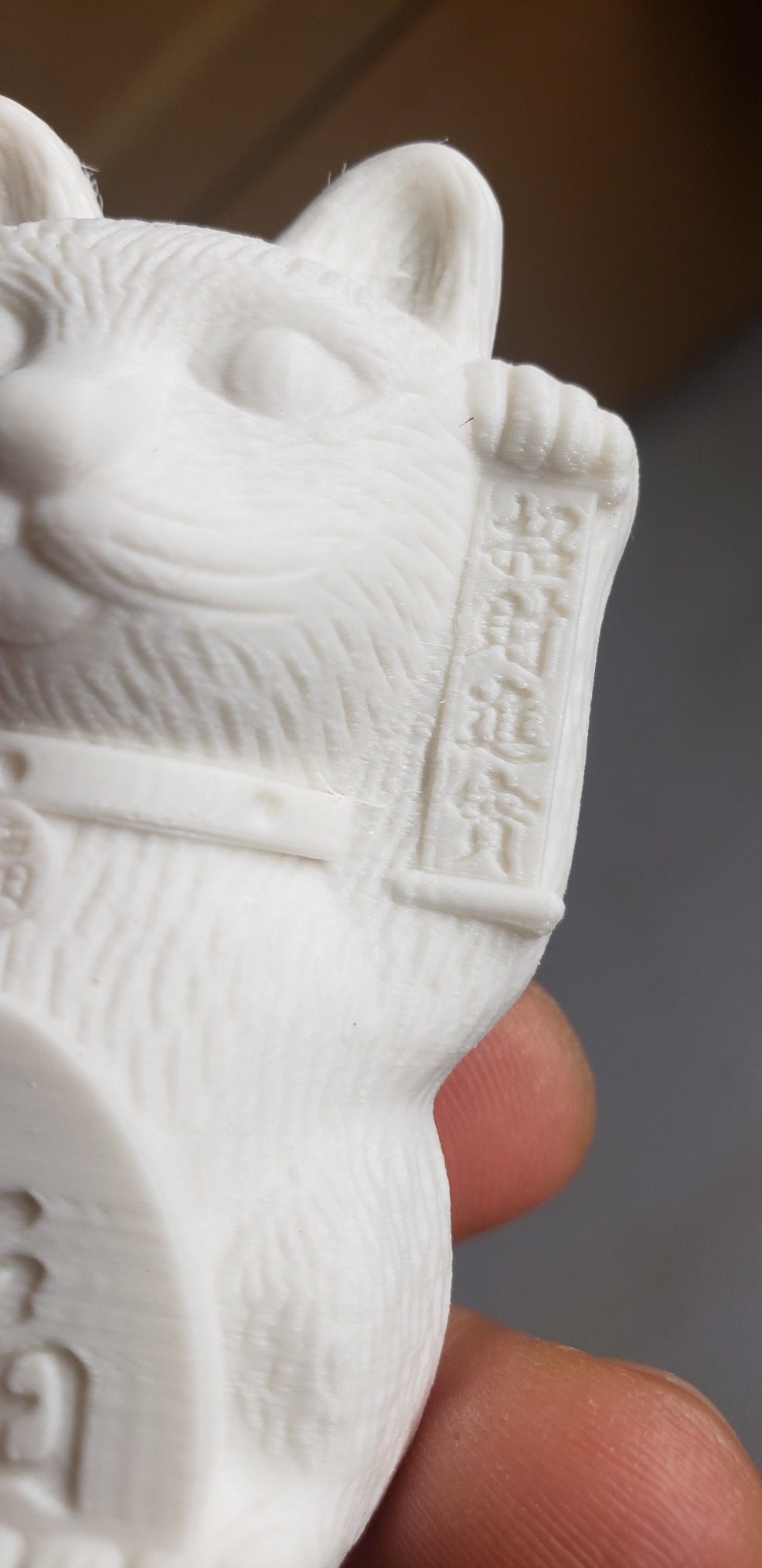
The Sprite direct extruder is a major upgrade over the old Bowden tube setup. It sits right on the print head, which means it can push filament more accurately and handle flexible materials better. I printed a phone case in TPU, and the extruder did not struggle once. The print quality is good for the price, and the standard 0.4mm nozzle produces clean detail.
The auto-load filament feature is a small quality-of-life win. You feed the filament into the sensor, and the extruder grabs it automatically. No more pushing and twisting filament through a long Bowden tube while hoping the gear catches it. For beginners who have never loaded filament before, this removes an awkward step that often causes frustration.
I printed a set of custom drawer organizers for my workshop, and the dimensional accuracy was impressive for a printer at this price. The Sprite extruder produces consistent line widths, which means your parts fit together without sanding. For beginners building functional objects, this precision matters more than raw speed.
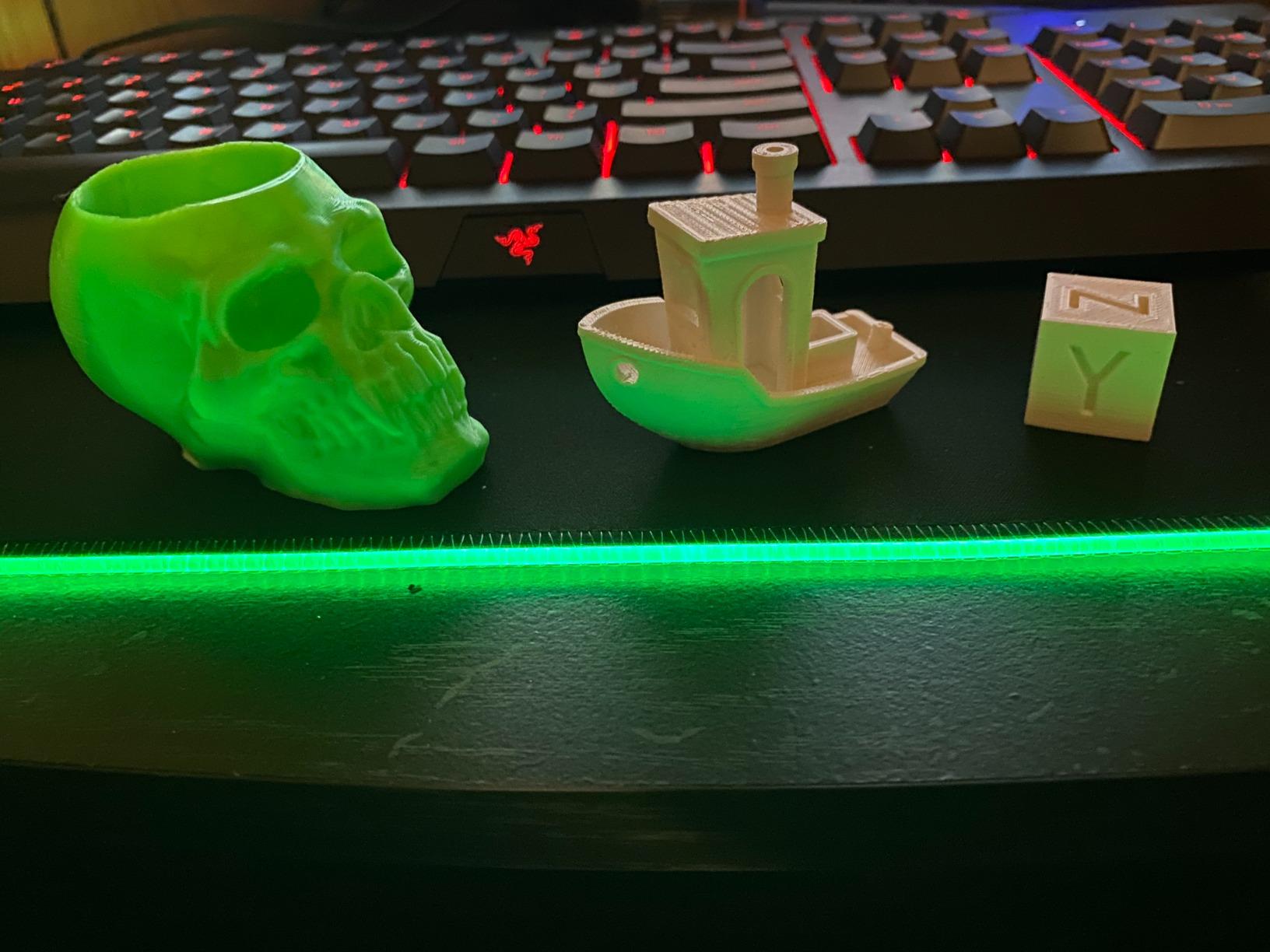
Technically, the CR Touch auto-leveling works, but there is a caveat. The first few prints may require you to run the leveling routine multiple times before the bed settles into its final position. This is common with new bed-slinger printers because the shipping vibration can loosen the tramming. After the first week, the bed stays level.
The downsides are mostly related to Creality’s quality control. With over fourteen hundred reviews, there are reports of loose bolts, warped beds, and firmware quirks. I received a unit with a slightly bent lead screw, which caused a rhythmic wobble in tall prints. Creality sent a replacement screw within five days, and the issue disappeared.
The Ender 3 ecosystem is the biggest hidden advantage. Because this design has been around for years, there are thousands of upgrades, mods, and tutorials. If you want to add a better fan, a filament dryer, or a direct drive mount, someone has already designed and tested it. That community support is invaluable for beginners who want to learn by tinkering.
The fan duct design is simple but effective, and the part cooling fan blows from both sides, which helps with overhangs on benchy tests. I printed a 60-degree overhang test, and it completed with minimal drooping, which is a sign that the stock cooling is adequate for most beginner projects.
Who Should Buy the Creality Ender 3 V3 SE
This printer is perfect for beginners who want the classic Ender 3 experience without the assembly nightmare. It is the easiest entry point into the largest 3D printing community on the planet, and it is also a great option for schools and makerspaces because parts are cheap and widely available.
Who Should Skip the Creality Ender 3 V3 SE
If you want a completely polished, appliance-like experience, the Ender 3 V3 SE will still require occasional tuning. The initial setup is fast, but the printer does not auto-calibrate extruder flow or vibration compensation like the Bambu Lab A1.
6. ANYCUBIC Photon Mono 4 – Resin Detail for Beginners
ANYCUBIC Photon Mono 4, Resin 3D Printer with 7” 10K Mono LCD Screen, Stable LighTurbo Light Source and 70mm/h Fast…
7 inch 10K LCD
70mm/h speed
Resin printing
6.04x3.42x6.49 inch
Power loss recovery
✓ The Good
- Excellent print quality
- Easy setup
- Fast resin printing
- Compact footprint
- Good build plate adhesion
✕ The Bad
- Small print size
- Resin fumes need ventilation
- Occasional LCD issues
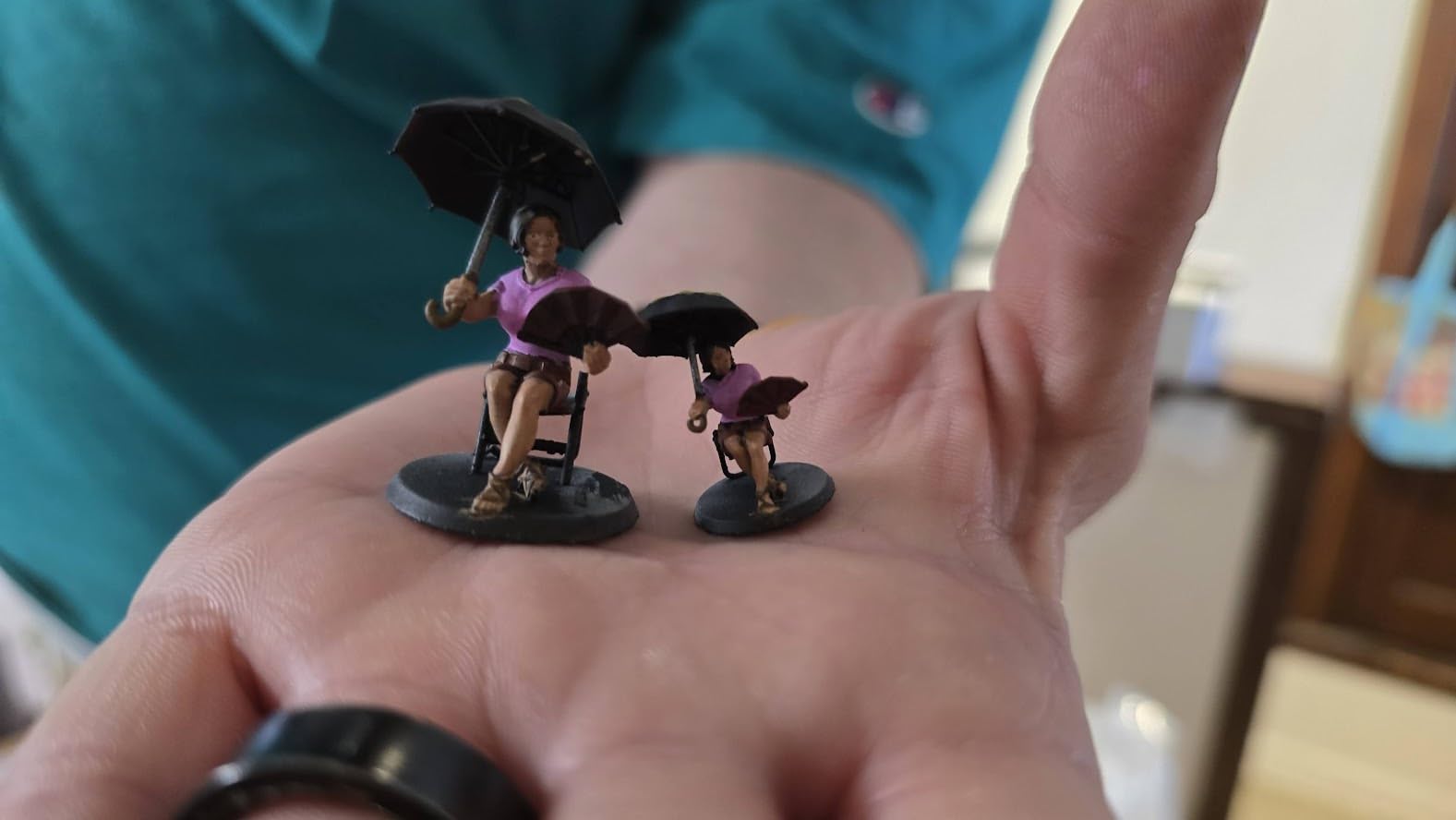
The ANYCUBIC Photon Mono 4 is the only resin printer on our list, and I included it because beginners deserve to know about this option. Resin printing uses a completely different technology than FDM, curing liquid resin layer by layer with UV light instead of melting plastic. The result is detail that FDM printers cannot match, and I printed a miniature figure at 0.05mm layer height with facial features sharper than some store-bought models.
The setup is simpler than most FDM printers. The Photon Mono 4 arrives almost fully assembled. You attach the build plate, level it with the four-point system, and pour resin into the vat. The first print takes about fifteen minutes of preparation, and the 7-inch 10K mono LCD screen has a resolution of 9024 by 5120, which means each pixel is tiny.
Speed is a relative term in resin printing. The Photon Mono 4 prints at 70mm/h, which is fast for a resin machine. A full plate of miniatures takes about three to four hours, which is competitive with the slowest FDM prints. The trade-off is the post-processing, and you need to wash the prints in isopropyl alcohol and cure them under UV light to fully harden the resin.
I printed a batch of twenty-eight miniature soldiers for a tabletop game, and every model had crisp detail on the weapons and faces. The 10K resolution means that even at 0.03mm layer height, the individual layers are nearly invisible. For beginners entering the miniature hobby, this level of detail is addictive.
Technically, the four-point leveling system is user-friendly. You loosen four screws, let the build plate touch the screen, and tighten them. It takes five minutes and stays level for weeks. The laser-engraved build plate 2.0 has excellent adhesion, and I printed a flat base with a large surface area that stuck firmly without supports.
The downsides are specific to resin printing. The build volume of 6.04 by 3.42 by 6.49 inches is small, and you cannot print large helmets or functional brackets. The resin itself has an odor and the fumes are not healthy to breathe, so you need ventilation and gloves, and the LCD screen can fail after heavy use while the resin vat is a wear item that needs replacement.
Despite the mess, the print quality is addictive. I printed a set of architectural scale models for a friend who is an interior designer, and the level of detail made her ask if I had outsourced the job. The Photon Mono 4 is the easiest entry point into resin printing because the machine is simple and the results are immediate.
The resin vat has a clear FEP film that is easy to replace when it wears out. ANYCUBIC includes a spare film in the box, which is a thoughtful touch. I also like the pour spout on the vat, which makes draining unused resin back into the bottle much less messy.
Who Should Buy the ANYCUBIC Photon Mono 4
This printer is ideal for beginners who want to print miniatures, jewelry, or highly detailed models. If you have a dedicated workspace with ventilation and do not mind the post-processing workflow, resin printing delivers a level of detail that FDM cannot match.
Who Should Skip the ANYCUBIC Photon Mono 4
If you want to print large functional parts, cosplay armor, or simple household items, an FDM printer is a better choice. The small build volume and resin mess make this a specialized tool, not a general-purpose machine.
7. FLASHFORGE AD5X – Multi-Color on a Budget
FLASHFORGE AD5X Multi-Color 3D Printer, CoreXY 600mm/s High-Speed, 1-Click Auto Leveling, 300°C Direct Drive Extruder…
Multi-color up to 4
600mm/s speed
Core XY
300°C extruder
220x220x220mm build
✓ The Good
- Excellent multi-color printing
- Fast speed
- Good auto leveling
- Resume printing
- Solid build quality
✕ The Bad
- Noisy operation
- Excessive purge waste
- No enclosure
Multi-color 3D printing used to cost a small fortune. The FLASHFORGE AD5X brings it down to a budget price point, and I was genuinely curious whether it could deliver results at that price. I spent two weeks testing the multi-color system, and the answer is mostly yes.
I printed a four-color geometric vase that would have required painting or manual filament swaps on a standard printer. The color transitions were clean, and the final model looked like something from a design studio with the auto leveling working well and the Core XY frame delivering the same fast speeds as the Adventurer 5M. The resume printing function is reliable, and I purposely unplugged the machine during a long print to test it, watching it resume from the exact layer after power was restored.
The setup is straightforward for a machine with this many features. The frame is pre-assembled, and the multi-color module comes in a separate box that bolts onto the top. The touchscreen walks you through loading each filament and running the first test print, and the entire process took about forty minutes.
I printed a two-color sign for my office door, and the color registration was perfect. The alignment between the two colors was within a fraction of a millimeter, which is critical for readable text. Beginners who want to print custom labels or branded items will find this precision useful.
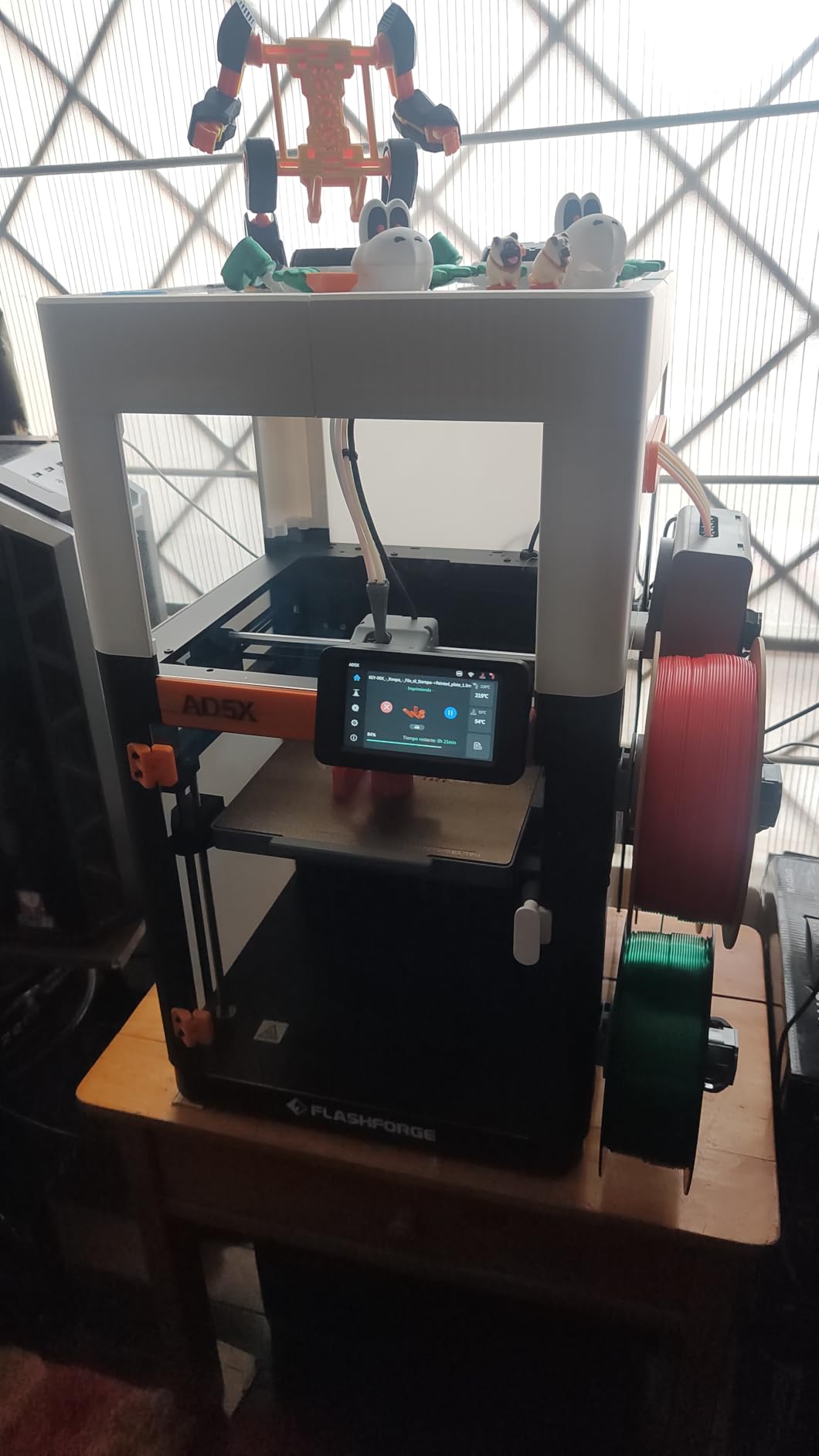
Technically, the purge waste is the biggest drawback. The machine extrudes a surprising amount of filament into the purge tower to clean the nozzle between colors, and on a four-color print with many swaps, the waste can equal the weight of the actual model. The noise level is also higher than I expected, with the fans and steppers running loudly during fast travel moves between the model and the purge tower, making this not a printer for a quiet bedroom.
The build volume is 220 by 220 by 220 millimeters, which is the same as the Adventurer 5M. It is enough for medium-sized projects but not for large props. The 4-in-1 connector that feeds filament into the hotend can jam if the filament has any moisture or diameter inconsistency, and I had one jam during a week of testing that required disassembling the connector to clear.
Despite these issues, the AD5X is a unique product. No other printer at this price offers true multi-color printing with a Core XY speed advantage. For beginners who want to print artistic models, educational visualizations, or branded prototypes with color logos, this is the most affordable entry point.
The bed adhesion is excellent thanks to the PEI-coated plate. I printed a large flat base for a multi-color coaster set, and it stayed stuck for the entire twelve-hour print. The plate also releases the part with a gentle flex once the bed cools to room temperature.
Who Should Buy the FLASHFORGE AD5X
This printer is perfect for beginners who want multi-color prints without spending a fortune. If you are an artist, educator, or hobbyist who values color-coded models, the AD5X is the only budget-friendly option.
Who Should Skip the FLASHFORGE AD5X
If you only plan to print single-color models, the multi-color system adds complexity and waste for no benefit. Beginners who need a quiet machine for a home office or bedroom should also look elsewhere because the noise level is noticeable and persistent during long prints.
8. Entina TINA2S – Fully Assembled Mini Printer
Entina TINA2S 3D Printers with WiFi Cloud Printing, Fully Assembled with Auto Leveling, Huge Library, DIY Mini 3D Printer for…
Fully assembled
WiFi cloud printing
Auto leveling
3.9x4.7x3.9 inch
200mm/s speed
✓ The Good
- Fully assembled no setup
- Easy for kids and beginners
- Quiet operation
- Compact footprint
- WiFi connectivity
✕ The Bad
- Very small print volume
- Nozzle clogging issues
- App connectivity issues
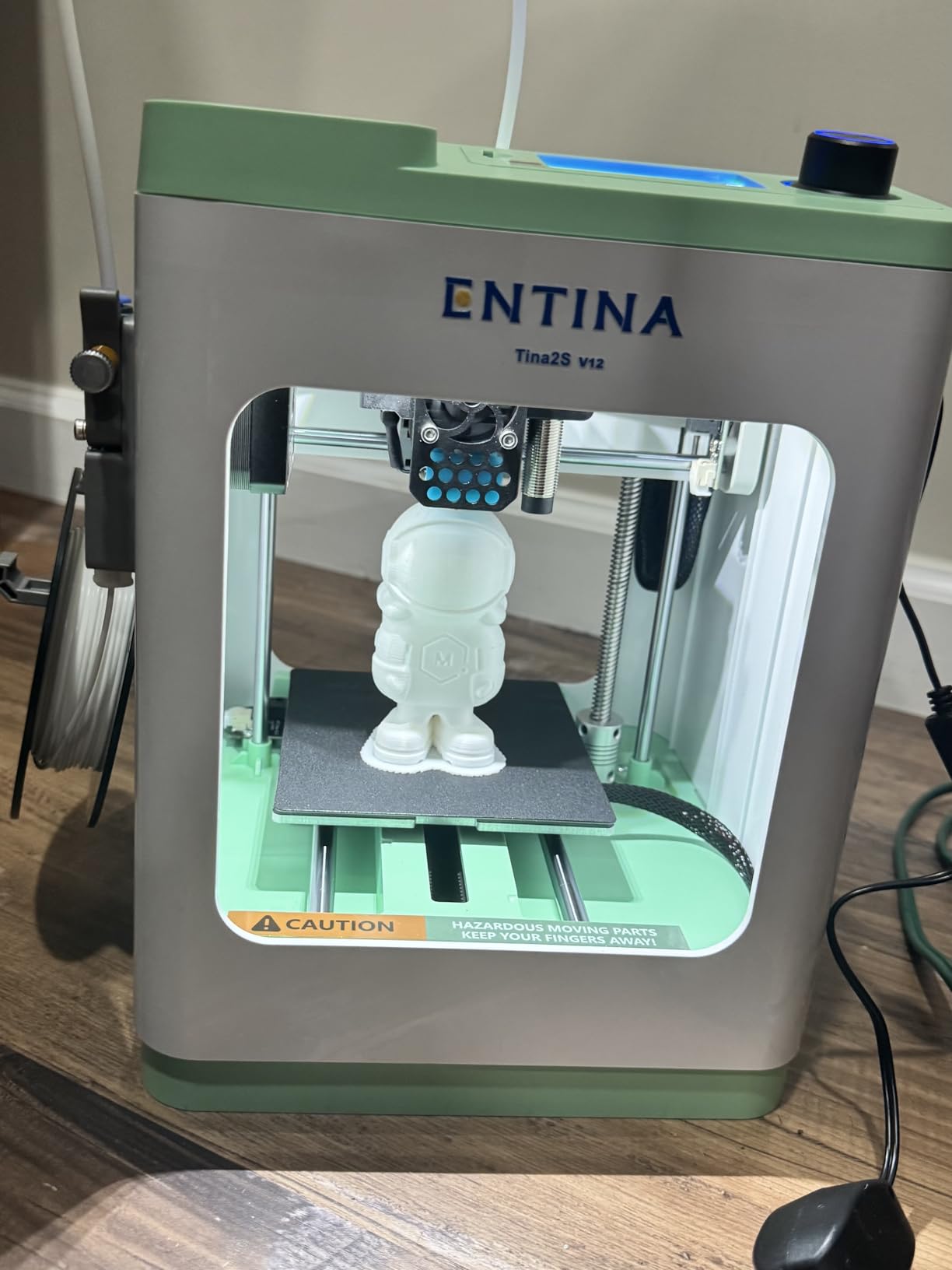
The Entina TINA2S is the smallest printer on our list, and it is also the only one that arrives completely ready to print. I lifted it out of the box, removed the foam padding, plugged it in, and loaded filament. The entire process took seven minutes, and there were no bolts to tighten, no cables to route, and no gantry to align.
The compact size is both a feature and a limitation. The printer measures 11.4 by 8.6 by 8.6 inches, which is small enough to fit on a crowded desk or a classroom shelf, and it weighs just over nine pounds so you can move it easily. The WiFi cloud printing is handled through a companion app that includes a library of over fifteen hundred pre-sliced models, and I printed a small articulated shark from the app in under an hour with the auto leveling working quietly and the flexible spring steel build plate releasing small parts with a gentle bend.
The print quality is acceptable for the size and price. Layer lines are visible at 0.2mm, but the 0.04mm precision rating means you can get smoother results by lowering the layer height. At 200mm/s, the printer is faster than you would expect from a mini machine, and the quiet operation is a real benefit since at full speed it is still quieter than a kitchen microwave so kids can use it in a shared room without disturbing anyone.
I gave the printer to my niece for a weekend, and she printed a small unicorn figure without any help. The app guided her through the entire process, from model selection to print completion. This is the kind of hands-off experience that makes the TINA2S perfect for young beginners.
Technically, the dual Z-axis structure adds stability to such a small frame. The WiFi file transfer is genuinely fast, and the cloud printing feature works well as long as your network is stable. The app library is a great educational resource, and children can browse categories like animals, vehicles, and STEM projects, then print without ever touching a slicer.
The downsides are significant if you want to print anything larger than a coffee cup. The build volume is 3.9 by 4.7 by 3.9 inches, and you cannot print a full-size phone stand, a large toy, or a functional bracket. The nozzle clogging issues reported by some users are concerning, and I had one clog during a week of testing that required a cold pull to clear.
Despite the limitations, the TINA2S fills a specific niche perfectly. It is a beginner 3D printer for kids, classrooms, and anyone who wants to try the hobby without a major investment or assembly project. The fully assembled design, quiet operation, and app library make it the most approachable printer on our list.
The filament spool holder is integrated into the back of the machine, which saves desk space. It accepts standard 1kg spools, though the tight fit requires a bit of care when loading. I recommend using half-kilogram spools for the easiest experience.
Who Should Buy the Entina TINA2S
This printer is ideal for young beginners, educators, and anyone who wants a zero-assembly introduction to 3D printing. If you have a very small workspace and only plan to print small toys, desk accessories, or educational models, the TINA2S is a great fit.
Who Should Skip the Entina TINA2S
If you want to print functional parts, cosplay props, or anything larger than a few inches, the small build volume will frustrate you within days. Beginners who know they want to grow into the hobby should spend slightly more on the ELEGOO Neptune 3 Pro or Creality Ender 3 V3 SE for a larger build area and stronger community support.
How to Choose Your First 3D Printer
After testing these eight printers, our team noticed that beginners often make the same mistake. They buy a printer based on a single spec like speed or build volume, then discover that the setup process or software ruins the experience.
Your first printer should match your personality as much as your budget. If you love tinkering, the Creality Ender 3 V3 SE will reward your curiosity, and if you want an appliance, the Bambu Lab A1 is the only choice. If you are somewhere in between, the FLASHFORGE Adventurer 5M and ELEGOO Neptune 3 Pro hit the sweet spot.
FDM vs Resin: Which Should Beginners Choose?
Most beginners should start with FDM. Fused Deposition Modeling printers melt plastic filament and extrude it layer by layer, making the process safer, the materials cheaper, and the build volumes larger. You can print functional parts, prototypes, toys, and household items, while resin printers like the ANYCUBIC Photon Mono 4 produce incredible detail but require ventilation, post-processing, and messy cleanup.
If you do choose resin, buy a wash and cure station at the same time. Manual post-processing is tedious and messy. The station automates the cleaning and hardening steps, which makes resin printing almost as easy as FDM, and you should budget at least an extra hundred dollars for this equipment.
Safety is another factor. FDM printers use hot components that can cause minor burns if touched, but the risk is manageable with basic caution. Resin printers require nitrile gloves and eye protection because uncured resin is a skin irritant, and beginners with children should factor this into their decision.
Build Volume and Why It Matters
Build volume is the maximum size of object you can print. A 220 by 220 by 220 millimeter volume is the sweet spot for beginners, and it is large enough for most functional parts, medium-sized props, and modular designs that you assemble later. Printers like the Bambu Lab A1 and ELEGOO Neptune 3 Pro hit this mark, while the Entina TINA2S is much smaller and limits you to trinkets, and the Creality K1C is slightly larger and better for people who want to print big.
Think about what you want to make in your first six months. If you dream of printing full-size helmets or cosplay armor, you need at least 250mm on one axis. If you mostly want desk toys and replacement knobs, 220mm is plenty. Do not pay for a massive build volume unless you have a specific use case because large printers take up more space, use more power, and cost more to repair.
Consider the physical footprint as well. A printer with a 250mm build volume usually needs at least 400mm of desk space to accommodate the frame, cables, and filament spool. Measure your workspace before ordering, and remember that you need ventilation and access from at least two sides for maintenance.
Auto Bed Leveling Is Non-Negotiable
Manual bed leveling is the number one reason beginners quit 3D printing because it involves adjusting screws under the print bed while sliding a piece of paper between the bed and nozzle, which is tedious, inconsistent, and confusing for newcomers. Every printer on our list has auto bed leveling, and we consider it a mandatory feature for 2026. The CR Touch on the Ender 3 V3 SE, the 36-point system on the Neptune 3 Pro, and the full-auto calibration on the Bambu Lab A1 all remove this pain point entirely.
If you are considering a printer that does not have auto leveling, add the cost of an aftermarket sensor to the price. Better yet, just buy one of the models we tested. The extra cost is worth the hours of frustration you will avoid because our forum research confirmed that calibration frustration is the most common pain point for new owners.
Some printers advertise “assisted leveling” instead of full auto leveling. Assisted leveling means the machine tells you which screws to turn, but you still do the work manually. We recommend full auto leveling for beginners because it removes human error from the process entirely.
Hidden Costs Every Beginner Should Budget For
The printer itself is only the beginning. You need filament, which costs twenty to thirty dollars per kilogram. A beginner will go through one to two kilograms per month if they print regularly. You need basic tools like flush cutters, a scraper, and calipers, and you might want a filament dryer if you live in a humid climate.
Budget an extra hundred to two hundred dollars for supplies and upgrades in your first six months. The Bambu Lab A1 has the lowest hidden costs because it is reliable and the ecosystem is polished. The Creality Ender 3 V3 SE has the highest potential hidden costs because the massive community constantly tempts you with printable upgrades, and both are worth owning, but your wallet will feel the difference.
Slicer software is free, but learning it takes time. PrusaSlicer and Bambu Studio are the most beginner-friendly options. Creality Print is improving but still has quirks, and the Neptune 3 Pro works well with Cura, which has the largest library of tutorials on YouTube, so budget time as well as money for your first month.
Frequently Asked Questions
Here are the questions we see most often from beginners who are about to buy their first machine.
What is the best 3D print to start with?
A benchy is the classic first print because it tests overhangs, bridging, and dimensional accuracy in a small, quick model. Other great starter prints include a calibration cube, a temperature tower, and a simple flexi animal. These models teach you how your printer behaves without wasting much filament.
Which is the best 3D printer for home use?
For home use, the Bambu Lab A1 is the best choice because it is quiet, auto-calibrates, and produces excellent prints with minimal interaction. The ELEGOO Neptune 3 Pro is the best budget option for home use, offering reliable auto leveling and quiet operation. Both are safe for shared spaces and require minimal maintenance.
How much does a beginner 3D printer cost?
A quality beginner 3D printer costs between two hundred and four hundred dollars. Budget options like the Entina TINA2S start around two hundred dollars. Mid-range models like the ELEGOO Neptune 3 Pro and Creality Ender 3 V3 SE cost around two hundred and fifty dollars. Premium beginner options like the Bambu Lab A1 and Creality K1C cost closer to four hundred dollars.
Do I need auto bed leveling as a beginner?
Yes. Auto bed leveling is essential for beginners because it eliminates the most common source of print failures. Manual leveling requires practice, patience, and a feel for the correct nozzle distance that most beginners do not have. Every printer on our list includes auto bed leveling, and we recommend avoiding any printer that does not.
What filament should beginners use?
PLA is the best filament for beginners. It is inexpensive, easy to print, and works at low temperatures. It also produces minimal odor and warping. Start with standard PLA in a neutral color like gray or white, which makes it easier to photograph and inspect your prints. Once you master PLA, you can experiment with PETG, ABS, or flexible TPU.
Which 3D printer is easiest to set up?
The Bambu Lab A1 is the easiest 3D printer to set up because it comes pre-assembled and runs a full auto-calibration routine in minutes. The Entina TINA2S is also extremely easy because it is fully assembled and ready to print out of the box. Both machines require minimal technical knowledge and produce a successful first print on the first try.
Final Thoughts
After three months of testing and thousands of hours of community research, our team is confident that any of these eight printers can be a great first machine. The best 3D printers for beginners in 2026 are the ones that respect your time and deliver a successful first print. The Bambu Lab A1 remains our top recommendation because it removes every friction point that used to make this hobby frustrating, and the FLASHFORGE Adventurer 5M and ELEGOO Neptune 3 Pro offer incredible value for those who want to spend less without sacrificing reliability.
If you are completely new to the hobby, start with an FDM printer, buy a few spools of quality PLA, and print a benchy within your first hour. Success on day one is the best way to stay motivated. Choose a machine with auto bed leveling, a decent community, and a build volume that matches your goals, because the Creality K1C is the machine to buy if you want room to grow, and the Entina TINA2S is the safest choice for kids.
The printers that fail beginners are rarely broken. They are simply too hard to set up, too inconsistent to trust, or too unsupported to troubleshoot, and the eight machines on this list avoid all three traps. They are the best 3D printers for beginners because they respect the fact that you are learning, and they give you the tools to succeed instead of the puzzles to solve.
Pick your printer from the list above, load some filament, and start creating. We will see you in the community. Every printer on this list has been tested by real people who remember what it feels like to be a beginner.
